2005 CHEVROLET BLAZER key
[x] Cancel search: keyPage 105 of 436
Shifting Out of Park (P)
(Automatic Transmission)
Your vehicle has an automatic transmission shift lock
control system which locks the shift lever in PARK when
the ignition is in the OFF position. In addition, you
have to fully apply the regular brakes before you can
shift from PARK (P) when the ignition is in RUN.
SeeAutomatic Transmission Operation on page 2-24.
If you cannot shift out of PARK (P), ease pressure
on the shift lever. Push the shift lever all the way into
PARK (P) as you maintain brake application and
then move the shift lever into the gear you want. You
must press the shift lever button on the shift lever.
If you ever hold the brake pedal down but still cannot
shift out of PARK (P), try this:
1. Turn the key to OFF.
2. Apply and hold the brake until the end of Step 4.
3. Shift the transmission to NEUTRAL (N).
4. Start the vehicle and then shift to the drive gear you
want.
5. Have the vehicle xed as soon as you can.
Parking Your Vehicle
(Manual Transmission)
Before you get out of your vehicle, move the shift lever
into REVERSE (R), and rmly apply the parking
brake. Once the shift lever has been placed into
REVERSE (R) with the clutch pedal pressed in, you can
turn the ignition key to OFF, remove the key and
release the clutch.
If you are parking on a hill, or if your vehicle is pulling a
trailer, seeTowing a Trailer on page 4-59.
2-39
Page 126 of 436
Vehicle Personalization
Memory Seat
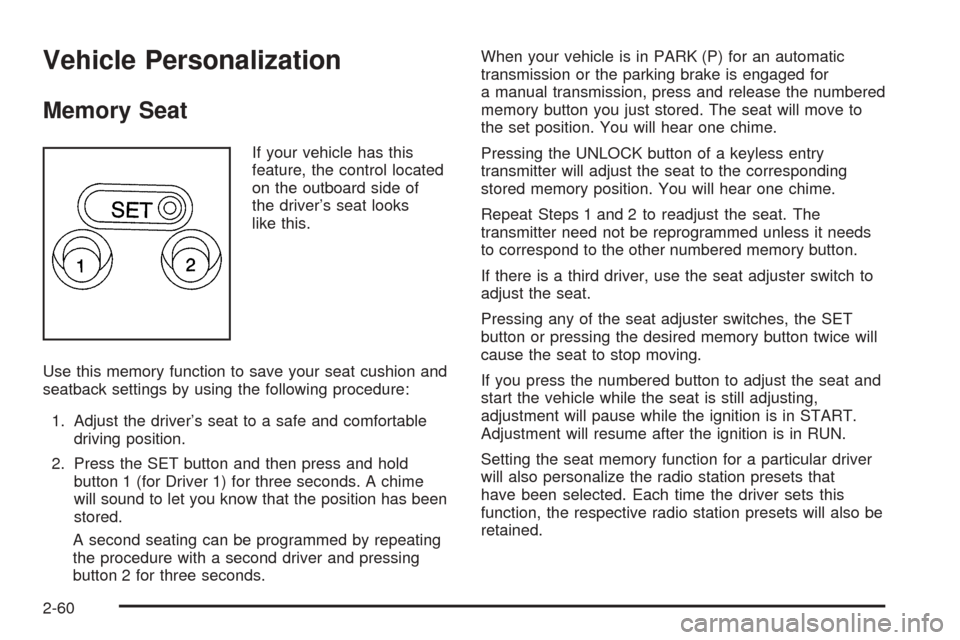
If your vehicle has this
feature, the control located
on the outboard side of
the driver’s seat looks
like this.
Use this memory function to save your seat cushion and
seatback settings by using the following procedure:
1. Adjust the driver’s seat to a safe and comfortable
driving position.
2. Press the SET button and then press and hold
button 1 (for Driver 1) for three seconds. A chime
will sound to let you know that the position has been
stored.
A second seating can be programmed by repeating
the procedure with a second driver and pressing
button 2 for three seconds.When your vehicle is in PARK (P) for an automatic
transmission or the parking brake is engaged for
a manual transmission, press and release the numbered
memory button you just stored. The seat will move to
the set position. You will hear one chime.
Pressing the UNLOCK button of a keyless entry
transmitter will adjust the seat to the corresponding
stored memory position. You will hear one chime.
Repeat Steps 1 and 2 to readjust the seat. The
transmitter need not be reprogrammed unless it needs
to correspond to the other numbered memory button.
If there is a third driver, use the seat adjuster switch to
adjust the seat.
Pressing any of the seat adjuster switches, the SET
button or pressing the desired memory button twice will
cause the seat to stop moving.
If you press the numbered button to adjust the seat and
start the vehicle while the seat is still adjusting,
adjustment will pause while the ignition is in START.
Adjustment will resume after the ignition is in RUN.
Setting the seat memory function for a particular driver
will also personalize the radio station presets that
have been selected. Each time the driver sets this
function, the respective radio station presets will also be
retained.
2-60
Page 131 of 436
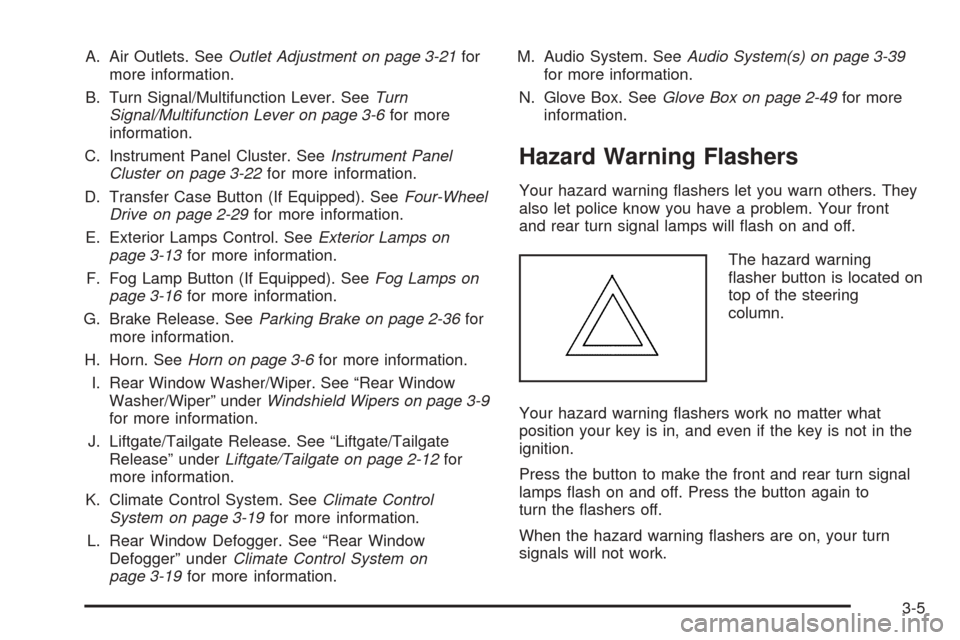
A. Air Outlets. SeeOutlet Adjustment on page 3-21for
more information.
B. Turn Signal/Multifunction Lever. SeeTurn
Signal/Multifunction Lever on page 3-6for more
information.
C. Instrument Panel Cluster. SeeInstrument Panel
Cluster on page 3-22for more information.
D. Transfer Case Button (If Equipped). SeeFour-Wheel
Drive on page 2-29for more information.
E. Exterior Lamps Control. SeeExterior Lamps on
page 3-13for more information.
F. Fog Lamp Button (If Equipped). SeeFog Lamps on
page 3-16for more information.
G. Brake Release. SeeParking Brake on page 2-36for
more information.
H. Horn. SeeHorn on page 3-6for more information.
I. Rear Window Washer/Wiper. See “Rear Window
Washer/Wiper” underWindshield Wipers on page 3-9
for more information.
J. Liftgate/Tailgate Release. See “Liftgate/Tailgate
Release” underLiftgate/Tailgate on page 2-12for
more information.
K. Climate Control System. SeeClimate Control
System on page 3-19for more information.
L. Rear Window Defogger. See “Rear Window
Defogger” underClimate Control System on
page 3-19for more information.M. Audio System. SeeAudio System(s) on page 3-39
for more information.
N. Glove Box. SeeGlove Box on page 2-49for more
information.
Hazard Warning Flashers
Your hazard warning ashers let you warn others. They
also let police know you have a problem. Your front
and rear turn signal lamps will ash on and off.
The hazard warning
asher button is located on
top of the steering
column.
Your hazard warning ashers work no matter what
position your key is in, and even if the key is not in the
ignition.
Press the button to make the front and rear turn signal
lamps ash on and off. Press the button again to
turn the ashers off.
When the hazard warning ashers are on, your turn
signals will not work.
3-5
Page 139 of 436
Exterior Lamps
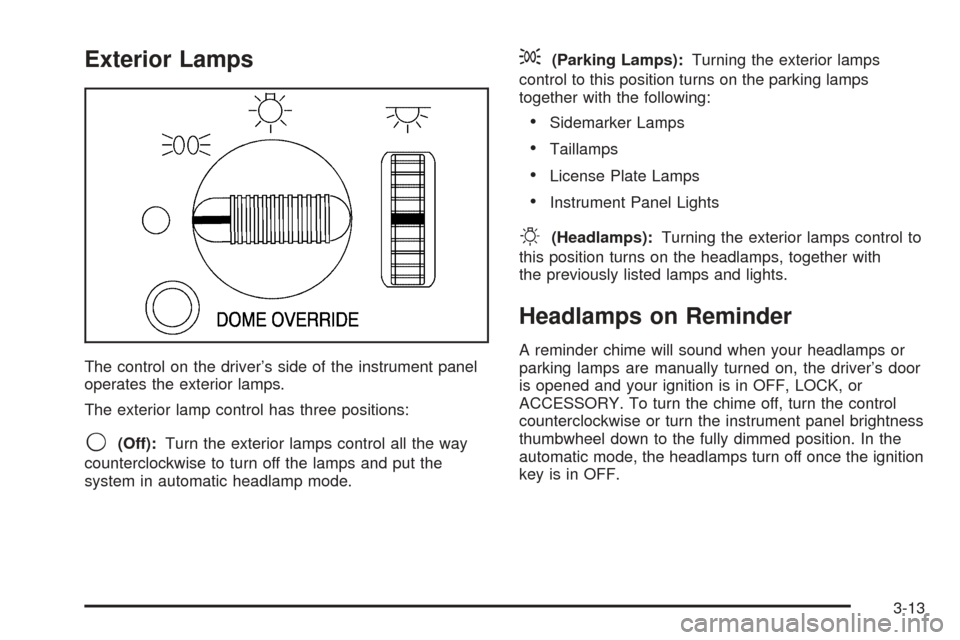
The control on the driver’s side of the instrument panel
operates the exterior lamps.
The exterior lamp control has three positions:
9(Off):Turn the exterior lamps control all the way
counterclockwise to turn off the lamps and put the
system in automatic headlamp mode.
;(Parking Lamps):Turning the exterior lamps
control to this position turns on the parking lamps
together with the following:
Sidemarker Lamps
Taillamps
License Plate Lamps
Instrument Panel Lights
O(Headlamps):Turning the exterior lamps control to
this position turns on the headlamps, together with
the previously listed lamps and lights.
Headlamps on Reminder
A reminder chime will sound when your headlamps or
parking lamps are manually turned on, the driver’s door
is opened and your ignition is in OFF, LOCK, or
ACCESSORY. To turn the chime off, turn the control
counterclockwise or turn the instrument panel brightness
thumbwheel down to the fully dimmed position. In the
automatic mode, the headlamps turn off once the ignition
key is in OFF.
3-13
Page 142 of 436
Fog Lamps
Your vehicle may be equipped with fog lamps. Use your
fog lamps for better vision in foggy or misty conditions.
Your parking lamps or headlamps must be on for
your fog lamps to work.
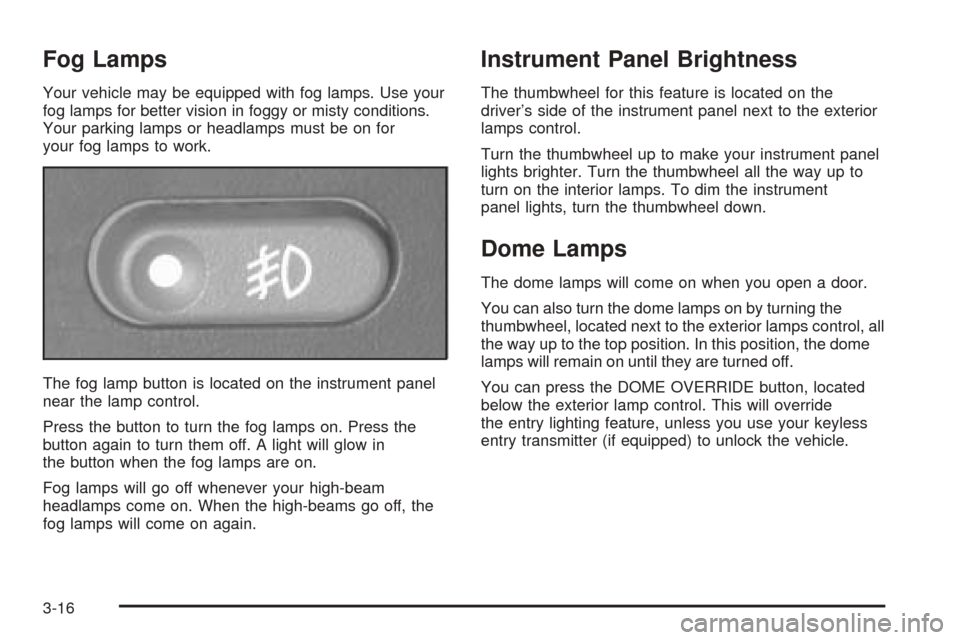
The fog lamp button is located on the instrument panel
near the lamp control.
Press the button to turn the fog lamps on. Press the
button again to turn them off. A light will glow in
the button when the fog lamps are on.
Fog lamps will go off whenever your high-beam
headlamps come on. When the high-beams go off, the
fog lamps will come on again.
Instrument Panel Brightness
The thumbwheel for this feature is located on the
driver’s side of the instrument panel next to the exterior
lamps control.
Turn the thumbwheel up to make your instrument panel
lights brighter. Turn the thumbwheel all the way up to
turn on the interior lamps. To dim the instrument
panel lights, turn the thumbwheel down.
Dome Lamps
The dome lamps will come on when you open a door.
You can also turn the dome lamps on by turning the
thumbwheel, located next to the exterior lamps control, all
the way up to the top position. In this position, the dome
lamps will remain on until they are turned off.
You can press the DOME OVERRIDE button, located
below the exterior lamp control. This will override
the entry lighting feature, unless you use your keyless
entry transmitter (if equipped) to unlock the vehicle.
3-16
Page 143 of 436
Entry Lighting
Your vehicle is equipped with an illuminated entry feature.
When a door is opened, the dome lamps will come on if
the DOME OVERRIDE button is in the out position.
When the doors are closed, the lamps will stay on for a
short period of time and will turn off automatically. If
you use your keyless entry transmitter, if equipped, to
unlock your vehicle, the interior lamps will come on for a
short time whether or not the DOME OVERRIDE
button is in the out position.
Exit Lighting
With exit lighting, the interior lamps will come on when
you remove the key from the ignition to help you
see while exiting the vehicle. If the DOME OVERRIDE
button is in the out position, these lamps will stay
on for a short period of time and then will go out.
Front Reading Lamps
Press the button located near each lamp on the
overhead console to turn a reading lamp on and off.
The lamps can be swiveled to point in the desired
direction.
If you have the mini console, press the lens on each
lamp to turn it on or off.
Map Lamps
If your vehicle has front map lamps, they are located on
the inside rearview mirror. They will automatically
come on for about 40 seconds when the doors are
unlocked with the keyless entry transmitter, if equipped,
or until the ignition key is turned to RUN or
ACCESSORY. The lamps will also stay on for about
40 seconds after you exit the vehicle unless you lock the
doors with the keyless entry transmitter.
You can also turn the lamps on and off by pressing the
button near each lamp.
Battery Run-Down Protection
This feature shuts off the dome, courtesy, vanity,
reading, glove box and underhood lamps if they are left
on for more than 20 minutes when the ignition is off.
This will keep your battery from running down.
If the battery run-down protection shuts off the interior
lamps, it may be necessary to do one of the following to
return to normal operation:
Shut off all lamps and close all doors.
Turn the ignition key to RUN.
3-17
Page 150 of 436

Speedometer and Odometer
Your speedometer lets you see your speed in both
miles per hour (mph) and kilometers per hour (km/h).
Your odometer shows how far your vehicle has
been driven, in either miles (used in the United States)
or kilometers (used in Canada).
The odometer mileage can be checked without the
vehicle running. Simply press the trip odometer button.
You may wonder what happens if your vehicle needs
a new odometer installed. If the new one can be set to
the mileage total of the old odometer, then it must
be. But if it can’t, then it’s set at zero, and a label must
be put on the driver’s door to show the old mileage
reading when the new odometer was installed.
Trip Odometer
The trip odometer can tell you how far your vehicle has
been driven since you last set the trip odometer
to zero.
To view the trip odometer, press the button near the
readout. To reset the trip odometer, hold the button until
it resets.
Tachometer
The tachometer (if equipped) displays the engine speed
in revolutions per minute (rpm).
Safety Belt Reminder Light
When the key is turned to RUN or START, a chime will
come on for several seconds to remind people to
fasten their safety belts, unless the driver’s safety belt is
already buckled.
The safety belt light will
also come on and stay on
for several seconds, then it
will ash for several more.
If the driver’s belt is already buckled, neither the chime
nor the light will come on.
3-24
Page 151 of 436
Airbag Readiness Light
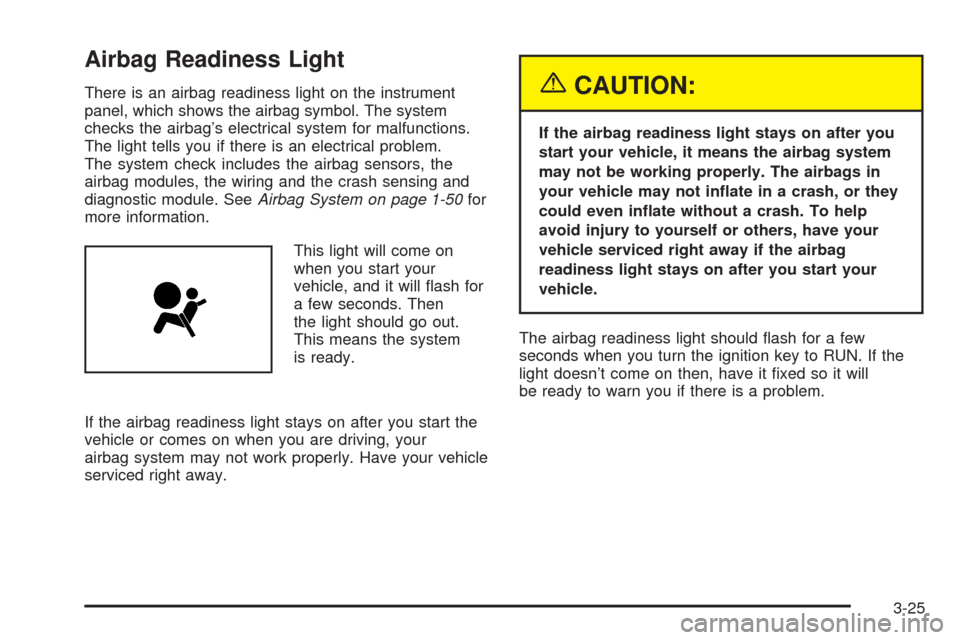
There is an airbag readiness light on the instrument
panel, which shows the airbag symbol. The system
checks the airbag’s electrical system for malfunctions.
The light tells you if there is an electrical problem.
The system check includes the airbag sensors, the
airbag modules, the wiring and the crash sensing and
diagnostic module. SeeAirbag System on page 1-50for
more information.
This light will come on
when you start your
vehicle, and it will ash for
a few seconds. Then
the light should go out.
This means the system
is ready.
If the airbag readiness light stays on after you start the
vehicle or comes on when you are driving, your
airbag system may not work properly. Have your vehicle
serviced right away.{CAUTION:
If the airbag readiness light stays on after you
start your vehicle, it means the airbag system
may not be working properly. The airbags in
your vehicle may not inate in a crash, or they
could even inate without a crash. To help
avoid injury to yourself or others, have your
vehicle serviced right away if the airbag
readiness light stays on after you start your
vehicle.
The airbag readiness light should ash for a few
seconds when you turn the ignition key to RUN. If the
light doesn’t come on then, have it xed so it will
be ready to warn you if there is a problem.
3-25