2004 VOLKSWAGEN GOLF PLUS set
[x] Cancel search: setPage 415 of 541
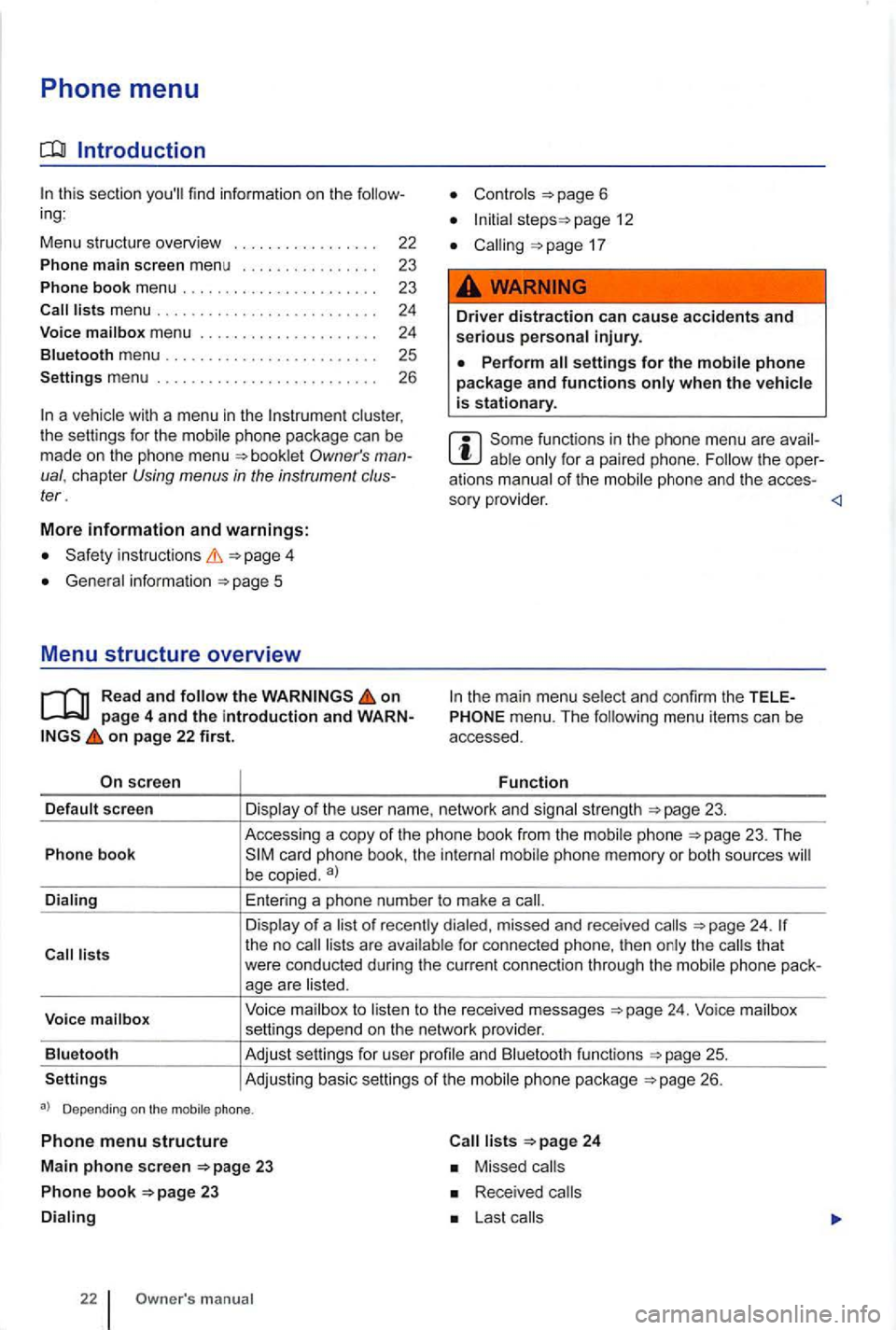
Phone menu
Introduction
this section you'll find information on the follow
ing :
Menu stru cture overv i
ew
Phone main screen menu
Phone book menu ... .
clus ter ,
t he sett ings for the mobile phone package can be
made on the phone menu
instructions
Gene ral information
on page 4 and the introduction and WARNon page 22 first.
screen
page 12
17
Driver distraction can cause accidents and serious personal injury.
Perform settings for the mobile phone package and functions
for a paired phone. Follow the oper
a tions manual of the
menu. The following menu items can be
accessed.
Function
sc reen
Voice mailb ox
Blu etooth
Settings Accessing
a copy
of th e pho ne book from the phone 23. The
be copied . a)
Enter ing a phone number to make a
of recently dialed, missed and rece iv e d 24. for connected phone, then the that
were conducted during the current connection through the
to to the received messages
and Bluetooth functions
26.
Depending on the mobile phone.
Phone menu structure
Main phone screen 23
Ph on e book 23
22 m anual
24
Missed
Received
Page 416 of 541
24
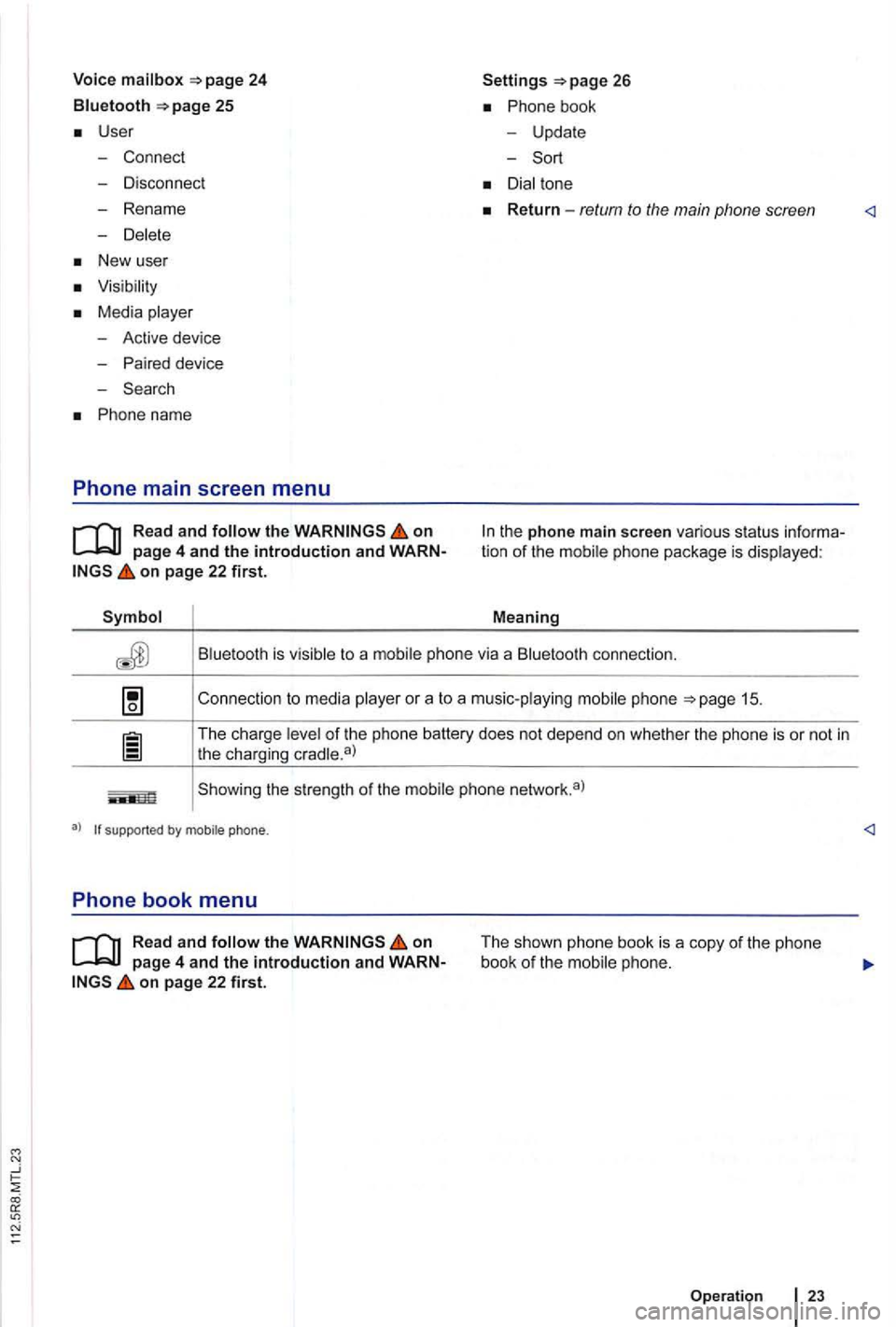
Bluetooth 25
User
- Connect
- Disconnect
- Rename
-
New user
Media
-Active device
- Paired device
- Search
Phone name
Phone main screen menu
on
on page 22 first.
Settings
Phone bo ok
- Update
-
to a connection.
Connection to media
or a to a music-playing phone
of the phone battery does not depend on whether the phone is or not in
the charging
Showing the str ength of the
su ppo rted by m ob ile pho ne .
Phone book menu
on
on page 22 first.
The shown phone book is a copy of the phone
book of the phone .
Operation
23
Page 417 of 541
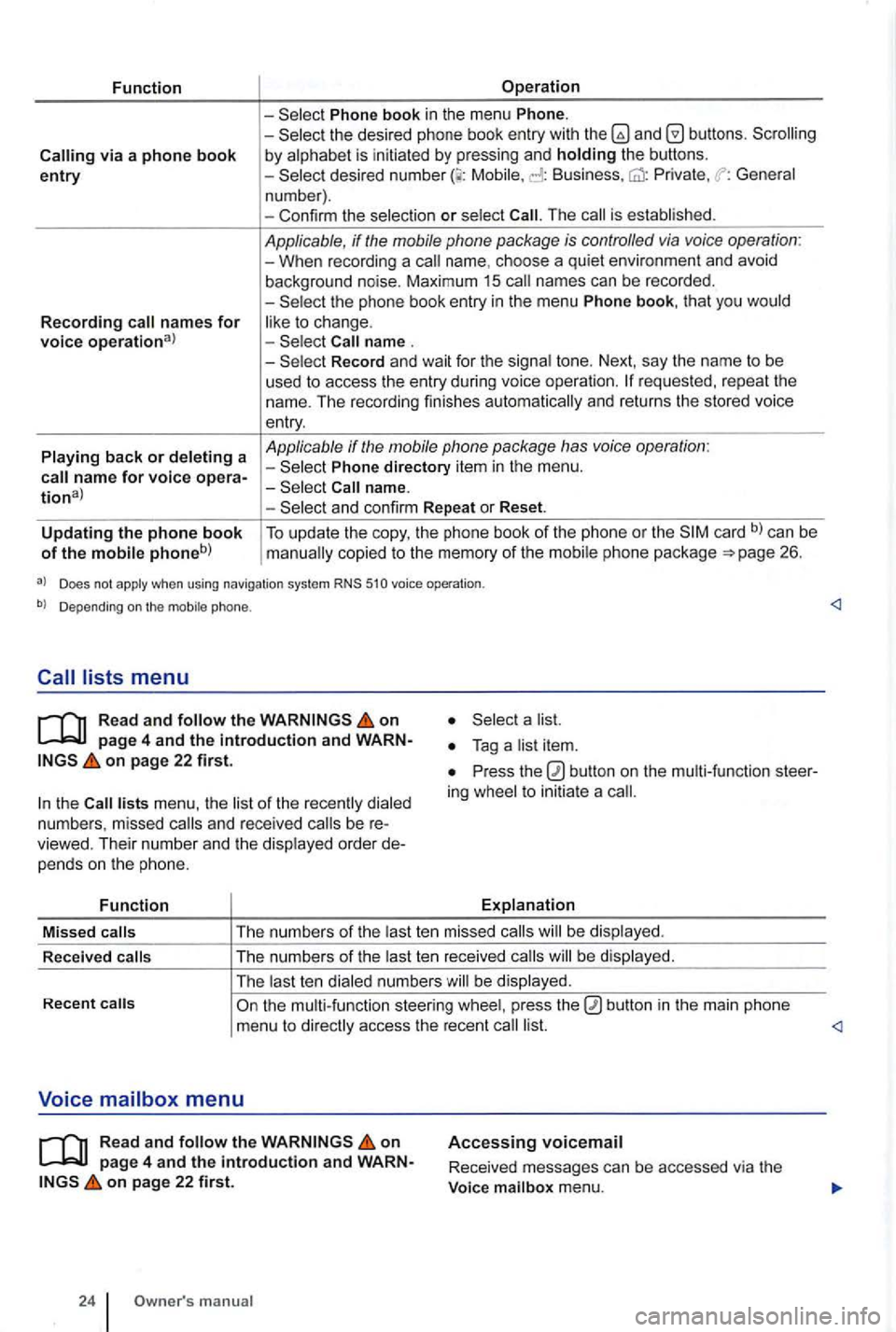
Function
via a phone book entry
Recording names for voice operational
Playing back or deleting a
Operation
Phone book in the menu Phone. -the desired phone book entry with and by alphabet is initiated by pressing and holding the buttons. -Mobile, Business, Private , General
n um ber) .
- Con firm the selec tio n
or select The is established .
Applicable, if the mobile phone package is controlled via voice operation : -When recording a name. choos e a qui et environ ment and avoid
background noise. Maximum 15 names can be recorded .
-
Record and wait for the signa l tone. Next, say the name to be
used t o access the entry during voice ope rati on .
Phone directory item in the menu .
and confirm Repeat or Reset.
Updating the phone book of the mobile phoneb) To update the copy, the phone book of the phone or the card b) can be copied to the memory of the mobil e ph one pac kage 26.
a) Does not apply when using navigation system RNS 510 voice operation .
b) Depending on the mobile phone.
Read and follow the on
on page 22 first.
the lists menu , the list of the rece ntl y dialed
numb ers , missed and rece ived be viewed. Their numb er and the disp layed order pe nd s o n the p hone.
Function
a list.
Press the ing whee l to initiat e a
Explanation
Missed
calls T
he numb ers of the last te n mis sed calls be dis pl ayed .
R ece
ived calls The
numbers of the last ten re ceived b e displayed .
The last t en dialed numbe rs w ill be display ed.
Recent
on page 4 and the introduction and on page 22 first.
24 manua l
Accessing voicemail
Received messages can be accessed via the
Voice mailbox menu.
Page 419 of 541
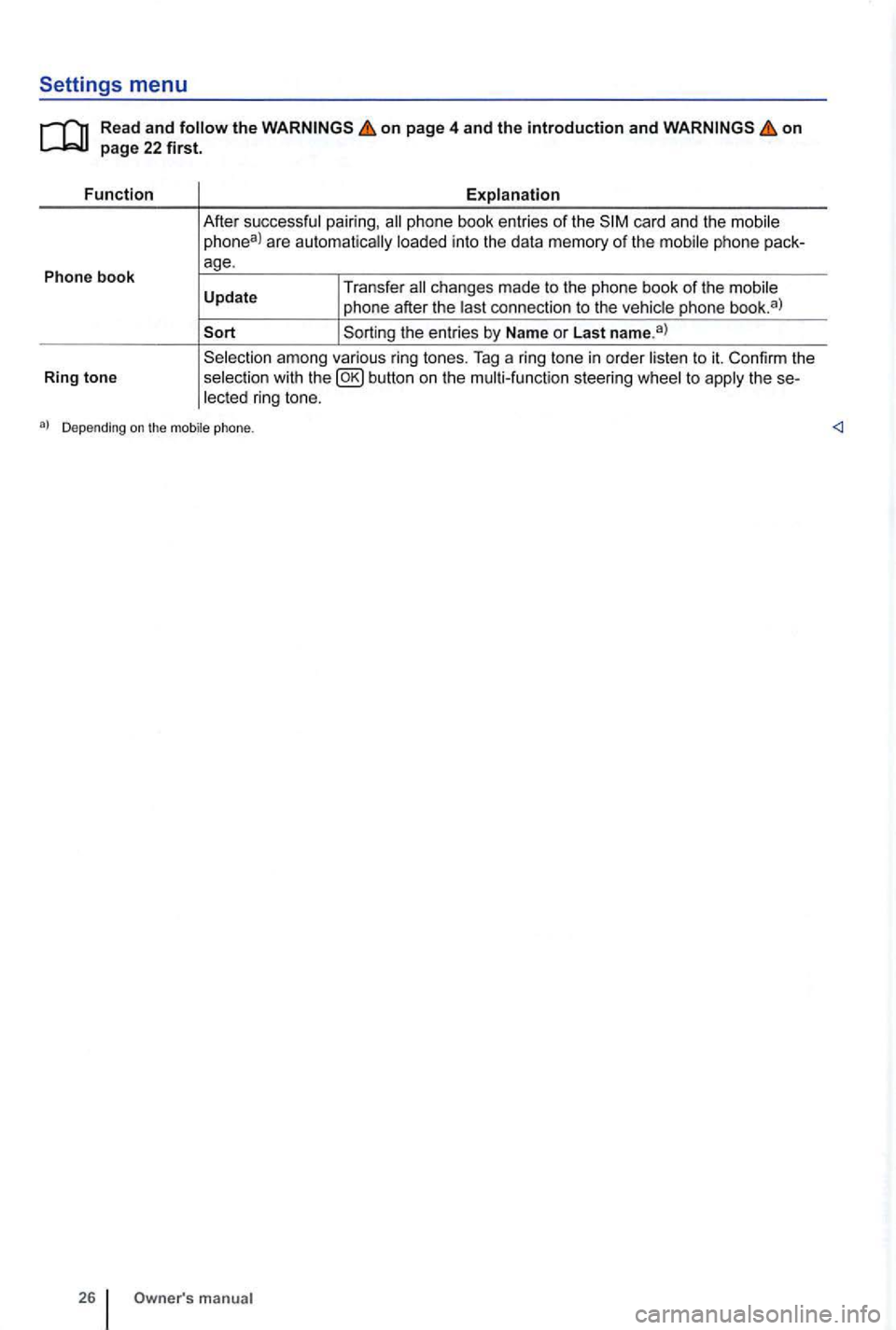
Settings menu
Read and follow the on page 4 and the introduction and on
phone book entries of the phone
phone after the last connection to the vehic le phone book. a )
among various ring tones . Tag a ring tone in order listen to it. Confirm the
selection with to the ring tone.
manu al
Page 421 of 541
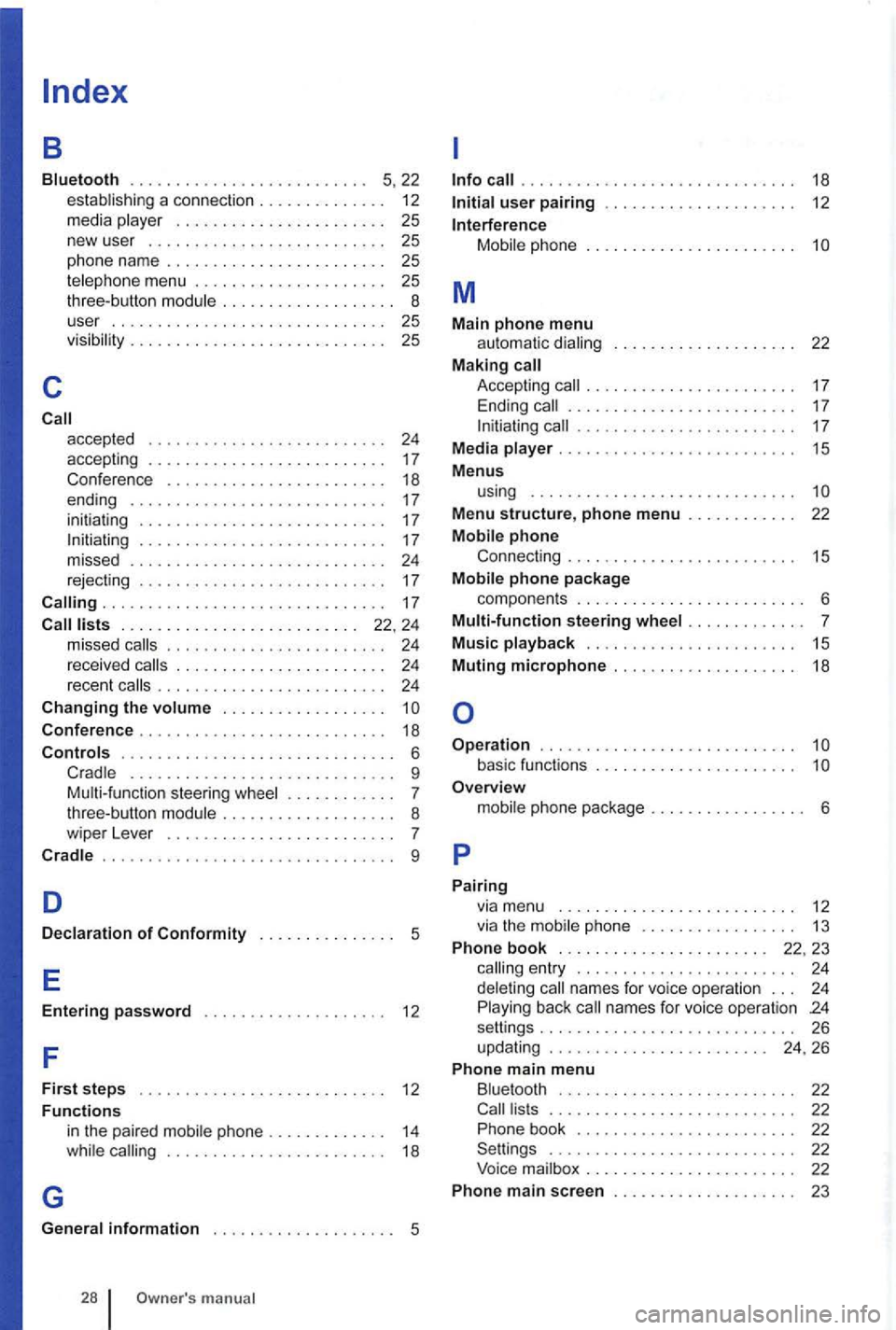
a connection . . . . . . . . . . . . . . 12
media . . . . . . . . . . . . . . . . . . . . . . . 25
new user ................. , . . . 25
phone nam e . . . . . . . . . . . . . . . . . . . 25 telephone menu . . 25 three-butto n . . . . . . . . . . . . . . . . . . 8
user . . . . . . . . . . . . . . 25
vis i
bility . . . . . . . . . . . . . . . . . . . . 25
c
accepted . . . . . . . . . . . . . . . . . . . . . . . . . . 24 accepting . . . . . . . . . . . . . . . . . . . . . . . . . . 17 Conferen ce . . . . . . . . . . . . . . . . . . . . . . . . 18
ending . . . . . . . . . . . . . . . . . . . . . . . . . . . . 17
ini tia tin g . . . . . . . . . . . . . . . . . . . . . . . . . . . 17
. . . . . . . . . . .
. . . . . . . . . . . . . . . . . . . . . . . . . . 22. 24 missed . . . . . . . . . . . . . . . . 2 4
rece ived . . . . . . . . . . . . . . . 24 recent . . . . . . . . . . . . . . . . . 24
Ch anging th e . . . . . . . . . .
C onfere nce . . . . . . . . . . . . . . . . . . . . . . . . . . . 18
. . . . . . . . . . . . . . . . . . . . . . . . . . . . . . 6 ...................... ....... 9 Multi- fun ction steering . . . . . . . . . . . . 7
three-button
. ... ..... , ..•................... 9
D
Decl arati on o f Co nformity . . . . . . . . . . . . . . . 5
E
Enterin g pass word . . . . . . . . . . . . . . . . . . . . 12
F
F ir s t ste p s . . . . . . . . . . . . . . . . . . . . . . . . . . 12
Functi ons
G
in the paired phone . . . . . . . . . . . . . 14 . . . . . . . . . . . . . . . . . . . . . . . . 18
. . . . . . . . . . . . . . . . . . . . . . . . . . . 18
phone . . . . . . . . . . . . . . . . . . . . . .
M
M ain phon e menu automat ic . . . . . . . . . . . . 22 M aking Accept ing . . . . . . . . . . . . . . . . . . . . . . . . . 17 . . . . . . . . . . . . . . . . . . . . . . . 17
M edia . . . . . . . . . . . . . . . . . . . . . . . . . 15
M enu s
u
sing . . . . . . . . . . . . . . . . . . . . . . . . . . . . .
Menu structure, phone menu . . . . . . . . . . . . 22
phone pac kag e
componen ts . . . . . . . . . . . . . . . . . . . . . . . . . 6
Multi-fun c
tion ste ering . . . . . . . . . . . . . 7
Mu sic playback . . . . . . . . . . . . . . . . . . . . . . . 15
Mutin g
microphone . . . . . . . . . . . . . . . . . . . . 18
Op era tion . . . . . . . . . . . . . . . . . . . . . . . . . . . . basic functions . . . . . . . . . . . . . . . . . . . . . . O verview
phone . . . . . . . . . . . . . . . . . 1 3
Phon e
book . . . . . . . . . . . . . . . . . . . . . . . 22. 23 ent ry . . . . . . . . . . . . . . . . . . . . . . . . 24 name s fo r vo ice operation . . . 24 back names for voice opera tion 24 setti ngs........ ..... ............... 26
u pdating . . . . . . . . . . . . . . . . . . . . . . . . 24, 26
Phon e main menu
. . . . . . . . . . . . . . . . . . . . . . . . . . . 22 Pho ne boo k . . . . . . . . . . . . . . . . . . . . . . . . 22 Settin gs . . . . . . . . . . . . . . . . . . . . . . . . . . . 22
Voice . . . . . . . . . . . . . . . . . . . . . . . 22
Phon e m a
in screen . . . . . . . . . . . . . . . . . . . . 23
Page 422 of 541
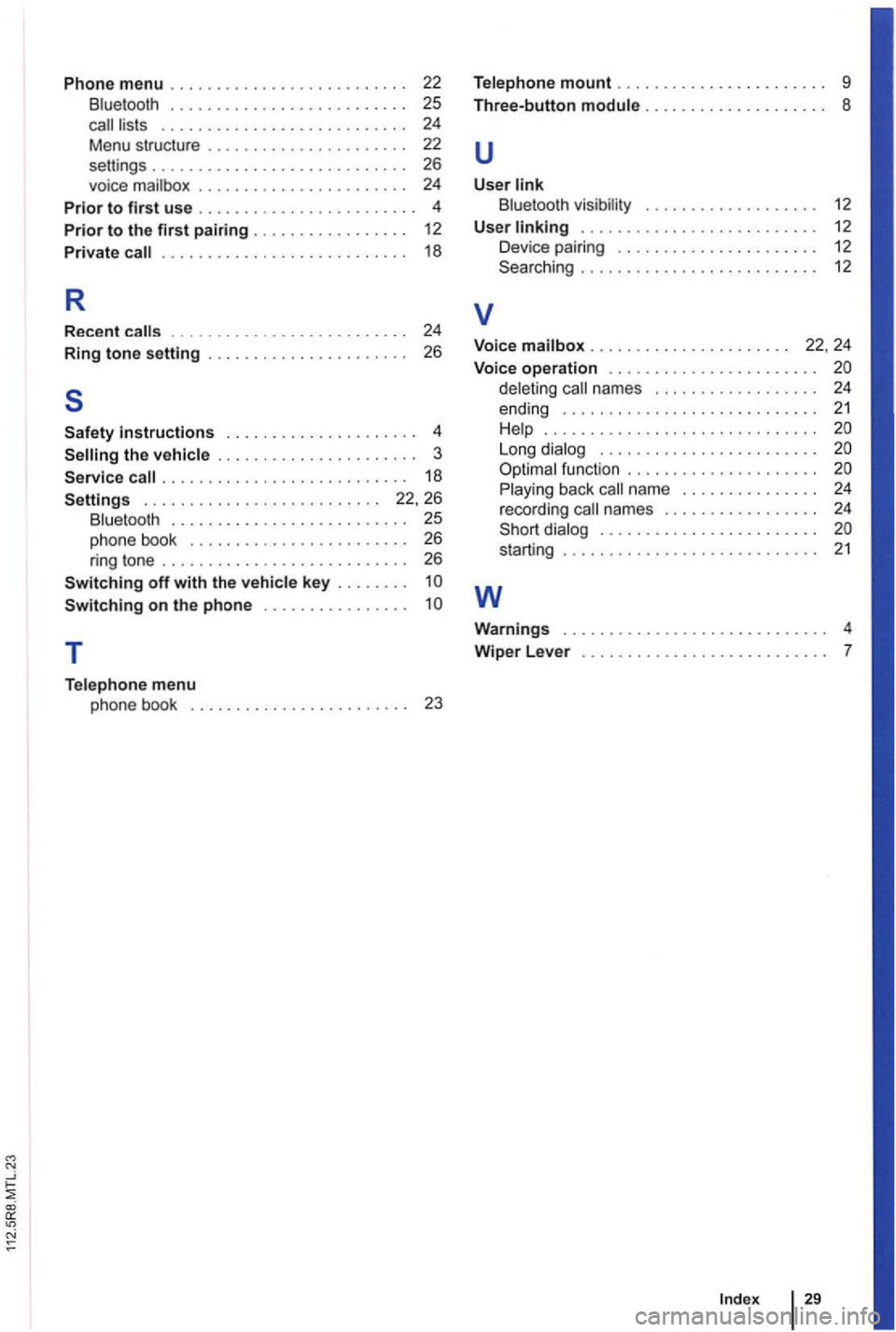
Phone menu .... , . . . . . . . . . . . . . . . . . . . . 22 B luetooth . . . . . . . . . . . . . . . . . . . . . . . . . . 25 call lists . . . . . . . . . . . . . . . . . . . . . . . . . . 24
Menu structu re . . . .
. . . . . 24
P
rior to first use . . . . . . . . . . . . . . . . . . . . . . . . 4
Prior to th e first pairing .... . . . . . . . . . . . . 12 Pri vate call . . . . . . . . . . . . . . . . . . . . . . . . . . . 18
R
Recent calls . . . . . . . . . . 24
Ring tone setting . . . . . . . . . .
. . . . . . . . . . . . . . . . . . . . 4 the vehicle . . . . . . . . . . . . . . . . . . . . . . 3
call ........... , . . . . . . . . . . . . . 18
. . . . . . . . . . . . . . . . . . . . . . . . . 22, 26 Bluetooth . . . . . . . . . . . . . . . . . . . . . . . . . 25 phone book . . . . . . . . . . . . . . . . . . . . . . . 26 ring tone . . . . . . . . . . . . . . . . . . . . . . . . . . . 26
T
Telephon e menu
phone book . . . . . . . . . . . . . . . . . . . . . . . . 23
Te lephone mount . . . . . . . . . . . . . . . . . . . . . . . 9
Three-button module . . . . . . . . . . . . . . . . . . . .
8
u
User link Bluetooth visib ility . . . . . . . . . . . . . . . . . . . 12
U se r
linking . . . . . . . . . . . . . . . . . . . . . . . . . . 12
Device pairing . . . . . . . . . . . . . . . . . . . . . 12
Searching . . . . . . . . . . . . . . . . . . . . . . . . . 12
v
Voice mailbox . . . . . . . . . . . . . . . . . . . . . . 22, 24
Voi ce ope ration . . . . . . . . . . . . . . . . . . . . . . .
deleting call names . . . . . . . . . . . . . . . . 24
ending . . . . . . . . . . . . . . . . . . . . . . . . . . . 21 H elp .............................. L ong dialog . . . . . . . . . . . . . . . . . . . . . . . .
Playing back call name . . . . . . . . . . . . . . . 24
recording call names . . . . . . . . . . . . . . . . . 24
. . . . . . . . 21
w
Warning s 4
Wip
er L eve r . . . . . . . . .
Page 428 of 541
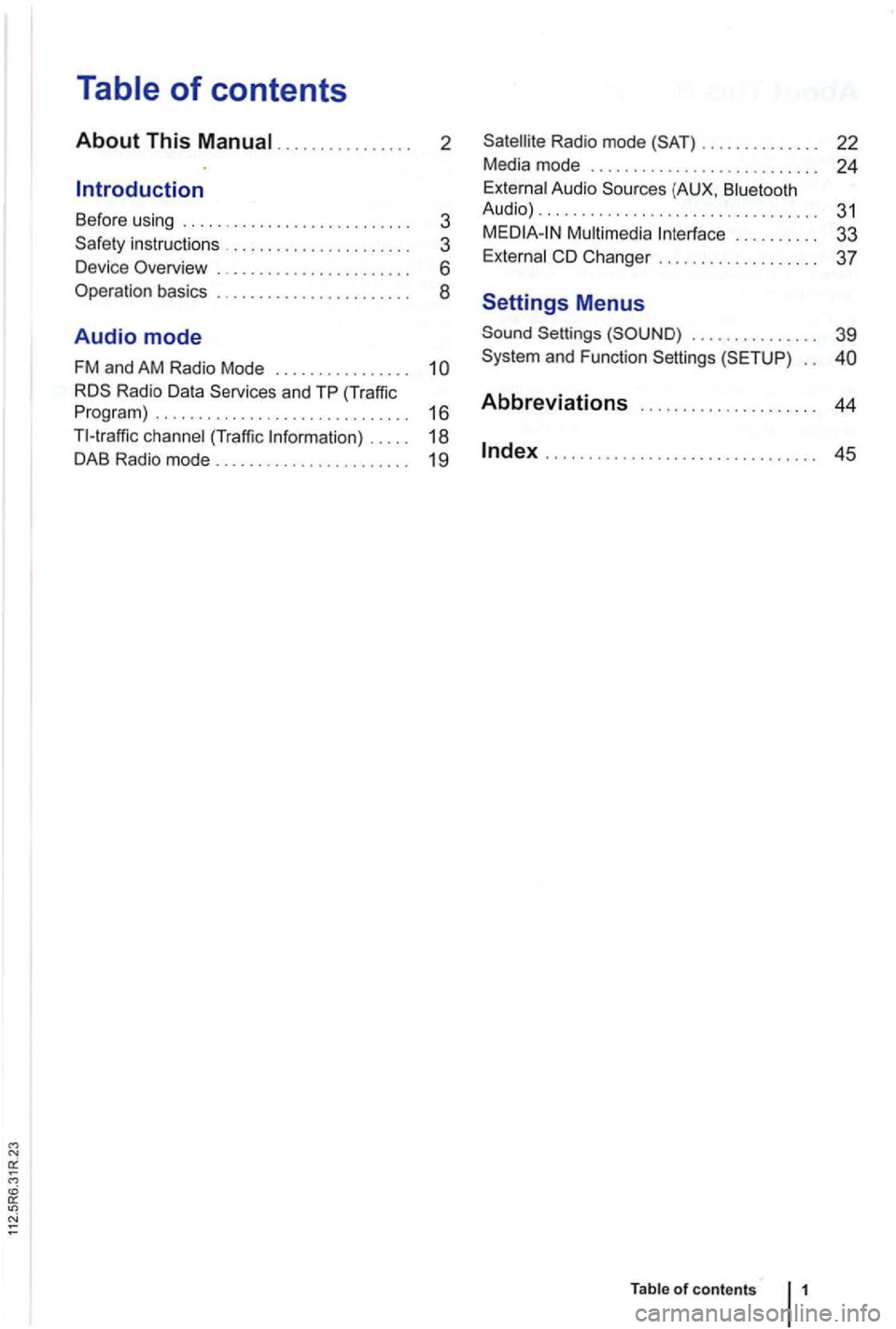
.......... 2
Before using ....................... 3
instructions ..... 3
Devi ce Overview .. ..
6
Operation basics ... .
8
Audio mode
FM and AM Radio Mode . . . . . . . . . . . . . . . .
1 6
(Traffi c .. 18
DAB Radio mode....................... 19
Radio mode ......... 22
Media mode ........... 24
(AUX , Audio) .............................. ... 31
. . . . . . . . . . 33
Changer ............. .. 37
Settings Menus
Settings . . . . . . . . . . . . . . . 39
. .
Abbreviations ... 44
...................... .......... 45
Table of contents
Page 430 of 541
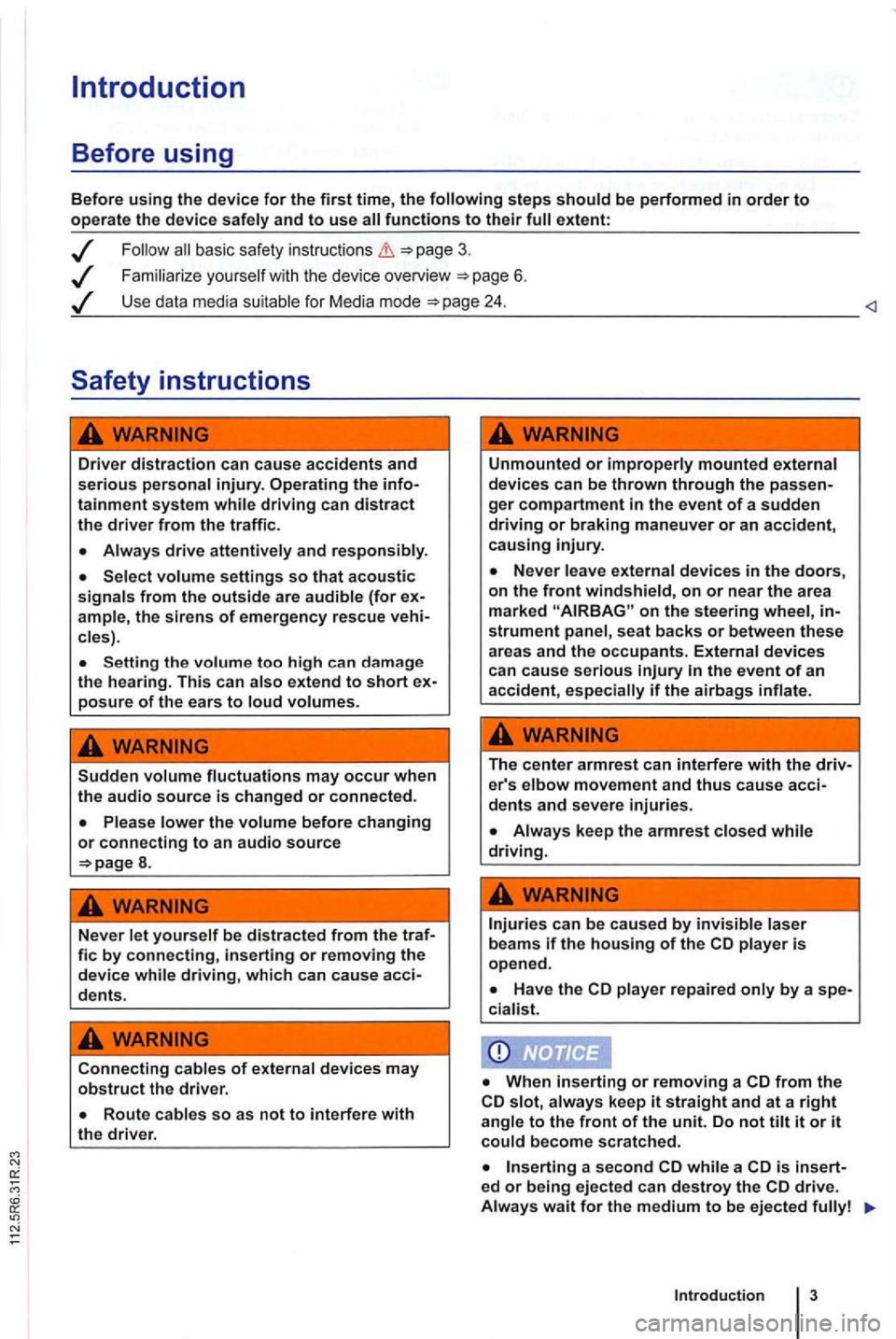
Introduction
Before using
Before using the device for the first time, the
basic safety instructions
Familiarize you rself w it h the device overview 6 .
Use data media suitable for Media mode
Driver distraction can cause accidents and serious personal injury. Operating the infotainment system while driving can distract the driver from the traffi c.
Always drive attentively and responsibly.
Select volume settings so that acoustic signals from the outside are audible (for ample, the siren s of emergency rescue cles) .
Setting the volume too high can da mage
the hearing. This can also extend to short posure of the ears to loud volumes.
Sudden volume fluctuations may occur when the audio source is changed or connected.
8.
Never let yourself be distracted from the traf-fie by connecting, inserting or removing the device while driving, which can cause acci-dents.
Connecting cables of external devices may obstruct the driver.
Unmounted or improperly mounted external
devices can be thrown through the ger compartment in the event of a sudden driving or braking maneuver or an accident, causing injury.
on the steering wheel, strument panel , seat backs or between these areas and the occupants. External devices can cause serious
The center armrest can interfere with the driv-er's elbow movement and thus cause acci-dents and severe injuries.
player repaired only by a spe-
cia list.
from the slot, always keep it straight and at a right angle to the front of the unit. Do not tilt it or it could become scratched.
a second while a is insert-ed or being ejected can destroy the
Introduction