Page 229 of 479
’04 TUNDRA_U (L/O 0309)
220
2004 TUNDRA from Sep. ’03 Prod. (OM34426U)
Radio
AM mode
When you select the AM mode, “AM” will
appear on the screen.
FM mode
When you select the FM mode, “FM1” or
“FM2” will appear on the display.
If the front audio system receives a traffic
announcement (TA) while the rear seat
audio system is in the radio mode,
“TRAF” will flash on the screen and the
rear seat audio system will turn off. When
the front audio receives a traffic an-
nouncement (TA), the rear seat audio sys-
tem cannot select the AM/FM mode.
Tape mode
“TAPE” appears on the screen while this
mode is selected. Compact disc mode
“CD” appears on the screen while this
mode is selected.
The screen shows the track, or track and
disc number currently being played.
Error messages
If the player malfunctions, your audio sys-
tem will screen one of the four following
error messages.
“WAIT”:
The compact disc player unit
may be too hot. Allow the player to cool
down.
“ERR 1”: The disc may be dirty, damaged
or inserted incorrectly (up −side down).
Clean the disc and re −insert it.
“ERR 3”: There is a problem inside the
system. Eject the disc. Set the disc again.
“ERR 4”: Over−current. Ask your Toyota
dealer to inspect.
If the malfunction still exists, take your
vehicle to your Toyota dealer.
4. “OFF” button
Push “OFF” button to turn off the rear
seat audio system. REPLACING CONTROLLER BATTERY
For replacement, use a CR2025 lithium
battery or equivalent.
CAUTION
Special care should be taken that
small children do not swallow the re-
moved battery or components.
NOTICE
�
When replacing the battery, be care-
ful not to lose the components.
� Replace only with the same or
equivalent type of battery recom-
mended by a Toyota dealer.
� Dispose of used batteries according
to the local regulations.
Page 235 of 479
’04 TUNDRA_U (L/O 0309)
226
2004 TUNDRA from Sep. ’03 Prod. (OM34426U)
NOTICE
�The screen should be cleaned with
a dry soft cloth. If the screen is
pushed by hand or wiped with a
hard cloth, the surface of the
screen may be scratched.
� Benzene or alkaline solutions may
damage the coated surface of the
screen .
� To prevent the battery from being
discharged, do not turn on the rear
seat entertainment system longer
than necessary when the engine is
not running.
The rear seat entertainment system can
be operated with the rear seat entertain-
ment system controller. The system can-
not be operated by touching the switches
on the screen directly.
CAUTION
Do not disassemble or modify the
controller. It may cause an accident,
fire or electric shock.
NOTICE
Keep the controller away from direct
sunlight, high heat and high humidity.
These conditions could cause the
case to deform or the battery to ex-
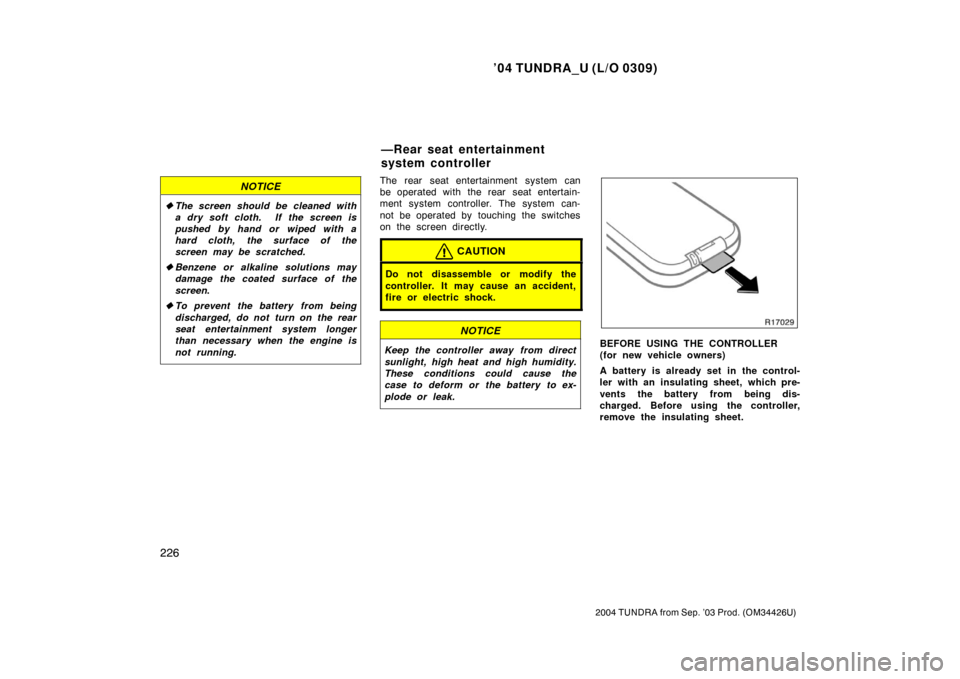
plode or leak.BEFORE USING THE CONTROLLER
(for new vehicle owners)
A battery is already set in the control-
ler with an insulating sheet, which pre-
vents the battery from being dis-
charged. Before using the controller,
remove the insulating sheet.
—Rear seat entertainment
system controller
Page 236 of 479
’04 TUNDRA_U (L/O 0309)
227
2004 TUNDRA from Sep. ’03 Prod. (OM34426U)
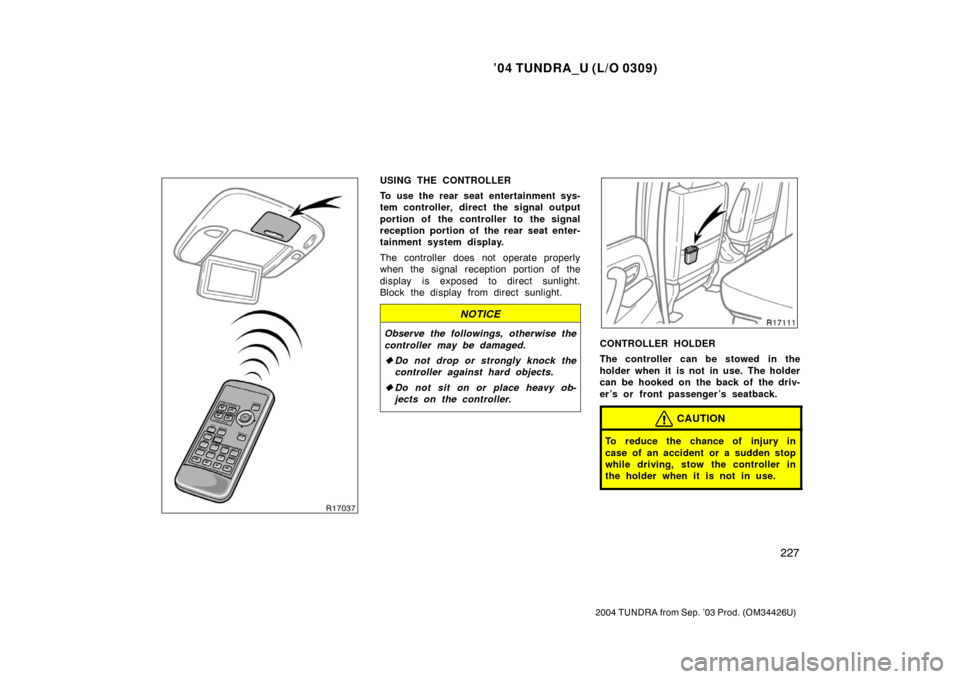
USING THE CONTROLLER
To use the rear seat entertainment sys-
tem controller, direct the signal output
portion of the controller to the signal
reception portion of the rear seat enter-
tainment system display.
The controller does not operate properly
when the signal reception portion of the
display is exposed to direct sunlight.
Block the display from direct sunlight.
NOTICE
Observe the followings, otherwise the
controller may be damaged.
�Do not drop or strongly knock the
controller against hard objects.
� Do not sit on or place heavy ob-
jects on the controller.CONTROLLER HOLDER
The controller can be stowed in the
holder when it is not in use. The holder
can be hooked on the back of the driv-
er ’s or front passenger ’s seatback.
CAUTION
To reduce the chance of injury in
case of an accident or a sudden stop
while driving, stow the controller in
the holder when it is not in use.
Page 245 of 479
’04 TUNDRA_U (L/O 0309)
236
2004 TUNDRA from Sep. ’03 Prod. (OM34426U)
�Be careful not to bend the electrode
of the controller battery insertion
and that dust or oil does not ad-
here to the transmitter case.
� Close the battery case securely.
After replacing the battery, check that the
controller operates properly. If the control-
ler still does not operate properly, contact
your Toyota dealer.
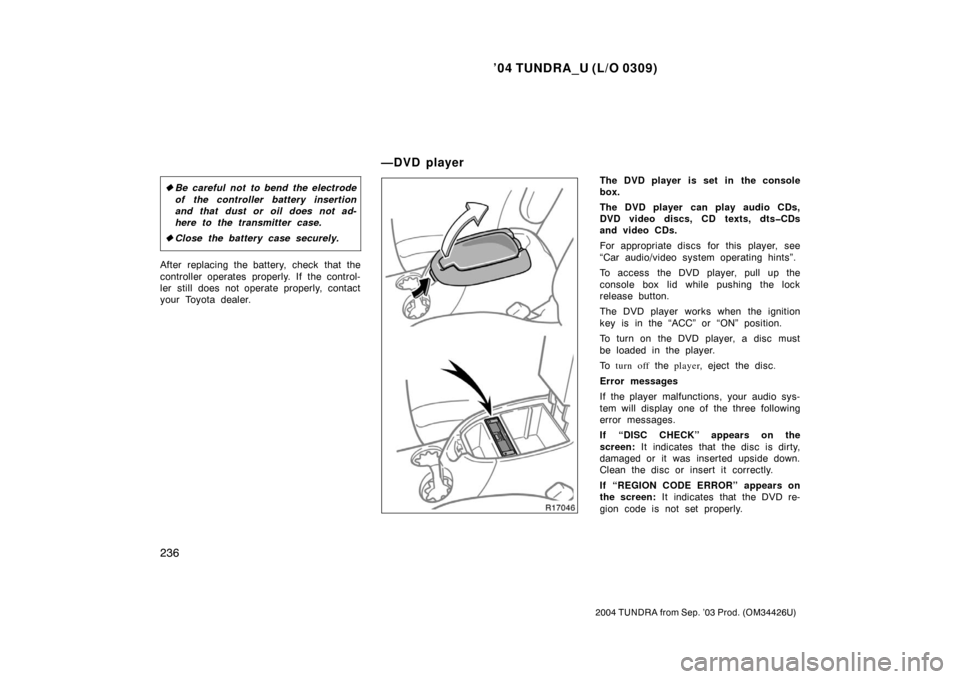
The DVD player is set in the console
box.
The DVD player can play audio CDs,
DVD video discs, CD texts, dtsCDs
and video CDs.
For appropriate discs for this player, see
“Car audio/video system operating hints”.
To access the DVD player, pull up the
console box lid while pushing the lock
release button.
The DVD player works when the ignition
key is in the “ACC” or “ON” position.
To turn on the DVD player, a disc must
be loaded in the player.
To turn off the player , eject the disc .
Error messages
If the player malfunctions, your audio sys-
tem will display one of the three following
error messages.
If “DISC CHECK” appears on the
screen: It indicates that the disc is dirty,
damaged or it was inserted upside down.
Clean the disc or insert it correctly.
If “REGION CODE ERROR” appears on
the screen: It indicates that the DVD re-
gion code is not set properly.
—DVD player
Page 281 of 479
’04 TUNDRA_U (L/O 0309)
272
2004 TUNDRA from Sep. ’03 Prod. (OM34426U)
Use high −quality cassettes.
�Low −quality cassette tapes can cause
many problems, including poor sound,
inconsistent playing speed, and
constant auto− reversing. They can also
get stuck or tangled in the cassette
player.
�Do not use a cassette if it has been
damaged or tangled or if its label is
peeling off.
�Do not leave a cassette in the player
if you are not listening to it, especially
if it is hot outside.
�Store cassettes in their cases and out
of direct sunlight.
�Avoid using cassettes with a total play-
ing time longer than 100 minutes (50
minutes per side). The tape used in
these cassettes is thin and could get
stuck or tangled in the cassette player. CARING FOR YOUR COMPACT DISC
PLAYER AND DISCS
�Type 2 and 3—Your compact disc play-
er is intended for use with 12 cm (4.7
in.) discs only.
�Extremely high temperatures can keep
your compact disc player from working.
On hot days, use the air conditioning
to cool the vehicle interior before you
listen to a disc.
�Bumpy roads or other vibrations may
cause your compact disc player to
skip.
�If moisture gets into your compact disc
player, you may not hear any sound
even though your compact disc player
appears to be working. Remove the
disc from the player and wait until it
dries.
CAUTION
Compact disc players use an invisible
laser beam which could cause hazard-
ous radiation exposure if directed
outside the unit. Be sure to operate
the player correctly.
Compact disc player
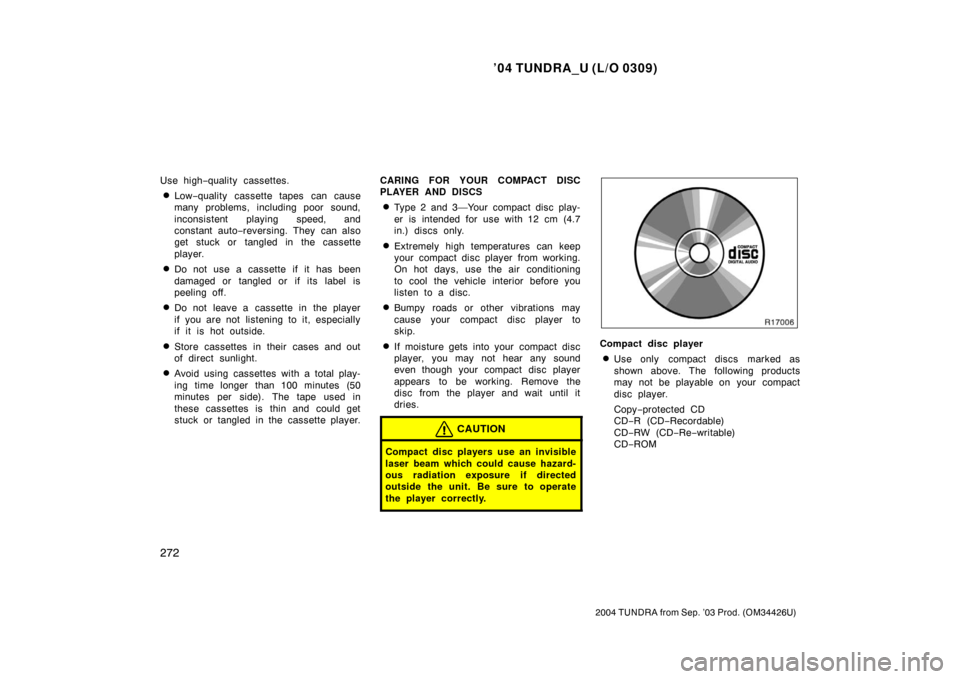
�Use only compact discs marked as
shown above. The following products
may not be playable on your compact
disc player.
Copy
−protected CD
CD− R (CD −Recordable)
CD− RW (CD −Re −writable)
CD− ROM
Page 283 of 479
’04 TUNDRA_U (L/O 0309)
274
2004 TUNDRA from Sep. ’03 Prod. (OM34426U)
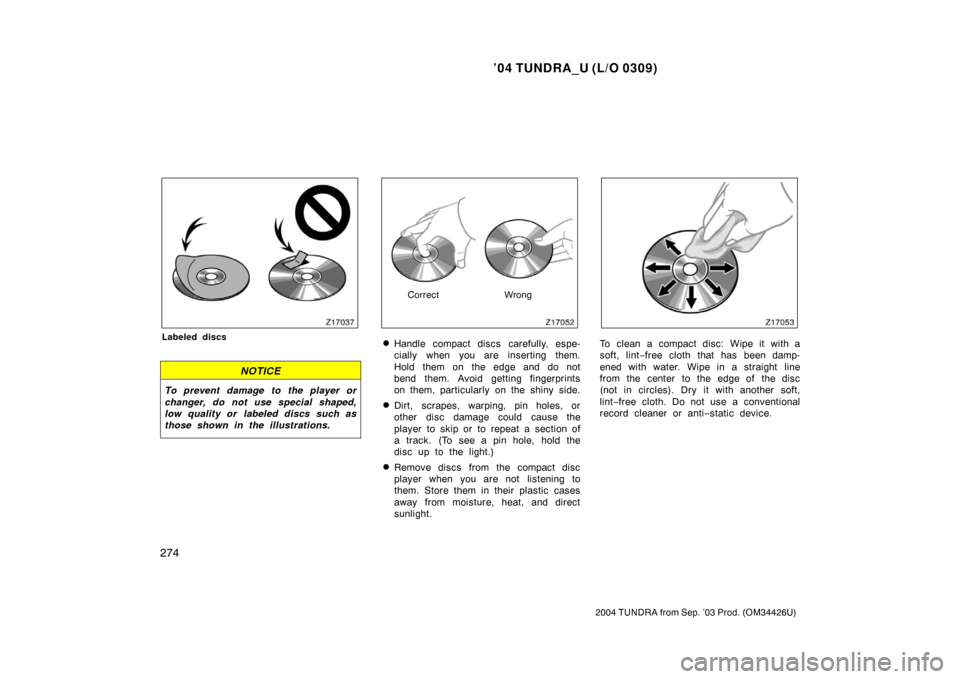
Labeled discs
NOTICE
To prevent damage to the player or
changer, do not use special shaped,
low quality or labeled discs such as
those shown in the illustrations.
Correct Wrong
�Handle compact discs carefully, espe-
cially when you are inserting them.
Hold them on the edge and do not
bend them. Avoid getting fingerprints
on them, particularly on the shiny side.
�Dirt, scrapes, warping, pin holes, or
other disc damage could cause the
player to skip or to repeat a section of
a track. (To see a pin hole, hold the
disc up to the light.)
�Remove discs from the compact disc
player when you are not listening to
them. Store them in their plastic cases
away from moisture, heat, and direct
sunlight.
To clean a compact disc: Wipe it with a
soft, lint−free cloth that has been damp-
ened with water. Wipe in a straight line
from the center to the edge of the disc
(not in circles). Dry it with another soft,
lint −free cloth. Do not use a conventional
record cleaner or anti −static device.
Page 299 of 479
’04 TUNDRA_U (L/O 0309)
290
2004 TUNDRA from Sep. ’03 Prod. (OM34426U)
(c) Erasing the entire HomeLink\b
memory (all three programs)
To erase all previously programmed codes
at one time, press and hold down the 2
outside buttons for 20 seconds until the
indicator light flashes.
If you sell your vehicle, be sure to erase
the programs stored in the HomeLink
\b
memory.
CAUTION
�When programming the HomeLink\b
Universal Transceiver, you may be
operating a garage door or other
device. Make sure people and ob-
jects are out of the way of the ga-
rage door or other device to pre-
vent potential harm or damage.
�Do not use this HomeLink\b Univer-
sal Transceiver with any garage
door opener that lacks the safety
stop and reverse feature as re-
quired by federal safety standards.
(This includes any garage door
opener model manufactured before
April 1, 1982.) A garage door open-
er which cannot detect an object
(signaling the door to stop and re-
verse), does not meet current feder-
al safety standards. Using a garage
door opener without these features
increases risk of serious injury or
death.
This device complies with Part 15 of the
FCC Rules and with RSS −210 of the
Industry Canada. Operation is subject to
the following two conditions: (1) This
device may not cause harmful interfer-
ence, and (2) this device must accept
any interference received, including in-
terference that may cause undersired
operation.
WARNING: This transmitter has been
tested and complies with FCC and
Industry Canada DOC/MPAC rules.
Changes or modifications not ex-
pressly approved by the party respon-
sible for compliance could void the
user ’s authority to operate the device.
Page 324 of 479
’04 TUNDRA_U (L/O 0309)
315
2004 TUNDRA from Sep. ’03 Prod. (OM34426U)
These hooks are designed to hang
things like grocery bags or cargo net.
Although the cargo net itself is not in-
cluded as an original equipment, these
hooks can be used to hang the cargo net.
NOTICE
�To prevent damage to the hooks,
avoid hanging heavy loads on them
when using them as grocery bag
hooks.
� To prevent damage to the hook,
avoid hanging things other than a
cargo net on it when using them as
cargo net hooks.
Use a floor mat of the correct size.
If the floor carpet and floor mat have a
hole, then it is designed for use with a
locking clip. Fix the floor mat with locking
clip into the hole in the floor carpet.CAUTION
Make sure the floor mat is properly
placed on the floor carpet. If the floor
mat slips and interferes with the
movement of the pedals during driv-
ing, it may cause an accident.
Floor mat