Page 274 of 506
04 SIENNA_U (L/O 0408)
268
2004 SIENNA from Aug. ’04 Prod. (OM45422U)
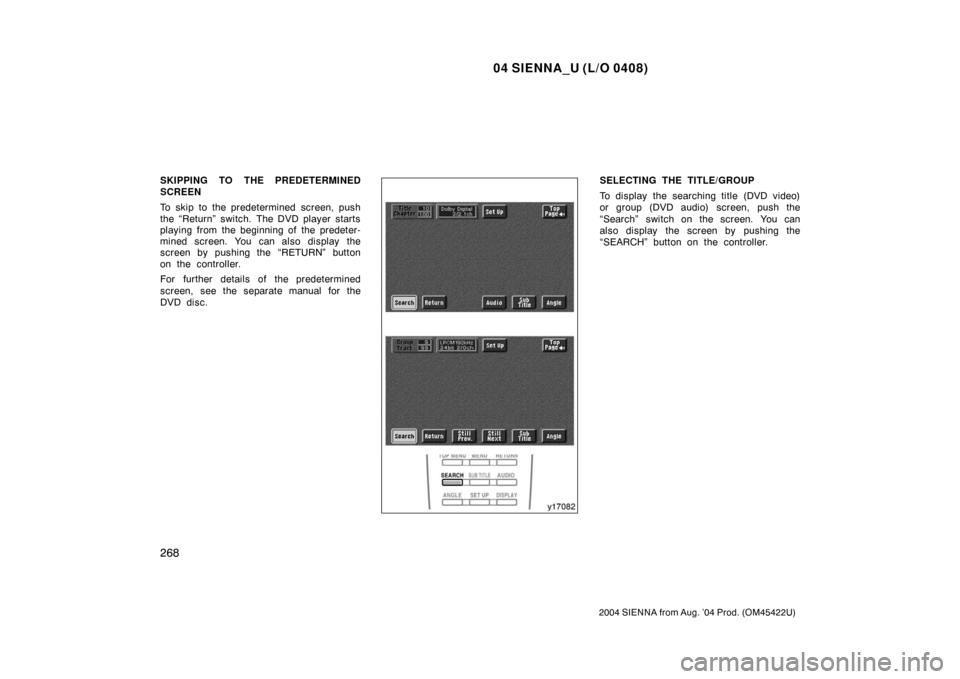
SKIPPING TO THE PREDETERMINED
SCREEN
To skip to the predetermined screen, push
the “Return” switch. The DVD player starts
playing from the beginning of the predeter-
mined screen. You can also display the
screen by pushing the “RETURN” button
on the controller.
For further details of the predetermined
screen, see the separate manual for the
DVD disc.SELECTING THE TITLE/GROUP
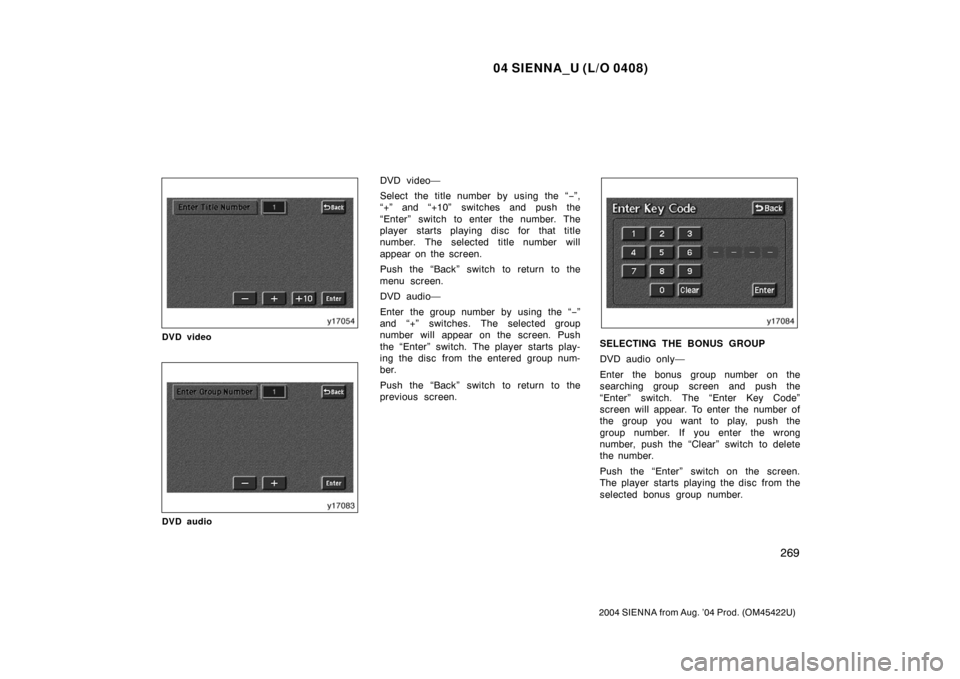
To display the searching title (DVD video)
or group (DVD audio) screen, push the
“Search” switch on the screen. You can
also display the screen by pushing the
“SEARCH” button on the controller.
Page 275 of 506
04 SIENNA_U (L/O 0408)
269
2004 SIENNA from Aug. ’04 Prod. (OM45422U)
DVD video
DVD audio
DVD video—
Select the title number by using the “−”,
“+” and “+10” switches and push the
“Enter” switch to enter the number. The
player starts playing disc for that title
number. The selected title number will
appear on the screen.
Push the “Back” switch to return to the
menu screen.
DVD audio—
Enter the group number by using the “− ”
and “+” switches. The selected group
number will appear on the screen. Push
the “Enter” switch. The player starts play-
ing the disc from the entered group num-
ber.
Push the “Back” switch to return to the
previous screen.
SELECTING THE BONUS GROUP
DVD audio only—
Enter the bonus group number on the
searching group screen and push the
“Enter” switch. The “Enter Key Code”
screen will appear. To enter the number of
the group you want to play, push the
group number. If you enter the wrong
number, push the “Clear” switch to delete
the number.
Push the “Enter” switch on the screen.
The player starts playing the disc from the
selected bonus group number.
Page 276 of 506
04 SIENNA_U (L/O 0408)
270
2004 SIENNA from Aug. ’04 Prod. (OM45422U)
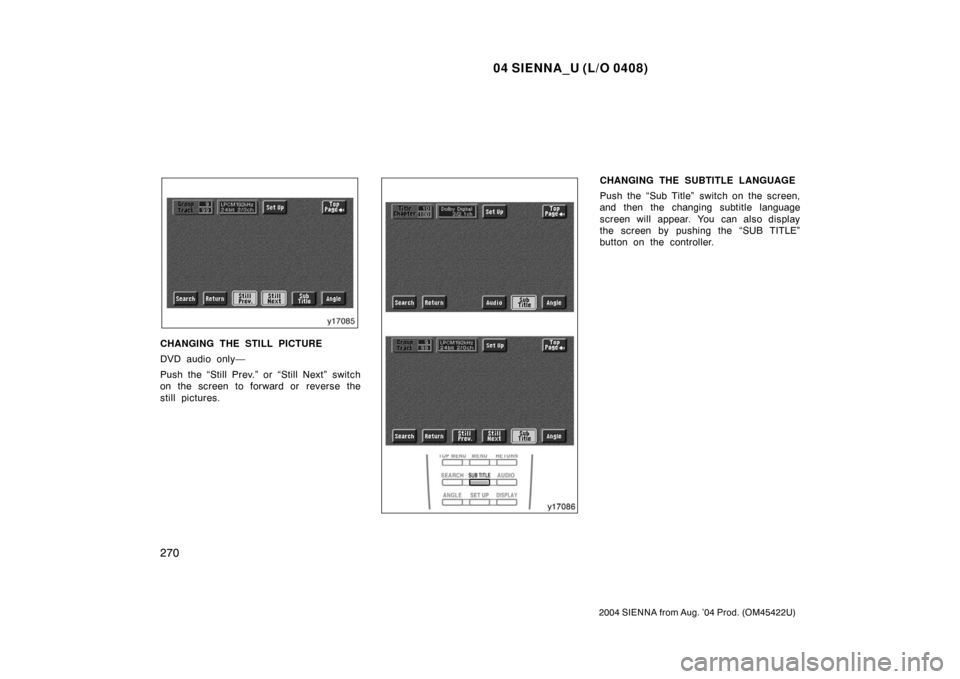
CHANGING THE STILL PICTURE
DVD audio only—
Push the “Still Prev.” or “Still Next” switch
on the screen to forward or reverse the
still pictures.
CHANGING THE SUBTITLE LANGUAGE
Push the “Sub Title” switch on the screen,
and then the changing subtitle language
screen will appear. You can also display
the screen by pushing the “SUB TITLE”
button on the controller.
Page 278 of 506
04 SIENNA_U (L/O 0408)
272
2004 SIENNA from Aug. ’04 Prod. (OM45422U)
DVD video
DVD audio
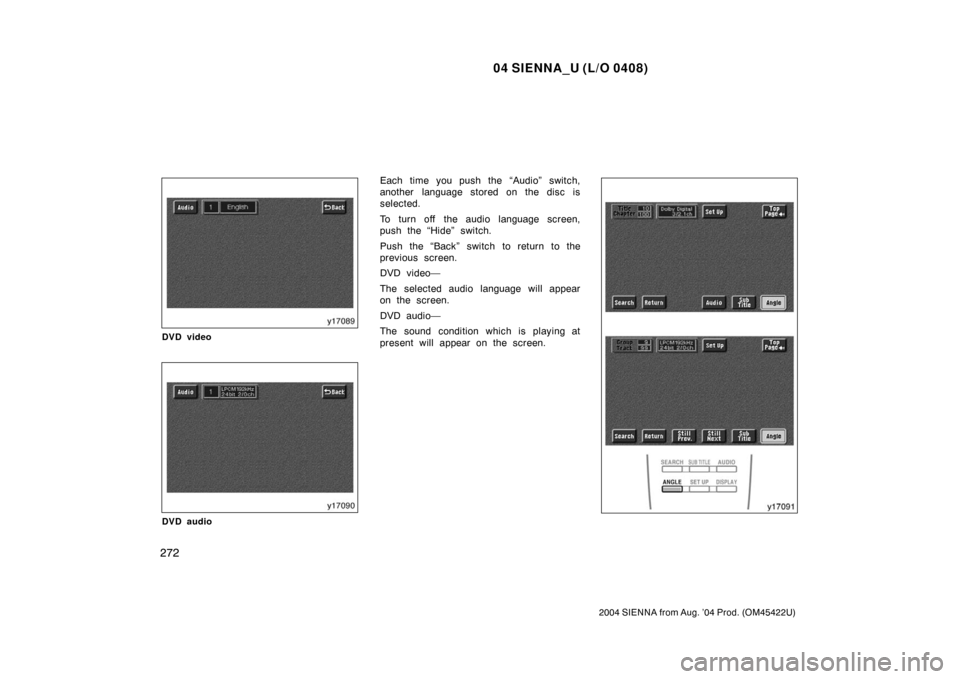
Each time you push the “Audio” switch,
another language stored on the disc is
selected.
To turn off the audio language screen,
push the “Hide” switch.
Push the “Back” switch to return to the
previous screen.
DVD video—
The selected audio language will appear
on the screen.
DVD audio—
The sound condition which is playing at
present will appear on the screen.
Page 282 of 506
04 SIENNA_U (L/O 0408)
276
2004 SIENNA from Aug. ’04 Prod. (OM45422U)
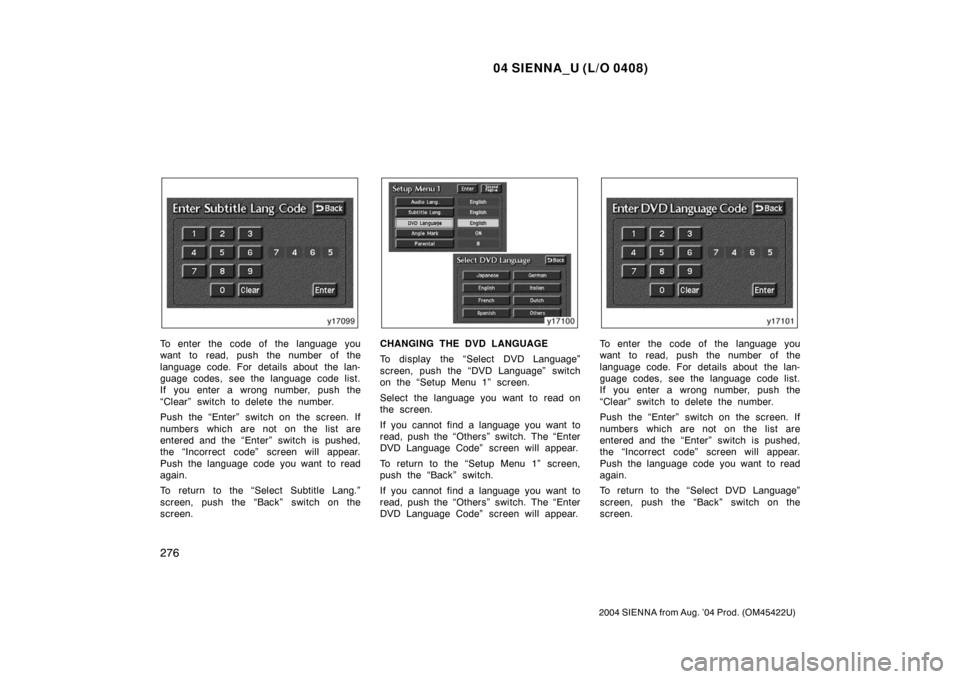
To enter the code of the language you
want to read, push the number of the
language code. For details about the lan-
guage codes, see the language code list.
If you enter a wrong number, push the
“Clear” switch to delete the number.
Push the “Enter” switch on the screen. If
numbers which are not on the list are
entered and the “Enter” switch is pushed,
the “Incorrect code” screen will appear.
Push the language code you want to read
again.
To return to the “Select Subtitle Lang.”
screen, push the “Back” switch on the
screen.CHANGING THE DVD LANGUAGE
To display the “Select DVD Language”
screen, push the “DVD Language” switch
on the “Setup Menu 1” screen.
Select the language you want to read on
the screen.
If you cannot find a language you want to
read, push the “Others” switch. The “Enter
DVD Language Code” screen will appear.
To return to the “Setup Menu 1” screen,
push the “Back” switch.
If you cannot find a language you want to
read, push the “Others” switch. The “Enter
DVD Language Code” screen will appear.To enter the code of the language you
want to read, push the number of the
language code. For details about the lan-
guage codes, see the language code list.
If you enter a wrong number, push the
“Clear” switch to delete the number.
Push the “Enter” switch on the screen. If
numbers which are not on the list are
entered and the “Enter” switch is pushed,
the “Incorrect code” screen will appear.
Push the language code you want to read
again.
To return to the “Select DVD Language”
screen, push the “Back” switch on the
screen.
Page 287 of 506
04 SIENNA_U (L/O 0408)
281
2004 SIENNA from Aug. ’04 Prod. (OM45422U)
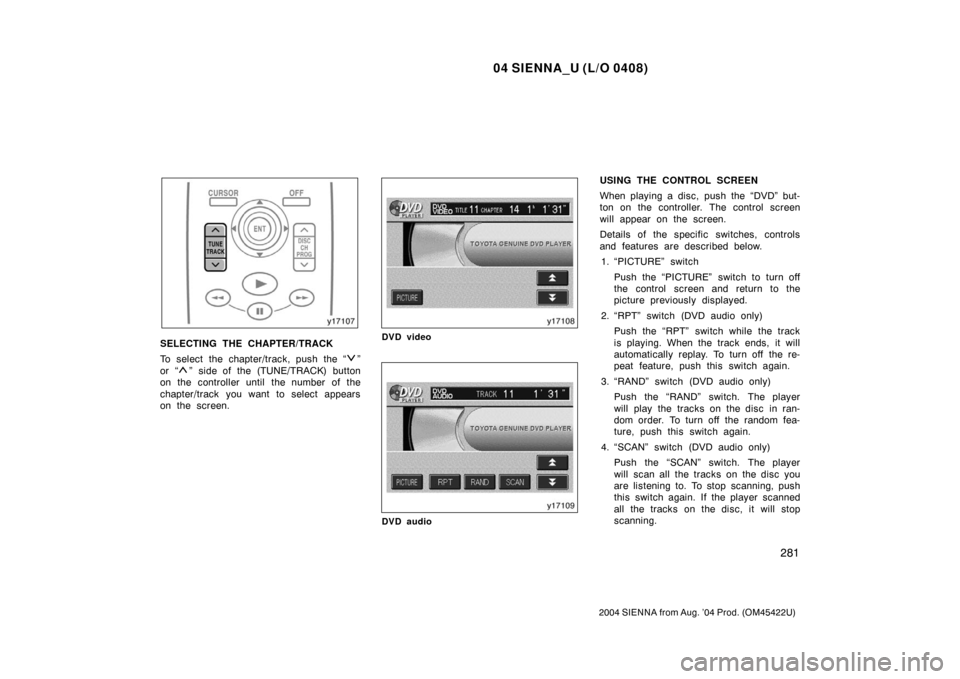
SELECTING THE CHAPTER/TRACK
To select the chapter/track, push the “
”
or “
” side of the (TUNE/TRACK) button
on the controller until the number of the
chapter/track you want to select appears
on the screen.
DVD video
DVD audio
USING THE CONTROL SCREEN
When playing a disc, push the “DVD” but-
ton on the controller. The control screen
will appear on the screen.
Details of the specific switches, controls
and features are described below.
1. “PICTURE” switch
Push the “PICTURE” switch to turn off
the control screen and return to the
picture previously displayed.
2. “RPT” switch (DVD audio only) Push the “RPT” switch while the track
is playing. When the track ends, it will
automatically replay. To turn off the re-
peat feature, push this switch again.
3. “RAND” switch (DVD audio only) Push the “RAND” switch. The player
will play the tracks on the disc in ran-
dom order. To turn off the random fea-
ture, push this switch again.
4. “SCAN” switch (DVD audio only) Push the “SCAN” switch. The player
will scan all the tracks on the disc you
are listening to. To stop scanning, push
this switch again. If the player scanned
all the tracks on the disc, it will stop
scanning.
Page 288 of 506
04 SIENNA_U (L/O 0408)
282
2004 SIENNA from Aug. ’04 Prod. (OM45422U)
5. “” and “” switches
Push and hold the “
” or “” switch
to fast forward or reverse a disc. When
you release the switch, the DVD player
will resume playing.
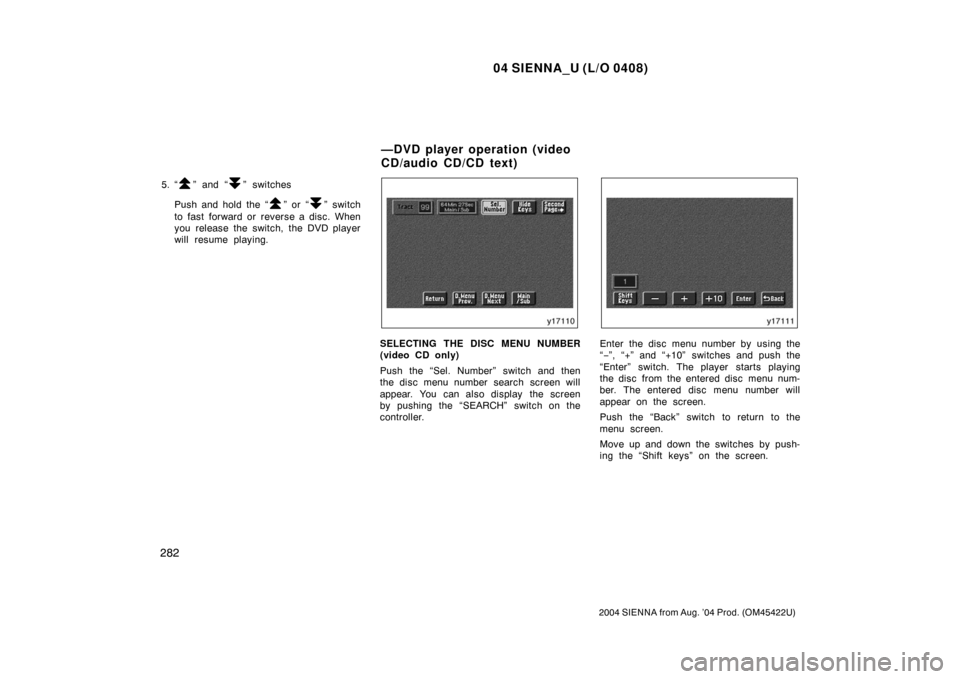
SELECTING THE DISC MENU NUMBER
(video CD only)
Push the “Sel. Number” switch and then
the disc menu number search screen will
appear. You can also display the screen
by pushing the “SEARCH” switch on the
controller.Enter the disc menu number by using the
“ − ”, “+” and “+10” switches and push the
“Enter” switch. The player starts playing
the disc from the entered disc menu num-
ber. The entered disc menu number will
appear on the screen.
Push the “Back” switch to return to the
menu screen.
Move up and down the switches by push-
ing the “Shift keys” on the screen.
—DVD player operation (video
CD/audio CD/CD text)
Page 289 of 506
04 SIENNA_U (L/O 0408)
283
2004 SIENNA from Aug. ’04 Prod. (OM45422U)
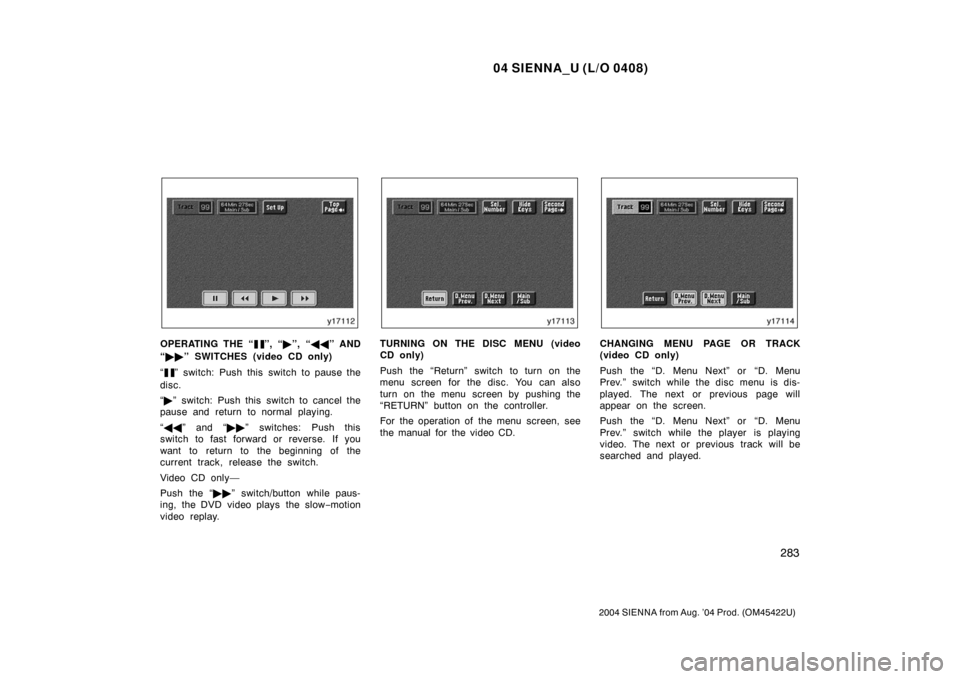
OPERATING THE “”, “�”, “ �� ” AND
“ �� ” SWITCHES (video CD only)
“
” switch: Push this switch to pause the
disc.
“ � ” switch: Push this switch to cancel the
pause and return to normal playing.
“ �� ” and “�� ” switches: Push this
switch to fast forward or reverse. If you
want to return to the beginning of the
current track, release the switch.
Video CD only—
Push the “�� ” switch/button while paus-
ing, the DVD video plays the slow −motion
video replay.
TURNING ON THE DISC MENU (video
CD only)
Push the “Return” switch to turn on the
menu screen for the disc. You can also
turn on the menu screen by pushing the
“RETURN” button on the controller.
For the operation of the menu screen, see
the manual for the video CD.CHANGING MENU PAGE OR TRACK
(video CD only)
Push the “D. Menu Next” or “D. Menu
Prev.” switch while the disc menu is dis-
played. The next or previous page will
appear on the screen.
Push the “D. Menu Next” or “D. Menu
Prev.” switch while the player is playing
video. The next or previous track will be
searched and played.