Page 264 of 506
04 SIENNA_U (L/O 0408)
258
2004 SIENNA from Aug. ’04 Prod. (OM45422U)
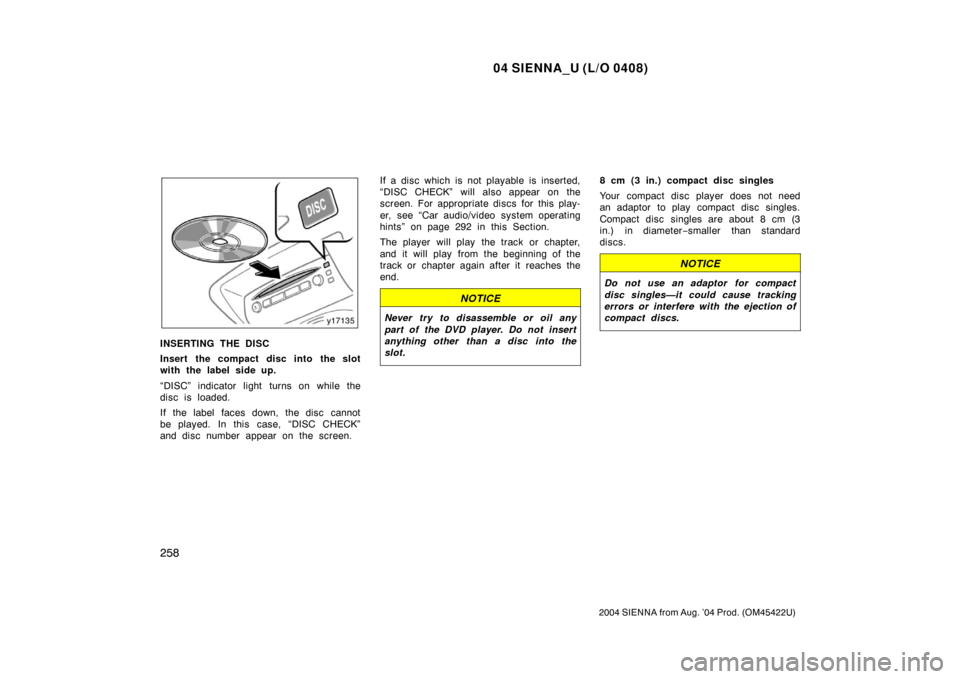
INSERTING THE DISC
Insert the compact disc into the slot
with the label side up.
“DISC” indicator light turns on while the
disc is loaded.
If the label faces down, the disc cannot
be played. In this case, “DISC CHECK”
and disc number appear on the screen.If a disc which is not playable is inserted,
“DISC CHECK” will also appear on the
screen. For appropriate discs for this play-
er, see “Car audio/video system operating
hints” on page 292 in this Section.
The player will play the track or chapter,
and it will play from the beginning of the
track or chapter again after it reaches the
end.
NOTICE
Never try to disassemble or oil any
part of the DVD player. Do not insert
anything other than a disc into the
slot.
8 cm (3 in.) compact disc singles
Your compact disc player does not need
an adaptor to play compact disc singles.
Compact disc singles are about 8 cm (3
in.) in diameter
−smaller than standard
discs.
NOTICE
Do not use an adaptor for compact
disc singles—it could cause tracking
errors or interfere with the ejection of
compact discs.
Page 265 of 506
04 SIENNA_U (L/O 0408)
259
2004 SIENNA from Aug. ’04 Prod. (OM45422U)
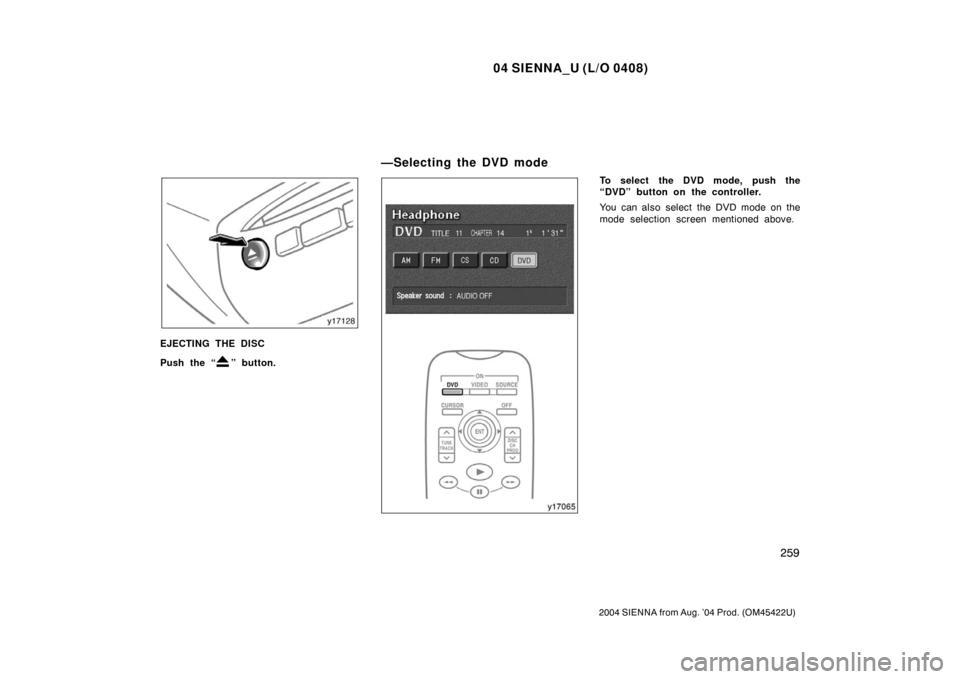
EJECTING THE DISC
Push the “
” button.
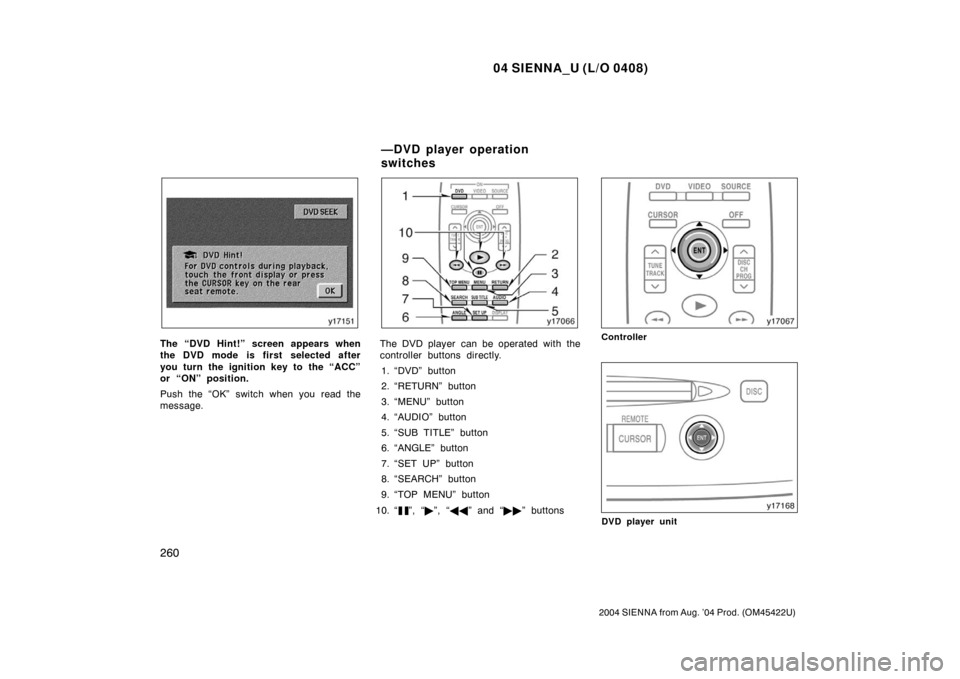
To select the DVD mode, push the
“DVD” button on the controller.
You can also select the DVD mode on the
mode selection screen mentioned above.
—Selecting the DVD mode
Page 266 of 506
04 SIENNA_U (L/O 0408)
260
2004 SIENNA from Aug. ’04 Prod. (OM45422U)
The “DVD Hint!” screen appears when
the DVD mode is first selected after
you turn the ignition key to the “ACC”
or “ON” position.
Push the “OK” switch when you read the
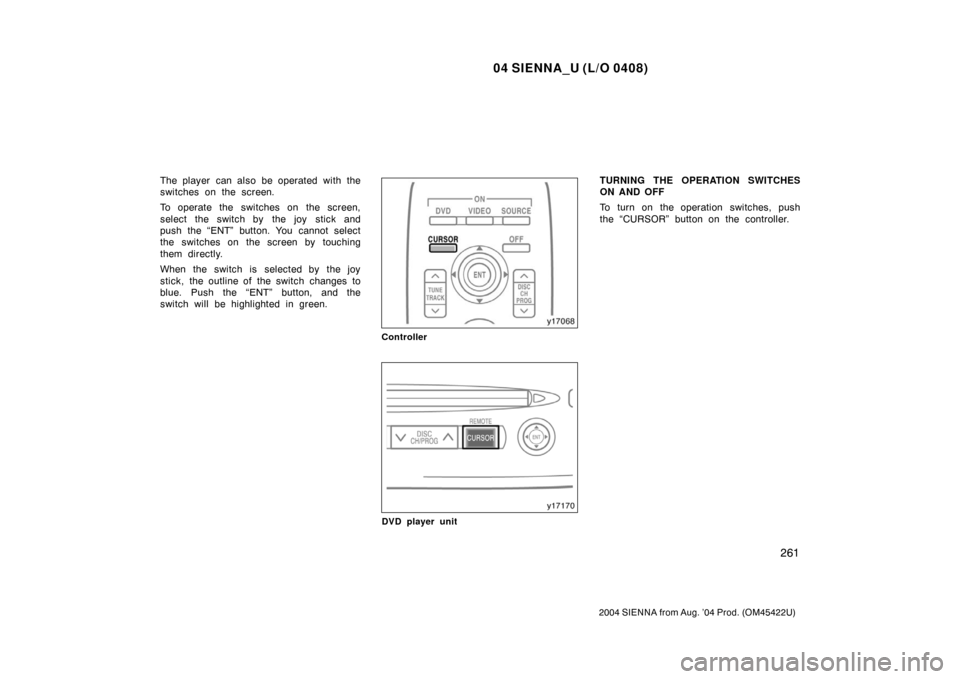
message.The DVD player can be operated with the
controller buttons directly.1. “DVD” button
2. “RETURN” button
3. “MENU” button
4. “AUDIO” button
5. “SUB TITLE” button
6. “ANGLE” button
7. “SET UP” button
8. “SEARCH” button
9. “TOP MENU” button
10. “
”, “ �”, “ �� ” and “�� ” buttons
Controller
DVD player unit
—DVD player operation
switches
Page 267 of 506
04 SIENNA_U (L/O 0408)
261
2004 SIENNA from Aug. ’04 Prod. (OM45422U)
The player can also be operated with the
switches on the screen.
To operate the switches on the screen,
select the switch by the joy stick and
push the “ENT” button. You cannot select
the switches on the screen by touching
them directly.
When the switch is selected by the joy
stick, the outline of the switch changes to
blue. Push the “ENT” button, and the
switch will be highlighted in green.
Controller
DVD player unit
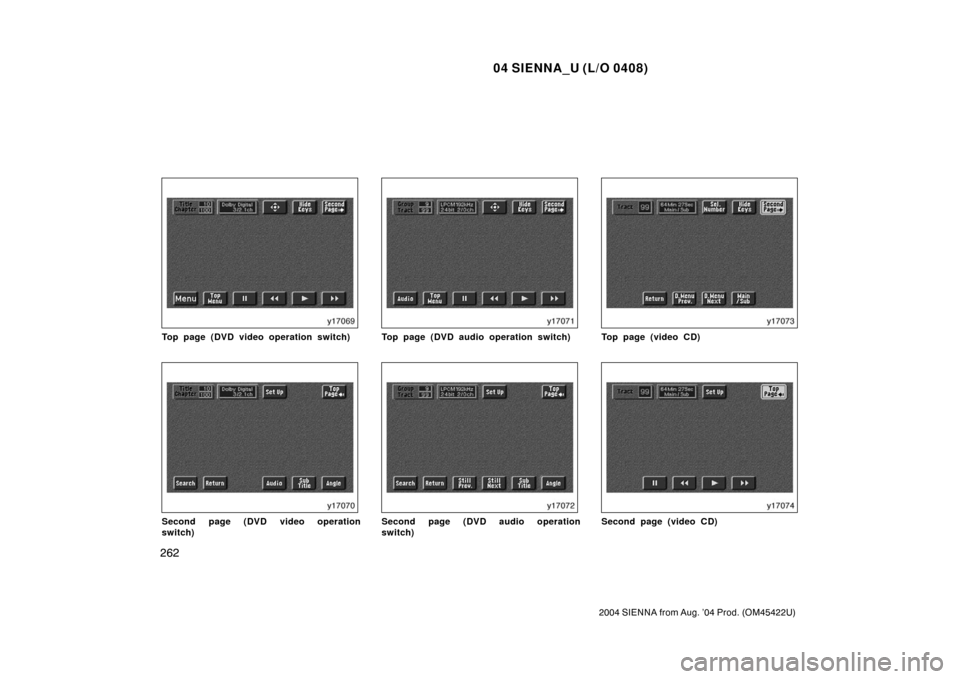
TURNING THE OPERATION SWITCHES
ON AND OFF
To turn on the operation switches, push
the “CURSOR” button on the controller.
Page 268 of 506
04 SIENNA_U (L/O 0408)
262
2004 SIENNA from Aug. ’04 Prod. (OM45422U)
Top page (DVD video operation switch)
Second page (DVD video operation
switch)
Top page (DVD audio operation switch)
Second page (DVD audio operation
switch)
Top page (video CD)
Second page (video CD)
Page 270 of 506
04 SIENNA_U (L/O 0408)
264
2004 SIENNA from Aug. ’04 Prod. (OM45422U)
DVD player unit
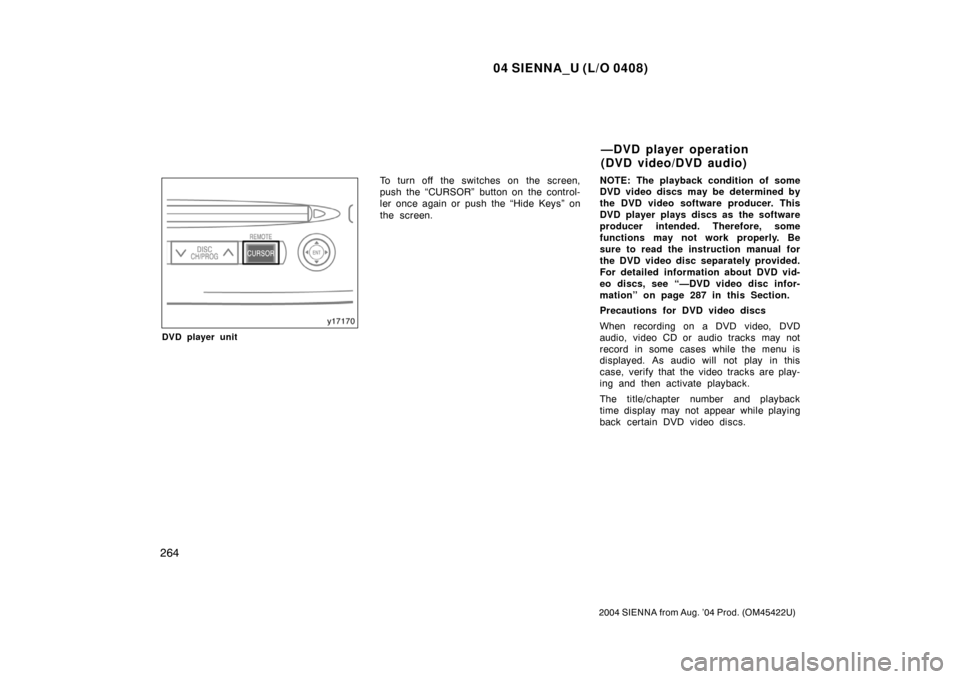
To turn off the switches on the screen,
push the “CURSOR” button on the control-
ler once again or push the “Hide Keys” on
the screen.NOTE:
The playback condition of some
DVD video discs may be determined by
the DVD video software producer. This
DVD player plays discs as the software
producer intended. Therefore, some
functions may not work properly. Be
sure to read the instruction manual for
the DVD video disc separately provided.
For detailed information about DVD vid-
eo discs, see “—DVD video disc infor-
mation” on page 287 in this Section.
Precautions for DVD video discs
When recording on a DVD video, DVD
audio, video CD or audio tracks may not
record in some cases while the menu is
displayed. As audio will not play in this
case, verify that the video tracks are play-
ing and then activate playback.
The title/chapter number and playback
time display may not appear while playing
back certain DVD video discs.
—DVD player operation
(DVD video/DVD audio)
Page 271 of 506
04 SIENNA_U (L/O 0408)
265
2004 SIENNA from Aug. ’04 Prod. (OM45422U)
CAUTION
Conversational speech on some DVDs
is recorded at a low volume to em-
phasize the impact of sound effects.
If you adjust the volume assuming
that the conversations represent the
maximum volume level available for
the DVD, you may be startled by
louder sound effects or when you
change to a different audio source.
Loud sounds may have a significant
impact on the human body or pose a
driving hazard. Keep this in mind
when you adjust the volume.
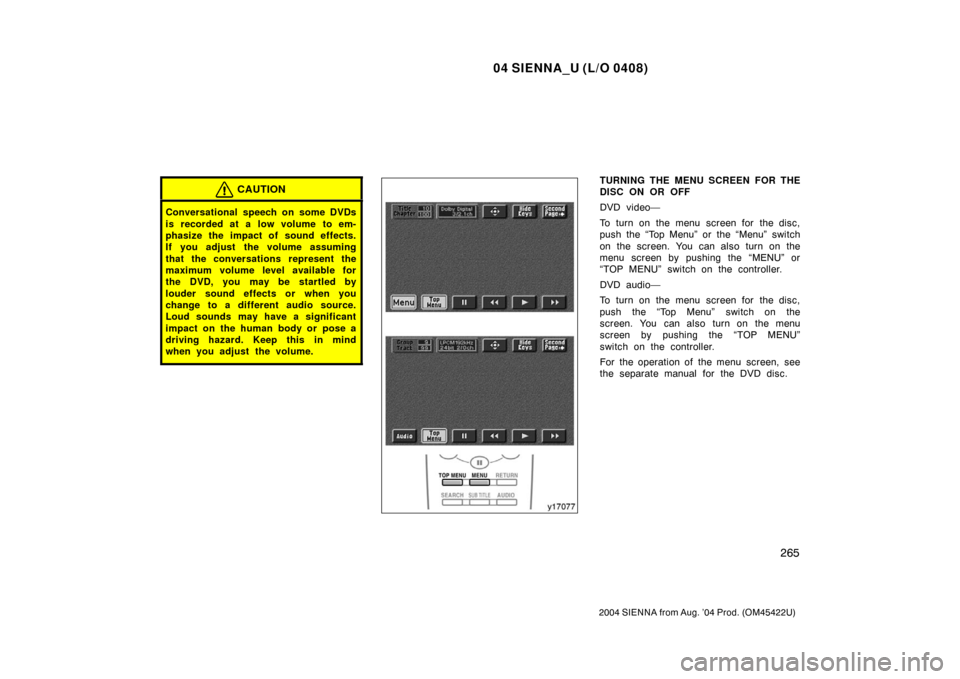
TURNING THE MENU SCREEN FOR THE
DISC ON OR OFF
DVD video—
To turn on the menu screen for the disc,
push the “Top Menu” or the “Menu” switch
on the screen. You can also turn on the
menu screen by pushing the “MENU” or
“TOP MENU” switch on the controller.
DVD audio—
To turn on the menu screen for the disc,
push the “Top Menu” switch on the
screen. You can also turn on the menu
screen by pushing the “TOP MENU”
switch on the controller.
For the operation of the menu screen, see
the separate manual for the DVD disc.
Page 273 of 506
04 SIENNA_U (L/O 0408)
267
2004 SIENNA from Aug. ’04 Prod. (OM45422U)
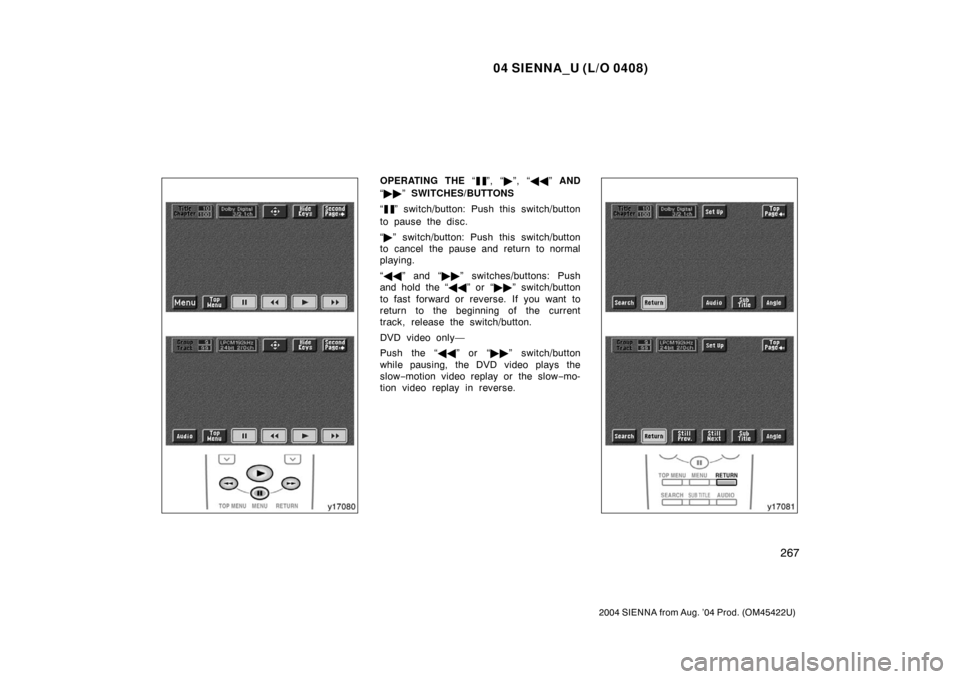
OPERATING THE “”, “�”, “ �� ” AND
“ �� ” SWITCHES/BUTTONS
“
” switch/button: Push this switch/button
to pause the disc.
“ � ” switch/button: Push this switch/button
to cancel the pause and return to normal
playing.
“ �� ” and “�� ” switches/buttons: Push
and hold the “ ��” or “�� ” switch/button
to fast forward or reverse. If you want to
return to the beginning of the current
track, release the switch/button.
DVD video only—
Push the “�� ” or “��” switch/button
while pausing, the DVD video plays the
slow −motion video replay or the slow −mo-
tion video replay in reverse.