Page 158 of 491
3-21
Instruments and controls
– CONTINUED –
NOTE
This light also comes on when the fuel filler cap is
not tightened until it clicks.
If you have recently refueled your vehicle, the cause of
the CHECK ENGINE warning light/malfunction indica-
tor lamp coming on could be a loose or missing fuel fill-
er cap. Remove the cap and retighten it until it clicks.
Make sure nothing is interfering with the sealing of the
cap. Tightening the cap will not make the CHECK EN-
GINE warning light turn off immediately. It may take
several driving trips. If the light does not go out, take
your vehicle to your authorized SUBARU dealer im-
mediately. !If the light is blinking:
If the light is blinking while driving, an engine misfire
condition has been detected which may damage the
emission control system.
To prevent serious damage to the emission control
system, you should do the following: "Reduce vehicle speed.
" Avoid hard acceleration.
" Avoid steep uphill grades.
" Reduce the amount of cargo, if possible.
" Stop towing a trailer as soon as possible.
The CHECK ENGINE warning light may stop blinking and come on steadily after several driving trips. You
should have your vehicle checked by an authorized
SUBARU dealer immediately. !
Charge warning light
If this light comes on when the engine is running, it
may indicate that the charging system is not working
properly.
If the light comes on while driving or does not go out
after the engine starts, stop the engine at the first safe
opportunity and check the alternator belt. If the belt is
loose, broken or if the belt is in good condition but the
light remains on, contact your nearest SUBARU deal-
er immediately. ! Oil pressure warning light
If this light comes on when the engine is running, it
may indicate that the engine oil pressure is low and the
lubricating system is not working properly.
If the light comes on while driving or does not go out
after the engine starts, stop the engine at the first safe
opportunity and check the engine oil level. If the oil lev-
el is low, add oil immediately. If the engine oil is at the
proper level but the light remains on, contact your
nearest SUBARU dealer immediately.
Page 161 of 491

3-24
Instruments and controls
as when the engine is jump started, the ABS warning
light may come on. This is due to the low battery volt-
age and does not indicate a malfunction. When the
battery becomes fully charged, the light will go out. !
Brake system warning light
"Driving with the brake system warning light
on is dangerous. This indicates your brake sys-
tem may not be working properly. If the light re-
mains on, have the brakes inspected by a
SUBARU dealer immediately." If at all in doubt about whether the brakes are
operating properly, do not drive the vehicle.
Have your vehicle towed to the nearest
SUBARU dealer for repair.
This light has the following two functions: ! Parking brake warning
The light comes on with the parking brake applied
while the ignition switch is in the “ON” position. It goes
out when the parking brake is fully released. !
Brake fluid level warning
This light comes on when the brake fluid level has
dropped to near the “MIN” level of the brake fluid res-
ervoir with the ignition switch in the “ON” position and
with the parking brake fully released.
If the brake system warning light should come on while
driving (with the parking brake fully released and with
the ignition switch positioned in “ON”), it could be an
indication of leaking of brake fluid or worn brake pads.
If this occurs, immediately stop the vehicle at the near-
est safe place and check the brake fluid level. If the flu-
id level is below the “MIN” mark in the reservoir, do not
drive the vehicle. Have the vehicle towed to the near-
est SUBARU dealer for repair. ! Electronic Brake Force Distribution (EBD) sys-
tem warning (for vehicles with ABS)
The brake system warning light also illuminates if a
malfunction occurs in the EBD system. In that event, it
comes on together with the ABS warning light.
The EBD system may be malfunctioning if the brake
system warning light and ABS warning light illuminate
simultaneously during driving.
Even if the EBD system fails, the conventional braking
system will still function. However, the rear wheels will
be more prone to locking when the brakes are applied
harder than usual and the vehicle’s motion may there-
(U.S.) (Canada)
Page 162 of 491
3-25
Instruments and controls
– CONTINUED –
fore become somewhat harder to control. If the brake system warning light and ABS warning
light illuminate simultaneously, take the following
steps:
1. Stop the vehicle in the nearest safe, flat place.
2. Shut down the engine, then restart it.
3. Release the parking brake. If both warning lights go
out, the EBD system may be faulty. Drive carefully to
the nearest SUBARU dealer and have the system in-
spected.
4. If both warning lights come on again and stay illu-
minated after the engine has been restarted, shut
down the engine again, apply the parking brake, and
check the brake fluid level.
5. If the brake fluid level is not below the “MIN” mark,
the EBD system may be faulty. Drive carefully to the
nearest SUBARU dealer and have the system inspect-
ed.
6. If the brake fluid level is below the “MIN” mark, DO
NOT drive the vehicle. Instead, have the vehicle towed
to the nearest SUBARU dealer for repair. !Door open warning lights
The door open warning light comes on if any door or
the rear gate is not fully closed.
Always make sure this light is out before you start to drive. !
Front-wheel drive warning light
(for AT vehicles – if equipped)
This light comes on when All Wheel Drive is disen-
gaged and the drive mechanism is switched to Front
Wheel Drive for maintenance or similar purposes. ! Intercooler water spray warning
light (WRX-STi)
This light comes on when the water level in the inter-
cooler water spray tank falls to the lower limit (about
0.4 U.S. qt, 0.4 liter, 0.4 Imp qt.).
Page 167 of 491
3-30
Instruments and controls
!
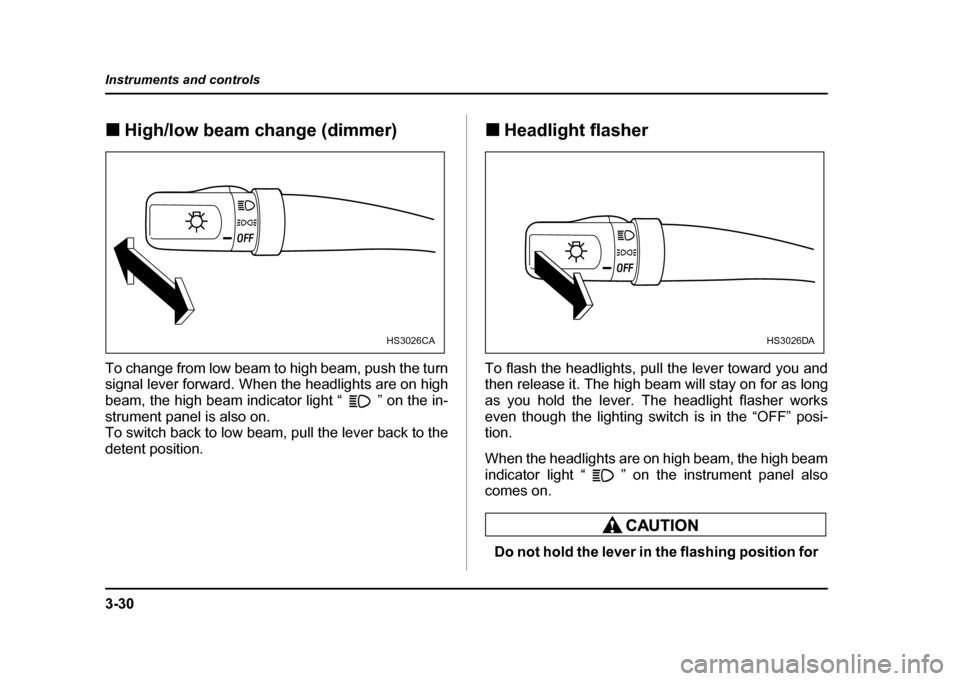
High/low beam change (dimmer)
To change from low beam to high beam, push the turn
signal lever forward. When the headlights are on high
beam, the high beam indicator light “ ” on the in-
strument panel is also on.
To switch back to low beam, pull the lever back to the
detent position. !
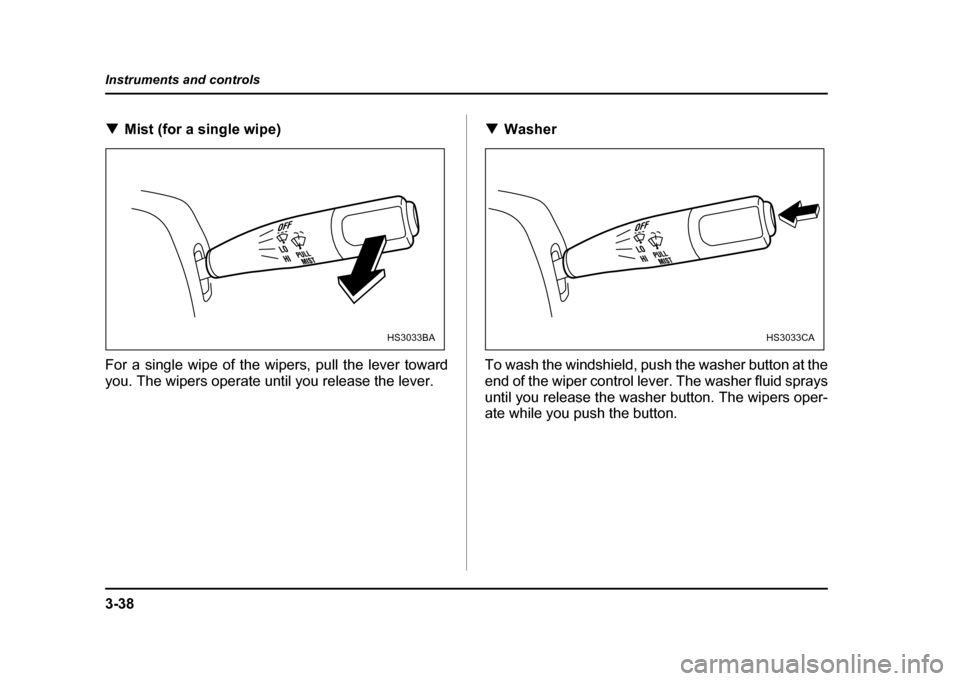
Headlight flasher
To flash the headlights, pull the lever toward you and
then release it. The high beam will stay on for as long
as you hold the lever. The headlight flasher works
even though the lighting switch is in the “OFF” posi- tion.
When the headlights are on high beam, the high beam
indicator light “ ” on the instrument panel also
comes on.
Do not hold the lever in the flashing position for
HS3026CAHS3026DA
Page 175 of 491
3-38
Instruments and controls
!
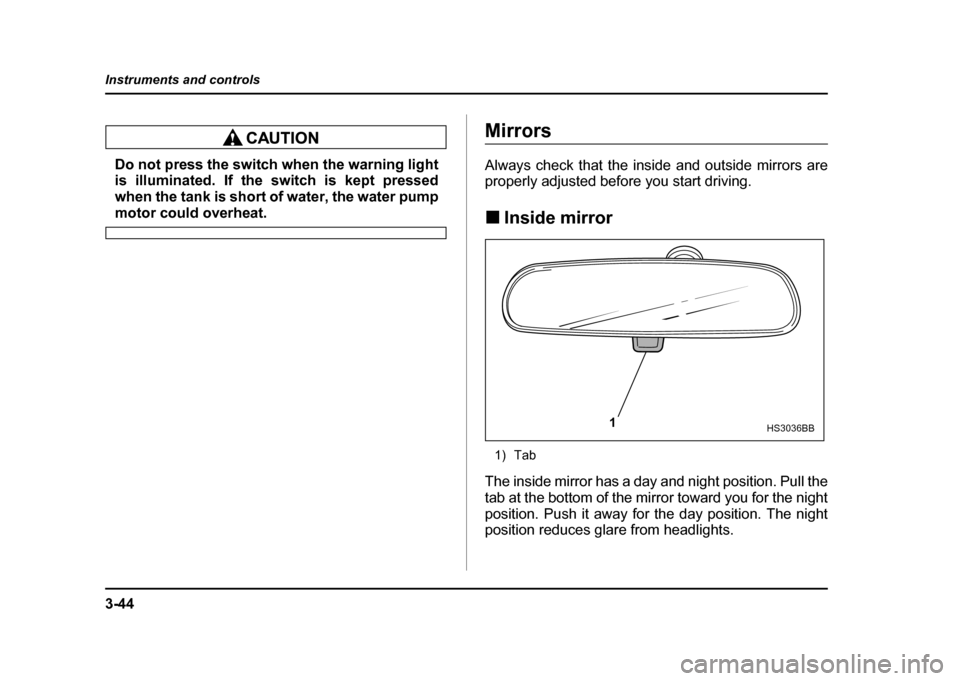
Mist (for a single wipe)
For a single wipe of the wipers, pull the lever toward
you. The wipers operate until you release the lever. !
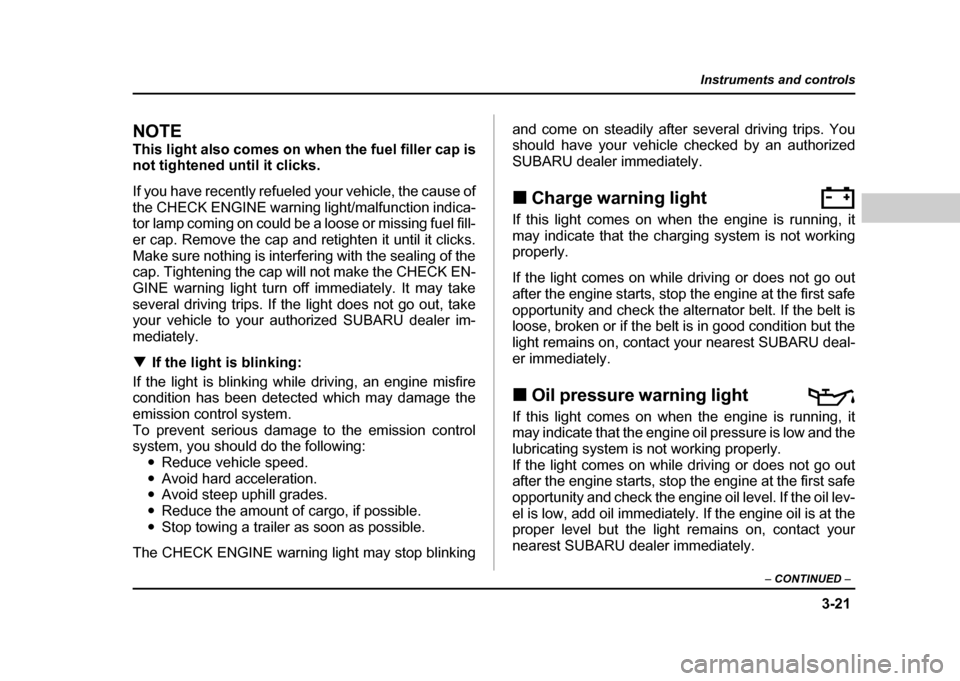
Washer
To wash the windshield, push the washer button at the
end of the wiper control lever. The washer fluid sprays
until you release the washer button. The wipers oper-
ate while you push the button.
HS3033BAHS3033CA
Page 181 of 491
3-44
Instruments and controls
Do not press the switch when the warning light
is illuminated. If the switch is kept pressed
when the tank is short of water, the water pump
motor could overheat.
Mirrors
Always check that the inside and outside mirrors are
properly adjusted before you start driving. !
Inside mirror
1) Tab
The inside mirror has a day and night position. Pull the
tab at the bottom of the mirror toward you for the night
position. Push it away for the day position. The night
position reduces glare from headlights.
1HS3036BB
Page 196 of 491
4-7
Climate control
– CONTINUED –
gardless of the position of the air conditioner button to
defog the windshield quickly.
However, the air conditioner indicator light does not
come on at this time.
NOTE
Warm air also comes out from the right and left air
outlets. To stop warm air flow from these outlets,
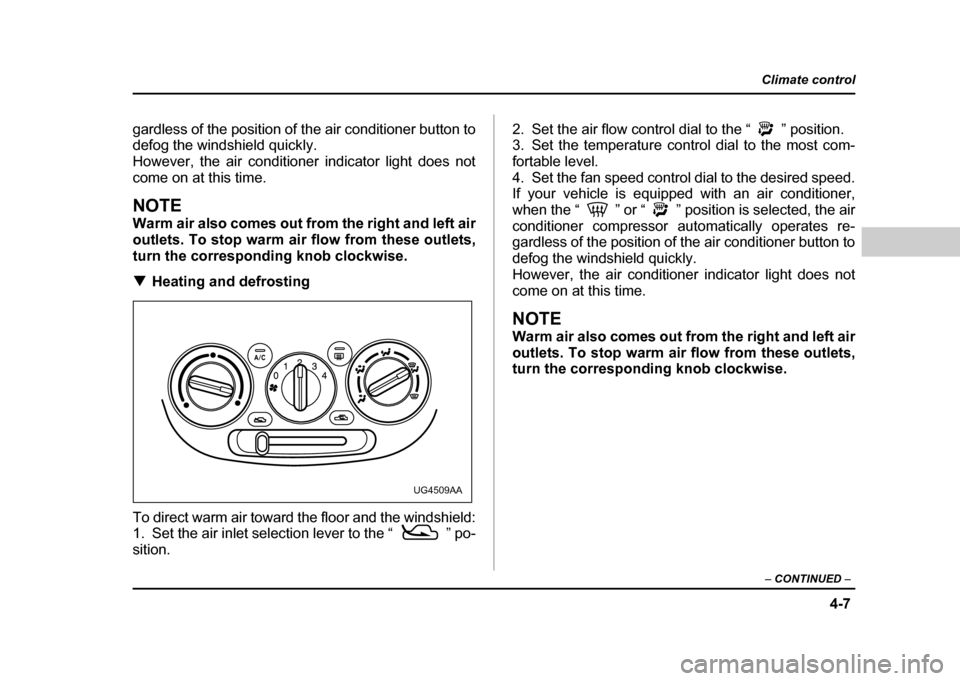
turn the corresponding knob clockwise. !Heating and defrosting
To direct warm air toward the floor and the windshield:
1. Set the air inlet selection lever to the “ ” po- sition. 2. Set the air flow control dial to the “ ” position.
3. Set the temperature control dial to the most com-
fortable level.
4. Set the fan speed control dial to the desired speed.
If your vehicle is equipped with an air conditioner,
when the “ ” or “ ” position is selected, the air
conditioner compressor automatically operates re-
gardless of the position of the air conditioner button to
defog the windshield quickly.
However, the air conditioner indicator light does not
come on at this time.
NOTE
Warm air also comes out from the right and left air
outlets. To stop warm air flow from these outlets,
turn the corresponding knob clockwise.
UG4509AA
Page 197 of 491

4-8
Climate control
!
Heating
To direct warm air toward the floor:
1. Set the air inlet selection lever to the “ ” po-sition.
2. Set the air flow control dial to the “ ” position.
3. Set the temperature control dial to the most com-
fortable level.
4. Set the fan speed control dial to the desired speed.
NOTE
Warm air also comes out from the right and left air
outlets. To stop warm air flow from these outlets,
turn the corresponding knob clockwise. !
Bi-level heating
This setting allows you to direct air of different temper-
atures from the instrument panel and foot outlets. The
air from the foot outlets is slightly warmer than from the
instrument panel outlets.
1. Set the air inlet selection lever to the “ ” po-sition.
2. Set the air flow control dial to the “ ” position.
3. Set the temperature control dial to the desired tem-perature level.
4. Set the fan speed control dial to the desired speed.
Setting the temperature control dial fully turned to the
red area or blue area decreases the temperature dif-
UG4510AAUG4511AA