Page 203 of 491
4-14
Climate control
OFF:
The air conditioner does not operate.
Push the button a second time to select this position.
The indicator light will go off.
NOTE
The air conditioner’s compressor does not oper-
ate with an outside temperature of 32 °F (0 °C) or
lower. ! Operating method
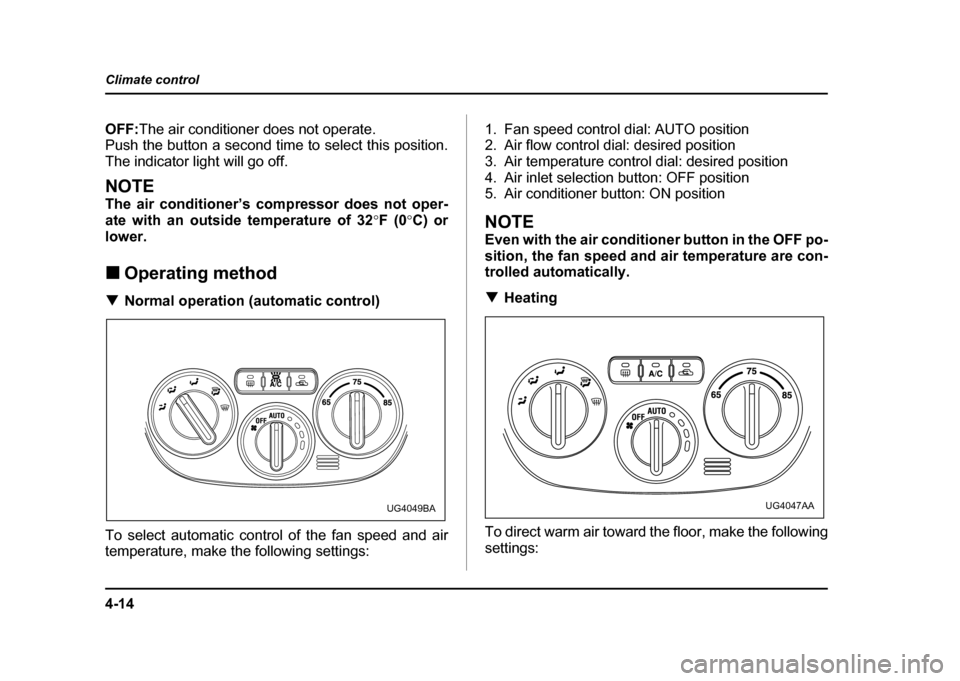
! Normal operation (automatic control)
To select automatic control of the fan speed and air
temperature, make the following settings: 1. Fan speed control dial: AUTO position
2. Air flow control dial: desired position
3. Air temperature control dial: desired position
4. Air inlet selection button: OFF position
5. Air conditioner button: ON position
NOTE
Even with the air conditioner button in the OFF po-
sition, the fan speed and air temperature are con-
trolled automatically. !
Heating
To direct warm air toward the floor, make the following settings:
UG4049BAUG4047AA
Page 205 of 491
4-16
Climate control
!
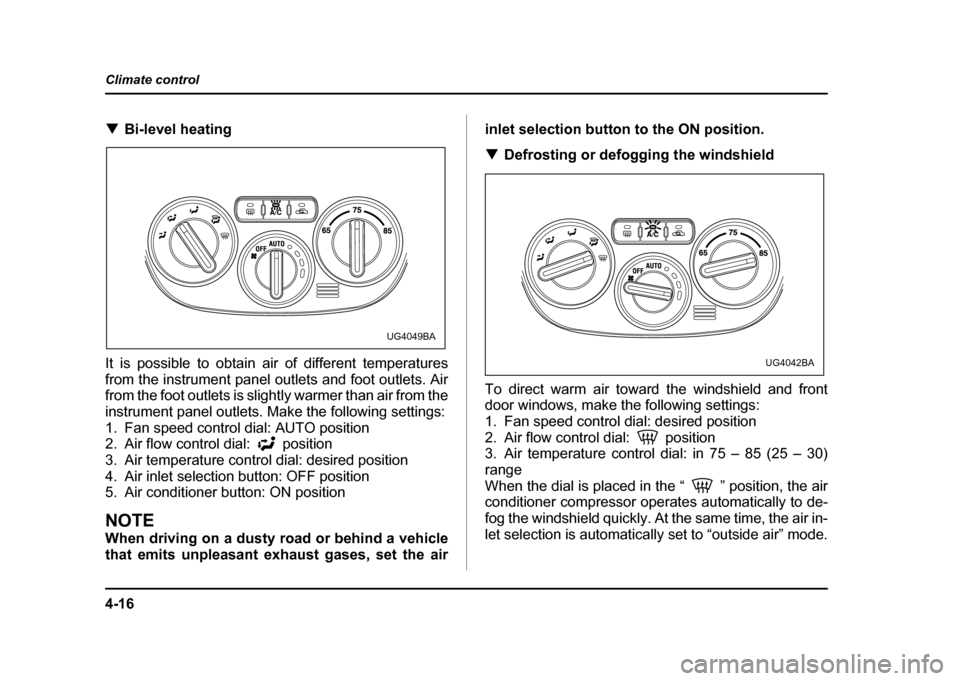
Bi-level heating
It is possible to obtain air of different temperatures
from the instrument panel outlets and foot outlets. Air
from the foot outlets is slightly warmer than air from the
instrument panel outlets. Make the following settings:
1. Fan speed control dial: AUTO position
2. Air flow control dial: position
3. Air temperature control dial: desired position
4. Air inlet selection button: OFF position
5. Air conditioner button: ON position
NOTE
When driving on a dusty road or behind a vehicle
that emits unpleasant exhaust gases, set the air inlet selection button to the ON position. !
Defrosting or defogging the windshield
To direct warm air toward the windshield and front
door windows, make the following settings:
1. Fan speed control dial: desired position
2. Air flow control dial: position
3. Air temperature control dial: in 75 – 85 (25 – 30)
range
When the dial is placed in the “ ” position, the air
conditioner compressor operates automatically to de-
fog the windshield quickly. At the same time, the air in-
let selection is automatically set to “outside air” mode.
UG4049BA
UG4042BA
Page 206 of 491

4-17
Climate control
– CONTINUED –
NOTE "For rapid defrosting or defogging, set the fan
speed control dial to the highest speed position. " If air supplied from the outlets is too cold, the
windshield may become fogged on the outside.
Turn up the air temperature control dial slightly if
this happens." Warm air also comes out from the right and left
air outlets. To stop warm air flow from these out-
lets, turn the corresponding knob clockwise. ! Heating and defrosting
To direct warm air toward the floor and windshield,
make the following settings: 1. Fan speed control dial: desired position
2. Air flow control dial: position
3. Air temperature control dial: in 75 – 85 (25 – 30)
range
When the dial is placed in the “ ” position, the air
conditioner compressor operates automatically to de-
fog the windshield quickly. At the same time, the air in-
let selection is automatically set to “outside air” mode.
However, the air conditioner does not operate auto-
matically when the dial is placed in the “ ” position
after the dial has been placed in the “ ” position
and the air conditioner has been turned off manually.
NOTE "
If air supplied from the outlets is too cold, the
windshield may become fogged on the outside.
Turn up the air temperature control dial slightly if
this happens. " Warm air also comes out from the right and left
air outlets. To stop warm air flow from these out-
lets, turn the corresponding knob clockwise.
UG4043AA
Page 250 of 491

6-1
6
Interior equipment
In te ri or lig ht ..... ... ... .. ... ... ... ... ... .. ... ... ... ... .. ... ... 6-2
D om e lig ht ............ ..................... ..................... ... 6-2
C argo are a lig ht (if eq uip ped) ....................... ... 6-2
Map li g h t (if e qui pp ed ) ..... ... ... .. ... ... ... ... .. ... ... 6-3
Sun visors .. ... ... ... ... .. ... ... ... ... ... .. ... ... ... ... .. ... ... 6-4
Center visor ....................................................... 6-4
Vanity mirror (if equipped) ............................... 6-5
Storage com partments .... ... ... .. ... ... ... ... .. ... ... 6-5
Gl ove b ox .............. ..................... ..................... ... 6-6
C enter con sole .......................... ..................... ... 6-6
C oin tray ............... ..................... ..................... ... 6-7
C up h older .... ... ... ... .. ... ... ... ... ... .. ... ... ... ... .. ... ... 6-7
In in stru ment pa nel ................... ..................... ... 6-7
In ce nter co nsole .. .................... ..................... ... 6-8
A cce sso ry p ow er o utlet ............................... 6-9
In t h e cargo area (if eq uip ped) .. .................... ... 6-9
C ig are tte lig hter so cket ................................ 6-10
U se with a cigarette li ght er ...... ..................... ... 6-11
U sing as an access ory power o utlet ............ ... 6-11
As htray .. ... .. ... ... ... ... .. ... ... ... ... ... .. ... ... ... ... .. ... ... 6-12
Fl oo r mat (if e qui pp ed ) .. ... ... ... .. ... ... ... ... .. ... ... 6-13
C oat hook ... ... ... ... ... .. ... ... ... ... ... .. ... ... ... ... .. ... ... 6-14
Cargo area c over ( if eq uip p ed) ... ... ... ... .. ... ... 6-15
U sing t h e cover .... ..................... ..................... ... 6-15
T o re move the c over ................. ..................... ... 6-15
Stowage of the c over ................ ..................... ... 6-16
T o in stall the co ver housi ng .... ..................... ... 6-16
Cargo tie-down hooks (if equipped) ........... 6-17 Under-floor storage compartment
(if equipped) ............................................... 6-18
Page 265 of 491
6-16
Interior equipment
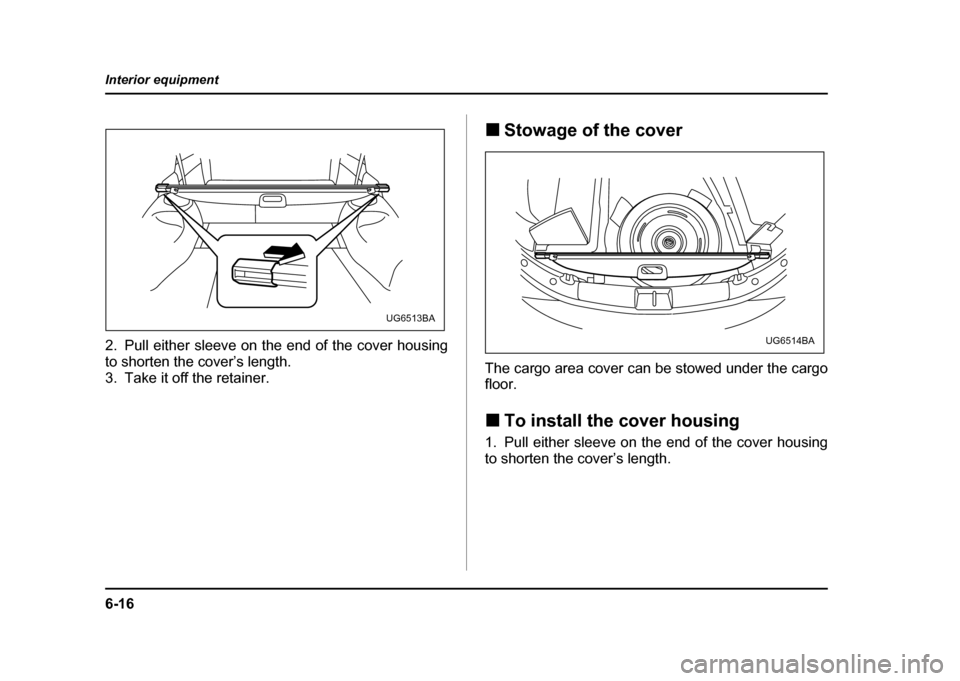
2. Pull either sleeve on the end of the cover housing
to shorten the cover’s length.
3. Take it off the retainer.
!
Stowage of the cover
The cargo area cover can be stowed under the cargo floor. ! To install the cover housing
1. Pull either sleeve on the end of the cover housing
to shorten the cover’s length.
UG6513BA
UG6514BA
Page 289 of 491
7-20
Starting and operating
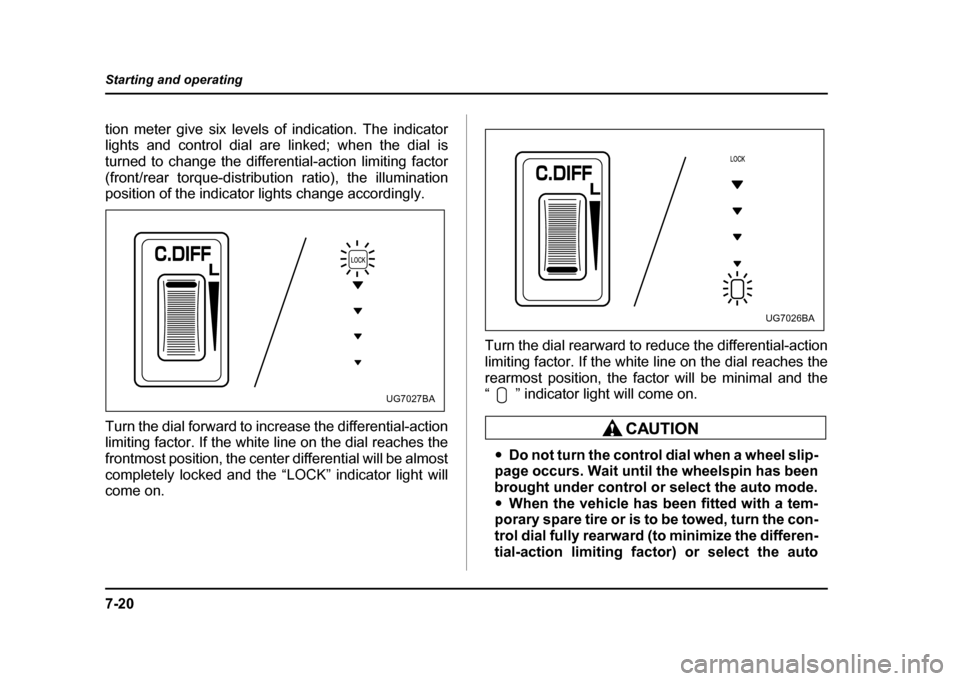
tion meter give six levels of indication. The indicator
lights and control dial are linked; when the dial is
turned to change the differential-action limiting factor
(front/rear torque-distribution ratio), the illumination
position of the indicator lights change accordingly.
Turn the dial forward to increase the differential-action
limiting factor. If the white line on the dial reaches the
frontmost position, the center differential will be almost
completely locked and the “LOCK” indicator light will come on.
Turn the dial rearward to reduce the differential-action
limiting factor. If the white line on the dial reaches the
rearmost position, the factor will be minimal and the
“ ” indicator light will come on.
"
Do not turn the control dial when a wheel slip-
page occurs. Wait until the wheelspin has been
brought under control or select the auto mode." When the vehicle has been fitted with a tem-
porary spare tire or is to be towed, turn the con-
trol dial fully rearward (to minimize the differen-
tial-action limiting factor) or select the auto
UG7027BA
UG7026BA
Page 302 of 491

7-33
Starting and operating
– CONTINUED –
!Steps to take if EBD system fails
If a malfunction occurs in the EBD system, the system
stops working and the brake system warning light and
ABS warning light come on simultaneously.
The EBD system may be faulty if the brake system
warning light and ABS warning light illuminate simulta-
neously during driving.
Even if the EBD system fails, the conventional braking
system will still function. However, the rear wheels will
be more prone to locking when the brakes are applied
harder than usual and the vehicle’s motion may there-
fore become somewhat harder to control. If the brake system warning light and ABS warning light illuminate simultaneously, take the following steps:
1. Stop the vehicle in the nearest safe, flat place.
2. Shut down the engine, then restart it.
3. Release the parking brake. If both warning lights go
out, the EBD system may be faulty. Drive carefully to
the nearest SUBARU dealer and have the system in- spected.
4. If both warning lights come on again and stay illu-
minated after the engine has been restarted, shut
down the engine again, apply the parking brake, and
check the brake fluid level.
5. If the brake fluid level is not below the “MIN” mark,
the EBD system may be faulty. Drive carefully to the
nearest SUBARU dealer and have the system inspect- ed.
6. If the brake fluid level is below the “MIN” mark, DO
NOT drive the vehicle. Instead, have the vehicle towed
to the nearest SUBARU dealer for repair.
"
Driving with the brake system warning light
on is dangerous. This indicates your brake sys-
tem may not be working properly. If the light re-
mains on, have the brakes inspected by a SUB-
ARU dealer immediately." If at all in doubt about whether the brakes are
UG7020CA
Page 303 of 491
7-34
Starting and operating
operating properly, do not drive the vehicle.
Have your vehicle towed to the nearest SUBA-
RU dealer for repair.
Parking your vehicle !
Parking brake
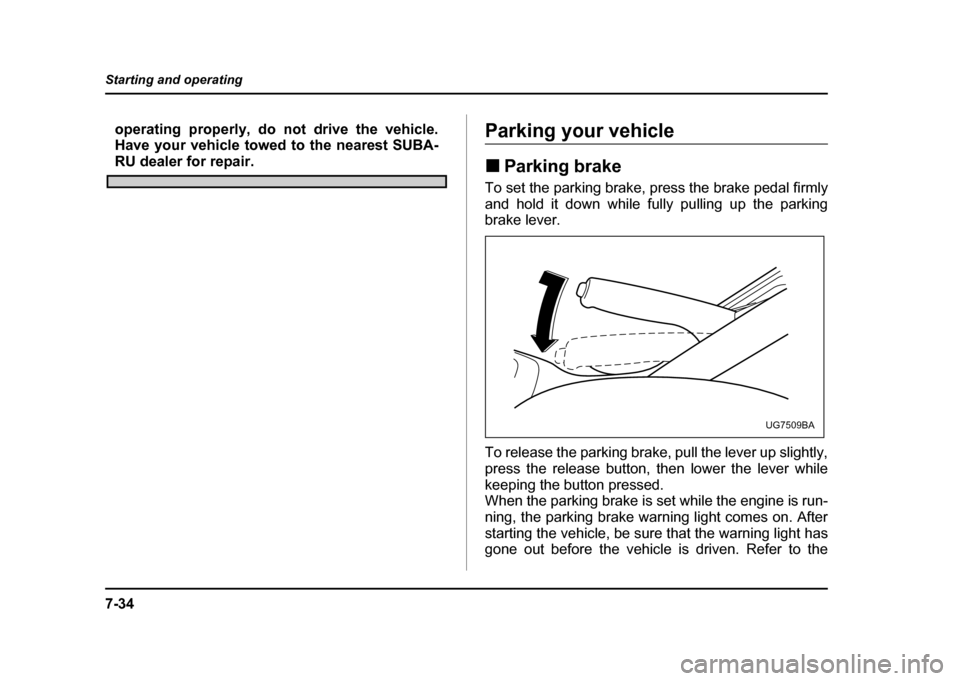
To set the parking brake, press the brake pedal firmly
and hold it down while fully pulling up the parking
brake lever.
To release the parking brake, pull the lever up slightly,
press the release button, then lower the lever while
keeping the button pressed.
When the parking brake is set while the engine is run-
ning, the parking brake warning light comes on. After
starting the vehicle, be sure that the warning light has
gone out before the vehicle is driven. Refer to the
UG7509BA