Page 135 of 432

Warning Lights, Gages and
Indicators
This part describes the warning lights and gages that
may be on your vehicle. The pictures will help you
locate them.
Warning lights and gages can signal that something is
wrong before it becomes serious enough to cause
an expensive repair or replacement. Paying attention to
your warning lights and gages could also save you
or others from injury.
Warning lights come on when there may be or is a
problem with one of your vehicle's functions. As you
will see in the details on the next few pages, some
warning lights come on brie¯y when you start the engine
just to let you know they're working. If you are familiar
with this section, you should not be alarmed when
this happens.Gages can indicate when there may be or is a problem
with one of your vehicle's functions. Often gages
and warning lights work together to let you know when
there's a problem with your vehicle.
When one of the warning lights comes on and stays on
when you are driving, or when one of the gages
shows there may be a problem, check the section that
tells you what to do about it. Follow this manual's
advice. Waiting to do repairs can be costly ± and even
dangerous. So please get to know your warning
lights and gages. They're a big help.
Your vehicle also has a Driver Information Center (DIC)
that works along with the warning lights and gages.
See
Driver Information Center (DIC) on page 3-45for
more information.
3-31
Page 136 of 432
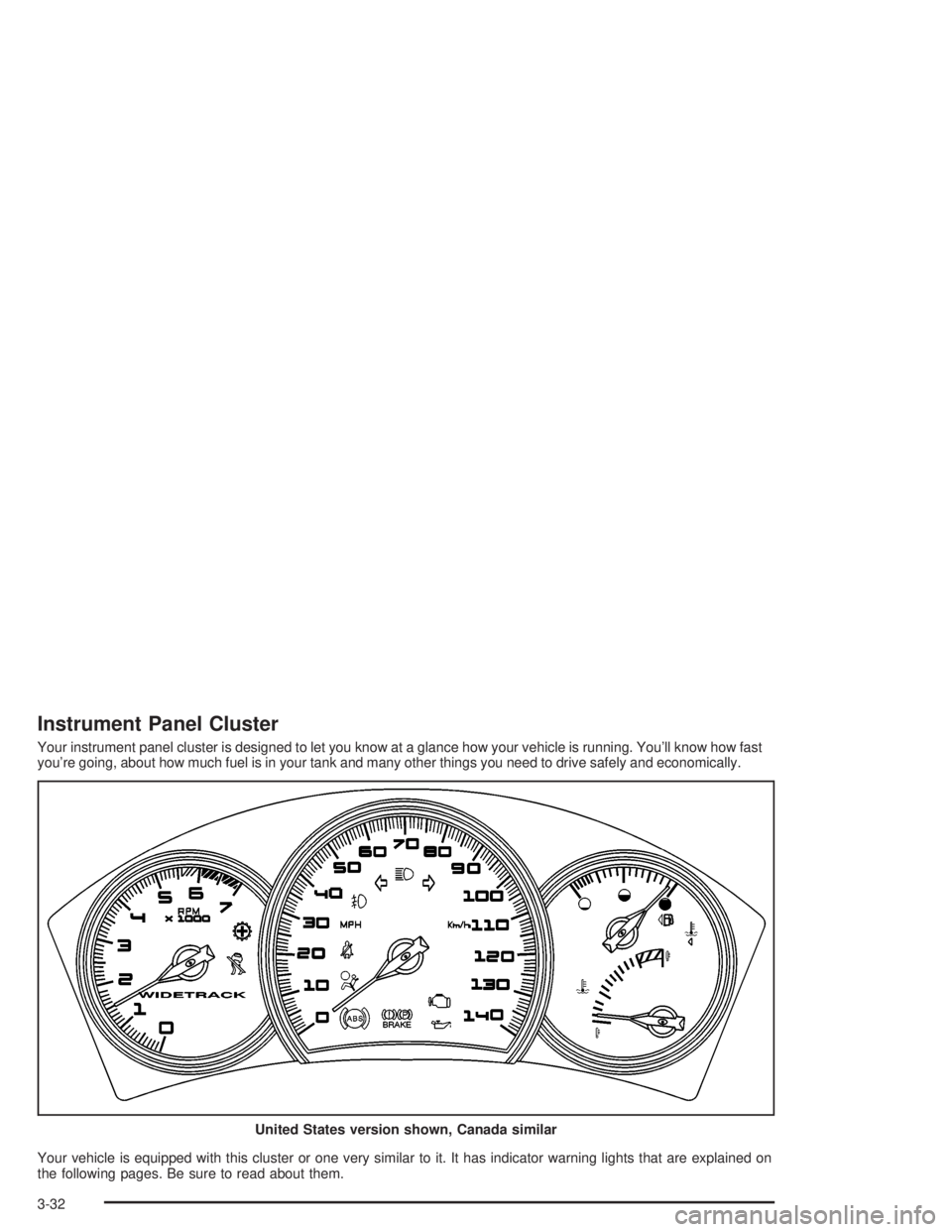
Instrument Panel Cluster
Your instrument panel cluster is designed to let you know at a glance how your vehicle is running. You'll know how fast
you're going, about how much fuel is in your tank and many other things you need to drive safely and economically.
Your vehicle is equipped with this cluster or one very similar to it. It has indicator warning lights that are explained on
the following pages. Be sure to read about them.United States version shown, Canada similar
3-32
Page 137 of 432
Speedometer and Odometer
The speedometer lets you see your speed in both
miles per hour (mph) and kilometers per hour (km/h).
The odometer, located on the Driver Information Center
(DIC) display, shows how far your vehicle has been
driven, in either miles or kilometers. See
DIC Controls
and Displays on page 3-45for more information.
If the vehicle has the Head-Up Display (HUD), the speed
will also be displayed on the HUD screen.
You may wonder what happens if a vehicle has to have
a new odometer installed. It the new one can be set
to the mileage total of the old odometer, than that will be
done. If it can't, than it will be set at zero and a label
must be put on the driver's door to show the old mileage
reading when the new odometer was installed.
Trip Odometer
The trip odometer, located in the Driver Information
Center (DIC), tells you how far you have driven since you
last reset it. You are able to see the miles (kilometers) for
two different trips. See
DIC Controls and Displays on
page 3-45for more information on setting the trip
odometer.
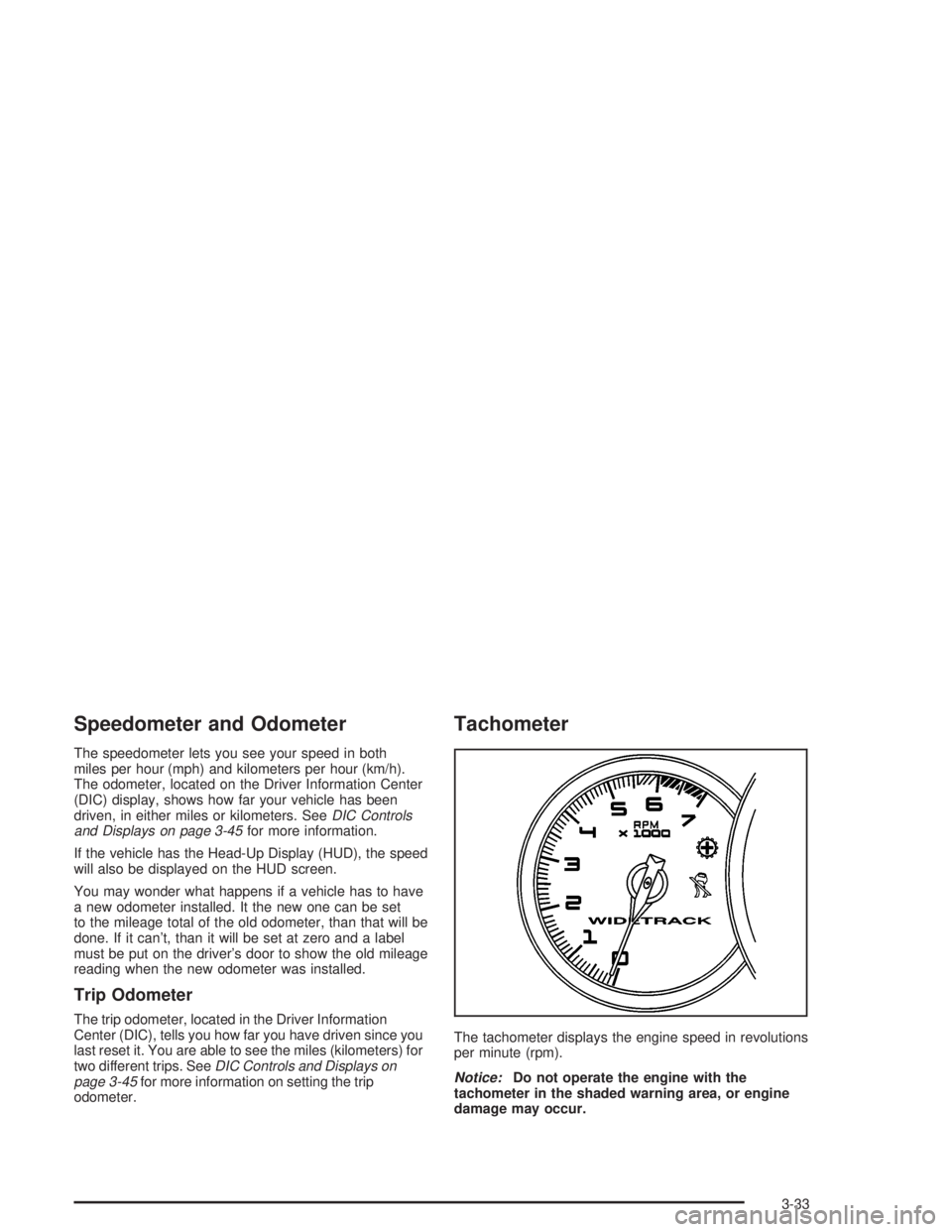
Tachometer
The tachometer displays the engine speed in revolutions
per minute (rpm).
Notice:Do not operate the engine with the
tachometer in the shaded warning area, or engine
damage may occur.
3-33
Page 140 of 432

Brake System Warning Light
Your vehicle's hydraulic brake system is divided into
two parts. If one part isn't working, the other part can
still work and stop you. For good braking, though,
you need both parts working well.
If the warning light comes on, there is a brake problem.
Have your brake system inspected right away.
This light should come on brie¯y when you turn the
ignition key to RUN. If it doesn't come on then, have it
®xed so it will be ready to warn you if there's a problem.
When the ignition is on, the brake system warning light
will also come on when you set your parking brake.
The light will stay on if your parking brake doesn't
release fully. If it stays on after your parking brake is
fully released, it means you have a brake problem.The PARKING BRAKE ON message will also appear in
the Driver Information Center (DIC) when the parking
brake is set.
The brake warning light may also come on when the
brake ¯uid is low. If this occurs, the LOW BRAKE FLUID
message will also appear in the Driver Information
Center (DIC).
If the brake warning light comes on while you are driving,
pull off the road and stop carefully. You may notice that
the pedal is harder to push. Or, the pedal may go closer
to the ¯oor. It may take longer to stop. If the light is still
on, have the vehicle towed for service. See
Towing Your
Vehicle on page 4-33.
{CAUTION:
Your brake system may not be working
properly if the brake system warning light is
on. Driving with the brake system warning light
on can lead to an accident. If the light is still
on after you've pulled off the road and stopped
carefully, have the vehicle towed for service. United States
Canada
3-36
Page 141 of 432

Anti-Lock Brake System Warning
Light
If your vehicle has the
Anti-lock Brake System
(ABS), this light will come
on when your engine is
started and may stay on
for several seconds.
That's normal.
If the ABS warning light comes on and stays on, there
may be a problem with the anti-lock portion of the brake
system. If the brake system warning light is not on,
you still have brakes, but you don't have anti-lock
brakes. See
Brake System Warning Light on page 3-36.If the light stays on, turn the ignition to OFF. If the light
comes on when you're driving, stop as soon as
possible and turn the ignition off. Then start the engine
again to reset the system. If the light still stays on,
or comes on again while you're driving, your vehicle
needs service. If the regular brake system warning light
isn't on, you still have brakes, but you don't have
anti-lock brakes. If the brake system warning light is
also on, you don't have anti-lock brakes and there's a
problem with your regular brakes. See
Brake System
Warning Light on page 3-36.
The anti-lock brake system warning light will come on
brie¯y when you turn the ignition key to RUN. This
is normal. If the light doesn't come then, have it ®xed
so it will be ready to warn you if there is a problem.
3-37
Page 142 of 432
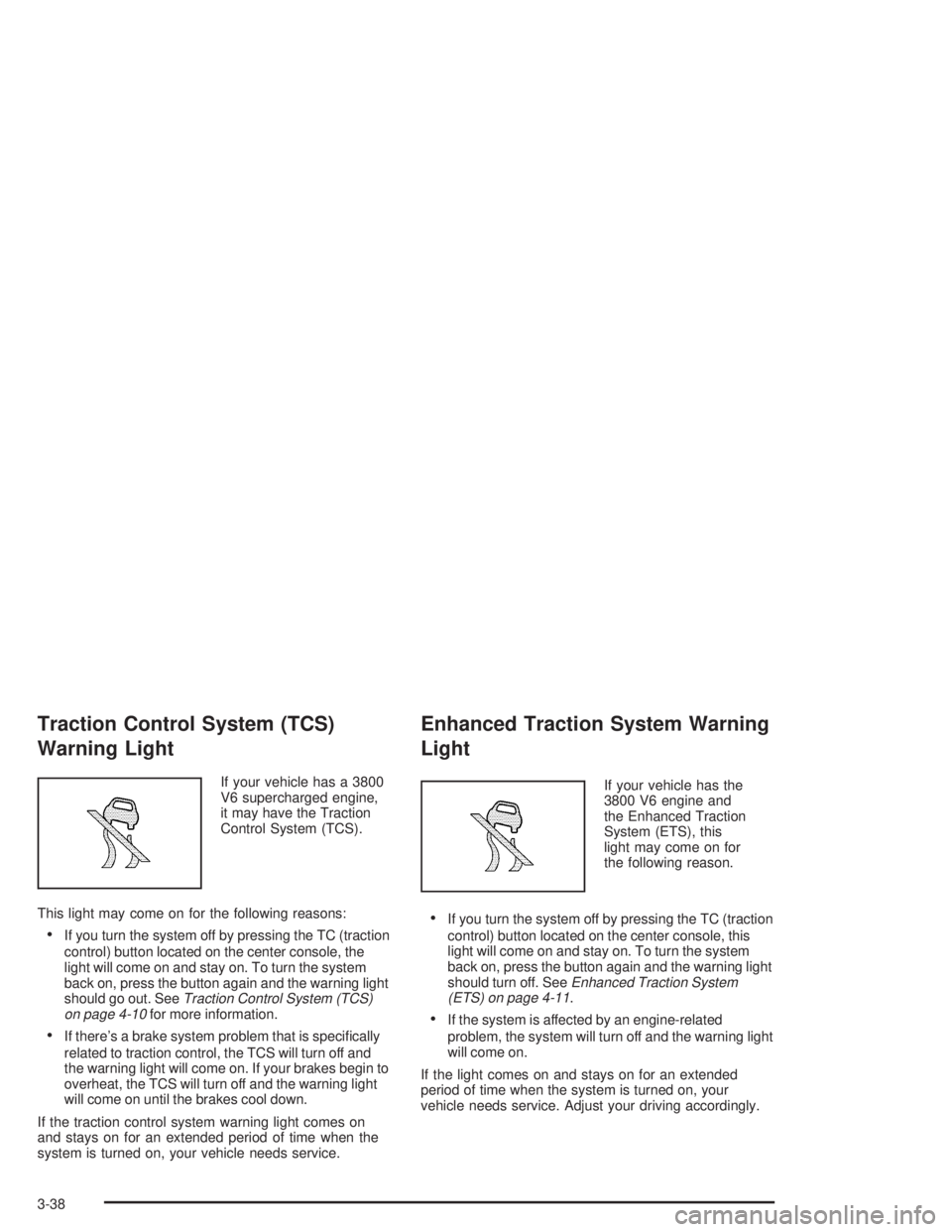
Traction Control System (TCS)
Warning Light
If your vehicle has a 3800
V6 supercharged engine,
it may have the Traction
Control System (TCS).
This light may come on for the following reasons:
·If you turn the system off by pressing the TC (traction
control) button located on the center console, the
light will come on and stay on. To turn the system
back on, press the button again and the warning light
should go out. See
Traction Control System (TCS)
on page 4-10for more information.
·If there's a brake system problem that is speci®cally
related to traction control, the TCS will turn off and
the warning light will come on. If your brakes begin to
overheat, the TCS will turn off and the warning light
will come on until the brakes cool down.
If the traction control system warning light comes on
and stays on for an extended period of time when the
system is turned on, your vehicle needs service.
Enhanced Traction System Warning
Light
If your vehicle has the
3800 V6 engine and
the Enhanced Traction
System (ETS), this
light may come on for
the following reason.
·If you turn the system off by pressing the TC (traction
control) button located on the center console, this
light will come on and stay on. To turn the system
back on, press the button again and the warning light
should turn off. See
Enhanced Traction System
(ETS) on page 4-11.
·If the system is affected by an engine-related
problem, the system will turn off and the warning light
will come on.
If the light comes on and stays on for an extended
period of time when the system is turned on, your
vehicle needs service. Adjust your driving accordingly.
3-38
Page 143 of 432
Engine Coolant Temperature
Warning Light
This light tells you that
the engine coolant has
overheated or the radiator
cooling fan is not working.
If you have been operating the vehicle under normal
driving conditions, you should pull off the road, stop the
vehicle, and turn off the engine as soon as possible.
See
Cooling System on page 5-32for more information.
Engine Coolant Temperature Gage
Your vehicle has a gage
that shows the engine
coolant temperature.
If the gage pointer moves into the shaded area,
the engine is too hot. That reading means the engine
coolant has overheated. If you have been operating the
vehicle under normal driving conditions, you should
pull off the road, stop the vehicle, and turn off the engine
as soon as possible.
See
Cooling System on page 5-32for more information.
3-39
Page 149 of 432

Driver Information Center (DIC)
The Driver Information Center (DIC) gives you important
safety and maintenance facts. When you turn the ignition
on, all of the DIC lights illuminate for a few seconds and
the phrase WIDETRACK GP will appear. After this, the
DIC will begin working.
DIC Controls and Displays
Base Level DIC
The Driver Information Center (DIC) control buttons
and the message display screen are located above
the radio. The DIC gives you important safety and
maintenance facts concerning the vehicle. The status
of many of the vehicle's systems along with driver
personalization menus and warning messages about
your vehicle's systems may display on the DIC screen.
The vehicle's transaxle position will also appear.The buttons on the base level are:
Trip Odometer
3(Trip Odometer):Press this button to access the
odometer and trip distance modes.
When this button is pressed, the ®rst menu on the DIC
screen will be the odometer reading, or cumulative
mileage of the vehicle. The odometer cannot be reset.
Press the trip odometer button to advance to the
next menu.
Trip Distances:This menu shows the distances that the
vehicle has driven between speci®c points. The trip
odometer will record the number of miles up to
9,999.9 miles or 9 999.9 km travelled for up to two trips.
When 9,999.9 miles or 9 999.9 km is reached for either
trip, the odometer for that trip will go back to zero.
3-45