Page 82 of 296

Security indicator light
The security indicator light shows the status of
the vehicle security system.
The light operates whenever the ignition switch is
in the LOCK, OFF, or ACC position.
The vehicle security system has four phases. For
each phase the operation of the security indicator
light is different.
How to arm the vehicle security sys-
tem
1. Close all windows.(The system can be
armed even if the windows are open.)
2. Remove the key from the ignition switch.3. Close the hood and all doors. Lock all doors.
The doors can be locked with the key, power
door lock switch or with the keyfob.
Keyfob operation:
cPush the
button on the keyfob.
All doors lock. The hazard lights flash
twice and the horn beeps once to indicate
all doors are locked.
cWhen the
button is pushed with
all doors locked, the hazard lights flash
twice and the horn beeps once as a re-
minder that the doors are already locked.
The horn may or may not beep once. Refer to
“Silencing the horn beep feature” later in this
section.
cIf a door is open and you push
the
button the doors lock but the
horn does not chirp and the hazard lights
do not flash.
LIC0093
LIC0053
2-16Instruments and controls
ZREVIEW COPY:Ð2004 Xterra(xtr)
Owners Manual(owners)ÐUSA English(nna)
10/23/03Ðdebbie
X
Page 83 of 296

4. Confirm that the SECURITY indicator light
comes on. The SECURITY light stays on for
about 30 seconds. The vehicle security sys-
tem is now pre-armed. After about 30 sec-
onds the vehicle security system automati-
cally shifts into the armed phase. The
SECURITY light begins to flash once every 3
seconds. If, during the 30-second pre-arm
time period, the door is unlocked by the key
or the keyfob, or the ignition key is turned to
ACC or ON, the system will not arm.
cIf the key is turned slowly when locking
the door, the system may not arm. Fur-
thermore, if the key is turned exces-
sively to the unlock position, the sys-
tem may be disarmed when the key is
removed. If the indicator light fails to
glow for 30 seconds, unlock the door
once and lock it again.
cEven when the driver and/or passen-
gers are in the vehicle, the system will
arm with all doors and the hood closed
and locked and the ignition key in the
OFF position. Turn the ignition key to
the ACC or ON to turn the security
system off.Vehicle security system activation
The vehicle security system will give the following
alarm:
cThe headlights blink and the horn sounds
intermittently. In addition, the starter motor
does not operate.
cThe alarm automatically turns off after about
50 seconds. However, the alarm reactivates
if the vehicle is tampered with again. The
alarm can be shut off by unlocking a door
with the key, or by pressing the
button
on the keyfob.
The alarm is activated by:
copening a door without using the key or
keyfob (even if the door is unlocked by re-
leasing the inside lock knob) .
copening the hood.
How to stop an activated alarm
The alarm stops only by unlocking a door with the
key or by pressing thebutton on the key-
fob.
The alarm does not stop if the ignition
switch is turned to ACC or ON.
Silencing the horn beep feature
If desired, the horn beep feature can be deacti-
vated using the keyfob.
To deactivate:Press and hold both the
andbuttons at the same timefor at least
2 seconds.
The hazard lights will quickly flash 3 times to
confirm that the horn beep feature has been
deactivated.
To activate:Press and hold both the
andbuttons at the same timefor at least
2 seconds once more.
WIC0325
Instruments and controls2-17
ZREVIEW COPY:Ð2004 Xterra(xtr)
Owners Manual(owners)ÐUSA English(nna)
10/23/03Ðdebbie
X
Page 93 of 296
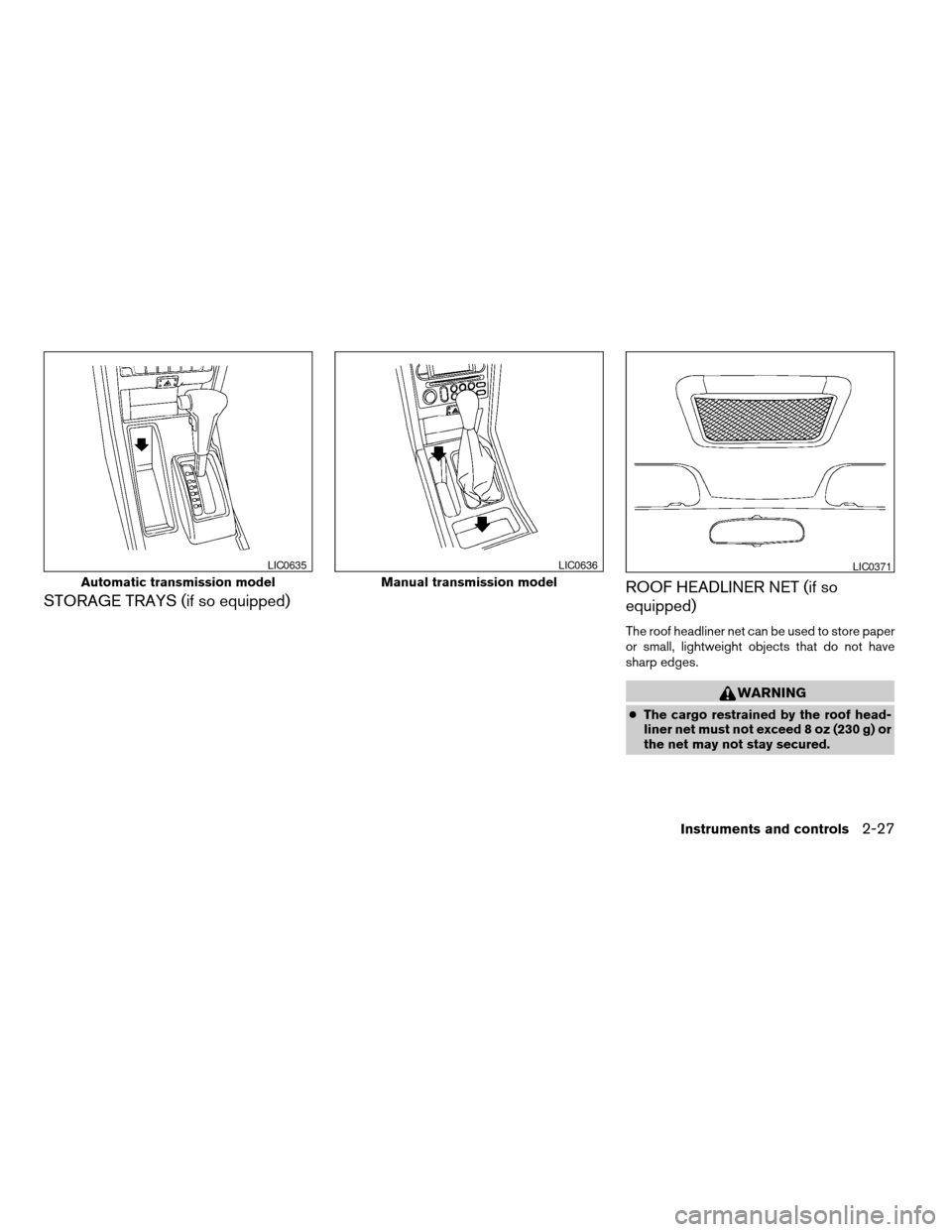
STORAGE TRAYS (if so equipped)ROOF HEADLINER NET (if so
equipped)
The roof headliner net can be used to store paper
or small, lightweight objects that do not have
sharp edges.
WARNING
cThe cargo restrained by the roof head-
liner net must not exceed 8 oz (230 g) or
the net may not stay secured.
Automatic transmission model
LIC0635
Manual transmission model
LIC0636LIC0371
Instruments and controls2-27
ZREVIEW COPY:Ð2004 Xterra(xtr)
Owners Manual(owners)ÐUSA English(nna)
10/23/03Ðdebbie
X
Page 97 of 296
3. Remove the access hole cover.
4. Install the rubber mat.
5. Route the phone cord through the access
hole and plug into the power outlet.
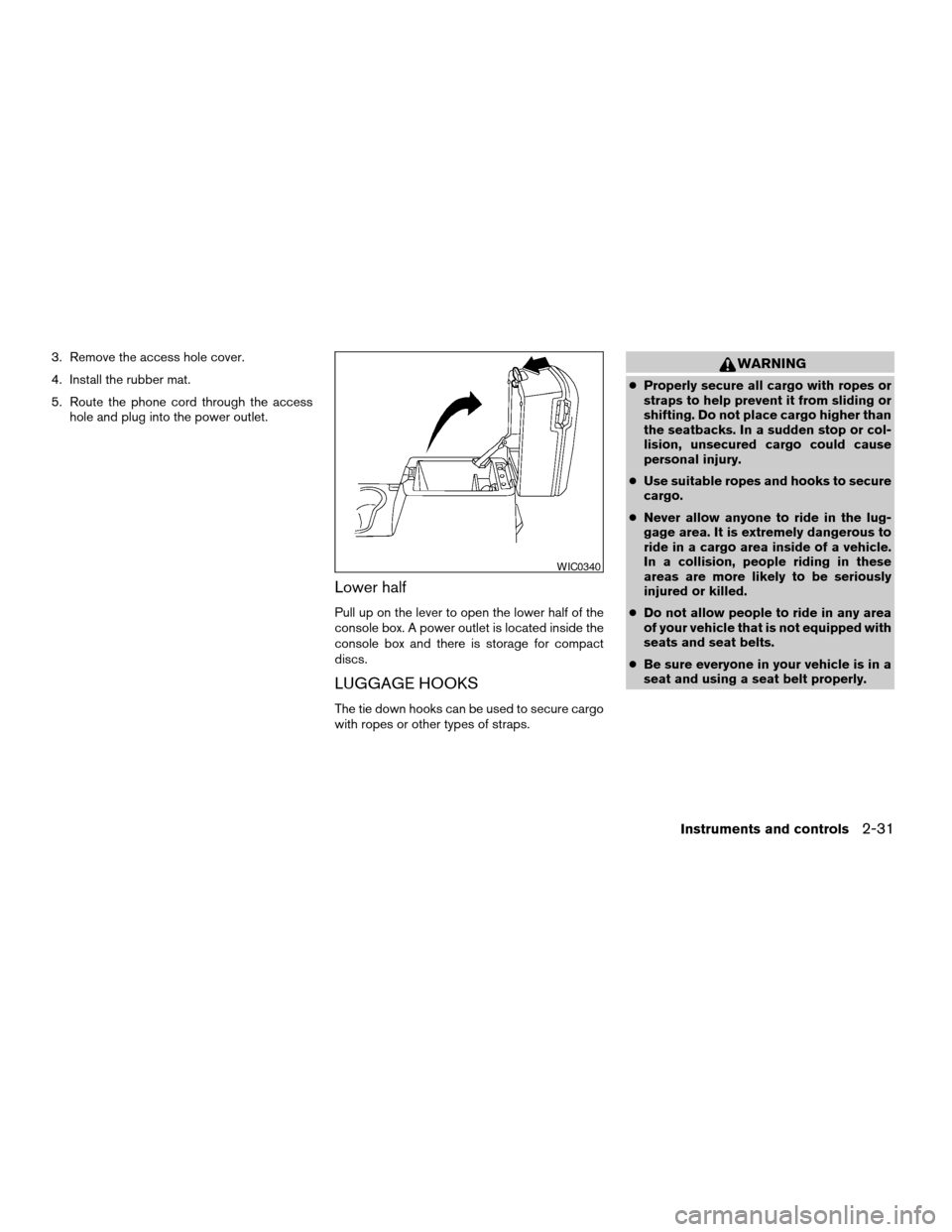
Lower half
Pull up on the lever to open the lower half of the
console box. A power outlet is located inside the
console box and there is storage for compact
discs.
LUGGAGE HOOKS
The tie down hooks can be used to secure cargo
with ropes or other types of straps.
WARNING
cProperly secure all cargo with ropes or
straps to help prevent it from sliding or
shifting. Do not place cargo higher than
the seatbacks. In a sudden stop or col-
lision, unsecured cargo could cause
personal injury.
cUse suitable ropes and hooks to secure
cargo.
cNever allow anyone to ride in the lug-
gage area. It is extremely dangerous to
ride in a cargo area inside of a vehicle.
In a collision, people riding in these
areas are more likely to be seriously
injured or killed.
cDo not allow people to ride in any area
of your vehicle that is not equipped with
seats and seat belts.
cBe sure everyone in your vehicle is in a
seat and using a seat belt properly.
WIC0340
Instruments and controls2-31
ZREVIEW COPY:Ð2004 Xterra(xtr)
Owners Manual(owners)ÐUSA English(nna)
10/23/03Ðdebbie
X
Page 98 of 296
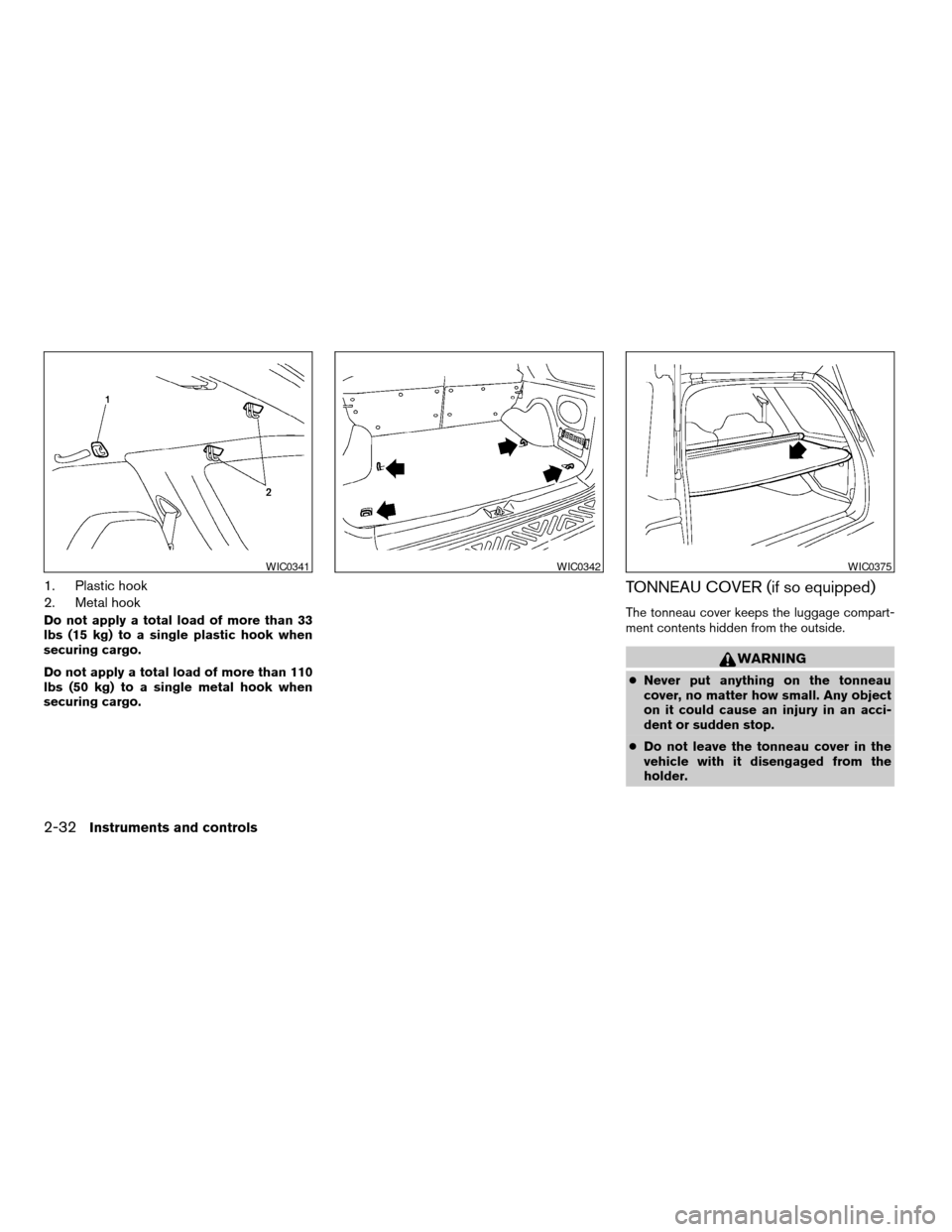
1. Plastic hook
2. Metal hook
Do not apply a total load of more than 33
lbs (15 kg) to a single plastic hook when
securing cargo.
Do not apply a total load of more than 110
lbs (50 kg) to a single metal hook when
securing cargo.
TONNEAU COVER (if so equipped)
The tonneau cover keeps the luggage compart-
ment contents hidden from the outside.
WARNING
cNever put anything on the tonneau
cover, no matter how small. Any object
on it could cause an injury in an acci-
dent or sudden stop.
cDo not leave the tonneau cover in the
vehicle with it disengaged from the
holder.
WIC0341WIC0342WIC0375
2-32Instruments and controls
ZREVIEW COPY:Ð2004 Xterra(xtr)
Owners Manual(owners)ÐUSA English(nna)
10/23/03Ðdebbie
X
Page 99 of 296
cProperly secure all cargo with ropes or
straps to help prevent it from sliding or
shifting. Do not place cargo higher than
the seatbacks. In a sudden stop or col-
lision, unsecured cargo could cause
personal injury.
cThe child restraint top tether strap may
be damaged by contact with the ton-
neau cover or items in the cargo area.
Remove the tonneau cover from the ve-
hicle or secure it and any cargo. Your
child could be seriously injured or killed
in a collision if the top tether strap is
damaged.
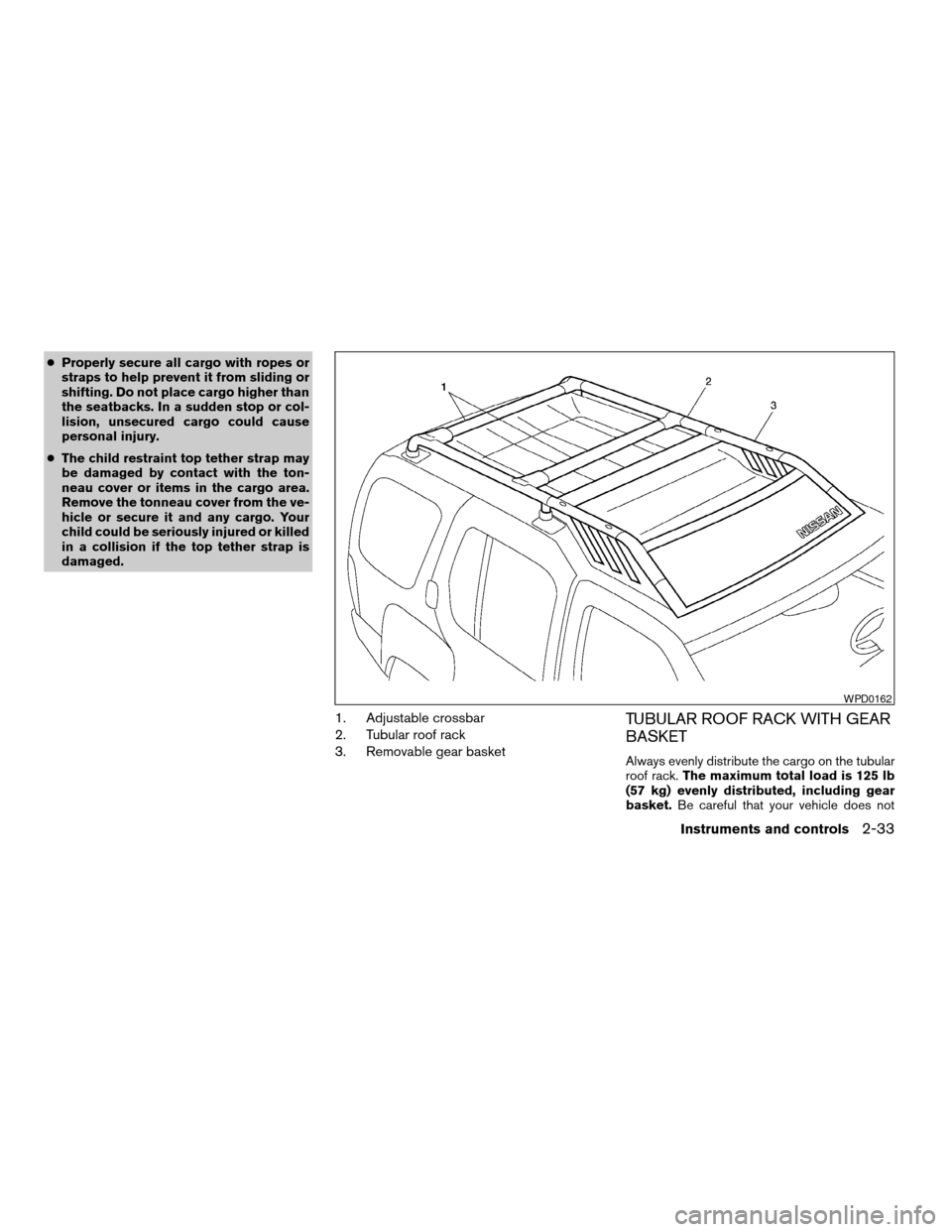
1. Adjustable crossbar
2. Tubular roof rack
3. Removable gear basketTUBULAR ROOF RACK WITH GEAR
BASKET
Always evenly distribute the cargo on the tubular
roof rack.The maximum total load is 125 lb
(57 kg) evenly distributed, including gear
basket.Be careful that your vehicle does not
WPD0162
Instruments and controls2-33
ZREVIEW COPY:Ð2004 Xterra(xtr)
Owners Manual(owners)ÐUSA English(nna)
10/23/03Ðdebbie
X
Page 100 of 296
exceed the Gross Vehicle Weight Rating
(GVWR) or the Gross Axle Weight Ratings
(GAWR front and rear) . The GVWR and GAWR
are located on the Safety Compliance Certifica-
tion Label (located on the driver’s side door jamb
pillar) . For more information regarding GVWR
and GAWR, refer to the “Technical and con-
sumer information” section of this manual.
WARNING
Properly secure all cargo with ropes or
straps to help prevent it from sliding or
shifting. In a sudden stop or collision, un-
secured cargo could cause personal
injury.
CAUTION
Use care when placing or removing items
from the tubular roof rack or gear basket.
If you cannot comfortably lift the items
onto the tubular roof rack or gear basket
from the ground, use a ladder or stool.
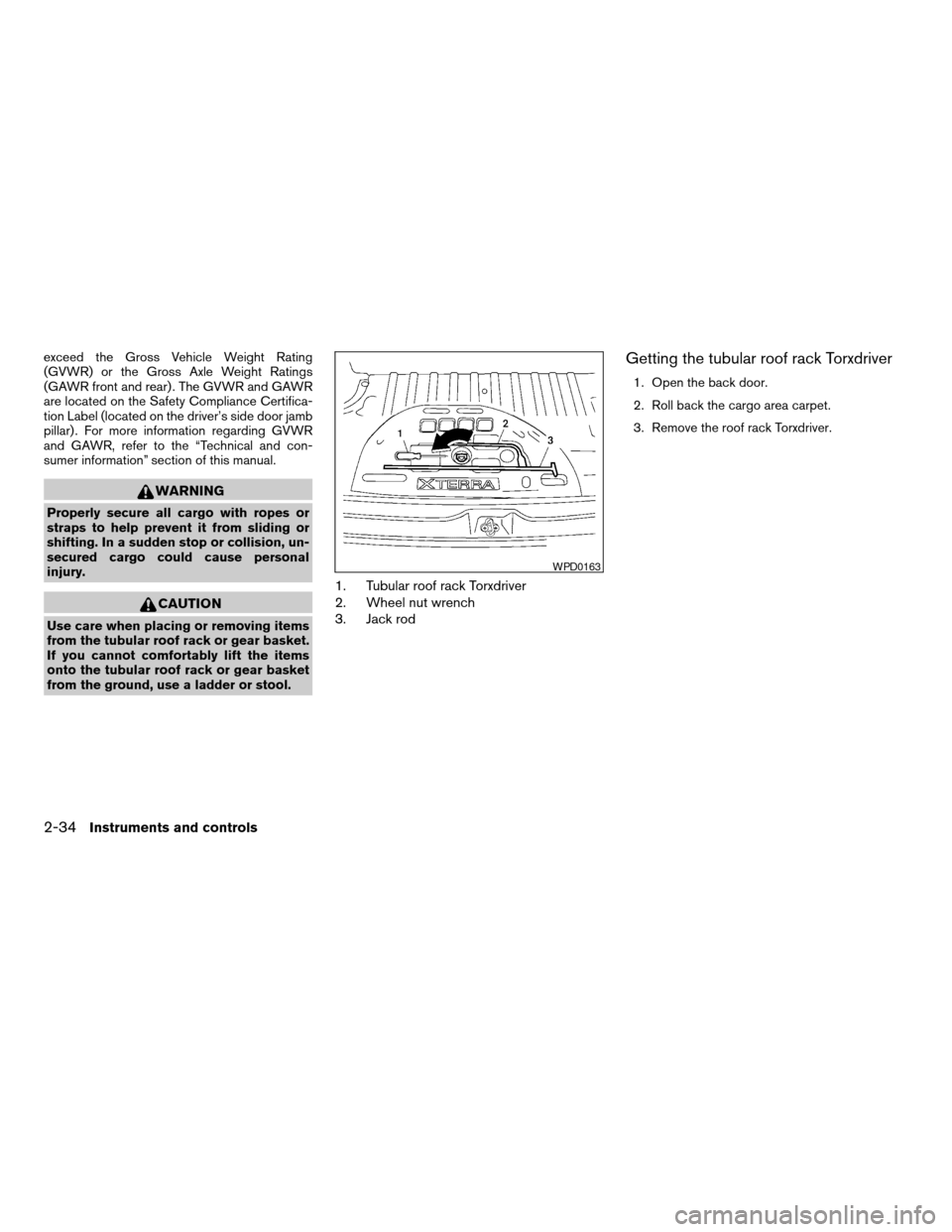
1. Tubular roof rack Torxdriver
2. Wheel nut wrench
3. Jack rod
Getting the tubular roof rack Torxdriver
1. Open the back door.
2. Roll back the cargo area carpet.
3. Remove the roof rack Torxdriver.
WPD0163
2-34Instruments and controls
ZREVIEW COPY:Ð2004 Xterra(xtr)
Owners Manual(owners)ÐUSA English(nna)
10/23/03Ðdebbie
X
Page 101 of 296

Tubular roof rack crossbar adjustment
The front and rear crossbars can be adjusted
forward, backward, or be removed. Use the
Torxdriver located in the tool kit to loosen both
crossbar adjusting screws.To adjust:
a. Loosen the adjusting screws with the
Torxdriver by turning counterclockwise.b. When the clamp is loosened, move the cross-
bars so the cargo can be positioned on the
crossbars.
c. Tighten the crossbar adjusting screws with
the Torxdriver by turning clockwise.
d. Secure the cargo with rope.
e. Always check the tightness of the crossbar
adjusting screws.
To remove:
a. Loosen the adjusting screws with the
Torxdriver by turning counterclockwise.
b. Rotate the clamps.
c. Remove the crossbars.
d. Reverse to install.
e. Always check the tightness of the crossbar
adjusting screws.
If you hear wind noise coming from the roof rack
while driving, adjust the roof rack crossbars to the
most rearward position.
AIC1146
Instruments and controls2-35
ZREVIEW COPY:Ð2004 Xterra(xtr)
Owners Manual(owners)ÐUSA English(nna)
10/23/03Ðdebbie
X