2004 NISSAN XTERRA start stop button
[x] Cancel search: start stop buttonPage 83 of 296

4. Confirm that the SECURITY indicator light
comes on. The SECURITY light stays on for
about 30 seconds. The vehicle security sys-
tem is now pre-armed. After about 30 sec-
onds the vehicle security system automati-
cally shifts into the armed phase. The
SECURITY light begins to flash once every 3
seconds. If, during the 30-second pre-arm
time period, the door is unlocked by the key
or the keyfob, or the ignition key is turned to
ACC or ON, the system will not arm.
cIf the key is turned slowly when locking
the door, the system may not arm. Fur-
thermore, if the key is turned exces-
sively to the unlock position, the sys-
tem may be disarmed when the key is
removed. If the indicator light fails to
glow for 30 seconds, unlock the door
once and lock it again.
cEven when the driver and/or passen-
gers are in the vehicle, the system will
arm with all doors and the hood closed
and locked and the ignition key in the
OFF position. Turn the ignition key to
the ACC or ON to turn the security
system off.Vehicle security system activation
The vehicle security system will give the following
alarm:
cThe headlights blink and the horn sounds
intermittently. In addition, the starter motor
does not operate.
cThe alarm automatically turns off after about
50 seconds. However, the alarm reactivates
if the vehicle is tampered with again. The
alarm can be shut off by unlocking a door
with the key, or by pressing the
button
on the keyfob.
The alarm is activated by:
copening a door without using the key or
keyfob (even if the door is unlocked by re-
leasing the inside lock knob) .
copening the hood.
How to stop an activated alarm
The alarm stops only by unlocking a door with the
key or by pressing thebutton on the key-
fob.
The alarm does not stop if the ignition
switch is turned to ACC or ON.
Silencing the horn beep feature
If desired, the horn beep feature can be deacti-
vated using the keyfob.
To deactivate:Press and hold both the
andbuttons at the same timefor at least
2 seconds.
The hazard lights will quickly flash 3 times to
confirm that the horn beep feature has been
deactivated.
To activate:Press and hold both the
andbuttons at the same timefor at least
2 seconds once more.
WIC0325
Instruments and controls2-17
ZREVIEW COPY:Ð2004 Xterra(xtr)
Owners Manual(owners)ÐUSA English(nna)
10/23/03Ðdebbie
X
Page 114 of 296

Unlocking doors
Push thebutton on the keyfob once.
cOnly the driver’s door unlocks.
cThe interior lights illuminate for 30 seconds
when the interior light switch is in the normal
operation position.Push the
button on the keyfob again with 5
seconds.
cAll doors unlock.
The interior lights can be turned off without wait-
ing 30 seconds by inserting the key into the
ignition and turning to the ON or START position,
locking the doors with the keyfob or pushing the
interior light switch to the OFF position.
Auto relock
When thebutton on the keyfob is pushed,
all doors will lock automatically within 5 minutes
unless one of the following operations is per-
formed:
cAny door is opened.
cA key is inserted into the ignition switch and
the key is turned from OFF to ON.
Using the panic alarm
If you are near your vehicle and feel threatened,
you may activate the panic alarm to call attention
by pushing and holding the
button on the
keyfob forlonger than 0.5 second.
The panic alarm and headlights will stay on for
about 30 seconds.
The panic alarm stops when:
cit has run for about 30 seconds, or
cthe
orbutton is pushed on
the keyfob.
WPD0158WPD0159
3-6Pre-driving checks and adjustments
ZREVIEW COPY:Ð2004 Xterra(xtr)
Owners Manual(owners)ÐUSA English(nna)
10/23/03Ðdebbie
X
Page 142 of 296
Adjusting tone quality and speaker balance
Press the AUDIO button to enter the audio adjust
mode:
Bass!Mid!Treb!Fade!Bal
Press the TUNE/FF-REV (
or)or
SEEK/TRACK (or) to adjust to the de-
sired levels. The display will return to the regular
radio display after 7 seconds, or you may press
the AUDIO button again to return to the regular
radio display.
Clock operation
Pressing the CLOCK button displays the clock
with the radio on or off. Press the CLOCK button
again to turn off the clock display.
Clock set
1. Press and hold the CLOCK button until it
beeps (>2 seconds) .
2. The hours will start flashing. Press
TUNE/FF-REV (
or)or
SEEK/TRACK (or) to adjust the
hours.
3. Press the CLOCK button to switch to the
minute adjustment.
4. Press TUNE/FF-REV (
or)or
SEEK/TRACK (or) to adjust the min-
utes.5. Press the CLOCK button again to exit the
clock set mode.
The display will return to the regular clock display
after 7 seconds, or you may press the CLOCK
button again to return to the regular clock display.
FM-AM radio operation
FM-AM band select
Push the AM or the FM button to change from AM
to FM reception.
The FM stereo indicator, ST, illuminates during
FM stereo reception. When the stereo broadcast
signal is weak, the radio automatically changes
from stereo to monaural reception.
TUNE/FF—REV
WARNING
The radio should not be tuned while driv-
ing so full attention may be given to ve-
hicle operation.
Use the
andbuttons for manual
tuning. To move quickly through the channels,
hold the tuning buttons down.
SEEK tuning
Push SEEK/TRACK tuning button (
or).
SEEK tuning begins from low to high frequencies
or high to low frequencies, depending on which
button is pressed, and stops at the next broad-
casting station. If using the up button, once the
highest broadcasting station is reached, the ra-
dio continues in the SEEK mode at the lowest
broadcasting station. If using the down button,
once the lowest broadcasting station is reached,
the radio continues in the SEEK mode at the
highest broadcasting station.
SCAN tuning
Push the SCAN button. SCAN illuminates in the
display window. SCAN tuning begins from low to
high frequencies. SCAN tuning stops for 5 sec-
onds at each broadcasting station that has suffi-
cient signal strength. When scanning, SCAN
blinks in the display. Pushing the SCAN button
again during this 5 second period stops SCAN
tuning and the radio remains tuned to that station.
4-18Heater, air conditioner and audio systems
ZREVIEW COPY:Ð2004 Xterra(xtr)
Owners Manual(owners)ÐUSA English(nna)
10/23/03Ðdebbie
X
Page 165 of 296
The shift selector lever can be moved if the
ignition switch is in the ACC position. This
allows the vehicle to be moved if the bat-
tery is discharged. The shift selector lever
can also be moved if the ignition switch is
in the ON position and the foot brake pedal
is depressed.
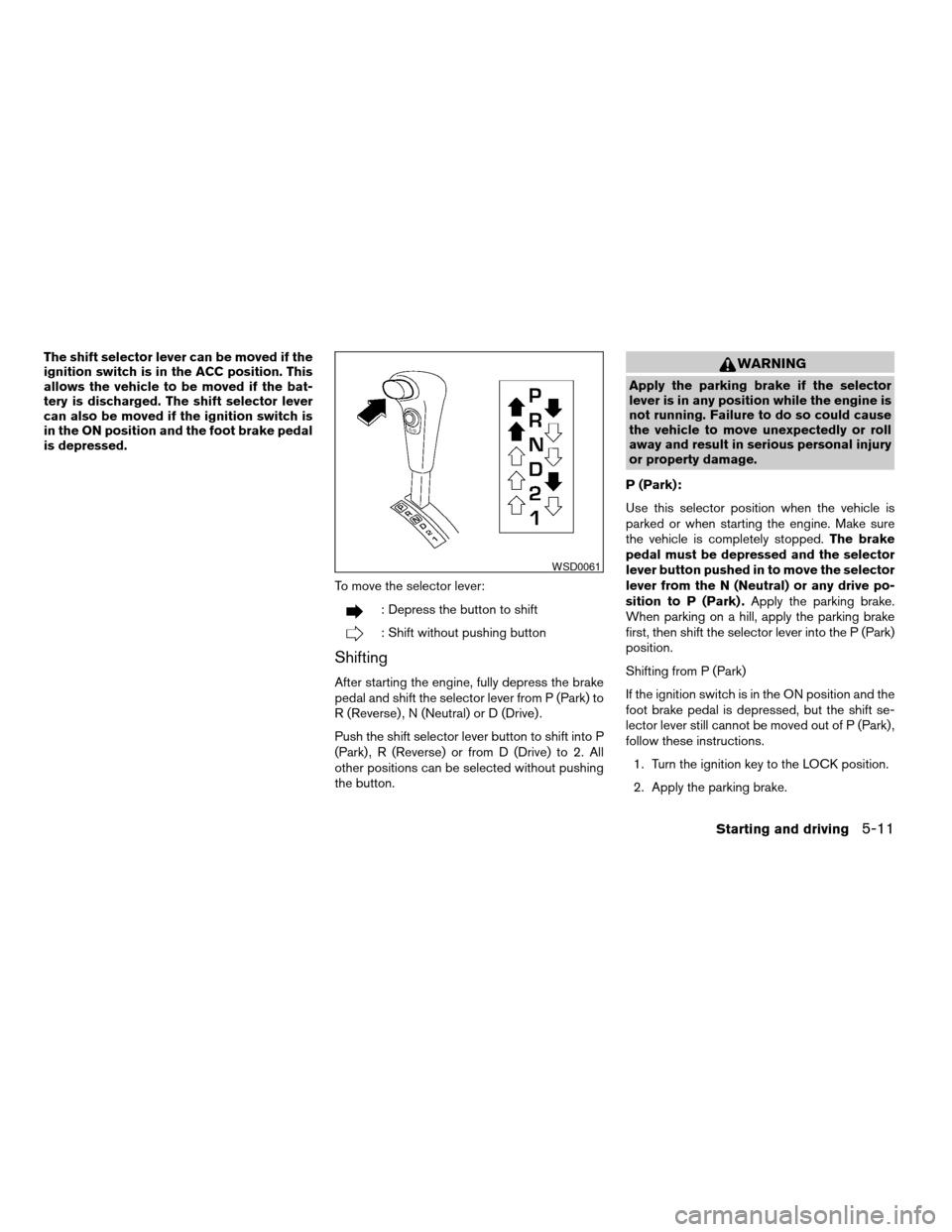
To move the selector lever:
: Depress the button to shift
: Shift without pushing button
Shifting
After starting the engine, fully depress the brake
pedal and shift the selector lever from P (Park) to
R (Reverse) , N (Neutral) or D (Drive) .
Push the shift selector lever button to shift into P
(Park) , R (Reverse) or from D (Drive) to 2. All
other positions can be selected without pushing
the button.
WARNING
Apply the parking brake if the selector
lever is in any position while the engine is
not running. Failure to do so could cause
the vehicle to move unexpectedly or roll
away and result in serious personal injury
or property damage.
P (Park):
Use this selector position when the vehicle is
parked or when starting the engine. Make sure
the vehicle is completely stopped.The brake
pedal must be depressed and the selector
lever button pushed in to move the selector
lever from the N (Neutral) or any drive po-
sition to P (Park) .Apply the parking brake.
When parking on a hill, apply the parking brake
first, then shift the selector lever into the P (Park)
position.
Shifting from P (Park)
If the ignition switch is in the ON position and the
foot brake pedal is depressed, but the shift se-
lector lever still cannot be moved out of P (Park) ,
follow these instructions.
1. Turn the ignition key to the LOCK position.
2. Apply the parking brake.
WSD0061
Starting and driving5-11
ZREVIEW COPY:Ð2004 Xterra(xtr)
Owners Manual(owners)ÐUSA English(nna)
10/23/03Ðdebbie
X
Page 166 of 296
3. Reinsert the key and turn it to the ACC
position.
4. Depress the foot brake pedal and move the
shift selector lever to N (Neutral) .
5. Start the engine.
These instructions for starting the vehicle in N
(Neutral) should only be used until service can be
obtained at a NISSAN dealership.
R (Reverse):
CAUTION
Use this position only when the vehicle is
completely stopped.
Use this position to back up. Make sure the
vehicle is completely stopped before selecting R
(Reverse) position.The brake pedal must be
depressed and the selector lever button
pushed in to move the selector lever from P
(Park) , N (Neutral) or any drive position to R
(Reverse) .
N (Neutral):
Neither forward nor reverse gear is engaged. The
engine can be started in this position. You may
shift to N (Neutral) and restart a stalled engine
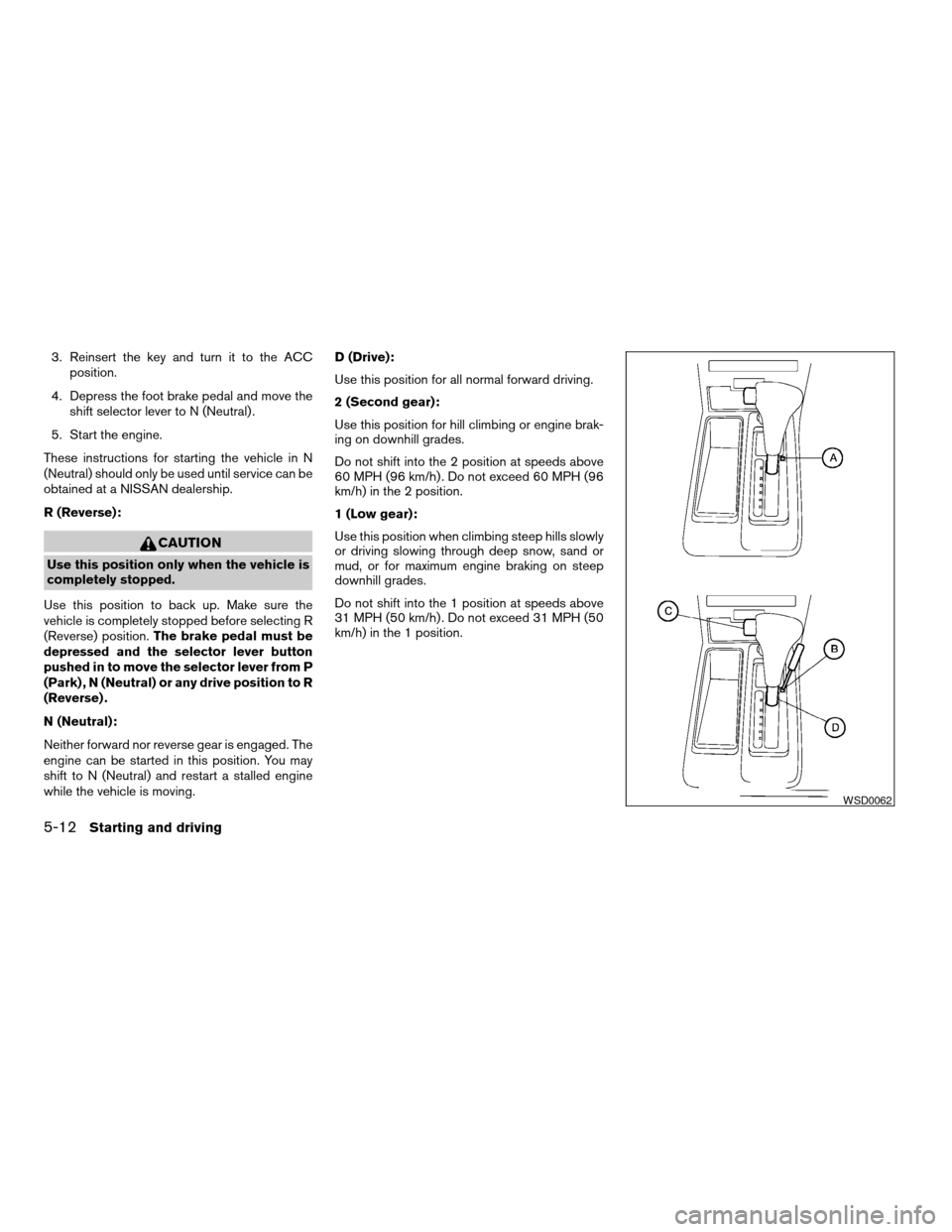
while the vehicle is moving.D (Drive):
Use this position for all normal forward driving.
2 (Second gear):
Use this position for hill climbing or engine brak-
ing on downhill grades.
Do not shift into the 2 position at speeds above
60 MPH (96 km/h) . Do not exceed 60 MPH (96
km/h) in the 2 position.
1 (Low gear):
Use this position when climbing steep hills slowly
or driving slowing through deep snow, sand or
mud, or for maximum engine braking on steep
downhill grades.
Do not shift into the 1 position at speeds above
31 MPH (50 km/h) . Do not exceed 31 MPH (50
km/h) in the 1 position.
WSD0062
5-12Starting and driving
ZREVIEW COPY:Ð2004 Xterra(xtr)
Owners Manual(owners)ÐUSA English(nna)
10/23/03Ðdebbie
X