2004 NISSAN QUEST service
[x] Cancel search: servicePage 1 of 320
Welcome to the growing family of new NISSAN
owners. This vehicle is delivered to you with
confidence. It was produced using the latest
techniques and strict quality control.
This manual was prepared to help you under-
stand the operation and maintenance of your
vehicle so that you may enjoy many miles (kilome-
ters) of driving pleasure. Please read through this
manual before operating your vehicle.
A separate Warranty Information Booklet
explains details about the warranties cov-
ering your vehicle. The “NISSAN Service
and Maintenance Guide” explains details
about maintaining and servicing your ve-
hicle. Additionally, a separate Customer
Care/Lemon Law Booklet (U.S. only) will
explain how to resolve any concerns you
may have with your vehicle, as well as
clarify your rights under your state’s lemon
law.
Your NISSAN dealership knows your vehicle
best. When you require any service or have any
questions, they will be glad to assist you with the
extensive resources available to them.Before driving your vehicle please read this Own-
er’s Manual carefully. This will ensure familiarity
with controls and maintenance requirements, as-
sisting you in the safe operation of your vehicle.
WARNING
IMPORTANT SAFETY INFORMATION RE-
MINDERS FOR SAFETY!
Follow these important driving rules to
help ensure a safe and complete trip for
you and your passengers!
cNEVER drive under the influence of al-
cohol or drugs.
cALWAYS observe posted speed limits
and never drive too fast for conditions.
cALWAYS use your seat belts and appro-
priate child restraint systems. Preteen
children should be seated in the rear
seat.
cALWAYS provide information about the
proper use of vehicle safety features to
all occupants of the vehicle.
cALWAYS review this owner’s manual for
important safety information.
MODIFICATION OF YOUR VEHICLE
This vehicle should not be modified.
Modification could affect its
performance, safety or durability, and
may even violate governmental
regulations. In addition, damage or per-
formance problems resulting from
modifications may not be covered un-
der NISSAN warranties.
FOREWORD READ FIRST—THEN DRIVE SAFELY
ZREVIEW COPY:Ð2004 Quest(van)
Owners Manual(owners)ÐUSA English(nna)
10/08/03Ðtbrooks
X
The inside pages of this manual contain
a minimum of 50% recycled fibers,
including 10% post-consumer fibers.
Page 3 of 320

Your new NISSAN is the result of our dedication to
produce the finest in safe, reliable and economical
transportation. Your vehicle is the product of a suc-
cessful worldwide company that manufactures cars
and trucks in over 17 countries and distributes them
in 170 nations.
NISSAN vehicles are designed and manufactured
by Nissan Motor Co., Ltd. which was founded in
Tokyo, Japan in 1933, and NISSAN affiliates world-
wide, collectively growing to become the fifth largest
automaker in the world. In addition to cars and
trucks, NISSAN also makes forklift trucks, marine
engines, boats and other diversified products.
NISSAN has made a substantial and growing in-
vestment in North America. NISSAN’s commitment
is over $6 billion dollars in capital investments in
facilities across the continent. Some of the facilities
include the Nissan Manufacturing facilities in Can-
ton, Mississippi and in Smyrna, Tennessee, vehiclestyling design at Nissan Design America, Inc. in San
Diego, California, and engineering at Nissan Tech-
nical Center North America in Farmington Hills,
Michigan. Additionally, NISSAN employs more than
21,000 people throughout the United States,
Canada, and Mexico. An additional 60,000 people
work for the 1,250 NISSAN and INFINITI dealers
across North America.
NISSAN is also a substantial contributor to the
Canadian economy. Nissan Canada Inc., its suppli-
ers and over 150 dealers employ approximately
4,500 people. These include company employees
and the staffs of NISSAN dealers all across Canada.
In addition, many Canadians work for companies
that supply NISSAN and NISSAN dealers with ma-
terials and services ranging from the operation of
port facilities and transportation services, to the
supply of lubricants, parts and accessories.NISSAN pioneered the use of electronics and com-
puters in automobiles, and has led the industry in
improving both performance and fuel efficiency
through new engine designs and the use of syn-
thetic materials to reduce vehicle weight. The com-
pany has also developed ways to build quality into its
vehicles at each stage of the production process,
both through extensive use of automation and —
most importantly — through an awareness that
people
are the central element in quality control.
From the time the parts arrived from our suppliers
until you took delivery of your new NISSAN, dozens
of checks were made to ensure that only the best job
was being done in producing and delivering your
vehicle. NISSAN also takes great care to ensure that
when you take your NISSAN to your dealer for
maintenance, the service technician will perform his
work according to the quality standards that have
been established by NISSAN.
Safety has also been built into your NISSAN. As you
know, seat belts are an integral part of the safety
systems that will help protect you and your passen-
gers in the event of a sudden stop or an accident.
We urge you to use the seat belts every time you
drive the vehicle.
The NISSAN story of growth and achievement re-
flects our major goal: to provide you, our customer,
with a vehicle that is built with quality and craftsman-
ship — a product that we can be proud to build and
you can be proud to own.
WFW0014
WELCOME TO THE WORLD OF NISSAN
ZREVIEW COPY:Ð2004 Quest(van)
Owners Manual(owners)ÐUSA English(nna)
10/08/03Ðtbrooks
X
Page 4 of 320

NISSAN CARES...
Both NISSAN and your NISSAN dealer are dedicated to serving all your automotive needs. Your satisfaction with your vehicle and your NISSAN dealer are
our primary concerns. Your NISSAN dealer is always available to assist you with all your automobile sales and service needs.
However, if there is something that your NISSAN
dealer cannot assist you with or you would like to
provide NISSAN directly with comments or ques-
tions, please contact the NISSAN Consumer Affairs
Department using our toll-free number:
For U.S. mainland and Alaska customers
1-800-NISSAN-1
(1-800-647-7261)
For Hawaii customers1-808-836-0888 (Oahu Number)
For Canadian customers1-800-387-0122
The Consumer Affairs Department will ask for the
following information:
– Your name, address, and telephone number
– Vehicle identification number (attached to the
top of the instrument panel on the driver’s
side)
– Date of purchase
– Current odometer reading
– Your NISSAN dealer’s name
– Your comments or questions
ORYou can write to NISSAN with the information at:
For U.S. mainland and Alaska customers
Nissan North America, Inc.
Consumer Affairs Department
P.O. Box 191
Gardena, California 90248-0191
For Hawaii customersNissan Motor Corporation in Hawaii
2880 Kilihau St.
Honolulu, Hawaii 96819
For Canadian customersNissan Canada Inc.
5290 Orbitor Drive
Mississauga, Ontario L4W 4Z5
We appreciate your interest in NISSAN and thank you for buying a quality NISSAN vehicle.
NISSAN CUSTOMER CARE PROGRAM
ZREVIEW COPY:Ð2004 Quest(van)
Owners Manual(owners)ÐUSA English(nna)
10/08/03Ðtbrooks
X
Page 45 of 320
cWork around and on the pre-tensioner
system should be done by a NISSAN
dealer. Installation of electrical equip-
ment should also be done by a NISSAN
dealer. Unauthorized electrical test
equipment and probing devices should
not be used on the pre-tensioner seat
belt system.
cIf you need to dispose of the pre-
tensioner or scrap the vehicle, contact a
NISSAN dealer. Correct pre-tensioner
disposal procedures are set forth in the
appropriate NISSAN Service Manual.
Incorrect disposal procedures could
cause personal injury.
The front seat pre-tensioner seat belt system
activates in conjunction with the supplemental air
bag systems. Working with the seat belt retrac-
tor, it helps tighten the seat belt when the vehicle
becomes involved in certain types of collisions,
helping to restrain front seat occupants.
The pre-tensioner is encased with the seat belt’s
retractor. These seat belts are used the same as
conventional seat belts.
When the pre-tensioner seat belt activates,
smoke is released and a loud noise may be heard.
This smoke is not harmful and does not indicate a
fire. Care should be taken not to inhale it, as it maycause irritation and choking. Those with a history
of a breathing condition should get fresh air
promptly.
After the pre-tensioner seat belts have activated,
load limiters allow the seat belt to release web-
bing (if necessary) to reduce forces against the
chest.
If any abnormality occurs in the pre-tensioner
system, the supplemental air bag warning
light
will not come on, will flash intermit-
tently or will turn on for 7 seconds and remain on
after the ignition key has been turned to the ON or
START position. In this case, the pre-tensioner
seat belt may not function properly. They must be
checked and repaired. Take your vehicle to the
nearest NISSAN dealer.
When selling your vehicle, we request that you
inform the buyer about the pre-tensioner seat belt
system and guide the buyer to the appropriate
sections in this Owner’s Manual.
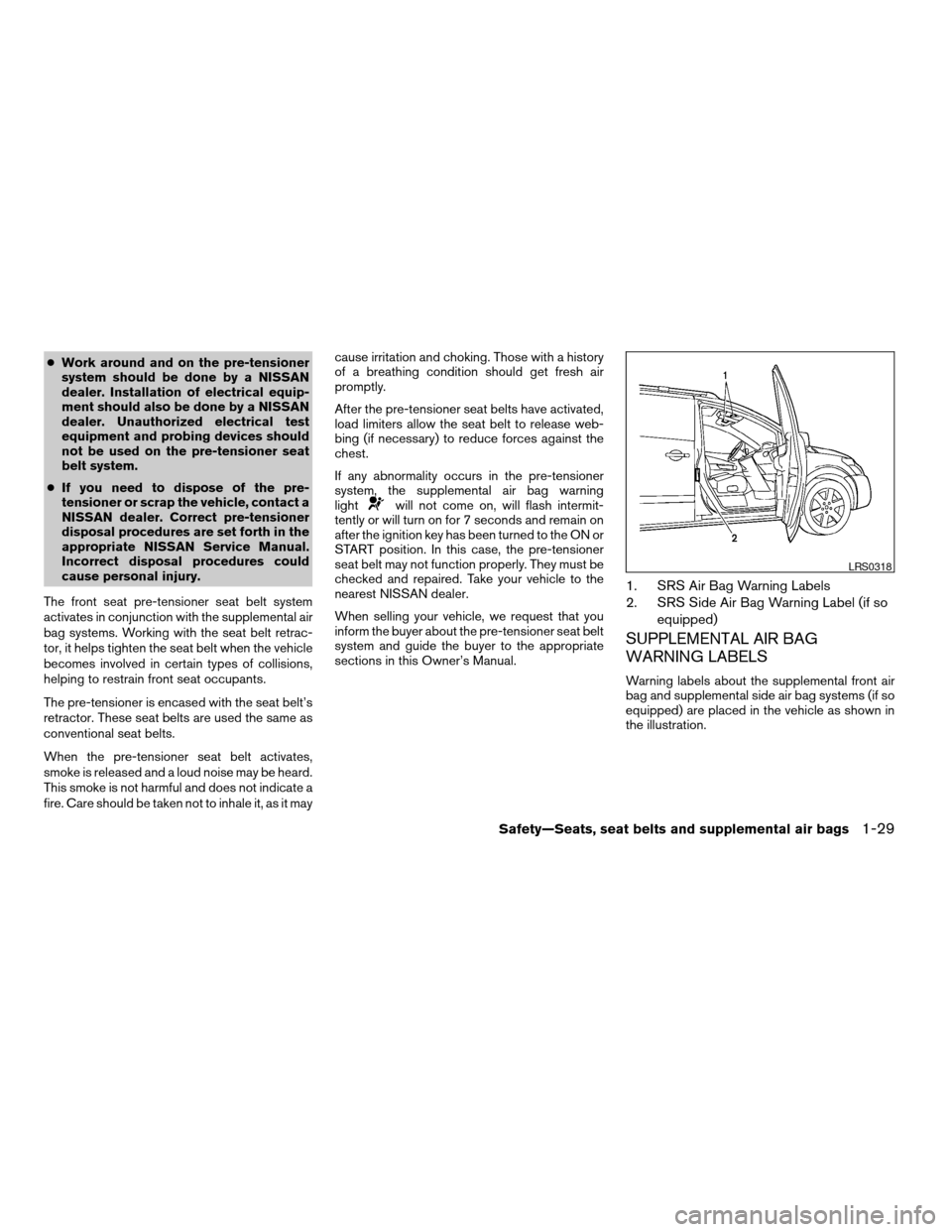
1. SRS Air Bag Warning Labels
2. SRS Side Air Bag Warning Label (if so
equipped)
SUPPLEMENTAL AIR BAG
WARNING LABELS
Warning labels about the supplemental front air
bag and supplemental side air bag systems (if so
equipped) are placed in the vehicle as shown in
the illustration.
LRS0318
Safety—Seats, seat belts and supplemental air bags1-29
ZREVIEW COPY:Ð2004 Quest(van)
Owners Manual(owners)ÐUSA English(nna)
10/08/03Ðtbrooks
X
Page 47 of 320
WARNING
cOnce a supplemental front air bag,
supplemental side air bag or curtain
side-impact air bag has inflated, the air
bag module will not function again and
must be replaced. Additionally, if any of
the supplemental front air bags inflate,
the activated pre-tensioner seat belts
must also be replaced. The air bag mod-
ule and pre-tensioner seat belt system
should be replaced by a NISSAN dealer.
The air bag module and pre-tensioner
seat belt system cannot be repaired.
cThe supplemental front air bag, side air
bag and curtain side-impact air bag sys-
tems, and the pre-tensioner seat belt
system should be inspected by a
NISSAN dealer if there is any damage to
the front end or side portion of the
vehicle.
cIf you need to dispose of the supple-
mental air bag, pre-tensioner seat belt
system or scrap the vehicle, contact a
NISSAN dealer. Correct supplemental
air bag and pre-tensioner seat belt sys-
tem disposal procedures are set forth in
the appropriate NISSAN Service
Manual. Incorrect disposal procedures
could cause personal injury.
PRECAUTIONS ON SEAT BELT
USAGE
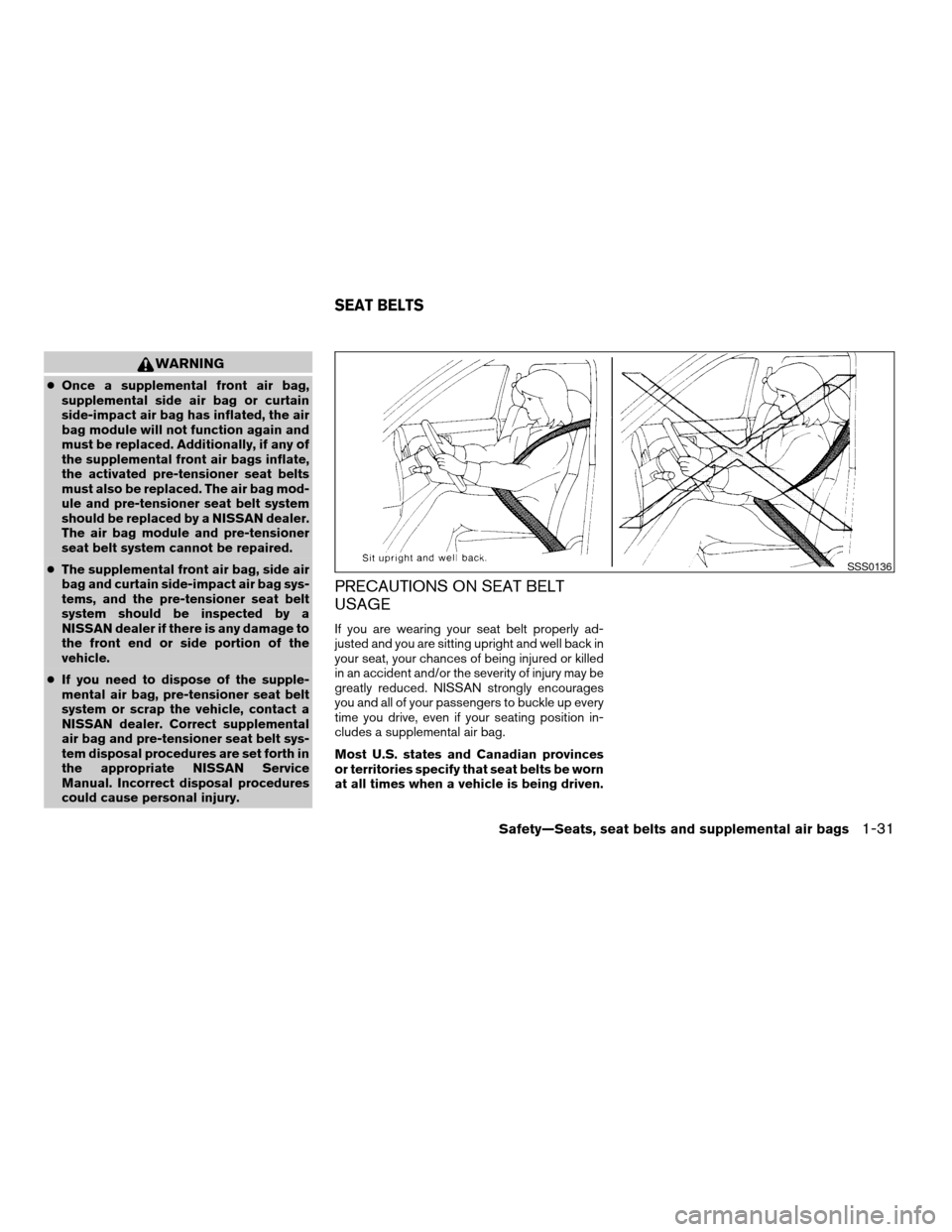
If you are wearing your seat belt properly ad-
justed and you are sitting upright and well back in
your seat, your chances of being injured or killed
in an accident and/or the severity of injury may be
greatly reduced. NISSAN strongly encourages
you and all of your passengers to buckle up every
time you drive, even if your seating position in-
cludes a supplemental air bag.
Most U.S. states and Canadian provinces
or territories specify that seat belts be worn
at all times when a vehicle is being driven.
SSS0136
SEAT BELTS
Safety—Seats, seat belts and supplemental air bags1-31
ZREVIEW COPY:Ð2004 Quest(van)
Owners Manual(owners)ÐUSA English(nna)
10/08/03Ðtbrooks
X
Page 89 of 320
Security indicator light
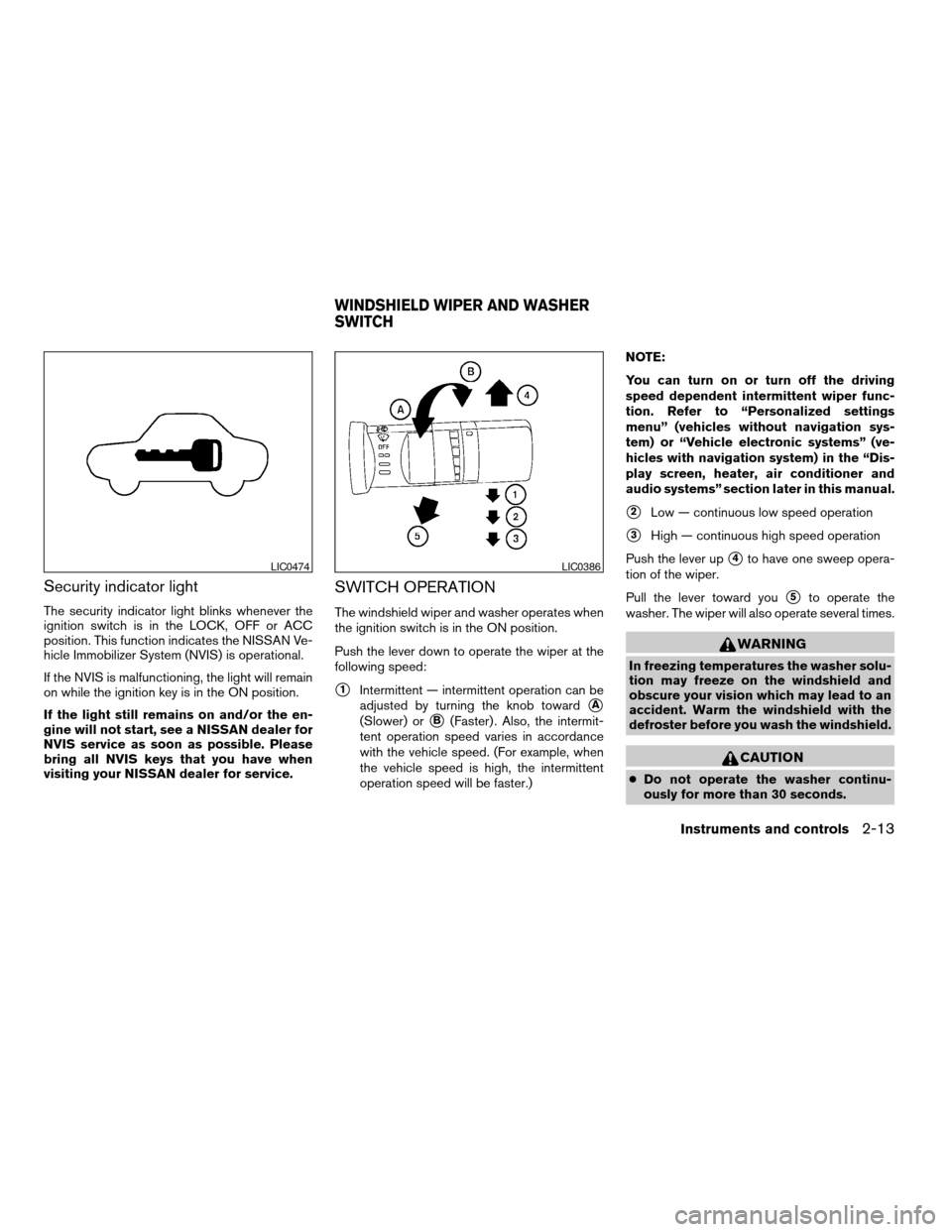
The security indicator light blinks whenever the
ignition switch is in the LOCK, OFF or ACC
position. This function indicates the NISSAN Ve-
hicle Immobilizer System (NVIS) is operational.
If the NVIS is malfunctioning, the light will remain
on while the ignition key is in the ON position.
If the light still remains on and/or the en-
gine will not start, see a NISSAN dealer for
NVIS service as soon as possible. Please
bring all NVIS keys that you have when
visiting your NISSAN dealer for service.
SWITCH OPERATION
The windshield wiper and washer operates when
the ignition switch is in the ON position.
Push the lever down to operate the wiper at the
following speed:
s1Intermittent — intermittent operation can be
adjusted by turning the knob toward
sA
(Slower) orsB(Faster) . Also, the intermit-
tent operation speed varies in accordance
with the vehicle speed. (For example, when
the vehicle speed is high, the intermittent
operation speed will be faster.)NOTE:
You can turn on or turn off the driving
speed dependent intermittent wiper func-
tion. Refer to “Personalized settings
menu” (vehicles without navigation sys-
tem) or “Vehicle electronic systems” (ve-
hicles with navigation system) in the “Dis-
play screen, heater, air conditioner and
audio systems” section later in this manual.
s2Low — continuous low speed operation
s3High — continuous high speed operation
Push the lever up
s4to have one sweep opera-
tion of the wiper.
Pull the lever toward you
s5to operate the
washer. The wiper will also operate several times.
WARNING
In freezing temperatures the washer solu-
tion may freeze on the windshield and
obscure your vision which may lead to an
accident. Warm the windshield with the
defroster before you wash the windshield.
CAUTION
cDo not operate the washer continu-
ously for more than 30 seconds.
LIC0474LIC0386
WINDSHIELD WIPER AND WASHER
SWITCH
Instruments and controls2-13
ZREVIEW COPY:Ð2004 Quest(van)
Owners Manual(owners)ÐUSA English(nna)
10/08/03Ðtbrooks
X
Page 157 of 320
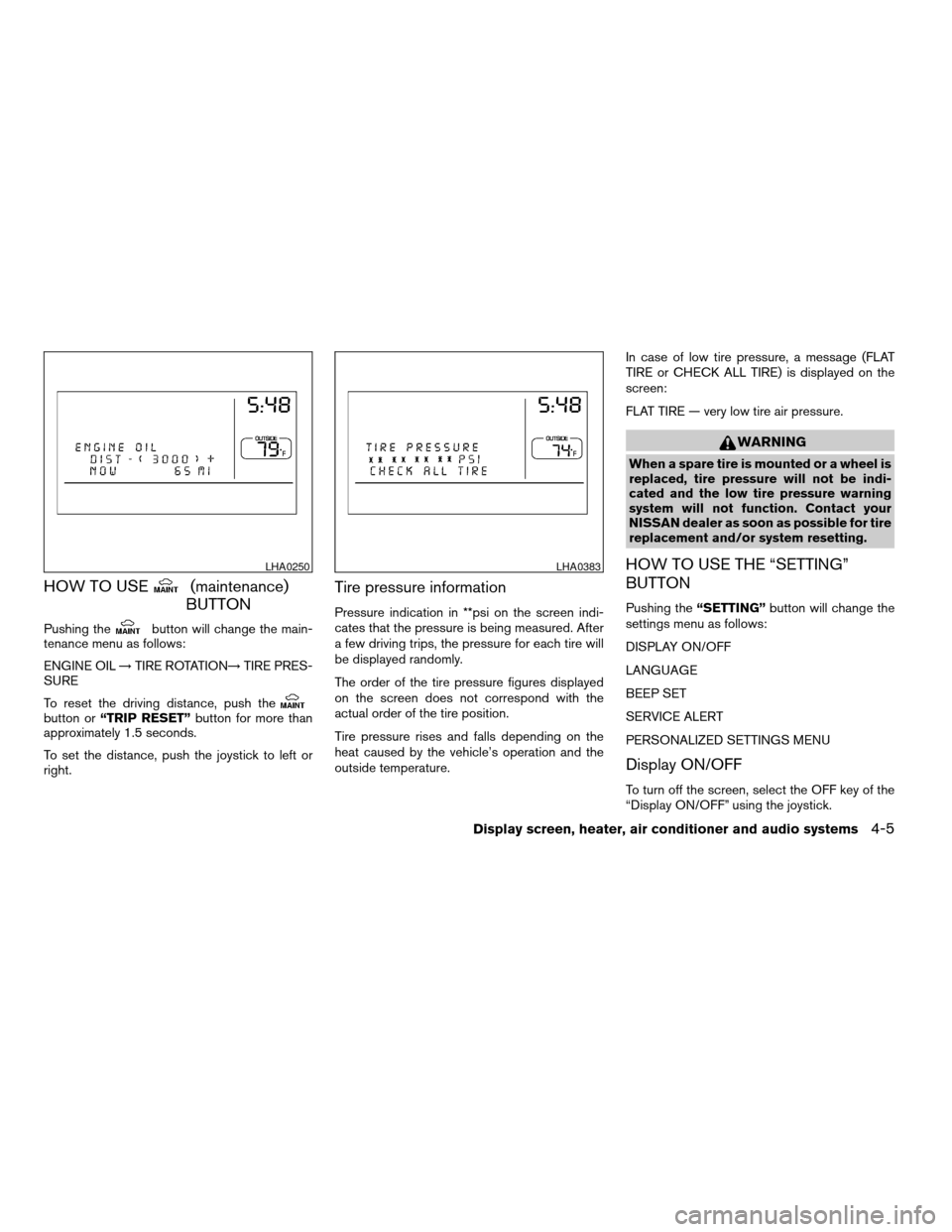
HOW TO USE(maintenance)
BUTTON
Pushing thebutton will change the main-
tenance menu as follows:
ENGINE OIL!TIRE ROTATION!TIRE PRES-
SURE
To reset the driving distance, push the
button or“TRIP RESET”button for more than
approximately 1.5 seconds.
To set the distance, push the joystick to left or
right.
Tire pressure information
Pressure indication in **psi on the screen indi-
cates that the pressure is being measured. After
a few driving trips, the pressure for each tire will
be displayed randomly.
The order of the tire pressure figures displayed
on the screen does not correspond with the
actual order of the tire position.
Tire pressure rises and falls depending on the
heat caused by the vehicle’s operation and the
outside temperature.In case of low tire pressure, a message (FLAT
TIRE or CHECK ALL TIRE) is displayed on the
screen:
FLAT TIRE — very low tire air pressure.
WARNING
When a spare tire is mounted or a wheel is
replaced, tire pressure will not be indi-
cated and the low tire pressure warning
system will not function. Contact your
NISSAN dealer as soon as possible for tire
replacement and/or system resetting.
HOW TO USE THE “SETTING”
BUTTON
Pushing the“SETTING”button will change the
settings menu as follows:
DISPLAY ON/OFF
LANGUAGE
BEEP SET
SERVICE ALERT
PERSONALIZED SETTINGS MENU
Display ON/OFF
To turn off the screen, select the OFF key of the
“Display ON/OFF” using the joystick.
LHA0250LHA0383
Display screen, heater, air conditioner and audio systems4-5
ZREVIEW COPY:Ð2004 Quest(van)
Owners Manual(owners)ÐUSA English(nna)
10/08/03Ðtbrooks
X
Page 158 of 320

The screen will change to “CONFIRM DISPLAY
OFF YES or NO”.
If YES key is selected using the joystick, the
screen will turn off after a 2 beep sound and
approximately 1 second.
To turn on the screen, push the“SETTING”, trip
control, air conditioner (except rear window de-
fogger button) or audio button.
Language
The language can be changed to “English” or
“Français” using the joystick.
Beep set
If the beep set “OFF” key is selected using the
joystick, the beep sound will not operate (except
some caution beep sounds) .
Service alert
If the service alert “ON” key is selected, the
information will be displayed when the engine oil
and the tire rotation periods reach the preset
driving distance.
Personalized settings menu
You can set the following electronic systems
operating conditions using the joystick.Slide back DR (driver’s) seat on exit:
The driver’s seat automatically moves back and
returns to the original position for exceptional
ease of exit and entry.
Remote unlock door logic:
This option allows you to select which doors will
unlock first during an unlocking operation:
Only the driver’s doorÃ!All the doors
Horn chirp with remote:
This option allows you to select the horn chirp
mode that occurs when the LOCK or UNLOCK
button on the keyfob is pressed.
NOTE:
If you change the horn beep or the lamp
flash feature with the keyfob, the mode will
not be changed with the display. Use the
keyfob to return to the previous mode and
re-enable the display control.
Lamps flash with remote:
This option allows you to select the hazard indi-
cator flash mode that occurs when the LOCK or
UNLOCK button on the keyfob is pressed.NOTE:
If you change the horn beep or the lamp
flash feature with the keyfob, the mode will
not be changed with the display. Use the
keyfob to return to the previous mode and
re-enable the display control.
Auto relock time:
This option allows you to set the length of time
before the doors lock with the auto re-lock func-
tion.
Auto headlamp sensitivity:
This option allows you to set the sensitivity of the
autolights.
Auto headlamp off delay:
This option allows you to select the length of time
before the autolights turn off.
Speed sensing wiper interval:
This option allows you to turn on or turn off the
driving speed dependent intermittent wiper func-
tion.
Confirm reset settings:
This option allows you to reset all options to their
default settings.
4-6Display screen, heater, air conditioner and audio systems
ZREVIEW COPY:Ð2004 Quest(van)
Owners Manual(owners)ÐUSA English(nna)
10/08/03Ðtbrooks
X