Page 80 of 344
80 Safety and SecurityDriving and safety systemsLOW RANGE 4-ETS
During off-road driving, a special low range
system for the 4-ETS is operational with
transmission in LOW RANGE mode.
More information can be found in the
“Practical hints” section (
�page 242) and
(
�page 252).
EBP
The EBP enhances braking effectiveness
by allowing the rear brakes to supply a
greater proportion of the braking effort
without a loss of vehicle stability.
ESP
The Electronic Stability Program (ESP)
monitors the vehicle’s traction (force of ad-
hesive friction between the tires and the
road surface) and handling.
The ESP recognizes when a wheel is spin-
ning or if the vehicle starts to skid. By ap-
plying brakes to the appropriate wheel and
by limiting engine output, the ESP works to
stabilize the vehicle. The ESP is especially
useful while driving off and on wet or slip-
pery road surfaces.
The 4-ETS / ESP warning lampv in the
speedometer flashes when the ESP is en-
gaged.
The ¿indicator lamp in the instrument
cluster (
�page 25) and the 4-ETS / ESP
warning lampv in the speedometer
come on when you turn the key to
position2. They go out when the engine is
running.
Warning!
G
Never switch off the ESP when you see the
4-ETS / ESP-warning lampv flashing in
the speedometer. In this case, proceed as
follows:�
While driving off, apply as little throttle
as possible.
�
While driving, ease up on the accelera-
tor.
�
Adapt your speed and driving style to
the prevailing road conditions.
Failure to observe these guidelines could
cause the vehicle to skid.
The ESP cannot prevent accidents resulting
from excessive speed.
Page 87 of 344
87 Controls in detail
Locking and unlocking
Seats
Memory function*
Lighting
Instrument cluster
Automatic transmission
Transmission control – LOW RANGE mode
Good visibility
Automatic climate control
Power windows
Sliding / pop-up roof*
Driving systems
Loading
Useful features
Page 93 of 344
93 Controls in detail
Locking and unlocking
Automatic central locking
The doors and the liftgate automatically
lock when the ignition is switched on and
the left front wheel turns at vehicle speeds
of approximately 9mph (15km/h) or
more.
If one of the front doors is then opened
from the inside, the vehicle is unlocked
centrally unless only the driver's door was
previously unlocked.Information on towing the vehicle can be
found in the “Practical hints” section
(
�page 241).
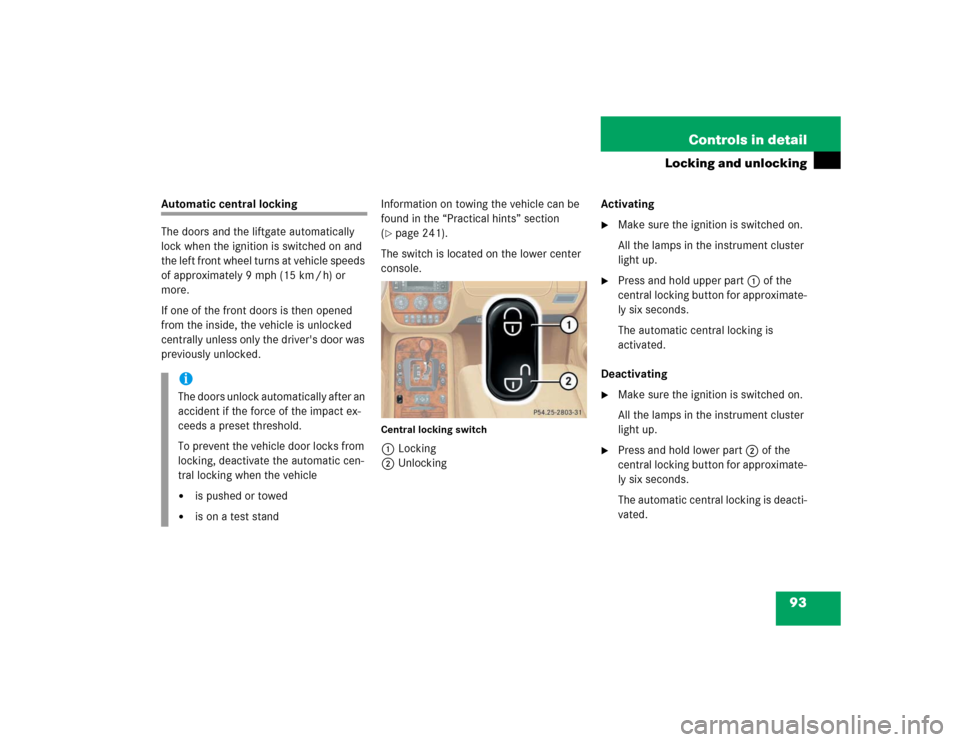
The switch is located on the lower center
console.
Central locking switch1Locking
2UnlockingActivating
�
Make sure the ignition is switched on.
All the lamps in the instrument cluster
light up.
�
Press and hold upper part1 of the
central locking button for approximate-
ly six seconds.
The automatic central locking is
activated.
Deactivating
�
Make sure the ignition is switched on.
All the lamps in the instrument cluster
light up.
�
Press and hold lower part2 of the
central locking button for approximate-
ly six seconds.
The automatic central locking is deacti-
vated.
iThe doors unlock automatically after an
accident if the force of the impact ex-
ceeds a preset threshold.
To prevent the vehicle door locks from
locking, deactivate the automatic cen-
tral locking when the vehicle�
is pushed or towed
�
is on a test stand
Page 110 of 344

110 Controls in detailLighting�
Stop the vehicle.
�
Make sure the ignition is switched on.
All the lamps in the instrument cluster
light up.
�
Turn combination switch to
positionM.
�
Press upper part1 of switch until the
clock, located in the instrument clus-
ter, displays the actual illumination
time.
�
Press upper part1 of switch again.
Each time the switch is pressed, the
illumination time increases by
15 seconds. You can set the illumina-
tion time between 0 (off) and
60 seconds.
Approximately five seconds after pressing
the switch, the illumination time is set and
the clock is displayed again.Locator lighting
During darkness, the following lamps will
come on when the vehicle is unlocked by
remote control:
�
Parking lamps
�
Tail lamps
�
License plate lamps
�
Front fog lamps
The combination switch must be set to
positionU (
�page 107).
The locator lighting switches off when the
driver’s door is opened. It switches off au-
tomatically after a period of approximately
40 seconds.Switching on high beams
�
Turn the combination switch
toõ(
�page 107).
�
Push the combination switch forward.
The high beam indicatorA in the
instrument cluster comes on.
High beam flasher
�
Pull the combination switch briefly in
direction2.
Page 111 of 344
111 Controls in detail
Lighting
Fog lamps
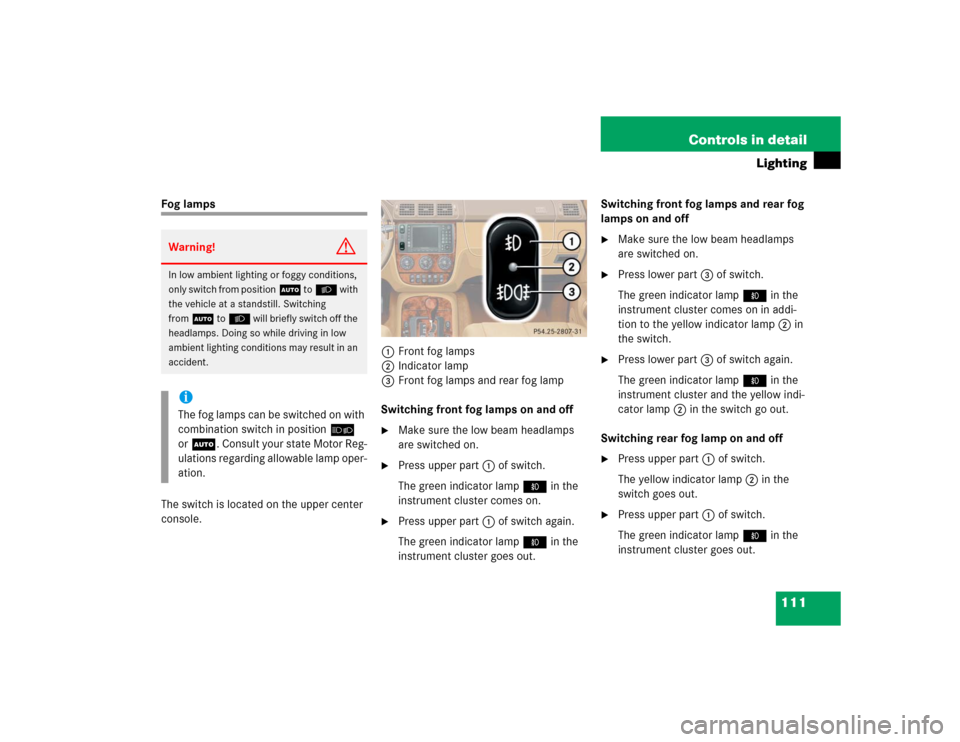
The switch is located on the upper center
console.1Front fog lamps
2Indicator lamp
3Front fog lamps and rear fog lamp
Switching front fog lamps on and off
�
Make sure the low beam headlamps
are switched on.
�
Press upper part1 of switch.
The green indicator lamp‡ in the
instrument cluster comes on.
�
Press upper part1 of switch again.
The green indicator lamp‡ in the
instrument cluster goes out.Switching front fog lamps and rear fog
lamps on and off
�
Make sure the low beam headlamps
are switched on.
�
Press lower part3 of switch.
The green indicator lamp‡ in the
instrument cluster comes on in addi-
tion to the yellow indicator lamp2 in
the switch.
�
Press lower part3 of switch again.
The green indicator lamp‡ in the
instrument cluster and the yellow indi-
cator lamp2 in the switch go out.
Switching rear fog lamp on and off
�
Press upper part1 of switch.
The yellow indicator lamp2 in the
switch goes out.
�
Press upper part1 of switch.
The green indicator lamp‡ in the
instrument cluster goes out.
Warning!
G
In low ambient lighting or foggy conditions,
only switch from positionU toB with
the vehicle at a standstill. Switching
fromU toB will briefly switch off the
headlamps. Doing so while driving in low
ambient lighting conditions may result in an
accident.iThe fog lamps can be switched on with
combination switch in positionõ
orU. Consult your state Motor Reg-
ulations regarding allowable lamp oper-
ation.
Page 116 of 344
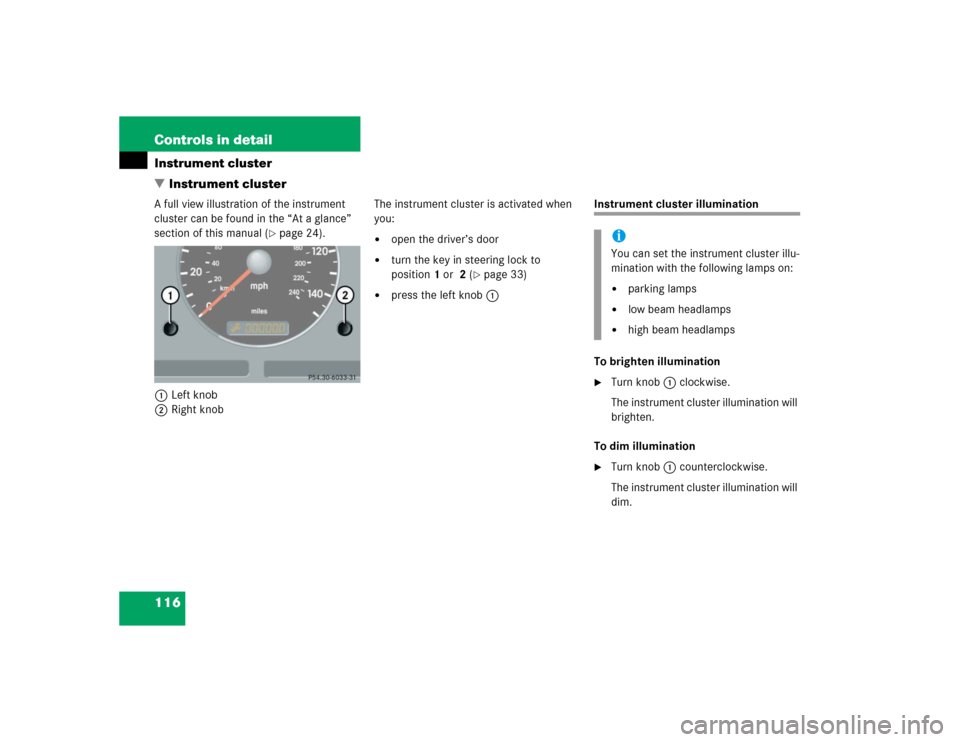
116 Controls in detailInstrument cluster
�Instrument clusterA full view illustration of the instrument
cluster can be found in the “At a glance”
section of this manual (
�page 24).
1Left knob
2Right knobThe instrument cluster is activated when
you:
�
open the driver’s door
�
turn the key in steering lock to
position1 or 2 (
�page 33)
�
press the left knob1
Instrument cluster illumination
To brighten illumination�
Turn knob1 clockwise.
The instrument cluster illumination will
brighten.
To dim illumination
�
Turn knob1 counterclockwise.
The instrument cluster illumination will
dim.iYou can set the instrument cluster illu-
mination with the following lamps on:�
parking lamps
�
low beam headlamps
�
high beam headlamps
Page 117 of 344
117 Controls in detail
Instrument cluster
Coolant temperature gauge
Under normal driving conditions, the cool-
ant temperature may rise to 248°F
(120°C). The coolant temperature may
climb to the red marking:�
at high outside temperatures
�
during stop-and-go city traffic
�
when driving on hilly terrain
The engine should not be operated with
the coolant temperature in the red zone.
Doing so may cause serious engine dam-
age which is not covered by the
Mercedes-Benz Limited Warranty.
Display in the speedometer
Changing display�
Press the left knob1 in the instru-
ment cluster (
�page 116).
The display changes between main
odometer and trip odometer.
�
Press the left knob1 twice.
The next scheduled service is displayed
(�page 232).
Warning!
G
Driving when your engine is badly overheat-
ed can cause some fluids which may have
leaked into the engine compartment to
catch fire. You could be seriously burned.
Steam from an overheated engine can cause
serious burns and can occur just by opening
the engine hood. Stay away from the engine
if you see or hear steam coming from it.
Turn off the engine, get out of the vehicle
and do not stand near the vehicle until the
engine has cooled down.
Page 118 of 344
118 Controls in detailInstrument clusterResetting trip odometer�
Press the left knob1 (
�page 116) re-
peatedly until you see the trip odome-
ter display.
�
Press and hold the left knob1 until
the trip odometer is reset.
Tachometer
To help protect the engine, the fuel supply
is interrupted if the engine is operated
above its specified limit.
Outside temperature indicator
The outside temperature is displayed in
the instrument cluster (
�page 24).
When moving the vehicle into colder ambi-
ent temperatures (e.g. when leaving your
garage), you will notice a delay before the
lower temperature is displayed.
A delay also occurs when ambient temper-
atures rise. This prevents inaccurate tem-
perature indications caused by heat
radiated from the engine during idling or
slow driving.
Setting the clock
Hour�
Pull out the right knob2 in the instru-
ment cluster (
�page 116) and turn it
counterclockwise.
Minutes
�
Pull out the right knob2 in the instru-
ment cluster (
�page 116) and turn it
clockwise.
Warning!
G
The outside temperature indicator is not de-
signed to serve as an ice-warning device and
is therefore unsuitable for that purpose.
Indicated temperatures just above the freez-
ing point do not guarantee that the road sur-
face is free of ice. The road may still be icy,
especially in wooded areas or on bridges.
iTo set the clock by a single hour or a
few minutes, turn knob2 just a few
degrees in the direction indicated for
hours or minutes.