Page 84 of 400
84 Controls in detailLocking and unlocking
Checking the batteries�
Press button‹ orŒ.
Battery check lamp5 comes on
briefly to indicate that the SmartKey
batteries are in order.Unlocking and opening the trunk lid
You can unlock and open the trunk
separately.
A minimum height clearance of 5.71 ft
(1.74 m) is required to open the trunk lid.
�
Press buttonŠ until trunk unlocks
and begins to open.
The trunk can also be opened from its
inside in an emergency, see “Trunk lid
emergency release” (
�page 88).
!If you can no longer lock or unlock the
vehicle with the SmartKey, then either
the batteries in the SmartKey are dis-
charged, the SmartKey is malfunction-
ing or the vehicle battery is drained.�
Check the batteries in the
SmartKey (
�page 84) and replace
them if necessary (
�page 307).
or
�
Use the mechanical key to unlock
the doors (
�page 305) and the
trunk lid (
�page 306) as required.
or
�
Use the mechanical key to lock the
doors (
�page 306) and the trunk
lid (
�page 306) as required.
or
�
Have the vehicle battery and the
battery connections checked.
If the SmartKey is malfunctioning,
contact an authorized Mercedes-Benz
Center.!If battery check lamp5 does not
come on briefly during check, then the
SmartKey batteries are discharged.
Replace the batteries (
�page 307).
You can obtain the required batteries
at any authorized Mercedes-Benz
Center.
iIf the batteries are checked within
signal range of the vehicle, pressing
the‹ orŒ button will lock or
unlock the vehicle accordingly. !The trunk lid swings open upwards
automatically. Always make sure there
is sufficient overhead clearance.
Page 86 of 400
86 Controls in detailLocking and unlocking
Opening the trunk
Opening the trunk from the outside
A minimum height clearance of 5.71 ft
(1.74 m) is required to open the trunk lid.
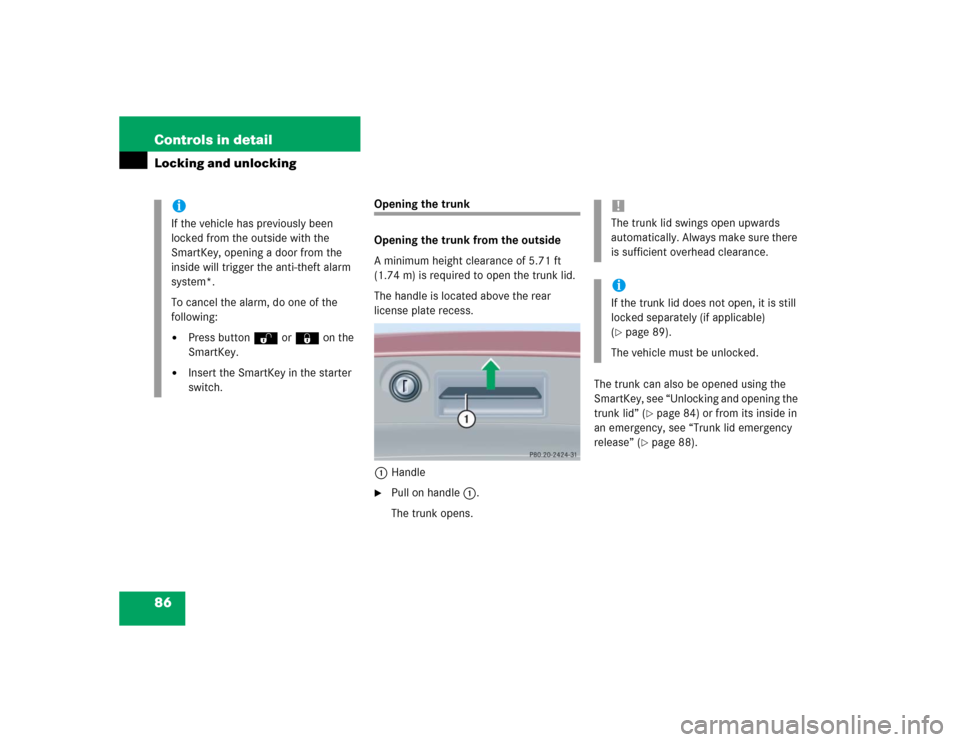
The handle is located above the rear
license plate recess.
1Handle�
Pull on handle1.
The trunk opens.The trunk can also be opened using the
SmartKey, see “Unlocking and opening the
trunk lid” (
�page 84) or from its inside in
an emergency, see “Trunk lid emergency
release” (
�page 88).
iIf the vehicle has previously been
locked from the outside with the
SmartKey, opening a door from the
inside will trigger the anti-theft alarm
system*.
To cancel the alarm, do one of the
following:�
Press buttonŒ or‹ on the
SmartKey.
�
Insert the SmartKey in the starter
switch.
!The trunk lid swings open upwards
automatically. Always make sure there
is sufficient overhead clearance.iIf the trunk lid does not open, it is still
locked separately (if applicable)
(�page 89).
The vehicle must be unlocked.
Page 88 of 400
88 Controls in detailLocking and unlocking
Trunk lid emergency release
The emergency release button is located
on the inside of the trunk lid.
1Emergency release button�
Briefly press emergency release
button1.
The trunk unlocks and the trunk lid
opens.Illumination of the emergency release
button:
�
The button will flash for 30 minutes
after opening the trunk.
�
The button will flash for 60 minutes
after closing the trunk.
Warning!
G
Only drive with the trunk closed. Among
other dangers, such as your view being
blocked, exhaust fumes may enter the
vehicle interior.iDo not place the SmartKey in the open
trunk. You may lock yourself out.
!The trunk lid swings open upwards
automatically.
iThe emergency release button unlocks
and opens the trunk while the vehicle is
standing or driving.
Page 89 of 400

89 Controls in detail
Locking and unlocking
Separately locking the trunkThe lock is located next to the recessed
handle.
1Neutral position
2Locked
�
Close the trunk lid (
�page 87).
�
Pull the mechanical key out of the
SmartKey (
�page 305).
�
Insert the mechanical key in the trunk
lid lock.
�
Turn the mechanical key clockwise to
position2.
The trunk remains locked even when the
vehicle is centrally unlocked.
iThe emergency release button does
not open the trunk lid if the vehicle
battery is discharged or disconnected.iIf the emergency release button is
pressed and the vehicle was centrally
locked, the exterior lamps will flash and
the alarm will sound as the trunk lid
opens.
To cancel the alarm, do one of the
following:�
Press buttonŒ or‹ on the
SmartKey.
�
Insert the SmartKey in the starter
switch.
iYour vehicle may be equipped with a
function permitting the separate lock-
ing of the trunk using the mechanical
key. If present, this feature can permit
you to deny any unauthorized person
access to the trunk by locking the trunk
separately and leaving the SmartKey
less the mechanical key with the
vehicle.
To verify the presence of this feature,
use the mechanical key to lock the
trunk and then attempt to open the
trunk by pulling on the trunk lid handle
after the vehicle has been centrally
unlocked with the SmartKey.
Page 92 of 400
92 Controls in detailSeats
�SeatsFor information on seat adjustment, see
“Seats” (
�page 32).
Easy-entry/exit feature*
With the easy-entry/exit feature activated,
the steering wheel tilts upwards and the
driver’s seat moves to the rear.
This allows easier entry into and exit from
the vehicle when the driver’s door is
opened. However, the engine must be
turned off.
When the SmartKey is inserted in the
starter switch and the driver’s door is
closed, the steering wheel and the driver’s
seat return to their last set positions.You can activate the following functions:
�
Steering column:
Only the steering column is adjusted.
�
Steering column and seat:
The steering column and the seat are
adjusted.
The easy-entry/exit feature can be
switched on or off in the convenience
submenu of the control system
(
�page 133).
Warning!
G
You must make sure no one can become
trapped or injured by the moving steering
wheel and the driver’s seat when the
easy-entry/exit feature* is activated, the
driver’s door is being opened and the engine
is turned off or the SmartKey is removed
from the starter switch.
Do not leave children unattended in the
vehicle, or with access to an unlocked
vehicle. Children could open the driver’s
door and unintentionally activate the
easy-entry/exit feature*, which could result
in an accident and/or serious personal
injury.
iTo cancel seat/steering wheel
movement, do one of the following:�
Press the seat adjustment switch*
(�page 28)
�
Move the steering column stalk*
(�page 37)
�
Press the memory button*
(�page 28)
Page 93 of 400
93 Controls in detail
Seats
Removing and installing front seat head restraints
For information on head restraint
adjustment, see “Seats” (
�page 32).
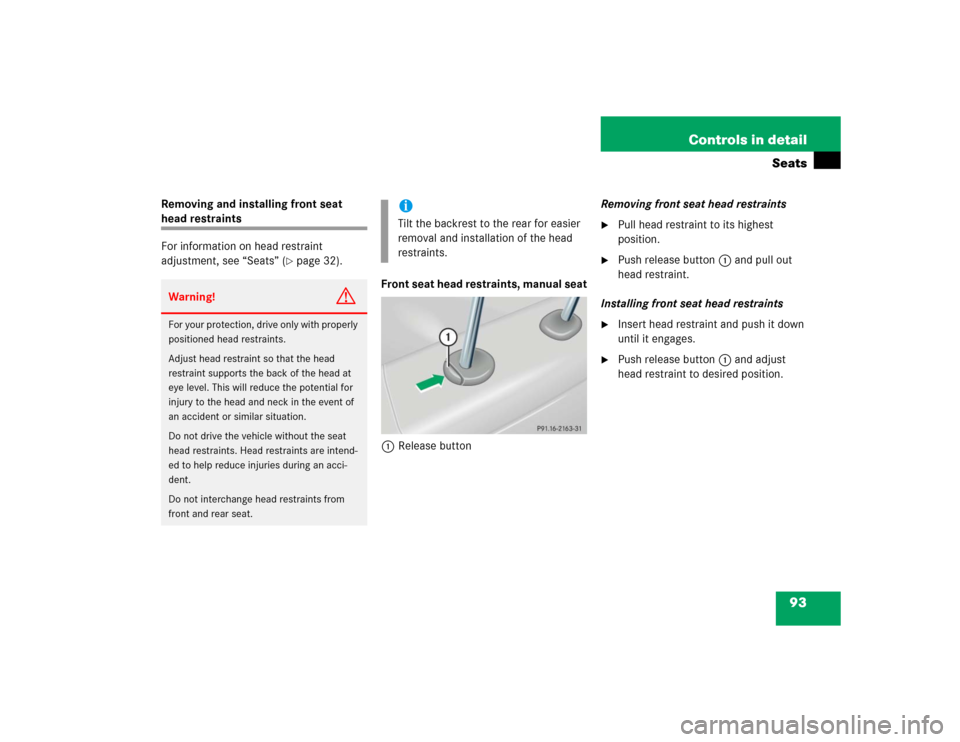
Front seat head restraints, manual seat
1Release buttonRemoving front seat head restraints
�
Pull head restraint to its highest
position.
�
Push release button1 and pull out
head restraint.
Installing front seat head restraints
�
Insert head restraint and push it down
until it engages.
�
Push release button1 and adjust
head restraint to desired position.
Warning!
G
For your protection, drive only with properly
positioned head restraints.
Adjust head restraint so that the head
restraint supports the back of the head at
eye level. This will reduce the potential for
injury to the head and neck in the event of
an accident or similar situation.
Do not drive the vehicle without the seat
head restraints. Head restraints are intend-
ed to help reduce injuries during an acci-
dent.
Do not interchange head restraints from
front and rear seat.
iTilt the backrest to the rear for easier
removal and installation of the head
restraints.
Page 94 of 400

94 Controls in detailSeatsFront seat head restraints, power seat*
Removing front seat head restraints�
Press switch1 upwards and hold until
head restraint is fully extended.
�
Pull out head restraint.
Installing front seat head restraints
�
Press switch1 upwards and hold for
about five seconds.
�
Push head restraint down until it
engages.
�
Adjust head restraint to desired
position (
�page 35).
Rear seat head restraints
Head restraint height (rear outer seats)
1Release button
Raising:�
Manually adjust the height of the head
restraint by pulling it upward.
If the head restraint is fully retracted,
push release button1 and pull the
head restraint out.Lowering:
�
To lower the head restraint, push
release button1 and push down on
the head restraint.Warning!
G
For your protection, drive only with properly
positioned head restraints.
Adjust head restraint so that the head
restraint supports the back of the head at
eye level. This will reduce the potential for
injury to the head and neck in the event of
an accident or similar situation.
Do not drive the vehicle without the seat
head restraints. Head restraints are
intended to help reduce injuries during an
accident.!The center rear seat head restraint
cannot be adjusted.
Page 95 of 400
95 Controls in detail
Seats
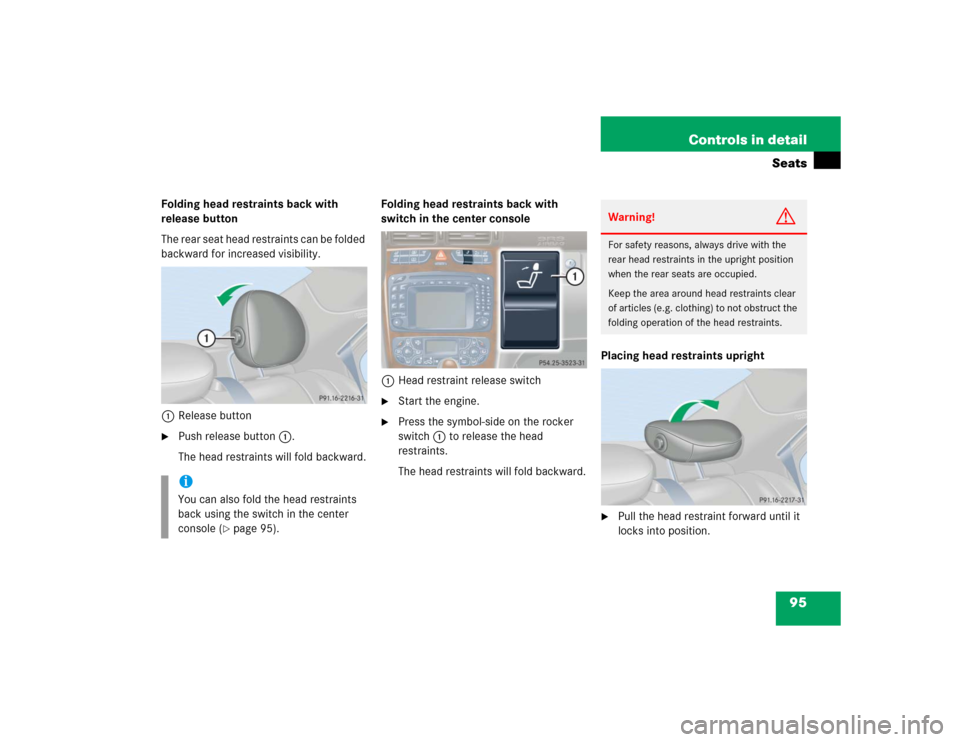
Folding head restraints back with
release button
T h e r e a r s e a t h e a d r e s t r a i n t s c a n b e f o l d e d
backward for increased visibility.
1Release button�
Push release button1.
The head restraints will fold backward.Folding head restraints back with
switch in the center console
1Head restraint release switch
�
Start the engine.
�
Press the symbol-side on the rocker
switch1 to release the head
restraints.
The head restraints will fold backward.Placing head restraints upright
�
Pull the head restraint forward until it
locks into position.
iYou can also fold the head restraints
back using the switch in the center
console (
�page 95).
Warning!
G
For safety reasons, always drive with the
rear head restraints in the upright position
when the rear seats are occupied.
Keep the area around head restraints clear
of articles (e.g. clothing) to not obstruct the
folding operation of the head restraints.