Page 182 of 374

To select Satellite Radio (if equipped), press the MODE
button until the word SIRIUSŸ appears. The following
will be displayed in this order: After three seconds, the
current channel name and number will be displayed for
five seconds. The current program type and channel
number will then be displayed for five seconds. The
current channel name and number will then be displayed
until an action occurs. A CD or tape may remain in the
player while in the Satellite Radio mode.
Time
Press the TIME button to change the display from
elapsed CD playing time to time of day.
CD/DVD Changer Operation Ð If Equipped
MODE
Press the MODE button to select between the CD player,
and the CD/DVD changer (if equipped).
Disc Up/Program Button 1
Press the DISC (button 1) button to play the next avail-
able disc.
Random Play Ð RND/Program Button 4
Press the RND (button 4) button while the CD is playing
to activate Random Play. This feature plays the selections
on the currently playing compact disc in random order to
provide an interesting change of pace.
Press the top of the SEEK button to move to the next
randomly selected track.
Press the RND (button 4) button a second time to stop
Random Play.
FF/RW Ð TUNE
Press and hold the FF button for fast forward. Press and
hold the RW button for fast reverse. The audio output can
be heard when fast forward and fast reverse are acti-
vated.
182 UNDERSTANDING YOUR INSTRUMENT PANEL
Page 183 of 374
Disc Down/Program Button 5
Press the DISC (button 5) button to play the previous
disc.
Seek
Press the top of the SEEK button for the next selection on
the CD. Press the bottom of the button to return to the
beginning of the current selection, or return to the
beginning of the previous selection if the CD is within the
first second of the current selection.
Time
Press the TIME button to switch between time of day and
CD track time.
Scan
Press the SCAN button to play 10 seconds of each track.
Press the SCAN button a second time to cancel the
feature.
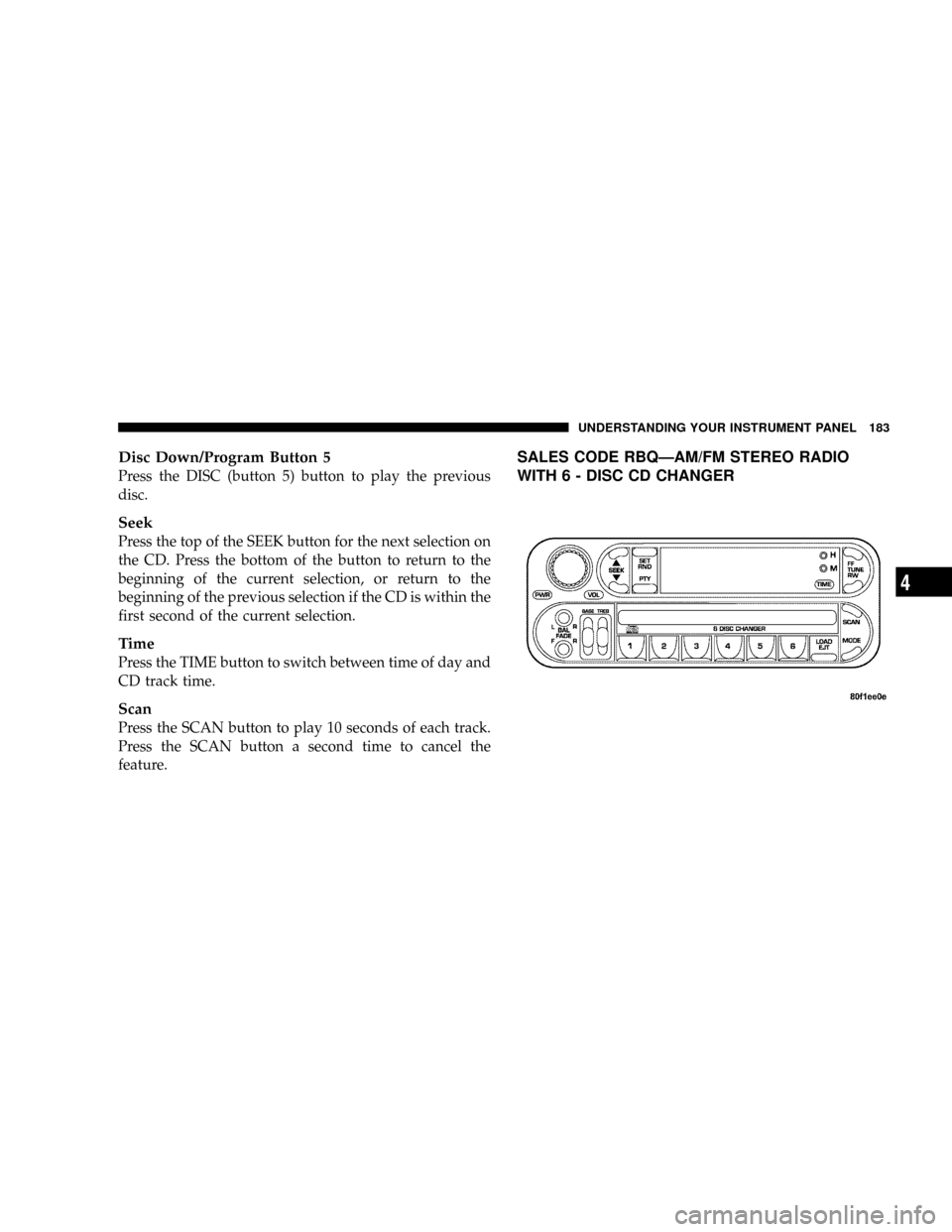
SALES CODE RBQÐAM/FM STEREO RADIO
WITH 6 - DISC CD CHANGER
UNDERSTANDING YOUR INSTRUMENT PANEL 183
4
Page 187 of 374
show the disc number, the track number, and index time
in minutes and seconds. Play will begin at the start of
track 1.
LOAD/ EJT Ð Load
Press the LOAD/ EJT button and the button with the
corresponding number where the CD is being loaded.
After the radio displays ªloadº insert the CD into the
player.
Radio display will show ªloadingº when it is being
loaded.
LOAD / EJT Ð Eject
Press the LOAD/ EJT button and the button with the
corresponding number where the CD was loaded and the
disc will unload and move to the entrance for easy
removal.
Radio display will show ªejectingº when it is being
ejected.If you have ejected a disc and have not removed it within
15 seconds, it will be reloaded. If the CD is not removed,
the radio will continue to play the non-removed CD. If
the CD is removed and there are other CD's in the radio,
the radio will play the next CD. If the CD is removed and
there are no other CD's in the radio, the radio will return
to the last selected AM or FM mode.
The disc can be ejected with the radio and ignition OFF.
Seek
Press the top of the SEEK button for the next selection on
the CD. Press the bottom of the button to return to the
beginning of the current selection, or return to the
beginning of the previous selection if the CD is within the
first second of the current selection.
Scan
Press the Scan button to scan through each track on the
CD currently playing.
UNDERSTANDING YOUR INSTRUMENT PANEL 187
4
Page 188 of 374
FF/TUNE/RW
Press FF (Fast Forward) and the CD player will begin to
fast forward until FF is released. The RW ( Reverse)
button works in a similar manner.
Random Play Ð SET / RND
Press the RND button while the CD is playing to activate
Random Play. This feature plays the tracks on the disc in
random order to provide an interesting change of pace.
Press the SEEK button to move to the next randomly
selected track.
Press TUNE FF to fast forward through the tracks. Press
the FF button a second time to stop the fast forward
feature. If TUNE RW is pressed, the current track will
reverse to the beginning of the track and begin playing.
Press the SET / RND button a second time to stop
Random Play.
PTY (Program Type) Button
Pressing this button once will turn on the PTY mode for
5 seconds. If no action is taken during the 5 second time
out the PTY icon will turn off. Pressing the PTY button
within 5 seconds will allow the program format type to
be selected. Many radio stations do not currently broad-
cast PTY information.
Toggle the PTY button to select the following format
types:
Program Type Radio Display
Adult Hits Adlt Hit
Classical Classicl
Classic Rock Cls Rock
College College
Country Country
Emergency ALERT!
Emergency Test Test
188 UNDERSTANDING YOUR INSTRUMENT PANEL
Page 195 of 374
Pressing the center button will make the radio switch
between the various modes available (AM/FM/TAPE/
CD, Etc.).
The left hand control is a rocker type switch with a
push-button in the center. The function of the left hand
control is different depending on which mode you are in.
The following describes the left hand control operation in
each mode.
Radio Operation
Pressing the top of the switch will ªSeekº up for the next
listenable station and pressing the bottom of the switch
will ªSeekº down for the next listenable station.
The button located in the center of the left hand control
will tune to the next preset station that you have pro-
grammed in the radio preset push-button.
Tape Player
Pressing the top of the switch once will go to the next
selection on the cassette. Pressing the bottom of the
switch once will go to the beginning of the current
selection or to the beginning of the previous selection if it
is within the first 5 seconds of the current selection.
If you press the switch up or down twice it plays the
second selection, three times, it will play the third, etc.
The button in the center of the left hand switch switches
the side of the tape to be played.
CD Player Ð Single Disc in Radio
Pressing the top of the switch once will go to the next
track on the CD. Pressing the bottom of the switch once
will go to the beginning of the current track or to the
beginning of the previous track if it is within one second
after the current track begins to play.
UNDERSTANDING YOUR INSTRUMENT PANEL 195
4