Page 785 of 4449
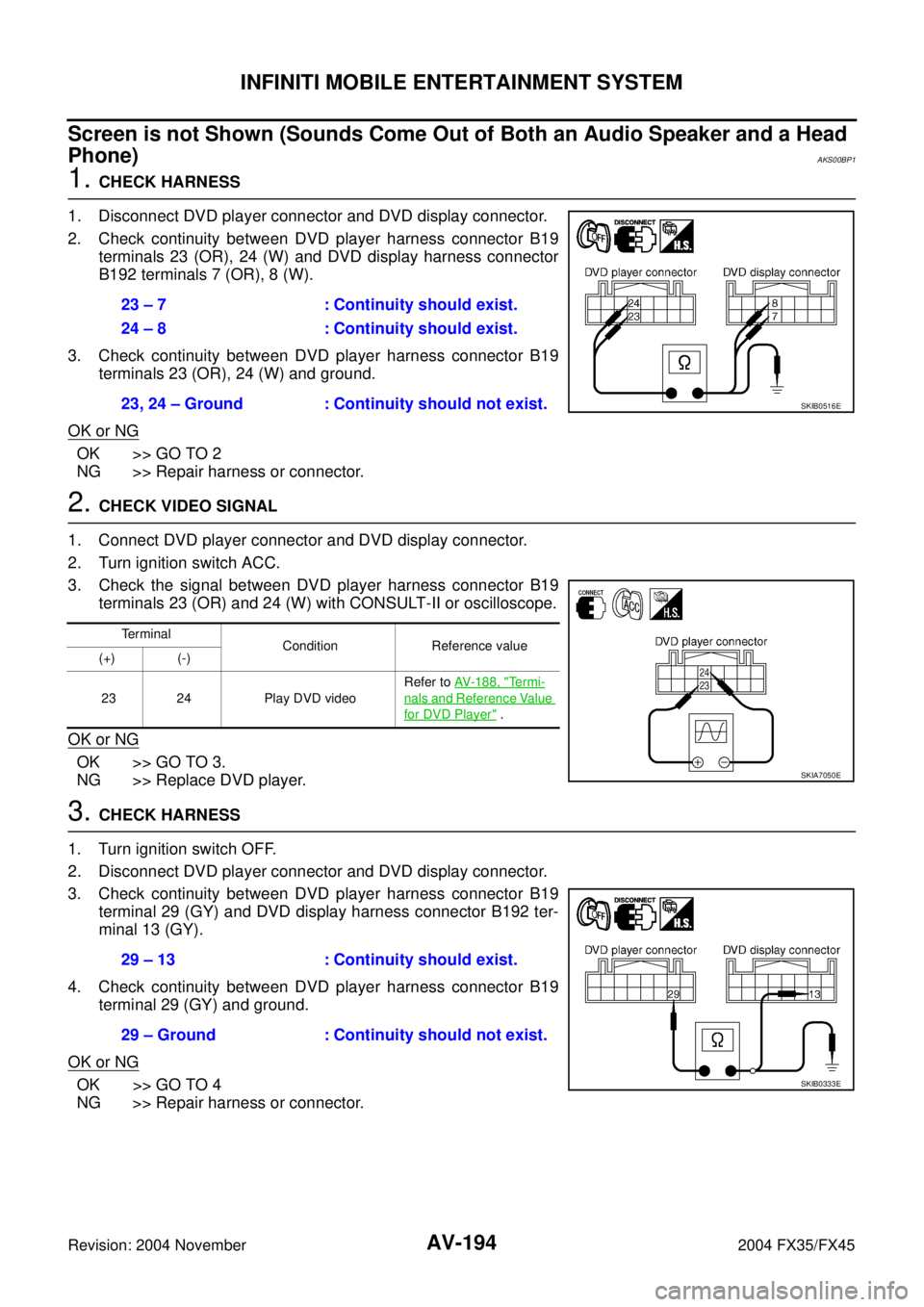
AV-194
INFINITI MOBILE ENTERTAINMENT SYSTEM
Revision: 2004 November 2004 FX35/FX45
Screen is not Shown (Sounds Come Out of Both an Audio Speaker and a Head
Phone)
AKS00BP1
1. CHECK HARNESS
1. Disconnect DVD player connector and DVD display connector.
2. Check continuity between DVD player harness connector B19
terminals 23 (OR), 24 (W) and DVD display harness connector
B192 terminals 7 (OR), 8 (W).
3. Check continuity between DVD player harness connector B19
terminals 23 (OR), 24 (W) and ground.
OK or NG
OK >> GO TO 2
NG >> Repair harness or connector.
2. CHECK VIDEO SIGNAL
1. Connect DVD player connector and DVD display connector.
2. Turn ignition switch ACC.
3. Check the signal between DVD player harness connector B19
terminals 23 (OR) and 24 (W) with CONSULT-II or oscilloscope.
OK or NG
OK >> GO TO 3.
NG >> Replace DVD player.
3. CHECK HARNESS
1. Turn ignition switch OFF.
2. Disconnect DVD player connector and DVD display connector.
3. Check continuity between DVD player harness connector B19
terminal 29 (GY) and DVD display harness connector B192 ter-
minal 13 (GY).
4. Check continuity between DVD player harness connector B19
terminal 29 (GY) and ground.
OK or NG
OK >> GO TO 4
NG >> Repair harness or connector.23 – 7 : Continuity should exist.
24 – 8 : Continuity should exist.
23, 24 – Ground : Continuity should not exist.
SKIB0516E
Te r m i n a l
Condition Reference value
(+) (-)
23 24 Play DVD videoRefer to AV- 1 8 8 , "
Te r m i -
nals and Reference Value
for DVD Player" .
SKIA7050E
29 – 13 : Continuity should exist.
29 – Ground : Continuity should not exist.
SKIB0333E
Page 786 of 4449
INFINITI MOBILE ENTERTAINMENT SYSTEM
AV-195
C
D
E
F
G
H
I
J
L
MA
B
AV
Revision: 2004 November 2004 FX35/FX45
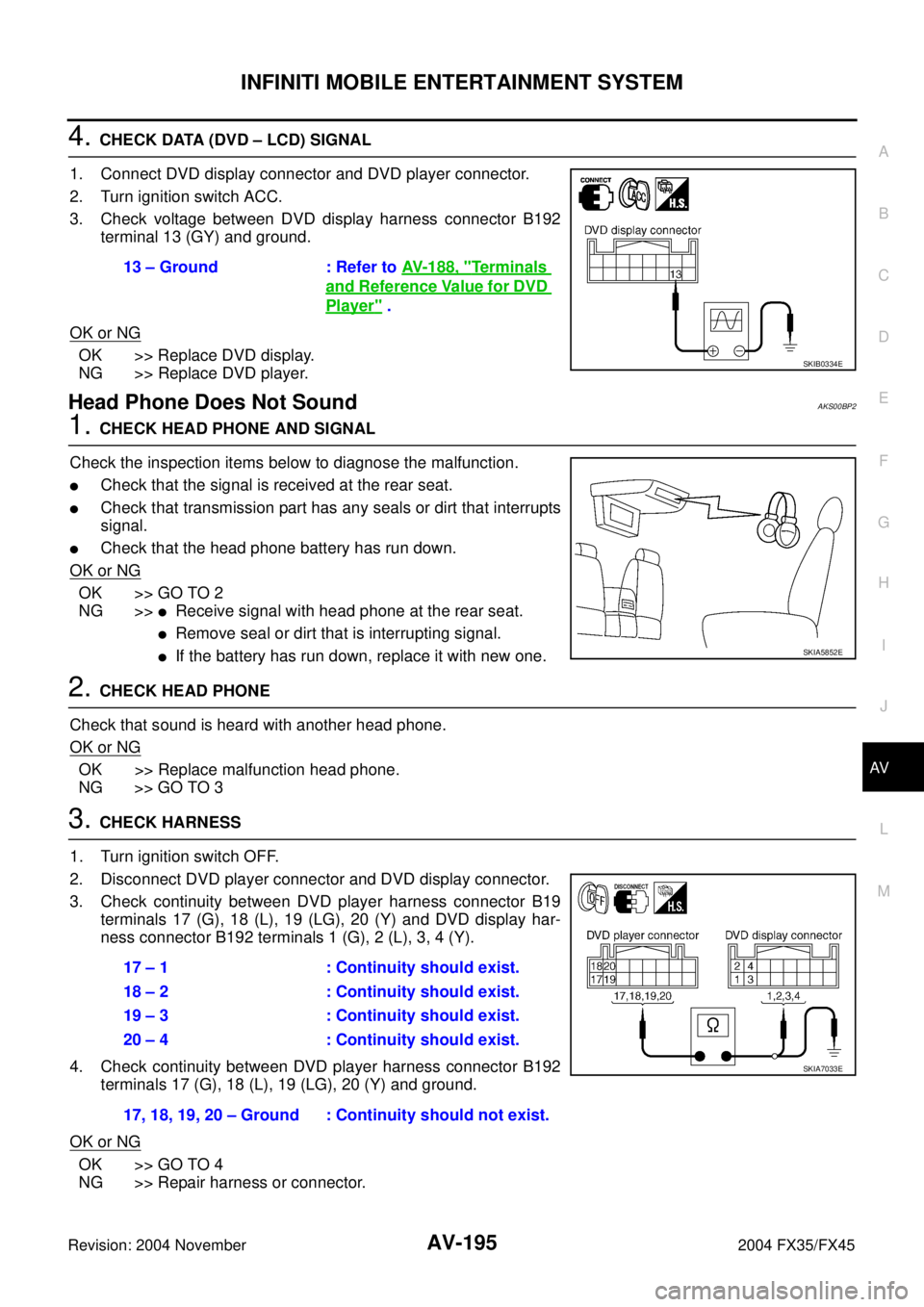
4. CHECK DATA (DVD – LCD) SIGNAL
1. Connect DVD display connector and DVD player connector.
2. Turn ignition switch ACC.
3. Check voltage between DVD display harness connector B192
terminal 13 (GY) and ground.
OK or NG
OK >> Replace DVD display.
NG >> Replace DVD player.
Head Phone Does Not SoundAKS00BP2
1. CHECK HEAD PHONE AND SIGNAL
Check the inspection items below to diagnose the malfunction.
�Check that the signal is received at the rear seat.
�Check that transmission part has any seals or dirt that interrupts
signal.
�Check that the head phone battery has run down.
OK or NG
OK >> GO TO 2
NG >>
�Receive signal with head phone at the rear seat.
�Remove seal or dirt that is interrupting signal.
�If the battery has run down, replace it with new one.
2. CHECK HEAD PHONE
Check that sound is heard with another head phone.
OK or NG
OK >> Replace malfunction head phone.
NG >> GO TO 3
3. CHECK HARNESS
1. Turn ignition switch OFF.
2. Disconnect DVD player connector and DVD display connector.
3. Check continuity between DVD player harness connector B19
terminals 17 (G), 18 (L), 19 (LG), 20 (Y) and DVD display har-
ness connector B192 terminals 1 (G), 2 (L), 3, 4 (Y).
4. Check continuity between DVD player harness connector B192
terminals 17 (G), 18 (L), 19 (LG), 20 (Y) and ground.
OK or NG
OK >> GO TO 4
NG >> Repair harness or connector.13 – Ground : Refer to AV- 1 8 8 , "
Te r m i n a l s
and Reference Value for DVD
Player" .
SKIB0334E
SKIA5852E
17 – 1 : Continuity should exist.
18 – 2 : Continuity should exist.
19 – 3 : Continuity should exist.
20 – 4 : Continuity should exist.
17, 18, 19, 20 – Ground : Continuity should not exist.
SKIA7033E
Page 1367 of 4449
![INFINITI FX35 2004 Service Manual EC-26
[VQ35DE]
PRECAUTIONS
Revision: 2004 November 2004 FX35/FX45
�Do not operate fuel pump when there is no fuel in lines.
�Tighten fuel hose clamps to the specified torque.
�Do not depress accelerat](/manual-img/42/57021/w960_57021-1366.png "INFINITI FX35 2004 Service Manual EC-26
[VQ35DE]
PRECAUTIONS
Revision: 2004 November 2004 FX35/FX45
�Do not operate fuel pump when there is no fuel in lines.
�Tighten fuel hose clamps to the specified torque.
�Do not depress accelerat")
EC-26
[VQ35DE]
PRECAUTIONS
Revision: 2004 November 2004 FX35/FX45
�Do not operate fuel pump when there is no fuel in lines.
�Tighten fuel hose clamps to the specified torque.
�Do not depress accelerator pedal when starting.
�Immediately after starting, do not rev up engine unneces-
sarily.
�Do not rev up engine just prior to shutdown.
�When installing C.B. ham radio or a mobile phone, be sure
to observe the following as it may adversely affect elec-
tronic control systems depending on installation location.
–Keep the antenna as far as possible from the electronic
control units.
–Keep the antenna feeder line more than 20 cm (8 in) away
from the harness of electronic controls.
Do not let them run parallel for a long distance.
–Adjust the antenna and feeder line so that the standing-
wave radio can be kept smaller.
–Be sure to ground the radio to vehicle body.
Wiring Diagrams and Trouble DiagnosisABS006K1
When you read wiring diagrams, refer to the following:
�GI-15, "How to Read Wiring Diagrams"
�PG-3, "POWER SUPPLY ROUTING CIRCUIT" for power distribution circuit
When you perform trouble diagnosis, refer to the following:
�GI-11, "HOW TO FOLLOW TEST GROUPS IN TROUBLE DIAGNOSES"
�GI-27, "How to Perform Efficient Diagnosis for an Electrical Incident"
PBIB1569E
SEF709Y
SEF708Y
Page 2014 of 4449
![INFINITI FX35 2004 Service Manual PRECAUTIONS
EC-673
[VK45DE]
C
D
E
F
G
H
I
J
K
L
MA
EC
Revision: 2004 November 2004 FX35/FX45
�Do not operate fuel pump when there is no fuel in lines.
�Tighten fuel hose clamps to the specified torque](/manual-img/42/57021/w960_57021-2013.png "INFINITI FX35 2004 Service Manual PRECAUTIONS
EC-673
[VK45DE]
C
D
E
F
G
H
I
J
K
L
MA
EC
Revision: 2004 November 2004 FX35/FX45
�Do not operate fuel pump when there is no fuel in lines.
�Tighten fuel hose clamps to the specified torque")
PRECAUTIONS
EC-673
[VK45DE]
C
D
E
F
G
H
I
J
K
L
MA
EC
Revision: 2004 November 2004 FX35/FX45
�Do not operate fuel pump when there is no fuel in lines.
�Tighten fuel hose clamps to the specified torque.
�Do not depress accelerator pedal when starting.
�Immediately after starting, do not rev up engine unneces-
sarily.
�Do not rev up engine just prior to shutdown.
�When installing C.B. ham radio or a mobile phone, be sure
to observe the following as it may adversely affect elec-
tronic control systems depending on installation location.
–Keep the antenna as far as possible from the electronic
control units.
–Keep the antenna feeder line more than 20 cm (8 in) away
from the harness of electronic controls.
Do not let them run parallel for a long distance.
–Adjust the antenna and feeder line so that the standing-
wave radio can be kept smaller.
–Be sure to ground the radio to vehicle body.
Wiring Diagrams and Trouble DiagnosisABS00BZ0
When you read wiring diagrams, refer to the following:
�GI-15, "How to Read Wiring Diagrams"
�PG-3, "POWER SUPPLY ROUTING CIRCUIT" for power distribution circuit
When you perform trouble diagnosis, refer to the following:
�GI-11, "HOW TO FOLLOW TEST GROUPS IN TROUBLE DIAGNOSES"
�GI-27, "How to Perform Efficient Diagnosis for an Electrical Incident"
PBIB1508E
SEF709Y
SEF708Y