Page 60 of 4449
![INFINITI FX35 2004 Service Manual TROUBLE DIAGNOSIS FOR SELF-DIAGNOSTIC ITEMS
ACS-51
[ICC]
C
D
E
F
G
H
I
J
L
MA
B
ACS
Revision: 2004 November 2004 FX35/FX45
6. CHECK HARNESS THROUGH ICC BRAKE HOLD RELAY, ICC BRAKE SWITCH, ICC UNIT
1.](/manual-img/42/57021/w960_57021-59.png "INFINITI FX35 2004 Service Manual TROUBLE DIAGNOSIS FOR SELF-DIAGNOSTIC ITEMS
ACS-51
[ICC]
C
D
E
F
G
H
I
J
L
MA
B
ACS
Revision: 2004 November 2004 FX35/FX45
6. CHECK HARNESS THROUGH ICC BRAKE HOLD RELAY, ICC BRAKE SWITCH, ICC UNIT
1.")
TROUBLE DIAGNOSIS FOR SELF-DIAGNOSTIC ITEMS
ACS-51
[ICC]
C
D
E
F
G
H
I
J
L
MA
B
ACS
Revision: 2004 November 2004 FX35/FX45
6. CHECK HARNESS THROUGH ICC BRAKE HOLD RELAY, ICC BRAKE SWITCH, ICC UNIT
1. Disconnect ICC brake hold relay, ICC brake switch, ECM and
ICC unit harness connector.
2. Check continuity between ICC brake hold relay harness connec-
tor E14 terminal 3 (L) and ICC brake switch harness connector
E209 terminal 2 (L).
3. Check continuity between ICC brake hold relay harness connec-
tor E14 terminal 3 (L) and ground.
4. Check continuity between ICC brake hold relay harness connec-
tor E14 terminal 4 (SB) and ICC unit harness connector M89 ter-
minal 29 (SB).
5. Check continuity between ICC unit harness connector M89 ter-
minal 29 (SB) and ground.
OK or NG
OK >> GO TO 7.
NG >>
�Repair harness between ICC brake hold relay and
ICC brake switch.
�Repair harness between ICC brake switch and ICC unit.
�After repair, erase DTC and perform ICC system running test. Then, perform self-diagnosis of
ICC system again.
7. CHECK ICC BRAKE SWITCH POWER SUPPLY CIRCUIT
1. Turn ignition switch ON.
2. Check voltage between ICC brake switch harness connector
E209 terminal 1 (Y) and ground.
OK or NG
OK >> Replace ICC unit. Erase DTC and perform ICC system
running test. Then perform self-diagnosis of ICC system
again.
NG >>
�Malfunction of fuse, or ICC brake switch power supply
system harness.
�After repair, erase DTC and perform ICC system running test. Then, perform self-diagnosis of
ICC system again.
8. CHECK STOP LAMP ILLUMINATION
1. Turn ignition switch OFF.
2. Disconnect ICC brake hold relay connector.
3. Check stop lamp circuit.
OK or NG
OK >> GO TO 9.
NG >> After repair, erase DTC and perform ICC system running test. Then, perform self-diagnosis of ICC
system again. Continuity should exist.
Continuity should not exist.
SKIA6198E
Continuity should exist.
Continuity should not exist.
SKIA5980E
Approx. 12V
SKIA5981E
Page 61 of 4449
![INFINITI FX35 2004 Service Manual ACS-52
[ICC]
TROUBLE DIAGNOSIS FOR SELF-DIAGNOSTIC ITEMS
Revision: 2004 November 2004 FX35/FX45
9. CHECK ICC BRAKE HOLD RELAY CIRCUIT
1. Connect ICC brake hold relay connector.
2. Disconnect stop lam](/manual-img/42/57021/w960_57021-60.png "INFINITI FX35 2004 Service Manual ACS-52
[ICC]
TROUBLE DIAGNOSIS FOR SELF-DIAGNOSTIC ITEMS
Revision: 2004 November 2004 FX35/FX45
9. CHECK ICC BRAKE HOLD RELAY CIRCUIT
1. Connect ICC brake hold relay connector.
2. Disconnect stop lam")
ACS-52
[ICC]
TROUBLE DIAGNOSIS FOR SELF-DIAGNOSTIC ITEMS
Revision: 2004 November 2004 FX35/FX45
9. CHECK ICC BRAKE HOLD RELAY CIRCUIT
1. Connect ICC brake hold relay connector.
2. Disconnect stop lamp switch connector.
3. When brake pedal is not depressed, make sure that stop lamp does not illuminate.
OK or NG
OK >> Replace ICC unit. Erase DTC and perform ICC system running test. Then perform self-diagnosis
of ICC system again.
NG >> GO TO 10.
10. CHECK ICC BRAKE HOLD RELAY
1. Disconnect ICC brake hold relay.
2. Check continuity between ICC brake hold relay E14 terminal 6
and terminal 7.
OK or NG
OK >> Replace ICC unit. Erase DTC and perform ICC system
running test. Then perform self-diagnosis of ICC system
again.
NG >> Replace ICC brake hold relay. Erase DTC and perform
ICC system running test. Then perform self-diagnosis of
ICC system again.
11 . CHECK HARNESS THROUGH ICC UNIT, ICC BRAKE HOLD RELAY, AND GROUND
1. Disconnect connectors of ICC unit and ICC brake hold relay.
2. Check continuity between ICC unit harness connector M89 ter-
minal 47 (W/R) and ICC brake hold relay harness connector E14
terminal 1 (W).
3. Check continuity between ICC unit harness connector M89 ter-
minal 47 (W/R) and ground.
4. Check continuity between ICC brake hold relay harness connec-
tor E14 terminal 2 (B) and ground.
OK or NG
OK >> GO TO 12.
NG >>
�Repair harness through ICC unit, ICC brake hold
relay, and ground.
�After repair, erase DTC and perform ICC system run-
ning test. Then, perform self-diagnosis of ICC system
again. Continuity should not exist.
SKIA6659E
47 - 1 Continuity should exist.
47 - Ground Continuity should not exist.
SKIA6660E
Continuity should exist.
SKIA6661E
Page 62 of 4449
![INFINITI FX35 2004 Service Manual TROUBLE DIAGNOSIS FOR SELF-DIAGNOSTIC ITEMS
ACS-53
[ICC]
C
D
E
F
G
H
I
J
L
MA
B
ACS
Revision: 2004 November 2004 FX35/FX45
12. CHECK ICC BRAKE HOLD RELAY
�Check continuity between ICC brake hold rela](/manual-img/42/57021/w960_57021-61.png "INFINITI FX35 2004 Service Manual TROUBLE DIAGNOSIS FOR SELF-DIAGNOSTIC ITEMS
ACS-53
[ICC]
C
D
E
F
G
H
I
J
L
MA
B
ACS
Revision: 2004 November 2004 FX35/FX45
12. CHECK ICC BRAKE HOLD RELAY
�Check continuity between ICC brake hold rela")
TROUBLE DIAGNOSIS FOR SELF-DIAGNOSTIC ITEMS
ACS-53
[ICC]
C
D
E
F
G
H
I
J
L
MA
B
ACS
Revision: 2004 November 2004 FX35/FX45
12. CHECK ICC BRAKE HOLD RELAY
�Check continuity between ICC brake hold relay terminal 1 and
terminal 2.
OK or NG
OK >> GO TO 13.
NG >> Replace ICC brake hold relay. Erase DTC and perform
ICC system running test. Then perform self-diagnosis of
ICC system again.
13. CHECK ICC UNIT STANDARD VOLTAGE
With CONSULT-II
1. Connect connectors of ICC unit and stop lamp switch.
2. Active test (STOP LAMP: STP LMP DRIVE ON) with CONSULT-
II, check voltage between ICC unit harness connector M89 ter-
minal 47 (W/R) and ground.
OK or NG
OK >> GO TO 14.
NG >> Replace ICC unit. Erase DTC and perform ICC system
running test. Then perform self-diagnosis of ICC system
again.
14. CHECK ICC BRAKE HOLD RELAY POWER SUPPLY CIRCUIT
1. Check voltage between ICC brake hold relay harness connector
E14 terminal 6 (GY) and ground.
OK or NG
OK >> GO TO 15.
NG >>
�Malfunctions of fuse or ICC brake hold relay power
supply harness.
�After repair, erase DTC and perform ICC system run-
ning test. Then, perform self-diagnosis of ICC system
again. Continuity should exist.
SKIA6662E
47 - Ground Approx. 12V (during active
test)
SKIA3075E
6 - Ground Approx. 12V
SKIA1198E
Page 63 of 4449
![INFINITI FX35 2004 Service Manual ACS-54
[ICC]
TROUBLE DIAGNOSIS FOR SELF-DIAGNOSTIC ITEMS
Revision: 2004 November 2004 FX35/FX45
15. CHECK HARNESS BETWEEN ICC BRAKE HOLD RELAY AND ICC UNIT
1. Turn ignition switch OFF.
2. Disconnect c](/manual-img/42/57021/w960_57021-62.png "INFINITI FX35 2004 Service Manual ACS-54
[ICC]
TROUBLE DIAGNOSIS FOR SELF-DIAGNOSTIC ITEMS
Revision: 2004 November 2004 FX35/FX45
15. CHECK HARNESS BETWEEN ICC BRAKE HOLD RELAY AND ICC UNIT
1. Turn ignition switch OFF.
2. Disconnect c")
ACS-54
[ICC]
TROUBLE DIAGNOSIS FOR SELF-DIAGNOSTIC ITEMS
Revision: 2004 November 2004 FX35/FX45
15. CHECK HARNESS BETWEEN ICC BRAKE HOLD RELAY AND ICC UNIT
1. Turn ignition switch OFF.
2. Disconnect connectors of ICC brake hold relay and ICC unit.
3. Check continuity between ICC brake hold relay harness connec-
tor E14 terminal 7 (P) and ICC unit harness connector M89 ter-
minal 38 (P/G).
4. Check continuity between ICC unit harness connector M89 ter-
minal 38 (P/G) and ground.
OK or NG
OK >> GO TO 16.
NG >>
�Repair harness between ICC brake hold relay and ICC unit.
�After repair, erase DTC and perform ICC system running test. Then, perform self-diagnosis of
ICC system again.
16. CHECK ICC BRAKE HOLD RELAY
With CONSULT-II
1. Connect connectors of ICC unit and ICC brake hold relay.
2. Disconnect stop lamp switch connector.
3. Perform active test (STOP LAMP) with CONSULT-II, and make sure that stop lamp is illuminated.
OK or NG
OK >> GO TO 17.
NG >> Replace ICC brake hold relay. Erase DTC and perform ICC system running test. Then perform
self-diagnosis of ICC system again.
17. CHECK ICC UNIT STANDARD VOLTAGE
With CONSULT-II
1. Connect stop lamp switch connector.
2. Perform active test (STOP LAMP: STP LMP DRIVE ON) with
CONSULT-II, check voltage between ICC unit harness connec-
tor M89 terminal 29 (SB) and ground.
OK or NG
OK >> Replace ICC unit. Erase DTC and perform ICC system
running test. Then perform self-diagnosis of ICC system
again.
NG >> Replace stop lamp switch.Erase DTC and perform ICC
system running test. Then perform self-diagnosis of ICC
system again.
DTC 92 ECM CIRCUITAKS006ZF
1. DIAGNOSIS CHECK 1
With CONSULT-II
�Perform self-diagnosis with CONSULT-II. Is “CAN COMM CIRCUIT” indicated?
YES or NO
YES >> Repair or replace applicable item. Erase DTC and perform ICC system running test. Then perform
self-diagnosis of ICC system again.
NO >> GO TO 2.7 - 38 Continuity should exist.
38 - Ground Continuity should not exist.
SKIA6663E
29 - Ground Approx. 0V (during active test)
SKIA1200E
Page 167 of 4449
AT-90
TROUBLE DIAGNOSIS
Revision: 2004 November 2004 FX35/FX45
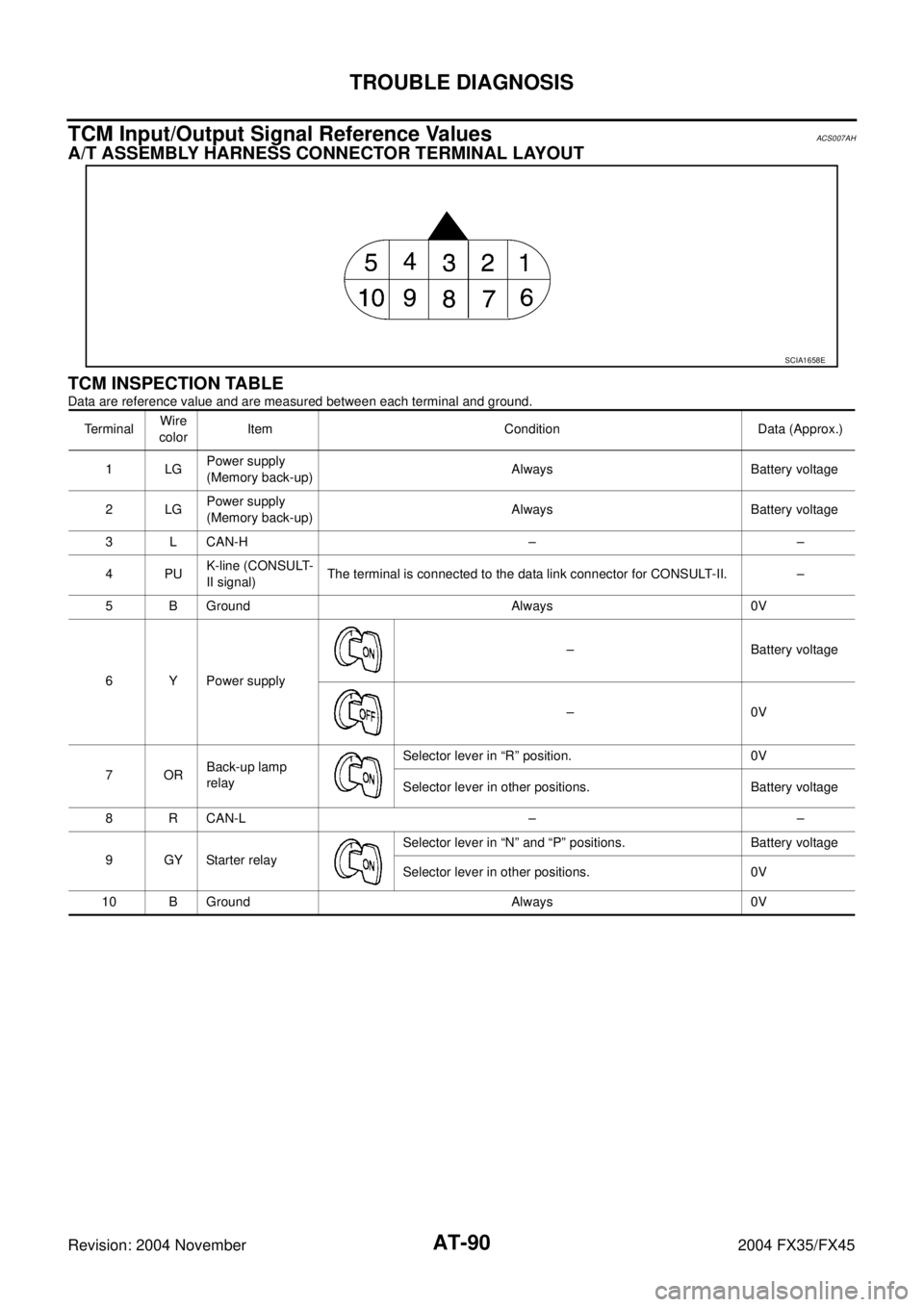
TCM Input/Output Signal Reference ValuesACS007AH
A/T ASSEMBLY HARNESS CONNECTOR TERMINAL LAYOUT
TCM INSPECTION TABLE
Data are reference value and are measured between each terminal and ground.
SCIA1658E
TerminalWire
colorItem Condition Data (Approx.)
1LGPower supply
(Memory back-up)Always Battery voltage
2LGPower supply
(Memory back-up)Always Battery voltage
3 L CAN-H – –
4PUK-line (CONSULT-
II signal)The terminal is connected to the data link connector for CONSULT-II. –
5 B Ground Always 0V
6 Y Power supply– Battery voltage
–0V
7ORBack-up lamp
relaySelector lever in “R” position. 0V
Selector lever in other positions. Battery voltage
8 R CAN-L – –
9GYStarter relaySelector lever in “N” and “P” positions. Battery voltage
Selector lever in other positions. 0V
10 B Ground Always 0V
Page 184 of 4449
DTC U1000 CAN COMMUNICATION LINE
AT-107
D
E
F
G
H
I
J
K
L
MA
B
AT
Revision: 2004 November 2004 FX35/FX45
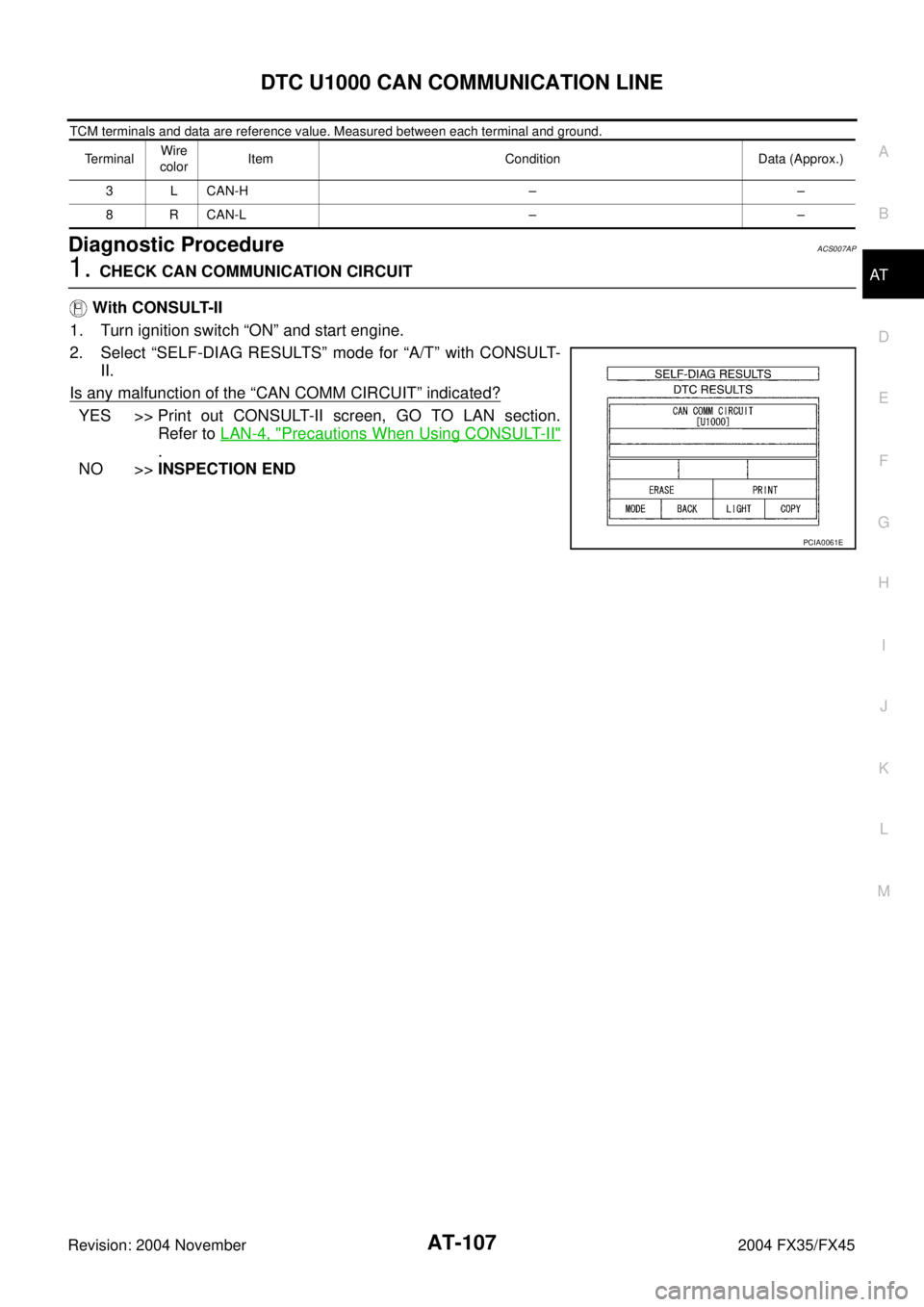
TCM terminals and data are reference value. Measured between each terminal and ground.
Diagnostic ProcedureACS007AP
1. CHECK CAN COMMUNICATION CIRCUIT
With CONSULT-II
1. Turn ignition switch “ON” and start engine.
2. Select “SELF-DIAG RESULTS” mode for “A/T” with CONSULT-
II.
Is any malfunction of the
“CAN COMM CIRCUIT” indicated?
YES >> Print out CONSULT-II screen, GO TO LAN section.
Refer to LAN-4, "
Precautions When Using CONSULT-II"
.
NO >>INSPECTION END
TerminalWire
colorItem Condition Data (Approx.)
3 L CAN-H – –
8 R CAN-L – –
PCIA0061E
Page 187 of 4449
AT-110
DTC P0615 START SIGNAL CIRCUIT
Revision: 2004 November 2004 FX35/FX45
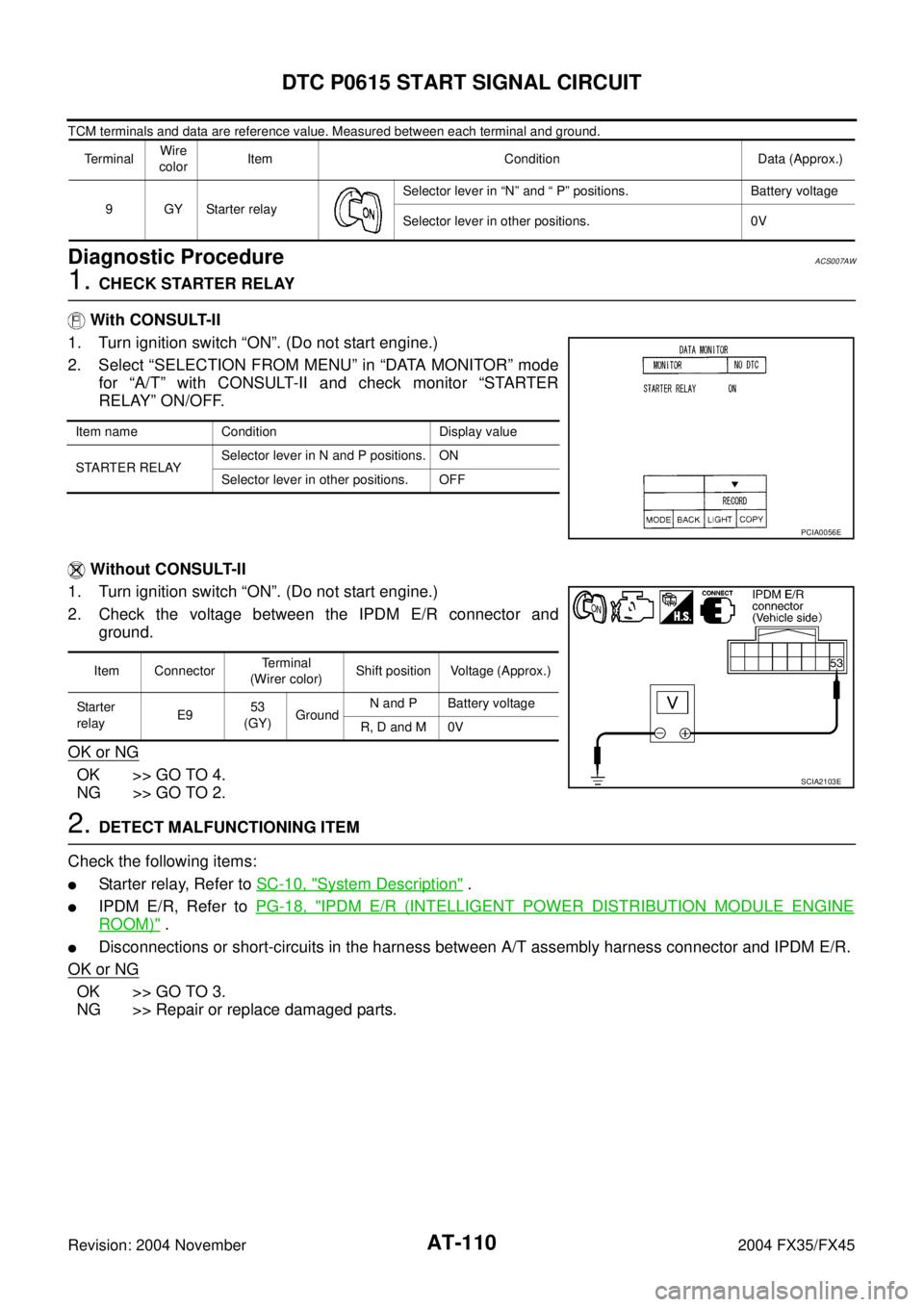
TCM terminals and data are reference value. Measured between each terminal and ground.
Diagnostic ProcedureACS007AW
1. CHECK STARTER RELAY
With CONSULT-II
1. Turn ignition switch “ON”. (Do not start engine.)
2. Select “SELECTION FROM MENU” in “DATA MONITOR” mode
for “A/T” with CONSULT-II and check monitor “STARTER
RELAY” ON/OFF.
Without CONSULT-II
1. Turn ignition switch “ON”. (Do not start engine.)
2. Check the voltage between the IPDM E/R connector and
ground.
OK or NG
OK >> GO TO 4.
NG >> GO TO 2.
2. DETECT MALFUNCTIONING ITEM
Check the following items:
�Starter relay, Refer to SC-10, "System Description" .
�IPDM E/R, Refer to PG-18, "IPDM E/R (INTELLIGENT POWER DISTRIBUTION MODULE ENGINE
ROOM)" .
�Disconnections or short-circuits in the harness between A/T assembly harness connector and IPDM E/R.
OK or NG
OK >> GO TO 3.
NG >> Repair or replace damaged parts.
TerminalWire
colorItem Condition Data (Approx.)
9GYStarter relaySelector lever in “N” and “ P” positions. Battery voltage
Selector lever in other positions. 0V
Item name Condition Display value
STARTER RELAYSelector lever in N and P positions. ON
Selector lever in other positions. OFF
PCIA0056E
Item ConnectorTerminal
(Wirer color)Shift position Voltage (Approx.)
Starter
relayE953
(GY)GroundN and P Battery voltage
R, D and M 0V
SCIA2103E
Page 188 of 4449
DTC P0615 START SIGNAL CIRCUIT
AT-111
D
E
F
G
H
I
J
K
L
MA
B
AT
Revision: 2004 November 2004 FX35/FX45
3. CHECK TERMINAL CORD ASSEMBLY
1. Remove control valve with TCM. Refer to AT- 2 4 2 , "
Control Valve with TCM and A/T Fluid Temperature
Sensor 2" .
2. Disconnect A/T assembly harness connector and control valve with TCM harness connector.
3. Check continuity between A/T assembly harness connector terminal and control valve with TCM harness
connector terminal. Refer to AT- 1 0 9 , "
Wiring Diagram — AT — STSIG" .
4. If OK, check harness for short to ground and short to power.
OK or NG
OK >> Replace the control valve with TCM. Refer to AT- 2 4 2 , "Control Valve with TCM and A/T Fluid Tem-
perature Sensor 2" .
NG >> Replace open circuit or short to ground and short to power in harness or connectors.
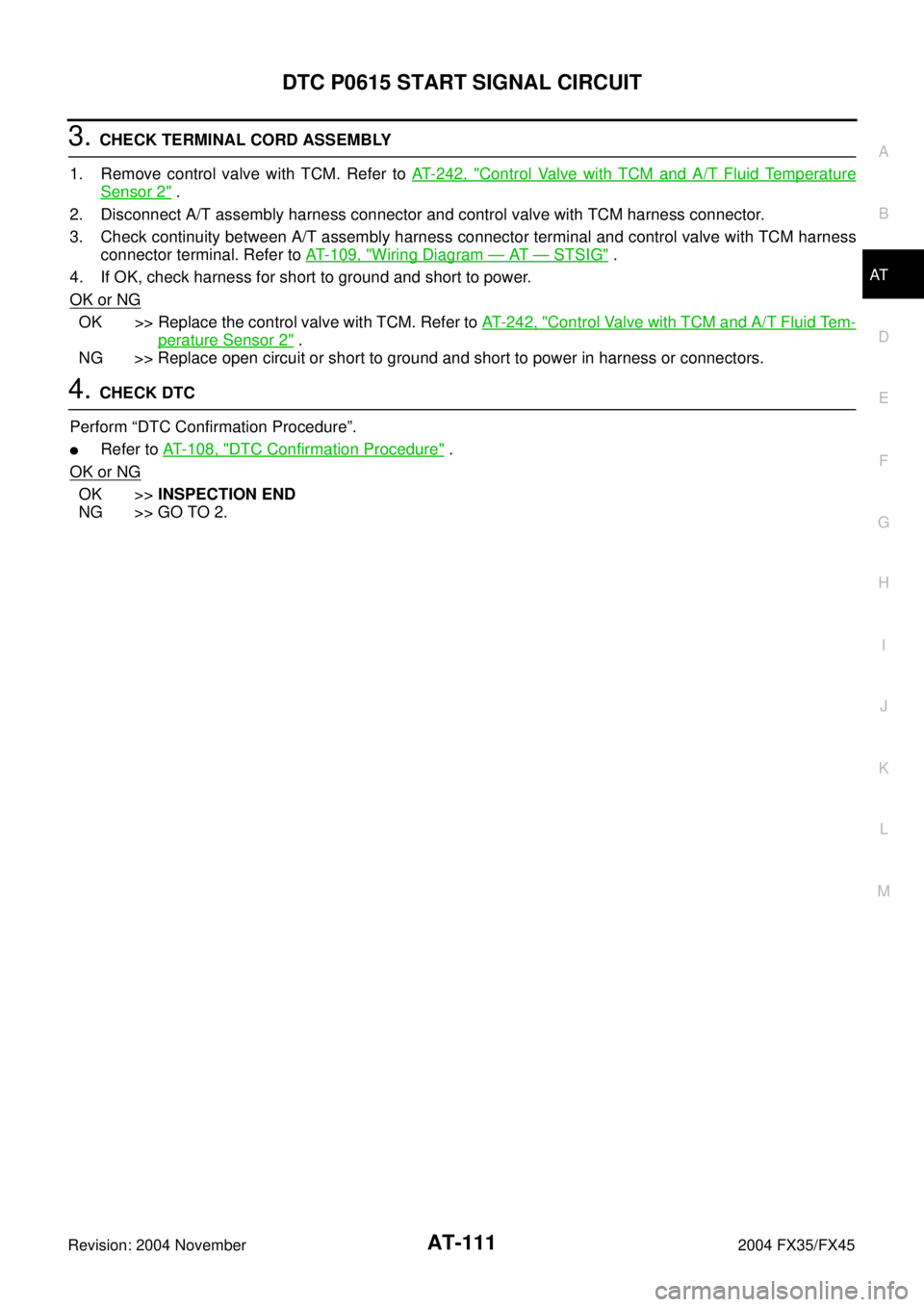
4. CHECK DTC
Perform “DTC Confirmation Procedure”.
�Refer to AT- 1 0 8 , "DTC Confirmation Procedure" .
OK or NG
OK >>INSPECTION END
NG >> GO TO 2.