Page 112 of 296
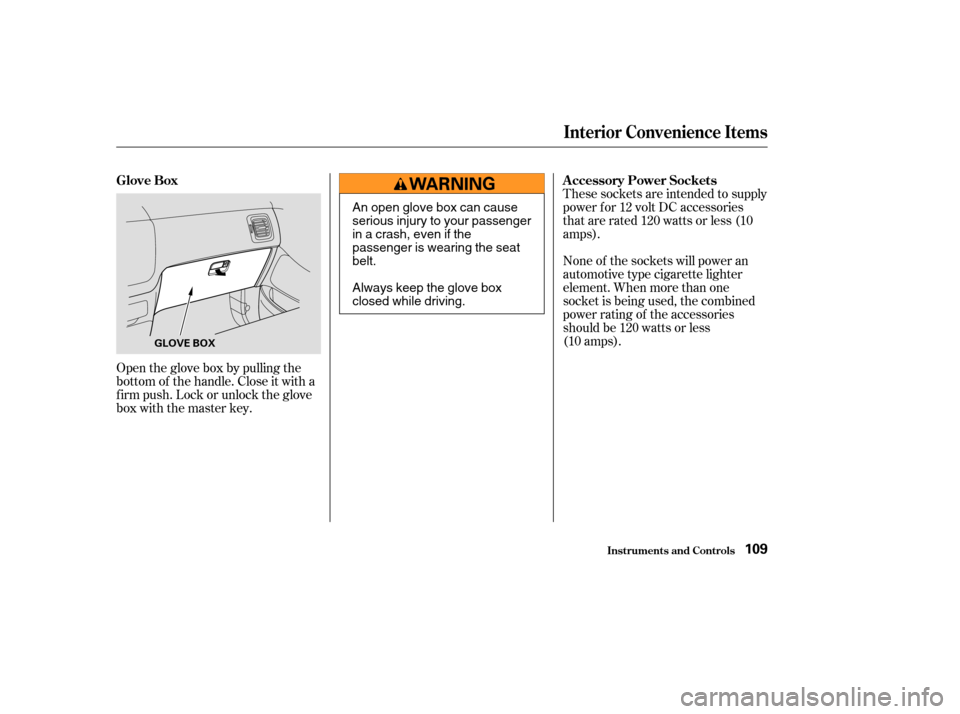
Open the glove box by pulling the
bottom of the handle. Close it with a
f irm push. Lock or unlock the glove
box with the master key.These sockets are intended to supply
power f or 12 volt DC accessories
that are rated 120 watts or less (10
amps).
None of the sockets will power an
automotive type cigarette lighter
element. When more than one
socket is being used, the combined
power rating of the accessories
should be 120 watts or less
(10 amps).
Interior Convenience Items
Inst rument s and Cont rols
Glove Box
A ccessory Power Sockets
109
GLOVE BOX
An open glove box can cause
serious injury to your passenger
inacrash,evenifthe
passenger is wearing the seat
belt.
Always keep the glove box
closed while driving.
Page 114 of 296
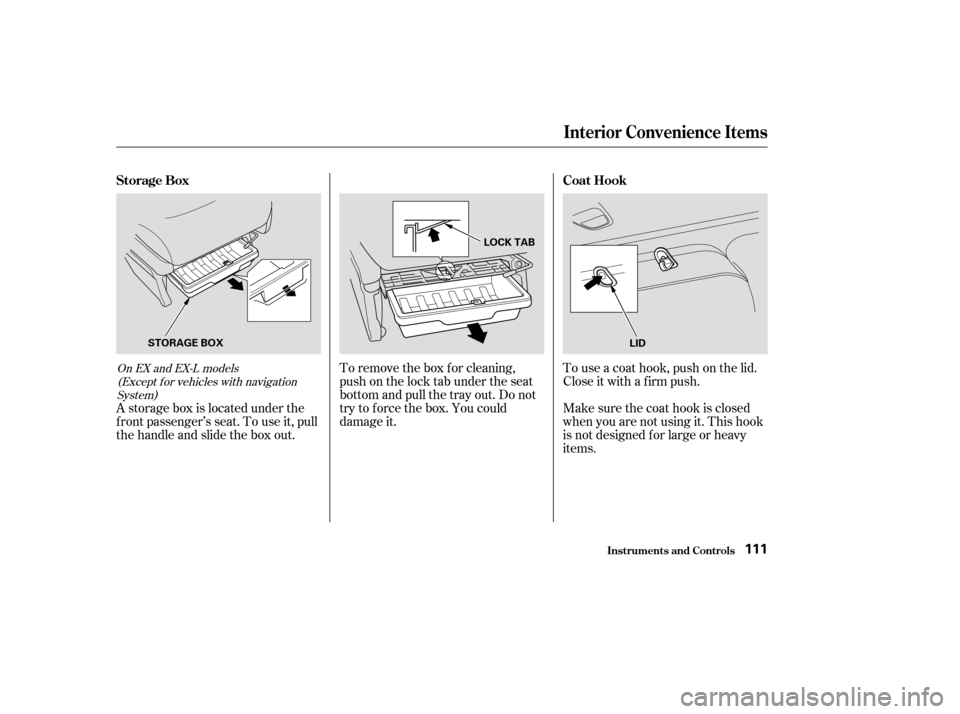
A storage box is located under the
f ront passenger’s seat. To use it, pull
the handle and slide the box out.To remove the box for cleaning,
push on the lock tab under the seat
bottom and pull the tray out. Do not
try to f orce the box. You could
damage it.
To use a coat hook, push on the lid.
Close it with a f irm push.
Make sure the coat hook is closed
when you are not using it. This hook
is not designed f or large or heavy
items.
On EX and EX-L models
(Except f or vehicles with navigationSystem)
Interior Convenience Items
Inst rument s and Cont rols
Storage Box Coat Hook
111
STORAGE BOXLOCK TAB
LID
Page 116 of 296
The lights go out about six seconds
after all the doors and the tailgate
are closed.
With the light control switch in the
Door Activated position, all the
individual map lights and the cargo
area light (with its switch in the
center position) come on when you
unlock the door with the remote
transmitter (see page ).
Withanydoororthetailgateleft
open, the lights stay on about 3
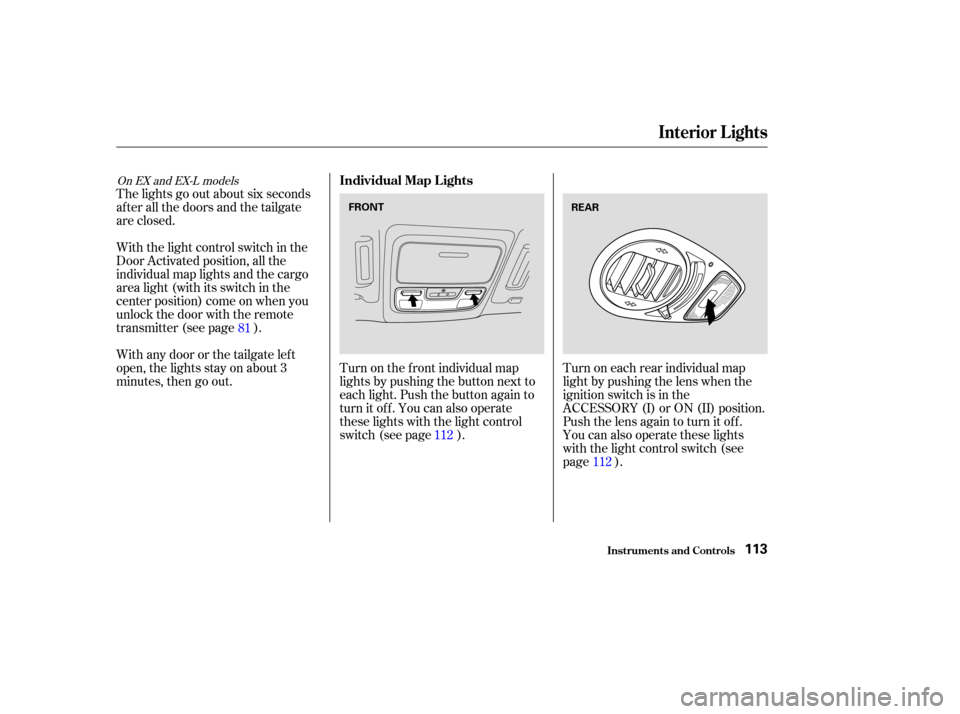
minutes, then go out.Turn on the f ront individual map
lights by pushing the button next to
each light. Push the button again to
turn it off. You can also operate
these lights with the light control
switch (see page ).Turn on each rear individual map
light by pushing the lens when the
ignition switch is in the
ACCESSORY (I) or ON (II) position.
Push the lens again to turn it off.
You can also operate these lights
with the light control switch (see
page ).
112
81
112
On EX and EX-L models
Interior Lights
Inst rument s and Cont rols
Individual Map L ights
113
FRONTREAR
Page 120 of 296

�Û�Ý
For automatic climate control and
manual operation on EX and EX-L
models, see page .
Turn this dial clockwise to increase
fan speed and increase the airflow.
You can manually select the f an
speed. Press the A/C button to view
the display, then press any of the fan
control icons. Turning this dial clockwise increases
the temperature of the airflow.
To select the desired temperature,
press either side of the temperature
(TEMP) button ( or ).
This button turns the air
conditioning on and of f . On LX
models, the light in the button is on
when the A/C is on. On EX and EX-L
models, you will see A/C ON or A/C
OFF selected in the display.Press the A/C button to view the
display. Touching ON or OFF in the
display turns the air conditioning on
andoff.YouwillseeA/CONorA/C
OFF in the display.
When you turn the A/C of f , the
system cannot regulate the inside
temperature if you set the
temperature control below the
outside temperature.
121
On all models without Navigation
System
On EX-L model with Navigation System On all models without Navigation
System
On EX-L model with Navigation System
On all models without NavigationSystem On EX-L model with Navigation System
On EX and EX-L models
Vents, Heating, and A/C
Comf ort and Convenience Feat ures
Fan Control T emperature Control
Air Conditioning (A/C) Button/
Icons
Airf low Buttons
117
Page 127 of 296
�µ�µ
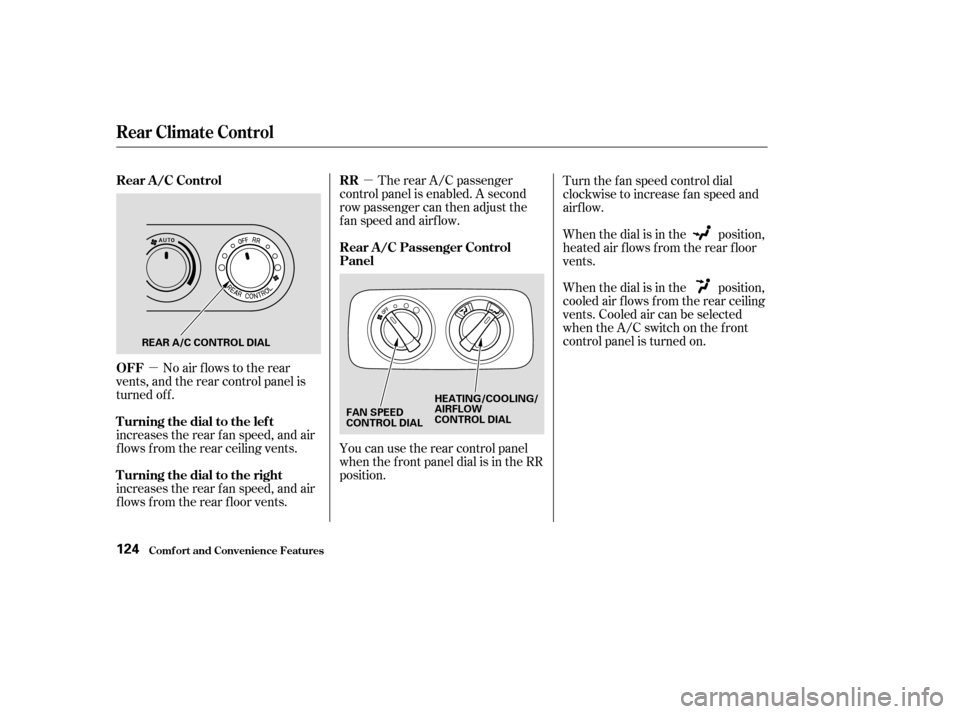
No air flows to the rear
vents, and the rear control panel is
turned off.
increases the rear f an speed, and air
f lows f rom the rear ceiling vents.
increases the rear f an speed, and air
f lows f rom the rear f loor vents. The rear A/C passenger
control panel is enabled. A second
row passenger can then adjust the
fanspeedandairflow.
You can use the rear control panel
when the f ront panel dial is in the RR
position. When the dial is in the position,
cooled air f lows f rom the rear ceiling
vents. Cooled air can be selected
when the A/C switch on the f ront
control panel is turned on. When the dial is in the position,
heated air f lows f rom the rear f loor
vents. Turn the f an speed control dial
clockwise to increase fan speed and
airflow.
Rear Climate Control
Comf ort and Convenience Feat ures
Rear A /C Control
OFF
Turning the dial to the lef t
Turning the dial to the rightRR
Rear A /C Passenger Control
Panel
124
REAR A/C CONTROL DIAL
FAN SPEED
CONTROL DIALHEATING/COOLING/
AIRFLOW
CONTROL DIAL
Page 150 of 296

�Î
�Î
To operate the rear entertainment
system from the front panel, turn the
RR CTRL knob clockwise. The
amber RR LED comes on to show
that the control panel is enabled.
To play the radio or tape, the buttons
for the front entertainment system
have the same functions.
If aCDisloadedinthemainCD
player or CD changer, select CD/
CHG.If theCDisloadedinthe
lower player, select DVD/AUX.The DVD player in your Rear
Entertainment System can play DVD
video discs and CDs. It features
Dolby noise reduction.
Open the overhead screen by
pushingonthebutton.Thescreen
will swing down part-way. Pivot the
screen the rest of the way. If you
pivot the screen too far forward, past
the detent, the display will turn off.
Pivot the screen back to the detent
to turn the display back on. To close
the screen, pivot it up until it latches.
Dolby noise reduction manuf actured under
license from Dolby Laboratories Licensing Corpo-
ration. ‘‘DOLBY’’ and the double-D symbol are trademarks of Dolby Laboratories
Licensing Corporation.
CONT INUED
Rear Entertainment System
Comf ort and Convenience Feat ures
To Select Rear Entertainment
f rom the Front Control Panel Operating the DVD Player f rom
the Front Control Panel
147
REAR CONTROL
PANEL
BUTTON
OVERHEAD
SCREEN
Page 151 of 296
�µ�µ
�µ
�´
�µ
�´ �µ�µ
Turn the RR CTRL knob clockwise.
The amber RR LED will come on to
show that the control panel is now
enabled.
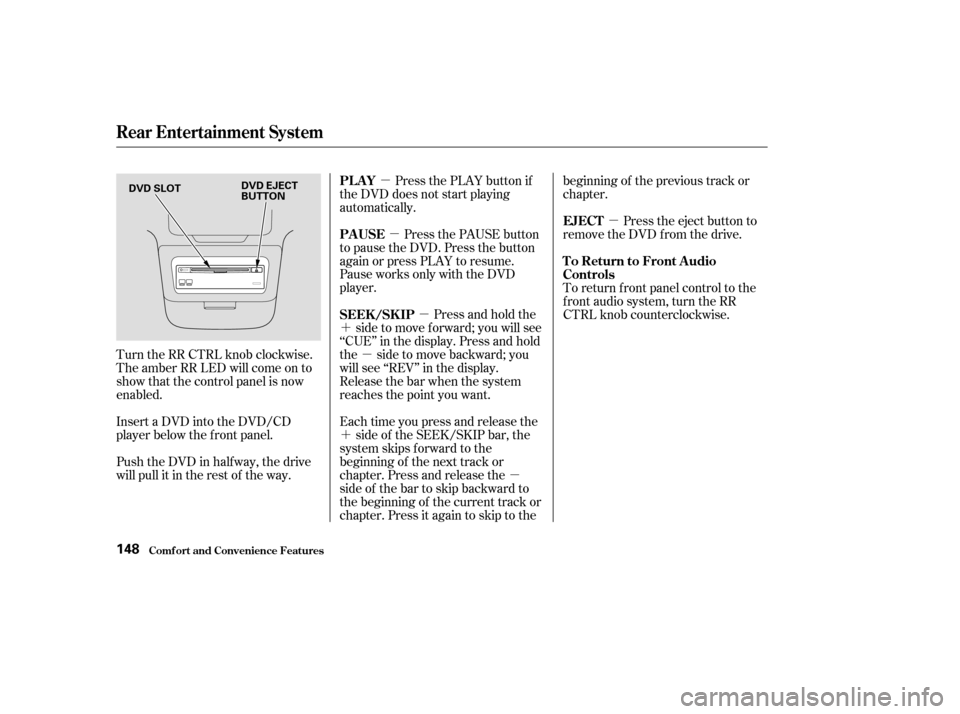
Insert a DVD into the DVD/CD
player below the f ront panel.
Push the DVD in half way, the drive
will pull it in the rest of the way. Press the PLAY button if
the DVD does not start playing
automatically.
Press the PAUSE button
to pause the DVD. Press the button
again or press PLAY to resume.
Pause works only with the DVD
player.
Press and hold the
side to move forward; you will see
‘‘CUE’’ in the display. Press and hold
the sidetomovebackward;you
will see ‘‘REV’’ in the display.
Release the bar when the system
reaches the point you want.
Each time you press and release the side of the SEEK/SKIP bar, the
system skips f orward to the
beginning of the next track or
chapter. Press and release the
side of the bar to skip backward to
the beginning of the current track or
chapter. Press it again to skip to the beginning of the previous track or
chapter.
Press the eject button to
remove the DVD from the drive.
To return f ront panel control to the
front audio system, turn the RR
CTRL knob counterclockwise.
PL A Y
PAUSE
SEEK /SK IP
EJECT
To Return to Front Audio
Controls
Comf ort and Convenience Feat ures
Rear Entertainment System
148
DVD SLOT
DVD EJECT
BUTTON
Page 156 of 296
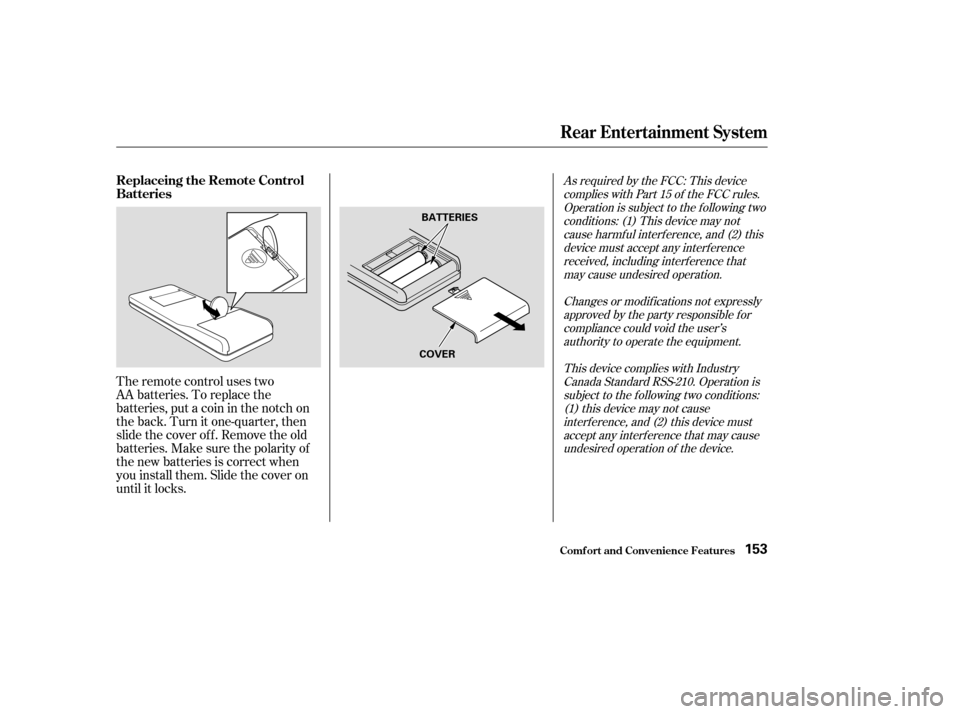
The remote control uses two
AA batteries. To replace the
batteries, put a coin in the notch on
the back. Turn it one-quarter, then
slide the cover of f . Remove the old
batteries.Makesurethepolarityof
the new batteries is correct when
you install them. Slide the cover on
until it locks.
As required by the FCC: This devicecomplies with Part 15 of the FCC rules.Operation is subject to the f ollowing twoconditions: (1) This device may notcause harmf ul interf erence, and (2) thisdevice must accept any interf erencereceived, including interf erence thatmay cause undesired operation.
Changes or modif ications not expresslyapproved by the party responsible f orcompliance could void the user’sauthority to operate the equipment.
This device complies with IndustryCanada Standard RSS-210. Operation issubject to the f ollowing two conditions:(1) this device may not causeinterf erence, and (2) this device mustaccept any interf erence that may causeundesired operation of the device.
Rear Entertainment System
Comf ort and Convenience Feat ures
Replaceing the Remote Control
Batteries
153
BATTERIES
COVER