Page 70 of 256
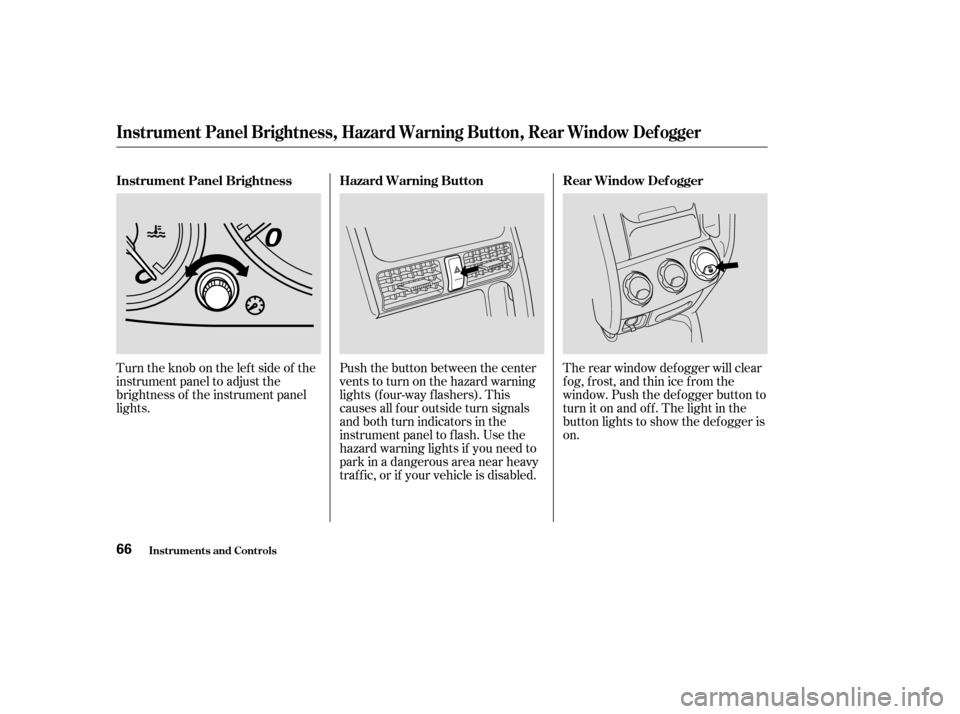
Turntheknobontheleftsideof the
instrument panel to adjust the
brightness of the instrument panel
lights.Push the button between the center
vents to turn on the hazard warning
lights (f our-way f lashers). This
causes all f our outside turn signals
and both turn indicators in the
instrument panel to f lash. Use the
hazard warning lights if you need to
park in a dangerous area near heavy
traf f ic, or if your vehicle is disabled.The rear window def ogger will clear
fog, frost, and thin ice from the
window. Push the def ogger button to
turn it on and of f . The light in the
button lights to show the def ogger is
on.
Instrument Panel Brightness
Rear Window Def ogger
Hazard Warning Button
Instrument Panel Brightness, Hazard Warning Button, Rear Window Def ogger
Inst rument s and Cont rols66
Page 81 of 256
�µ
See pages f or important saf ety
inf ormation and warnings about how toproperly position the seats and seat-backs. 12 14
Make all seat adjustments bef ore
you start driving.
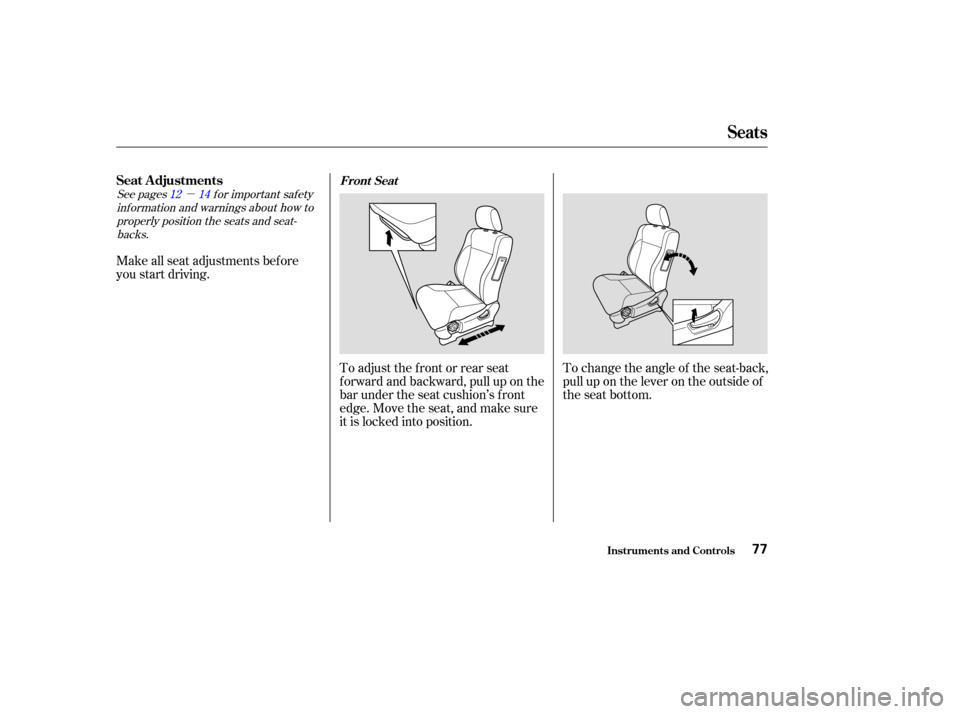
To adjust the front or rear seat
f orward and backward, pull up on the
bar under the seat cushion’s f ront
edge. Move the seat, and make sure
it is locked into position.To change the angle of the seat-back,
pull up on the lever on the outside of
the seat bottom.
Seats
Inst rument s and Cont rols
Seat A djustmentsFront Seat
77
Page 83 of 256
See page f or important saf etyinf ormation and a warning about how toproperly position the head restraints. 16
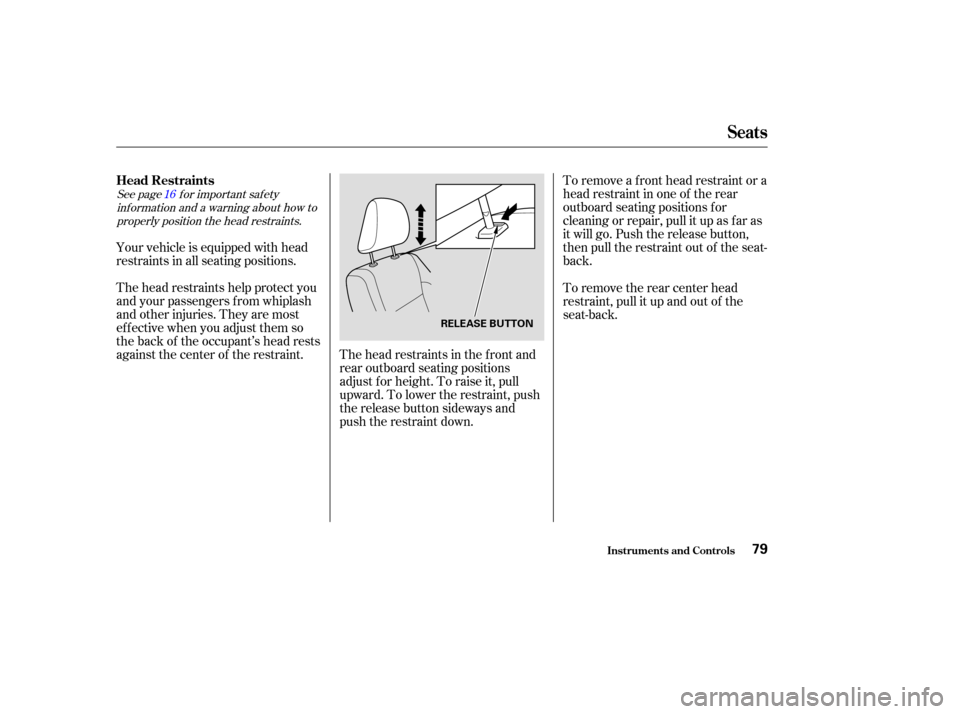
To remove a f ront head restraint or a
head restraint in one of the rear
outboard seating positions f or
cleaning or repair, pull it up as f ar as
it will go. Push the release button,
then pull the restraint out of the seat-
back.
Your vehicle is equipped with head
restraints in all seating positions.
The head restraints help protect you
and your passengers f rom whiplash
and other injuries. They are most
ef f ective when you adjust them so
the back of the occupant’s head rests
against the center of the restraint. The head restraints in the front and
rear outboard seating positions
adjust for height. To raise it, pull
upward. To lower the restraint, push
the release button sideways and
push the restraint down.To remove the rear center head
restraint, pull it up and out of the
seat-back.
Seats
Inst rument s and Cont rols
Head Restraints
79
RELEASE BUTTON
Page 200 of 256
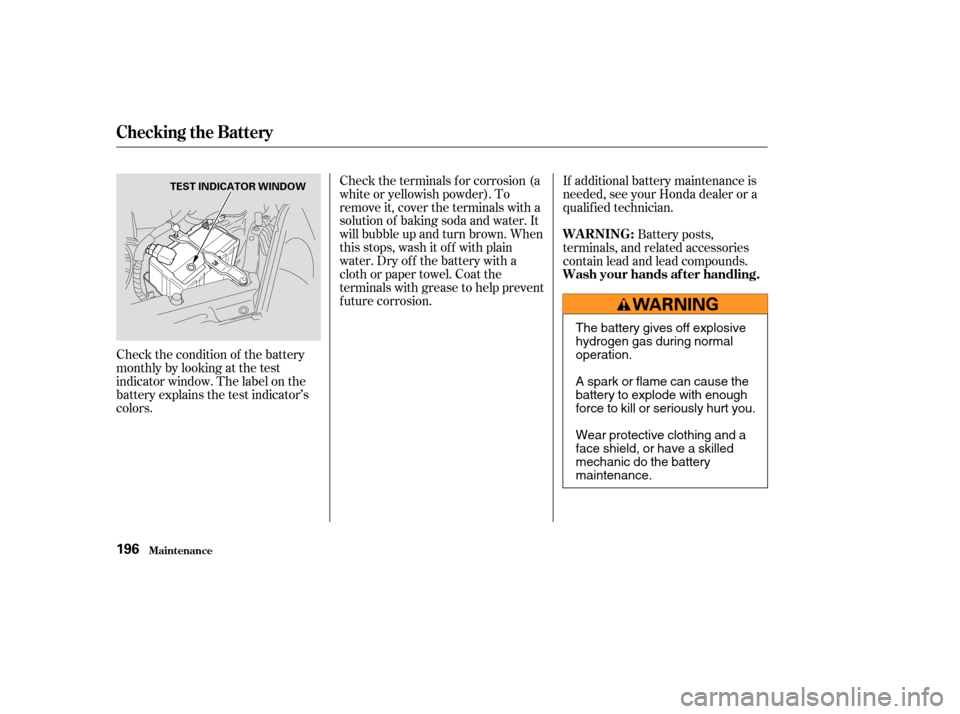
Check the condition of the battery
monthlybylookingatthetest
indicator window. The label on the
battery explains the test indicator’s
colors.Check the terminals f or corrosion (a
white or yellowish powder). To
remove it, cover the terminals with a
solution of baking soda and water. It
will bubble up and turn brown. When
this stops, wash it of f with plain
water. Dry off the battery with a
cloth or paper towel. Coat the
terminals with grease to help prevent
f uture corrosion.
If additional battery maintenance is
needed, see your Honda dealer or a
qualif ied technician.
Battery posts,
terminals, and related accessories
contain lead and lead compounds.
Checking the Battery
Maint enance
WARNING:
Wash your hands af ter handling.
196
TEST INDICATOR WINDOW
The battery gives off explosive
hydrogen gas during normal
operation.
A spark or flame can cause the
battery to explode with enough
force to kill or seriously hurt you.
Wear protective clothing and a
face shield, or have a skilled
mechanic do the battery
maintenance.
Page 204 of 256
If you have a f lat tire while driving,
stop in a saf e place to change it.
Drive slowly along the shoulder until
you get to an exit or an area to stop
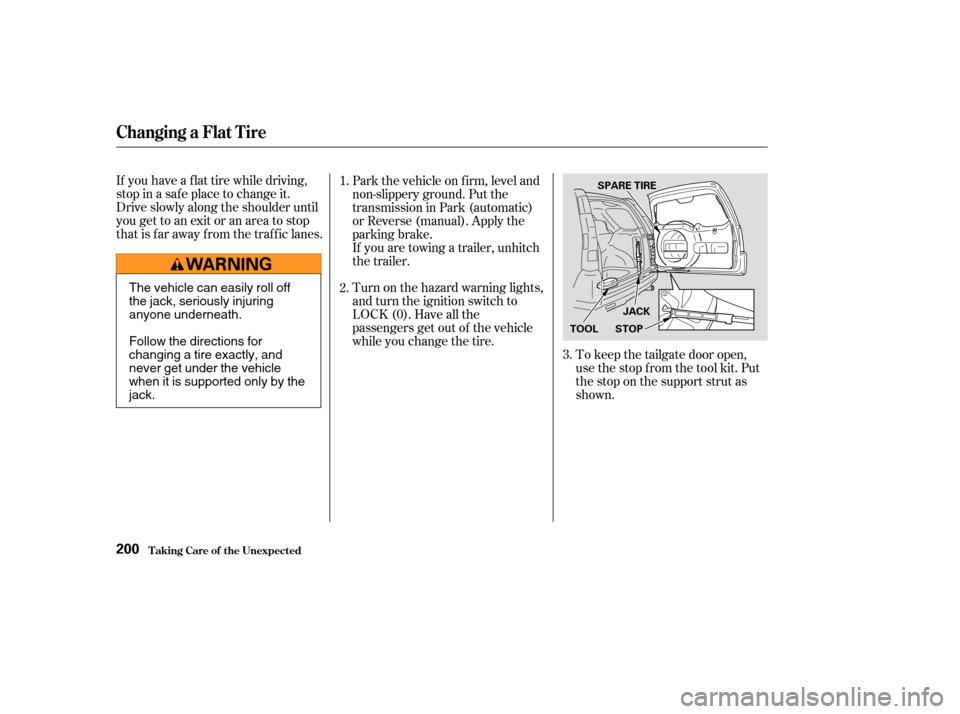
that is far away from the traffic lanes.To keep the tailgate door open,
use the stop f rom the tool kit. Put
the stop on the support strut as
shown.
Park the vehicle on f irm, level and
non-slippery ground. Put the
transmission in Park (automatic)
or Reverse (manual). Apply the
parking brake.
If you are towing a trailer, unhitch
the trailer.
Turn on the hazard warning lights,
and turn the ignition switch to
LOCK (0). Have all the
passengers get out of the vehicle
while you change the tire.
1.
2.
3.
Changing a Flat T ire
T aking Care of t he Unexpect ed200
JACK
STOP
SPARE TIRE
TOOL
The vehicle can easily roll off
the jack, seriously injuring
anyone underneath.
Follow the directions for
changing a tire exactly, and
never get under the vehicle
when it is supported only by the
jack.
Page 215 of 256

If you see steam and/or spray
coming f rom under the hood, turn
of f the engine. Wait until you see
no more signs of steam or spray,
then open the hood.If you do not see steam or spray,
leave the engine running and
watch the temperature gauge. If
the high heat is due to overloading,
the engine should start to cool
down almost immediately. If it
does, wait until the temperature
gauge comes down to the midpoint,
then continue driving.
If the temperature gauge stays at
the red mark, turn of f the engine.
The pointer of your vehicle’s
temperature gauge should stay in
the midrange. If it climbs to the red
mark, you should determine the
reason (hot day, driving up a steep
hill, etc.).
Saf ely pull to the side of the road.
Put the transmission in Neutral or
Park, and set the parking brake.
Turn of f all accessories, and turn
on the hazard warning lights.
If your vehicle overheats, you should
take immediate action. The only
indication may be the temperature
gauge climbing to or above the red
mark. Or you may see steam or
spray coming f rom under the hood.
1.
2.3.
4.
CONT INUED
If theEngineOverheats
T aking Care of t he Unexpect ed211
NOTICE:
Steam and spray from an
overheated engine can
seriously scald you.
Do not open the hood if steam
is coming out.
Driving with the temperature
gauge pointer at the red mark can
cause serious damage to your engine.
Page 217 of 256

Let the vehicle sit f or a minute.
Open the hood, and check the oil
level (see page ). An engine
very low on oil can lose pressure
during cornering and other driving
maneuvers.
If necessary, add oil to bring the
level back to the full mark on the
dipstick (see page ).If the charging system
indicator comes on brightly
when the engine is running, the
battery is not being charged.
Immediately turn of f all electrical
accessories. Try not to use other
electrically operated controls such as
the power windows. Keep the engine
running; starting the engine will
discharge the battery rapidly.
Go to a service station or garage
where you can get technical
assistance.
This light should never
come on when the engine is
running. If it starts f lashing or stays
on, the oil pressure has dropped very
low. Serious engine damage is
possible and you should take
immediate action. Saf ely pull of f the road, and shut
of f the engine. Turn on the hazard
warning lights.
Start the engine, and watch the oil
pressure light. If it does not go out
within ten seconds, turn off the
engine. There is a mechanical
problem that needs to be repaired
bef ore you can continue driving.
(See
on page
).
1.
2.
4. 3.
173
216 127
L ow Oil Pressure Indicator
Emergency T owingCharging System Indicator
L ow Oil Pressure Indicator, Charging System Indicator
T aking Care of t he Unexpect ed213
NOTICE:
Running the engine with low
oil pressure can cause serious
mechanical damage almost immediately.
Turn of f the engine as soon as you can
saf ely get the vehicle stopped.
Page 232 of 256

�µ
The tires on your vehicle meet all
U.S. Federal Saf ety Requirements.
All tires are also graded f or
treadwear, traction, and temperature
perf ormance according to
Department of Transportation
(DOT) standards. The f ollowing
explains these gradings.
Quality grades can be f ound where
applicable on the tire sidewall
between the tread shoulder and the
maximum section width. For
example: The treadwear grade is a compara-
tive rating based on the wear rate of
the tire when tested under controlled
conditions on a specif ied government
test course. For example, a tire
graded 150 would wear one and one-
half (1 1/2) times as well on the
government course as a tire graded
100. The relative perf ormance of
tires depends upon the actual condi-
tions of their use, however, and may
depart signif icantly f rom the norm
due to variations in driving habits,
service practices and dif f erences in
road characteristics and climate.The traction grades, f rom highest to
lowest, are AA, A, B, and C. Those
grades represent the tire’s ability to
stop on wet pavement as measured
under controlled conditions on
specif ied government test surf aces
of asphalt and concrete. A tire
marked C may have poor traction
perf ormance.
Warning: The traction grade
assignedtothistireisbasedon
straight-ahead braking traction tests,
and does not include acceleration,
cornering, hydroplaning, or peak
traction characteristics.
All passenger vehicle tires must
conf orm to Federal Saf ety
Requirements in addition to these
grades.
DOT T ire Quality Grading (U.S. Vehicles)
T echnical Inf ormation
T readwear 200
Traction AA
Temperature A
Unif orm T ire Quality Grading Treadwear
Traction AA, A, B, C
228