2004 GMC CANYON service
[x] Cancel search: servicePage 97 of 420
Ignition Positions
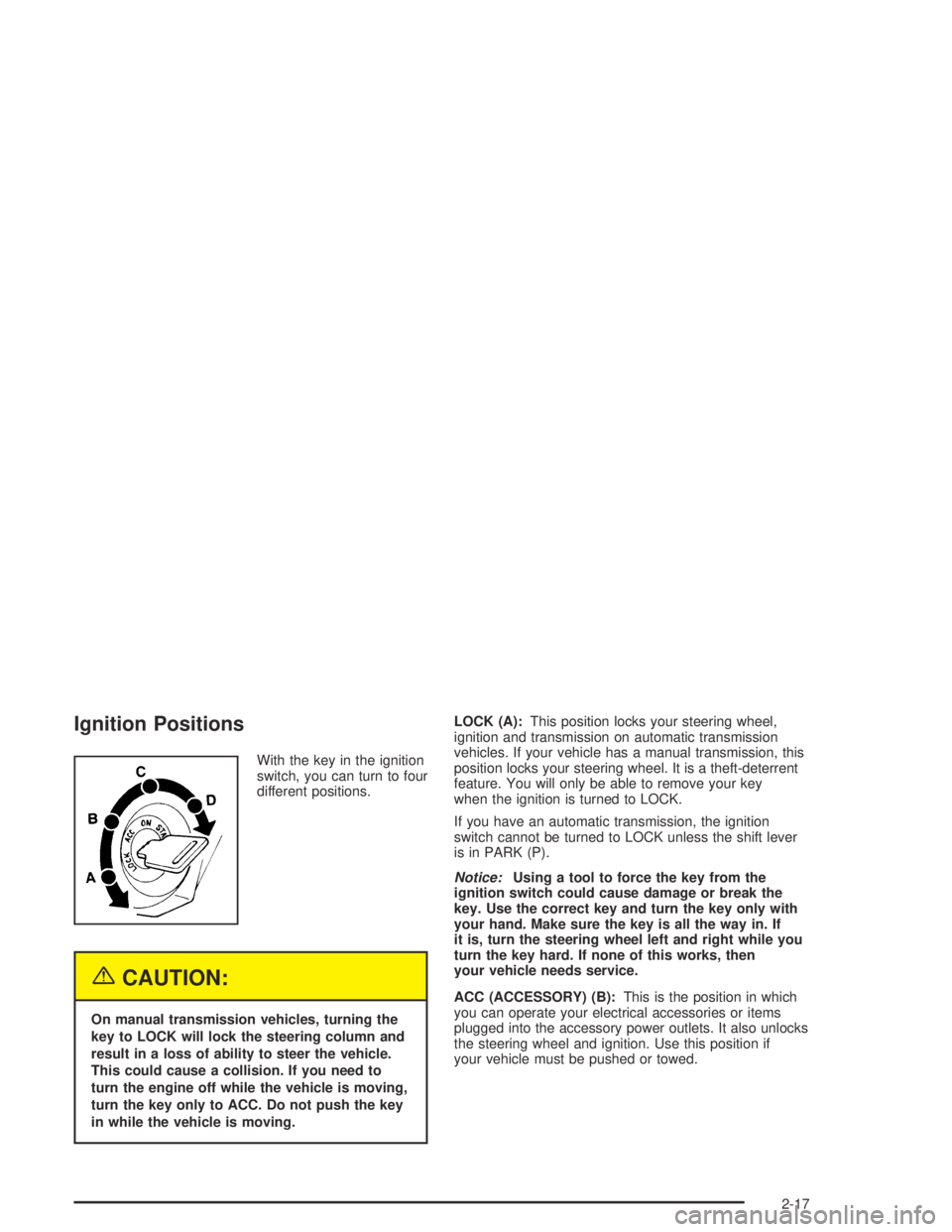
With the key in the ignition
switch, you can turn to four
different positions.
{CAUTION:
On manual transmission vehicles, turning the
key to LOCK will lock the steering column and
result in a loss of ability to steer the vehicle.
This could cause a collision. If you need to
turn the engine off while the vehicle is moving,
turn the key only to ACC. Do not push the key
in while the vehicle is moving.LOCK (A):This position locks your steering wheel,
ignition and transmission on automatic transmission
vehicles. If your vehicle has a manual transmission, this
position locks your steering wheel. It is a theft-deterrent
feature. You will only be able to remove your key
when the ignition is turned to LOCK.
If you have an automatic transmission, the ignition
switch cannot be turned to LOCK unless the shift lever
is in PARK (P).
Notice:Using a tool to force the key from the
ignition switch could cause damage or break the
key. Use the correct key and turn the key only with
your hand. Make sure the key is all the way in. If
it is, turn the steering wheel left and right while you
turn the key hard. If none of this works, then
your vehicle needs service.
ACC (ACCESSORY) (B):This is the position in which
you can operate your electrical accessories or items
plugged into the accessory power outlets. It also unlocks
the steering wheel and ignition. Use this position if
your vehicle must be pushed or towed.
2-17
Page 107 of 420
4n(4LO):This setting also engages your front axle to
give you extra traction. It sends the maximum power
to all four wheels. You might choose 4LO if you
were driving off-road in sand, mud or deep snow and
climbing or descending steep hills.
Indicator lights in the buttons show you which setting
you are in. The indicator lights will come on briey when
you turn on the ignition and one will stay on. If the
lights do not come on, you should take your vehicle in
for service. An indicator light will ash while shifting.
It will remain illuminated when the shift is completed.
If for some reason the transfer case cannot make
a requested shift, it will return to the last chosen setting.
Shifting from 2HI to 4HI
Press and release the 4HI button. This can be done at
any speed, and the front axle will lock automatically.
Shifting from 4HI to 2HI
Press and release the 2HI button. This can be done at
any speed, and the front axle will unlock automatically.
Shifting from 2HI or 4HI to 4LO
To shift from 2HI or 4HI to 4LO, the vehicle must be
stopped or moving less than 1.2 mph (2 km/h) with the
transmission in NEUTRAL (N) in vehicles equipped
with an automatic transmission or the clutch pedal
engaged in vehicles equipped with a manual
transmission. The preferred method for shifting into
4LO is to have your vehicle moving 1.2 mph (2 km/h).
Press and release the 4LO button. You must wait for
the 4LO indicator light to stop ashing and remain
illuminated before shifting your transmission into gear or
releasing the clutch pedal.
If the 4LO button is pressed when your vehicle is in
gear and/or moving, the 4LO indicator light will ash for
30 seconds and not complete the shift.
On automatic transmission equipped vehicles, if your
transfer case does not shift into 4LO, your transmission
indicator switch may require adjustment. With your
transmission in NEUTRAL (N), press and release the
4LO button. While the 4LO indicator light is ashing, shift
your transmission into PARK (P). Press 4LO again.
Wait until the 4LO indicator light remains illuminated
before shifting your transmission into gear. Press
the 4LO button again to complete the shift. This will get
you into 4LO, but you should take your vehicle in for
service to restore normal operation.
2-27
Page 108 of 420

Shifting from 4LO to 2HI or 4HI
To shift from 4LO to 2HI or 4HI, your vehicle must be
stopped or moving less than 1.2 mph (2 km/h) with
the transmission in NEUTRAL (N) or the clutch pedal
engaged. The preferred method for shifting out of 4LO
is to have your vehicle moving 1.2 mph (2 km/h).
Press and release the 4HI button. You must wait for
the 4HI indicator light to stop ashing and remain
illuminated before shifting your transmission into gear
or releasing the clutch pedal.
If the 4HI button is pressed when your vehicle is in gear
and/or moving, the 4HI indicator light will ash for
30 seconds but not complete the shift.
On vehicles with an automatic transmission, if your
transfer case does not shift into 4HI, your transmission
indicator switch may require adjustment. With your
transmission in NEUTRAL (N), press and release the
4HI button. While the 4HI indicator light is ashing, shift
your transmission into PARK (P). Wait until the 4HI
indicator light remains illuminated before shifting your
transmission into gear. Press the 4HI button again
to complete the shift. This will get you into 4HI, but you
should take your vehicle in for service to restore
normal operation.
Shifting to NEUTRAL
Use NEUTRAL when you plan to tow your vehicle.
SeeRecreational Vehicle Towing on page 4-47
for towing instructions. To shift the transfer case into
NEUTRAL, set the parking brake, then press and hold
the 2HI and the 4LO buttons at the same time for
10 seconds.
Shifting out of NEUTRAL
After towing your vehicle, you will have to shift out of
NEUTRAL in order to drive. To shift out of NEUTRAL,
do the following:
1. Set the parking brake and apply the regular brake
pedal. SeeParking Brake on page 2-29for more
information.
2. Start a vehicle with an automatic transmission in
PARK (P). Use FIRST (1) for vehicles with a
manual transmission.
3. Put an automatic transmission in NEUTRAL (N) or
press the clutch pedal for vehicles with a manual
transmission.
4. Press the button for the desired transfer case
position (2HI, 4HI or 4LO).
5. Shift the transmission to the desired gear. After the
transfer case has shifted out of NEUTRAL, the
indicator light will go out.
A re-engagement sound is normal when shifting out
of NEUTRAL.
2-28
Page 116 of 420

Mirrors
Manual Rearview Mirror
You can adjust the mirror for day or night driving.
Press the tab forward (away from you) for day driving.
Pull the tab back (toward you) for night driving.
The mirror may have lamps. To manually turn the lamps
on or off, press the button next to each lamp.
Manual Rearview Mirror with
OnStar
®
Your vehicle may have a manual rearview mirror with
the OnStar®System and map lamps.
Mirror Operation
You can adjust the mirror for day or night driving.
Press the tab forward (away from you) for day driving.
Pull the tab back (toward you) for night driving.
There are also three OnStar
®buttons located at the
bottom of the mirror. See your dealer for more
information on the system and how to subscribe to
OnStar
®. SeeOnStar®System on page 2-41for more
information about the services OnStar®provides.
Map Lamps
The mirror has map lamps located at the bottom of the
mirror. To manually turn the lamps on or off, press the
button next to each lamp.
Cleaning the Mirror
When cleaning the mirror, use a paper towel or similar
material dampened with glass cleaner. Do not spray
glass cleaner directly on the mirror housing.
2-36
Page 121 of 420
OnStar®System
Your vehicle may have this feature. OnStar®uses
global positioning system (GPS) satellite technology,
wireless communications, and state of the art call
centers to provide you with a wide range of safety,
security, information and convenience services.
A complete OnStar
®user’s guide and the terms and
conditions of the OnStar®Subscription Service
Agreement are included in your OnStar®-equipped
vehicle’s glove box literature. For more information, visit
www.onstar.com, contact OnStar
®at 1-888-4-ONSTAR
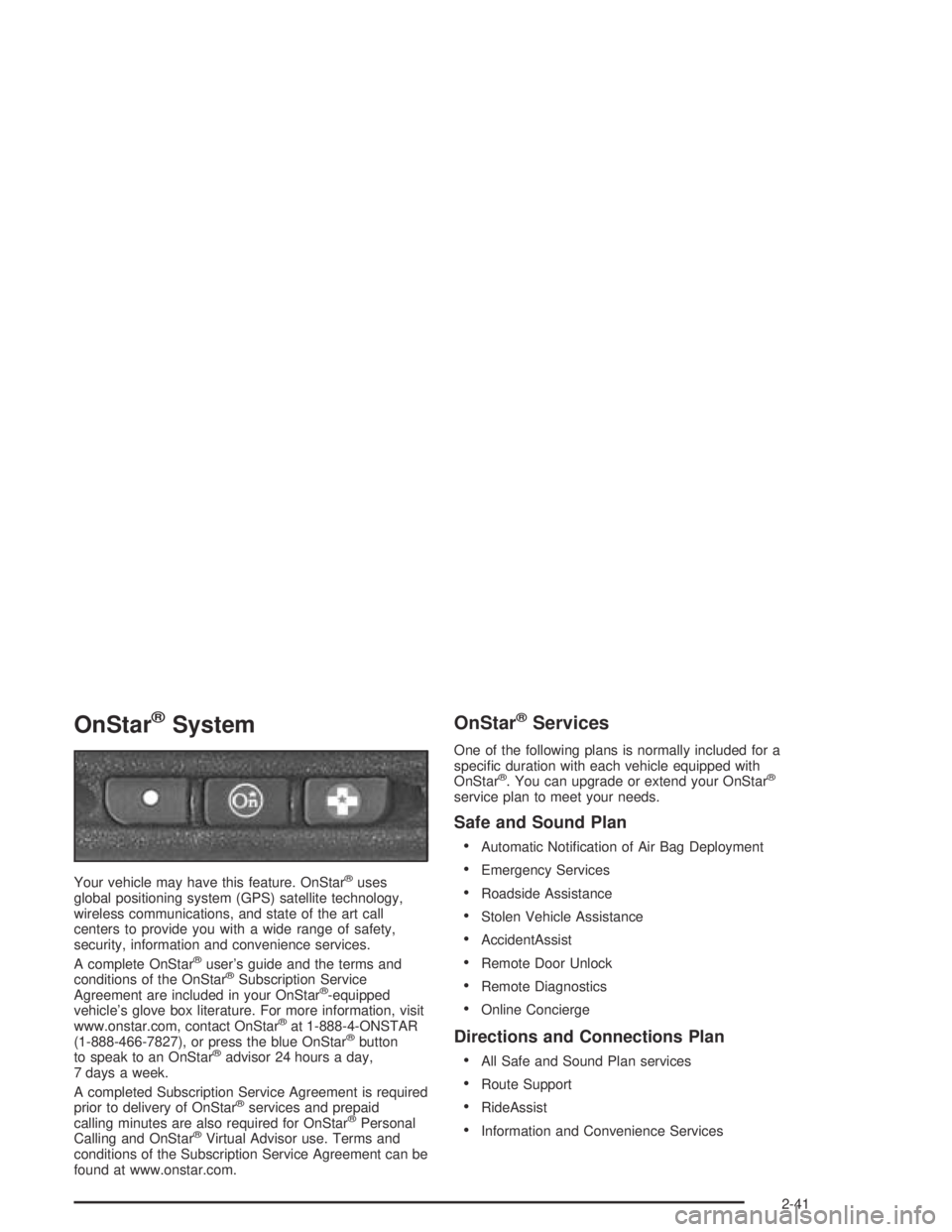
(1-888-466-7827), or press the blue OnStar®button
to speak to an OnStar®advisor 24 hours a day,
7 days a week.
A completed Subscription Service Agreement is required
prior to delivery of OnStar
®services and prepaid
calling minutes are also required for OnStar®Personal
Calling and OnStar®Virtual Advisor use. Terms and
conditions of the Subscription Service Agreement can be
found at www.onstar.com.
OnStar®Services
One of the following plans is normally included for a
specic duration with each vehicle equipped with
OnStar
®. You can upgrade or extend your OnStar®
service plan to meet your needs.
Safe and Sound Plan
Automatic Notication of Air Bag Deployment
Emergency Services
Roadside Assistance
Stolen Vehicle Assistance
AccidentAssist
Remote Door Unlock
Remote Diagnostics
Online Concierge
Directions and Connections Plan
All Safe and Sound Plan services
Route Support
RideAssist
Information and Convenience Services
2-41
Page 122 of 420
Luxury and Leisure Plan
All Directions and Connections Plan services
Personal Concierge
OnStar®Personal Calling
With OnStar®Personal Calling, you have a safer way to
stay connected while driving. It’s a hands-free wireless
phone that’s integrated into your vehicle. You can place
calls nationwide using voice-activated dialing with no
contracts and no additional roaming charges. To nd out
more about OnStar
®Personal Calling, refer to the
OnStar®owner’s guide in your vehicle’s glove box, or
call OnStar®at 1-888-4-ONSTAR (1-888-466-7827).
OnStar®Virtual Advisor
With OnStar®Virtual Advisor you can listen to your
favorite news, entertainment and information topics,
such as traffic and weather reports. You are able
to listen and reply to your e-mail through your vehicle’s
speakers.
Storage Areas
Glove Box
To open the glove box, pull on the lever.
Cupholder(s)
Front Cupholders
Your vehicle may have two cupholders located on the
lower part of the front doors as well as two cupholders
located at the front end of the console. Vehicles
with bench seats may have cupholders attached to the
front of the center seat.
Rear Cupholders
If your vehicle is an extended cab or crew cab model,
your vehicle also has two rear cupholders. On crew cab
models, the cupholders are located at the front end
of the rear center seat cushion. On extended cab
models, the rear seat cupholders are located on top of
the rear center console.
2-42
Page 149 of 420

Air Bag Readiness Light
There is an air bag readiness light on the instrument
panel, which shows the air bag symbol. The system
checks the air bag’s electrical system for malfunctions.
The light tells you if there is an electrical problem.
The system check includes the air bag sensors, the air
bag modules, the wiring and the crash sensing and
diagnostic module. For more information on the air bag
systems, seeAir Bag Systems on page 1-60.
This light will come on
when you start your
vehicle, and it will ash
for a few seconds.
Then the light should go
out. This means the
system is ready.
If the air bag readiness light stays on after you start the
vehicle or comes on when you are driving, your air
bag system may not work properly. Have your vehicle
serviced right away.{CAUTION:
If the air bag readiness light stays on after you
start your vehicle, it means the air bag system
may not be working properly. The air bags in
your vehicle may not inate in a crash, or they
could even inate without a crash. To help
avoid injury to yourself or others, have your
vehicle serviced right away if the air bag
readiness light stays on after you start your
vehicle.
The air bag readiness light should ash for a few
seconds when you turn the ignition key to RUN. If the
light doesn’t come on then, have it xed so it will
be ready to warn you if there is a problem.
3-25
Page 151 of 420
{CAUTION:
If the air bag readiness light ever comes on
when you have turned off the air bag, it means
that something may be wrong with the air bag
system. The right front passenger’s frontal air
bag could inate even though the switch is off.
If this ever happens, do not let anyone whom
the national government has identied as a
member of a passenger air bag risk group sit
in the right front passenger’s position (for
example, do not secure a rear-facing child
restraint in the right front passenger’s seat)
until you have your vehicle serviced.
Battery Warning Light
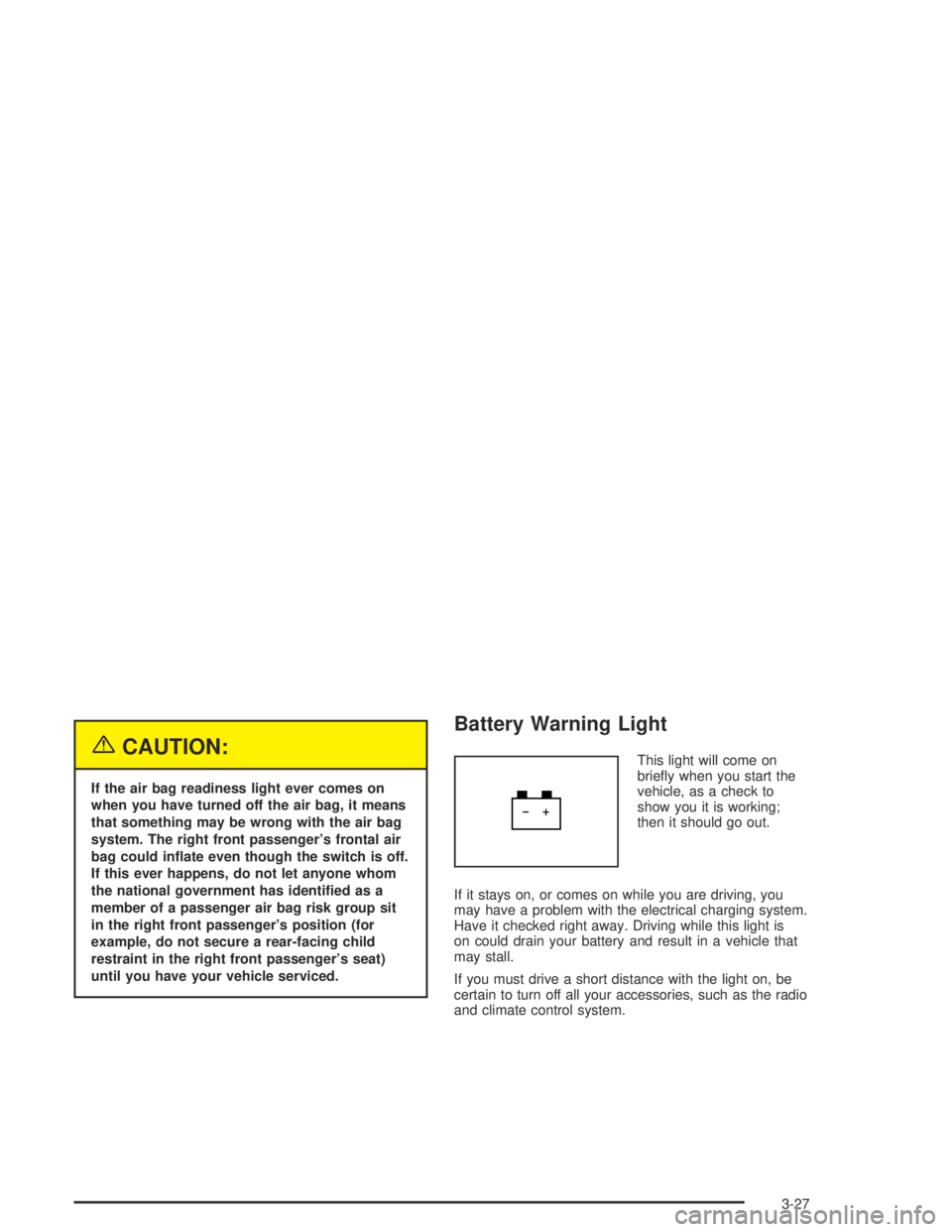
This light will come on
briey when you start the
vehicle, as a check to
show you it is working;
then it should go out.
If it stays on, or comes on while you are driving, you
may have a problem with the electrical charging system.
Have it checked right away. Driving while this light is
on could drain your battery and result in a vehicle that
may stall.
If you must drive a short distance with the light on, be
certain to turn off all your accessories, such as the radio
and climate control system.
3-27