Page 47 of 296
Changing the wiper blades
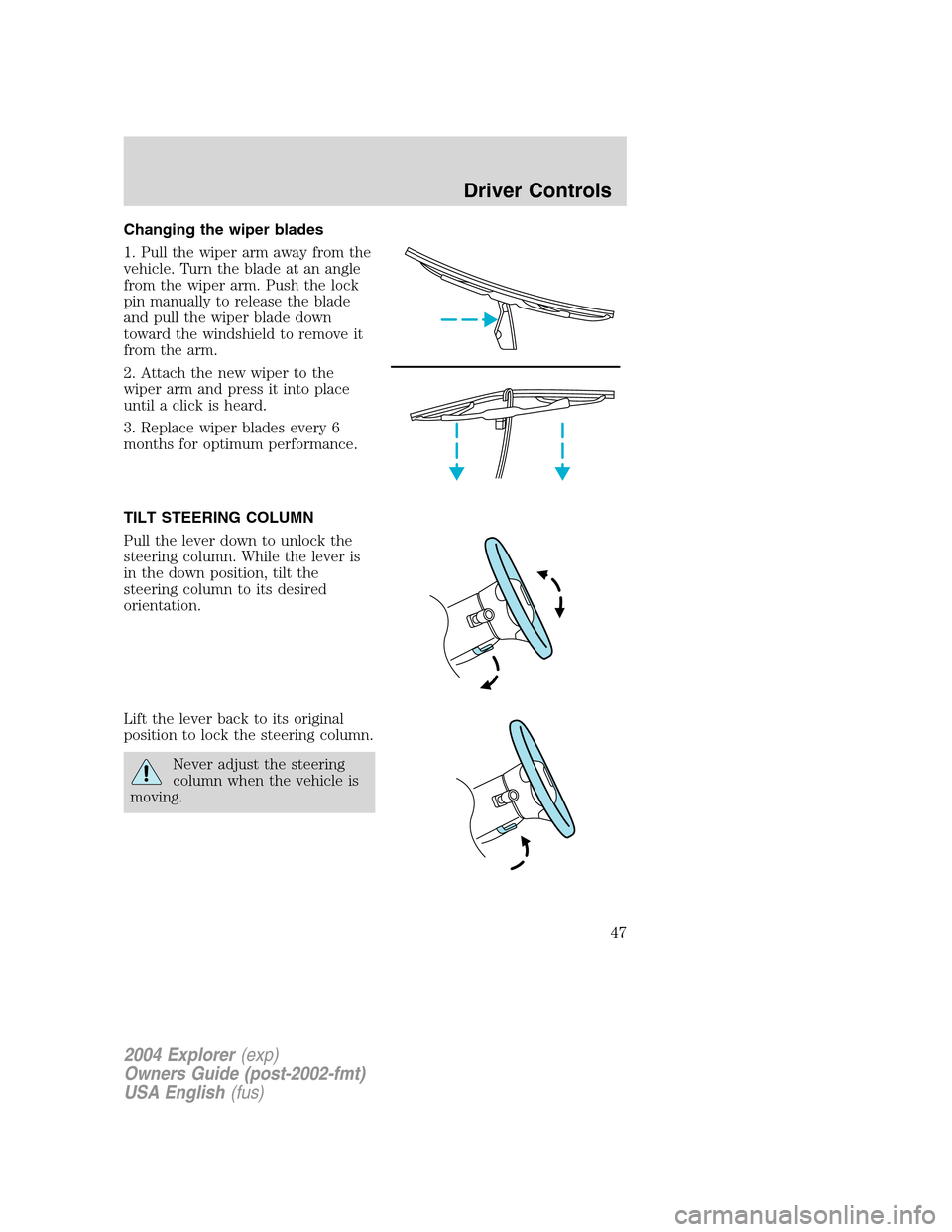
1. Pull the wiper arm away from the
vehicle. Turn the blade at an angle
from the wiper arm. Push the lock
pin manually to release the blade
and pull the wiper blade down
toward the windshield to remove it
from the arm.
2. Attach the new wiper to the
wiper arm and press it into place
until a click is heard.
3. Replace wiper blades every 6
months for optimum performance.
TILT STEERING COLUMN
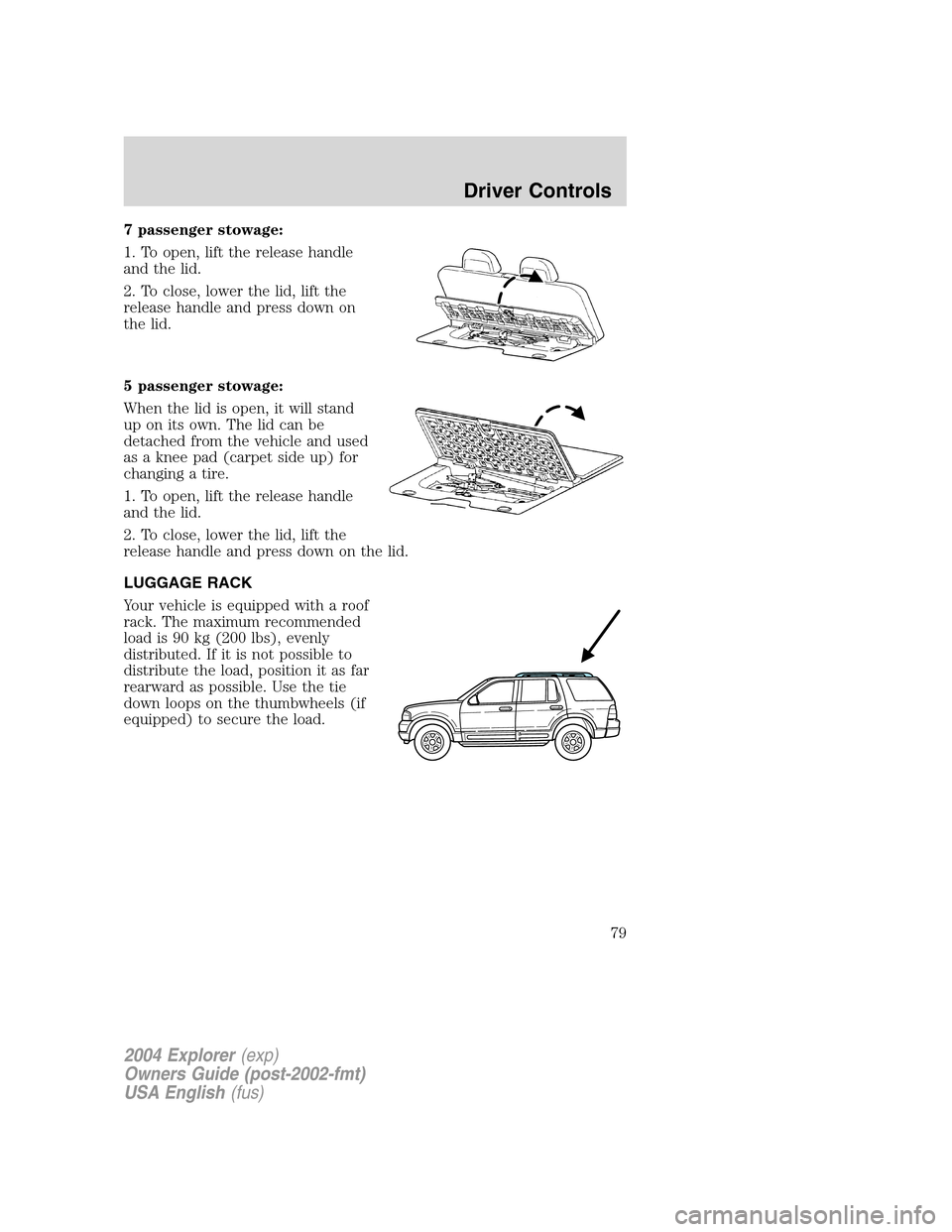
Pull the lever down to unlock the
steering column. While the lever is
in the down position, tilt the
steering column to its desired
orientation.
Lift the lever back to its original
position to lock the steering column.
Never adjust the steering
column when the vehicle is
moving.
2004 Explorer(exp)
Owners Guide (post-2002-fmt)
USA English(fus)
Driver Controls
47
Page 54 of 296
POWER ADJUSTABLE FOOT PEDALS (IF EQUIPPED)
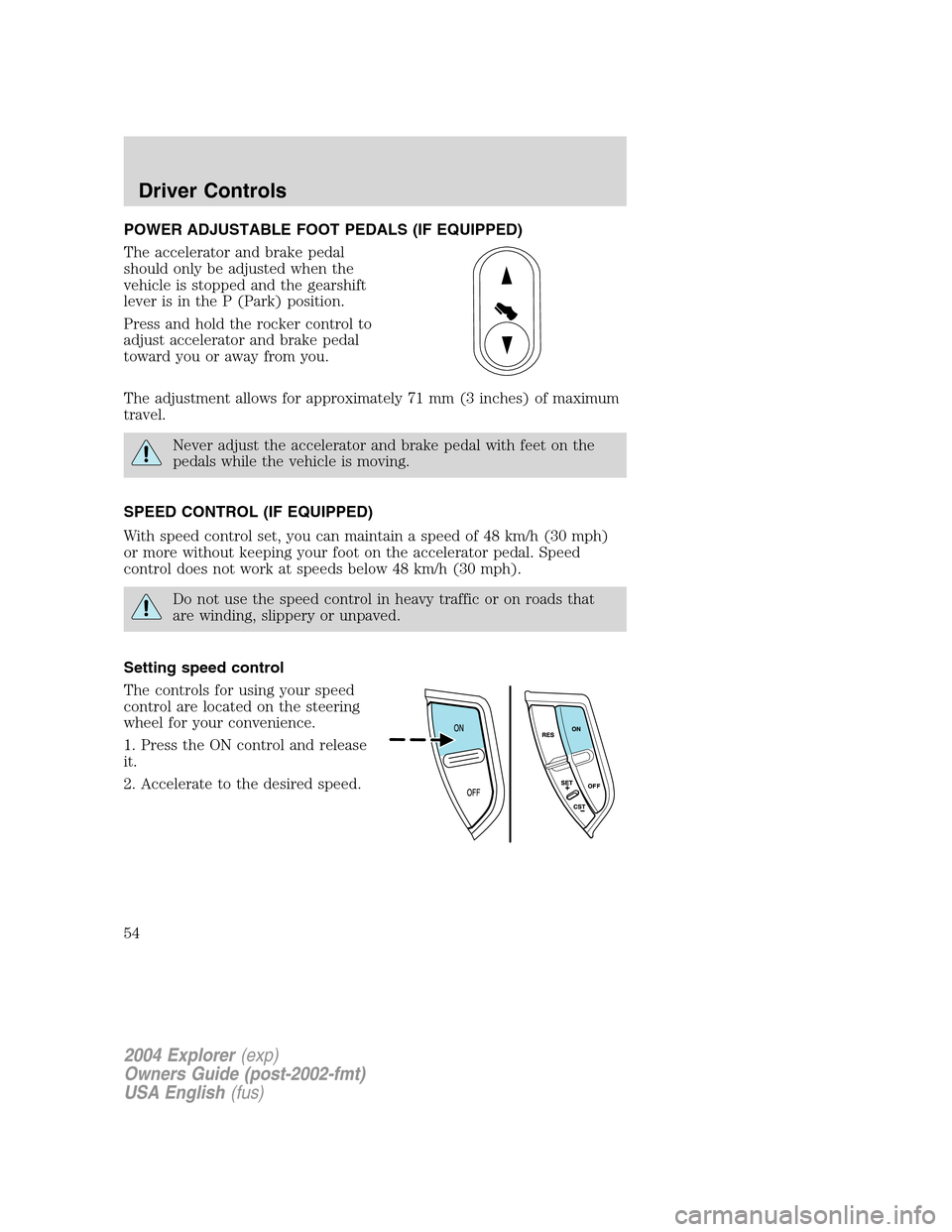
The accelerator and brake pedal
should only be adjusted when the
vehicle is stopped and the gearshift
lever is in the P (Park) position.
Press and hold the rocker control to
adjust accelerator and brake pedal
toward you or away from you.
The adjustment allows for approximately 71 mm (3 inches) of maximum
travel.
Never adjust the accelerator and brake pedal with feet on the
pedals while the vehicle is moving.
SPEED CONTROL (IF EQUIPPED)
With speed control set, you can maintain a speed of 48 km/h (30 mph)
or more without keeping your foot on the accelerator pedal. Speed
control does not work at speeds below 48 km/h (30 mph).
Do not use the speed control in heavy traffic or on roads that
are winding, slippery or unpaved.
Setting speed control
The controls for using your speed
control are located on the steering
wheel for your convenience.
1. Press the ON control and release
it.
2. Accelerate to the desired speed.
2004 Explorer(exp)
Owners Guide (post-2002-fmt)
USA English(fus)
Driver Controls
54
Page 59 of 296
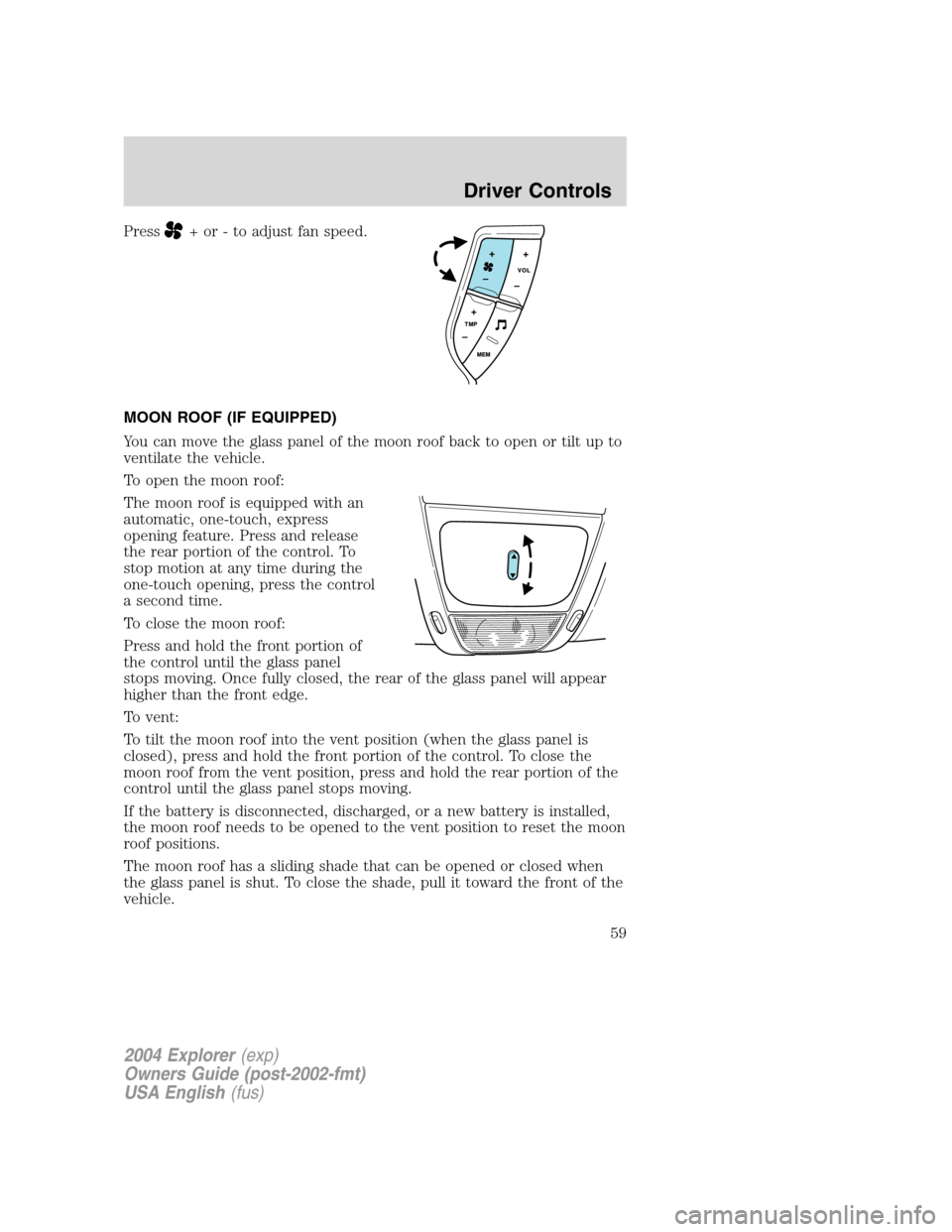
Press+ or - to adjust fan speed.
MOON ROOF (IF EQUIPPED)
You can move the glass panel of the moon roof back to open or tilt up to
ventilate the vehicle.
To open the moon roof:
The moon roof is equipped with an
automatic, one-touch, express
opening feature. Press and release
the rear portion of the control. To
stop motion at any time during the
one-touch opening, press the control
a second time.
To close the moon roof:
Press and hold the front portion of
the control until the glass panel
stops moving. Once fully closed, the rear of the glass panel will appear
higher than the front edge.
To vent:
To tilt the moon roof into the vent position (when the glass panel is
closed), press and hold the front portion of the control. To close the
moon roof from the vent position, press and hold the rear portion of the
control until the glass panel stops moving.
If the battery is disconnected, discharged, or a new battery is installed,
the moon roof needs to be opened to the vent position to reset the moon
roof positions.
The moon roof has a sliding shade that can be opened or closed when
the glass panel is shut. To close the shade, pull it toward the front of the
vehicle.
2004 Explorer(exp)
Owners Guide (post-2002-fmt)
USA English(fus)
Driver Controls
59
Page 73 of 296
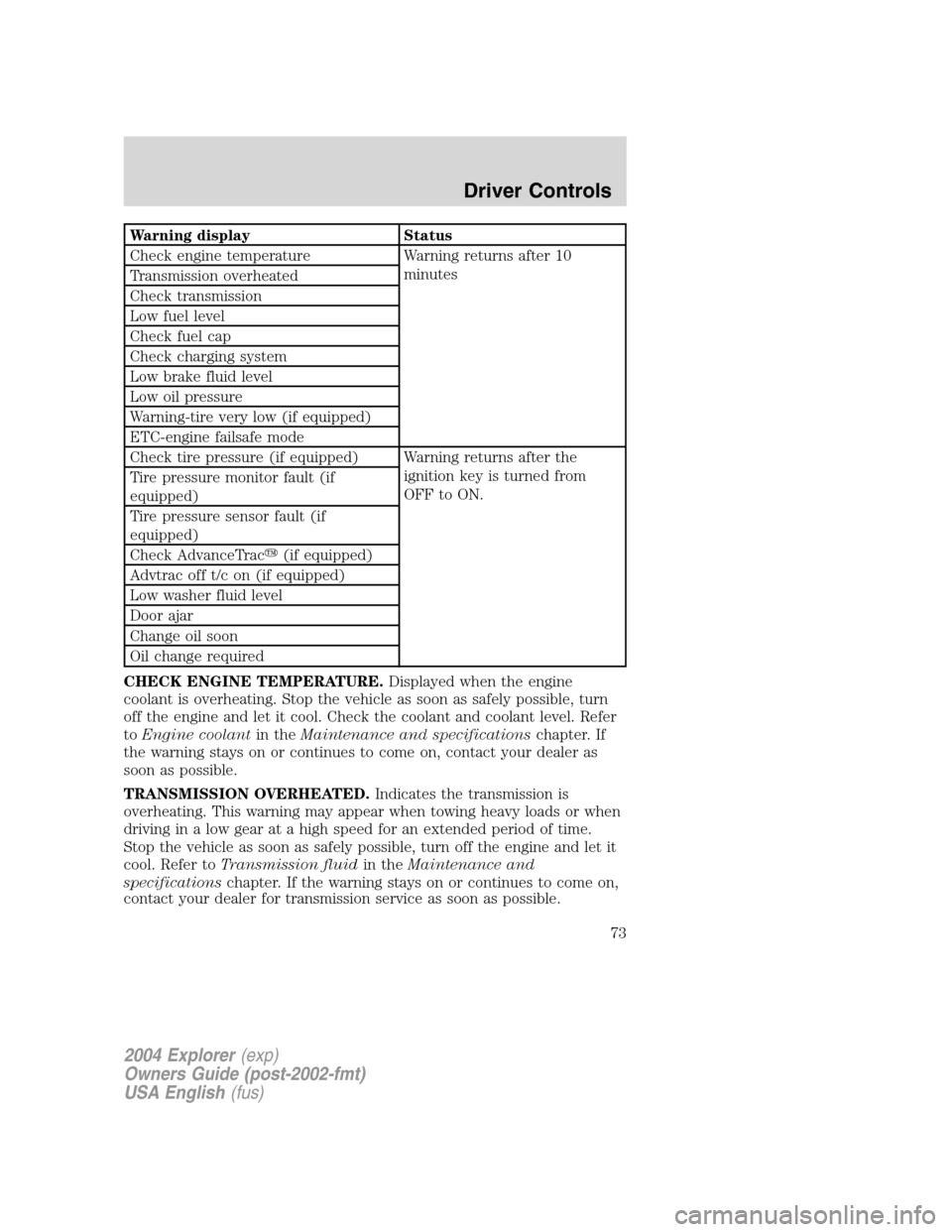
Warning display Status
Check engine temperature Warning returns after 10
minutes
Transmission overheated
Check transmission
Low fuel level
Check fuel cap
Check charging system
Low brake fluid level
Low oil pressure
Warning-tire very low (if equipped)
ETC-engine failsafe mode
Check tire pressure (if equipped) Warning returns after the
ignition key is turned from
OFF to ON. Tire pressure monitor fault (if
equipped)
Tire pressure sensor fault (if
equipped)
Check AdvanceTrac�(if equipped)
Advtrac off t/c on (if equipped)
Low washer fluid level
Door ajar
Change oil soon
Oil change required
CHECK ENGINE TEMPERATURE.Displayed when the engine
coolant is overheating. Stop the vehicle as soon as safely possible, turn
off the engine and let it cool. Check the coolant and coolant level. Refer
toEngine coolantin theMaintenance and specificationschapter. If
the warning stays on or continues to come on, contact your dealer as
soon as possible.
TRANSMISSION OVERHEATED.Indicates the transmission is
overheating. This warning may appear when towing heavy loads or when
driving in a low gear at a high speed for an extended period of time.
Stop the vehicle as soon as safely possible, turn off the engine and let it
cool. Refer toTransmission fluidin theMaintenance and
specificationschapter. If the warning stays on or continues to come on,
contact your dealer for transmission service as soon as possible.
2004 Explorer(exp)
Owners Guide (post-2002-fmt)
USA English(fus)
Driver Controls
73
Page 79 of 296
7 passenger stowage:
1. To open, lift the release handle
and the lid.
2. To close, lower the lid, lift the
release handle and press down on
the lid.
5 passenger stowage:
When the lid is open, it will stand
up on its own. The lid can be
detached from the vehicle and used
as a knee pad (carpet side up) for
changing a tire.
1. To open, lift the release handle
and the lid.
2. To close, lower the lid, lift the
release handle and press down on the lid.
LUGGAGE RACK
Your vehicle is equipped with a roof
rack. The maximum recommended
load is 90 kg (200 lbs), evenly
distributed. If it is not possible to
distribute the load, position it as far
rearward as possible. Use the tie
down loops on the thumbwheels (if
equipped) to secure the load.
2004 Explorer(exp)
Owners Guide (post-2002-fmt)
USA English(fus)
Driver Controls
79
Page 84 of 296
Memory seats/adjustable pedals/easy entry-exit feature
(if equipped)
The remote entry system can also control the memory seat /adjustable
pedals/easy entry-exit feature.
Press
to automatically move the seat and adjustable pedals to the
desired memory position (the seat position corresponds to the
transmitter being used).
Activating the memory seat feature
To activate this feature:
1. Position the seat and adjustable pedals to the position desired.
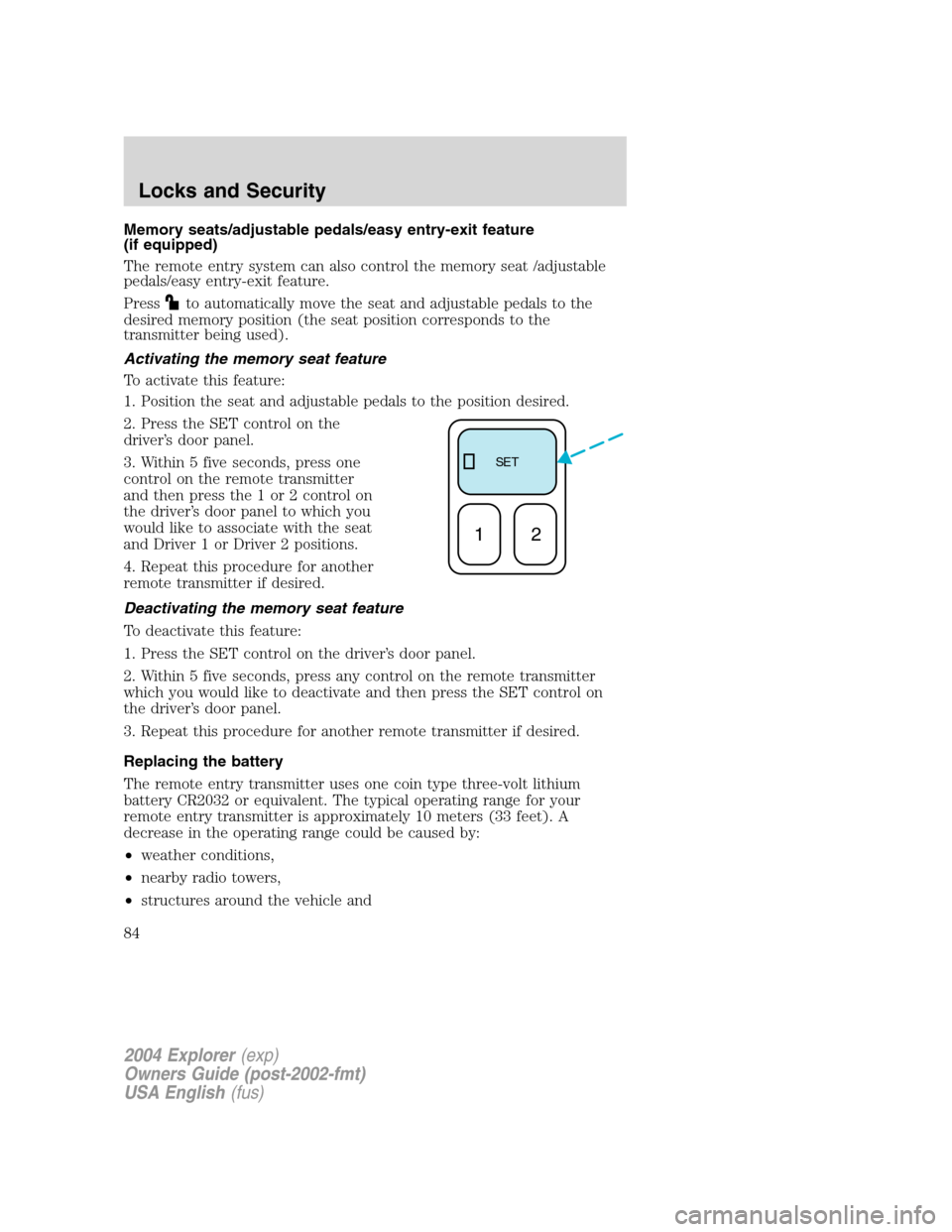
2. Press the SET control on the
driver’s door panel.
3. Within 5 five seconds, press one
control on the remote transmitter
and then press the 1 or 2 control on
the driver’s door panel to which you
would like to associate with the seat
and Driver 1 or Driver 2 positions.
4. Repeat this procedure for another
remote transmitter if desired.
Deactivating the memory seat feature
To deactivate this feature:
1. Press the SET control on the driver’s door panel.
2. Within 5 five seconds, press any control on the remote transmitter
which you would like to deactivate and then press the SET control on
the driver’s door panel.
3. Repeat this procedure for another remote transmitter if desired.
Replacing the battery
The remote entry transmitter uses one coin type three-volt lithium
battery CR2032 or equivalent. The typical operating range for your
remote entry transmitter is approximately 10 meters (33 feet). A
decrease in the operating range could be caused by:
•weather conditions,
•nearby radio towers,
•structures around the vehicle and
SE T
12
2004 Explorer(exp)
Owners Guide (post-2002-fmt)
USA English(fus)
Locks and Security
84
Page 91 of 296
Theft indicator
The theft indicator is located on top of the instrument panel.
•When the ignition is in the OFF position, the indicator will flash once
every 2 seconds to indicate the SecuriLock�system is functioning as
a theft deterrent.
•When the ignition is in the ON position, the indicator will glow for 3
seconds to indicate normal system functionality.
If a problem occurs with the SecuriLock�system, the indicator will flash
rapidly or glow steadily when the ignition is in the ON position. If this
occurs, the vehicle should be taken to an authorized dealer for service.
Automatic arming
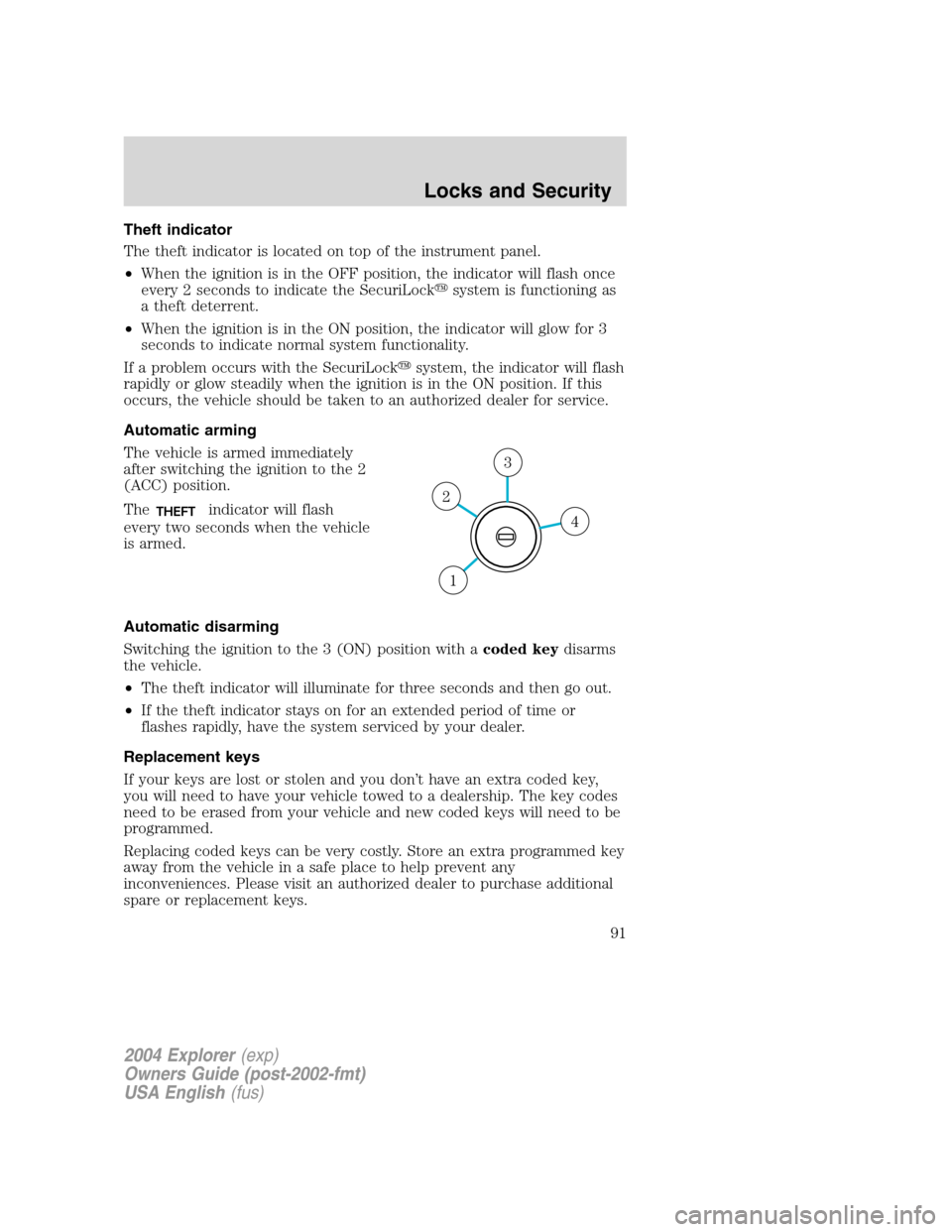
The vehicle is armed immediately
after switching the ignition to the 2
(ACC) position.
The
THEFTindicator will flash
every two seconds when the vehicle
is armed.
Automatic disarming
Switching the ignition to the 3 (ON) position with acoded keydisarms
the vehicle.
•The theft indicator will illuminate for three seconds and then go out.
•If the theft indicator stays on for an extended period of time or
flashes rapidly, have the system serviced by your dealer.
Replacement keys
If your keys are lost or stolen and you don’t have an extra coded key,
you will need to have your vehicle towed to a dealership. The key codes
need to be erased from your vehicle and new coded keys will need to be
programmed.
Replacing coded keys can be very costly. Store an extra programmed key
away from the vehicle in a safe place to help prevent any
inconveniences. Please visit an authorized dealer to purchase additional
spare or replacement keys.4
3
2
1
2004 Explorer(exp)
Owners Guide (post-2002-fmt)
USA English(fus)
Locks and Security
91
Page 98 of 296
Using the manual lumbar support
For more lumbar support, turn the
lumbar support control toward the
front of vehicle.
For less lumbar support, turn the
lumbar support control toward the
rear of vehicle.
Heated seats (if equipped)
To operate the heated seats:
•Push control located on the seat
to activate.
•Push again to deactivate.
The heated seat icon in the dual electronic automatic temperature
control (DEATC) will illuminate when activated.
2004 Explorer(exp)
Owners Guide (post-2002-fmt)
USA English(fus)
Seating and Safety Restraints
98