Page 6 of 344

SPECIAL NOTICES
Emission warranty
The New Vehicle Limited Warranty includes Bumper-to-Bumper
Coverage, Safety Restraint Coverage, Corrosion Coverage, and 6.0L
Power Stroke Diesel Engine Coverage. In addition, your vehicle is eligible
for Emissions Defect and Emissions Performance Warranties. For a
detailed description of what is covered and what is not covered, refer to
theWarranty Guidethat is provided to you along with your Owner’s
Guide.
Data Recording
Computers in your vehicle are capable of recording detailed data
potentially including but not limited to information such as:
•the use of restraint systems including seat belts by the driver and
passengers,
•information about the performance of various systems and modules in
the vehicle, and
•information related to engine, throttle, steering, brake or other system
status.
Any of this information could potentially include information regarding
how the driver operates the vehicle, potentially including but not limited
to information regarding vehicle speed, brake or accelerator application,
or steering input. This information may be stored during regular
operation or in a crash or near crash event.
This stored information may be read out and used by:
•Ford Motor Company.
•service and repair facilities.
•law enforcement or government agencies.
•others who may assert a right or obtain your consent to know such
information.
Special instructions
For your added safety, your vehicle is fitted with sophisticated electronic
controls.
Please read the sectionSupplemental Restraint System (SRS)
in theSeating and safety restraintschapter. Failure to follow
the specific warnings and instructions could result in personal injury.
2004 Expedition(exd)
Owners Guide (post-2002-fmt)
USA English(fus)
Introduction
6
Page 8 of 344
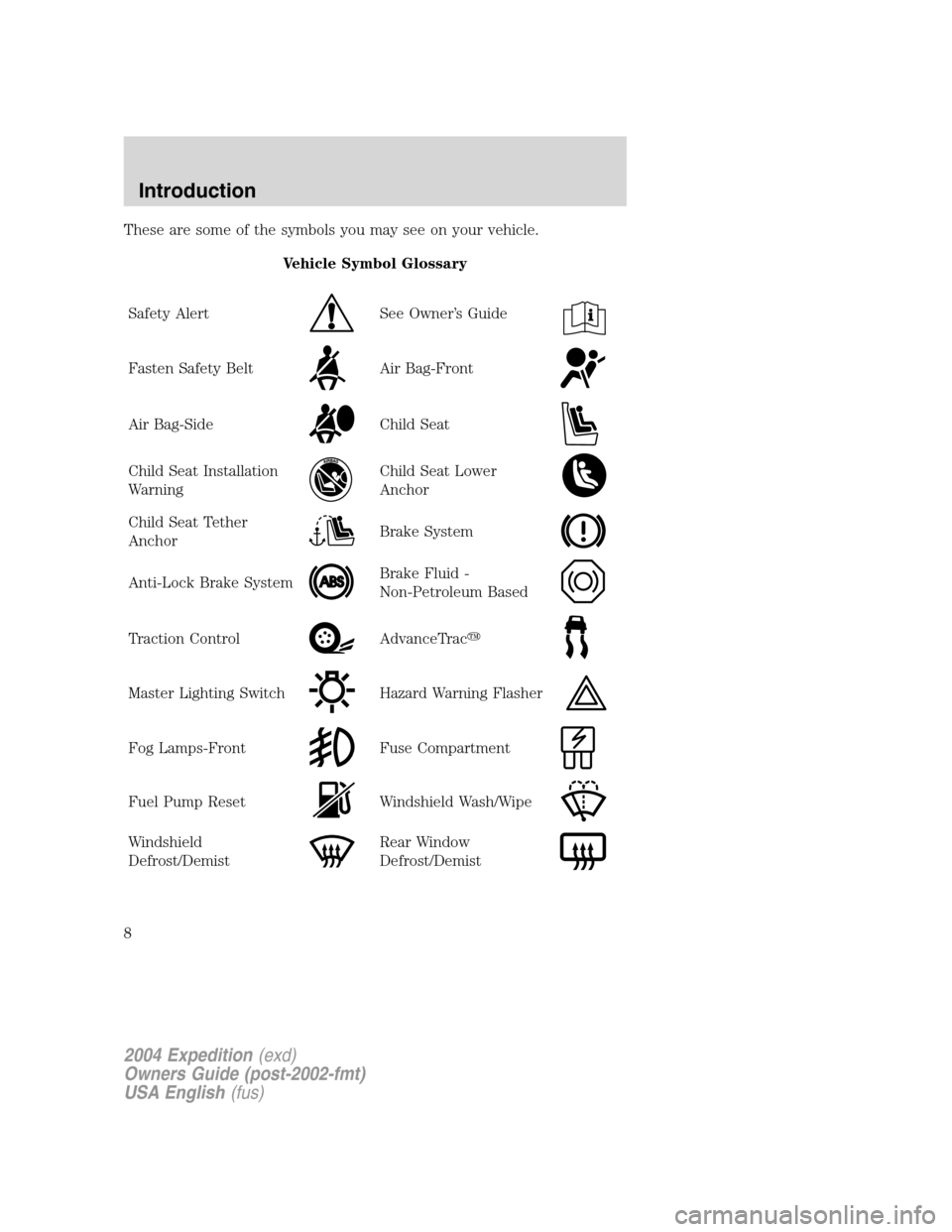
These are some of the symbols you may see on your vehicle.
Vehicle Symbol Glossary
Safety Alert
See Owner’s Guide
Fasten Safety BeltAir Bag-Front
Air Bag-SideChild Seat
Child Seat Installation
WarningChild Seat Lower
Anchor
Child Seat Tether
AnchorBrake System
Anti-Lock Brake SystemBrake Fluid -
Non-Petroleum Based
Traction ControlAdvanceTrac�
Master Lighting SwitchHazard Warning Flasher
Fog Lamps-FrontFuse Compartment
Fuel Pump ResetWindshield Wash/Wipe
Windshield
Defrost/DemistRear Window
Defrost/Demist
2004 Expedition(exd)
Owners Guide (post-2002-fmt)
USA English(fus)
Introduction
8
Page 11 of 344
when the ignition is turned to the ON position. If the brake system
warning light does not illuminate at this time, seek service immediately
from your dealership. Illumination after releasing the parking brake
indicates low brake fluid level and the brake system should be inspected
immediately by your servicing dealership.
Driving a vehicle with the brake system warning light on is
dangerous. A significant decrease in braking performance may
occur. It will take you longer to stop the vehicle. Have the vehicle
checked by your dealer immediately.
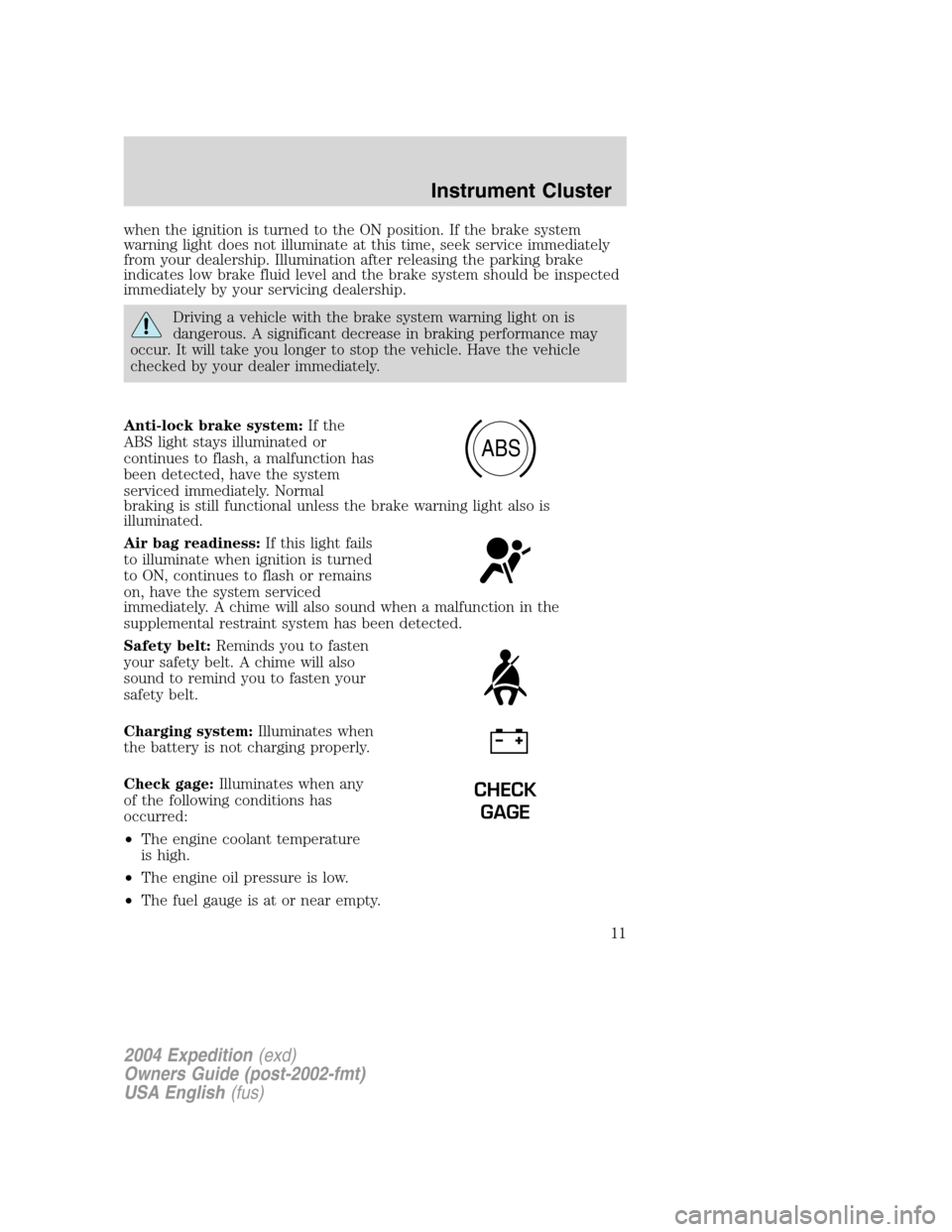
Anti-lock brake system:If the
ABS light stays illuminated or
continues to flash, a malfunction has
been detected, have the system
serviced immediately. Normal
braking is still functional unless the brake warning light also is
illuminated.
Air bag readiness:If this light fails
to illuminate when ignition is turned
to ON, continues to flash or remains
on, have the system serviced
immediately. A chime will also sound when a malfunction in the
supplemental restraint system has been detected.
Safety belt:Reminds you to fasten
your safety belt. A chime will also
sound to remind you to fasten your
safety belt.
Charging system:Illuminates when
the battery is not charging properly.
Check gage:Illuminates when any
of the following conditions has
occurred:
•The engine coolant temperature
is high.
•The engine oil pressure is low.
•The fuel gauge is at or near empty.
ABS
CHECK
GAGE
2004 Expedition(exd)
Owners Guide (post-2002-fmt)
USA English(fus)
Instrument Cluster
11
Page 145 of 344
SEATING
Adjusting the front manual seat (if equipped)
Never adjust the driver’s seat or seatback when the vehicle is
moving.
Do not pile cargo higher than the seatbacks to reduce the risk of
injuring people in a collision or sudden stop.
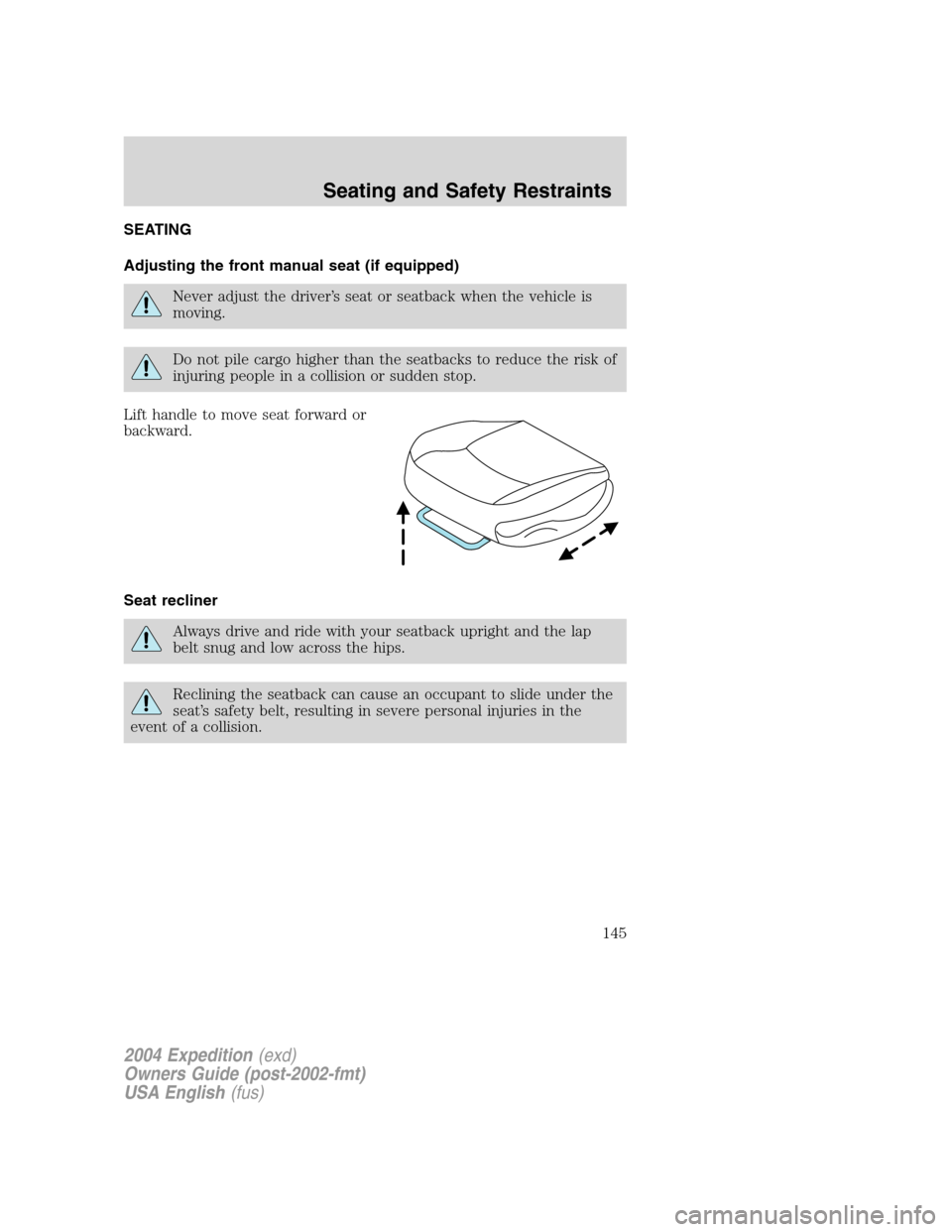
Lift handle to move seat forward or
backward.
Seat recliner
Always drive and ride with your seatback upright and the lap
belt snug and low across the hips.
Reclining the seatback can cause an occupant to slide under the
seat’s safety belt, resulting in severe personal injuries in the
event of a collision.
2004 Expedition(exd)
Owners Guide (post-2002-fmt)
USA English(fus)
Seating and Safety Restraints
Seating and Safety Restraints
145
Page 147 of 344
Using the manual lumbar support
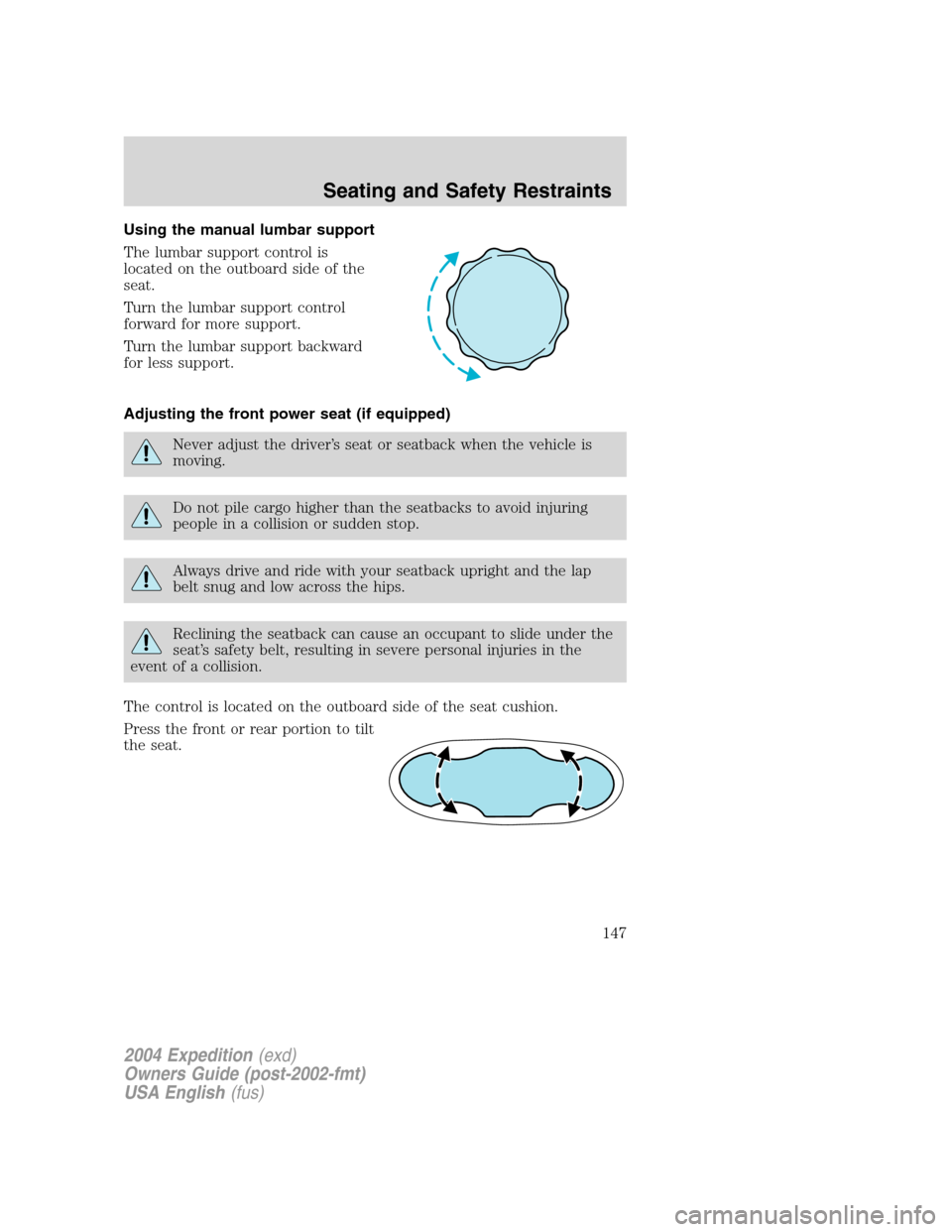
The lumbar support control is
located on the outboard side of the
seat.
Turn the lumbar support control
forward for more support.
Turn the lumbar support backward
for less support.
Adjusting the front power seat (if equipped)
Never adjust the driver’s seat or seatback when the vehicle is
moving.
Do not pile cargo higher than the seatbacks to avoid injuring
people in a collision or sudden stop.
Always drive and ride with your seatback upright and the lap
belt snug and low across the hips.
Reclining the seatback can cause an occupant to slide under the
seat’s safety belt, resulting in severe personal injuries in the
event of a collision.
The control is located on the outboard side of the seat cushion.
Press the front or rear portion to tilt
the seat.
2004 Expedition(exd)
Owners Guide (post-2002-fmt)
USA English(fus)
Seating and Safety Restraints
147
Page 155 of 344
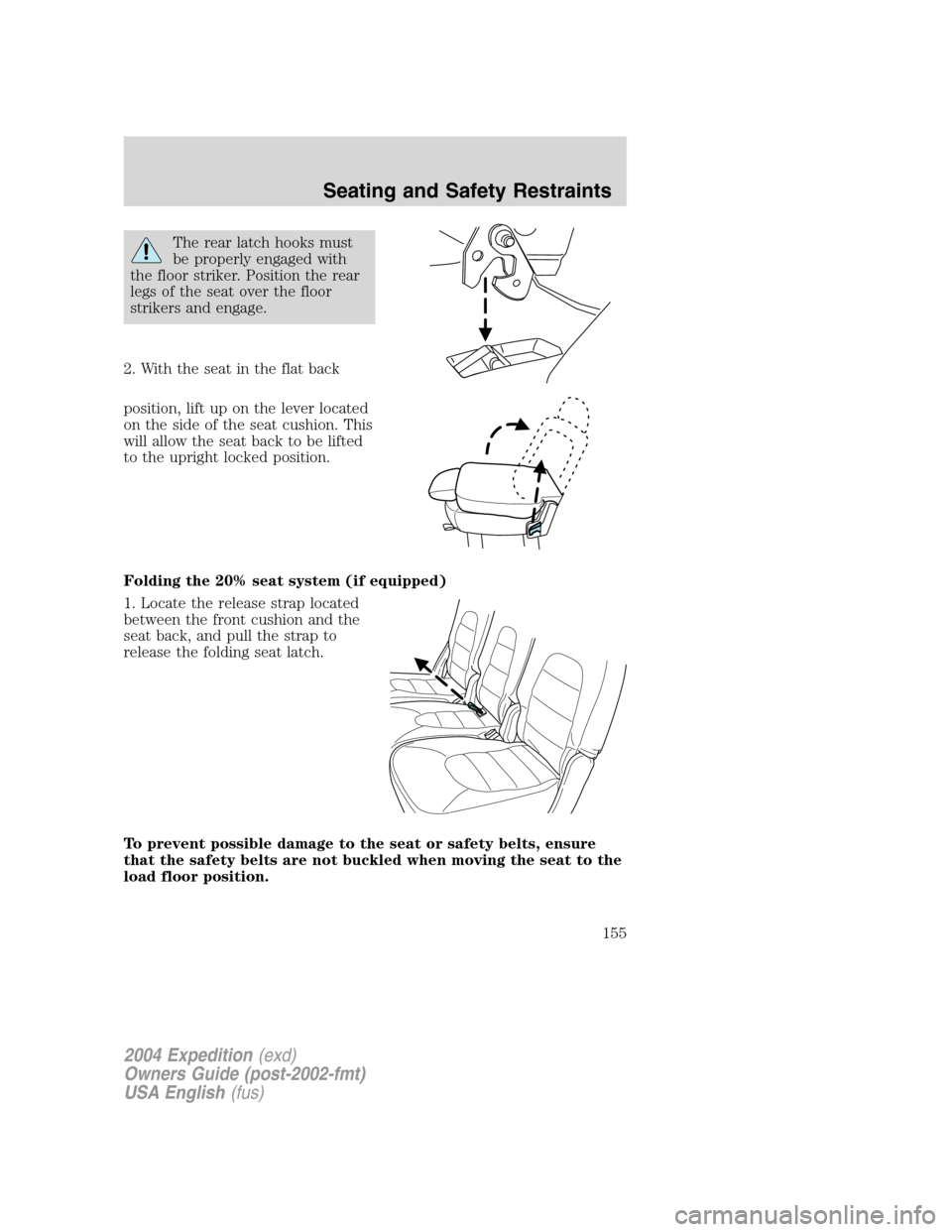
The rear latch hooks must
be properly engaged with
the floor striker. Position the rear
legs of the seat over the floor
strikers and engage.
2. With the seat in the flat back
position, lift up on the lever located
on the side of the seat cushion. This
will allow the seat back to be lifted
to the upright locked position.
Folding the 20% seat system (if equipped)
1. Locate the release strap located
between the front cushion and the
seat back, and pull the strap to
release the folding seat latch.
To prevent possible damage to the seat or safety belts, ensure
that the safety belts are not buckled when moving the seat to the
load floor position.
2004 Expedition(exd)
Owners Guide (post-2002-fmt)
USA English(fus)
Seating and Safety Restraints
155
Page 157 of 344
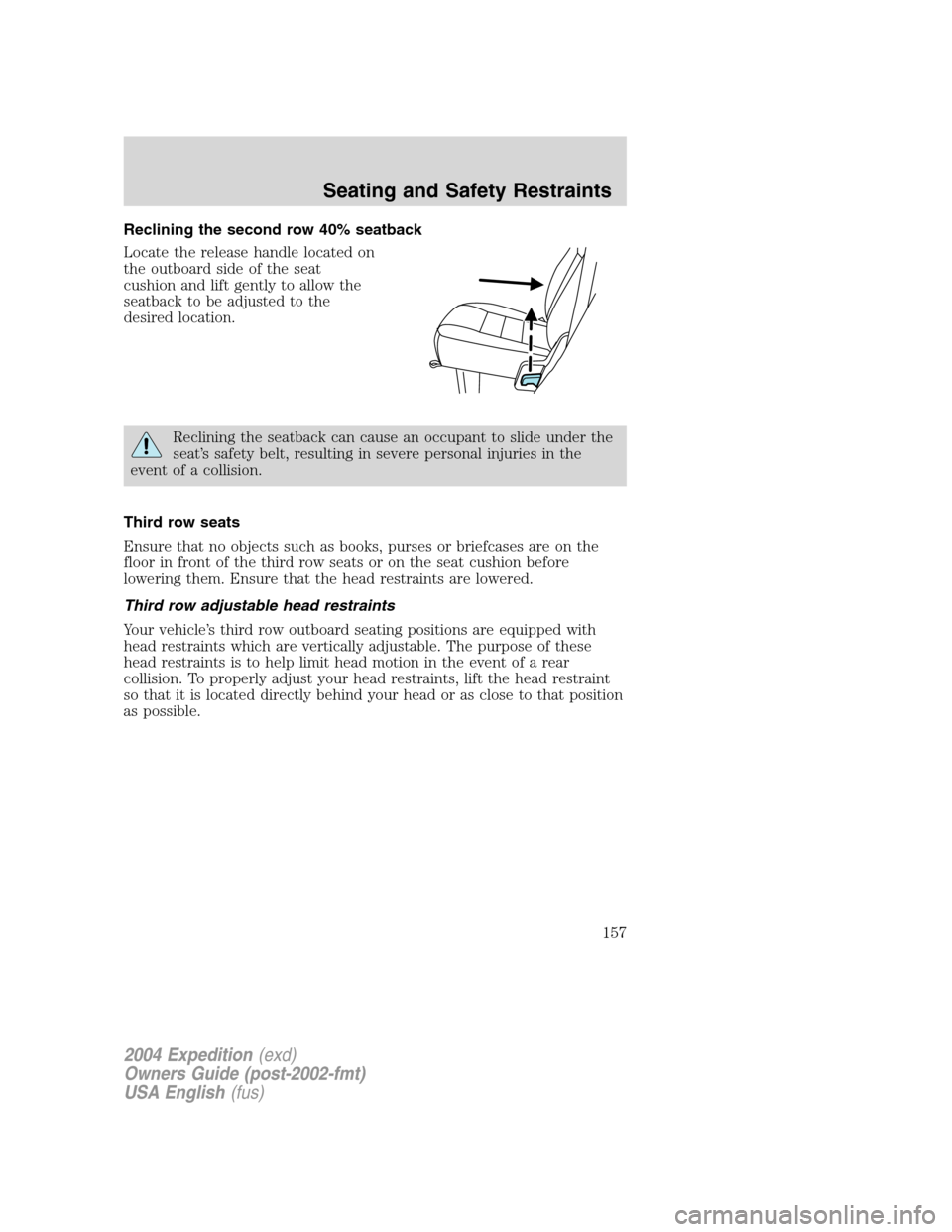
Reclining the second row 40% seatback
Locate the release handle located on
the outboard side of the seat
cushion and lift gently to allow the
seatback to be adjusted to the
desired location.
Reclining the seatback can cause an occupant to slide under the
seat’s safety belt, resulting in severe personal injuries in the
event of a collision.
Third row seats
Ensure that no objects such as books, purses or briefcases are on the
floor in front of the third row seats or on the seat cushion before
lowering them. Ensure that the head restraints are lowered.
Third row adjustable head restraints
Your vehicle’s third row outboard seating positions are equipped with
head restraints which are vertically adjustable. The purpose of these
head restraints is to help limit head motion in the event of a rear
collision. To properly adjust your head restraints, lift the head restraint
so that it is located directly behind your head or as close to that position
as possible.
2004 Expedition(exd)
Owners Guide (post-2002-fmt)
USA English(fus)
Seating and Safety Restraints
157
Page 158 of 344
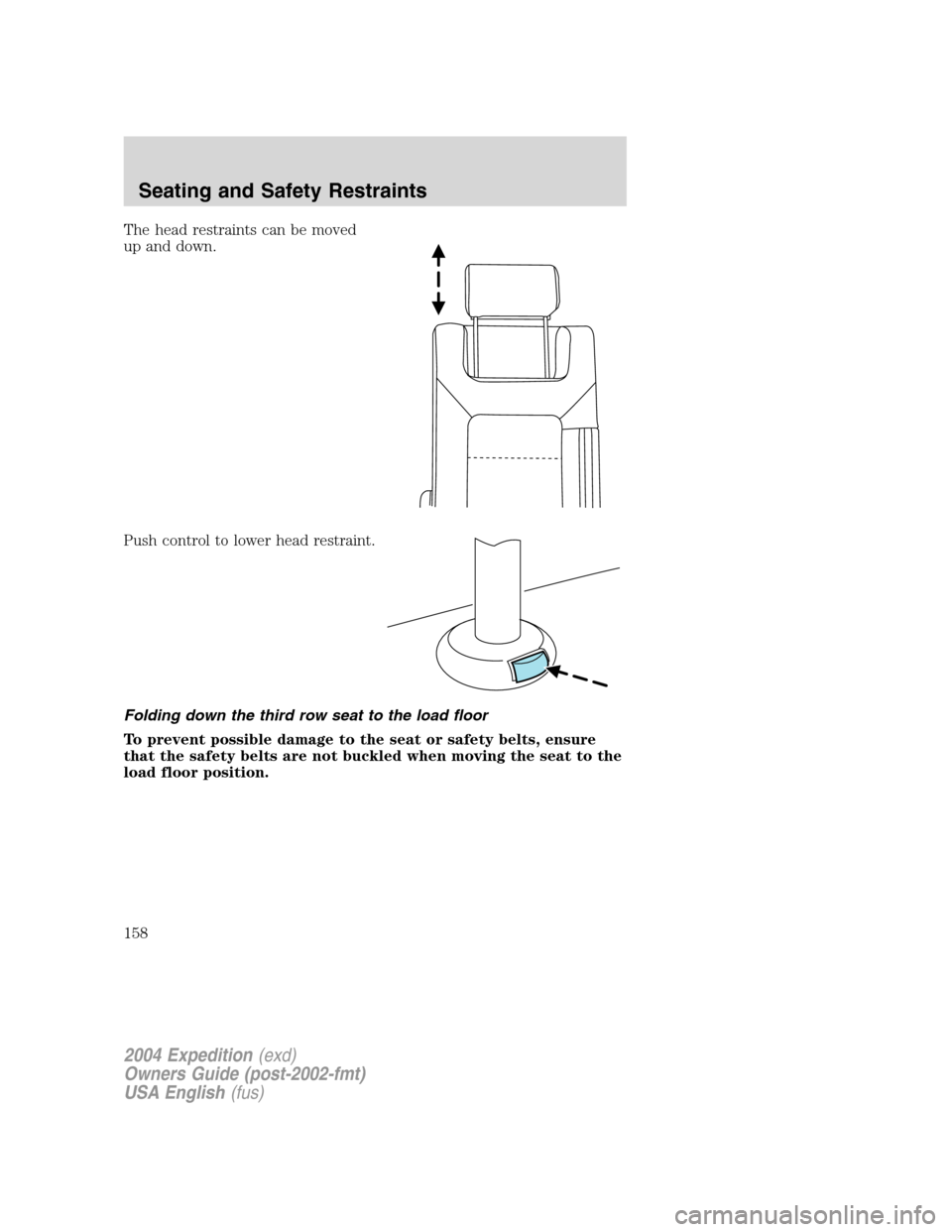
The head restraints can be moved
up and down.
Push control to lower head restraint.
Folding down the third row seat to the load floor
To prevent possible damage to the seat or safety belts, ensure
that the safety belts are not buckled when moving the seat to the
load floor position.
2004 Expedition(exd)
Owners Guide (post-2002-fmt)
USA English(fus)
Seating and Safety Restraints
158