Page 129 of 397

Electrical Outlet Use With Engine Off
CAUTION!² Many accessories that can be plugged in draw power
from the vehicle's battery, even when not in use (i.e.
cellular phones, etc.). Eventually, if plugged in long
enough, the vehicle's battery will discharge sufficiently
to degrade battery life and/or prevent engine starting.
² Accessories that draw higher power (i.e. coolers,
vacuum cleaners, lights, etc.), will degrade the battery
even more quickly. Only use these intermittently and
with greater caution.
² After the use of high power draw accessories, or long
periods of the vehicle not being started (with accesso-
ries still plugged in), the vehicle must be driven a
sufficient length of time to allow the alternator to
recharge the vehicle's battery.
² Power outlets are designed for accessory plugs only. Do
not hang any type of accessory or accessory bracket from
the plug. Improper use of the power outlet can cause
damage not covered by your warranty. CONVENIENCE TRAY DRAWER AND CUP
HOLDERS
Instrument Panel Cup Holders
The instrument panel cupholders are located in a pull out
drawer just below the climate controls.
When the drawer is pulled out firmly, the arms of the
cupholders will spring out. Place the container to be held UNDERSTANDING THE FEATURES OF YOUR VEHICLE 129
3
Page 143 of 397
UNDERSTANDING YOUR INSTRUMENT PANELCONTENTS m Instruments And Controls .................148
m Base Instrument Cluster ..................149
m Instrument Cluster With Tach ..............150
m Instrument Cluster Descriptions ............151
m Information Center Ð If Equipped ..........159
N Turn Signal Indicators ..................159
N High Beam Light .....................159
m Electronic Digital Clock ..................159
N Clock Setting Procedur e.................160 m Radio General Information ................160
N Radio Broadcast Signals .................160
N Two Types Of Signals ..................160
N Electrical Disturbances ..................160
N AM Reception .......................161
N FM Reception ........................161
m Sales Code RAZÐAM/ FM Stereo Radio With
Cassette Tape Player, CD Player And CD
Changer Controls Ð If Equipped ...........161
N Operating Instructions Ð Radio ...........1614
Page 144 of 397

N Power Switch, Volume Control ............162
N Seek Button (Radio Mode) ...............162
N Tuning .............................162
N PTY (Program Type) Button ..............162
N Balance ............................164
N Fade ..............................164
N Tone Control ........................164
N AM/FM Selection .....................164
N Scan Button .........................164
N To Set The Radio Push-Button Memory ......165
N To Change From Clock To Radio Mode ......165
N Operating Instructions Ð Tape Player .......165
N Seek Button .........................165 N Fast Forward (FF) .....................166
N Rewind (RW) ........................166
N Tape Eject ...........................166
N Scan Button .........................166
N Changing Tape Direction ................166
N Metal Tape Selection ...................166
N Pinch Roller Release ...................167
N Noise Reduction ......................167
N Operating Instructions Ð CD Player ........167
N Inserting The Compact Disc ..............167
N Seek Button .........................168
N EJT CD (Eject) Button ..................168
N FF/Tune/RW ........................169144 UNDERSTANDING YOUR INSTRUMENT PANEL
Page 145 of 397

N Program Button 4 (Random Play) ..........169
N Mode ..............................169
N Tape CD Button ......................169
N Time Button .........................170
N Scan Button .........................170
N CD Changer Control Capability Ð If
Equipped ...........................170
m Sales Code RBQÐAM/FM Stereo Radio With
6 - Disc CD Changer ....................171
N Radio Operation ......................171
N CD Player Operation ...................174
m Sales Code RBKÐAM/ FM Stereo Radio With
CD Player And CD Changer Controls ........178
N Radio Operation ......................178 N CD Player Operation ...................180
N CD Changer Control Capability Ð If
Equipped ...........................182
N Radio Display Messages ................184
m 6 Disc CD Changer Ð If Equipped ..........184
N Loading The CD Changer ...............185
N Playing Discs ........................185
N Seek Button .........................185
N FF/Tune/RW ........................185
N Mode Button ........................186
N Program Button 1 .....................186
N Program Button 4 (Random Play) ..........186
N Program Button 5 .....................186 UNDERSTANDING YOUR INSTRUMENT PANEL 145
4
Page 146 of 397

N Time Button .........................186
N Changing Modes ......................186
N Removing Discs From The CD Changer .....187
N CD Changer Operation With The Changer
Off ...............................187
m 6 Disc CD/Digital Video Disc (DVD)
Changer Ð If Equipped ..................187
N Operating Instructions Ð CD/DVD Changer . . 188
N Eject (EJT) Button .....................189
N Operating Instructions Ð Remote Control ....189
N Operating Instructions Ð Video Screen ......191
N Operating Instructions Ð Headphones ......192
N Operating Instructions Ð MP3 Player .......194 N Operating Instructions Ð Video
Games/Camcorders ...................195
m Remote Sound System Controls Ð If Equipped . . 195
N Radio Operation ......................196
N Tape Player .........................196
N CD Player ..........................197
m Cassette Tape And Player Maintenance .......197
m CD/DVD Disc Maintenance ...............198
m Radio Operation And Cellular Phones ........198
m Climate Controls .......................199
N Manual Air Conditioning And Heating
System .............................199
N Front Mode Control ...................200146 UNDERSTANDING YOUR INSTRUMENT PANEL
Page 147 of 397
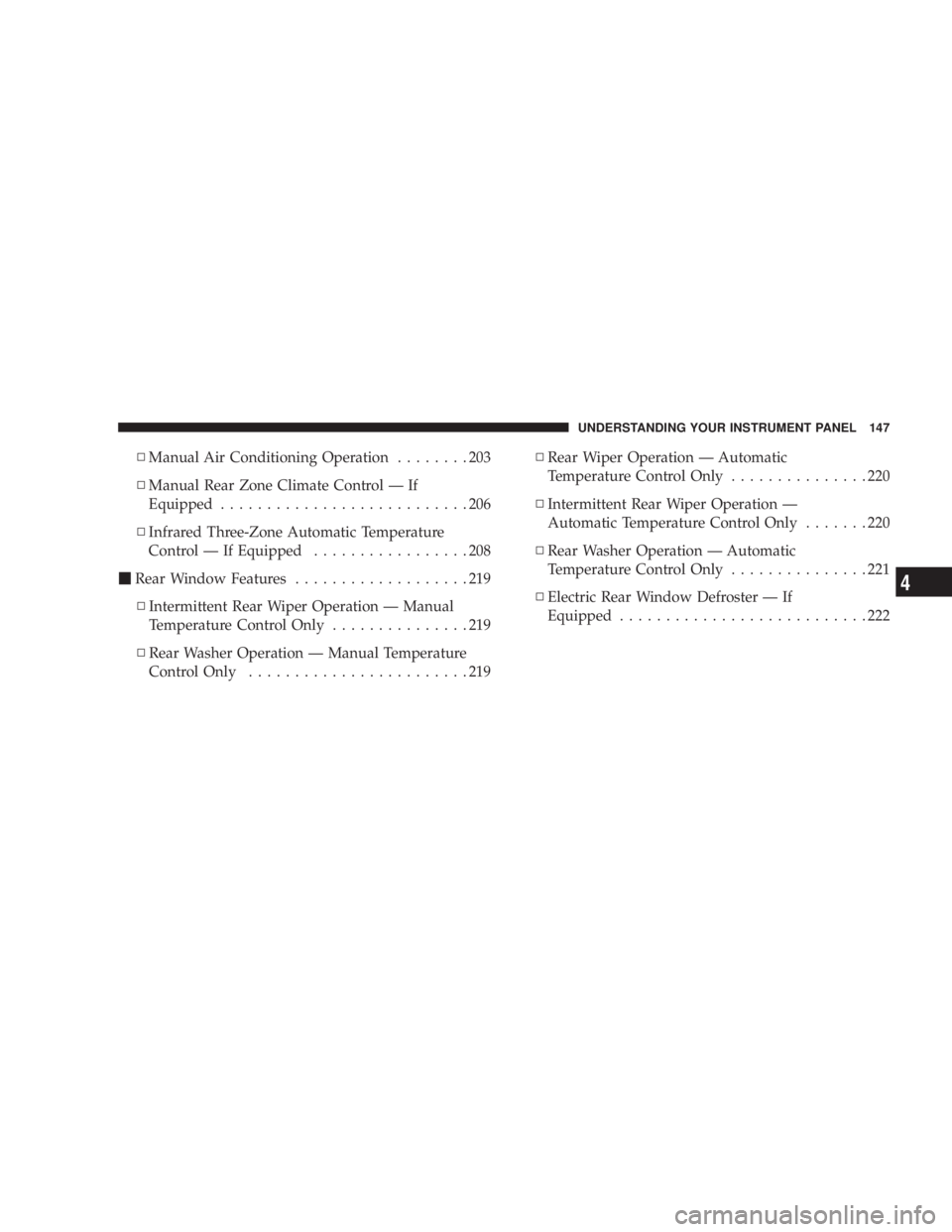
N Manual Air Conditioning Operation ........203
N Manual Rear Zone Climate Control Ð If
Equipped ...........................206
N Infrared Three-Zone Automatic Temperature
Control Ð If Equipped .................208
m Rear Window Features ...................219
N Intermittent Rear Wiper Operation Ð Manual
Temperature Control Only ...............219
N Rear Washer Operation Ð Manual Temperature
Control Only ........................219 N Rear Wiper Operation Ð Automatic
Temperature Control Only ...............220
N Intermittent Rear Wiper Operation Ð
Automatic Temperature Control Only .......220
N Rear Washer Operation Ð Automatic
Temperature Control Only ...............221
N Electric Rear Window Defroster Ð If
Equipped ...........................222 UNDERSTANDING YOUR INSTRUMENT PANEL 147
4
Page 148 of 397
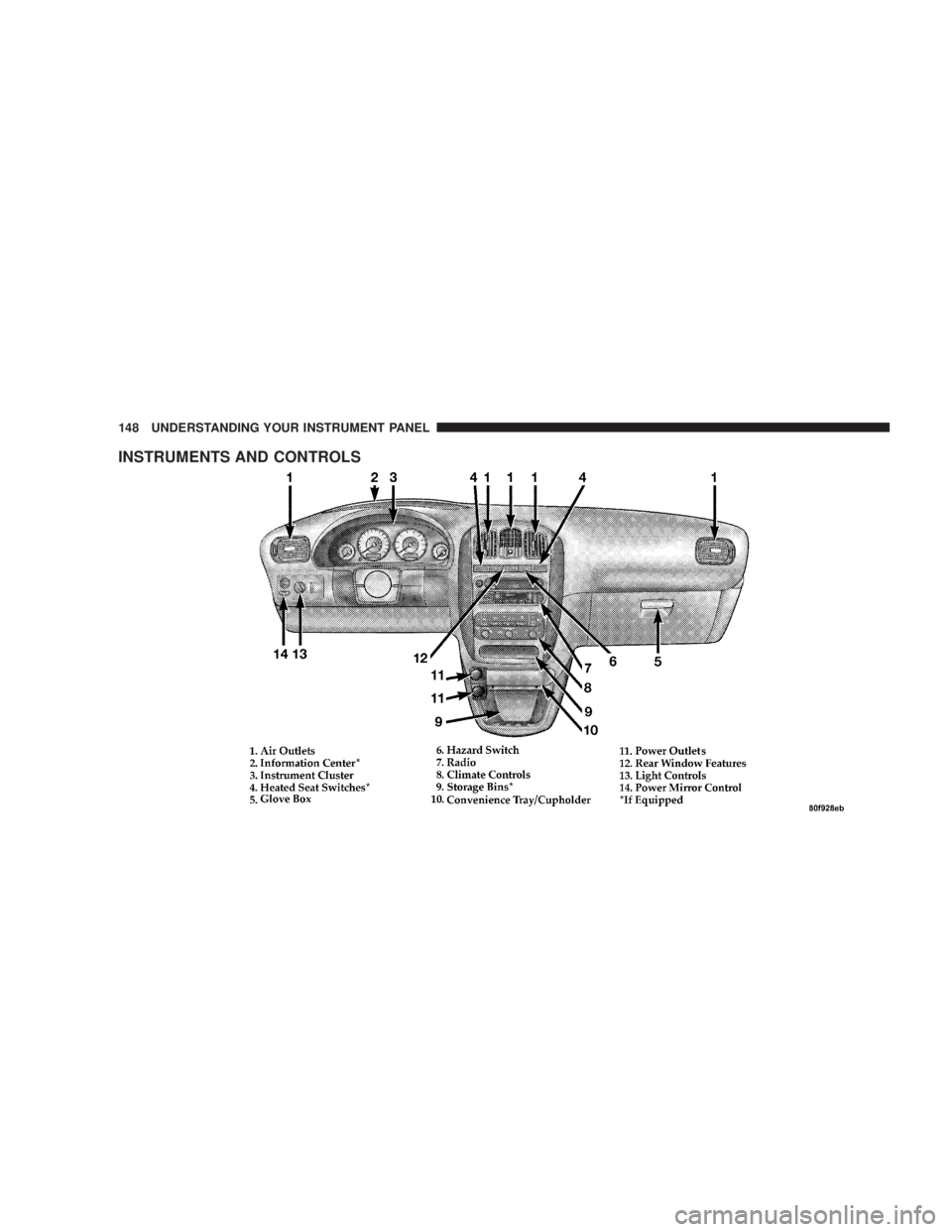
INSTRUMENTS AND CONTROLS 148 UNDERSTANDING YOUR INSTRUMENT PANEL
Page 155 of 397

WARNING!A hot engine cooling system is dangerous. You or
others could be badly burned by steam or boiling
coolant. You may want to call a service center if your
vehicle overheats. If you decide to look under the
hood yourself, see Section 7 of this manual. Follow
the warnings under the Cooling System Pressure
Cap paragraph.
15. Washer Fluid Light
This light turns on when the washer fluid level
falls below approximately 1/4 filled. The light will
remain on until fluid is added.
16. Transmission Range Indicator
This vacuum fluorescent display indicator shows the
automatic transaxle gear selection. 17. Oil Pressure Warning Light
This light shows low engine oil pressure. The light
should turn on momentarily when the engine is
started. If the light turns on while driving, stop the
vehicle and shut off the engine as soon as possible. A
chime will sound for 4 minutes when this light turns on.
Do not operate the vehicle until the cause is corrected.
This light does not show how much oil is in the engine.
The engine oil level must be checked under the hood.
18. Malfunction Indicator Light
This light is part of an onboard diagnostic system
called OBD that monitors engine and automatic
transmission control systems. The light will illu-
minate when the key is in the ON position before engine
start. If the bulb does not come when turning the key
from OFF to ON, have the condition checked promptly.
Certain conditions such as a loose or missing gas cap,
poor fuel quality, etc. may illuminate the light after UNDERSTANDING YOUR INSTRUMENT PANEL 155
4