2004 DODGE DAKOTA key
[x] Cancel search: keyPage 36 of 300

To Turn On the Passenger Airbag
Place the ignition key in the Passenger Airbag On/Off
Switch, push the key in and turn counterclockwise, and
remove the key from the switch. This will turn on the
passenger airbag. The ªOffº light near the switch will be
off when the ignition switch is turned to the ON position.
If A Deployment Occurs
The airbag system is designed to deploy when the air bag
control module detects a moderate-to-severe frontal col-
lision, and then immediately to deflate.
NOTE:A frontal collision that is not severe enough to
need airbag protection will not activate the system. This
does not mean something is wrong with the airbag
system.
If you do have a collision which deploys the airbags, any
or all of the following may occur:
²The nylon airbag material may sometimes cause abra-
sions and/or skin reddening to the driver and front
passenger as the airbags deploy and unfold. The
abrasions are similar to friction rope burns or those
you might get sliding along a carpet or gymnasiumfloor. They are not caused by contact with chemicals.
They are not permanent and normally heal quickly.
However, if you haven't healed significantly within a
few days, or if you have any blistering, see your doctor
immediately.
²As the airbags deflate you may see some smoke-like
particles. The particles are a normal by-product of the
process that generates the nontoxic gas used for airbag
inflation. These airborne particles may irritate the skin,
eyes, nose, or throat. If you have skin or eye irritation,
rinse the area with cool water. For nose or throat
irritation, move to fresh air. If the irritation continues,
see your doctor. If these particles settle on your
clothing, follow the garment manufacturers instruc-
tions for cleaning.
²It is not advisable to drive your vehicle after the
airbags have deployed. If you are involved in another
collision, the airbags will not be in place to protect you.
36 THINGS TO KNOW BEFORE STARTING YOUR VEHICLE
Page 67 of 300
WARNING!
If the hood is not fully latched, it could fly up when
the vehicle is moving and block your forward vision.
Be sure all hood latches are fully latched before
driving.
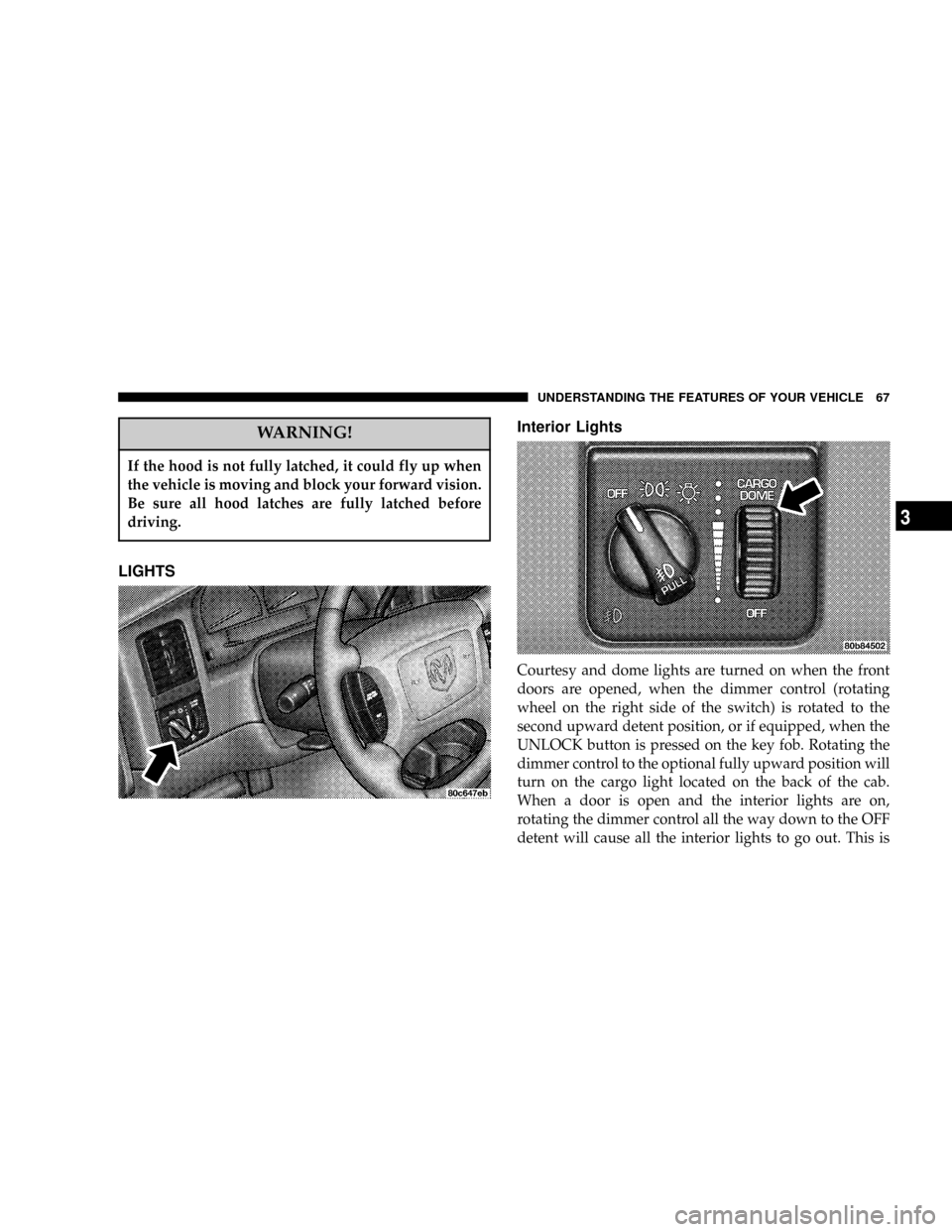
LIGHTSInterior Lights
Courtesy and dome lights are turned on when the front
doors are opened, when the dimmer control (rotating
wheel on the right side of the switch) is rotated to the
second upward detent position, or if equipped, when the
UNLOCK button is pressed on the key fob. Rotating the
dimmer control to the optional fully upward position will
turn on the cargo light located on the back of the cab.
When a door is open and the interior lights are on,
rotating the dimmer control all the way down to the OFF
detent will cause all the interior lights to go out. This is
UNDERSTANDING THE FEATURES OF YOUR VEHICLE 67
3
Page 70 of 300

when the switch is pressed in, when the headlight switch
is rotated to the OFF position or the high beam is
selected.
CARGO Light Ð If Equipped
The cargo lights are turned on by rotating the dimmer
control to the optional fully upward position. The interior
lights will also turn on when the cargo lights are on. The
cargo lights will also turn on for 30 seconds when a key
fob Unlock is pressed, as part of the illuminated entry
feature.
MULTIFUNCTION CONTROL LEVER
The multifunction control lever is located on the left side
of the steering column.
Turn Signals
Move the lever up or down to signal a right-hand or
left-hand turn.
The arrow on either side of the instrument cluster flashes
to indicate the direction of the turn, and proper operation
of the front and rear turn signal lights. If either indicator
flashes at a faster rate, check for a defective outside lightbulb. If an indicator fails to light when the lever is
moved, it would suggest that the fuse or indicator bulb is
defective.
You can signal a lane change by moving the lever
partially up or down.
Passing Light
You can signal another vehicle with your headlights by
partially pulling the multifunction lever toward the steer-
ing wheel. This will cause the high beam headlights to
turn on until the lever is released.
70 UNDERSTANDING THE FEATURES OF YOUR VEHICLE
Page 76 of 300
WARNING!
Speed Control can be dangerous where the system
can't maintain a constant speed. Your vehicle could
go too fast for the conditions, and you could lose
control. An accident could be the result. Don't use
Speed Control in heavy traffic or on roads that are
winding, icy, snow-covered, or slippery.
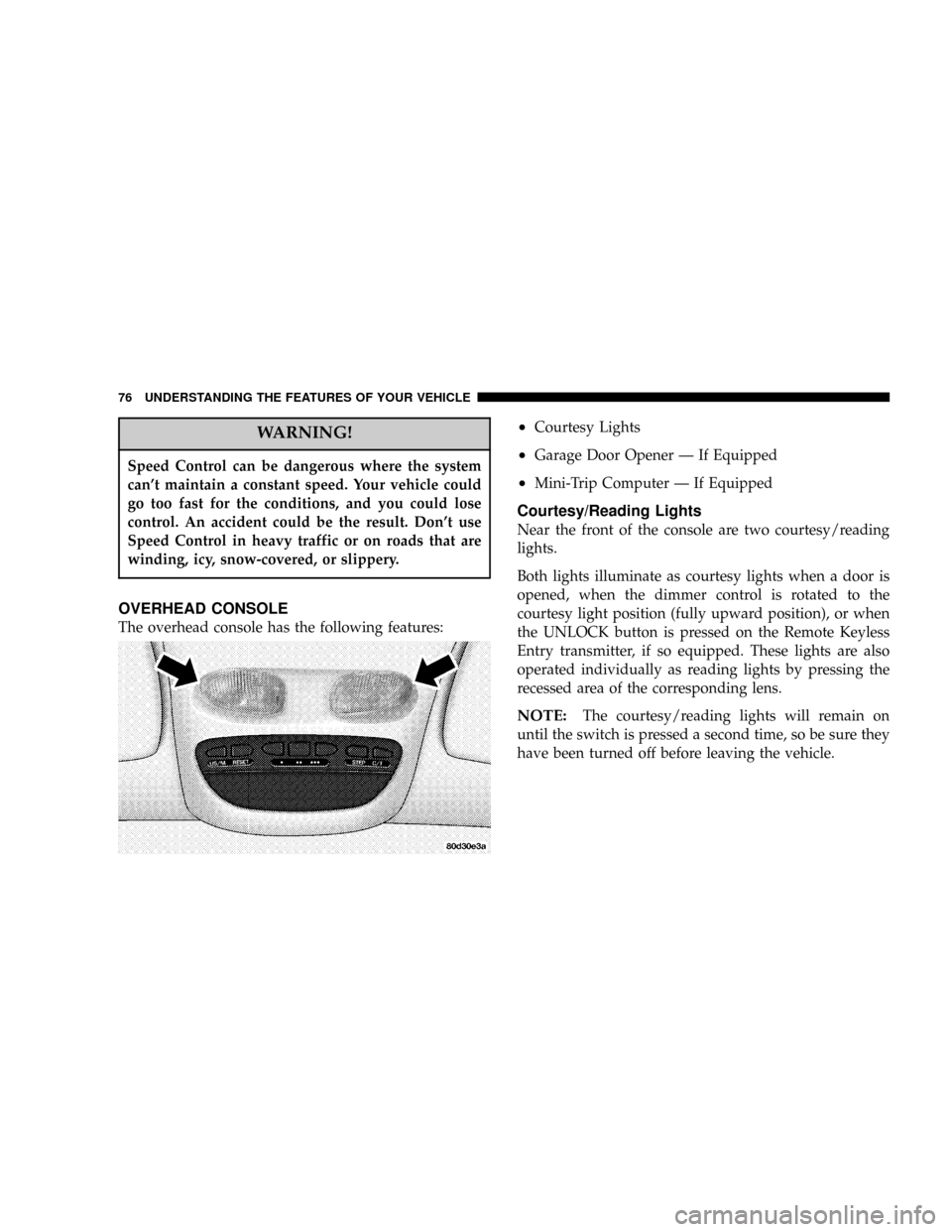
OVERHEAD CONSOLE
The overhead console has the following features:
²Courtesy Lights
²Garage Door Opener Ð If Equipped
²Mini-Trip Computer Ð If Equipped
Courtesy/Reading Lights
Near the front of the console are two courtesy/reading
lights.
Both lights illuminate as courtesy lights when a door is
opened, when the dimmer control is rotated to the
courtesy light position (fully upward position), or when
the UNLOCK button is pressed on the Remote Keyless
Entry transmitter, if so equipped. These lights are also
operated individually as reading lights by pressing the
recessed area of the corresponding lens.
NOTE:The courtesy/reading lights will remain on
until the switch is pressed a second time, so be sure they
have been turned off before leaving the vehicle.
76 UNDERSTANDING THE FEATURES OF YOUR VEHICLE
Page 101 of 300

12. Seat Belt Reminder Light
This light comes on for several seconds after the
ignition is turned ON as a reminder to ªbuckle
up.º This light will remain on as long as the seat
belt remains unbuckled. If this light flashes, it indi-
cates a fault in the airbag system. Have the system
checked by an authorized dealer.
13. Low Washer Fluid Indicator
This light comes on when the washer fluid level falls
below approximately 1/4 full. The light will remain on
until fluid is added and ignition switch is cycled.
14. Brake System Warning Light
This light will light when the ignition key is turned to the
ON position and will remain on for a few seconds. If the
light stays on, it may be an indication that the parking
brake has not been released, or there is a low brake fluid
level. If the light remains on when the parking brake has
been disengaged, and the fluid level is at the full mark on
the master cylinder reservoir, it indicates a possible brake
hydraulic system malfunction. In this case, the light will
remain on until the cause is corrected. If the parking
brake is applied, the light will flash when the gearposition is out of park for automatic transmissions, or the
engine RPM is greater than 0 for manual transmissions.
If brake failure is indicated, immediate repair is neces-
sary.Operating the vehicle in this condition is danger-
ous!
15. SERVICE 4WD Indicator
This light monitors the electric shift 4WD
system. This light will come on when the
ignition key is turned to the ON position and
will stay on for 2 seconds. If the light stays
on or comes on during driving, it means that the 4WD
system is not functioning properly and that service is
required.
16. Check Gages
This light illuminates when the Voltmeter, En-
gine Oil Pressure or Engine Coolant Tempera-
ture gages indicate a reading either too high or too
low. Examine the gages carefully, and follow the
instructions above for each indicated problem.
NOTE:
When the ignition switch is turned to OFF, the
Fuel Gage, Voltmeter, Oil Pressure and Engine Coolant
INSTRUMENT PANEL AND CONTROLS 101
4
Page 102 of 300

Temperature gages may not show accurate readings.
When the engine is not running, turn the ignition switch
to ON to obtain accurate readings.
17. Airbag Indicator
The indicator lights and remains lit for 6 to 8
seconds when the ignition is first turned ON. If
the light does not come on when the ignition is first
turned on, or the light stays on or comes on while
driving, have the airbag system checked by an autho-
rized dealer.
18. Low Fuel Warning Light
This indicator lights when the fuel gauge reads
1/8 of a tank or less.
19. ABS Warning Light
This light monitors the Anti-Lock Brake Sys-
tem which is described elsewhere in this
manual. This light will come on when the
ignition key is turned to the ON position and
may stay on for 5 seconds. If this light remains on or
comes on during driving, it indicates that the anti-lockportion of the brake system is not functioning and that
service is required. See your authorized dealer imme-
diately.
20. Transmission Oil Temperature Warning Light
This light indicates that there is excessive
transmission fluid temperature that might
occur with severe usage such as trailer tow-
ing. If this light comes on, stop the vehicle
and run the engine at idle or faster, with the transmis-
sion in NEUTRAL until the light goes off.
21. Security
The light will flash rapidly for approximately 15 seconds
when the vehicle theft alarm is arming. The light will
flash at a slower rate after the alarm is set. The security
light will also come on for about three seconds when the
ignition is first turned ON.
22. Cargo Lamp
The Cargo Lamp light will illuminate when the Cargo
Lamp is activated from the Head Lamp switch.
102 INSTRUMENT PANEL AND CONTROLS
Page 144 of 300
STARTING PROCEDURES
The starter should not be operated for more than 15
second intervals. Waiting a few seconds between such
intervals will protect the starter from overheating.
Manual Transmission
Apply the parking brake, place the gearshift control lever
in NEUTRAL and depress clutch pedal to the floor before
starting the vehicle. This vehicle is equipped with a
clutch interlocking ignition system. It will not start unless
the clutch is depressed.
Automatic Transmission
Start the engine with the shift lever in NEUTRAL or
PARK position. Apply the brake before shifting to any
driving range.
WARNING!
Do not attempt to push or tow your vehicle to get it
started. Vehicles equipped with an automatic trans-
mission cannot be started this way. Unburned fuel
could enter the catalytic converter and once the
engine has started, ignite and damage the converter
and vehicle. If the vehicle has a discharged battery,
booster cables may be used to obtain a start from a
booster battery or the battery in another vehicle. This
type of start can be dangerous if done improperly.
See section 6 of this manual for the proper jump
starting procedures and follow them carefully.
Normal Starting
Normal starting of either a warm or cold engine is
obtained without pumping or depressing the accelerator
pedal. Turn the key to the START position and release
when the engine starts. If the engine fails to start within
10 seconds, turn the key to the OFF position, wait 5
seconds, then repeat the starting procedure.
144 STARTING AND OPERATING
Page 145 of 300

If Engine Fails To Start
If the engine fails to start after you have followed the
Normal Starting procedure, it may be flooded. Push the
accelerator pedal all the way to the floor and hold it there
while cranking the engine. This should clear any excess
fuel in case the engine is flooded.
CAUTION!
To prevent damage to the starter, do not crank the
engine for more than 15 seconds at a time. Wait 10 to
15 seconds before trying again.
If the engine has been flooded, it may start to run, but not
have enough power to continue running when the key is
released. If this occurs, continue cranking with the accel-
erator pedal pushed all the way to the floor. Release the
accelerator pedal and the key once the engine is running
smoothly.If the engine shows no sign of starting after two 15
second periods of cranking with the accelerator pedal
held to the floor, the Normal Starting procedure should
be repeated.
WARNING!
Never pour fuel or other flammable liquid into the
throttle body air inlet opening in an attempt to start
the vehicle. This could result in flash fire causing
serious personal injury.
After Starting
The idle speed is automatically controlled on fuel injected
engines and will decrease as the engine warms up.
STARTING AND OPERATING 145
5