2004 CHRYSLER 300 M radio controls
[x] Cancel search: radio controlsPage 130 of 277
display. Each time a tape is inserted the Dolby will turn
ON.
* “Dolby” noise reduction manufactured under license
from Dolby Laboratories Licensing Corporation. Dolby
and the double-D symbol are trademarks of Dolby Labo-
ratories Licensing Corporation.
CD Changer Control Capability — If Equipped
This radio is compatible with a remote mounted CD
changer available through Mopar Accessories. The fol-
lowing instructions are for the radio controls that operate
this CD changer.
Mode Button
To activate the CD changer, press the MODE button until
CD information appears on the display.
Push-Button
While the CD changer is playing, press the NUMBER 1
push-button or the NUMBER 5 push-button to select a
disc numbered higher or lower than the one currently
being played.
Seek Button
Press the SEEK up or down to select another track on the
same disc. A SEEK symbol will appear on the display.
Fast Forward And Rewind Buttons
Press and hold the FF button for fast forward. Press and
hold the RW button for fast reverse.
The audio output can be heard when fast forward and
fast reverse are activated.
Random Play (RND)
Press the Random button to play the tracks on the disc in
random order for an interesting change of pace.
Random can be cancelled by pressing the button a second
time or by ejecting the CD from the changer.
CD Diagnostic Indicators
When driving over a very rough road, the CD player may
skip momentarily. Skipping will not damage the disc or
the player, and play will resume automatically.
As a safeguard and to protect your CD player, one of the
following warning symbols may appear on your display.
A CD HOT symbol indicates the player is too hot.
130 UNDERSTANDING YOUR INSTRUMENT PANEL
Page 132 of 277
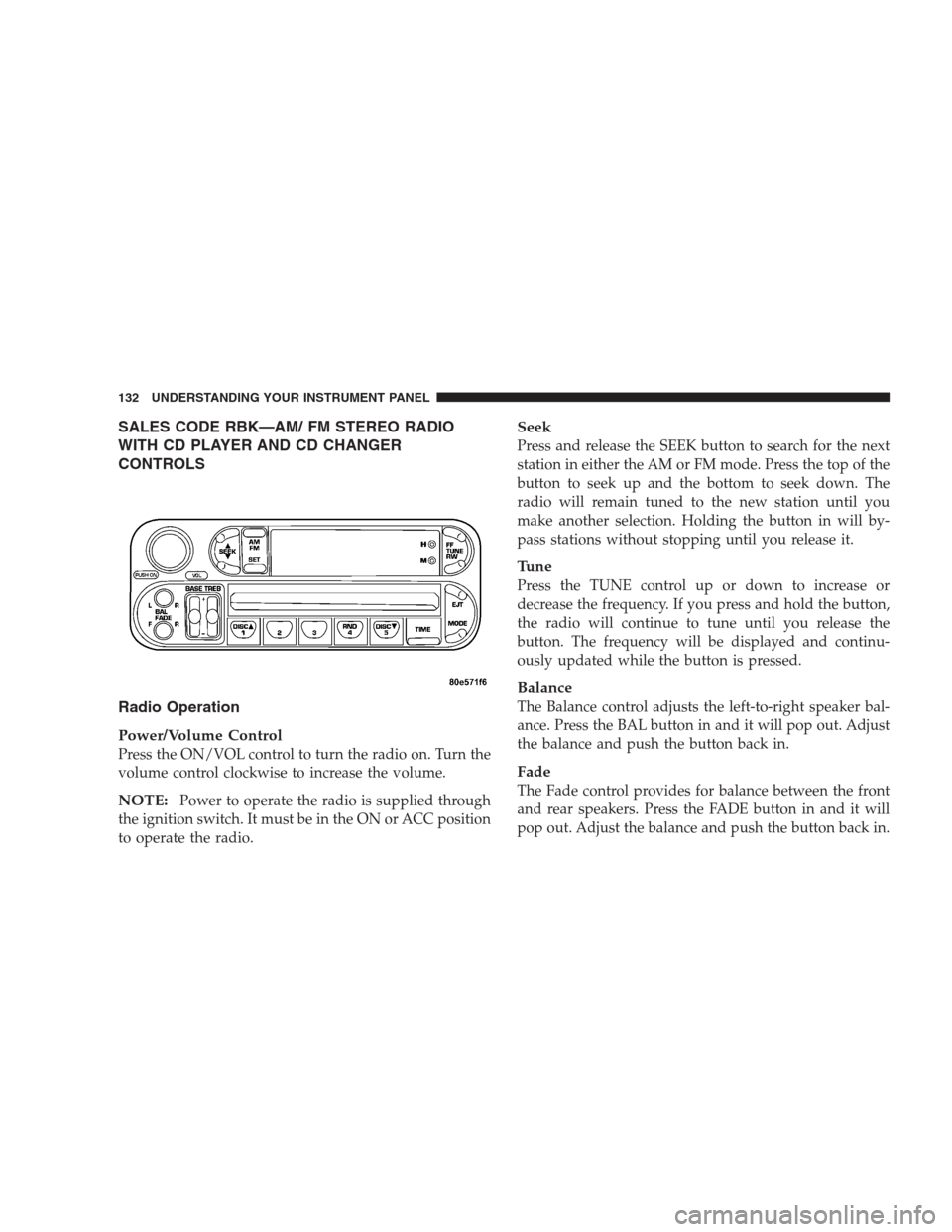
SALES CODE RBK—AM/ FM STEREO RADIO
WITH CD PLAYER AND CD CHANGER
CONTROLS
Radio Operation
Power/Volume Control
Press the ON/VOL control to turn the radio on. Turn the
volume control clockwise to increase the volume.
NOTE:Power to operate the radio is supplied through
the ignition switch. It must be in the ON or ACC position
to operate the radio.
Seek
Press and release the SEEK button to search for the next
station in either the AM or FM mode. Press the top of the
button to seek up and the bottom to seek down. The
radio will remain tuned to the new station until you
make another selection. Holding the button in will by-
pass stations without stopping until you release it.
Tune
Press the TUNE control up or down to increase or
decrease the frequency. If you press and hold the button,
the radio will continue to tune until you release the
button. The frequency will be displayed and continu-
ously updated while the button is pressed.
Balance
The Balance control adjusts the left-to-right speaker bal-
ance. Press the BAL button in and it will pop out. Adjust
the balance and push the button back in.
Fade
The Fade control provides for balance between the front
and rear speakers. Press the FADE button in and it will
pop out. Adjust the balance and push the button back in.
132 UNDERSTANDING YOUR INSTRUMENT PANEL
Page 133 of 277
Bass and Treble Tone Control
The tone controls consist of 2 separate bands. The bass
band is on the left, and the treble band is on the right.
Each band is adjusted by a slider control with a detent at
the mid-position. Moving the control up or down in-
creases or decreases amplification of that band. The mid
position provides a flat frequency response.
AM/FM Selection
Press the AM/FM button to change from AM to FM. The
operating mode will be displayed next to the station
frequency. The display will show ST when a stereo
station is received.
To Set The Radio Push-Button Memory
When you are receiving a station that you wish to
commit to push-button memory, press the SET button.
SET 1 will show in the display window. Select the “1–5”
button you wish to lock onto this station and press and
release that button. If a button is not selected within 5
seconds after pressing the SET button, the station will
continue to play but will not be locked into push-button
memory.You may add a second station to each push-button by
repeating the above procedure with this exception: Press
the SET button twice and SET 2 will show in the display
window. Each button can be set for SET 1 and SET 2 in
both AM and FM. This allows a total of 10 AM and 10 FM
stations to be locked into push-button memory. The
stations stored in SET 2 memory can be selected by
pressing the push-button twice. Every time a preset
button is used a corresponding button number will be
displayed.
Time
Press the TIME button to change the display between
radio frequency and time.
General Information
This radio complies with Part 15 of FCC rules and with
RSS-210 of Industry Canada. Operation is subject to the
following conditions:
1. This device may not cause harmful interference,
2. This device must accept any interference received,
including interference that may cause undesired opera-
tion.
UNDERSTANDING YOUR INSTRUMENT PANEL 133
4
Page 142 of 277
•Pressing the AM/FM button while in the tape or CD
mode will select the radio mode.
•If in the CD mode and the last CD is ejected, the radio
will tune to the last station selected.
Removing Discs from the CD Changer
If there is a single CD in the changer, press the EJT button
and the CD will eject. If the CD is not removed within 15
seconds, it will automatically reload into the CD changer.
To eject additional CDs from the changer, first select the
numbered button where the CD is located and then press
the EJT button.
CD Changer Operation with the Changer Off
The CD changer is able to load and eject discs with the
ignition power off. However, while the ignition is off, one
of the six numbered buttons must be pressed first.
REMOTE SOUND SYSTEM CONTROLS — IF
EQUIPPED
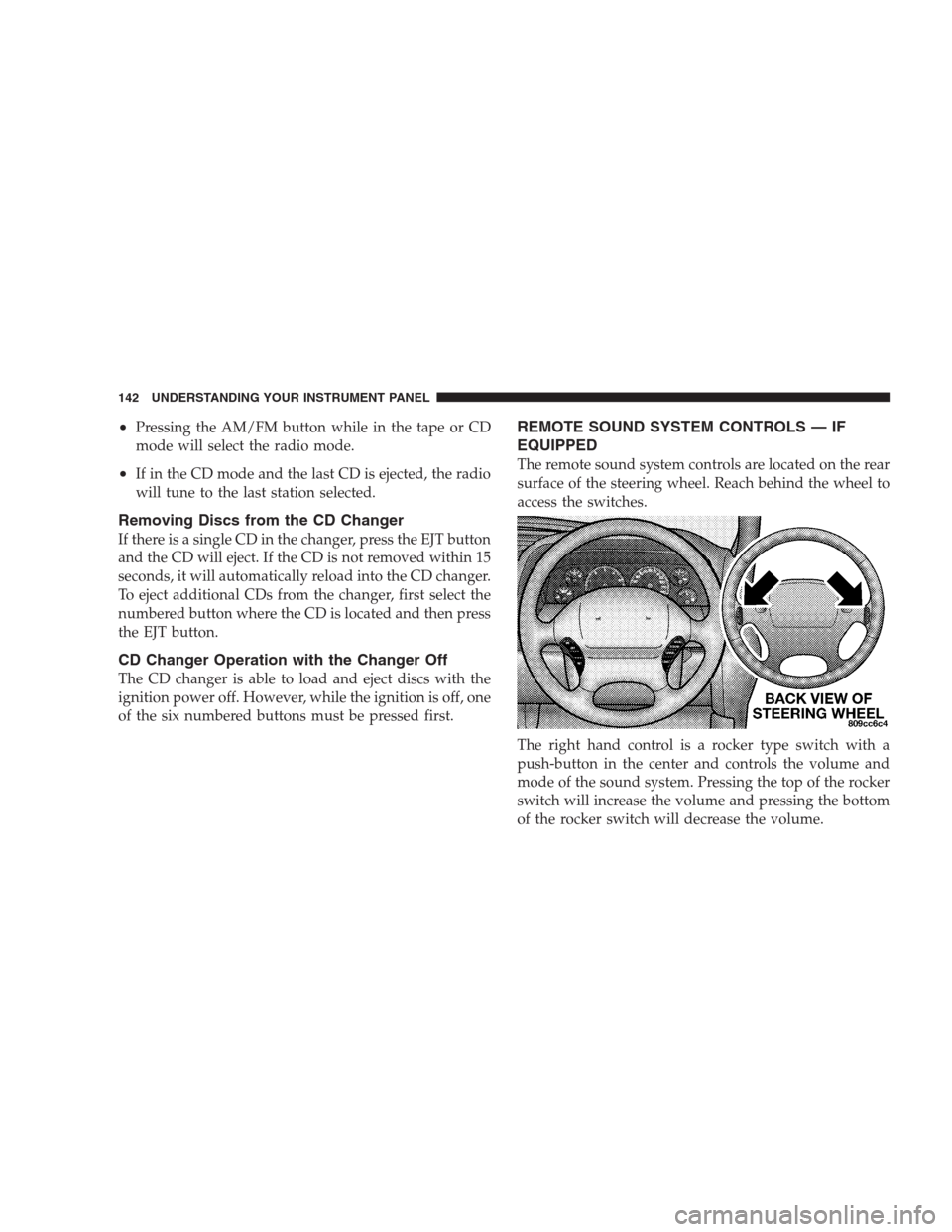
The remote sound system controls are located on the rear
surface of the steering wheel. Reach behind the wheel to
access the switches.
The right hand control is a rocker type switch with a
push-button in the center and controls the volume and
mode of the sound system. Pressing the top of the rocker
switch will increase the volume and pressing the bottom
of the rocker switch will decrease the volume.
142 UNDERSTANDING YOUR INSTRUMENT PANEL
Page 266 of 277
About Your Brakes...................162,163
ABS (Anti-Lock Brake) System............. 116
Accident Damage....................... 225
Adding Engine Coolant (Antifreeze)......... 215
Adding Fuel.......................... 177
Air Conditioning....................... 146
Air Conditioning Controls................ 146
Air Conditioning, Operating Tips........... 151
Air Conditioning Refrigerant.............. 209
Air Conditioning System................. 209
Air Pressure, Tires...................164,165
Airbag................................ 33
Airbag Deployment....................36,37
Airbag Light....................37,40,48,115
Airbag Maintenance...................... 39
Alarm System.......................... 23
Alignment and Balance.................. 174
Antenna, Satellite Radio.................. 139
Antifreeze Disposal..................... 215
Antifreeze (Engine Coolant)............... 215
Anti-Lock Brake System.................. 163
Anti-Lock Warning Light................. 116
Anti-Theft Security Alarm................. 23Appearance Care....................... 223
Auto Down Power Windows............... 25
Automatic Dimming Mirror................ 54
Automatic Door Locks.................... 16
Automatic Headlights.................... 66
Automatic Off, Interior Lights.............. 64
Automatic Temperature Control............ 146
Automatic Transaxle..................157,221
Fluid and Filter Changes................ 223
Fluid Level Check..................... 222
Reset Mode......................... 158
Selection Of Lubricant................. 221
Shifting............................ 158
Special Additives..................... 223
Autostick............................. 159
Ball Joints............................ 210
Battery............................189,208
Emergency Starting.................... 189
Gas Caution......................189,208
Jump Starting........................ 189
Keyless Transmitter Replacement.......... 23
Location.........................189,208
266 INDEX
Page 274 of 277
Pets.................................. 46
Pets, Transporting....................... 46
Power
Distribution Center.................... 228
Door Locks.......................... 14
Outlet.............................. 105
Seats............................... 57
Steering............................ 163
Steering, Checking.................... 210
Sunroof............................. 86
TrunkLid ............................ 26
Windows............................ 25
Pregnant Women and Seat Belts............. 32
Programmable Electronic Features.....76,79,81,83
Programming Transmitters........20,76,79,81,83
Radial Ply Tires........................ 168
Radiator Cap.......................... 216
Radio.......................... 119,126,132
Radio Broadcast Signals.................. 118
Radio Operation.....................143,145
Radio Remote Controls.................. 142
Radio, Satellite......................... 137Rear Seat, Folding....................... 62
Reclining Front Seats..................... 58
Recommended Fluids, Lubricants and Genuine
Parts............................... 237
Reformulated Gasoline................... 175
Refrigerant............................ 209
Reminder, Lights On..................... 66
Remote Keyless Entry.................... 18
Remote Trunk Release.................... 26
Replacement Tires...................... 172
Reporting Safety Defects................. 259
Restraint, Head......................... 62
Restraints, Occupant..................... 27
Rotation, Tires......................167,173
Safety Checks Inside Vehicle............... 48
Safety Checks Outside Vehicle.............. 48
Safety, Exhaust Gas...................... 47
Safety Tips............................. 47
Satellite Radio......................... 137
Satellite Radio Antenna.................. 139
Schedule, Maintenance................... 240
Scheduled Maintenance.................. 201
274 INDEX