2004 CHEVROLET VENTURE door lock
[x] Cancel search: door lockPage 1 of 516

Seats and Restraint Systems........................... 1-1
Front Seats
............................................... 1-3
Rear Seats
............................................... 1-6
Safety Belts
.............................................1-27
Child Restraints
.......................................1-53
Air Bag Systems
......................................1-92
Restraint System Check
..........................1-102
Features and Controls..................................... 2-1
Keys
........................................................ 2-3
Doors and Locks
....................................... 2-9
Windows
.................................................2-24
Theft-Deterrent Systems
............................2-27
Starting and Operating Your Vehicle
...........2-31
Mirrors
....................................................2-45
OnStar
®System
......................................2-47
HomeLink®Transmitter
.............................2-48
Storage Areas
.........................................2-52
Vehicle Personalization
.............................2-62
Instrument Panel............................................. 3-1
Instrument Panel Overview
.......................... 3-4
Climate Controls
......................................3-26
Warning Lights, Gages, and Indicators
........3-36
Message Center
.......................................3-50
Driver Information Center (DIC)
..................3-58Audio System(s)
.......................................3-61
Driving Your Vehicle....................................... 4-1
Your Driving, the Road, and Your Vehicle
..... 4-1
Towing
...................................................4-33
Service and Appearance Care.......................... 5-1
Service
..................................................... 5-3
Fuel
......................................................... 5-4
Checking Things Under
the Hood
.............................................5-10
All-Wheel Drive
........................................5-48
Bulb Replacement
....................................5-50
Windshield Wiper Blade Replacement
.........5-56
Tires
......................................................5-58
Appearance Care
.....................................5-97
Vehicle Identication
...............................5-104
Electrical System
....................................5-105
Capacities and Specications
...................5-113
Maintenance Schedule..................................... 6-1
Maintenance Schedule
................................ 6-2
Customer Assistance and Information.............. 7-1
Customer Assistance and Information
........... 7-2
Reporting Safety Defects
...........................7-12
Index................................................................ 1
2004 Chevrolet Venture Owner ManualM
Page 31 of 516
To raise the seatback, do one of the following:
From the rear of the vehicle, pull up on the lever to
release the seatback, then pull the strap located on
the right side of the seat, to pull the seatback up.
The seatback has a patch of hook and loop fastener
to stow the strap on the rear of the seat when not
in use.
From the passenger’s side sliding door, pull up on
the lever to release the seatback, then push up on
the seatback to raise the seat.
Push and pull on the seatback to make sure that it is
locked into the upright position.
Removing the Stowable Seat
1. Remove the convenience center, if it is in the
vehicle. SeeConvenience Center on page 2-59
for more information.
2. Make sure all items are off of the stowable seat.
3. If the seatback is down, put the seatback in
its upright position before removing the seat.
See “Folding the Seatback” previously in this
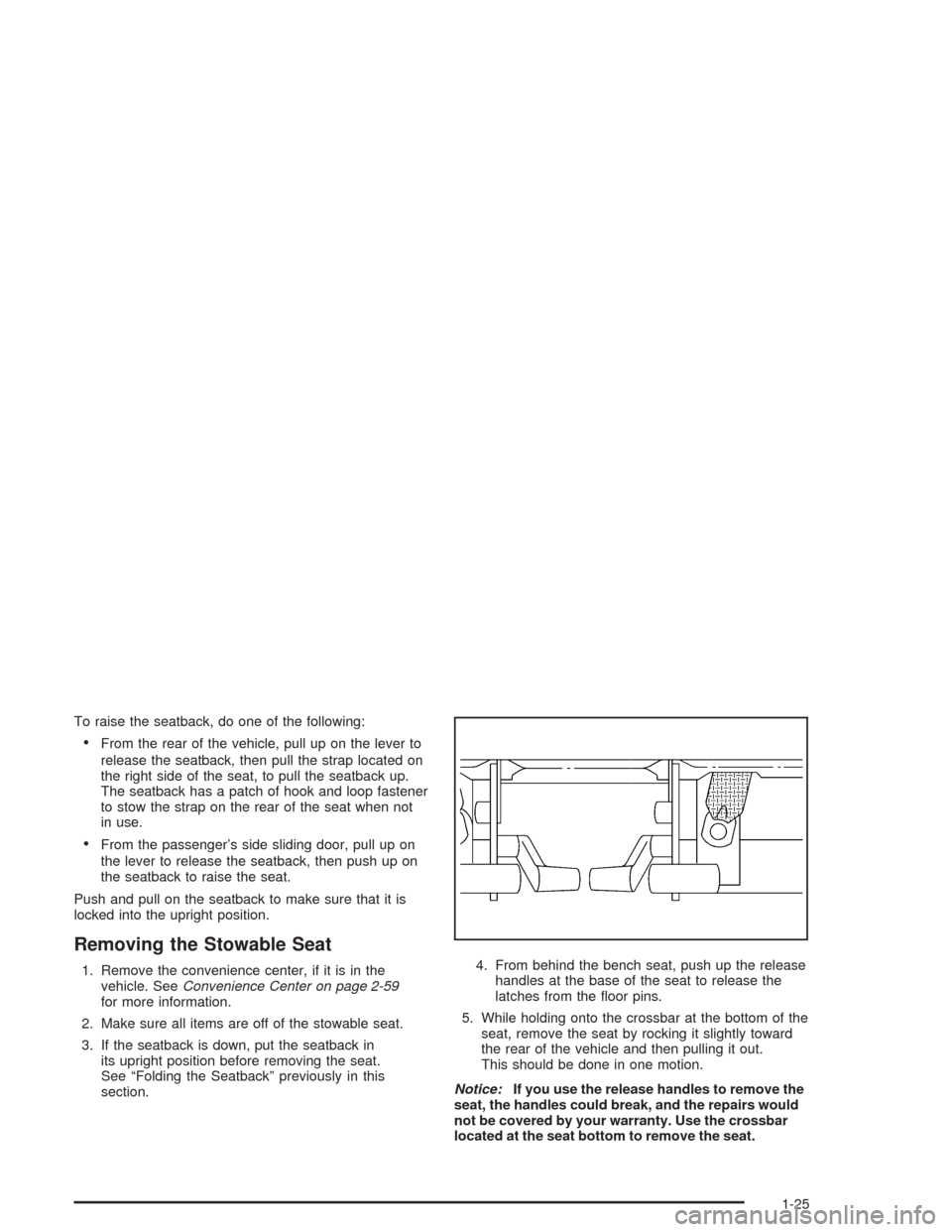
section.4. From behind the bench seat, push up the release
handles at the base of the seat to release the
latches from the oor pins.
5. While holding onto the crossbar at the bottom of the
seat, remove the seat by rocking it slightly toward
the rear of the vehicle and then pulling it out.
This should be done in one motion.
Notice:If you use the release handles to remove the
seat, the handles could break, and the repairs would
not be covered by your warranty. Use the crossbar
located at the seat bottom to remove the seat.
1-25
Page 38 of 516
Q:If I’m a good driver, and I never drive far from
home, why should I wear safety belts?
A:You may be an excellent driver, but if you’re in an
accident – even one that isn’t your fault – you and
your passengers can be hurt. Being a good
driver doesn’t protect you from things beyond your
control, such as bad drivers.
Most accidents occur within 25 miles (40 km) of
home. And the greatest number of serious injuries
and deaths occur at speeds of less than
40 mph (65 km/h).
Safety belts are for everyone.
How to Wear Safety Belts Properly
This part is only for people of adult size.
Be aware that there are special things to know about
safety belts and children. And there are different
rules for smaller children and babies. If a child will be
riding in your vehicle, seeOlder Children on page 1-53
orInfants and Young Children on page 1-56. Follow
those rules for everyone’s protection.
First, you’ll want to know which restraint systems your
vehicle has.
We’ll start with the driver position.
Driver Position
This part describes the driver’s restraint system.
Lap-Shoulder Belt
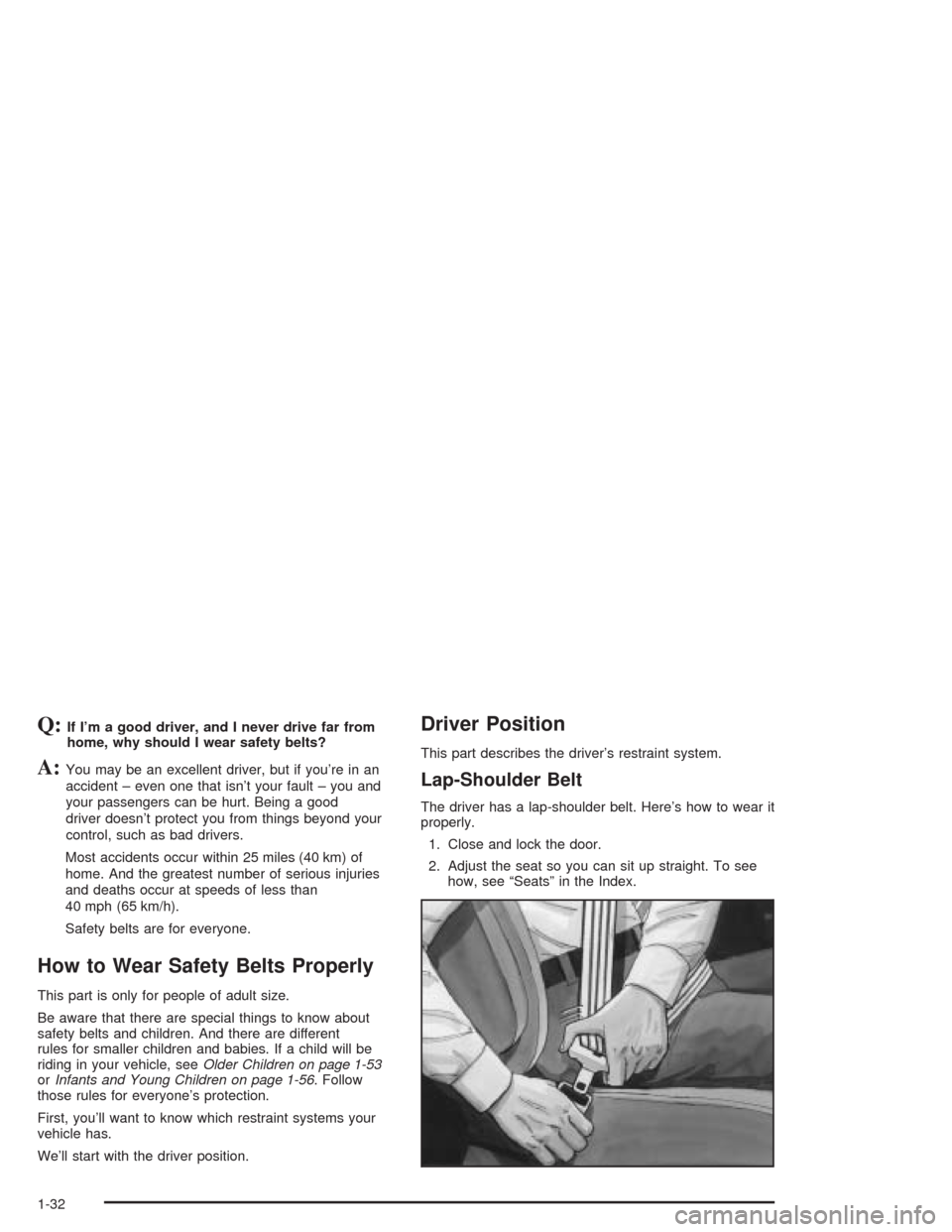
The driver has a lap-shoulder belt. Here’s how to wear it
properly.
1. Close and lock the door.
2. Adjust the seat so you can sit up straight. To see
how, see “Seats” in the Index.
1-32
Page 103 of 516
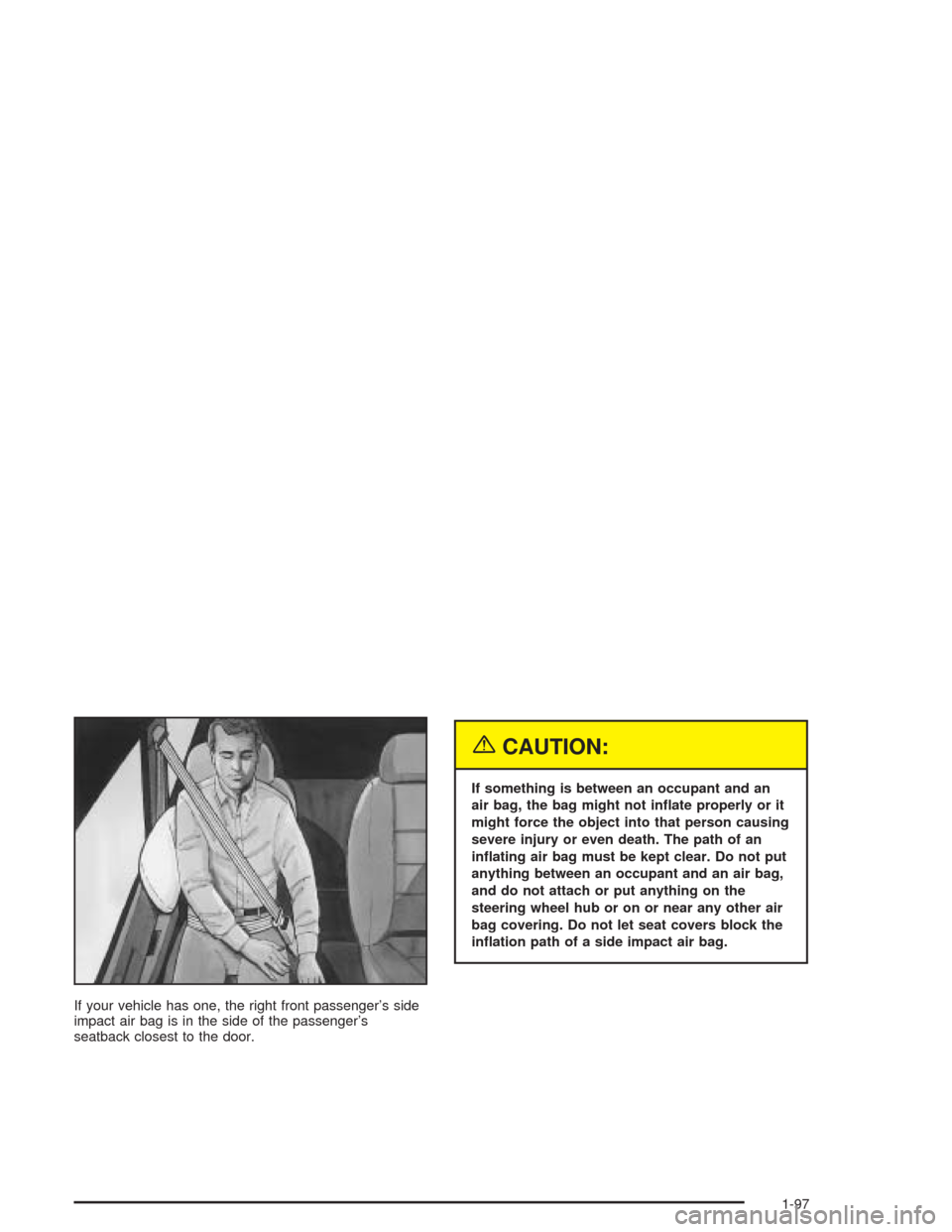
If your vehicle has one, the right front passenger’s side
impact air bag is in the side of the passenger’s
seatback closest to the door.
{CAUTION:
If something is between an occupant and an
air bag, the bag might not inate properly or it
might force the object into that person causing
severe injury or even death. The path of an
inating air bag must be kept clear. Do not put
anything between an occupant and an air bag,
and do not attach or put anything on the
steering wheel hub or on or near any other air
bag covering. Do not let seat covers block the
ination path of a side impact air bag.
1-97
Page 111 of 516
Keys...............................................................2-3
Remote Keyless Entry System.........................2-4
Remote Keyless Entry System Operation...........2-5
Doors and Locks.............................................2-9
Door Locks....................................................2-9
Power Door Locks........................................2-10
Last Door Closed Locking..............................2-11
Programmable Automatic Door Locks..............2-12
Lockout Protection........................................2-13
Leaving Your Vehicle....................................2-13
Dual Sliding Doors........................................2-13
Power Sliding Door (PSD)..............................2-16
Liftgate........................................................2-22
Windows........................................................2-24
Manual Windows..........................................2-24
Power Windows............................................2-25
Side Window Latches....................................2-25
Power Rear Quarter Windows........................2-26
Sun Visors...................................................2-26
Theft-Deterrent Systems..................................2-27
Content Theft-Deterrent.................................2-27
PASS-Key
®III ..............................................2-29
PASS-Key®III Operation...............................2-29Starting and Operating Your Vehicle................2-31
New Vehicle Break-In....................................2-31
Ignition Positions..........................................2-32
Starting Your Engine.....................................2-33
Engine Coolant Heater..................................2-34
Automatic Transaxle Operation.......................2-36
Parking Brake..............................................2-39
Shifting Into Park (P).....................................2-40
Shifting Out of Park (P).................................2-42
Parking Over Things That Burn.......................2-43
Engine Exhaust............................................2-43
Running Your Engine While You Are Parked. . . .2-44
Mirrors...........................................................2-45
Manual Rearview Mirror.................................2-45
Outside Power Mirrors...................................2-45
Outside Convex Mirror...................................2-46
Outside Heated Mirrors..................................2-46
OnStar
®System.............................................2-47
HomeLink®Transmitter...................................2-48
Programming the HomeLink®Transmitter.........2-49
Section 2 Features and Controls
2-1
Page 112 of 516

Storage Areas................................................2-52
Glove Box...................................................2-52
Cupholder(s)................................................2-53
Compact Overhead Console...........................2-53
Overhead Console........................................2-54
Front Seat Storage Net.................................2-56
Luggage Carrier...........................................2-56
Rear Storage Area........................................2-58
Convenience Net..........................................2-58
Convenience Center......................................2-59Vehicle Personalization...................................2-62
Entering Programming Mode..........................2-62
Delayed Illumination and Exit Lighting..............2-63
Automatic Door Locks...................................2-64
Last Door Locking and Lockout Deterrent.........2-65
Remote Driver Unlock Control........................2-66
Remote Lock and Unlock Conrmation.............2-67
Content Theft-Deterrent System......................2-68
Arming and Disarming the Content
Theft-Deterrent System...............................2-69
Exiting Programming Mode.............................2-71
Section 2 Features and Controls
2-2
Page 114 of 516
Your vehicle’s key can be used for the ignition as well
as the driver’s door lock and storage compartments.
If you need a new key, contact your dealer, who
can obtain the correct key code.
Your vehicle has the PASS-Key
®III vehicle theft
system. The key has a transponder in the key head that
matches a decoder in the vehicle’s steering column.
If a replacement key or any additional key is needed,
you must purchase this key from your dealer. The
key will have PK3 stamped on it. Keep the bar code tag
that came with the original keys. Give this tag to your
dealer if you need a new key made.
Any new PASS-Key
®III key must be programmed
before it will start your vehicle. SeePASS-Key®III on
page 2-29for more information on programming
your new key.
Notice:If you ever lock your keys in your vehicle,
you may have to damage the vehicle to get in.
Be sure you have spare keys.
If you ever do get locked out of your vehicle, see
Roadside Assistance Program on page 7-6for more
information.
If your vehicle is equipped with the OnStar
®system with
an active subscription and you lock your keys inside
the vehicle, OnStar
®may be able to send a command to
unlock your vehicle. SeeOnStar®System on page 2-47
for more information.
Remote Keyless Entry System
If equipped, the keyless entry system operates on a
radio frequency subject to Federal Communications
Commission (FCC) Rules and with Industry Canada.
This device complies with Part 15 of the FCC Rules.
Operation is subject to the following two conditions:
1. This device may not cause interference, and
2. This device must accept any interference received,
including interference that may cause undesired
operation of the device.
This device complies with RSS-210 of Industry Canada.
Operation is subject to the following two conditions:
1. This device may not cause interference, and
2. This device must accept any interference received,
including interference that may cause undesired
operation of the device.
Changes or modications to this system by other than
an authorized service facility could void authorization to
use this equipment.
2-4
Page 115 of 516
At times you may notice a decrease in range. This is
normal for any remote keyless entry system. If the
transmitter does not work or if you have to stand closer
to your vehicle for the transmitter to work, try this:
Check the distance. You may be too far from your
vehicle. You may need to stand closer during
rainy or snowy weather.
Check the location. Other vehicles or objects may
be blocking the signal. Take a few steps to the
left or right, hold the transmitter higher, and
try again.
Check to determine if battery replacement is
necessary. See “Battery Replacement” under
Remote Keyless Entry System Operation on
page 2-5.
If you are still having trouble, see your dealer or a
qualied technician for service.
Remote Keyless Entry System
Operation
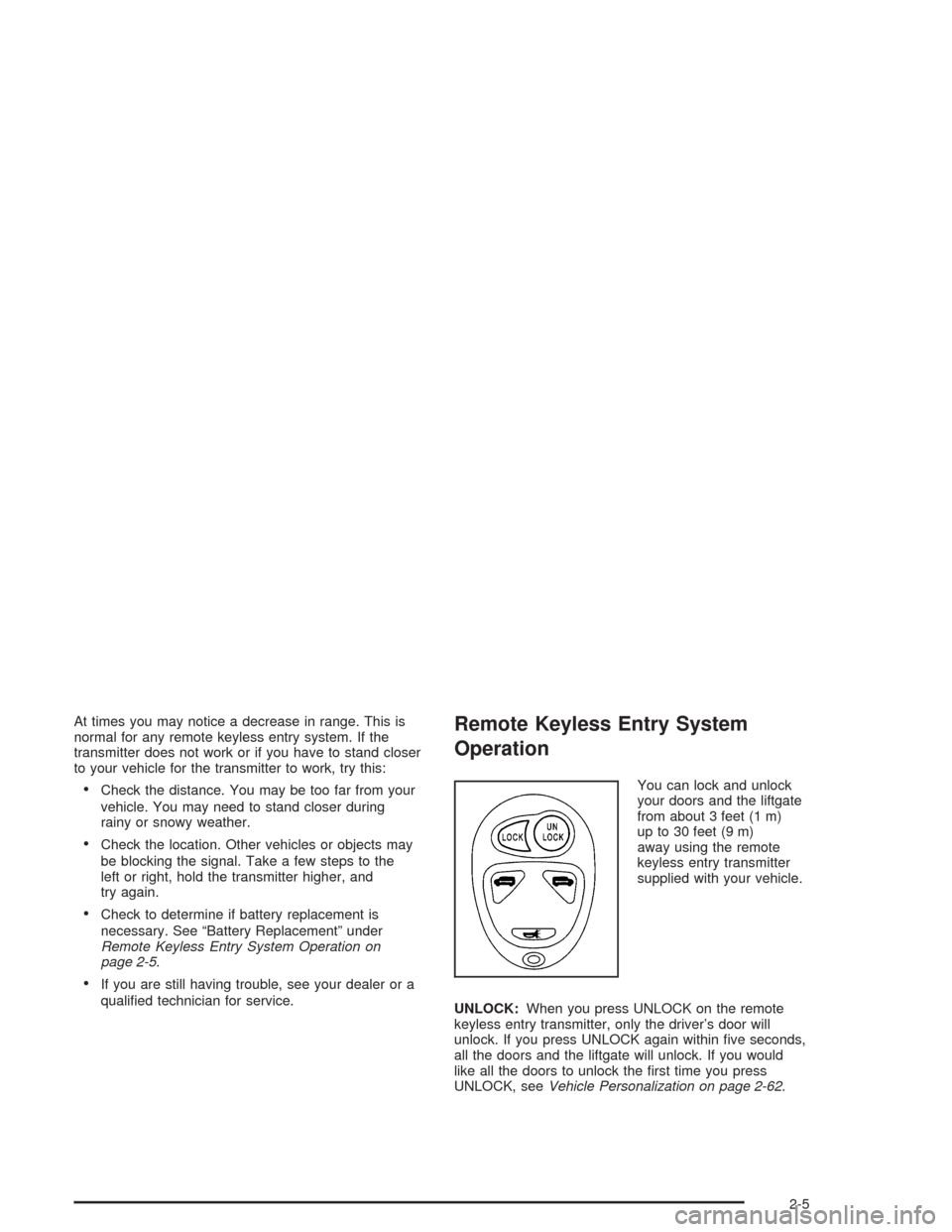
You can lock and unlock
your doors and the liftgate
from about 3 feet (1 m)
up to 30 feet (9 m)
away using the remote
keyless entry transmitter
supplied with your vehicle.
UNLOCK:When you press UNLOCK on the remote
keyless entry transmitter, only the driver’s door will
unlock. If you press UNLOCK again within ve seconds,
all the doors and the liftgate will unlock. If you would
like all the doors to unlock the rst time you press
UNLOCK, seeVehicle Personalization on page 2-62.
2-5