2004 CHEVROLET MALIBU tow
[x] Cancel search: towPage 102 of 426
Running Your Engine While You
Are Parked
It is better not to park with the engine running. But if
you ever have to, here are some things to know.
{CAUTION:
Idling the engine with the climate control
system off could allow dangerous exhaust into
your vehicle. See the earlier Caution under
Engine Exhaust on page 2-33.
Also, idling in a closed-in place can let deadly
carbon monoxide (CO) into your vehicle even if
the climate control fan is at the highest setting.
One place this can happen is a garage.
Exhaust — with CO — can come in easily.
NEVER park in a garage with the engine
running.
Another closed-in place can be a blizzard. See
Winter Driving on page 4-26.
{CAUTION:
It can be dangerous to get out of your vehicle if
the shift lever is not fully in PARK (P) with the
parking brake rmly set. Your vehicle can roll.
Do not leave your vehicle when the engine is
running unless you have to. If you have left the
engine running, the vehicle can move suddenly.
You or others could be injured. To be sure your
vehicle will not move, even when you are on
fairly level ground, always set your parking
brake and move the shift lever to PARK (P).
Follow the proper steps to be sure your vehicle will not
move. SeeShifting Into Park (P) on page 2-30.
If you are parking on a hill and if you are pulling a
trailer, also seeTowing a Trailer on page 4-40.
2-34
Page 103 of 426
Mirrors
Manual Rearview Mirror
This mirror can be adjusted two ways. First, to adjust
the angle of the mirror, move the mirror to a position that
allows you to see out of the back window. To adjust
the height of the mirror, adjust the arm that connects the
mirror to the windshield.
To reduce glare from lights behind you, move the lever
toward you to the night position.
Manual Rearview Mirror with
OnStar
®
If your vehicle has this feature, this mirror has a knob
located at the bottom of the mirror. It is used to change
the mirror from day to night position. To reduce glare
from headlamps behind you while driving at night, rotate
the knob clockwise. For daytime driving rotate the
knob counterclockwise.
There are also three OnStar
®buttons located at the
bottom of the mirror face. See your dealer for more
information on the system and how to subscribe
to OnStar
®. SeeOnStar®System on page 2-38for
more information about the services OnStar®provides.
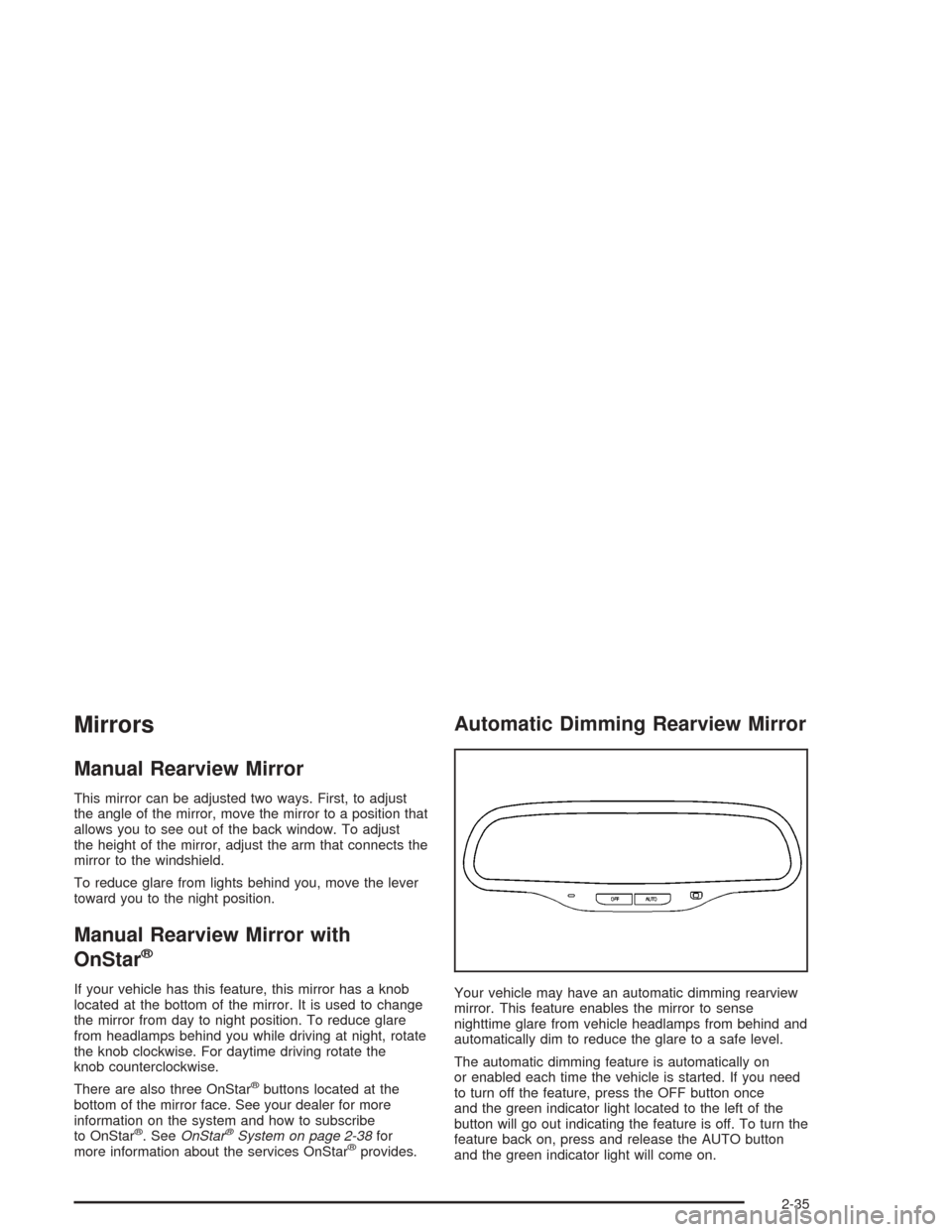
Automatic Dimming Rearview Mirror
Your vehicle may have an automatic dimming rearview
mirror. This feature enables the mirror to sense
nighttime glare from vehicle headlamps from behind and
automatically dim to reduce the glare to a safe level.
The automatic dimming feature is automatically on
or enabled each time the vehicle is started. If you need
to turn off the feature, press the OFF button once
and the green indicator light located to the left of the
button will go out indicating the feature is off. To turn the
feature back on, press and release the AUTO button
and the green indicator light will come on.
2-35
Page 125 of 426
Headlamp High/Low-Beam Changer
To change the headlamps from low beam to high beam,
push the turn signal/multifunction lever away from you.
When the high beams
are on, a light on the
instrument panel cluster
also will be on if the
ignition is in ON.
To change the headlamps from high beam to low beam,
pull the turn signal lever toward you.
Headlamps On Reminder
If you open the driver’s door and turn off the ignition while
leaving the lamps on, you will hear a warning chime.
Flash-to-Pass Feature
This feature lets you use your high-beam headlamps
momentarily to signal a driver in front of you that
you want to pass.
To use it, pull the turn signal/multifunction lever toward
you until the high-beam headlamps come on, then
release the lever to turn them off.
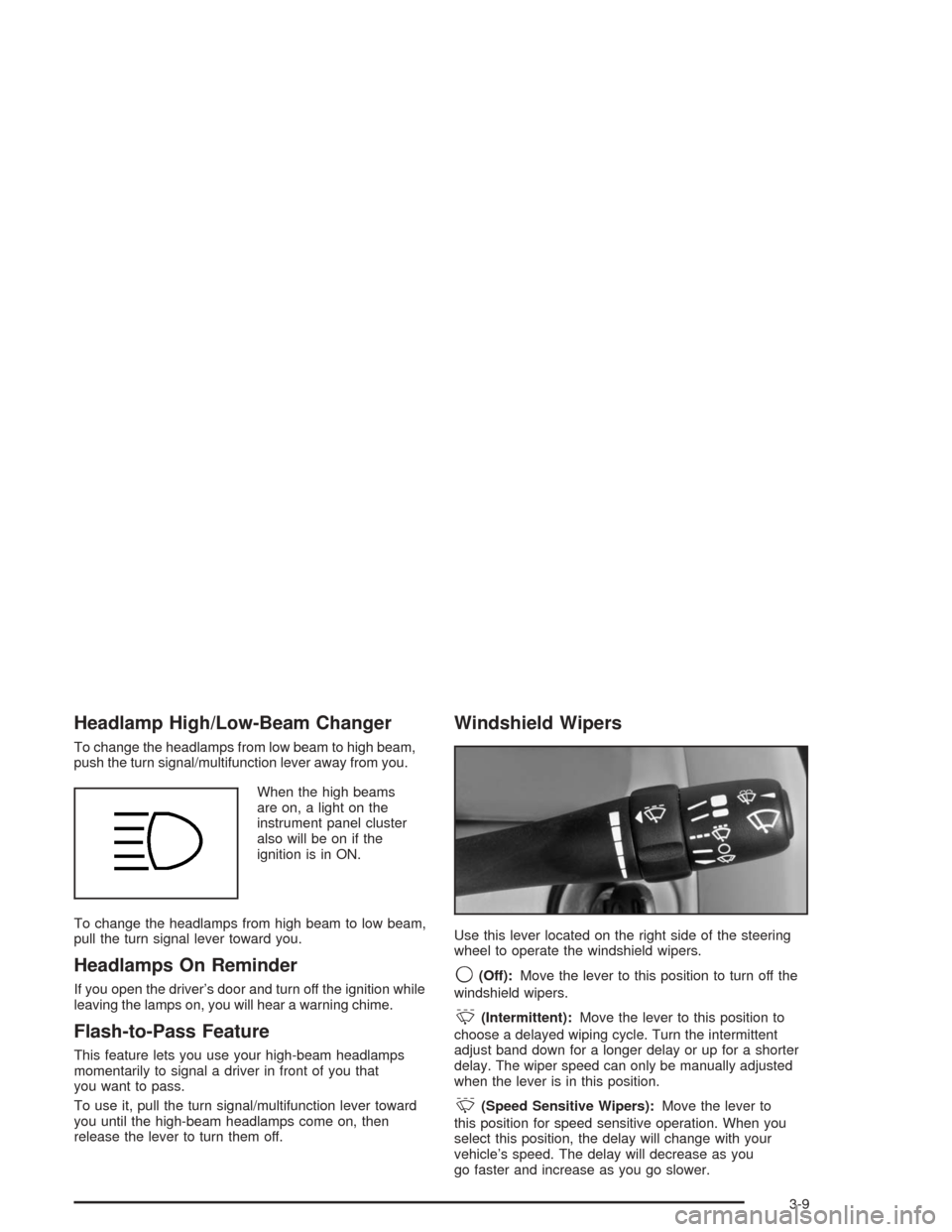
Windshield Wipers
Use this lever located on the right side of the steering
wheel to operate the windshield wipers.
9(Off):Move the lever to this position to turn off the
windshield wipers.
&(Intermittent):Move the lever to this position to
choose a delayed wiping cycle. Turn the intermittent
adjust band down for a longer delay or up for a shorter
delay. The wiper speed can only be manually adjusted
when the lever is in this position.
&(Speed Sensitive Wipers):Move the lever to
this position for speed sensitive operation. When you
select this position, the delay will change with your
vehicle’s speed. The delay will decrease as you
go faster and increase as you go slower.
3-9
Page 138 of 426
To change the current settings, turn the right knob to
select one of the following:
H(Vent):This mode directs air to the instrument
panel outlets.
)(Bi-Level):This mode directs half of the air to the
instrument panel outlets, and the remaining air to
the oor outlets. Some air may be directed toward the
side windows.
6(Floor):This mode directs most of the air to the
oor outlets with some air directed to the side window
outlets.
The right knob can also be used to select defog or
defrost modes. Information on defogging and defrosting
can be found later in this section.
:(Outside Air):Press the right side of this button
to turn the outside air mode on. When this mode is
on, outside air will circulate throughout your vehicle.
When the button is pressed, an indicator light will come
on to let you know that it is activated. The outside air
mode can be used with all modes, but it cannot be used
with the recirculation mode. Pressing this button will
cancel the recirculation mode.
?(Recirculation):This mode keeps outside air
from coming in the vehicle. It can be used to prevent
outside air and odors from entering your vehicle or
to help heat or cool the air inside your vehicle more
quickly. Press this button to turn the recirculation mode
on. When the button is pressed, an indicator light
will come on to let you know that it is activated. The
air-conditioning compressor comes on. The recirculation
mode can be used with vent, bi-level, or oor modes,
but it cannot be used with the defog or defrost modes.
The recirculation indicator light will blink three times
if you try to use recirculation in a mode that it can not
be used in.
Pressing this button will cancel the outside air mode.
When you switch to the defog or defrost modes
the system will automatically move from recirculation
to outside air. When you move the mode knob back
to another mode, the system will move back into
recirculation. When the vehicle or fan is turned off
and back on, the system will default to outside air
automatically. Only use recirculation mode when it is
needed for comfort, since window fogging may occur.
3-22
Page 152 of 426
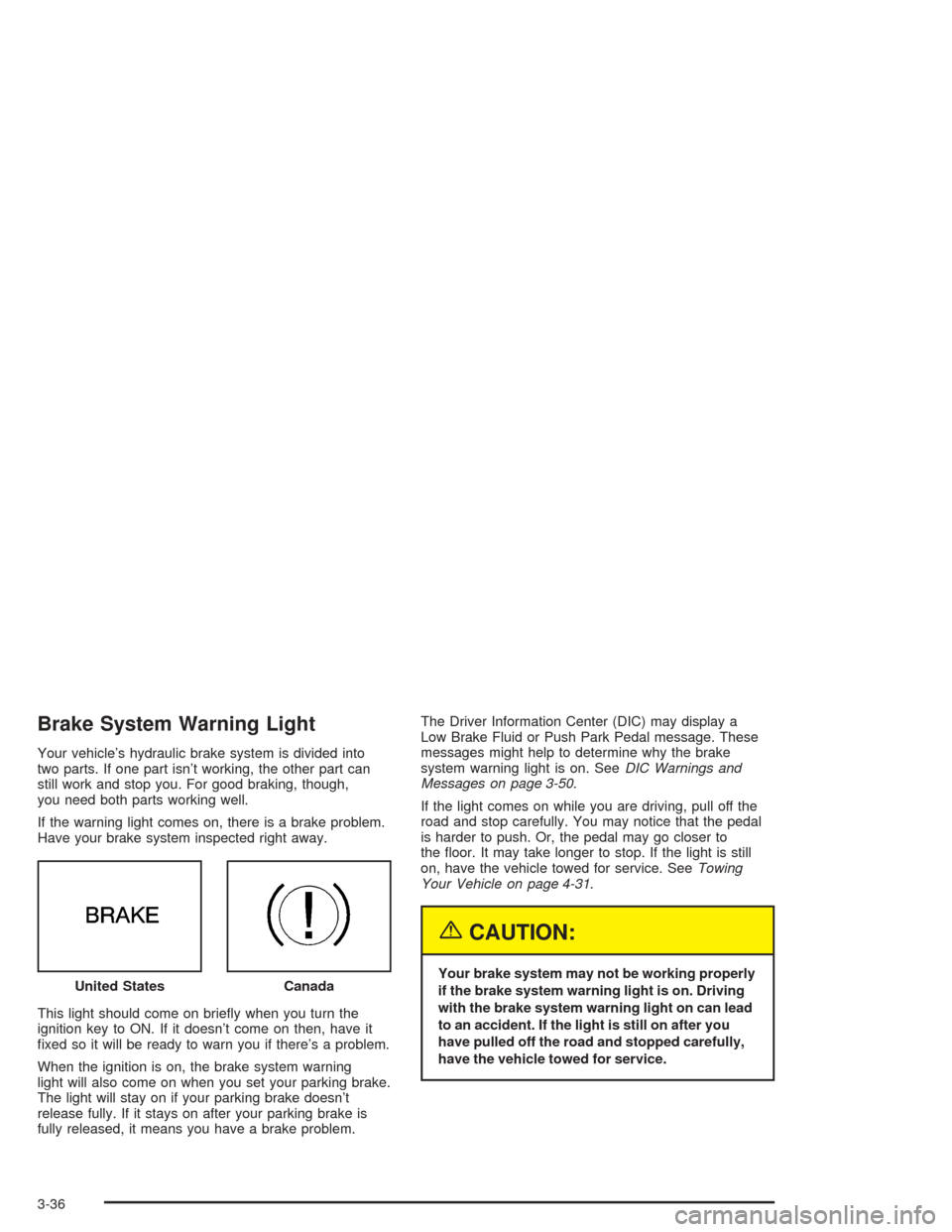
Brake System Warning Light
Your vehicle’s hydraulic brake system is divided into
two parts. If one part isn’t working, the other part can
still work and stop you. For good braking, though,
you need both parts working well.
If the warning light comes on, there is a brake problem.
Have your brake system inspected right away.
This light should come on briey when you turn the
ignition key to ON. If it doesn’t come on then, have it
xed so it will be ready to warn you if there’s a problem.
When the ignition is on, the brake system warning
light will also come on when you set your parking brake.
The light will stay on if your parking brake doesn’t
release fully. If it stays on after your parking brake is
fully released, it means you have a brake problem.The Driver Information Center (DIC) may display a
Low Brake Fluid or Push Park Pedal message. These
messages might help to determine why the brake
system warning light is on. SeeDIC Warnings and
Messages on page 3-50.
If the light comes on while you are driving, pull off the
road and stop carefully. You may notice that the pedal
is harder to push. Or, the pedal may go closer to
the oor. It may take longer to stop. If the light is still
on, have the vehicle towed for service. SeeTowing
Your Vehicle on page 4-31.
{CAUTION:
Your brake system may not be working properly
if the brake system warning light is on. Driving
with the brake system warning light on can lead
to an accident. If the light is still on after you
have pulled off the road and stopped carefully,
have the vehicle towed for service. United StatesCanada
3-36
Page 156 of 426
Notice:Modications made to the engine,
transaxle, exhaust, intake or fuel system of your
vehicle or the replacement of the original tires with
other than those of the same Tire Performance
Criteria (TPC) can affect your vehicle’s emission
controls and may cause this light to come on.
Modications to these systems could lead to costly
repairs not covered by your warranty. This may
also result in a failure to pass a required Emission
Inspection/Maintenance test.
This light should come on, as a check to show you
it is working, when the ignition is on and the engine
is not running. If the light does not come on, have
it repaired. This light will also come on during a
malfunction in one of two ways:
Light Flashing— A misre condition has been
detected. A misre increases vehicle emissions
and may damage the emission control system
on your vehicle. Diagnosis and service may
be required.
Light On Steady— An emission control system
malfunction has been detected on your vehicle.
Diagnosis and service may be required.
If the Light is Flashing
The following may prevent more serious damage to
your vehicle:
Reducing vehicle speed.
Avoiding hard accelerations.
Avoiding steep uphill grades.
If you are towing a trailer, reduce the amount of
cargo being hauled as soon as it is possible.
If the light stops ashing and remains on steady,
see “If the Light Is On Steady” following.
If the light continues to ash, when it is safe to do so,
stop the vehicle.Find a safe place to park your
vehicle. Turn the key off, wait at least 10 seconds
and restart the engine. If the light remains on steady,
see “If the Light Is On Steady” following. If the light
is still ashing, follow the previous steps, and see your
dealer for service as soon as possible.
3-40
Page 159 of 426
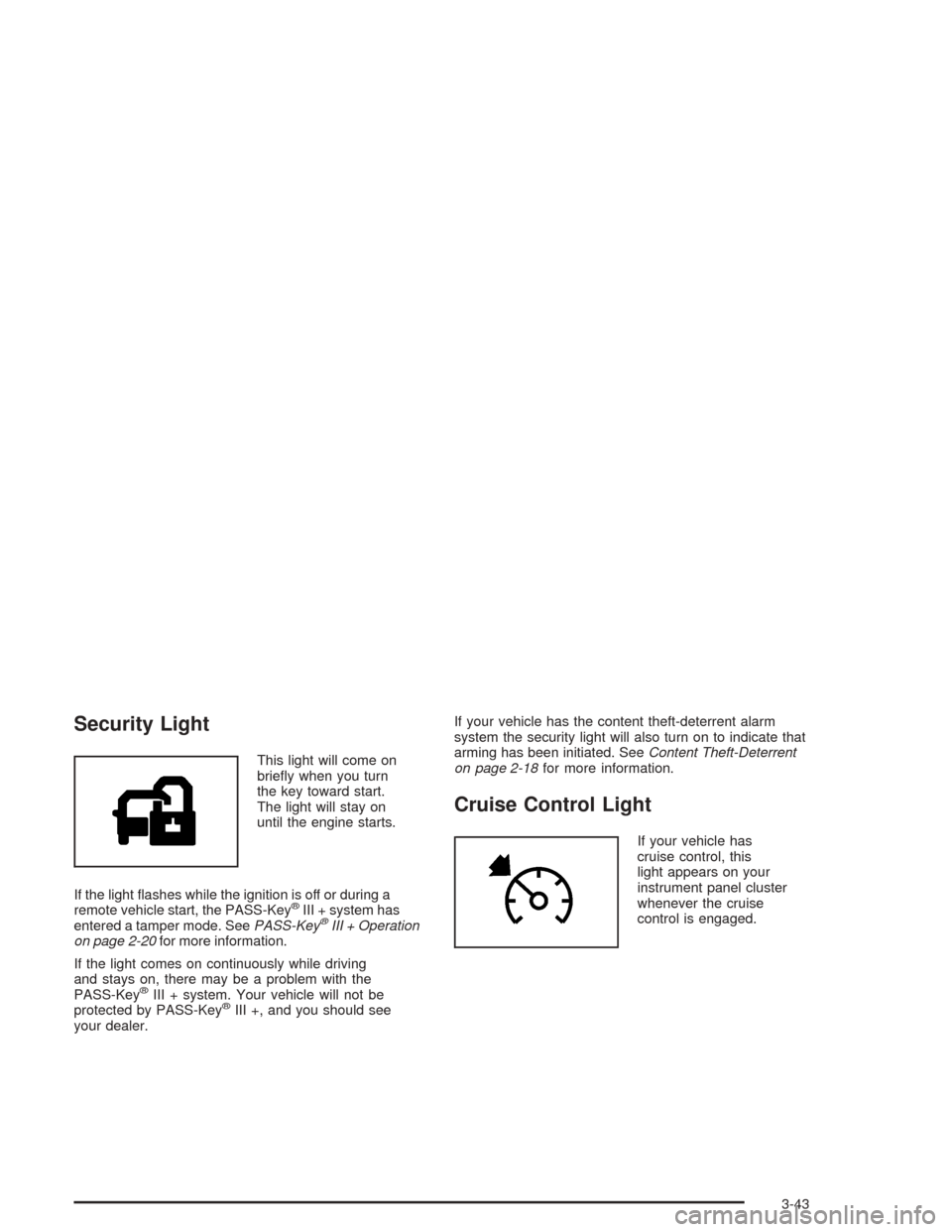
Security Light
This light will come on
briey when you turn
the key toward start.
The light will stay on
until the engine starts.
If the light ashes while the ignition is off or during a
remote vehicle start, the PASS-Key
®III + system has
entered a tamper mode. SeePASS-Key®III + Operation
on page 2-20for more information.
If the light comes on continuously while driving
and stays on, there may be a problem with the
PASS-Key
®III + system. Your vehicle will not be
protected by PASS-Key®III +, and you should see
your dealer.If your vehicle has the content theft-deterrent alarm
system the security light will also turn on to indicate that
arming has been initiated. SeeContent Theft-Deterrent
on page 2-18for more information.
Cruise Control Light
If your vehicle has
cruise control, this
light appears on your
instrument panel cluster
whenever the cruise
control is engaged.
3-43
Page 171 of 426
Setting the Tone (Bass/Treble)
TONE /P/Q(Bass/Treble):To adjust the bass or the
treble, press and release the tone button repeatedly
until BASS or TREB appears on the display. Then turn
the ADJ knob to increase or to decrease. If a station
is weak or noisy, you may want to decrease the treble.
To adjust bass or treble to the middle position, select
BASS or TREB. Then press and hold the tone button for
more than two seconds. You will hear a beep and the
level will be adjusted to the middle position.
To adjust the tone controls to the middle position, rst
end out of tone by pressing another button, causing the
radio to perform that function, or by waiting ve
seconds for the display to return to the default display.
Then press and hold the tone button for more than
two seconds until you hear a beep. ALL CENTERED
will appear on the display.
Adjusting the Speakers (Balance/Fade)
BAL/FADE /S(Balance/Fade):To adjust the
balance between the right and the left speakers, press
and release the balance and fade button until BAL
appears on the display. Then turn the ADJ knob to move
the sound toward the right or the left speakers.
To adjust the fade between the front and the rear
speakers, press and release the balance and fade
button until FADE appears on the display. Then turn
the ADJ knob to move the sound toward the front or the
rear speakers.
To adjust balance or fade to the middle position, select
BAL or FADE. Then press and hold the balance and fade
button for more than two seconds. You will hear a beep
and the level will be adjusted to the middle position.
To adjust the speaker controls to the middle position,
rst end out of balance and fade by pressing another
button, causing the radio to perform that function, or by
waiting ve seconds for the display to return to the default
display. Then press and hold the balance and fade
button for more than two seconds until you hear a beep.
ALL CENTERED will appear on the display.
3-55