2004 CHEVROLET CORVETTE clutch
[x] Cancel search: clutchPage 78 of 384

Manual Transmission
The shift lever should be in NEUTRAL and the parking
brake engaged. Hold the clutch pedal to the floor
and start the engine. Your vehicle will not start if the
clutch pedal is not all the way down – that is a safety
feature.
1. With your foot off the accelerator pedal, turn the
ignition key to START. When the engine starts,
let go of the key. The idle speed will go down as
your engine gets warm.
Notice:Holding your key in START for longer than
15 seconds at a time will cause your battery to
be drained much sooner. And the excessive heat
can damage your starter motor. Wait about
15 seconds between each try to help avoid draining
your battery or damaging your starter.
2. If it does not start within 10 seconds, push the
accelerator pedal all the way to the floor, while
you hold the ignition key in START. When
the engine starts, let go of the key and let up on the
accelerator pedal. Wait about 15 seconds between
each try.When starting your engine in very cold weather (below
0°F or−18°C), do this:
1. With your foot off the accelerator pedal, turn the
ignition key to START and hold it there up to
15 seconds. When the engine starts, let go of
the key.
2. If your engine still will not start, or starts but then
stops, it could be flooded with too much gasoline.
Try pushing your accelerator pedal all the way to the
floor and holding it there as you hold the key in
START for about three seconds. When the engine
starts, let go of the key and accelerator. If the
vehicle starts briefly but then stops again, do the
same thing, but this time keep the pedal down
for five or six seconds. This clears the extra
gasoline from the engine.
Notice:Your engine is designed to work with the
electronics in your vehicle. If you add electrical
parts or accessories, you could change the way the
engine operates. Before adding electrical equipment,
check with your dealer. If you do not, your engine
might not perform properly.
2-22
Page 84 of 384

Manual Transmission Operation
This is the shift pattern for
the six-speed manual
transmission.
Here is how to operate your transmission:
FIRST (1):Press the clutch pedal and shift into
FIRST (1). Then slowly let up on the clutch pedal as
you press the accelerator pedal.
You can shift into FIRST (1) when you are going less
than 40 mph (64 km/h). If you come to a complete stop
and it is hard to shift into FIRST (1), put the shift
lever in NEUTRAL and let up on the clutch. Press the
clutch pedal back down. Then shift into FIRST (1).
SECOND (2):Press the clutch pedal as you let up on
the accelerator pedal and shift into SECOND (2).
Then, slowly let up on the clutch pedal as you press the
accelerator pedal.THIRD (3), FOURTH (4), FIFTH (5) and SIXTH (6):Shift
into THIRD (3), FOURTH (4), FIFTH (5) and SIXTH (6)
the same way you do for SECOND (2). Slowly let up on
the clutch pedal as you press the accelerator pedal.
To stop, let up on the accelerator pedal and press the
brake pedal. Just before the vehicle stops, press
the clutch pedal and the brake pedal, and shift to
NEUTRAL.
NEUTRAL:Use this position when you start or idle
your engine. Your shift lever is in NEUTRAL when it is
centered in the shift pattern, not in any gear.
REVERSE (R):To back up, press down the clutch
pedal and shift into REVERSE (R). Just apply pressure
to get the lever past FIFTH (5) and SIXTH (6) into
REVERSE (R). Let up on the clutch pedal slowly while
pressing the accelerator pedal.
Your six-speed manual transmission has a feature that
allows you to safely shift into REVERSE (R) while
the vehicle is rolling at less than 3 mph (5 km/h). You
will be locked out if you try to shift into REVERSE (R)
while your vehicle is moving faster than 3 mph (5 km/h).
If you have turned your ignition off and wish to park
your vehicle in REVERSE (R), you will have to move the
shift lever quickly to the right, and immediately forward
into gear.
2-28
Page 87 of 384
Notice:If you skip more than one gear when you
downshift, or if you race the engine when you
release the clutch pedal while downshifting, you
could damage the engine, clutch, driveshaft or the
transmission. Do not skip gears or race the
engine when downshifting.
The six-speed transmission has a spring that centers
the shift lever near THIRD (3) and FOURTH (4).
This spring helps you know which gear you are in when
you are shifting. Be careful when shifting from
FIRST (1) to SECOND (2) or downshifting from
SIXTH (6) to FIFTH (5). The spring will try to pull the
shift lever toward FOURTH (4) and THIRD (3).
Make sure you move the lever into SECOND (2) or
FIFTH (5). If you let the shift lever move in the direction
of the pulling, you may end up shifting from FIRST (1)
to FOURTH (4) or from SIXTH (6) to THIRD (3).Parking Brake
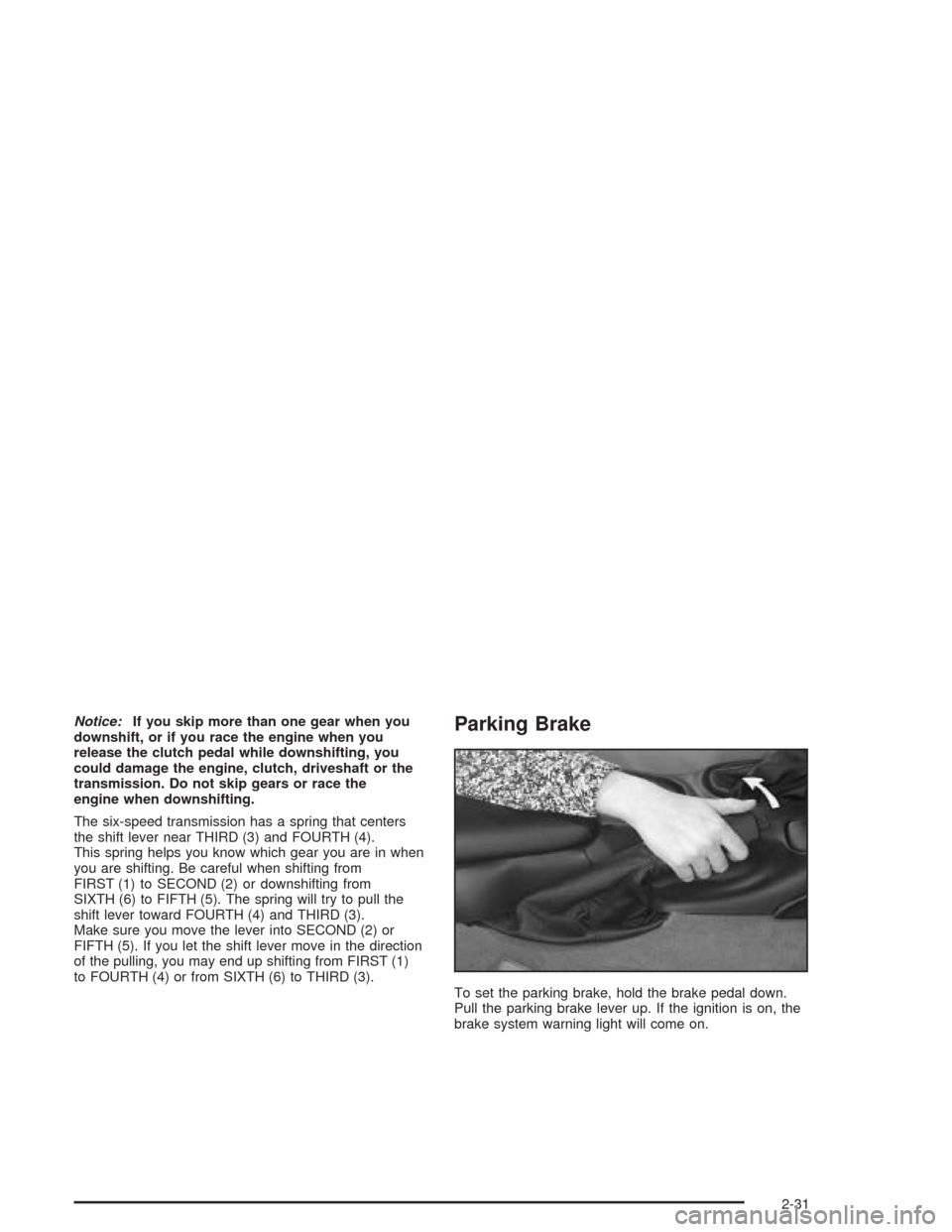
To set the parking brake, hold the brake pedal down.
Pull the parking brake lever up. If the ignition is on, the
brake system warning light will come on.
2-31
Page 91 of 384
If you ever hold the brake pedal down but still cannot
shift out of PARK (P), try this:
1. Turn the key to ACCESSORY.
2. Apply and hold the brake until the end of Step 4.
3. Shift to NEUTRAL (N).
4. Start the engine and then shift to the drive gear
you want.
5. Have the system fixed as soon as possible.
Parking Your Vehicle
(Manual Transmission)
Before you get out of your vehicle, move the shift lever
into REVERSE (R) and firmly apply the parking
brake. Once the shift lever has been placed into
REVERSE (R) with the clutch pedal pressed in, you can
turn the ignition key to OFF, remove the key and
release the clutch.
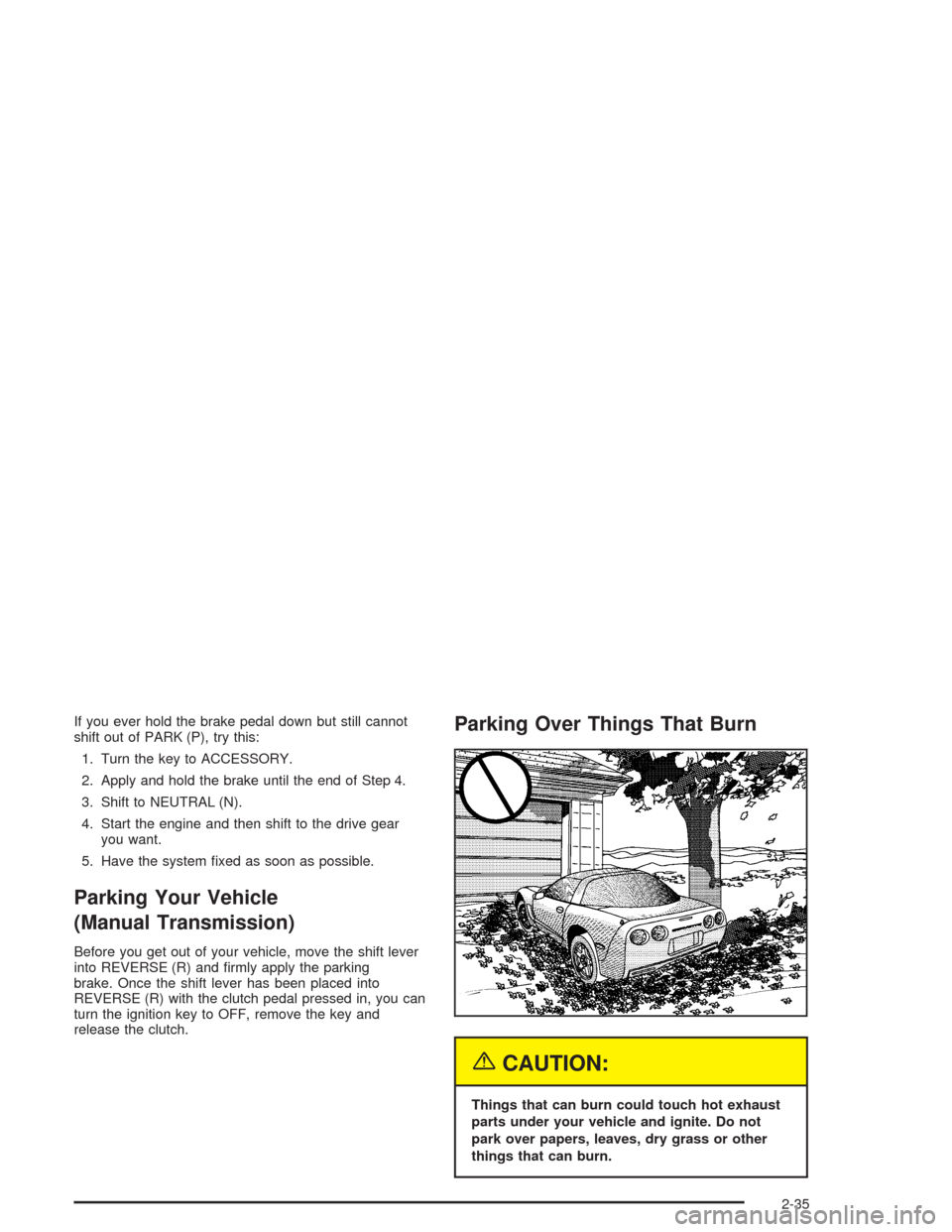
Parking Over Things That Burn
{CAUTION:
Things that can burn could touch hot exhaust
parts under your vehicle and ignite. Do not
park over papers, leaves, dry grass or other
things that can burn.
2-35
Page 124 of 384
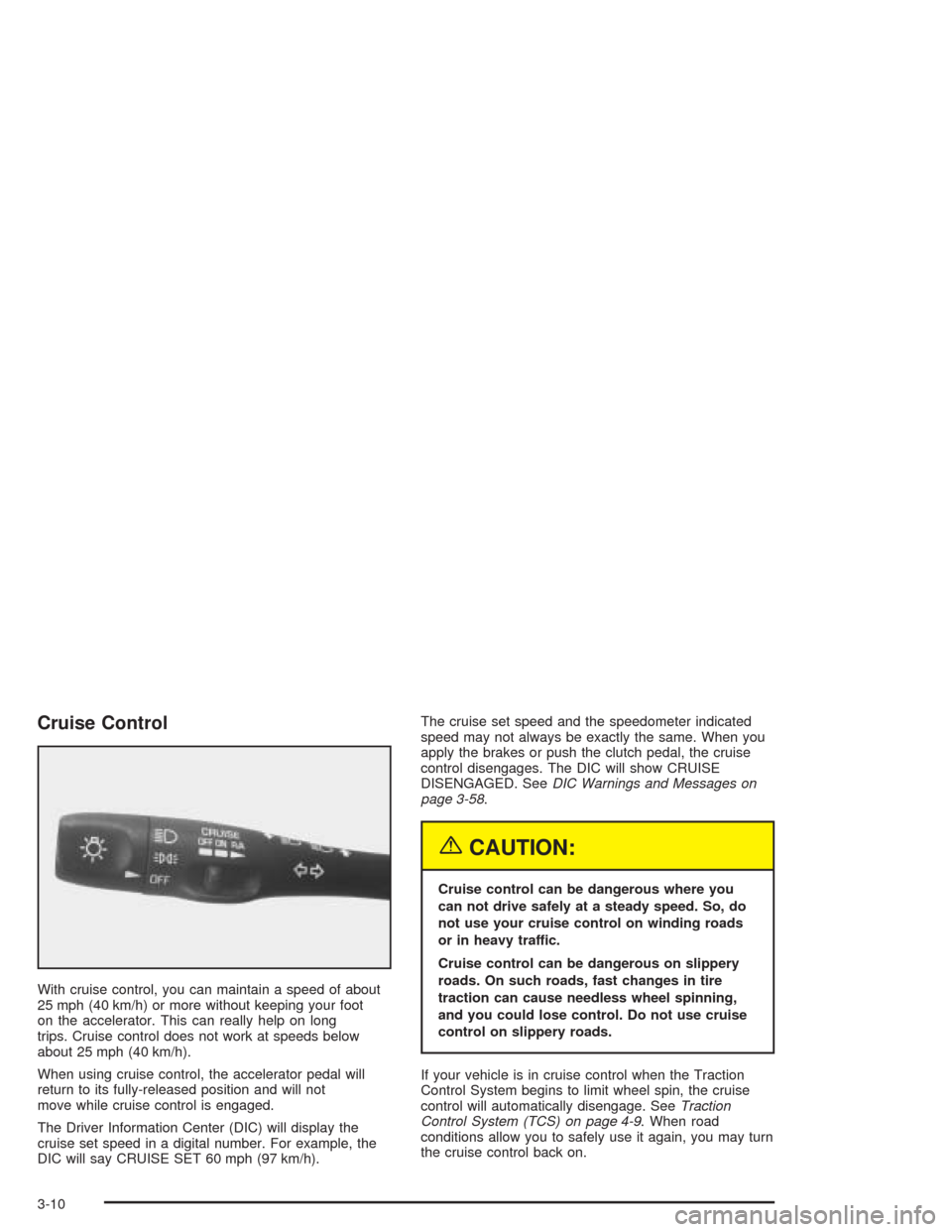
Cruise Control
With cruise control, you can maintain a speed of about
25 mph (40 km/h) or more without keeping your foot
on the accelerator. This can really help on long
trips. Cruise control does not work at speeds below
about 25 mph (40 km/h).
When using cruise control, the accelerator pedal will
return to its fully-released position and will not
move while cruise control is engaged.
The Driver Information Center (DIC) will display the
cruise set speed in a digital number. For example, the
DIC will say CRUISE SET 60 mph (97 km/h).The cruise set speed and the speedometer indicated
speed may not always be exactly the same. When you
apply the brakes or push the clutch pedal, the cruise
control disengages. The DIC will show CRUISE
DISENGAGED. SeeDIC Warnings and Messages on
page 3-58.
{CAUTION:
Cruise control can be dangerous where you
can not drive safely at a steady speed. So, do
not use your cruise control on winding roads
or in heavy traffic.
Cruise control can be dangerous on slippery
roads. On such roads, fast changes in tire
traction can cause needless wheel spinning,
and you could lose control. Do not use cruise
control on slippery roads.
If your vehicle is in cruise control when the Traction
Control System begins to limit wheel spin, the cruise
control will automatically disengage. SeeTraction
Control System (TCS) on page 4-9. When road
conditions allow you to safely use it again, you may turn
the cruise control back on.
3-10
Page 125 of 384
Setting Cruise Control
{CAUTION:
If you leave your cruise control on when you
are not using cruise, you might hit a button
and go into cruise when you do not want to.
You could be startled and even lose control.
Keep the cruise control switch off until you
want to use cruise control.
1. Move the cruise control switch to ON.
2. Get up to the speed you want.
3. Press the SET button at the end of the lever and
release it. The cruise set speed will be displayed
by the Driver Information Center (DIC).
4. Take your foot off the accelerator pedal. The pedal
will return to an idle position.
Resuming a Set Speed
Suppose you set the cruise control at a desired speed
and then you apply the brake or clutch pedal. This,
of course, disengages the cruise control. But you do not
need to reset it.
Once you are going about 25 mph (40 km/h) or more,
you can move the cruise control switch to R/A
(Resume/Accelerate) briefly. The Driver Information
Center (DIC) will display the cruise set speed.
You will go right back up to your chosen speed and
stay there.
3-11
Page 127 of 384
Using Cruise Control on Hills
How well your cruise control will work on hills depends
upon your speed, load and the steepness of the
hills. When going downhill, you may have to brake or
shift to a lower gear to keep your speed down. Of
course, applying the brake takes you out of cruise
control. Many drivers find this to be too much trouble
and do not use cruise control on steep hills.
Ending Cruise Control
There are two ways to turn off the cruise control:
•Step lightly on the brake pedal or push the clutch
pedal, if you have a manual transmission vehicle.
•Move the cruise switch to OFF.
The Driver Information Center (DIC) will display the
message CRUISE DISENGAGED.
Erasing Speed Memory
When you turn off the cruise control or the ignition,
cruise control set speed memory is erased.
Exterior Lamps
The exterior lamp switch on the turn signal/multifunction
lever operates the headlamps.
The exterior lamp switch has three positions:
OFF:Turn the switch to this position to turn off all
lamps, except the Daytime Running Lamps (DRL).
;(Parking Lamps):Turn the switch to this position
to turn on the parking lamps, together with the
following:
•Taillamps
•Parking Lamps
•Sidemarker Lamps
3(Headlamps):Turn the switch to this position to
turn on the headlamps, together with the previously
listed lamps.
3-13
Page 175 of 384

HIGH TIRE PRESSURE – (LF, LR, RF, RR)
(Except Z06):You will hear two chimes when this
message is displayed. To acknowledge the warning,
press RESET. After you press RESET, a message will
reappear every 10 minutes until this condition
changes. This message indicates that the pressure in
one of your tires is higher than 42 psi (290 kPa). Next to
the HIGH TIRE PRESSURE message, you can see
either LF (left front), LR (left rear), RF (right front) or RR
(right rear) to indicate to you which tire is higher than
42 psi (290 kPa). You can receive more than one
tire pressure message at a time. To read other
messages that may have been sent at the same time,
press RESET. If a tire pressure message appears on the
DIC, stop as soon as you can. Have the tire pressures
checked and set to those shown on your Tire Loading
Information Label. SeeExtended Mobility Tires
(Except Z06) on page 5-61andInation - Tire
Pressure on page 5-62.HIGH TRANS TEMP (Automatic Transmission
Only):You will hear four chimes when this message is
displayed. To acknowledge this warning, press the
RESET button. After you press the RESET button, the
message will be displayed every 10 minutes until
the condition changes. If you do not press RESET, the
message remains on the display until the condition
changes.
If the transmission fluid temperature rises above 270°F
(132°C) or rises rapidly, this message is displayed.
The transmission may shift gears or apply the torque
converter clutch to reduce the fluid temperature. Driving
aggressively or driving on long hills can cause the
transmission fluid temperature to be higher than normal.
If this message appears, you may continue to drive at
a slower speed. You should also monitor the
transmission fluid temperature and allow it to cool to at
least 230°F (110°C). The transmission fluid temperature
can be monitored with the GAGES button on the
DIC. SeeAutomatic Transmission Fluid on page 5-20.
You should also check the engine coolant temperature.
If it is also hot, seeEngine Overheating on page 5-26.
If the HIGH TRANS TEMP message is displayed during
normal vehicle operation on flat roads, your vehicle
may need service. See your dealer for an inspection.
3-61