2004 CHEVROLET CORVETTE fuel cap
[x] Cancel search: fuel capPage 1 of 384

Seats and Restraint Systems........................... 1-1
Front Seats
............................................... 1-2
Safety Belts
.............................................. 1-6
Child Restraints
.......................................1-19
Air Bag System
.......................................1-40
Restraint System Check
............................1-49
Features and Controls..................................... 2-1
Keys
........................................................ 2-3
Doors and Locks
....................................... 2-9
Windows
.................................................2-14
Theft-Deterrent Systems
............................2-16
Starting and Operating Your Vehicle
...........2-19
Mirrors
....................................................2-37
Storage Areas
.........................................2-40
Roof Panel
..............................................2-44
Convertible Top
.......................................2-50
Vehicle Personalization
.............................2-57
Instrument Panel............................................. 3-1
Instrument Panel Overview
.......................... 3-2
Climate Controls
......................................3-23
Warning Lights, Gages, and Indicators
........3-32
Driver Information Center (DIC)
..................3-48
Audio System(s)
.......................................3-69Driving Your Vehicle....................................... 4-1
Your Driving, the Road, and Your Vehicle
..... 4-2
Towing
...................................................4-33
Service and Appearance Care.......................... 5-1
Service
..................................................... 5-3
Fuel
......................................................... 5-4
Checking Things Under the Hood
...............5-10
Rear Axle
...............................................5-47
Bulb Replacement
....................................5-48
Windshield Wiper Blade Replacement
.........5-52
Tires
......................................................5-55
Appearance Care
.....................................5-82
Vehicle Identification
.................................5-91
Electrical System
......................................5-92
Capacities and Specifications
.....................5-99
Maintenance Schedule..................................... 6-1
Maintenance Schedule
................................ 6-2
Customer Assistance and Information.............. 7-1
Customer Assistance and Information
........... 7-2
Reporting Safety Defects
...........................7-10
Index................................................................ 1
2004 Chevrolet Corvette Owner ManualM
Page 142 of 384
#A/C (Air Conditioning):Press this button to
override the automatic system and turn the
air-conditioning system on or off. When A/C is pressed,
an indicator light in the button will come on to let you
know that the air conditioning is activated. When
in AUTO, the air-conditioning compressor will come on
automatically, as necessary.
Air conditioning does not operate at temperatures below
about 35°F to 40°F (2°C to 4°C). In temperatures
above 40°F (4°C), the air conditioning cannot be turned
off in defrost and defog, as it helps to remove moisture
from the vehicle. It also helps to keep the windows clear.
You may notice a slight change in engine performance
when the air-conditioning compressor shuts off and
turns on again. This is normal. The system is designed
to make adjustments to help with fuel economy while
still maintaining the selected temperature.
On hot days, open the windows to let hot inside air
escape; then close them. This helps to reduce the time
it takes for your vehicle to cool down. It also helps
the system to operate more efficiently.For quick cool down on hot days, do the following:
1. Select the vent mode.
2. Select recirculation mode.
3. Select the A/C.
4. Select the coolest temperature.
5. Select the highest fan speed.
Using these settings together for long periods of time
may cause the air inside of your vehicle to become too
dry. To prevent this from happening, after the air in
your vehicle has cooled, turn the recirculation mode off.
The air-conditioning system removes moisture from
the air, so you may sometimes notice a small amount of
water dripping underneath your vehicle while idling or
after turning off the engine. This is normal.
3-28
Page 157 of 384
If the Light Is On Steady
You also may be able to correct the emission system
malfunction by considering the following:
Did you recently put fuel into your vehicle?
If so, reinstall the fuel cap, making sure to fully install
the cap. SeeFilling Your Tank on page 5-7. The
diagnostic system can determine if the fuel cap has
been left off or improperly installed. A loose or missing
fuel cap will allow fuel to evaporate into the atmosphere.
A few driving trips with the cap properly installed
should turn the light off.
Did you just drive through a deep puddle of water?
If so, your electrical system may be wet. The condition
will usually be corrected when the electrical system
dries out. A few driving trips should turn the light off.Have you recently changed brands of fuel?
If so, be sure to fuel your vehicle with quality fuel. See
Gasoline Octane on page 5-5. Poor fuel quality will
cause your engine not to run as efficiently as designed.
You may notice this as stalling after start-up, stalling
when you put the vehicle into gear, misfiring, hesitation
on acceleration or stumbling on acceleration. (These
conditions may go away once the engine is warmed up.)
This will be detected by the system and cause the
light to turn on.
If you experience one or more of these conditions,
change the fuel brand you use. It will require at least
one full tank of the proper fuel to turn the light off.
If none of the above steps have made the light turn off,
your dealer can check the vehicle. Your dealer has
the proper test equipment and diagnostic tools to fix any
mechanical or electrical problems that may have
developed.
3-43
Page 161 of 384
Here are five things that some owners ask about. All
these things are normal and do not indicate that
anything is wrong with the fuel gage.
•At the gas station, the gas pump shuts off before
the gage reads F (full).
•It takes more (or less) fuel to fill up than the gage
reads. For example, the gage reads half full, but it
took more (or less) than half of the tank’s
capacity to fit it.
•The gage pointer may move while cornering,
braking or speeding up.
•The gage may not indicate E (empty) when the
ignition is turned off.
•The gage reading may change slightly within the
first several minutes after starting the vehicle.You can use the Driver Information Center (DIC) to
display more detailed fuel information. Each time you
press FUEL, one of the following will appear in the
Driver Information Center (DIC).
•AVERAGE:The fuel economy calculated for the
current tank of fuel, or since you last reset the
display.
•INST (Instant):The fuel economy calculated for
your current driving conditions.
•RANGE:The distance you can drive before
refueling.
You should reset the fuel information display every time
you refuel. To reset the display, press FUEL until
AVERAGE appears. Then, press RESET on the Driver
Information Center (DIC).
3-47
Page 177 of 384
{CAUTION:
When the LOW TIRE PRESSURE or FLAT TIRE
message is displayed on the Driver Information
Center, your vehicle’s handling capabilities will
be reduced during severe maneuvers. If you
drive too fast, you could lose control of your
vehicle. You or others could be injured. Don’t
drive over 55 mph (90 km/h) when the LOW
TIRE PRESSURE or FLAT TIRE message is
displayed. Drive cautiously and check your tire
pressures as soon as you can.MAXIMUM SPEED 80 MPH (129 km/h):You will hear
four chimes when this message is displayed. To
acknowledge the warning, press RESET. After you
press RESET, a message will reappear every
10 minutes until this condition changes.
This message indicates that a malfunction is present in
the selective real time damping system. The vehicle
speed will be limited to 80 mph (129 km/h) when
the shock absorber system has failed and the shocks
are in their full soft mode. Have your vehicle serviced as
soon as possible.
PULL KEY – WAIT 10 SEC (Manual Transmission
Only):If this message comes on, the steering column
lock system has detected a problem while disengaging
the steering column lock. This message may occur when
the ignition key is removed and reinserted before the
steering column lock system fully locks or unlocks
the steering column. To acknowledge that you have read
this message, and to clear it from the display, remove
the ignition key and wait 10 seconds before reinserting
the key into the ignition. If you attempt to operate
your vehicle without removing the key for 10 seconds,
the vehicle’s fuel system will shut off when you
reach 1.5 mph (2.4 km/h). If the message stays on after
removing the key and waiting 10 seconds, have your
vehicle taken to an authorized dealer as soon as
possible for diagnosis and repair.
3-63
Page 241 of 384
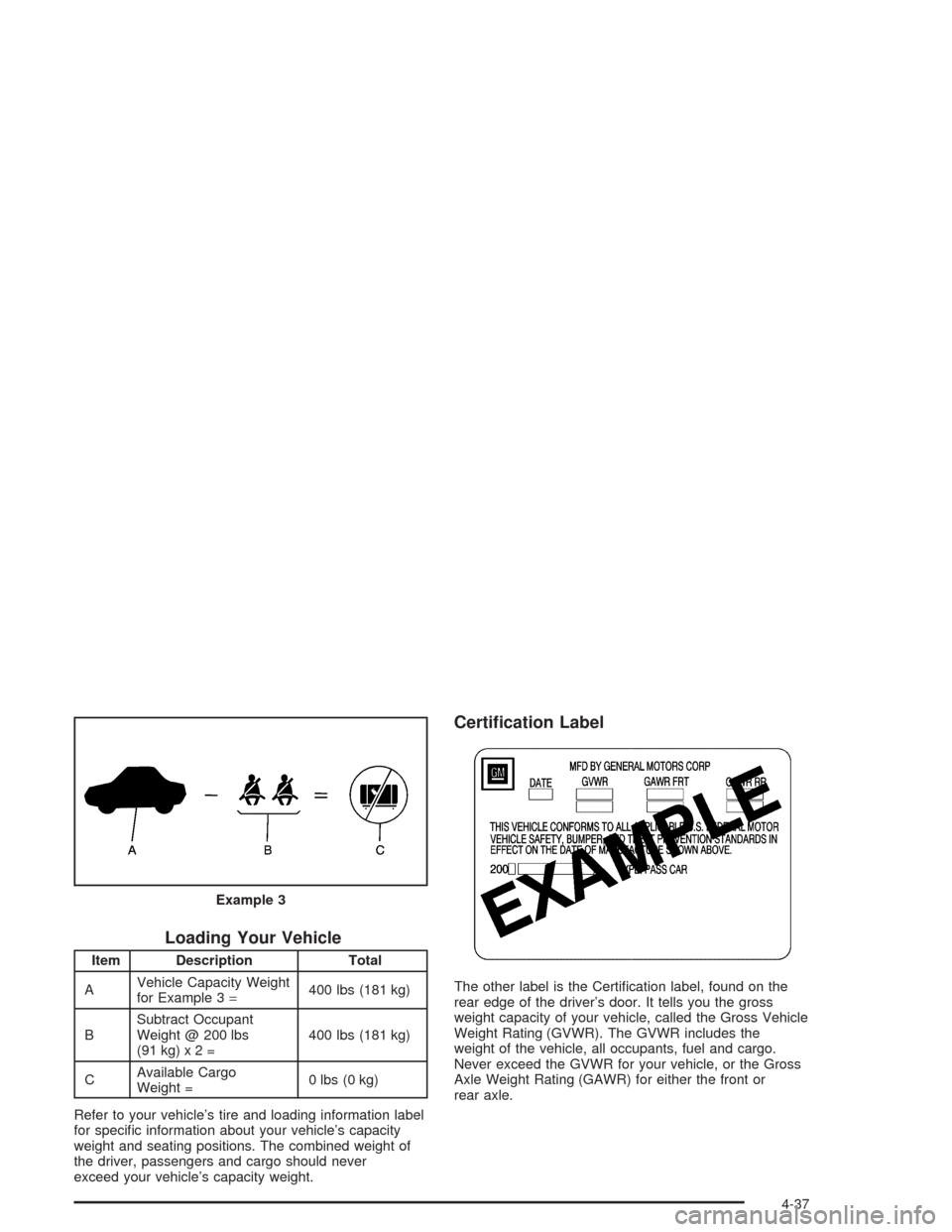
Loading Your Vehicle
Item Description Total
AVehicle Capacity Weight
for Example 3=400 lbs (181 kg)
BSubtract Occupant
Weight @ 200 lbs
(91kg)x2=400 lbs (181 kg)
CAvailable Cargo
Weight =0 lbs (0 kg)
Refer to your vehicle’s tire and loading information label
for specific information about your vehicle’s capacity
weight and seating positions. The combined weight of
the driver, passengers and cargo should never
exceed your vehicle’s capacity weight.
Certication Label
The other label is the Certification label, found on the
rear edge of the driver’s door. It tells you the gross
weight capacity of your vehicle, called the Gross Vehicle
Weight Rating (GVWR). The GVWR includes the
weight of the vehicle, all occupants, fuel and cargo.
Never exceed the GVWR for your vehicle, or the Gross
Axle Weight Rating (GAWR) for either the front or
rear axle. Example 3
4-37
Page 243 of 384
Service............................................................5-3
Doing Your Own Service Work.........................5-4
Adding Equipment to the Outside of
Your Vehicle..............................................5-4
Fuel................................................................5-4
Gasoline Octane............................................5-5
Gasoline Specifications....................................5-5
California Fuel...............................................5-5
Additives.......................................................5-6
Fuels in Foreign Countries...............................5-6
Filling Your Tank............................................5-7
Filling a Portable Fuel Container.....................5-10
Checking Things Under the Hood....................5-10
Hood Release..............................................5-11
Engine Compartment Overview.......................5-12
Engine Oil...................................................5-13
Engine Air Cleaner/Filter................................5-18
Automatic Transmission Fluid.........................5-20
Manual Transmission Fluid.............................5-21
Hydraulic Clutch...........................................5-22
Engine Coolant.............................................5-23
Coolant Surge Tank Pressure Cap..................5-26
Engine Overheating.......................................5-26
Cooling System............................................5-29
Power Steering Fluid.....................................5-35
Windshield Washer Fluid................................5-36Brakes........................................................5-37
Battery........................................................5-40
Jump Starting...............................................5-41
Rear Axle.......................................................5-47
Bulb Replacement..........................................5-48
Halogen Bulbs..............................................5-48
Headlamps..................................................5-48
Taillamps and Turn Signal Lamps...................5-50
Back-Up Lamps............................................5-52
Windshield Wiper Blade Replacement..............5-52
Tires..............................................................5-55
Extended Mobility Tires (Except Z06)...............5-61
Inflation - Tire Pressure.................................5-62
Tire Pressure Monitor Operation
(Except Z06).............................................5-64
Tire Rotation................................................5-65
When It Is Time for New Tires.......................5-65
Buying New Tires.........................................5-66
Uniform Tire Quality Grading..........................5-67
Wheel Alignment and Tire Balance..................5-68
Wheel Replacement......................................5-68
Tire Chains..................................................5-71
Lifting Your Vehicle.......................................5-71
If a Tire Goes Flat........................................5-75
Tire Inflator Kit (Z06 Only).............................5-77
Section 5 Service and Appearance Care
5-1
Page 249 of 384
Filling Your Tank
{CAUTION:
Fuel vapor burns violently and a fuel re can
cause bad injuries. To help avoid injuries to
you and others, read and follow all the
instructions on the pump island. Turn off your
engine when you are refueling. Do not smoke
if you are near fuel or refueling your vehicle.
Keep sparks, ames and smoking materials
away from fuel. Do not leave the fuel pump
unattended when refueling your vehicle — this
is against the law in some places. Keep
children away from the fuel pump; never let
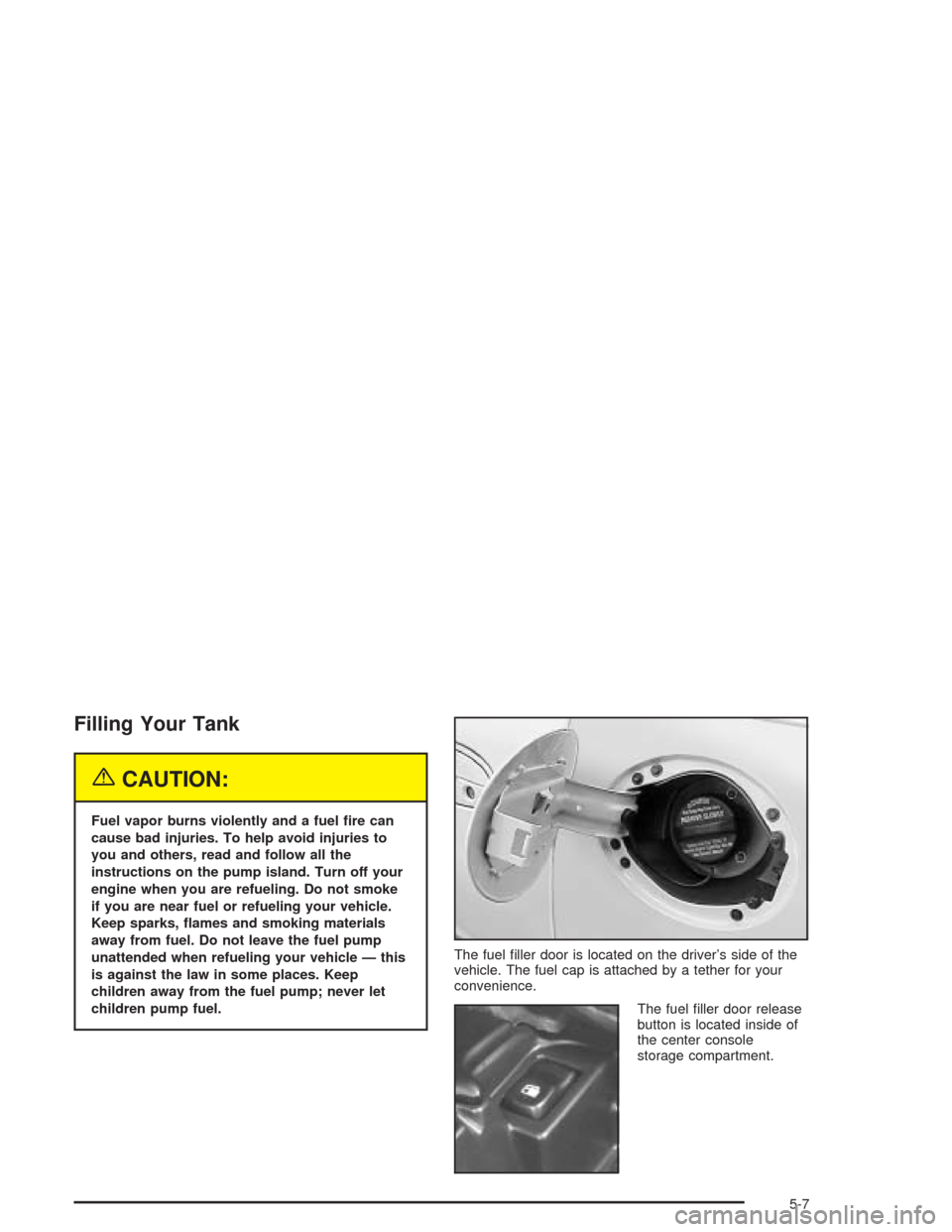
children pump fuel.The fuel filler door is located on the driver’s side of the
vehicle. The fuel cap is attached by a tether for your
convenience.
The fuel filler door release
button is located inside of
the center console
storage compartment.
5-7