2004 CHEVROLET CLASSIC service reset
[x] Cancel search: service resetPage 126 of 348
Speedometer and Odometer
Your speedometer lets you see your speed in miles per
hour (mph).
Your odometer shows how far your vehicle has been
driven in miles.
Your vehicle has a tamper resistant odometer. The
digital odometer will read 999,999 if someone tries to
turn it back.
Repair or replacement of you instrument panel cluster
should only be performed by an authorized GM
service center.
Trip Odometer
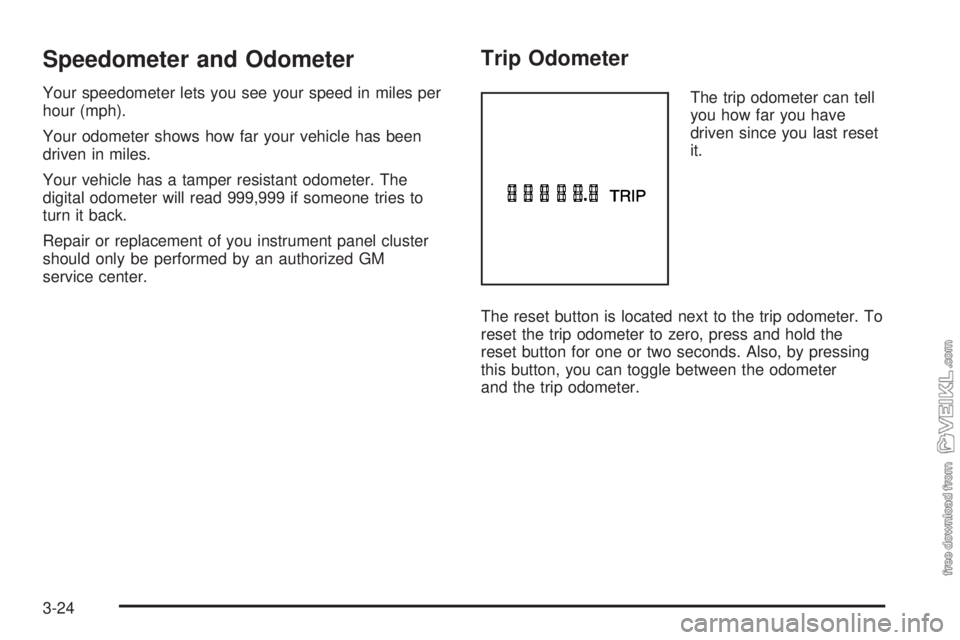
The trip odometer can tell
you how far you have
driven since you last reset
it.
The reset button is located next to the trip odometer. To
reset the trip odometer to zero, press and hold the
reset button for one or two seconds. Also, by pressing
this button, you can toggle between the odometer
and the trip odometer.
3-24
Page 130 of 348
If the light comes on while you are driving, pull off the
road and stop carefully. You may notice that the pedal is
harder to push. Or, the pedal may go closer to the
floor. It may take longer to stop. If the light is still on,
have the vehicle towed for service. SeeTowing
Your Vehicle on page 4-29.
{CAUTION:
Your brake system may not be working
properly if the brake system warning light is
on. Driving with the brake system warning light
on can lead to an accident. If the light is still
on after you have pulled off the road and
stopped carefully, have the vehicle towed for
service.
Anti-Lock Brake System Warning
Light
If your vehicle has the
anti-lock brake system, the
light will come on when
your engine is started and
may stay on for several
seconds. That’s normal.
If the light stays on, turn the ignition to OFF. Or, if the light
comes on and the chime sounds when you’re driving,
stop as soon as possible and turn the ignition off. Then
start the engine again to reset the system. If the light still
stays on, or comes on again while you’re driving, your
vehicle needs service. If the regular brake system
warning light isn’t on, you still have brakes, but you don’t
have anti-lock brakes. If the regular brake system
warning light is also on, you don’t have anti-lock brakes
and there’s a problem with your regular brakes. See
Brake System Warning Light on page 3-27earlier in this
section.
The anti-lock brake system warning light will come on
briefly when you turn the ignition key to ON. This is
normal. If the light doesn’t come on then, have it fixed
so it will be ready to warn you if there is a problem.
3-28
Page 158 of 348
After you clean the player, press and hold the cassette
eject button for two seconds to reset the clean tape
timer. The radio will display TP DECK CLEANED
to show the indicator was reset.
Cassettes are subject to wear and the sound quality
may degrade over time. Always make sure the cassette
tape is in good condition before you have your tape
player serviced.
Care of Your CDs
Handle CDs carefully. Store them in their original cases
or other protective cases and away from direct
sunlight and dust. If the surface of a CD is soiled,
dampen a clean, soft cloth in a mild, neutral detergent
solution and clean it, wiping from the center to the edge.
Be sure never to touch the side without writing when
handling CDs. Pick up CDs by grasping the outer edges
or the edge of the hole and the outer edge.
Care of Your CD Player
The use of CD lens cleaners for CDs is not advised,
due to the risk of contaminating the lens of the CD optics
with lubricants internal to the CD mechanism.
Fixed Mast Antenna
The fixed mast antenna can withstand most car washes
without being damaged. If the mast should ever
become slightly bent, you can straighten it out by hand.
If the mast is badly bent, you should replace it.
Check occasionally to be sure the mast is still tightened
to the fender. If tightening is required, tighten by
hand, then with a wrench one quarter turn.
Chime Level Adjustment
Chime level adjustment is only available on RDS radios.
The radio is the vehicle chime producer. The chime is
produced from the driver’s side front door speakers.
To change the volume level, press and hold
pushbutton 6 with the ignition on and the radio power
off. The chime volume level will change from the normal
level to loud, and LOUD will be displayed on the
radio. To change back to the default or normal setting,
press and hold pushbutton 6 again. The chime level
will change from the loud level to normal, and NORMAL
will be displayed. Each time the chime volume is
changed, three chimes will sound as an example of the
new volume selected. Removing the radio and not
replacing it with a factory radio or chime module will
disable vehicle chimes.
3-56
Page 346 of 348
Service (cont.)
Publications Ordering Information...................7-11
Vehicle Soon Light.......................................3-35
Service Bulletins.............................................7-12
Service Manuals.............................................7-11
Setting Preset Stations............................3-39, 3-44
Setting the Time
Radios with Radio Data Systems (RDS).........3-37
Radios without Radio Data Systems (RDS).....3-37
Setting the Tone (Bass/Treble)..................3-39, 3-45
Sheet Metal Damage.......................................5-85
Shifting Into Park (P).......................................2-24
Shifting Out of Park (P)...................................2-26
Short Trip/City Definition.................................... 6-5
Short Trip/City Intervals..................................... 6-5
Short Trip/City Scheduled Maintenance................ 6-6
Shoulder Belt Height Adjuster...........................1-17
Skidding........................................................4-13
Some Other Rainy Weather Tips.......................4-17
Special Fabric Cleaning Problems.....................5-81
Specifications, Capacities.................................5-95
Speedometer..................................................3-24
Starter Switch Check.......................................6-18
Starting Your Engine.......................................2-18
Steering.......................................................... 4-9
Steering in Emergencies..................................4-10
Steering, Suspension and Front Drive Axle Boot
and Seal Inspection.....................................6-20
Steering Tips................................................... 4-9Storage
Garment Hooks...........................................2-31
Storage Areas
Center Console Storage Area........................2-31
Cupholder(s)...............................................2-31
Glove Box..................................................2-31
Storing the Flat Tire and Tools..........................5-77
Storing the Spare Tire and Tools.......................5-78
Stuck in Sand, Mud, Ice or Snow......................4-28
Sun Visors.....................................................2-15
Supplemental Restraint System (SRS)...............1-56
How Does an Air Bag Restrain?....................1-60
Servicing Your Air Bag-Equipped Vehicle.........1-62
What Makes an Air Bag Inflate?....................1-59
What Will You See After an Air Bag
Inflates?..................................................1-60
When Should an Air Bag Inflate?...................1-59
Where Are the Air Bags?..............................1-58
T
Tachometer....................................................3-25
Taillamps
Turn Signal, Stoplamps and Back-up Lamps......5-48
Theft-Deterrent, Radio.....................................3-54
Theft-Deterrent Systems...................................2-16
Passlock
®...................................................2-16
Throttle System Inspection...............................6-21
Tilt Wheel........................................................ 3-5
12