2004 CADILLAC SEVILLE remote control
[x] Cancel search: remote controlPage 59 of 410
Keys...............................................................2-3
Remote Keyless Entry System.........................2-5
Remote Keyless Entry System Operation...........2-6
Doors and Locks.............................................2-9
Door Locks....................................................2-9
Central Door Unlocking System......................2-10
Power Door Locks........................................2-10
Programmable Automatic Door Locks..............2-11
Rear Door Security Locks..............................2-11
Lockout Protection........................................2-12
Leaving Your Vehicle....................................2-12
Trunk..........................................................2-13
Windows........................................................2-16
Power Windows............................................2-17
Sun Visors...................................................2-19
Theft-Deterrent Systems..................................2-20
PASS-Key
®III ..............................................2-22
PASS-Key®III Operation...............................2-22
Starting and Operating Your Vehicle................2-24
New Vehicle Break-In....................................2-24
Ignition Positions..........................................2-25
Starting Your Engine.....................................2-26Engine Coolant Heater..................................2-27
Automatic Transaxle Operation.......................2-28
Parking Brake..............................................2-31
Shifting Into Park (P).....................................2-32
Shifting Out of Park (P).................................2-34
Parking Over Things That Burn.......................2-34
Engine Exhaust............................................2-35
Running Your Engine While You Are Parked. . . .2-36
Mirrors...........................................................2-37
Automatic Dimming Rearview Mirror with
OnStar
®...................................................2-37
Automatic Dimming Rearview Mirror with
OnStar
®and Compass...............................2-38
Outside Power Mirrors...................................2-40
Outside Automatic Dimming Mirror..................2-40
Outside Curb View Assist Mirror.....................2-41
Outside Convex Mirror...................................2-41
Outside Heated Mirrors..................................2-41
OnStar
®System.............................................2-42
HomeLink®Transmitter...................................2-44
Programming the HomeLink®Transmitter.........2-45
Section 2 Features and Controls
2-1
Page 71 of 410
Trunk
{CAUTION:
It can be dangerous to drive with the trunk lid
open because carbon monoxide (CO) gas can
come into your vehicle. You can not see or
smell CO. It can cause unconsciousness and
even death. If you must drive with the trunk lid
open or if electrical wiring or other cable
connections must pass through the seal
between the body and the trunk lid:
•Make sure all other windows are shut.
•Turn the fan on your heating or cooling
system to its highest speed and select the
control setting that will force outside air
into your vehicle. See Climate Control
System in the Index.
•If you have air outlets on or under the
instrument panel, open them all the way.
SeeEngine Exhaust on page 2-35.
Trunk Lock Release
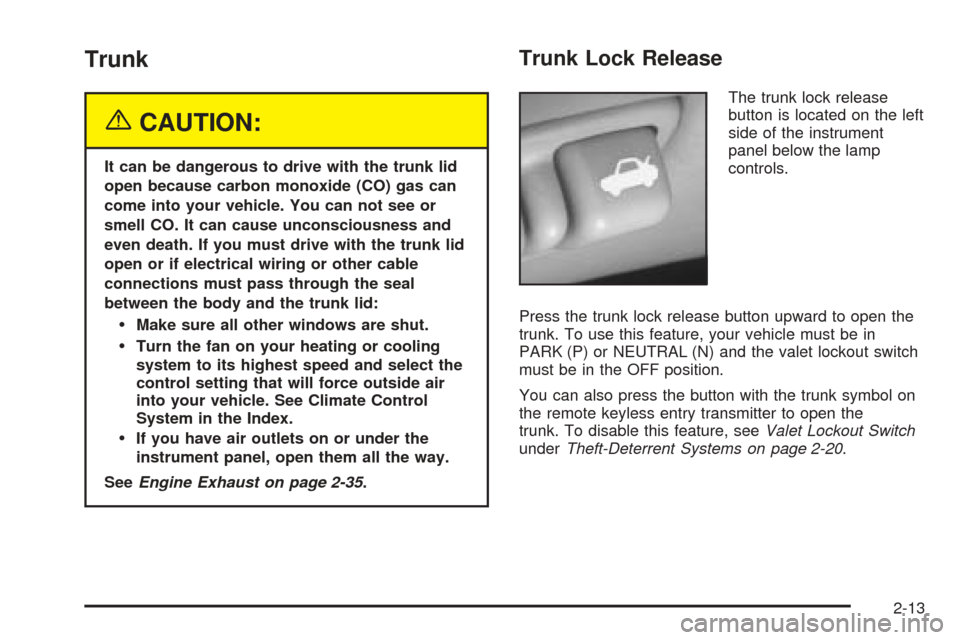
The trunk lock release
button is located on the left
side of the instrument
panel below the lamp
controls.
Press the trunk lock release button upward to open the
trunk. To use this feature, your vehicle must be in
PARK (P) or NEUTRAL (N) and the valet lockout switch
must be in the OFF position.
You can also press the button with the trunk symbol on
the remote keyless entry transmitter to open the
trunk. To disable this feature, seeValet Lockout Switch
underTheft-Deterrent Systems on page 2-20.
2-13
Page 107 of 410
Storage Areas
Glove Box
The glove box is located in front of the passenger’s seat
on the instrument panel. To lock the glove box door,
insert the master key into the lock cylinder and
turn it clockwise. Turn the key counterclockwise to
unlock the door.
Cellular Telephone
Your vehicle may have been prewired for dealer
installation of a portable cellular telephone system.
The system has steering wheel telephone controls and
information output through the Driver Information
Center (DIC). Voice activation with remote record and
hands-free operation are standard features. For
more information, contact your dealer. A user’s guide is
provided with the telephone.
Center Console Storage Area
The center console comes with a storage tray, a
storage compartment for CDs or tapes, a dual cupholder
that unfolds, a coinholder, an optional phone and an
armrest. The cupholder can be opened by pressing on
the surface panel located in front of the armrest and
unfolding it. Close the lid to secure it.
Map Pocket
The map/storage pockets are located on each front door
as well as on the passenger’s and driver’s seatbacks.
Assist Handles
A handle above each door can be used when getting
out of your vehicle.
Garment Hooks
For your convenience, a garment hook is attached to
each rear assist handle.
2-49
Page 111 of 410
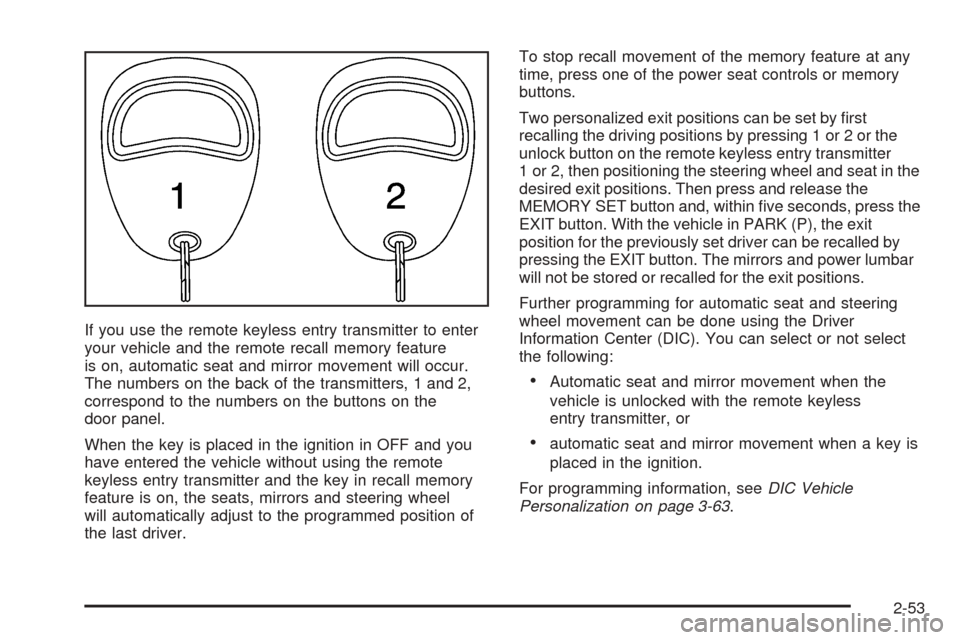
If you use the remote keyless entry transmitter to enter
your vehicle and the remote recall memory feature
is on, automatic seat and mirror movement will occur.
The numbers on the back of the transmitters, 1 and 2,
correspond to the numbers on the buttons on the
door panel.
When the key is placed in the ignition in OFF and you
have entered the vehicle without using the remote
keyless entry transmitter and the key in recall memory
feature is on, the seats, mirrors and steering wheel
will automatically adjust to the programmed position of
the last driver.To stop recall movement of the memory feature at any
time, press one of the power seat controls or memory
buttons.
Two personalized exit positions can be set by first
recalling the driving positions by pressing 1 or 2 or the
unlock button on the remote keyless entry transmitter
1 or 2, then positioning the steering wheel and seat in the
desired exit positions. Then press and release the
MEMORY SET button and, within five seconds, press the
EXIT button. With the vehicle in PARK (P), the exit
position for the previously set driver can be recalled by
pressing the EXIT button. The mirrors and power lumbar
will not be stored or recalled for the exit positions.
Further programming for automatic seat and steering
wheel movement can be done using the Driver
Information Center (DIC). You can select or not select
the following:
•Automatic seat and mirror movement when the
vehicle is unlocked with the remote keyless
entry transmitter, or
•automatic seat and mirror movement when a key is
placed in the ignition.
For programming information, seeDIC Vehicle
Personalization on page 3-63.
2-53
Page 135 of 410
Entry Lighting
The entry lighting system automatically turns on the
courtesy lamps and the backlighting to the door switches
and to the exterior lamp control when a door is opened
or if you press the remote keyless entry transmitter
unlock button. If activated due to the transmitter,
the lighting will remain active for about 40 seconds.
Since the entry lighting system uses the light sensor, it
must be dark outside in order for the courtesy lamps
to turn on. The courtesy lamps turn off approximately
25 seconds after the last door is closed. They will dim to
off if the ignition key is placed in ON, or immediately
deactivate if the power locks are activated.
Parade Dimming
This feature prohibits dimming of the digital displays and
backlighting during daylight hours when the key is in
the ignition and the headlamps are on. This feature
operates with the light sensor for the Twilight
Sentinel
®and is fully automatic. When the light sensor
reads darkness outside and the parking lamps are
active, the digital displays can be adjusted by turning
the instrument panel brightness knob counterclockwise
to dim and clockwise to brighten lighting.
Reading Lamps
The front reading lamps are located in the overhead
console. These lamps and the interior courtesy lamps
come on when a door is opened and it is dark outside.
The rear reading lamps will not come on when a
front door is opened.
The rear courtesy lamps are located on the rear
headliner above the rear seat outboard positions. When
a rear door is opened, both the front and rear reading
lamps come on with the courtesy lamps.
Press the button near each lamp to turn it on and off.
If the reading lamps are left on, they automatically shut
off 10 minutes after the ignition has been turned off.
Battery Load Management
The battery load management feature is designed to
monitor the vehicle’s electrical load and determine when
the battery is in a heavy discharge condition. During
times of high electrical loading, the engine may idle at a
higher revolutions per minute (rpm) setting than
normal to make sure the battery charges. High electrical
loads may occur when several of the following are
on: headlamps, high beams, fog lamps, rear window
defogger, the climate control fan at high speeds, heated
seats and engine cooling fans.
3-23
Page 148 of 410
Steering Wheel Climate Controls
You can adjust the temperature using the steering wheel
controls.
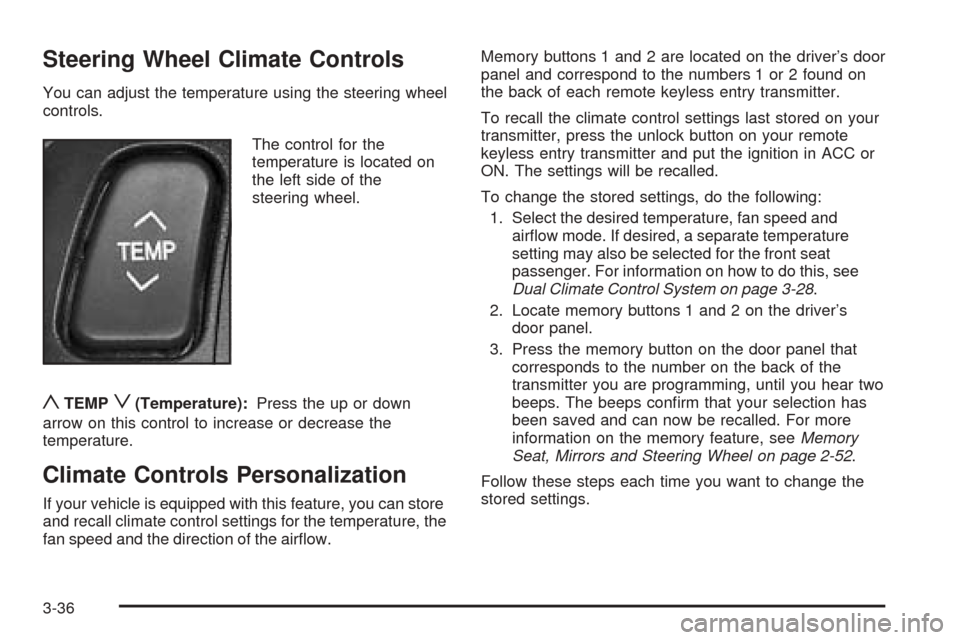
The control for the
temperature is located on
the left side of the
steering wheel.
yTEMPz(Temperature):Press the up or down
arrow on this control to increase or decrease the
temperature.
Climate Controls Personalization
If your vehicle is equipped with this feature, you can store
and recall climate control settings for the temperature, the
fan speed and the direction of the airflow.Memory buttons 1 and 2 are located on the driver’s door
panel and correspond to the numbers 1 or 2 found on
the back of each remote keyless entry transmitter.
To recall the climate control settings last stored on your
transmitter, press the unlock button on your remote
keyless entry transmitter and put the ignition in ACC or
ON. The settings will be recalled.
To change the stored settings, do the following:
1. Select the desired temperature, fan speed and
airflow mode. If desired, a separate temperature
setting may also be selected for the front seat
passenger. For information on how to do this, see
Dual Climate Control System on page 3-28.
2. Locate memory buttons 1 and 2 on the driver’s
door panel.
3. Press the memory button on the door panel that
corresponds to the number on the back of the
transmitter you are programming, until you hear two
beeps. The beeps confirm that your selection has
been saved and can now be recalled. For more
information on the memory feature, seeMemory
Seat, Mirrors and Steering Wheel on page 2-52.
Follow these steps each time you want to change the
stored settings.
3-36
Page 175 of 410
DIC Vehicle Personalization
Your vehicle is equipped with personalization capabilities
that allows you to program certain features to a preferred
setting for up to two people. The number of
programmable features varies depending upon which
model of the vehicle is purchased. On all vehicles,
features such as climate control settings, radio preset
settings, exterior lighting at unlock, remote lock and
unlock confirmation, and automatic door locks have
already been programmed for your convenience. Some
vehicles are equipped with additional features that can be
programmed including the seat position, steering column
position (if equipped) and outside mirror position. The
navigation screen preferences (if equipped) will remain at
the last set position.
If your vehicle is equipped with the ability to program
additional personalization features, the driver’s
preferences are recalled by pressing the unlock button
on the remote keyless entry transmitter or by pressing
the appropriate memory button, 1 or 2, located on
the driver’s door. Certain features can be programmed
not to recall until the key is placed in the ignition.
To change feature preferences you must use one of the
following procedures.
Entering Feature Programming
To enter feature programming mode, do the following:
1. Turn the ignition to ON, making sure the vehicle is in
PARK (P).
2. If your vehicle has memory settings, press the
appropriate memory button, 1 or 2, located on
the driver’s door panel. The DIC display will show
either 1 or 2 depending on which button was
selected. Make sure the number on the DIC display
matches the number on the back of your key fob.
3. Press the INFO button until FEATURE
PROGRAMMING appears on the DIC display.
4. Press the ON/OFF button to enter FEATURE
PROGRAMMING.
3-63
Page 176 of 410
Remote Recall Memory
If your vehicle has the optional memory package, you
will have this feature. This feature recalls any previously
programmed seat and mirror controls when the unlock
button on the remote keyless entry transmitter is
pressed. The telescoping steering column (if equipped)
will return to its programmed position when the key
is inserted in the ignition switch and turned to ON.
Programmable Modes
Mode 1:ON
Mode 2:OFF
Before your vehicle was shipped from the factory, it was
programmed to Mode 1. The mode to which the
vehicle was programmed may have been changed since
it left the factory. To determine the mode to which the
vehicle is programmed or to program the vehicle to
a different mode, do the following:
1. Enter FEATURE PROGRAMMING following the
instructions listed previously.
2. Press the down arrow on the INFO button until
REMOTE RECALL MEMORY appears on the
DIC display.3. To turn on the feature, press the ON/OFF button
until ON appears on the DIC display. To turn it off,
press the ON/OFF button until OFF appears on
the display.
The mode you selected is now set. You can either exit
the programming mode by following the instructions
later in this section or program the next feature available
on your vehicle.
Key in Recall Memory
If your vehicle has the optional memory package, you
will have this feature. This feature recalls any previously
programmed seat and mirror controls when the key is
inserted into the ignition. The telescoping steering
column (if equipped) will return to its programmed
position when the key is inserted in the ignition switch
and turned to ON.
3-64