2004 CADILLAC SEVILLE maintenance
[x] Cancel search: maintenancePage 1 of 410
Seats and Restraint Systems........................... 1-1
Front Seats
............................................... 1-2
Safety Belts
.............................................. 1-5
Child Restraints
.......................................1-22
Supplemental Inflatable Restraint (SIR)
........1-41
Restraint System Check
............................1-50
Features and Controls..................................... 2-1
Keys
........................................................ 2-3
Doors and Locks
....................................... 2-9
Windows
.................................................2-16
Theft-Deterrent Systems
............................2-20
Starting and Operating Your Vehicle
...........2-24
Mirrors
....................................................2-37
OnStar
®System
......................................2-42
HomeLink®Transmitter
.............................2-44
Storage Areas
.........................................2-49
Sunroof
..................................................2-50
Vehicle Personalization
.............................2-52
Instrument Panel............................................. 3-1
Instrument Panel Overview
.......................... 3-4
Climate Controls
......................................3-28
Warning Lights, Gages and Indicators
.........3-37
Driver Information Center (DIC)
..................3-52Trip Computer
.........................................3-74
Audio System(s)
.......................................3-75
Driving Your Vehicle....................................... 4-1
Your Driving, the Road, and Your Vehicle
..... 4-2
Towing
...................................................4-29
Service and Appearance Care.......................... 5-1
Service
..................................................... 5-3
Fuel
......................................................... 5-4
Checking Things Under the Hood
...............5-10
Headlamp Aiming
.....................................5-49
Bulb Replacement
....................................5-53
Windshield Wiper Blade Replacement
.........5-60
Tires
......................................................5-61
Appearance Care
.....................................5-87
Vehicle Identification
.................................5-95
Electrical System
......................................5-96
Capacities and Specifications
...................5-104
Maintenance Schedule..................................... 6-1
Maintenance Schedule
................................ 6-2
Customer Assistance and Information.............. 7-1
Customer Assistance and Information
........... 7-2
Reporting Safety Defects
...........................7-11
Index................................................................ 1
2004 Cadillac Seville Owner ManualM
Page 56 of 410
Servicing Your Air Bag-Equipped
Vehicle
Air bags affect how your vehicle should be serviced.
There are parts of the air bag systems in several places
around your vehicle. Your dealer and the service
manual have information about servicing your vehicle
and the air bag systems. To purchase a service manual,
seeService Publications Ordering Information on
page 7-12.
{CAUTION:
For up to 10 seconds after the ignition key is
turned off and the battery is disconnected, an
air bag can still inflate during improper
service. You can be injured if you are close to
an air bag when it inflates. Avoid yellow
connectors. They are probably part of the air
bag system. Be sure to follow proper service
procedures, and make sure the person
performing work for you is qualified to do so.
The air bag systems do not need regular maintenance.
Restraint System Check
Checking Your Restraint Systems
Now and then, make sure the safety belt reminder light
and all your belts, buckles, latch plates, retractors
and anchorages are working properly. Look for any other
loose or damaged safety belt system parts. If you see
anything that might keep a safety belt system from doing
its job, have it repaired.
Torn or frayed safety belts may not protect you in a
crash. They can rip apart under impact forces. If a belt
is torn or frayed, get a new one right away.
Also look for any opened or broken air bag covers, and
have them repaired or replaced. (The air bag system
does not need regular maintenance.)
1-50
Page 141 of 410
Do not cover the solar sensor located in the center of
the instrument panel, near the windshield. For more
information on the solar sensor, see “Sensors” later in
this section.
When your vehicle is first started, the display will show
the driver’s temperature setting, the fan speed and
the air delivery mode.
When the ENG/MET (English/metric) button on the
Driver Information Center (DIC) is pressed, the display
will show readings in Fahrenheit or Celsius. Use the
ENG/MET button to toggle between them.
Manual Operation
SMODET:Pressing the MODE switch and changing
the mode cancels automatic operation and places the
system in manual mode. Press AUTO to return to
automatic operation.
To change the current mode, select one of the following:
G(Vent):This mode directs air to the instrument
panel outlets.
+(Bi-Level):This mode directs approximately half of
the air to the instrument panel outlets, and then
directs most of the remaining air to the floor outlets.
Some air may be directed toward the windshield.
In automatic operation, cooler air is directed to the upper
outlets and warmer air to the floor outlets.
8(Floor):This mode directs most of the air to the
floor outlets with some air directed to the outboard
outlets (for the side windows) a little air directed to the
windshield.
The MODE switch can also be used to select the
floor/defog mode. Information on defogging and
defrosting can be found later in this section.
y9z(Fan):Press this switch to increase or
decrease the fan speed. Pressing this switch cancels
automatic operation and places the system in manual
mode. Press AUTO to return to automatic operation.
If the airflow seems low when the fan speed is at
the highest setting, the passenger compartment air filter
may need to be replaced. For more information, see
Passenger Compartment Air Filter on page 3-35
andScheduled Maintenance on page 6-4.
3-29
Page 145 of 410
Outlet Adjustment
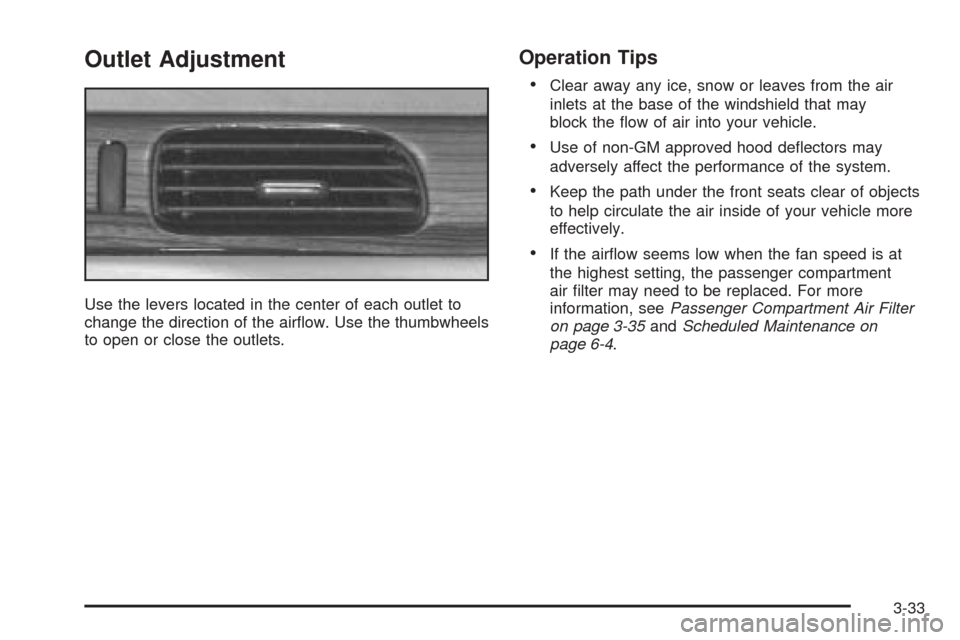
Use the levers located in the center of each outlet to
change the direction of the airflow. Use the thumbwheels
to open or close the outlets.
Operation Tips
•
Clear away any ice, snow or leaves from the air
inlets at the base of the windshield that may
block the flow of air into your vehicle.
•Use of non-GM approved hood deflectors may
adversely affect the performance of the system.
•Keep the path under the front seats clear of objects
to help circulate the air inside of your vehicle more
effectively.
•If the airflow seems low when the fan speed is at
the highest setting, the passenger compartment
air filter may need to be replaced. For more
information, seePassenger Compartment Air Filter
on page 3-35andScheduled Maintenance on
page 6-4.
3-33
Page 147 of 410
Passenger Compartment Air Filter
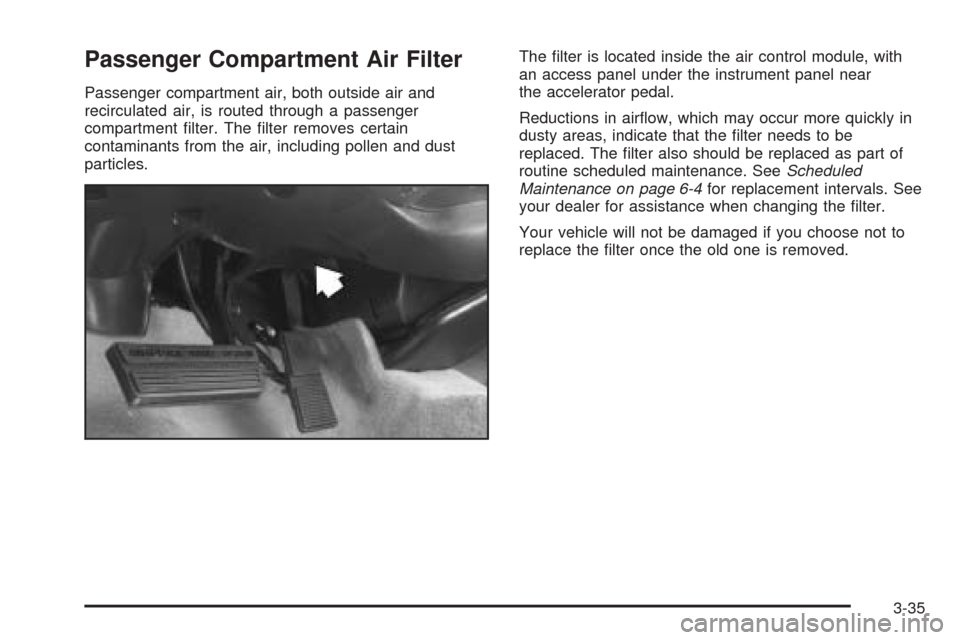
Passenger compartment air, both outside air and
recirculated air, is routed through a passenger
compartment filter. The filter removes certain
contaminants from the air, including pollen and dust
particles.The filter is located inside the air control module, with
an access panel under the instrument panel near
the accelerator pedal.
Reductions in airflow, which may occur more quickly in
dusty areas, indicate that the filter needs to be
replaced. The filter also should be replaced as part of
routine scheduled maintenance. SeeScheduled
Maintenance on page 6-4for replacement intervals. See
your dealer for assistance when changing the filter.
Your vehicle will not be damaged if you choose not to
replace the filter once the old one is removed.
3-35
Page 158 of 410
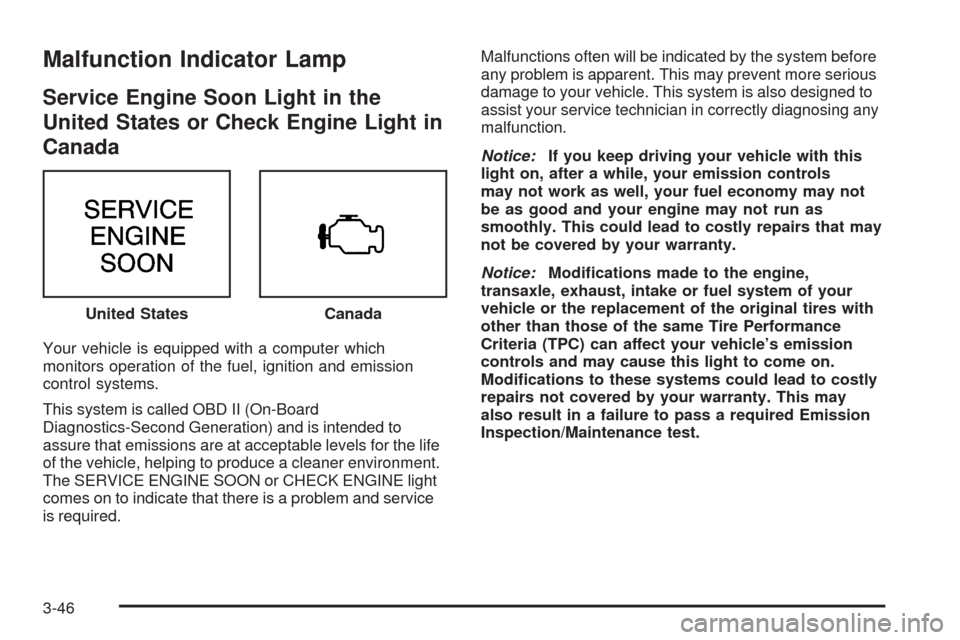
Malfunction Indicator Lamp
Service Engine Soon Light in the
United States or Check Engine Light in
Canada
Your vehicle is equipped with a computer which
monitors operation of the fuel, ignition and emission
control systems.
This system is called OBD II (On-Board
Diagnostics-Second Generation) and is intended to
assure that emissions are at acceptable levels for the life
of the vehicle, helping to produce a cleaner environment.
The SERVICE ENGINE SOON or CHECK ENGINE light
comes on to indicate that there is a problem and service
is required.Malfunctions often will be indicated by the system before
any problem is apparent. This may prevent more serious
damage to your vehicle. This system is also designed to
assist your service technician in correctly diagnosing any
malfunction.
Notice:If you keep driving your vehicle with this
light on, after a while, your emission controls
may not work as well, your fuel economy may not
be as good and your engine may not run as
smoothly. This could lead to costly repairs that may
not be covered by your warranty.
Notice:Modifications made to the engine,
transaxle, exhaust, intake or fuel system of your
vehicle or the replacement of the original tires with
other than those of the same Tire Performance
Criteria (TPC) can affect your vehicle’s emission
controls and may cause this light to come on.
Modifications to these systems could lead to costly
repairs not covered by your warranty. This may
also result in a failure to pass a required Emission
Inspection/Maintenance test. United States
Canada
3-46
Page 160 of 410
Have you recently changed brands of fuel?
If so, be sure to fuel your vehicle with quality fuel. See
Gasoline Octane on page 5-4. Poor fuel quality will
cause your engine not to run as efficiently as designed.
You may notice this as stalling after start-up, stalling
when you put the vehicle into gear, misfiring, hesitation
on acceleration or stumbling on acceleration. (These
conditions may go away once the engine is warmed up.)
This will be detected by the system and cause the
light to turn on.
If you experience one or more of these conditions,
change the fuel brand you use. It will require at least
one full tank of the proper fuel to turn the light off.
If none of the above steps have made the light turn off,
your dealer can check the vehicle. Your dealer has
the proper test equipment and diagnostic tools to fix any
mechanical or electrical problems that may have
developed.Emissions Inspection and Maintenance
Programs
Some state/provincial and local governments have or
may begin programs to inspect the emission control
equipment on your vehicle. Failure to pass this inspection
could prevent you from getting a vehicle registration.
Here are some things you need to know in order to help
your vehicle pass an inspection:
Your vehicle will not pass this inspection if the SERVICE
ENGINE SOON or CHECK ENGINE light is on or not
working properly.
Your vehicle will not pass this inspection if the OBD
(on-board diagnostic) system determines that critical
emission control systems have not been completely
diagnosed by the system. The vehicle would be
considered not ready for inspection. This can happen if
you have recently replaced your battery or if your
battery has run down. The diagnostic system is
designed to evaluate critical emission control systems
during normal driving. This may take several days
of routine driving. If you have done this and your vehicle
still does not pass the inspection for lack of OBD
system readiness, your GM dealer can prepare the
vehicle for inspection.
3-48
Page 161 of 410
Oil Pressure Light
{CAUTION:
Do not keep driving if the oil pressure is low. If
you do, your engine can become so hot that it
catches fire. You or others could be burned.
Check your oil as soon as possible and have
your vehicle serviced.
Notice:Lack of proper engine oil maintenance may
damage the engine. The repairs would not be
covered by your warranty. Always follow the
maintenance schedule in this manual for changing
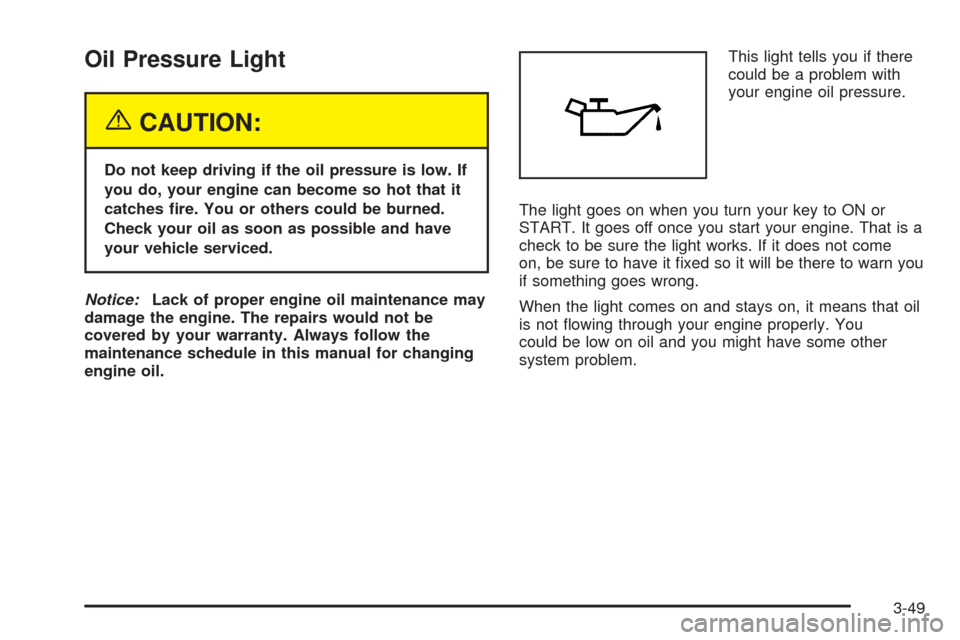
engine oil.This light tells you if there
could be a problem with
your engine oil pressure.
The light goes on when you turn your key to ON or
START. It goes off once you start your engine. That is a
check to be sure the light works. If it does not come
on, be sure to have it fixed so it will be there to warn you
if something goes wrong.
When the light comes on and stays on, it means that oil
is not flowing through your engine properly. You
could be low on oil and you might have some other
system problem.
3-49