2004 CADILLAC SEVILLE fuses
[x] Cancel search: fusesPage 79 of 410
Testing the Alarm
1. From inside the vehicle, roll down the window, then
get out of the vehicle, keeping the door open.
2. From outside of the vehicle, with the door open, lock
the vehicle using the power door lock or the remote
keyless entry transmitter and close the door. Wait 30
seconds until the SECURITY lamp goes off.
3. Reach in and unlock the door using the manual
lock and open the door. The horn will sound and
the hazard lights will flash.
You can turn off the alarm by unlocking the driver’s door
with your key, using the unlock button on the remote
keyless entry transmitter or by starting the car with
a valid key.
If the alarm does not sound when it should, check to
see if the horn works. The horn fuse may be blown. To
replace the fuse, seeFuses and Circuit Breakers on
page 5-97. If the fuse does not need to be replaced, you
may need to have your vehicle serviced.
To reduce the possibility of theft, always arm the
theft-deterrent system when leaving your vehicle.
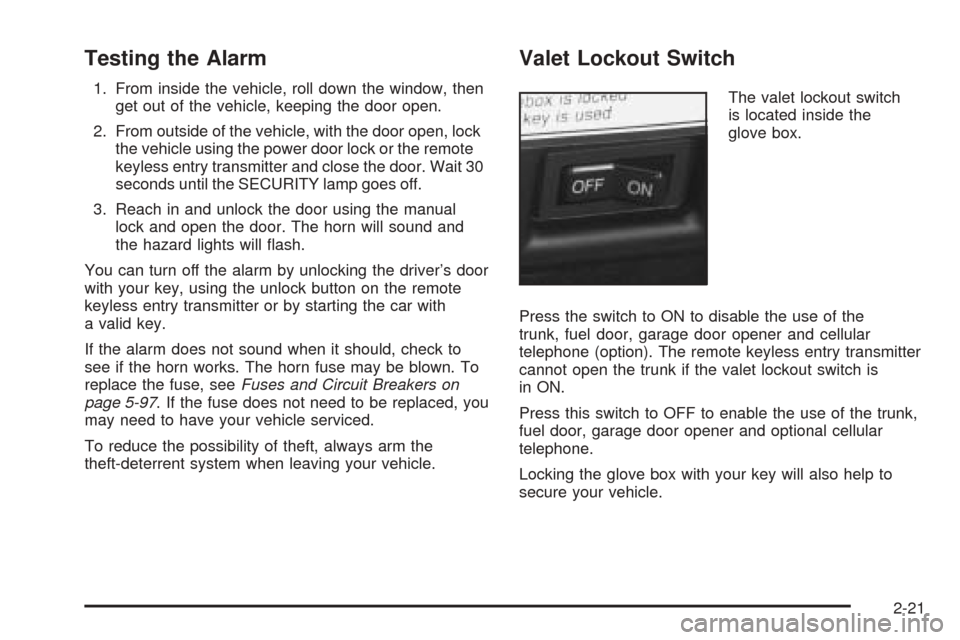
Valet Lockout Switch
The valet lockout switch
is located inside the
glove box.
Press the switch to ON to disable the use of the
trunk, fuel door, garage door opener and cellular
telephone (option). The remote keyless entry transmitter
cannot open the trunk if the valet lockout switch is
in ON.
Press this switch to OFF to enable the use of the trunk,
fuel door, garage door opener and optional cellular
telephone.
Locking the glove box with your key will also help to
secure your vehicle.
2-21
Page 81 of 410
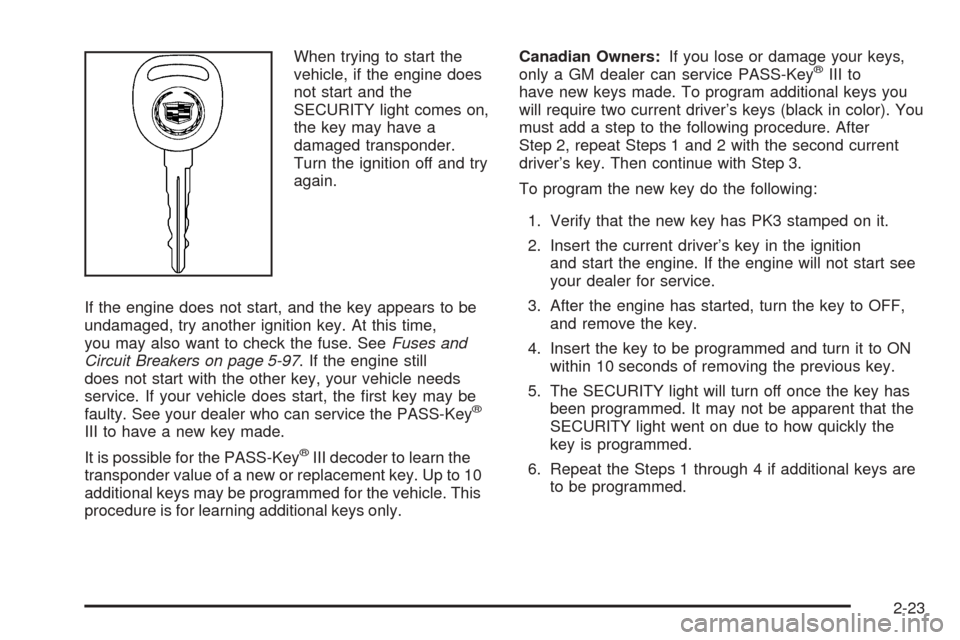
When trying to start the
vehicle, if the engine does
not start and the
SECURITY light comes on,
the key may have a
damaged transponder.
Turn the ignition off and try
again.
If the engine does not start, and the key appears to be
undamaged, try another ignition key. At this time,
you may also want to check the fuse. SeeFuses and
Circuit Breakers on page 5-97. If the engine still
does not start with the other key, your vehicle needs
service. If your vehicle does start, the first key may be
faulty. See your dealer who can service the PASS-Key
®
III to have a new key made.
It is possible for the PASS-Key
®III decoder to learn the
transponder value of a new or replacement key. Up to 10
additional keys may be programmed for the vehicle. This
procedure is for learning additional keys only.Canadian Owners:If you lose or damage your keys,
only a GM dealer can service PASS-Key
®III to
have new keys made. To program additional keys you
will require two current driver’s keys (black in color). You
must add a step to the following procedure. After
Step 2, repeat Steps 1 and 2 with the second current
driver’s key. Then continue with Step 3.
To program the new key do the following:
1. Verify that the new key has PK3 stamped on it.
2. Insert the current driver’s key in the ignition
and start the engine. If the engine will not start see
your dealer for service.
3. After the engine has started, turn the key to OFF,
and remove the key.
4. Insert the key to be programmed and turn it to ON
within 10 seconds of removing the previous key.
5. The SECURITY light will turn off once the key has
been programmed. It may not be apparent that the
SECURITY light went on due to how quickly the
key is programmed.
6. Repeat the Steps 1 through 4 if additional keys are
to be programmed.
2-23
Page 121 of 410
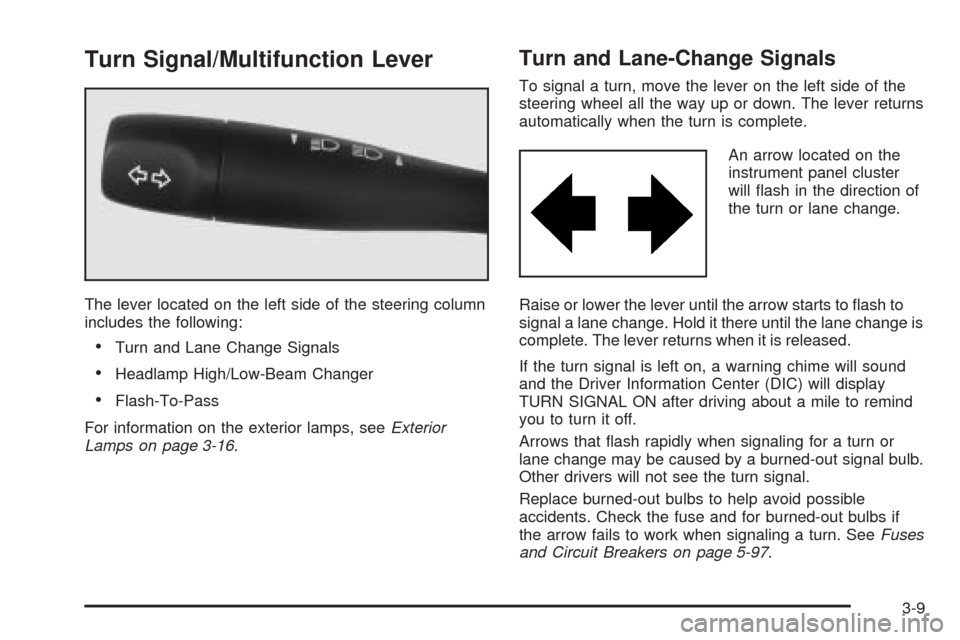
Turn Signal/Multifunction Lever
The lever located on the left side of the steering column
includes the following:
•Turn and Lane Change Signals
•Headlamp High/Low-Beam Changer
•Flash-To-Pass
For information on the exterior lamps, seeExterior
Lamps on page 3-16.
Turn and Lane-Change Signals
To signal a turn, move the lever on the left side of the
steering wheel all the way up or down. The lever returns
automatically when the turn is complete.
An arrow located on the
instrument panel cluster
will flash in the direction of
the turn or lane change.
Raise or lower the lever until the arrow starts to flash to
signal a lane change. Hold it there until the lane change is
complete. The lever returns when it is released.
If the turn signal is left on, a warning chime will sound
and the Driver Information Center (DIC) will display
TURN SIGNAL ON after driving about a mile to remind
you to turn it off.
Arrows that flash rapidly when signaling for a turn or
lane change may be caused by a burned-out signal bulb.
Other drivers will not see the turn signal.
Replace burned-out bulbs to help avoid possible
accidents. Check the fuse and for burned-out bulbs if
the arrow fails to work when signaling a turn. SeeFuses
and Circuit Breakers on page 5-97.
3-9
Page 138 of 410
If the URPA system is not functioning properly, the
display will flash red, indicating that there is a problem.
The light will also flash red while driving if a trailer is
attached to your vehicle, or a bicycle or object is on the
back of, or hanging out of your trunk. The light will
continue to flash until the trailer or the object is
removed and your vehicle is driven forward at least
15 mph (25 km/h).
It may also flash red if the ultrasonic sensors are not
kept clean. So be sure to keep your rear bumper free of
mud, dirt, snow, ice and slush or materials such as
paint or the system may not work properly. If after
cleaning the rear bumper and driving forward at least
15 mph (25 km/h), the display continues to flash red, see
your dealer. For cleaning instructions, seeCleaning
the Outside of Your Vehicle on page 5-90.
It may also flash red if your vehicle is moving in
REVERSE (R) at a speed greater than 3 mph (5 km/h).
Other conditions that may affect system performance
include things like the vibrations from a jackhammer or
the compression of air brakes on a very large truck.
As always, drivers should use care when backing up a
vehicle. Always look behind you, being sure to check
for other vehicles, obstructions and blind spots.Accessory Power Outlets
Your vehicle is equipped with accessory power outlets.
The outlets can be used to plug in electrical equipment
such as a cellular telephone, CB radio, etc.
The accessory power outlets are located at the rear of
the center console and on the lower inboard carpeted
panel on the passenger’s side of the vehicle.
Your vehicle may have a small cap that must be
removed to access the accessory power outlet. If it
does, when not using the outlet be sure to cover it with
the protective cap.
The accessory power outlet will only operate when the
ignition is in ACC or ON and for 10 minutes after
turning the ignition OFF. If you would like the accessory
power outlet to operate regardless of ignition position,
and for extended periods of time, see your dealer
for more information.
Notice:Leaving electrical equipment on for
extended periods will drain the battery. Always turn
off electrical equipment when not in use and do
not plug in equipment that exceeds the maximum
amperage rating.
Certain accessory power plugs may not be compatible
to the accessory power outlet and could result in
blown vehicle or adapter fuses. If you experience a
problem see your dealer for additional information on the
accessory power plugs.
3-26
Page 262 of 410
Wheel Alignment and Tire Balance..................5-75
Wheel Replacement......................................5-75
Tire Chains..................................................5-77
If a Tire Goes Flat........................................5-77
Changing a Flat Tire.....................................5-78
Compact Spare Tire......................................5-87
Appearance Care............................................5-87
Cleaning the Inside of Your Vehicle.................5-88
Care of Safety Belts......................................5-90
Weatherstrips...............................................5-90
Cleaning the Outside of Your Vehicle..............5-90
Sheet Metal Damage.....................................5-92
Finish Damage.............................................5-92
Underbody Maintenance................................5-93Chemical Paint Spotting.................................5-93
Vehicle Care/Appearance Materials..................5-94
Vehicle Identification......................................5-95
Vehicle Identification Number (VIN).................5-95
Service Parts Identification Label.....................5-95
Electrical System............................................5-96
Add-On Electrical Equipment..........................5-96
Headlamp Wiring..........................................5-96
Windshield Wiper Fuses................................5-96
Power Windows and Other Power Options.......5-96
Fuses and Circuit Breakers............................5-97
Removing the Rear Seat Cushion...................5-99
Capacities and Specifications........................5-104
Section 5 Service and Appearance Care
5-2
Page 273 of 410
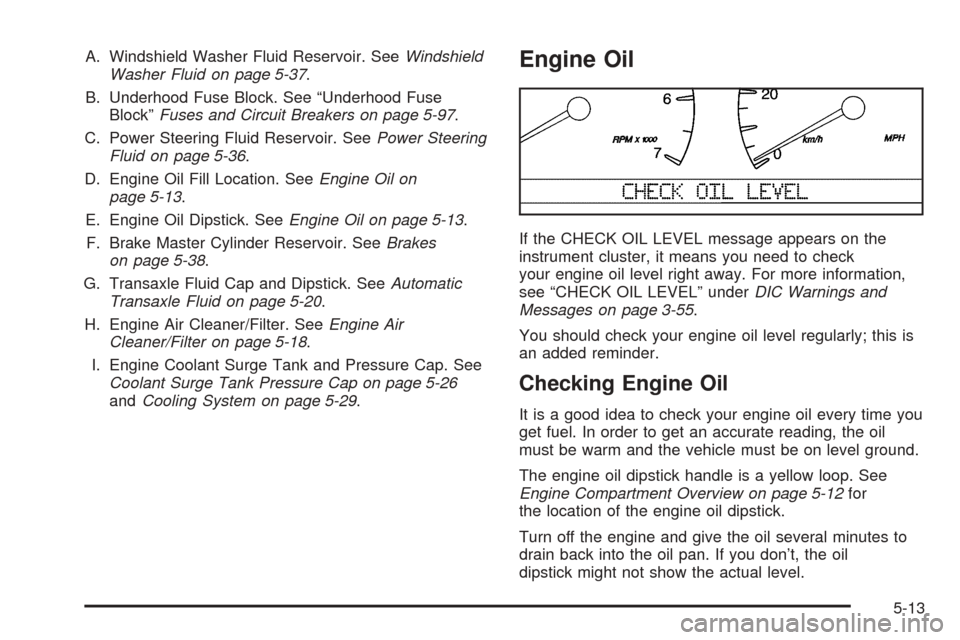
A. Windshield Washer Fluid Reservoir. SeeWindshield
Washer Fluid on page 5-37.
B. Underhood Fuse Block. See “Underhood Fuse
Block”Fuses and Circuit Breakers on page 5-97.
C. Power Steering Fluid Reservoir. SeePower Steering
Fluid on page 5-36.
D. Engine Oil Fill Location. SeeEngine Oil on
page 5-13.
E. Engine Oil Dipstick. SeeEngine Oil on page 5-13.
F. Brake Master Cylinder Reservoir. SeeBrakes
on page 5-38.
G. Transaxle Fluid Cap and Dipstick. SeeAutomatic
Transaxle Fluid on page 5-20.
H. Engine Air Cleaner/Filter. SeeEngine Air
Cleaner/Filter on page 5-18.
I. Engine Coolant Surge Tank and Pressure Cap. See
Coolant Surge Tank Pressure Cap on page 5-26
andCooling System on page 5-29.Engine Oil
If the CHECK OIL LEVEL message appears on the
instrument cluster, it means you need to check
your engine oil level right away. For more information,
see “CHECK OIL LEVEL” underDIC Warnings and
Messages on page 3-55.
You should check your engine oil level regularly; this is
an added reminder.
Checking Engine Oil
It is a good idea to check your engine oil every time you
get fuel. In order to get an accurate reading, the oil
must be warm and the vehicle must be on level ground.
The engine oil dipstick handle is a yellow loop. See
Engine Compartment Overview on page 5-12for
the location of the engine oil dipstick.
Turn off the engine and give the oil several minutes to
drain back into the oil pan. If you don’t, the oil
dipstick might not show the actual level.
5-13
Page 356 of 410
Electrical System
Add-On Electrical Equipment
Notice:Don’t add anything electrical to your
vehicle unless you check with your dealer first.
Some electrical equipment can damage your vehicle
and the damage wouldn’t be covered by your
warranty. Some add-on electrical equipment can
keep other components from working as they
should.
Your vehicle has an air bag system. Before attempting
to add anything electrical to your vehicle, see
Servicing Your Air Bag-Equipped Vehicle on page 1-50.
Headlamp Wiring
The headlamp wiring has an individual fuse. An
electrical overload will cause the lamps to go on and off,
or in some cases to remain off. If this happens, have
the headlamp wiring checked right away.
Windshield Wiper Fuses
The windshield wiper motor is protected by an internal
circuit breaker. If the wiper motor overheats due to
heavy snow, the wipers will stop until the motor cools
and will then restart.
A fuse powers the wiper motor. If the fuse blows, there
is an electrical problem. Be sure to have it fixed.
Power Windows and Other Power
Options
Circuit breakers protect the power windows and power
seats. When the current load is too heavy, the circuit
breaker opens and closes, protecting the circuit until the
problem is fixed or goes away.
5-96
Page 357 of 410
Fuses and Circuit Breakers
The wiring circuits in your vehicle are protected from
short circuits by a combination of fuses and circuit
breakers. This greatly reduces the chance of fires
caused by electrical problems.
Look at the silver-colored band inside the fuse. If the
band is broken or melted, replace the fuse. Be sure you
replace a bad fuse with a new one of the identical
size and rating. If a fuse should blow, see your dealer
for service immediately.
If you ever have a problem on the road and do not have
a spare fuse, you can “borrow” one that has the same
amperage. Pick some feature of your vehicle that
you can get along without – like the radio or cigarette
lighter – and use its fuse, if it is the correct amperage.
Replace it as soon as you can.
The fuses are located in two fuse blocks, one located
near the engine compartment on the passenger’s
side and the other under the rear seat on the driver’s
side. If a fuse should blow, have your vehicle serviced
by your dealer immediately.
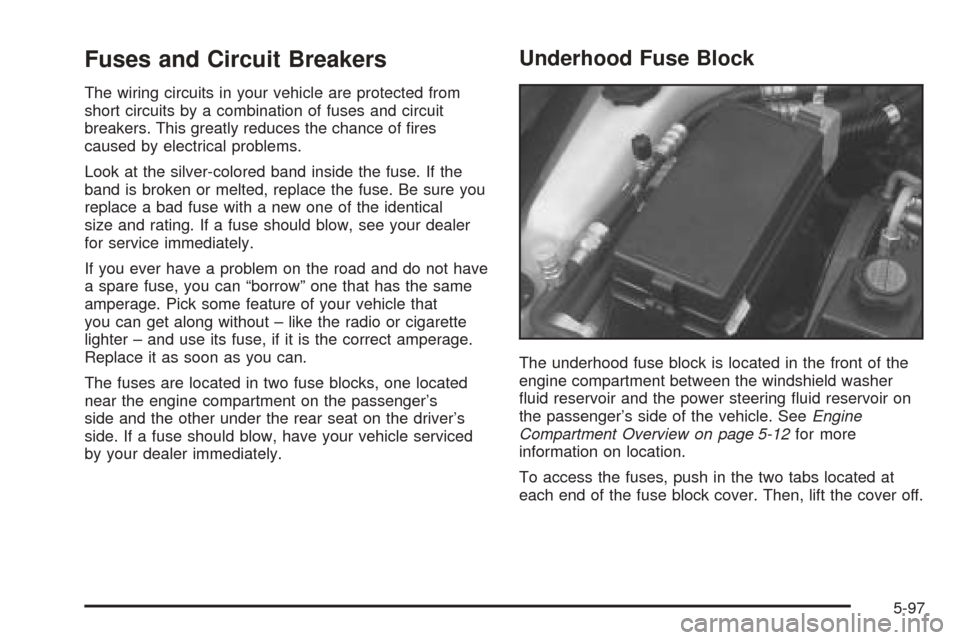
Underhood Fuse Block
The underhood fuse block is located in the front of the
engine compartment between the windshield washer
fluid reservoir and the power steering fluid reservoir on
the passenger’s side of the vehicle. SeeEngine
Compartment Overview on page 5-12for more
information on location.
To access the fuses, push in the two tabs located at
each end of the fuse block cover. Then, lift the cover off.
5-97