2004 CADILLAC SEVILLE keyless entry
[x] Cancel search: keyless entryPage 179 of 410
3. To turn on the feature, press the ON/OFF button
until ON appears on the DIC display. To turn it off,
press the ON/OFF button until OFF appears on
the display.
The mode you selected is now set. You can either exit
the programming mode by following the instructions
later in this section or program the next feature available
on your vehicle.
Lights Flash at Lock
This feature allows the parking lamps to flash once
when the remote keyless entry transmitter is used to
lock the vehicle. All doors must be closed for this feature
to work, and the lamps will not flash if the manual
parking lamps or headlamps are active.
Programmable Modes
Mode 1:ON
Mode 2:OFF
Before your vehicle was shipped from the factory, it was
programmed to Mode 1. The mode to which the
vehicle was programmed may have been changed since
it left the factory. To determine the mode to which the
vehicle is programmed or to program the vehicle to
a different mode, do the following:
1. Enter FEATURE PROGRAMMING following the
instructions listed previously.
2. Press the down arrow on the INFO button until
LIGHTS FLASH AT LOCK appears on the DIC
display.
3. To turn on the feature, press the ON/OFF button
until ON appears on the DIC display. To turn it off,
press the ON/OFF button until OFF appears on
the display.
The mode you selected is now set. You can either exit
the programming mode by following the instructions
later in this section or program the next feature available
on your vehicle.
3-67
Page 180 of 410
Horn Sounds at Lock
This feature sounds the horn once when the remote
keyless entry transmitter is used to lock the vehicle. All
doors must be closed for this feature to work.
Programmable Modes
Mode 1:ON
Mode 2:OFF
Before your vehicle was shipped from the factory, it was
programmed to Mode 2. The mode to which the
vehicle was programmed may have been changed since
it left the factory. To determine the mode to which the
vehicle is programmed or to program the vehicle to
a different mode, do the following:
1. Enter FEATURE PROGRAMMING following the
instructions listed previously.
2. Press the down arrow on the INFO button until
HORN SOUNDS AT LOCK appears on the DIC
display.
3. To turn on the feature, press the ON/OFF button
until ON appears on the DIC display. To turn it off,
press the ON/OFF button until OFF appears on
the display.The mode you selected is now set. You can either exit
the programming mode by following the instructions
later in this section or program the next feature available
on your vehicle.
Exterior Lights at Unlock
This feature turns on the exterior lamps when the
remote keyless entry transmitter is used to unlock the
vehicle. The lamps will remain on for about 20 seconds
unless a door is opened, the ignition is turned to
ACCESSORY, ON or START or the remote keyless
entry transmitter is used to lock the vehicle.
Programmable Modes
Mode 1:ON
Mode 2:OFF
Before your vehicle was shipped from the factory, it was
programmed to Mode 1. The mode to which the
vehicle was programmed may have been changed since
it left the factory. To determine the mode to which the
vehicle is programmed or to program the vehicle to
a different mode, do the following:
1. Enter FEATURE PROGRAMMING following the
instructions listed previously.
2. Press the down arrow on the INFO button until EXT
LIGHTS AT UNLOCK appears on the DIC display.
3-68
Page 182 of 410
Driver Unlock in PARK (P)
This feature allows the driver’s door to automatically
unlock when the vehicle is shifted into PARK (P).
All other doors will remain locked until the unlock button
on either front door armrest or on the remote keyless
entry transmitter is pressed.
Programmable Modes
Mode 1:ON
Mode 2:OFF
Before your vehicle was shipped from the factory, it was
programmed to Mode 2. The mode to which the
vehicle was programmed may have been changed since
it left the factory. To determine the mode to which the
vehicle is programmed or to program the vehicle to
a different mode, do the following:
1. Enter FEATURE PROGRAMMING following the
instructions listed previously.
2. Press the down arrow on the INFO button until
DRIVER UNLOCK IN PARK appears on the DIC
display.
3. To turn on the feature, press the ON/OFF button
until ON appears on the DIC display. To turn it off,
press the ON/OFF button until OFF appears on
the display.The mode you selected is now set. You can either exit
the programming mode by following the instructions
later in this section or program the next feature available
on your vehicle.
Driver Unlock Key Off
This feature allows the driver’s door to automatically
unlock when the ignition key is turned to OFF. All other
doors will remain locked until the unlock button on
either front door armrest or on the remote keyless entry
transmitter is pressed.
Programmable Modes
Mode 1:ON
Mode 2:OFF
Before your vehicle was shipped from the factory, it was
programmed to Mode 2. The mode to which the
vehicle was programmed may have been changed since
it left the factory. To determine the mode to which the
vehicle is programmed or to program the vehicle to
a different mode, do the following:
1. Enter FEATURE PROGRAMMING following the
instructions listed previously.
2. Press the down arrow on the INFO button until
DRIVER UNLOCK KEY OFF appears on the
DIC display.
3-70
Page 186 of 410
Driver’s Name Set/Recall
If your vehicle has the optional memory package, you
will have this feature. This feature allows individual
driver’s names to be displayed in the DIC when
the ignition is turned to ON. This feature only works
when the remote keyless entry transmitter is used
to unlock the vehicle or when buttons 1 or 2 on the
driver’s door are pressed. See your dealer for assistance
in programming this feature.
Exiting Feature Programming
To exit FEATURE PROGRAMMING, press the INFO
RESET or INFO button.
Trip Computer
Oil Life Indicator
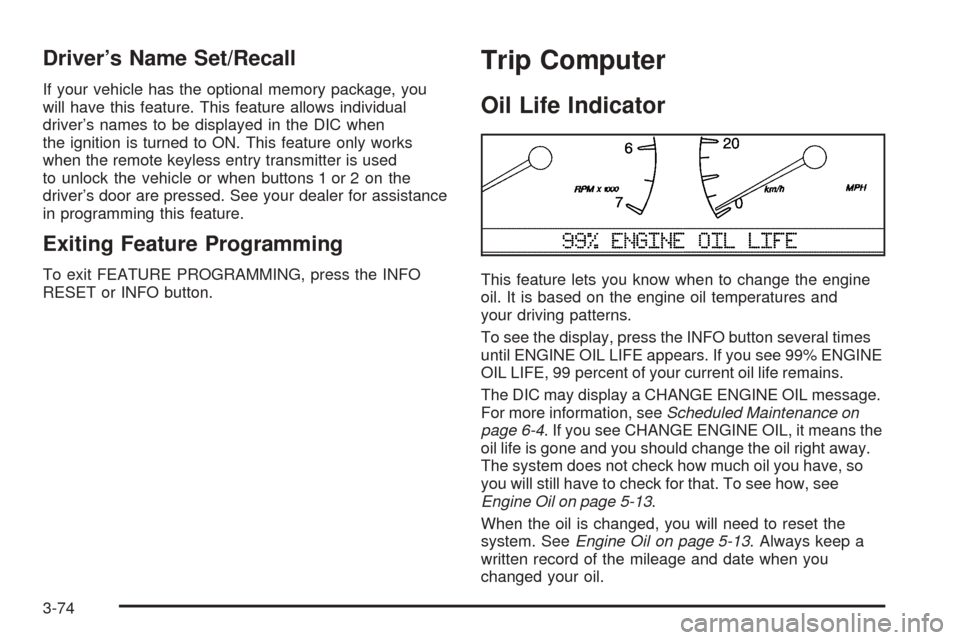
This feature lets you know when to change the engine
oil. It is based on the engine oil temperatures and
your driving patterns.
To see the display, press the INFO button several times
until ENGINE OIL LIFE appears. If you see 99% ENGINE
OIL LIFE, 99 percent of your current oil life remains.
The DIC may display a CHANGE ENGINE OIL message.
For more information, seeScheduled Maintenance on
page 6-4. If you see CHANGE ENGINE OIL, it means the
oil life is gone and you should change the oil right away.
The system does not check how much oil you have, so
you will still have to check for that. To see how, see
Engine Oil on page 5-13.
When the oil is changed, you will need to reset the
system. SeeEngine Oil on page 5-13. Always keep a
written record of the mileage and date when you
changed your oil.
3-74
Page 210 of 410
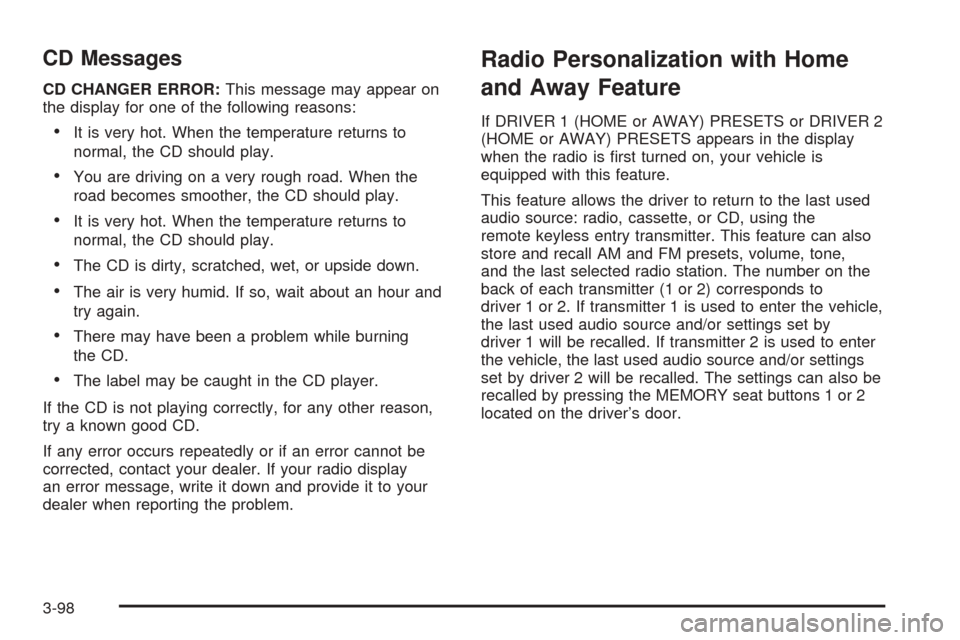
CD Messages
CD CHANGER ERROR:This message may appear on
the display for one of the following reasons:
•It is very hot. When the temperature returns to
normal, the CD should play.
•You are driving on a very rough road. When the
road becomes smoother, the CD should play.
•It is very hot. When the temperature returns to
normal, the CD should play.
•The CD is dirty, scratched, wet, or upside down.
•The air is very humid. If so, wait about an hour and
try again.
•There may have been a problem while burning
the CD.
•The label may be caught in the CD player.
If the CD is not playing correctly, for any other reason,
try a known good CD.
If any error occurs repeatedly or if an error cannot be
corrected, contact your dealer. If your radio display
an error message, write it down and provide it to your
dealer when reporting the problem.
Radio Personalization with Home
and Away Feature
If DRIVER 1 (HOME or AWAY) PRESETS or DRIVER 2
(HOME or AWAY) PRESETS appears in the display
when the radio is first turned on, your vehicle is
equipped with this feature.
This feature allows the driver to return to the last used
audio source: radio, cassette, or CD, using the
remote keyless entry transmitter. This feature can also
store and recall AM and FM presets, volume, tone,
and the last selected radio station. The number on the
back of each transmitter (1 or 2) corresponds to
driver 1 or 2. If transmitter 1 is used to enter the vehicle,
the last used audio source and/or settings set by
driver 1 will be recalled. If transmitter 2 is used to enter
the vehicle, the last used audio source and/or settings
set by driver 2 will be recalled. The settings can also be
recalled by pressing the MEMORY seat buttons 1 or 2
located on the driver’s door.
3-98
Page 402 of 410
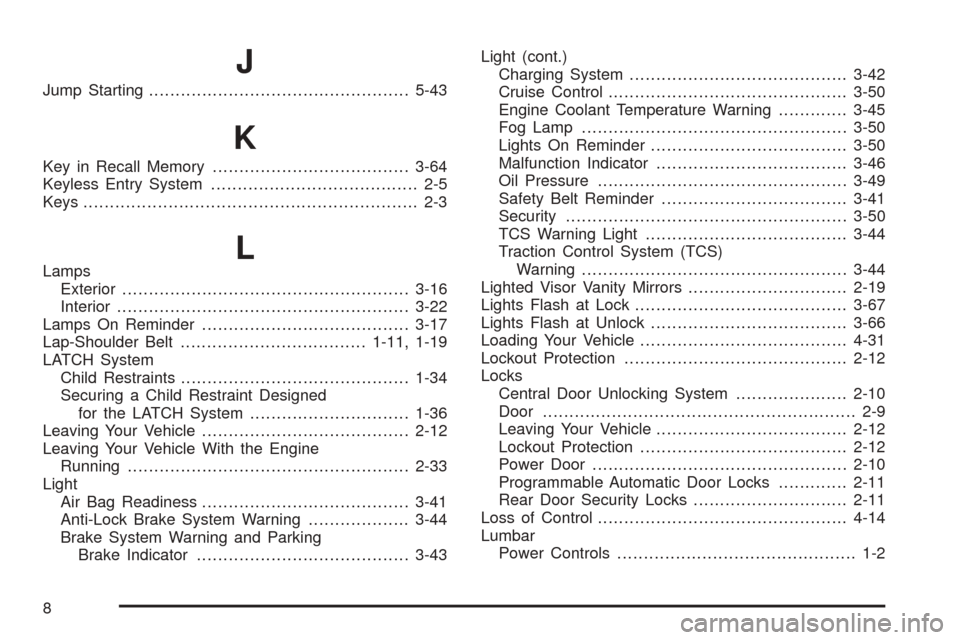
J
Jump Starting.................................................5-43
K
Key in Recall Memory.....................................3-64
Keyless Entry System....................................... 2-5
Keys............................................................... 2-3
LLamps
Exterior......................................................3-16
Interior.......................................................3-22
Lamps On Reminder.......................................3-17
Lap-Shoulder Belt...................................1-11, 1-19
LATCH System
Child Restraints...........................................1-34
Securing a Child Restraint Designed
for the LATCH System..............................1-36
Leaving Your Vehicle.......................................2-12
Leaving Your Vehicle With the Engine
Running.....................................................2-33
Light
Air Bag Readiness.......................................3-41
Anti-Lock Brake System Warning...................3-44
Brake System Warning and Parking
Brake Indicator........................................3-43Light (cont.)
Charging System.........................................3-42
Cruise Control.............................................3-50
Engine Coolant Temperature Warning.............3-45
Fog Lamp..................................................3-50
Lights On Reminder.....................................3-50
Malfunction Indicator....................................3-46
Oil Pressure...............................................3-49
Safety Belt Reminder...................................3-41
Security.....................................................3-50
TCS Warning Light......................................3-44
Traction Control System (TCS)
Warning..................................................3-44
Lighted Visor Vanity Mirrors..............................2-19
Lights Flash at Lock........................................3-67
Lights Flash at Unlock.....................................3-66
Loading Your Vehicle.......................................4-31
Lockout Protection..........................................2-12
Locks
Central Door Unlocking System.....................2-10
Door........................................................... 2-9
Leaving Your Vehicle....................................2-12
Lockout Protection.......................................2-12
Power Door................................................2-10
Programmable Automatic Door Locks.............2-11
Rear Door Security Locks.............................2-11
Loss of Control...............................................4-14
Lumbar
Power Controls............................................. 1-2
8
Page 406 of 410
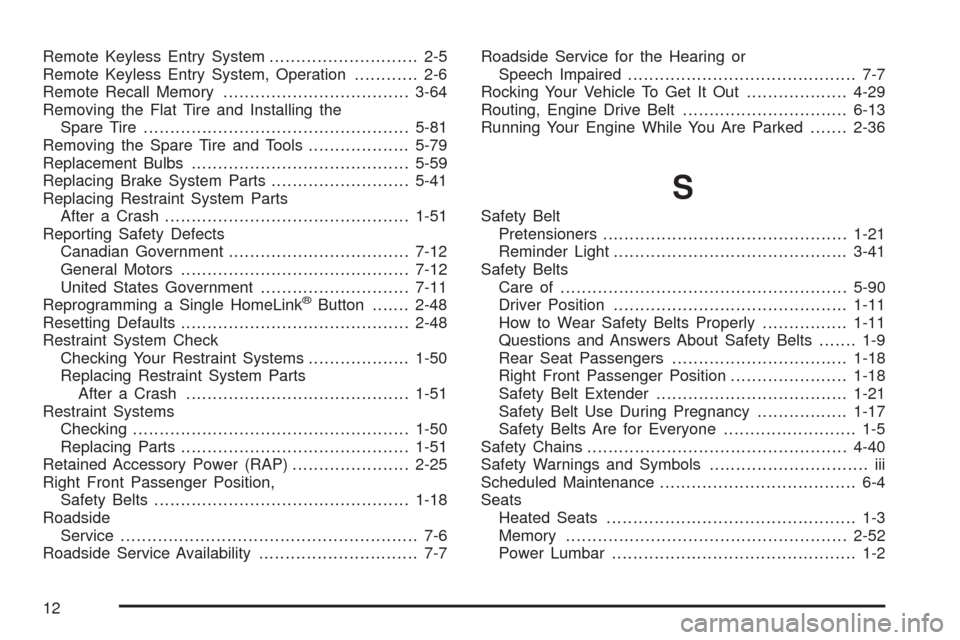
Remote Keyless Entry System............................ 2-5
Remote Keyless Entry System, Operation............ 2-6
Remote Recall Memory...................................3-64
Removing the Flat Tire and Installing the
Spare Tire..................................................5-81
Removing the Spare Tire and Tools...................5-79
Replacement Bulbs.........................................5-59
Replacing Brake System Parts..........................5-41
Replacing Restraint System Parts
After a Crash..............................................1-51
Reporting Safety Defects
Canadian Government..................................7-12
General Motors...........................................7-12
United States Government............................7-11
Reprogramming a Single HomeLink
®Button.......2-48
Resetting Defaults...........................................2-48
Restraint System Check
Checking Your Restraint Systems...................1-50
Replacing Restraint System Parts
After a Crash..........................................1-51
Restraint Systems
Checking....................................................1-50
Replacing Parts...........................................1-51
Retained Accessory Power (RAP)......................2-25
Right Front Passenger Position,
Safety Belts................................................1-18
Roadside
Service........................................................ 7-6
Roadside Service Availability.............................. 7-7Roadside Service for the Hearing or
Speech Impaired........................................... 7-7
Rocking Your Vehicle To Get It Out...................4-29
Routing, Engine Drive Belt...............................6-13
Running Your Engine While You Are Parked.......2-36
S
Safety Belt
Pretensioners..............................................1-21
Reminder Light............................................3-41
Safety Belts
Care of......................................................5-90
Driver Position............................................1-11
How to Wear Safety Belts Properly................1-11
Questions and Answers About Safety Belts....... 1-9
Rear Seat Passengers.................................1-18
Right Front Passenger Position......................1-18
Safety Belt Extender....................................1-21
Safety Belt Use During Pregnancy.................1-17
Safety Belts Are for Everyone......................... 1-5
Safety Chains.................................................4-40
Safety Warnings and Symbols.............................. iii
Scheduled Maintenance..................................... 6-4
Seats
Heated Seats............................................... 1-3
Memory.....................................................2-52
Power Lumbar.............................................. 1-2
12