2004 CADILLAC SEVILLE lights
[x] Cancel search: lightsPage 149 of 410
Warning Lights, Gages and
Indicators
Warning Lights, Gages, and
Indicators
This part describes the warning lights and gages that may
be on your vehicle. The pictures will help you locate them.
Warning lights and gages can signal that something is
wrong before it becomes serious enough to cause
an expensive repair or replacement. Paying attention to
your warning lights and gages could also save you
or others from injury.
Warning lights come on when there may be or is a
problem with one of your vehicle’s functions. As you will
see in the details on the next few pages, some
warning lights come on briefly when you start the
engine just to let you know they are working. If you are
familiar with this section, you should not be alarmed
when this happens.Gages can indicate when there may be or is a problem
with one of your vehicle’s functions. Often gages
and warning lights work together to let you know when
there is a problem with your vehicle.
When one of the warning lights comes on and stays on
when you are driving, or when one of the gages
shows there may be a problem, check the section that
tells you what to do about it. Follow this manual’s
advice. Waiting to do repairs can be costly – and even
dangerous. So please get to know your warning
lights and gages. They are a big help.
Your vehicle also has a Driver Information Center (DIC)
that works along with the warning lights and gages.
SeeDriver Information Center (DIC) on page 3-52for
more information.
3-37
Page 162 of 410
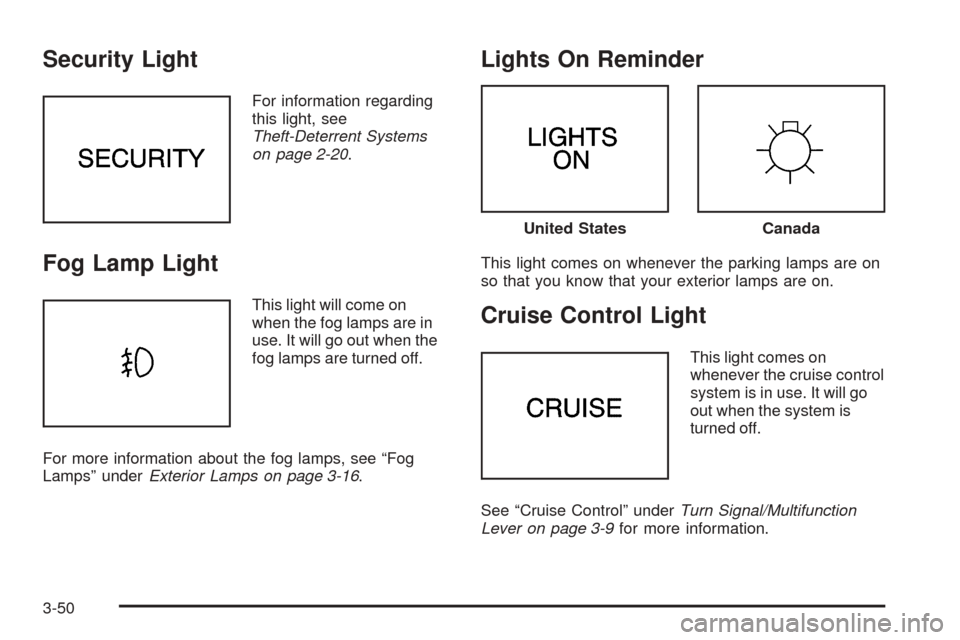
Security Light
For information regarding
this light, see
Theft-Deterrent Systems
on page 2-20.
Fog Lamp Light
This light will come on
when the fog lamps are in
use. It will go out when the
fog lamps are turned off.
For more information about the fog lamps, see “Fog
Lamps” underExterior Lamps on page 3-16.
Lights On Reminder
This light comes on whenever the parking lamps are on
so that you know that your exterior lamps are on.
Cruise Control Light
This light comes on
whenever the cruise control
system is in use. It will go
out when the system is
turned off.
See “Cruise Control” underTurn Signal/Multifunction
Lever on page 3-9for more information.
United StatesCanada
3-50
Page 178 of 410
Auto Exit Steering Wheel
If your vehicle has the optional memory package, you
may have this feature also. This feature will move
the steering column to the driver’s previously
programmed exit position when the ignition is turned off
and the driver’s door is opened.
Programmable Modes
Mode 1:ON
Mode 2:OFF
Before your vehicle was shipped from the factory, it was
programmed to Mode 1. The mode to which the
vehicle was programmed may have been changed since
it left the factory. To determine the mode to which the
vehicle is programmed or to program the vehicle to
a different mode, do the following:
1. Enter FEATURE PROGRAMMING following the
instructions listed previously.
2. Press the down arrow on the INFO button until
AUTO EXIT STRG WHEEL appears on the DIC
display.
3. To turn on the feature, press the ON/OFF button
until ON appears on the DIC display. To turn it off,
press the ON/OFF button until OFF appears on
the display.The mode you selected is now set. You can either exit
the programming mode by following the instructions
later in this section or program the next feature available
on your vehicle.
Lights Flash at Unlock
This feature allows the parking lamps to flash twice
when the remote keyless entry transmitter is used
to unlock the vehicle. All doors must be closed, and the
lamps will not flash if the manual parking lamps or
headlamps are active.
Programmable Modes
Mode 1:ON
Mode 2:OFF
Before your vehicle was shipped from the factory, it was
programmed to Mode 1. The mode to which the
vehicle was programmed may have been changed since
it left the factory. To determine the mode to which the
vehicle is programmed or to program the vehicle to
a different mode, do the following:
1. Enter FEATURE PROGRAMMING following the
instructions listed previously.
2. Press the down arrow on the INFO button until
LIGHTS FLASH AT UNLOCK appears on the
DIC display.
3-66
Page 179 of 410
3. To turn on the feature, press the ON/OFF button
until ON appears on the DIC display. To turn it off,
press the ON/OFF button until OFF appears on
the display.
The mode you selected is now set. You can either exit
the programming mode by following the instructions
later in this section or program the next feature available
on your vehicle.
Lights Flash at Lock
This feature allows the parking lamps to flash once
when the remote keyless entry transmitter is used to
lock the vehicle. All doors must be closed for this feature
to work, and the lamps will not flash if the manual
parking lamps or headlamps are active.
Programmable Modes
Mode 1:ON
Mode 2:OFF
Before your vehicle was shipped from the factory, it was
programmed to Mode 1. The mode to which the
vehicle was programmed may have been changed since
it left the factory. To determine the mode to which the
vehicle is programmed or to program the vehicle to
a different mode, do the following:
1. Enter FEATURE PROGRAMMING following the
instructions listed previously.
2. Press the down arrow on the INFO button until
LIGHTS FLASH AT LOCK appears on the DIC
display.
3. To turn on the feature, press the ON/OFF button
until ON appears on the DIC display. To turn it off,
press the ON/OFF button until OFF appears on
the display.
The mode you selected is now set. You can either exit
the programming mode by following the instructions
later in this section or program the next feature available
on your vehicle.
3-67
Page 180 of 410
Horn Sounds at Lock
This feature sounds the horn once when the remote
keyless entry transmitter is used to lock the vehicle. All
doors must be closed for this feature to work.
Programmable Modes
Mode 1:ON
Mode 2:OFF
Before your vehicle was shipped from the factory, it was
programmed to Mode 2. The mode to which the
vehicle was programmed may have been changed since
it left the factory. To determine the mode to which the
vehicle is programmed or to program the vehicle to
a different mode, do the following:
1. Enter FEATURE PROGRAMMING following the
instructions listed previously.
2. Press the down arrow on the INFO button until
HORN SOUNDS AT LOCK appears on the DIC
display.
3. To turn on the feature, press the ON/OFF button
until ON appears on the DIC display. To turn it off,
press the ON/OFF button until OFF appears on
the display.The mode you selected is now set. You can either exit
the programming mode by following the instructions
later in this section or program the next feature available
on your vehicle.
Exterior Lights at Unlock
This feature turns on the exterior lamps when the
remote keyless entry transmitter is used to unlock the
vehicle. The lamps will remain on for about 20 seconds
unless a door is opened, the ignition is turned to
ACCESSORY, ON or START or the remote keyless
entry transmitter is used to lock the vehicle.
Programmable Modes
Mode 1:ON
Mode 2:OFF
Before your vehicle was shipped from the factory, it was
programmed to Mode 1. The mode to which the
vehicle was programmed may have been changed since
it left the factory. To determine the mode to which the
vehicle is programmed or to program the vehicle to
a different mode, do the following:
1. Enter FEATURE PROGRAMMING following the
instructions listed previously.
2. Press the down arrow on the INFO button until EXT
LIGHTS AT UNLOCK appears on the DIC display.
3-68
Page 232 of 410
You can be temporarily blinded by approaching
headlamps. It can take a second or two, or even several
seconds, for your eyes to readjust to the dark. When you
are faced with severe glare (as from a driver who does
not lower the high beams, or a vehicle with misaimed
headlamps), slow down a little. Avoid staring directly into
the approaching headlamps.
Keep your windshield and all the glass on your vehicle
clean — inside and out. Glare at night is made much
worse by dirt on the glass. Even the inside of the glass
can build up a film caused by dust. Dirty glass makes
lights dazzle and flash more than clean glass would,
making the pupils of your eyes contract repeatedly.
Remember that your headlamps light up far less of a
roadway when you are in a turn or curve. Keep
your eyes moving; that way, it is easier to pick out dimly
lighted objects. Just as your headlamps should be
checked regularly for proper aim, so should your eyes
be examined regularly. Some drivers suffer from
night blindness — the inability to see in dim light — and
are not even aware of it.Driving in Rain and on Wet Roads
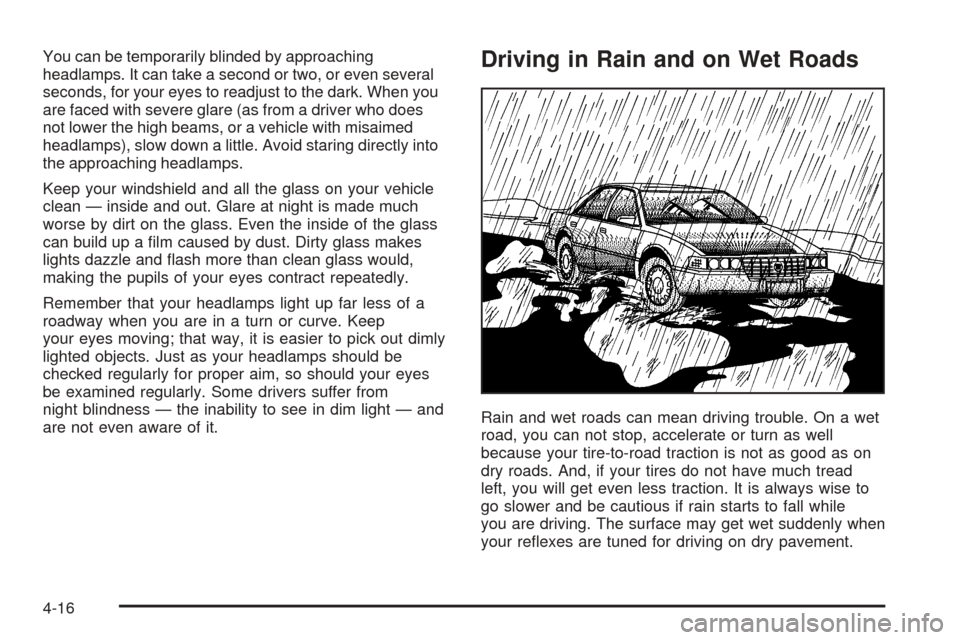
Rain and wet roads can mean driving trouble. On a wet
road, you can not stop, accelerate or turn as well
because your tire-to-road traction is not as good as on
dry roads. And, if your tires do not have much tread
left, you will get even less traction. It is always wise to
go slower and be cautious if rain starts to fall while
you are driving. The surface may get wet suddenly when
your reflexes are tuned for driving on dry pavement.
4-16
Page 284 of 410
A 50/50 mixture of clean, drinkable water and
DEX-COOL®coolant will:
•Give freezing protection down to−34° F (−37° C).
•Give boiling protection up to 265° F (129° C).
•Protect against rust and corrosion.
•Help keep the proper engine temperature.
•Let the warning lights and gages work as they
should.
Notice:Using coolant other than DEX-COOL
®may
cause premature engine, heater core or radiator
corrosion. In addition, the engine coolant may
require changing sooner, at 30,000 miles (50 000 km)
or 24 months, whichever occurs first. Any repairs
would not be covered by your warranty. Always use
DEX-COOL
®(silicate-free) coolant in your vehicle.
What to Use
Use a mixture of one-halfclean, drinkable waterand
one-half DEX-COOL®coolant which will not damage
aluminum parts. If you use this coolant mixture, you do
not need to add anything else.
{CAUTION:
Adding only plain water to your cooling
system can be dangerous. Plain water, or
some other liquid such as alcohol, can boil
before the proper coolant mixture will. Your
vehicle’s coolant warning system is set for the
proper coolant mixture. With plain water or the
wrong mixture, your engine could get too hot
but you would not get the overheat warning.
Your engine could catch fire and you or others
could be burned. Use a 50/50 mixture of clean,
drinkable water and DEX-COOL
®coolant.
Notice:If you use an improper coolant mixture,
your engine could overheat and be badly damaged.
The repair cost would not be covered by your
warranty. Too much water in the mixture can freeze
and crack the engine, radiator, heater core and
other parts.
If you have to add coolant more than four times a year,
have your dealer check your cooling system.
Notice:If you use the proper coolant, you do not
have to add extra inhibitors or additives which claim
to improve the system. These can be harmful.
5-24
Page 399 of 410
Driving (cont.)
Hill and Mountain Roads..............................4-22
In Rain and on Wet Roads...........................4-16
Winter........................................................4-24
Driving on Grades...........................................4-43
Driving on Snow or Ice....................................4-25
Driving Through Deep Standing Water...............4-18
Driving Through Flowing Water.........................4-18
Driving with a Trailer.......................................4-41
Dual Climate Control System............................3-28
E
Electrical System
Add-On Equipment......................................5-96
Fuses and Circuit Breakers...........................5-97
Headlamp Wiring.........................................5-96
Power Windows and Other Power Options......5-96
Removing the Rear Seat Cushion..................5-99
Windshield Wiper Fuses...............................5-96
Emergency Trunk Release Handle.....................2-15
Emissions Inspection and Maintenance
Programs...................................................3-48
Engine
Air Cleaner/Filter.........................................5-18
Battery.......................................................5-41
Check and Service Engine Soon Light............3-46Engine (cont.)
Coolant......................................................5-23
Coolant Heater............................................2-27
Coolant Temperature Gage...........................3-45
Coolant Temperature
Warning Light..........................................3-45
Drive Belt Routing.......................................6-13
Engine Compartment Overview......................5-12
Exhaust.....................................................2-35
Oil .............................................................5-13
Overheating................................................5-26
Starting......................................................2-26
Engine Cooling When Trailer Towing..................4-44
Engine Oil Additives........................................5-16
Engine Speed Limiter......................................3-41
English Metric Display.....................................3-40
Entering Feature Programming..........................3-63
Entry Lighting.................................................3-23
Erasing HomeLink
®Buttons..............................2-48
Event Data Records (EDR)..............................7-10
Exiting Feature Programming............................3-74
Express-Down Window....................................2-17
Express-Up Window........................................2-17
Extender, Safety Belt.......................................1-21
Exterior Lamps...............................................3-16
Exterior Lighting Battery Saver..........................3-21
Exterior Lights at Unlock..................................3-68
5