2004 CADILLAC SEVILLE battery
[x] Cancel search: batteryPage 135 of 410
Entry Lighting
The entry lighting system automatically turns on the
courtesy lamps and the backlighting to the door switches
and to the exterior lamp control when a door is opened
or if you press the remote keyless entry transmitter
unlock button. If activated due to the transmitter,
the lighting will remain active for about 40 seconds.
Since the entry lighting system uses the light sensor, it
must be dark outside in order for the courtesy lamps
to turn on. The courtesy lamps turn off approximately
25 seconds after the last door is closed. They will dim to
off if the ignition key is placed in ON, or immediately
deactivate if the power locks are activated.
Parade Dimming
This feature prohibits dimming of the digital displays and
backlighting during daylight hours when the key is in
the ignition and the headlamps are on. This feature
operates with the light sensor for the Twilight
Sentinel
®and is fully automatic. When the light sensor
reads darkness outside and the parking lamps are
active, the digital displays can be adjusted by turning
the instrument panel brightness knob counterclockwise
to dim and clockwise to brighten lighting.
Reading Lamps
The front reading lamps are located in the overhead
console. These lamps and the interior courtesy lamps
come on when a door is opened and it is dark outside.
The rear reading lamps will not come on when a
front door is opened.
The rear courtesy lamps are located on the rear
headliner above the rear seat outboard positions. When
a rear door is opened, both the front and rear reading
lamps come on with the courtesy lamps.
Press the button near each lamp to turn it on and off.
If the reading lamps are left on, they automatically shut
off 10 minutes after the ignition has been turned off.
Battery Load Management
The battery load management feature is designed to
monitor the vehicle’s electrical load and determine when
the battery is in a heavy discharge condition. During
times of high electrical loading, the engine may idle at a
higher revolutions per minute (rpm) setting than
normal to make sure the battery charges. High electrical
loads may occur when several of the following are
on: headlamps, high beams, fog lamps, rear window
defogger, the climate control fan at high speeds, heated
seats and engine cooling fans.
3-23
Page 136 of 410
If the battery continues to discharge, even with the
engine idling at a higher rpm setting, some electrical
loads will automatically be reduced. When this occurs,
the rear window defogger may take slightly longer
to clear the glass, the heated seats may not get as warm
as they usually do and the fan may cut back to a
lower speed. For more battery saving information, see
“Battery Saver Active Message” underDIC Warnings
and Messages on page 3-55.
Inadvertent Power Battery Saver
This feature is designed to protect your vehicle’s battery
against drainage from the interior lamps, trunk lamp,
glove box lamp, cigarette lighters or the garage
door opener. When the ignition is turned off, the power
to these features will automatically turn off after
10 minutes (three minutes if a new car has 15 miles
(24 km) or less). Power will be restored for an additional
10 minutes if any door is opened, the trunk is opened
or the courtesy lamp switch is turned on.
Ultrasonic Rear Parking Assist
(URPA)
Your vehicle may be equipped with Ultrasonic Rear
Parking Assist (URPA). URPA is designed to help you
park while in REVERSE (R) and operates only at speeds
less than 3 mph (5 km/h). URPA can help you avoid
colliding with objects such as parked vehicles. The
system can detect objects 5 feet (1.5 m) behind your
vehicle and tell you how close those objects are to your
rear bumper.
{CAUTION:
Even with the Ultrasonic Rear Park Assist
system, the driver must check carefully before
backing up. The system does not operate
above typical backing speeds of 3 mph
(5 km/h) while parking. And, the system does
not detect objects that are more than 5 feet
(1.5 meters) behind the vehicle.
CAUTION: (Continued)
3-24
Page 138 of 410
If the URPA system is not functioning properly, the
display will flash red, indicating that there is a problem.
The light will also flash red while driving if a trailer is
attached to your vehicle, or a bicycle or object is on the
back of, or hanging out of your trunk. The light will
continue to flash until the trailer or the object is
removed and your vehicle is driven forward at least
15 mph (25 km/h).
It may also flash red if the ultrasonic sensors are not
kept clean. So be sure to keep your rear bumper free of
mud, dirt, snow, ice and slush or materials such as
paint or the system may not work properly. If after
cleaning the rear bumper and driving forward at least
15 mph (25 km/h), the display continues to flash red, see
your dealer. For cleaning instructions, seeCleaning
the Outside of Your Vehicle on page 5-90.
It may also flash red if your vehicle is moving in
REVERSE (R) at a speed greater than 3 mph (5 km/h).
Other conditions that may affect system performance
include things like the vibrations from a jackhammer or
the compression of air brakes on a very large truck.
As always, drivers should use care when backing up a
vehicle. Always look behind you, being sure to check
for other vehicles, obstructions and blind spots.Accessory Power Outlets
Your vehicle is equipped with accessory power outlets.
The outlets can be used to plug in electrical equipment
such as a cellular telephone, CB radio, etc.
The accessory power outlets are located at the rear of
the center console and on the lower inboard carpeted
panel on the passenger’s side of the vehicle.
Your vehicle may have a small cap that must be
removed to access the accessory power outlet. If it
does, when not using the outlet be sure to cover it with
the protective cap.
The accessory power outlet will only operate when the
ignition is in ACC or ON and for 10 minutes after
turning the ignition OFF. If you would like the accessory
power outlet to operate regardless of ignition position,
and for extended periods of time, see your dealer
for more information.
Notice:Leaving electrical equipment on for
extended periods will drain the battery. Always turn
off electrical equipment when not in use and do
not plug in equipment that exceeds the maximum
amperage rating.
Certain accessory power plugs may not be compatible
to the accessory power outlet and could result in
blown vehicle or adapter fuses. If you experience a
problem see your dealer for additional information on the
accessory power plugs.
3-26
Page 154 of 410
If the air bag readiness light stays on after you start the
vehicle or comes on when you are driving, your air
bag system may not work properly. Have your vehicle
serviced right away.
{CAUTION:
If the air bag readiness light stays on after you
start your vehicle, it means the air bag system
may not be working properly. The air bags in
your vehicle may not inflate in a crash, or they
could even inflate without a crash. To help
avoid injury to yourself or others, have your
vehicle serviced right away if the air bag
readiness light stays on after you start your
vehicle.
The air bag readiness light should flash for a few
seconds when you turn the ignition key to ON. If the
light doesn’t come on then, have it fixed so it will
be ready to warn you if there is a problem.
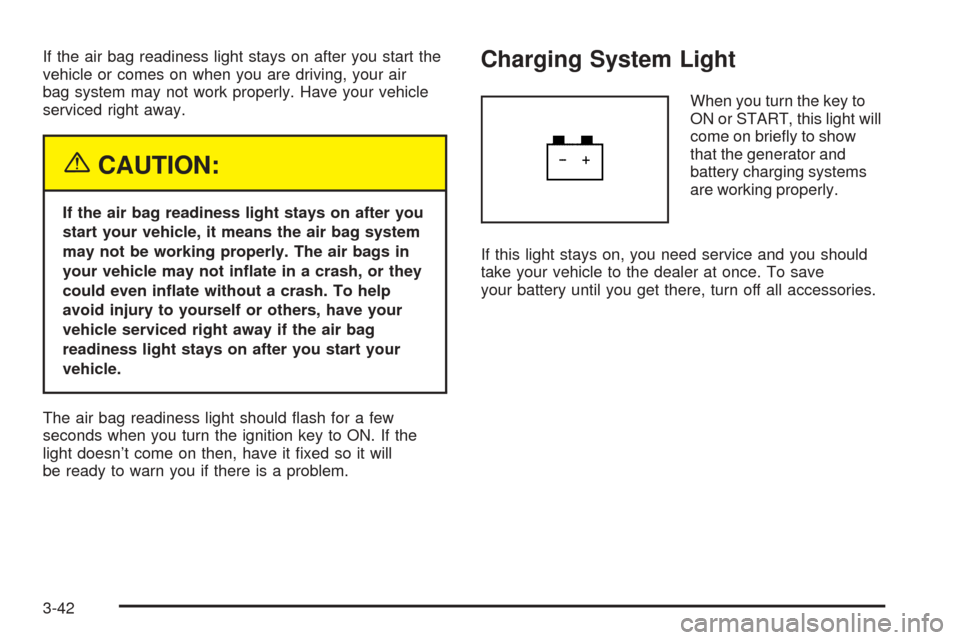
Charging System Light
When you turn the key to
ON or START, this light will
come on briefly to show
that the generator and
battery charging systems
are working properly.
If this light stays on, you need service and you should
take your vehicle to the dealer at once. To save
your battery until you get there, turn off all accessories.
3-42
Page 160 of 410
Have you recently changed brands of fuel?
If so, be sure to fuel your vehicle with quality fuel. See
Gasoline Octane on page 5-4. Poor fuel quality will
cause your engine not to run as efficiently as designed.
You may notice this as stalling after start-up, stalling
when you put the vehicle into gear, misfiring, hesitation
on acceleration or stumbling on acceleration. (These
conditions may go away once the engine is warmed up.)
This will be detected by the system and cause the
light to turn on.
If you experience one or more of these conditions,
change the fuel brand you use. It will require at least
one full tank of the proper fuel to turn the light off.
If none of the above steps have made the light turn off,
your dealer can check the vehicle. Your dealer has
the proper test equipment and diagnostic tools to fix any
mechanical or electrical problems that may have
developed.Emissions Inspection and Maintenance
Programs
Some state/provincial and local governments have or
may begin programs to inspect the emission control
equipment on your vehicle. Failure to pass this inspection
could prevent you from getting a vehicle registration.
Here are some things you need to know in order to help
your vehicle pass an inspection:
Your vehicle will not pass this inspection if the SERVICE
ENGINE SOON or CHECK ENGINE light is on or not
working properly.
Your vehicle will not pass this inspection if the OBD
(on-board diagnostic) system determines that critical
emission control systems have not been completely
diagnosed by the system. The vehicle would be
considered not ready for inspection. This can happen if
you have recently replaced your battery or if your
battery has run down. The diagnostic system is
designed to evaluate critical emission control systems
during normal driving. This may take several days
of routine driving. If you have done this and your vehicle
still does not pass the inspection for lack of OBD
system readiness, your GM dealer can prepare the
vehicle for inspection.
3-48
Page 164 of 410
Driver Information Center (DIC)
This display gives you the status of many of your
vehicle’s systems. The DIC is also used to display driver
personalization features and warning/status messages.
All messages will appear in the DIC display, located
at the bottom of the instrument panel cluster.
DIC Controls and Displays
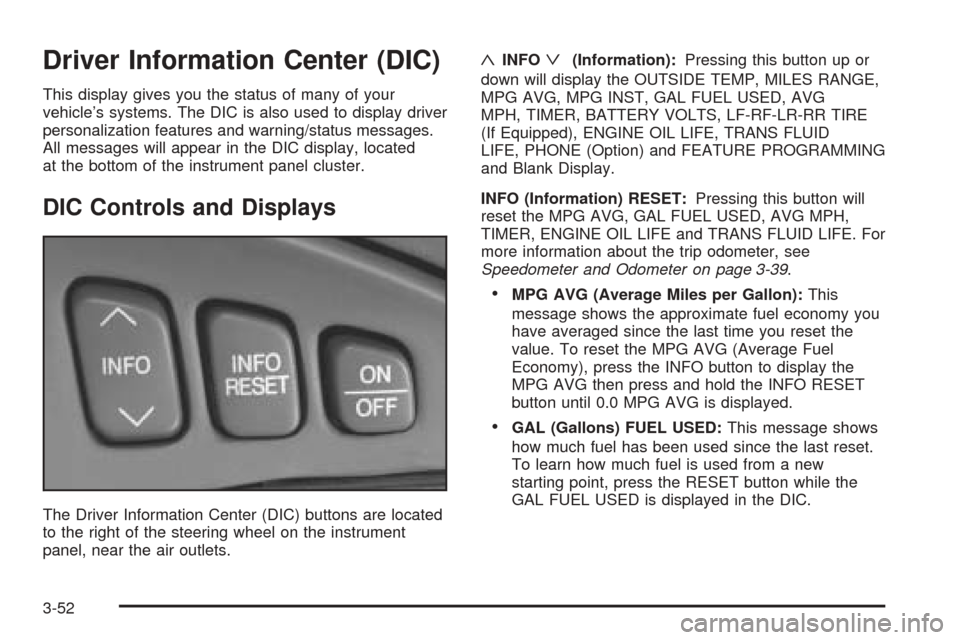
The Driver Information Center (DIC) buttons are located
to the right of the steering wheel on the instrument
panel, near the air outlets.
«INFOª(Information):Pressing this button up or
down will display the OUTSIDE TEMP, MILES RANGE,
MPG AVG, MPG INST, GAL FUEL USED, AVG
MPH, TIMER, BATTERY VOLTS, LF-RF-LR-RR TIRE
(If Equipped), ENGINE OIL LIFE, TRANS FLUID
LIFE, PHONE (Option) and FEATURE PROGRAMMING
and Blank Display.
INFO (Information) RESET:Pressing this button will
reset the MPG AVG, GAL FUEL USED, AVG MPH,
TIMER, ENGINE OIL LIFE and TRANS FLUID LIFE. For
more information about the trip odometer, see
Speedometer and Odometer on page 3-39.
•MPG AVG (Average Miles per Gallon):This
message shows the approximate fuel economy you
have averaged since the last time you reset the
value. To reset the MPG AVG (Average Fuel
Economy), press the INFO button to display the
MPG AVG then press and hold the INFO RESET
button until 0.0 MPG AVG is displayed.
•GAL (Gallons) FUEL USED:This message shows
how much fuel has been used since the last reset.
To learn how much fuel is used from a new
starting point, press the RESET button while the
GAL FUEL USED is displayed in the DIC.
3-52
Page 166 of 410
MILES RANGE:This message shows about how many
miles you can drive without refilling your fuel tank.
Once the range drops below 40 miles (64 km) remaining,
the display will show LOW.
MPG INST (Instantaneous Miles per Gallon):This
message shows the instantaneous fuel economy which
varies with your driving conditions, such as acceleration,
braking and the grade of the road being traveled.
The INFO RESET button does not function in this mode.
BATTERY VOLTS:This message shows the current
battery voltage. If the voltage is normal the display
will show BATTERY VOLTS OK. If the voltage drops
below 10.5 volts, the display will show BATTERY
VOLTS LOW. If the voltage is above 16 volts, the
display will show BATTERY VOLTS HIGH. If the display
shows the high or low message, you will need to
have your battery checked. SeeDIC Warnings and
Messages on page 3-55for more information.LF-RF-LR-RR TIRE (If Equipped):On vehicles
equipped with the tire pressure monitor, this message
shows the tire pressure for each tire (left front, right
front, left rear and right rear). Pressing the INFO button
will scroll through the tire pressure for each of the
four tires, such as the following:
•34 PSI LF TIRE OK or
•234 kPa LF TIRE OK
If a tire pressure is below 25 PSI (172 kPa) or above
38 PSI (265 kPa), the message will appear as shown
above except it will show TIRE LOW or TIRE HIGH as
appropriate. If desired, the tire pressure information
can be programmed not to appear when using the INFO
button to scroll through the DIC displays. SeeDIC
Vehicle Personalization on page 3-63.
If a low or high tire pressure is detected by the system
while driving, a CHECK TIRE PRESSURE message
will appear in the display. If this occurs, press the INFO
button to scroll to the tire(s) with a low or high
pressure condition. SeeDIC Warnings and Messages
on page 3-55for more information.
ENG/MET (English/Metric):Press this button to
display information in the English (miles) or metric
(kilometers) system.
3-54
Page 167 of 410
DIC Warnings and Messages
These messages will appear if there is a problem
sensed in one of your vehicle’s systems. Vehicles that
are first sold in Canada will have a number after
each message. This number helps to identify the
problem. You must then press INFO or INFO RESET to
clear the display screen for further use. However, be
sure to take any message that appears on the display
screen seriously and remember that pressing the
INFO or INFO RESET button will only make the
message disappear, not the problem.
DIC messages can also be displayed in French,
German, Spanish and Japanese. Contact your dealer to
have the language display adjusted for your vehicle.
BATTERY NOT CHARGING – 7:This message
will appear if the battery is not being charged. Have the
electrical system checked by your dealership at your
earliest convenience.
BATTERY SAVER ACTIVE – 27:This message is
displayed when the vehicle has detected that the battery
voltage is dropping beyond a reasonable point. The
battery saver system will start reducing certain features
of the vehicle that you may not be able to notice. At
the point that features are disabled, this message
is displayed. It means that the vehicle is trying to save
the charge in the battery. Turn off unnecessary
accessories to allow the battery to recharge.BATTERY VOLTAGE HIGH – 8:This message shows
that the electrical charging system is overcharging (more
than 16 volts). To avoid being stranded, have the
electrical system checked by your dealership. You can
reduce the charging overload by using the accessories.
Turn on the lamps and radio, set the climate control on
AUTO and the fan speed on HI, and turn the rear window
defogger on. You can monitor battery voltage on the DIC
by pressing the INFO button. The normal range is
11.5 to 15.5 volts when the engine is running.
BATTERY VOLTAGE LOW – 6:This message will
appear when the electrical system is charging less than
10 volts or if the battery has been drained. If this
message appears immediately after starting, it is
possible that the generator can still recharge the battery.
The battery should recharge while driving but may
take a few hours to do so. Consider using an auxiliary
charger (be sure to follow the manufacturer’s
instructions) to boost the battery after returning home or
to a final destination. If this message appears while
driving or after starting your vehicle and stays on, have
it checked immediately to determine the cause of
this problem. To help the generator recharge the battery
quickly, you can reduce the load on the electrical
system by turning off the accessories. You can monitor
battery voltage on the DIC by pressing the INFO
button. The normal range is 11.5 to 15.5 volts.
3-55