’03 L/C U (L/O 0301)
160
(b) When the radio mode is selected
”
CH ” button: Push this button to
select a station preset on the preset but-
ton of the front audio system. Each push
of the button changes to the station with
higher numbered preset button.
”
TUNE ” button: Push this button
for manual tuning or seek tuning.
�Push this button briefly. Each time you
push the button, the radio will step up
or down to another frequency.
�Push this button and hold it until you
hear a beep. The radio will begin seek-
ing up or down for a station, and will
stop on reception. Each time you push
the button, the stations will be
searched automatically one after anoth-
er.
(c) When the ”TAPE” mode is selected
”
PROG ” button: Push this button
to select the other side of a cassette
tape.
”
TRACK ” button: Push the left or
right side to skip forward or backward to
locate the song you want to hear. For
details, see ”SEEK TRACK button” on
page 154. (d) When the ”CD” mode is selected
”
DISC ” button:
Use this button to
search a desired disc.
”
TRACK ” button: Use this button
to search a desired track or push this
button and hold it to fast forward or rever-
se.
(e) Some basics
This system cannot be used if the audio
system is not turned on.
You cannot select ”AM” or ”FM” mode in
the rear seat if the ”FM” or ”AM” mode
is used on the front seats side.
If you select the same mode as the front
seats side, operating the controller will
affect the mode on the front seats side.
CAUTION
This system is not designed for a
driver. So, the driver should not use
this system while driving.
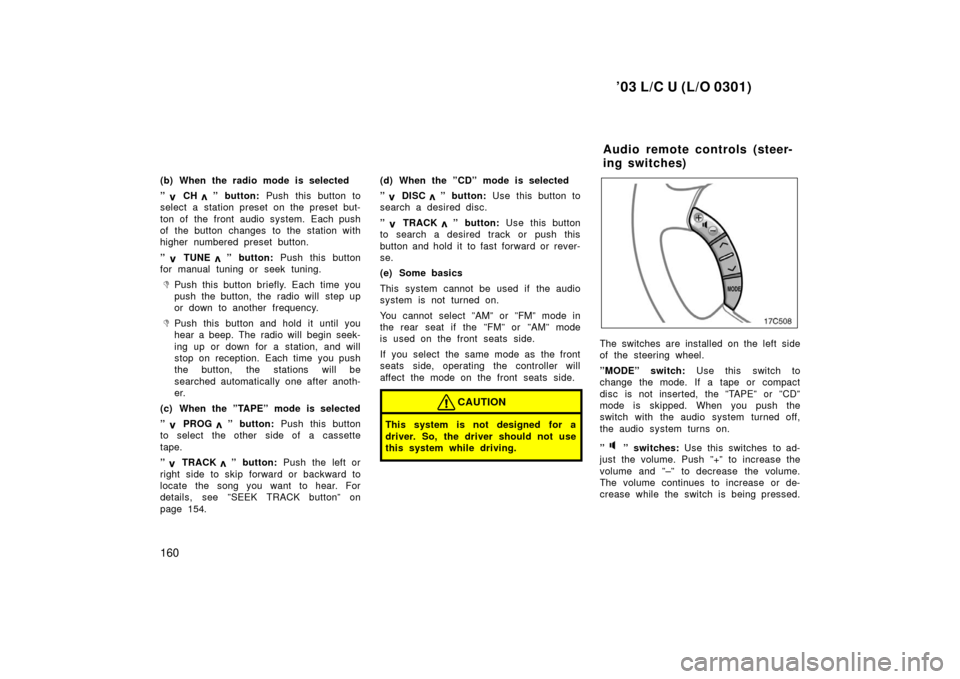
The switches are installed on the left side
of the steering wheel.
”MODE” switch: Use this switch to
change the mode. If a tape or compact
disc is not inserted, the ”TAPE” or ”CD”
mode is skipped. When you push the
switch with the audio system turned off,
the audio system turns on.
”
” switches: Use this switches to ad-
just the volume. Push ”+” to increase the
volume and ”–” to decrease the volume.
The volume continues to increase or de-
crease while the switch is being pressed.
Audio remote controls (steer-
ing switches)
’03 L/C U (L/O 0301)
246
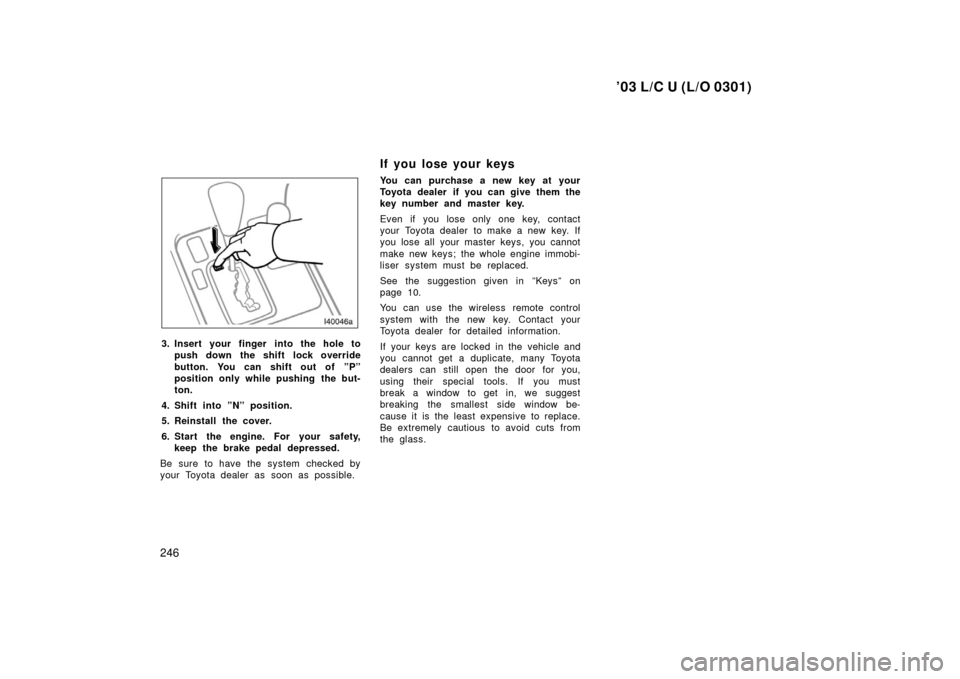
3. Insert your finger into the hole topush down the shift lock override
button. You can shift out of ”P”
position only while pushing the but-
ton.
4. Shift into ”N” position.
5. Reinstall the cover.
6. Start the engine. For your safety, keep the brake pedal depressed.
Be sure to have the system checked by
your Toyota dealer as soon as possible.
If you lose your keys
You can purchase a new key at your
Toyota dealer if you can give them the
key number and master key.
Even if you lose only one key, contact
your Toyota dealer to make a new key. If
you lose all your master keys, you cannot
make new keys; the whole engine immobi-
liser system must be replaced.
See the suggestion given in ”Keys” on
page 10.
You can use the wireless remote control
system with the new key. Contact your
Toyota dealer for detailed information.
If your keys are locked in the vehicle and
you cannot get a duplicate, many Toyota
dealers can still open the door for you,
using their special tools. If you must
break a window to get in, we suggest
breaking the smallest side window be-
cause it is the least expensive to replace.
Be extremely cautious to avoid cuts from
the glass.