12-05-2003
���������
���
� ��0
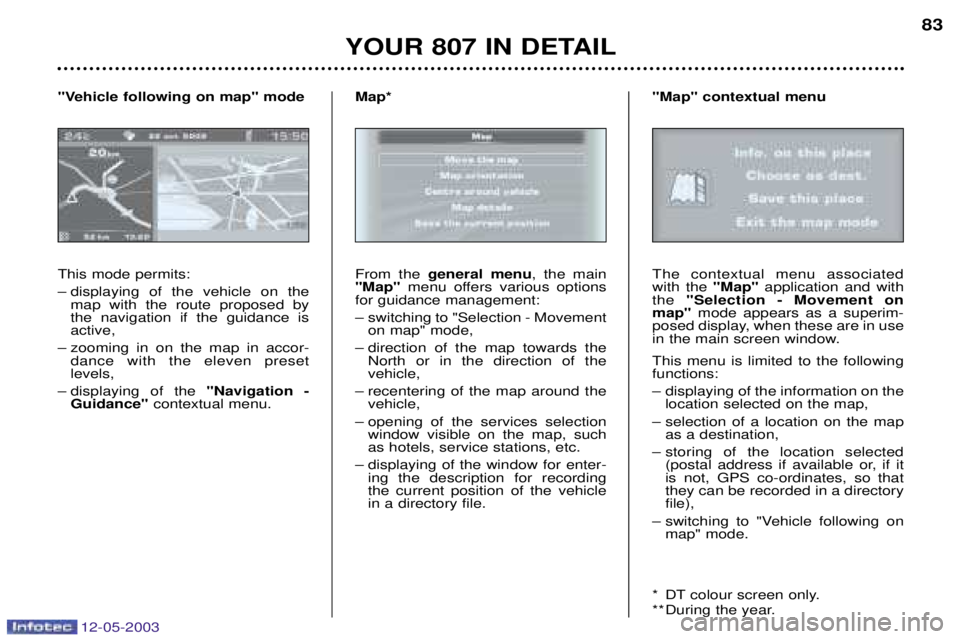
This mode permits:
– displaying of the vehicle on the map with the route proposed by the navigation if the guidance isactive,
– zooming in on the map in accor- dance with the eleven preset levels,
– displaying of the 8
���$������ +
�������&8� contextual menu.
8�&)���&�6����5��$����'�28�'��&
From the
$&�&���� '&�� , the main
8��28 menu offers various options
for guidance management:
– switching to "Selection - Movement on map" mode,
– direction of the map towards the North or in the direction of the vehicle,
– recentering of the map around the vehicle,
– opening of the services selection window visible on the map, suchas hotels, service stations, etc.
– displaying of the window for enter- ing the description for recordingthe current position of the vehiclein a directory file.
��2CThe contextual menu associated with the
8��28application and with
the 8�&�&������ +� ���&'&��� ��
'�28 mode appears as a superim-
posed display, when these are in use
in the main screen window. This menu is limited to the following functions:
– displaying of the information on the location selected on the map,
– selection of a location on the map as a destination,
– storing of the location selected (postal address if available or, if it is not, GPS co-ordinates, so thatthey can be recorded in a directoryfile),
– switching to "Vehicle following on map" mode.
* DT colour screen only.
** During the year.
8��28�����&E�����'&��