Page 64 of 227
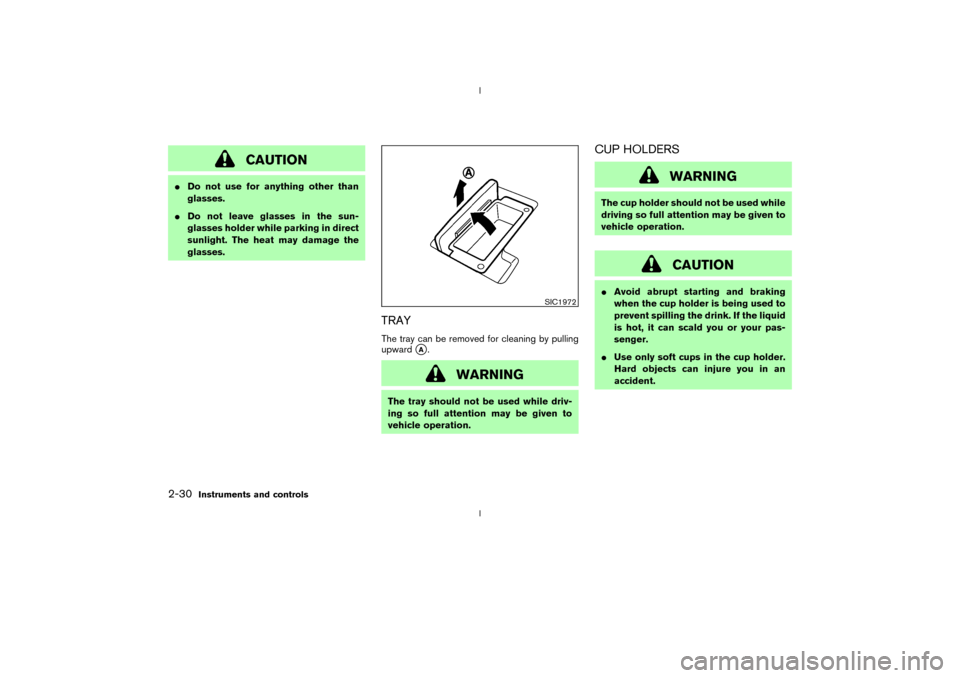
The front seats are warmed by built-in heaters.
The switches located on the center console can
be operated independently of each other.
1. Start the engine.
2. Select heat range.
IFor low heat, press the
(Low) side
of the switch.
IFor high heat, press the(High) side
of the switch.
IFor no heat, the switch has a center OFF
position between low and high.
The indicator light in the switch will illuminatewhen low or high is selected.
The heater is controlled by a thermostat,
automatically turning the heater on and off.
The indicator light will remain on as long as
the switch is on.
3. When the vehicle's interior is warmed, or
before you leave the vehicle, be sure to turn
the switch to the OFF position (center).
CAUTION
IThe battery could run down if the
seat heater is operated while the en-
gine is not running.
IDo not use the seat heater for ex-
tended periods or when no one is
using the seat.
IDo not put anything on the seat
which insulates heat, such as a blan-
ket, cushion, seat cover, etc. Other-
wise, the seat may become over-
heated.
IDo not place anything hard or heavy
on the seat or pierce it with a pin or
similar object. This may result indamage to the heater.
IAny liquid spilled on the heated seat
should be removed immediately with
a dry cloth.
IWhen cleaning the seat, never use
gasoline, thinner, or any similar ma-
terials.
IIf any abnormalities are found or the
heated seat does not operate, turn
the switch off and have the system
checked by your NISSAN dealer.
SIC1966
HEATED SEATS (if so equipped)
Instruments and controls
2-25
Z
02.9.13/Z33-D/V5.0
X
Page 65 of 227
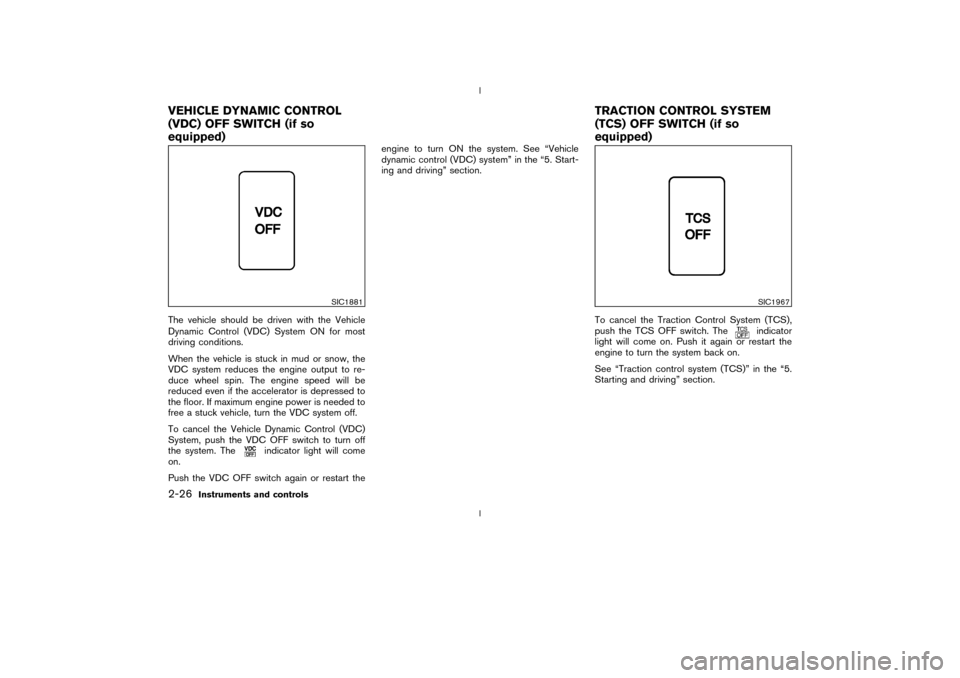
The vehicle should be driven with the Vehicle
Dynamic Control (VDC) System ON for most
driving conditions.
When the vehicle is stuck in mud or snow, the
VDC system reduces the engine output to re-
duce wheel spin. The engine speed will be
reduced even if the accelerator is depressed to
the floor. If maximum engine power is needed to
free a stuck vehicle, turn the VDC system off.
To cancel the Vehicle Dynamic Control (VDC)
System, push the VDC OFF switch to turn off
the system. The
indicator light will come
on.
Push the VDC OFF switch again or restart theengine to turn ON the system. See ªVehicle
dynamic control (VDC) systemº in the ª5. Start-
ing and drivingº section.
To cancel the Traction Control System (TCS),
push the TCS OFF switch. The
indicator
light will come on. Push it again or restart the
engine to turn the system back on.
See ªTraction control system (TCS)º in the ª5.
Starting and drivingº section.
SIC1881
SIC1967
VEHICLE DYNAMIC CONTROL
(VDC) OFF SWITCH (if so
equipped)TRACTION CONTROL SYSTEM
(TCS) OFF SWITCH (if so
equipped)2-26
Instruments and controls
Z
02.9.13/Z33-D/V5.0
X
Page 66 of 227
The digital clock (in the audio unit) displays time
when the ignition key is in the ACC or ON
position.
If the power supply is disconnected, the
clock will not indicate the correct time.
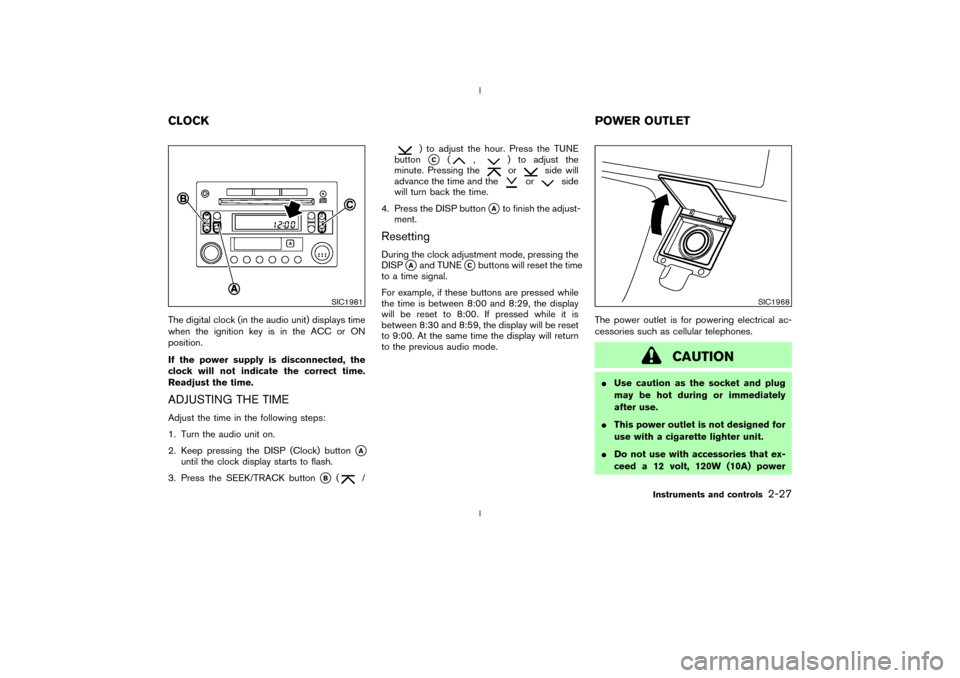
Readjust the time.ADJUSTING THE TIMEAdjust the time in the following steps:
1. Turn the audio unit on.
2. Keep pressing the DISP (Clock) button
qA
until the clock display starts to flash.
3. Press the SEEK/TRACK button
qB
(
/
) to adjust the hour. Press the TUNE
buttonqC
(
,
) to adjust the
minute. Pressing theor
side will
advance the time and the
or
side
will turn back the time.
4. Press the DISP button
qAto finish the adjust-
ment.
ResettingDuring the clock adjustment mode, pressing the
DISP
qAand TUNE
qCbuttons will reset the time
to a time signal.
For example, if these buttons are pressed while
the time is between 8:00 and 8:29, the display
will be reset to 8:00. If pressed while it is
between 8:30 and 8:59, the display will be reset
to 9:00. At the same time the display will return
to the previous audio mode.The power outlet is for powering electrical ac-
cessories such as cellular telephones.
CAUTION
IUse caution as the socket and plug
may be hot during or immediately
after use.
IThis power outlet is not designed for
use with a cigarette lighter unit.
IDo not use with accessories that ex-
ceed a 12 volt, 120W (10A) power
SIC1981
SIC1968
CLOCKPOWER OUTLET
Instruments and controls
2-27
Z
02.9.13/Z33-D/V5.0
X
Page 67 of 227
draw. Do not use double adapters or
more than one electrical accessory.
IUse this power outlet with the engine
running. (If the engine is stopped,
this could result in a discharged bat-
tery.)
IAvoid using when the air conditioner,
headlights or rear window defroster
is on.
IBefore inserting or disconnecting a
plug, be sure to turn off the power
switch of electrical accessory being
used or the ACC power of the vehicle.
IPush the plug in as far as it will go. If
good contact is not made, the plug
may overheat or the internal tem-
perature fuse may blow.
IWhen not in use, be sure to close the
cap. Do not allow water to contact
the socket.The cigarette lighter unit (including the socket)
and ashtray are accessories. A genuine NISSAN
cigarette lighter unit and/or ashtray can be pur-
chased from a NISSAN dealer.
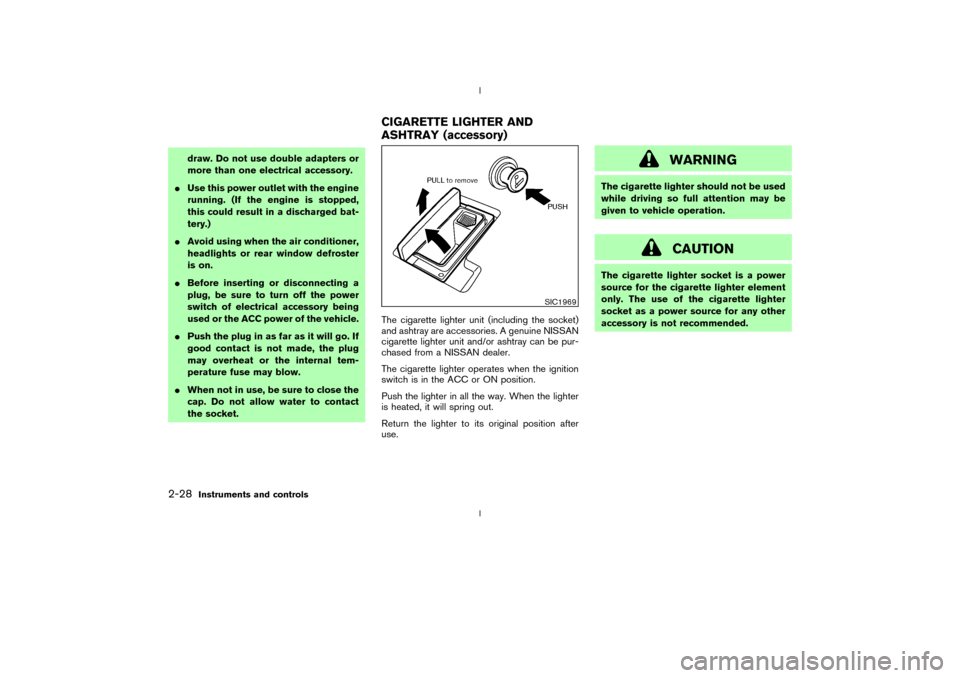
The cigarette lighter operates when the ignition
switch is in the ACC or ON position.
Push the lighter in all the way. When the lighter
is heated, it will spring out.
Return the lighter to its original position after
use.
WARNING
The cigarette lighter should not be used
while driving so full attention may be
given to vehicle operation.
CAUTION
The cigarette lighter socket is a power
source for the cigarette lighter element
only. The use of the cigarette lighter
socket as a power source for any other
accessory is not recommended.
SIC1969
CIGARETTE LIGHTER AND
ASHTRAY (accessory)
2-28
Instruments and controls
Z
02.9.13/Z33-D/V5.0
X
Page 69 of 227
CAUTION
IDo not use for anything other than
glasses.
IDo not leave glasses in the sun-
glasses holder while parking in direct
sunlight. The heat may damage the
glasses.
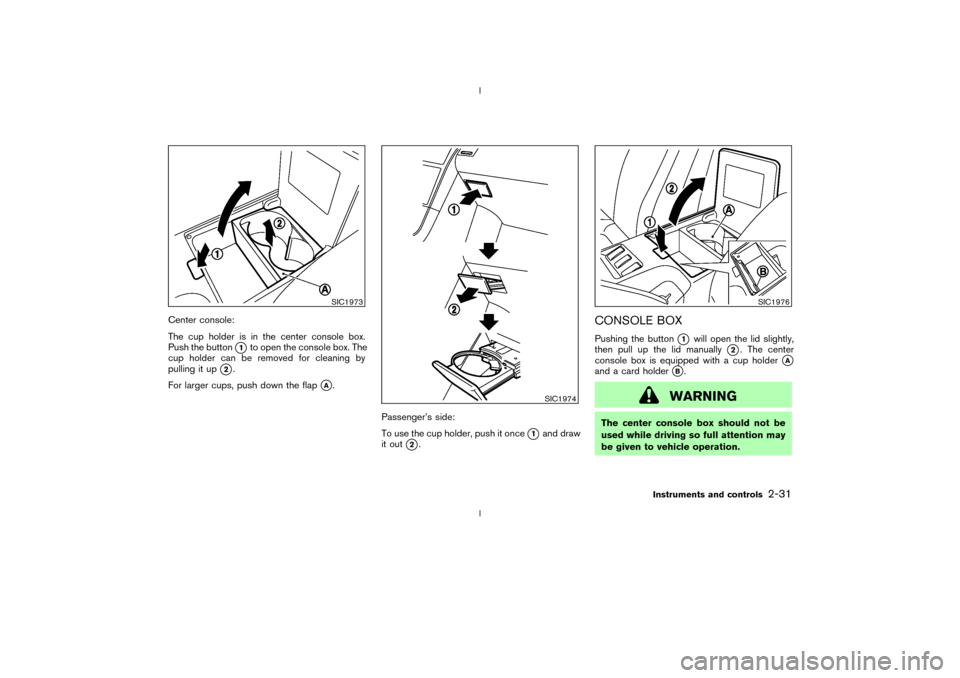
TRAYThe tray can be removed for cleaning by pulling
upward
qA.
WARNING
The tray should not be used while driv-
ing so full attention may be given to
vehicle operation.
CUP HOLDERS
WARNING
The cup holder should not be used while
driving so full attention may be given to
vehicle operation.
CAUTION
IAvoid abrupt starting and braking
when the cup holder is being used to
prevent spilling the drink. If the liquid
is hot, it can scald you or your pas-
senger.
IUse only soft cups in the cup holder.
Hard objects can injure you in an
accident.
SIC1972
2-30
Instruments and controls
Z
02.9.13/Z33-D/V5.0
X
Page 70 of 227
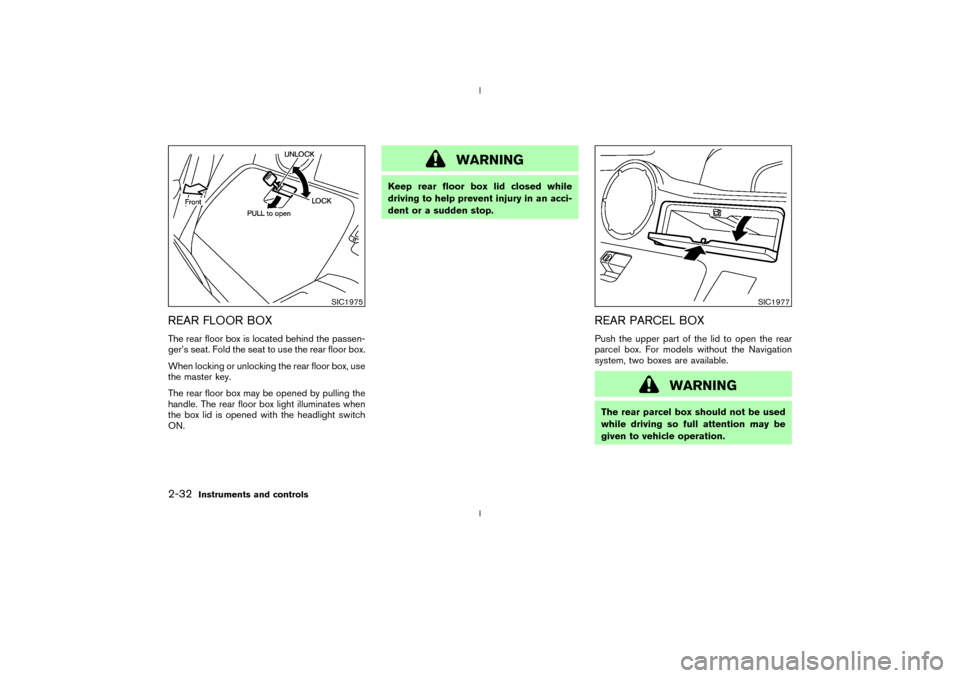
Center console:
The cup holder is in the center console box.
Push the button
q1to open the console box. The
cup holder can be removed for cleaning by
pulling it up
q2.
For larger cups, push down the flap
qA.
Passenger's side:
To use the cup holder, push it once
q1and draw
it out
q2.
CONSOLE BOXPushing the button
q1
will open the lid slightly,
then pull up the lid manually
q2. The center
console box is equipped with a cup holder
qA
and a card holder
qB.
WARNING
The center console box should not be
used while driving so full attention may
be given to vehicle operation.
SIC1973
SIC1974
SIC1976
Instruments and controls
2-31
Z
02.9.13/Z33-D/V5.0
X
Page 71 of 227
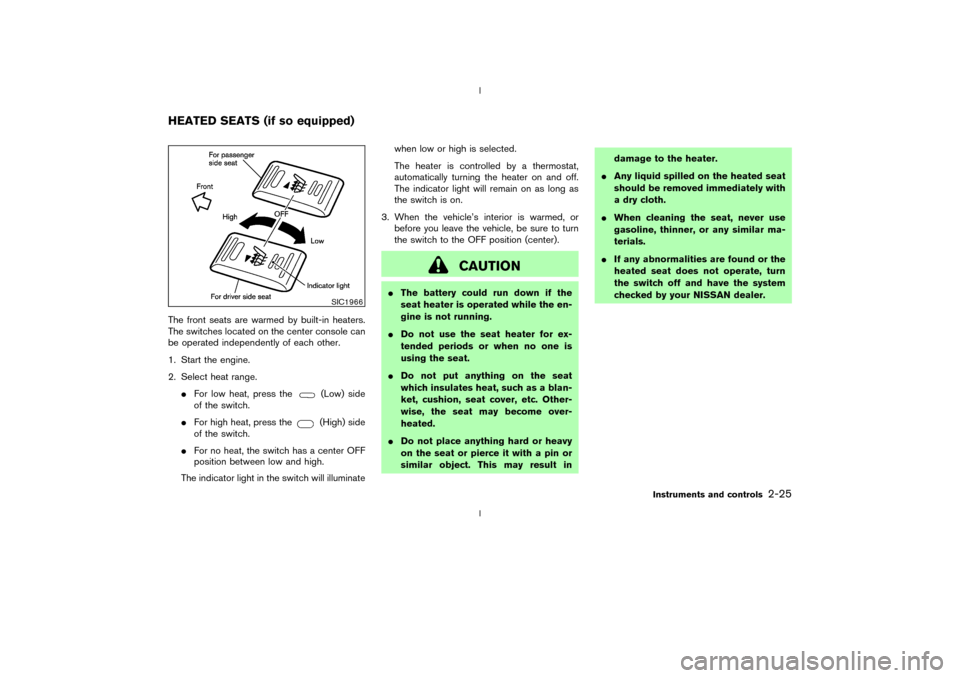
REAR FLOOR BOXThe rear floor box is located behind the passen-
ger's seat. Fold the seat to use the rear floor box.
When locking or unlocking the rear floor box, use
the master key.
The rear floor box may be opened by pulling the
handle. The rear floor box light illuminates when
the box lid is opened with the headlight switch
ON.
WARNING
Keep rear floor box lid closed while
driving to help prevent injury in an acci-
dent or a sudden stop.
REAR PARCEL BOXPush the upper part of the lid to open the rear
parcel box. For models without the Navigation
system, two boxes are available.
WARNING
The rear parcel box should not be used
while driving so full attention may be
given to vehicle operation.
SIC1975
SIC1977
2-32
Instruments and controls
Z
02.9.13/Z33-D/V5.0
X
Page 73 of 227
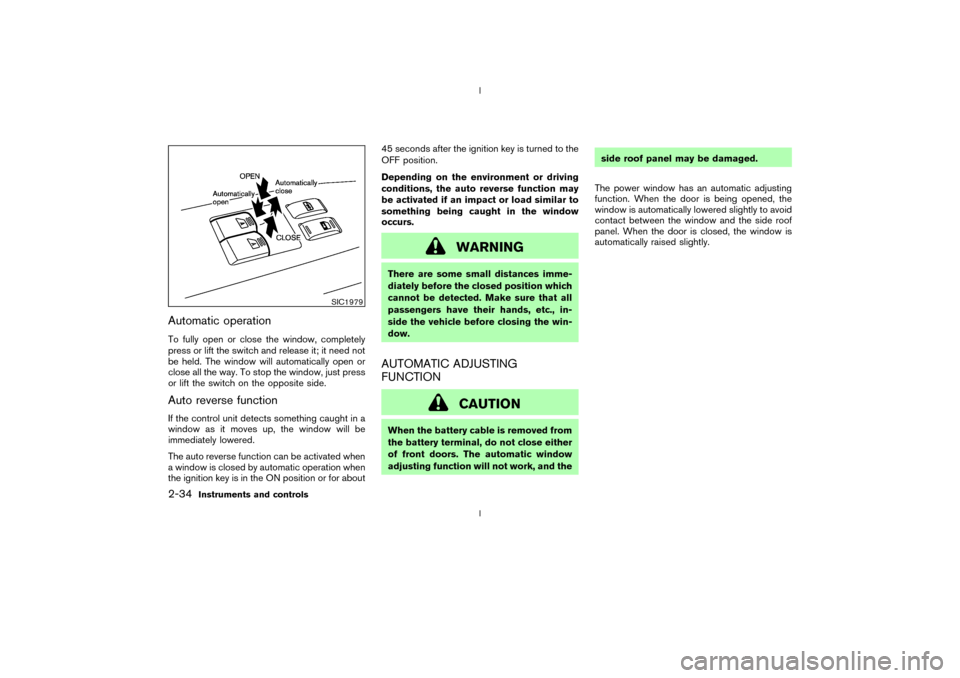
Automatic operationTo fully open or close the window, completely
press or lift the switch and release it; it need not
be held. The window will automatically open or
close all the way. To stop the window, just press
or lift the switch on the opposite side.Auto reverse functionIf the control unit detects something caught in a
window as it moves up, the window will be
immediately lowered.
The auto reverse function can be activated when
a window is closed by automatic operation when
the ignition key is in the ON position or for about45 seconds after the ignition key is turned to the
OFF position.
Depending on the environment or driving
conditions, the auto reverse function may
be activated if an impact or load similar to
something being caught in the window
occurs.
WARNING
There are some small distances imme-
diately before the closed position which
cannot be detected. Make sure that all
passengers have their hands, etc., in-
side the vehicle before closing the win-
dow.AUTOMATIC ADJUSTING
FUNCTION
CAUTION
When the battery cable is removed from
the battery terminal, do not close either
of front doors. The automatic window
adjusting function will not work, and theside roof panel may be damaged.
The power window has an automatic adjusting
function. When the door is being opened, the
window is automatically lowered slightly to avoid
contact between the window and the side roof
panel. When the door is closed, the window is
automatically raised slightly.
SIC1979
2-34
Instruments and controls
Z
02.9.13/Z33-D/V5.0
X