Page 126 of 288
Replacing the battery
The remote entry transmitter uses one coin type three-volt lithium
battery CR2032 or equivalent. The typical operating range for your
remote entry transmitter is approximately 10 meters (33 feet). A
decrease in the operating range could be caused by:
•weather conditions,
•nearby radio towers,
•structures around the vehicle and
•other vehicles parked next to the vehicle.
To replace the battery:
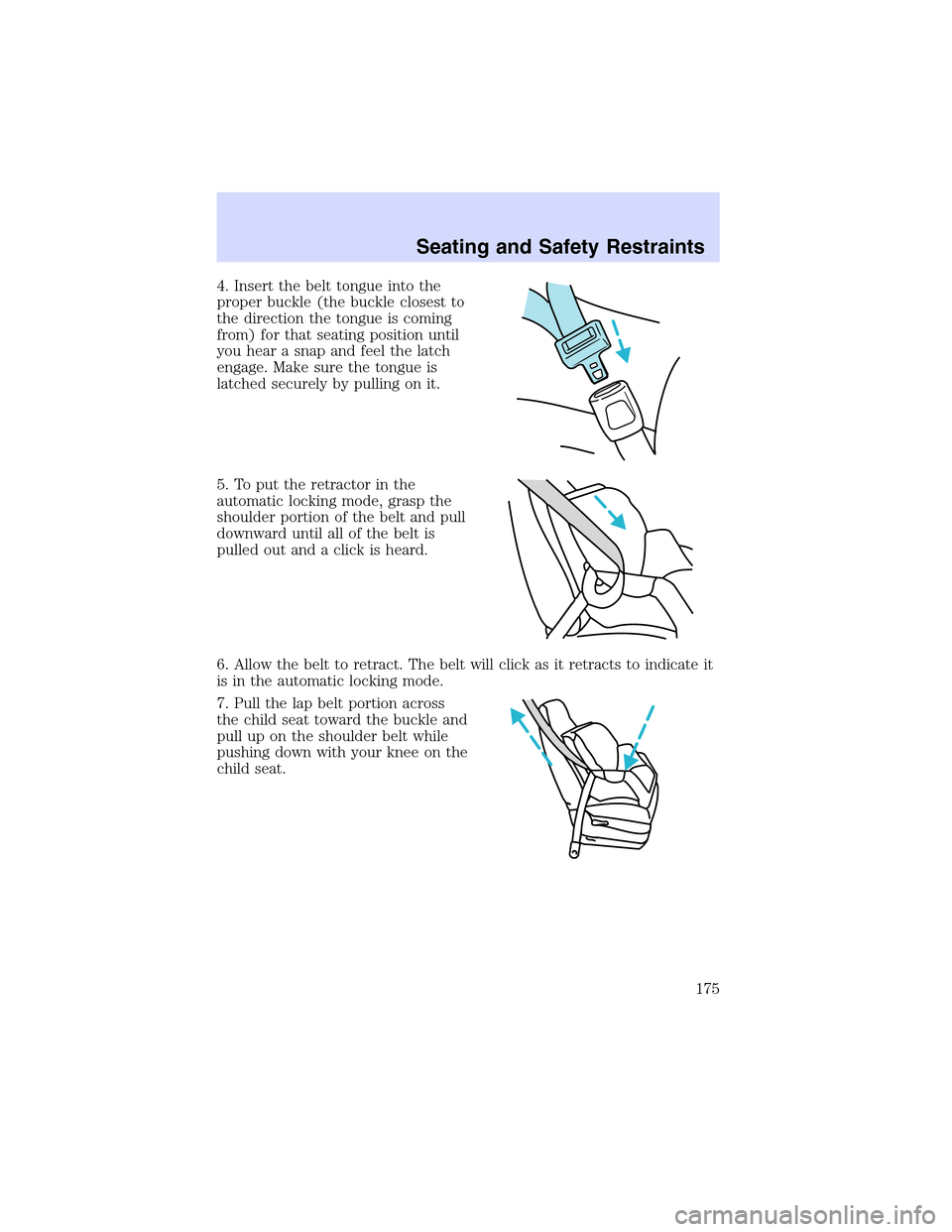
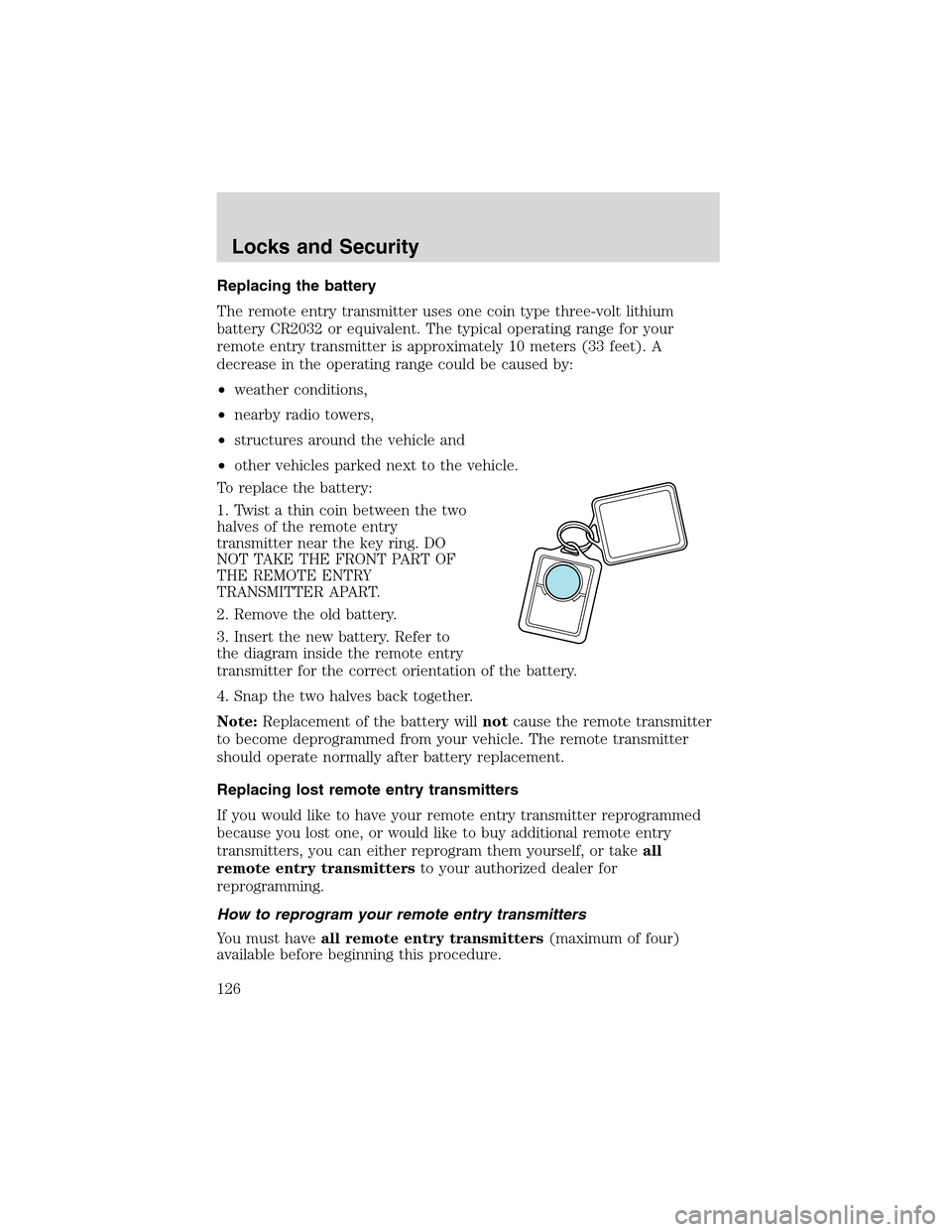
1. Twist a thin coin between the two
halves of the remote entry
transmitter near the key ring. DO
NOT TAKE THE FRONT PART OF
THE REMOTE ENTRY
TRANSMITTER APART.
2. Remove the old battery.
3. Insert the new battery. Refer to
the diagram inside the remote entry
transmitter for the correct orientation of the battery.
4. Snap the two halves back together.
Note:Replacement of the battery willnotcause the remote transmitter
to become deprogrammed from your vehicle. The remote transmitter
should operate normally after battery replacement.
Replacing lost remote entry transmitters
If you would like to have your remote entry transmitter reprogrammed
because you lost one, or would like to buy additional remote entry
transmitters, you can either reprogram them yourself, or takeall
remote entry transmittersto your authorized dealer for
reprogramming.
How to reprogram your remote entry transmitters
You must haveall remote entry transmitters(maximum of four)
available before beginning this procedure.
Locks and Security
126
Page 132 of 288
engine. If a problem occurs, turn the ignition off, remove all objects on
the key chain away from the coded key and restart the engine.
Theft indicator
The theft indicator is located on top of the instrument panel.
•When the ignition is in the ON position, the indicator will glow for 3
seconds to indicate normal system functionality.
If a problem occurs with the SecuriLock�system, the indicator will flash
rapidly or glow steadily when the ignition is in the ON position. If this
occurs, the vehicle should be taken to an authorized dealer for service.
Replacement keys
If your keys are lost or stolen and you don’t have an extra coded key,
you will need to have your vehicle towed to a dealership. The key codes
need to be erased from your vehicle and new coded keys will need to be
programmed.
Replacing coded keys can be very costly. Store an extra programmed key
away from the vehicle in a safe place to help prevent any
inconveniences. Please visit an authorized dealer to purchase additional
spare or replacement keys.
Programming spare keys
You can program your own coded keys to your vehicle. Please read and
understand the entire procedure before you begin.
Tips:
•A maximum of eight keys can be coded to your vehicle.
•Only use Securilock�keys.
•You must have two previously programmed coded keys (keys that
already operate your vehicle’s engine) and the new unprogrammed
key(s) readily accessible.
•If no previously programmed coded keys are available, you must take
your vehicle to your dealer to have the spare key(s) programmed.
Locks and Security
132
Page 134 of 288

Arming the system
When armed, this system will respond if unauthorized entry is
attempted. When unauthorized entry occurs, the system will flash the
turn signal lamps and will sound the horn.
The system is ready to arm whenever key is removed from the ignition.
Any of the following actions will prearm the alarm system:
•Press the
control on the remote entry transmitter.
•Press the driver or passenger interior power door lock control while
that respective door is open, then close the door.
•Lock the vehicle with the key in the driver’s door key cylinder.
•Lock the vehicle by pressing the 7•8 and the 9•0 on the keypad at
the same time
Theft indicator
When the vehicle is locked using one of the listed methods, the theft
indicator located on the instrument panel will flash briefly every 2
seconds to indicate that the perimeter alarm system is armed.
Disarming the system
You can disarm the system by any of the following actions:
•Unlock the doors by pressing the
control on your remote entry
transmitter.
•Unlock the doors with a key. Turn the key full travel (toward the front
of the vehicle) to ensure the alarm disarms.
•Unlock the doors by entering the factory-set code or any of the three
custom codes into the keyless entry keypad.
•Turn the ignition to the 4 (RUN) position with a SecuriLock�coded
key.
Triggering the anti-theft system
The armed system will be triggered if any door, the trunk or the hood is
opened without using the key or the remote entry transmitter.
Locks and Security
134
Page 139 of 288
Theclimatecontrolled seat system includes an air filter that has to be
replaced periodically. Refer to theScheduled Maintenance Guidefor
more information.
•There is a filter located under
both front seats.
•It can be accessed from the
second row seat. Move the front
seat all the way forward and up
to ease access.
To remove climate controlled seat
air filter:
•Remove key from ignition.
•Push on the outside rigid edge of
the air filter at the center and
rotate toward the front of the
vehicle once tabs are released.
•Remove filter.
Seating and Safety Restraints
139
Page 159 of 288
Do not attempt to service, repair, or modify the air bag
supplemental restraint systems or its fuses. See your Ford or
Lincoln Mercury dealer.
Modifying or adding equipment to the front end of the vehicle
(including frame, bumper, front end body structure and tow
hooks) may affect the performance of the air bag system, increasing
the risk of injury. Do not modify the front end of the vehicle.
Children and air bags
Children must always be properly
restrained. Accident statistics
suggest that children are safer when
properly restrained in the rear
seating positions than in the front
seating position. Failure to follow
these instructions may increase the
risk of injury in a collision.
Air bags can kill or injure a
child in a child seat.
NEVERplace a rear-facing child
seat in front of an active air bag. If
you must use a forward-facing
child seat in the front seat, move
the seat all the way back.
Seating and Safety Restraints
159
Page 172 of 288
Follow all instructions provided by the manufacturer of the
booster seat.
Never put the shoulder belt under a child’s arm or behind the
back because it eliminates the protection for the upper part of
the body and may increase the risk of injury or death in a collision.
Never use pillows, books, or towels to boost a child. They can
slide around and increase the likelihood of injury or death in a
collision.
SAFETY SEATS FOR CHILDREN
Child and infant or child safety seats
Use a safety seat that is recommended for the size and weight of the
child. Carefully follow all of the manufacturer’s instructions with the
safety seat you put in your vehicle. If you do not install and use the
safety seat properly, the child may be injured in a sudden stop or
collision.
Seating and Safety Restraints
172
Page 175 of 288
4. Insert the belt tongue into the
proper buckle (the buckle closest to
the direction the tongue is coming
from) for that seating position until
you hear a snap and feel the latch
engage. Make sure the tongue is
latched securely by pulling on it.
5. To put the retractor in the
automatic locking mode, grasp the
shoulder portion of the belt and pull
downward until all of the belt is
pulled out and a click is heard.
6. Allow the belt to retract. The belt will click as it retracts to indicate it
is in the automatic locking mode.
7. Pull the lap belt portion across
the child seat toward the buckle and
pull up on the shoulder belt while
pushing down with your knee on the
child seat.
Seating and Safety Restraints
175
Page 188 of 288
AdvanceTrac�willattempt to correct the sliding motion by applying
brake force at individual tires and, if necessary, by reducing engine
power.
Driving conditions which may activate AdvanceTrac�include:
•Taking a turn too fast
•Maneuvering quickly to avoid an accident, pedestrian or obstacle
•Hitting a patch of ice
•Changing lanes on a snow-rutted road
•Entering a snow-free road from a snow-covered side street, or vice
versa
•Entering a paved road from a gravel road, or vice versa
•Hitting a curb while turning
•Driving on slick surfaces
•Cornering while towing a heavily loaded trailer (refer toTrailer
Towingin this chapter)
The AdvanceTrac�system automatically turns on when the engine is
started. However, the system does not function when the vehicle is
traveling in R (Reverse); the ABS and traction enhancement features will
continue to function.
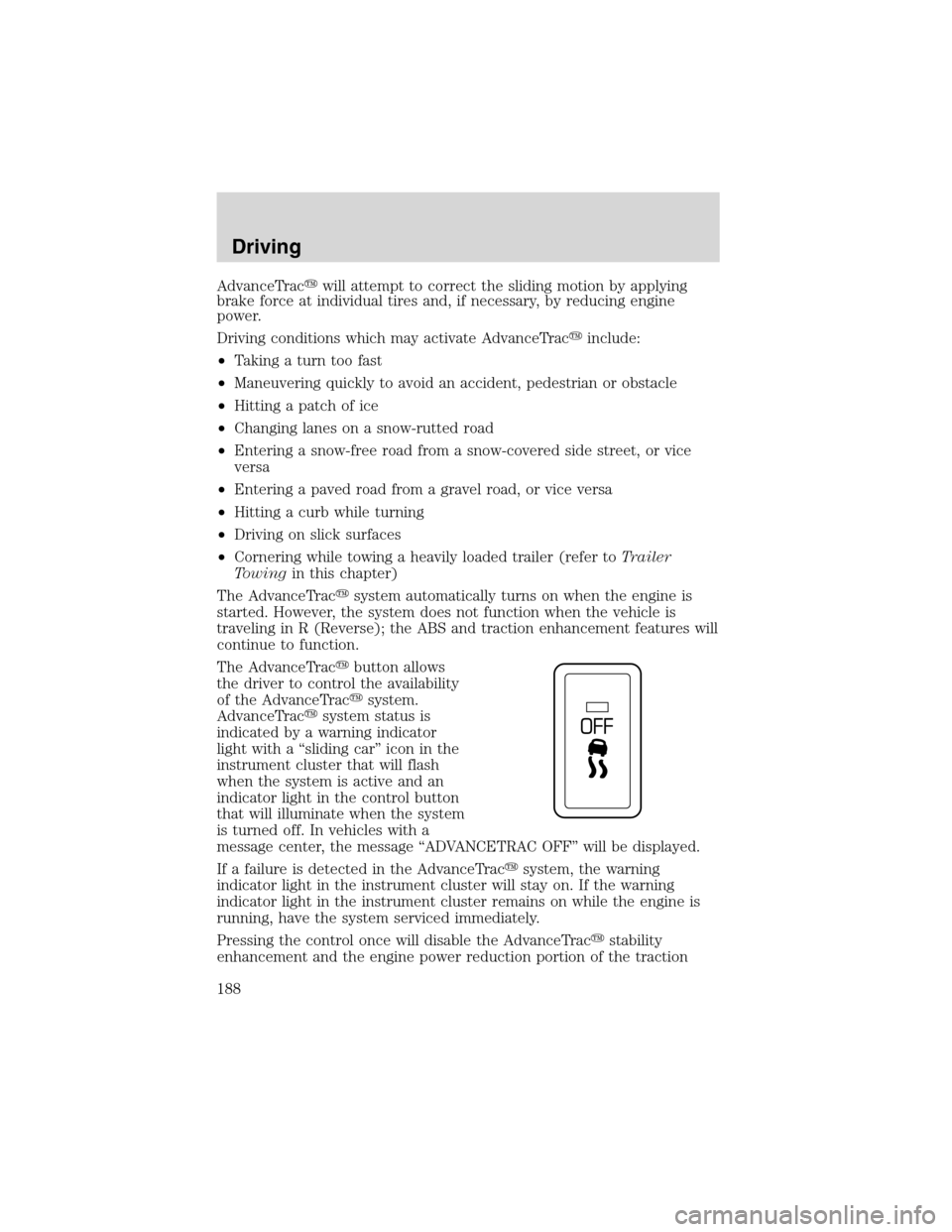
The AdvanceTrac�button allows
the driver to control the availability
of the AdvanceTrac�system.
AdvanceTrac�system status is
indicated by a warning indicator
light with a“sliding car”icon in the
instrument cluster that will flash
when the system is active and an
indicator light in the control button
that will illuminate when the system
is turned off. In vehicles with a
message center, the message“ADVANCETRAC OFF”will be displayed.
If a failure is detected in the AdvanceTrac�system, the warning
indicator light in the instrument cluster will stay on. If the warning
indicator light in the instrument cluster remains on while the engine is
running, have the system serviced immediately.
Pressing the control once will disable the AdvanceTrac�stability
enhancement and the engine power reduction portion of the traction
Driving
188