Page 91 of 288
Express Up (One Touch Up)
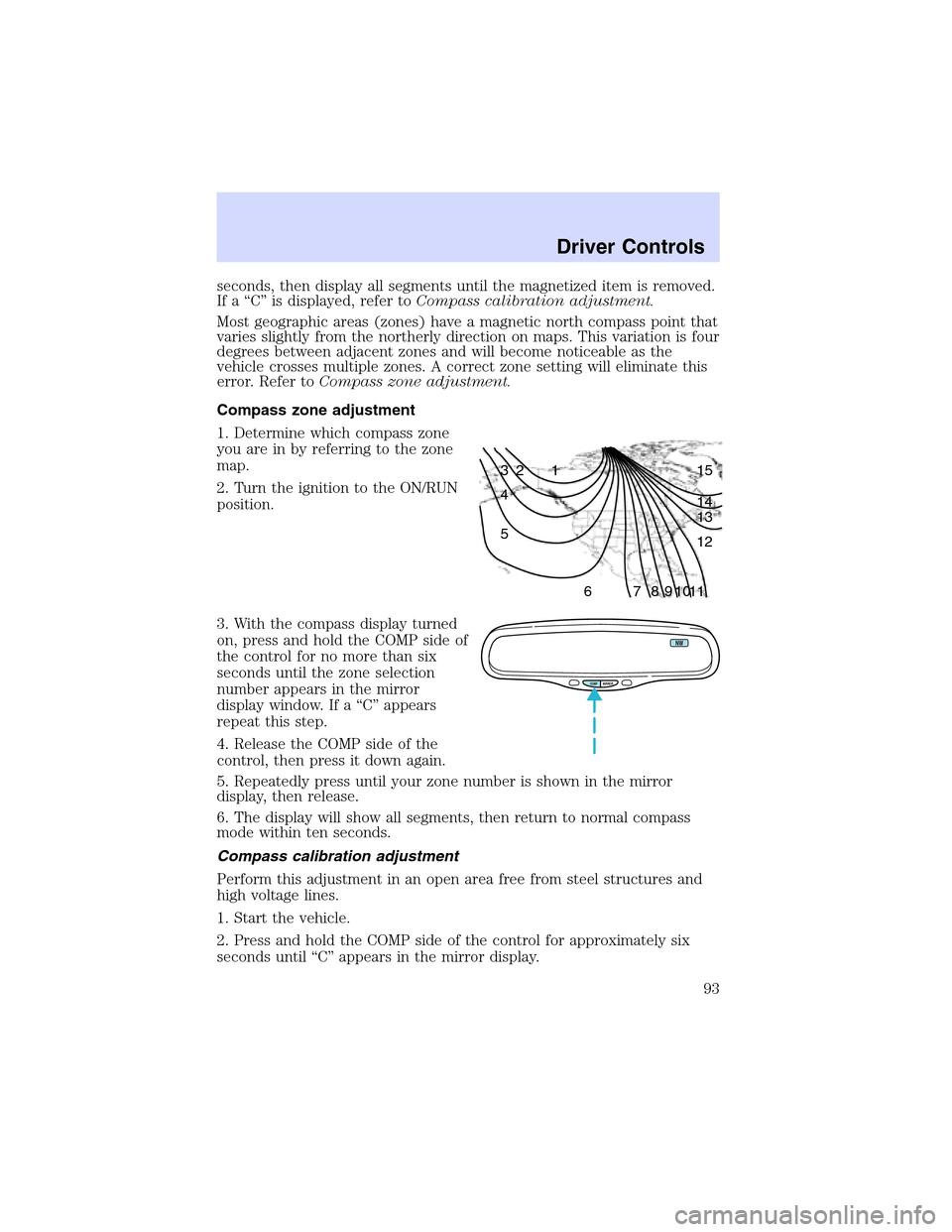
To make the front driver or
passenger windows close fully
without holding the window control,
press the top portion of the driver
window control completely down to
the second detent or“Express Up”
position. Press the control in either
direction to stop window operation.
When closing the power windows, you should verify they are free
of obstructions and ensure that children and/or pets are not in
the proximity of the window openings.
Restoring the Express up functionality
Under low battery power conditions, Express Up only functionality may
be lost. To reset this function after restoring full battery power, press the
rocker switch to the Express Up position, hold the switch until the glass
reaches the stall position and continue to hold for 2 seconds.
Accessory delay
With accessory delay, the window switches may be used for up to ten
minutes after the ignition switch is turned to the OFF position or until
either front door is opened.
Bounce Back (Front Windows Only)
When an obstacle has been detected in the window opening as the
window is moving upward, the window will automatically move down and
stop at a prescribed position.
Bounce Back Override (Front Windows Only)
To override Bounce Back, within 2 seconds after reaching Bounce Back
position, if the rocker switch is moved from the Neutral to the Express
Up positionthe window will travel up with no bounce back
protection.If the switch is released before the window reaches fully
closed position, the window will stop. For example: Bounce Back
Override can be used to overcome the resistance of ice on the window or
seals.
Driver Controls
91
Page 93 of 288
seconds,then display all segments until the magnetized item is removed.
If a“C”is displayed, refer toCompass calibration adjustment.
Most geographic areas (zones) have a magnetic north compass point that
varies slightly from the northerly direction on maps. This variation is four
degrees between adjacent zones and will become noticeable as the
vehicle crosses multiple zones. A correct zone setting will eliminate this
error. Refer toCompass zone adjustment.
Compass zone adjustment
1. Determine which compass zone
you are in by referring to the zone
map.
2. Turn the ignition to the ON/RUN
position.
3. With the compass display turned
on, press and hold the COMP side of
the control for no more than six
seconds until the zone selection
number appears in the mirror
display window. If a“C”appears
repeat this step.
4. Release the COMP side of the
control, then press it down again.
5. Repeatedly press until your zone number is shown in the mirror
display, then release.
6. The display will show all segments, then return to normal compass
mode within ten seconds.
Compass calibration adjustment
Perform this adjustment in an open area free from steel structures and
high voltage lines.
1. Start the vehicle.
2. Press and hold the COMP side of the control for approximately six
seconds until“C”appears in the mirror display.
1 2 3
4
5
6 7 8 9 101112 13 14 15
COMP MIRROR
NW
Driver Controls
93
Page 98 of 288
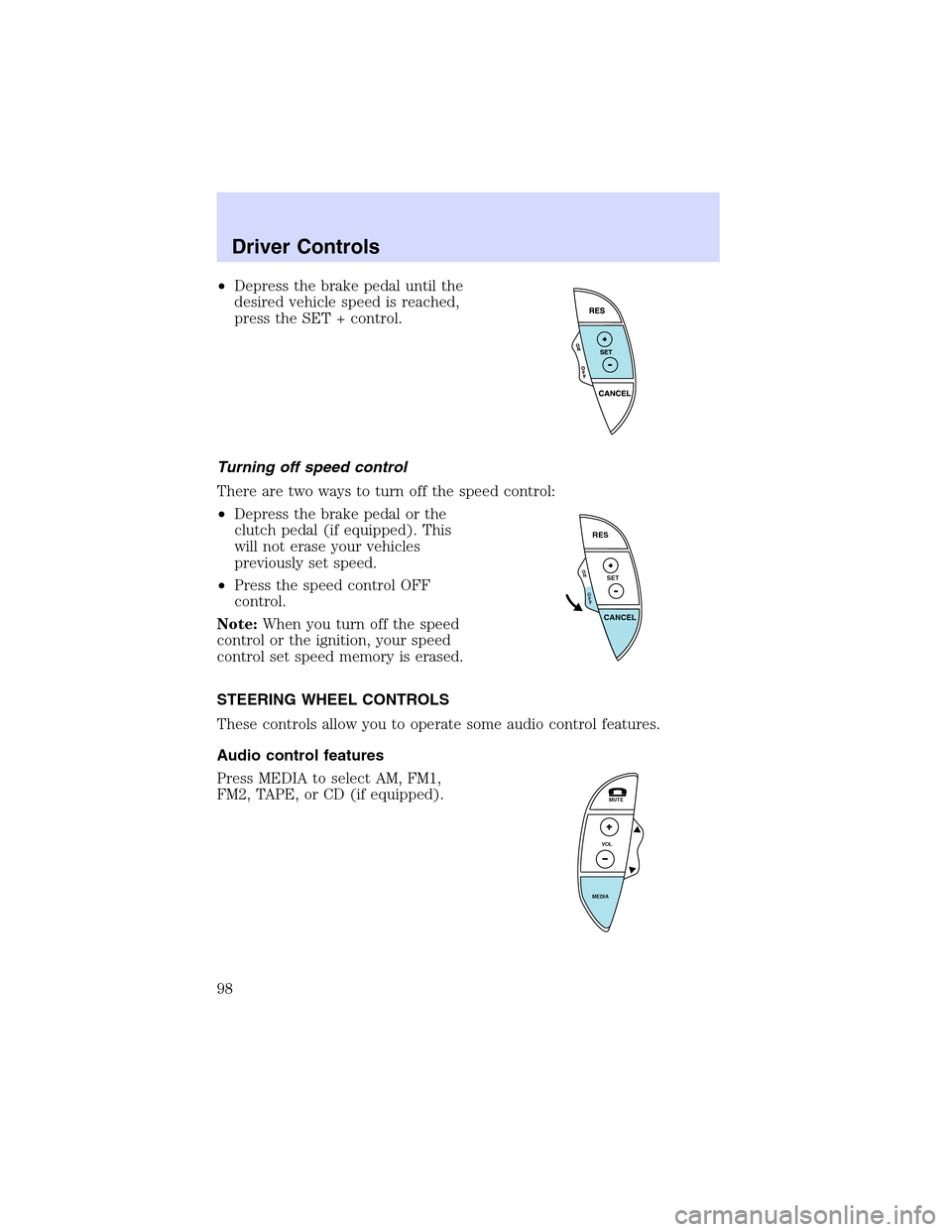
•Depress the brake pedal until the
desired vehicle speed is reached,
press the SET + control.
Turning off speed control
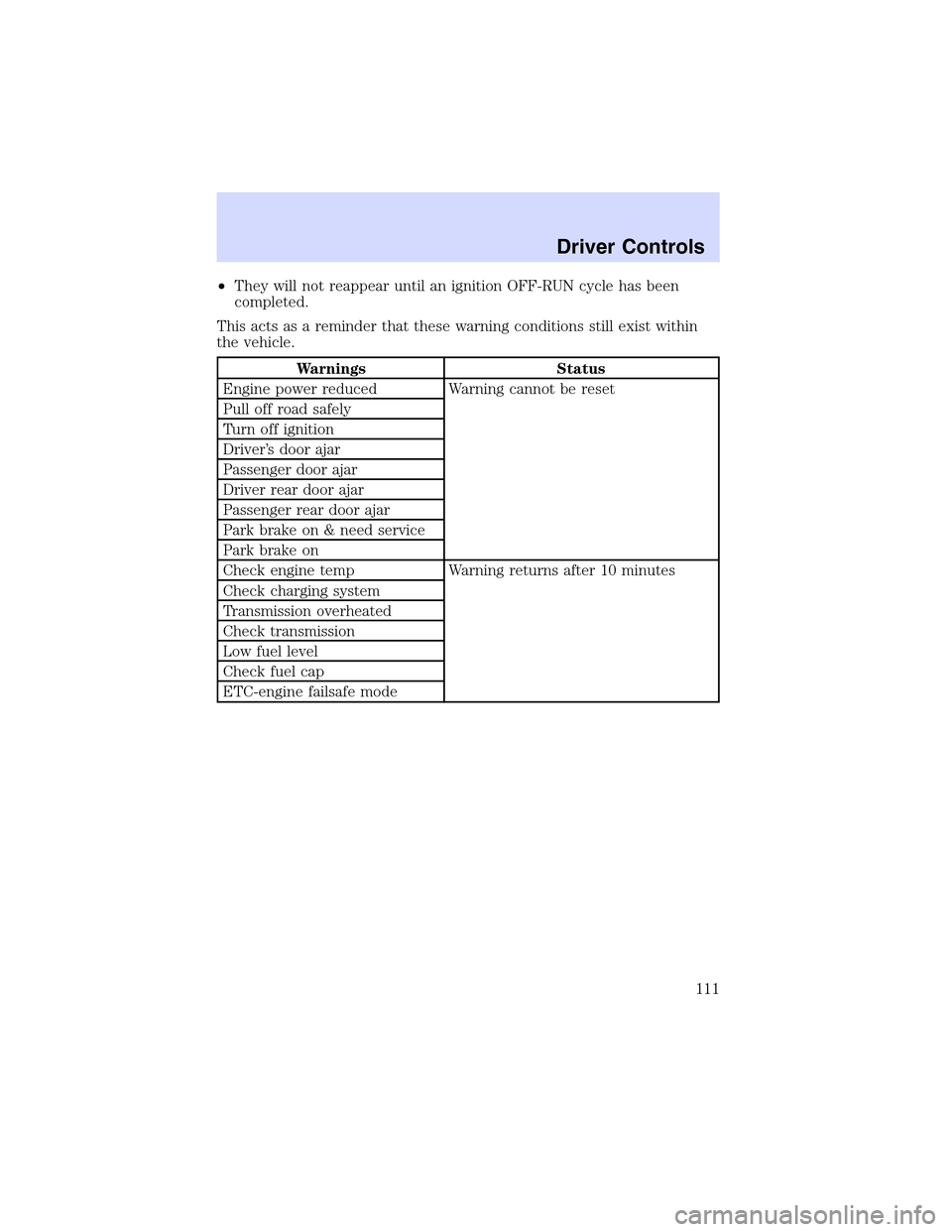
There are two ways to turn off the speed control:
•Depress the brake pedal or the
clutch pedal (if equipped). This
will not erase your vehicles
previously set speed.
•Press the speed control OFF
control.
Note:When you turn off the speed
control or the ignition, your speed
control set speed memory is erased.
STEERING WHEEL CONTROLS
These controls allow you to operate some audio control features.
Audio control features
Press MEDIA to select AM, FM1,
FM2, TAPE, or CD (if equipped).
O
N
O
F
F
RES
SET
CANCEL
MUTE
VOL
MEDIA
Driver Controls
98
Page 103 of 288
Retain the original transmitter for use in other vehicles as well as for
future programming procedures (i.e. new HomeLink�equipped vehicle
purchase). It is also suggested that upon the sale of the vehicle, the
programmed Homelink�Universal Transceiver buttons be erased for
security purposes, refer toProgrammingin this section.
Programming
Do not program the HomeLink�Universal Transceiver with the
vehicle parked in the garage.
Note:Your vehicle may require the ignition switch to be turned to the
ACC position for programming and/or operation of the HomeLink�.Itis
also recommended that a new battery be placed in the hand-held
transmitter of the device being programmed to HomeLink�for quicker
training and accurate transmission of the radio-frequency signal.
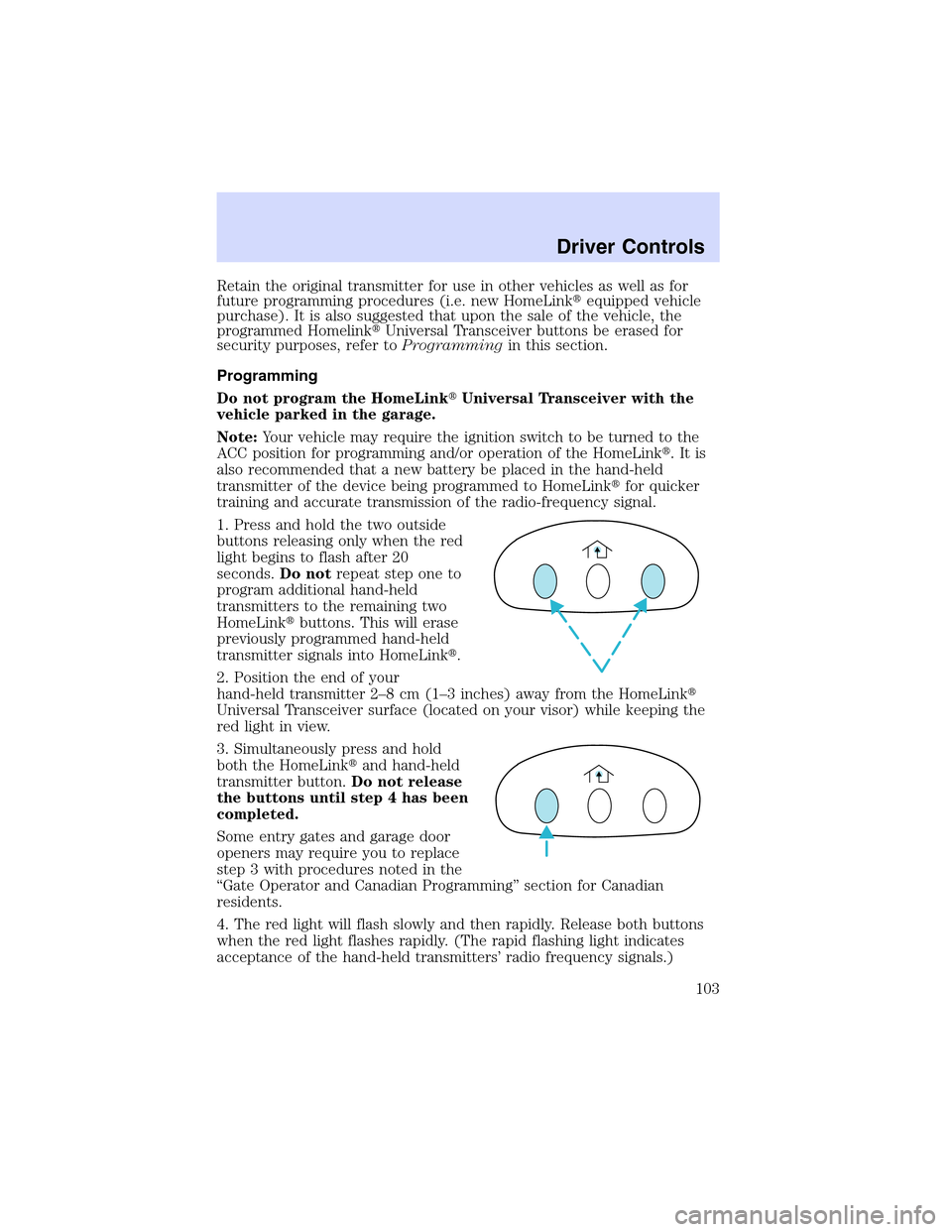
1. Press and hold the two outside
buttons releasing only when the red
light begins to flash after 20
seconds.Do notrepeat step one to
program additional hand-held
transmitters to the remaining two
HomeLink�buttons. This will erase
previously programmed hand-held
transmitter signals into HomeLink�.
2. Position the end of your
hand-held transmitter 2–8cm(1–3 inches) away from the HomeLink�
Universal Transceiver surface (located on your visor) while keeping the
red light in view.
3. Simultaneously press and hold
both the HomeLink�and hand-held
transmitter button.Do not release
the buttons until step 4 has been
completed.
Some entry gates and garage door
openers may require you to replace
step 3 with procedures noted in the
“Gate Operator and Canadian Programming”section for Canadian
residents.
4. The red light will flash slowly and then rapidly. Release both buttons
when the red light flashes rapidly. (The rapid flashing light indicates
acceptance of the hand-held transmitters’radio frequency signals.)
Driver Controls
103
Page 106 of 288
For questions or comments, contact HomeLink�atwww.homelink.com
or1–800–355–3515.
CELL PHONE USE
The use of Mobile Communications Equipment has become increasingly
important in the conduct of business and personal affairs. However,
drivers must not compromise their own or others’safety when using
such equipment. Mobile Communications can enhance personal safety
and security when appropriately used, particularly in emergency
situations. Safety must be paramount when using mobile communications
equipment to avoid negating these benefits.
Mobile Communication Equipment includes, but is not limited to cellular
phones, pagers, portable email devices, in vehicle communications
systems, telematics devices and portable two-way radios.
A driver’s first responsibility is the safe operation of the vehicle.
The most important thing you can do to prevent a crash is to
avoid distractions and pay attention to the road. Wait until it is safe to
operate Mobile Communications Equipment.
MESSAGE CENTER (IF EQUIPPED)
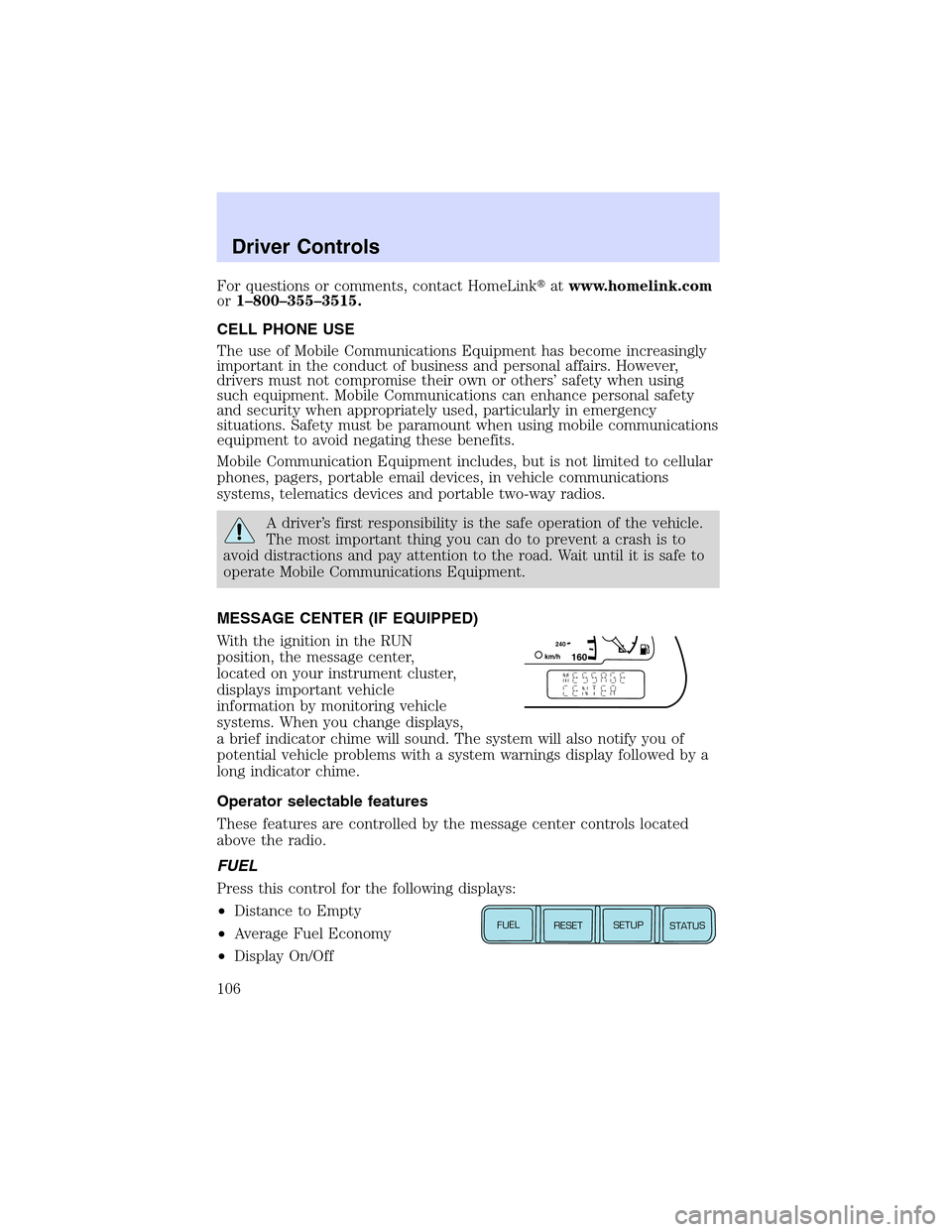
With the ignition in the RUN
position, the message center,
located on your instrument cluster,
displays important vehicle
information by monitoring vehicle
systems. When you change displays,
a brief indicator chime will sound. The system will also notify you of
potential vehicle problems with a system warnings display followed by a
long indicator chime.
Operator selectable features
These features are controlled by the message center controls located
above the radio.
FUEL
Press this control for the following displays:
•Distance to Empty
•Average Fuel Economy
•Display On/Off
1602
4
0k
m
/
hE
FUEL
RESET
SETUP
STATUS
Driver Controls
106
Page 108 of 288
Message center functions
Dist To Empty (DTE)
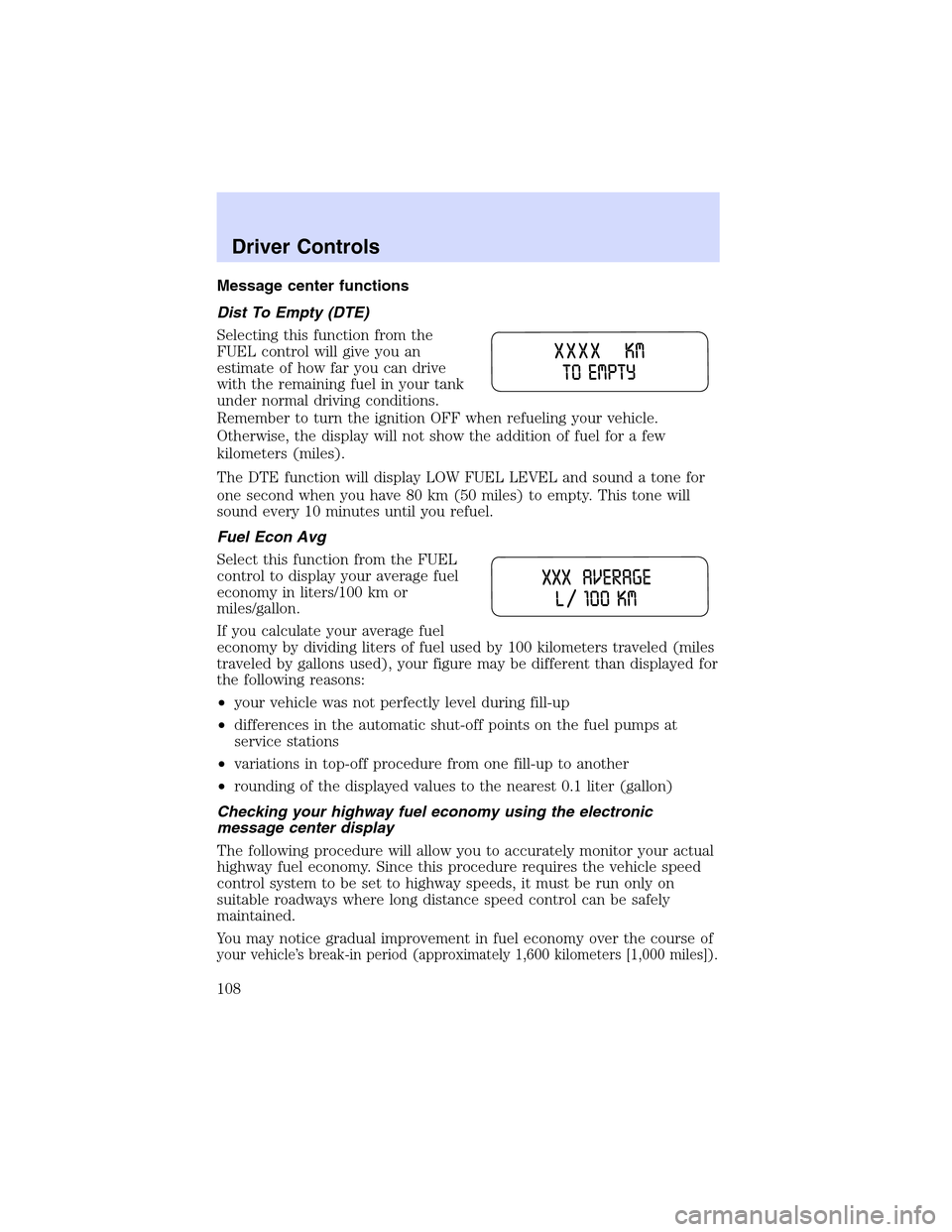
Selecting this function from the
FUEL control will give you an
estimate of how far you can drive
with the remaining fuel in your tank
under normal driving conditions.
Remember to turn the ignition OFF when refueling your vehicle.
Otherwise, the display will not show the addition of fuel for a few
kilometers (miles).
The DTE function will display LOW FUEL LEVEL and sound a tone for
one second when you have 80 km (50 miles) to empty. This tone will
sound every 10 minutes until you refuel.
Fuel Econ Avg
Select this function from the FUEL
control to display your average fuel
economy in liters/100 km or
miles/gallon.
If you calculate your average fuel
economy by dividing liters of fuel used by 100 kilometers traveled (miles
traveled by gallons used), your figure may be different than displayed for
the following reasons:
•your vehicle was not perfectly level during fill-up
•differences in the automatic shut-off points on the fuel pumps at
service stations
•variations in top-off procedure from one fill-up to another
•rounding of the displayed values to the nearest 0.1 liter (gallon)
Checking your highway fuel economy using the electronic
message center display
The following procedure will allow you to accurately monitor your actual
highway fuel economy. Since this procedure requires the vehicle speed
control system to be set to highway speeds, it must be run only on
suitable roadways where long distance speed control can be safely
maintained.
You may notice gradual improvement in fuel economy over the course of
your vehicle’s break-in period (approximately 1,600 kilometers [1,000 miles]).
Driver Controls
108
Page 111 of 288
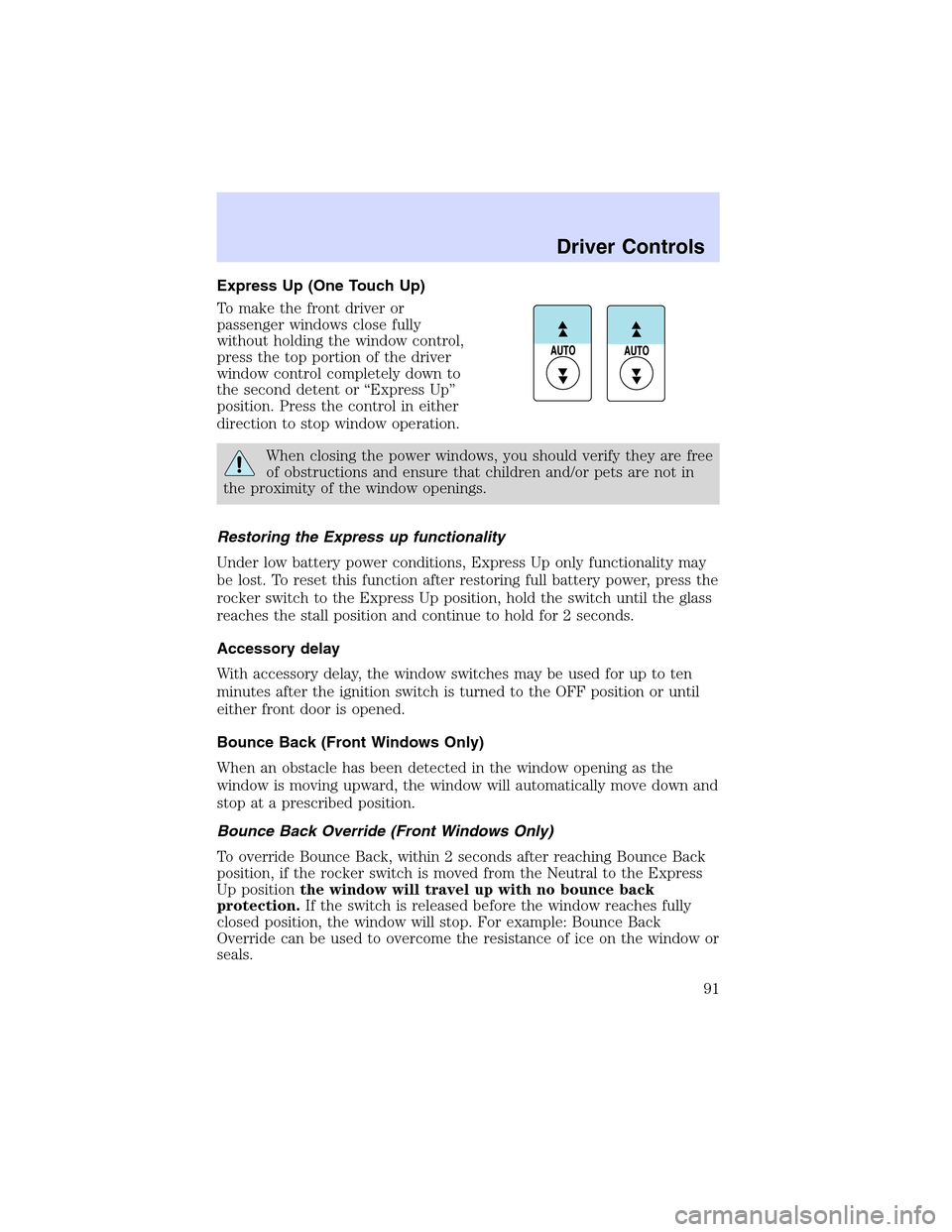
•They will not reappear until an ignition OFF-RUN cycle has been
completed.
This acts as a reminder that these warning conditions still exist within
the vehicle.
Warnings Status
Engine power reduced Warning cannot be reset
Pull off road safely
Turn off ignition
Driver’s door ajar
Passenger door ajar
Driver rear door ajar
Passenger rear door ajar
Park brake on & need service
Park brake on
Check engine temp Warning returns after 10 minutes
Check charging system
Transmission overheated
Check transmission
Low fuel level
Check fuel cap
ETC-engine failsafe mode
Driver Controls
111
Page 112 of 288
Warnings Status
Low brake fluid level Warning returns after the ignition key
is turned from OFF to RUN
Check tail lamps
Check brake lamps
Check front turn lamps
Check side repeater lamps (if
equipped)
Check rear turn lamps
Check Traction Control
Check AdvanceTrac (if
equipped)
Trunk ajar
Low washer fluid
Check AC (cabin) filter
Change oil soon
Oil change required
Service park brake
Apply park brake
Data error
ENGINE POWER REDUCED.Displayed when the engine is
overheating. Stop the vehicle as soon as safely possible and turn off the
engine. If this warning stays on, contact your dealer as soon as possible.
PULL OFF ROAD SAFELY.Displayed when the engine is overheating.
Stop the vehicle as soon as safely possible and turn off the engine. If this
warning stays on, contact your dealer as soon as possible.
TURN OFF IGNITION.Displayed when the engine is overheating. Turn
off the engine. If this warning stays on, contact your dealer as soon as
possible.
DRIVER’S DOOR AJAR.Displayed when the driver’s door is not
completely closed.
PASSENGER DOOR AJAR.Displayed when the passenger side door is
not completely closed.
DRIVER’S REAR DOOR AJAR.Displayed when the driver’s rear door
is not completely closed.
PASSENGER REAR DOOR AJAR.Displayed when the passenger side
rear door is not completely closed.
Driver Controls
112