Page 77 of 288

To turn speed control off
•Press OFF or
•Turn off the vehicle ignition.
Once speed control is switched off,
the previously programmed set
speed will be erased.
To set a speed
•Press SET+. For speed control to
operate, the speed control must
be ON and the vehicle speed
must be greater than 48 km/h (30
mph).
If you drive upor down a steephill,
your vehicle speed may vary
momentarily slower or faster than
the set speed. This is normal.
Speed control cannot reduce the
vehicle speed if it increases above the set speed going downhill. If your
vehicle speed is faster than the set speed while driving downhill, you
may want to shift to the next lower gear or apply the brakes to reduce
your vehicle speed.
If your vehicle slows down more than 16 km/h (10 mph) below your set
speed on an uphill, your speed control will disengage. This is normal.
Pressing RES will re-engage it.
Do not use the speed control in heavy traffic or on roads that
are winding, slippery, or unpaved.
Driver Controls
77
Page 78 of 288
To set a higher set speed
•Press and hold SET +. Release
the control when the desired
vehicle speed is reached or
•Press and release SET + to
operate the Tap-Up function.
Each press will increase the set
speed by 1.6 km/h (1 mph) or
•Accelerate with your accelerator
pedal. When the desired vehicle
speed is reached, press and
release SET +.
You can accelerate with the accelerator pedal at any time during speed
control usage. Releasing the accelerator pedal will return your vehicle to
the previously programmed set speed.
To set a lower set speed
•Press and hold SET −. Release
the control when the desired
speed is reached or
•Press and release SET − to
operate the Tap-Down function.
Each press will decrease the set
speed by 1.6 km/h (1 mph) or
•Press CNCL or depress the brake
pedal. When the desired vehicle
speed is reached, press SET + /
SET −.
Driver Controls
78
Page 79 of 288
To disengage speed control
•Press CNCL, or
•depress the brake pedal.
Disengaging the speed control will
not erase the previously
programmed set speed.
Pressing OFF will erase the
previously programmed set speed.
Driver Controls
79
Page 90 of 288
System check
Selecting this function from the
SETUP menu causes the message
center to cycle through each of the
systems being monitored. For each
of the monitored systems, the
message center will indicate either an OK message or a warning message
for three seconds.
Pressing the RESET control cycles the message center through each of
the systems being monitored.
The sequence of the system check report and how it appears in the
message center is as follows:
1. FUEL LEVEL
2. WASHER FLUID LEVEL
3. OIL LIFE IN XX%
4. PARK ASSIST
5. ENGINE TEMP
6. OIL PRESSURE
7. BRAKE FLUID LEVEL
8. CHARGING SYSTEM
Units (English/Metric)
1. Select this function from the
SETUP menu for the current units
to be displayed.
2. Press the RESET control to
change from English to Metric.
Autolocks
1. Select this function from the
SETUP control for the current
display mode.
2. Press the RESET control to turn
the autolocks ON or OFF.
Driver Controls
90
Page 93 of 288

Warning messages that have been reset are divided into three categories:
•They will reappear on the display every minute from the reset.
•They will reappear on the display ten minutes from the reset.
•They will not reappear until an ignition OFF-ON cycle has been
completed.
This acts as a reminder that these warning conditions still exist within
the vehicle.
Warning display Status
Check park assist Warning displays when R (reverse)
gear is selected.
AdvTrac ON (if equipped) Displays for 4 seconds
AdvTrac OFF (if equipped)
Change Oil Soon
Temporary AWD locked
(vehicles equipped with
AdvanceTrac�only)
AWD lock OFF AWD auto ON
(vehicles equipped with
AdvanceTrac�only)
Door ajar Liftgate ajar Warning returns after cycling through
the system sequence
Low fuel level
Check charging system
Low brake fluid level
Low oil pressure
Transmission overheated
Check transmission
Check engine temperature
Reduced engine power
Stopengine safely
AWD disabled locked (vehicles
equipped with AdvanceTrac�
only)
Driver Controls
93
Page 95 of 288

AWD DISABLED LOCKED (vehicles equipped with AdvanceTrac�
only).Displayed when the AWD system begins to overheat placing itself
in the autolock mode. If the warning stays on or continues to come on,
contact your dealer as soon as safely possible.
LOW FUEL LEVEL.Displayed as an early reminder of a low fuel
condition.
CHECK CHARGING SYSTEM.Displayed when the electrical system is
not maintaining proper voltage. If you are operating electrical accessories
when the engine is idling at a low speed, turn off as many of the
electrical loads as soon as possible. If the warning stays on or comes on
when the engine is operating at normal speeds, have the electrical
system checked as soon as possible.
LOW BRAKE FLUID LEVEL.Indicates the brake fluid level is low and
the brake system should be inspected immediately. Refer toChecking
and adding brake fluidin theMaintenance and specifications
chapter.
LOW OIL PRESSURE.Displayed when the engine oil pressure is low. If
this warning message is displayed, check the level of the engine oil.
Refer toEngine oilin theMaintenance and specificationschapter for
information about adding engine oil.
TRANSMISSION OVERHEATED.Indicates the transmission is
overheating. This warning may appear when towing heavy loads, city
driving, when driving in a low gear at a high speed for an extended
period of time or due to a loss of transmission fluid. Stop the vehicle as
soon as safely possible, place the shift lever into P (Park) or N (Neutral)
and raise the engine RPM. If this does not cool the transmission turn off
the engine and let it cool. If the warning stays on or continues to come
on, contact your dealer for transmission service as soon as possible.
Continued operation in this condition may cause internal transmission
damage.
CHECK TRANSMISSION.Indicates the transmission is not operating
properly. If this warning stays on, contact your dealer as soon as possible
to prevent additional transmission damage. Refer to the instrument
cluster warning lamps in theInstrument clusterchapter.
LOW WASHER FLUID LEVEL.Indicates the washer fluid reservoir is
less than one quarter full. Check the washer fluid level. Refer to
Windshield washer fluidin theMaintenance and specifications
chapter.
CHECK ADVTRAC (if equipped).Displayed when the AdvanceTrac�
system is not operating properly. If this message is displayed on the
Driver Controls
95
Page 97 of 288
3. Press and hold the RESET
control to display OIL LIFE SET TO
100%. Your oil life is now reset.
To reset the oil monitoring system to your personalized oil life %:
1. From step3 above.
2. Release the RESET control
momentarily, then press RESET and
SETUP controls at the same time to
activate a service mode which will
display OIL LIFE XX% RESET TO
ALTER.
3. Press RESET until you find your personalized OIL LIFE XX%.
4. With your personalized OIL LIFE XX% displayed, press SETUP to
continue the system check.
DATA ERR.These messages indicate improper operation of the vehicle
network communication between electronic modules.
•Fuel computer
•Oil life
•Charging system
•Door sensor
•Washer fluid
•Brake fluid
•Compass
•Outside temperature
•Engine sensor
Contact your dealer as soon as possible if these messages occur on a
regular basis.
Driver Controls
97
Page 99 of 288
CENTER CONSOLE
Your vehicle may be equipped with a variety of console features. These
include:
•Utility compartment with power point
•Cupholders
•Cigarette lighter
Use only soft cups in the cupholder. Hard objects can injure you
in a collision.
REAR CENTER CONSOLE FEATURES (IF EQUIPPED)
The rear center console incorporates the following features:
•Utility compartment
•Cupholders
•Removable tray
•Flipforward armrest to provide a flat load floor
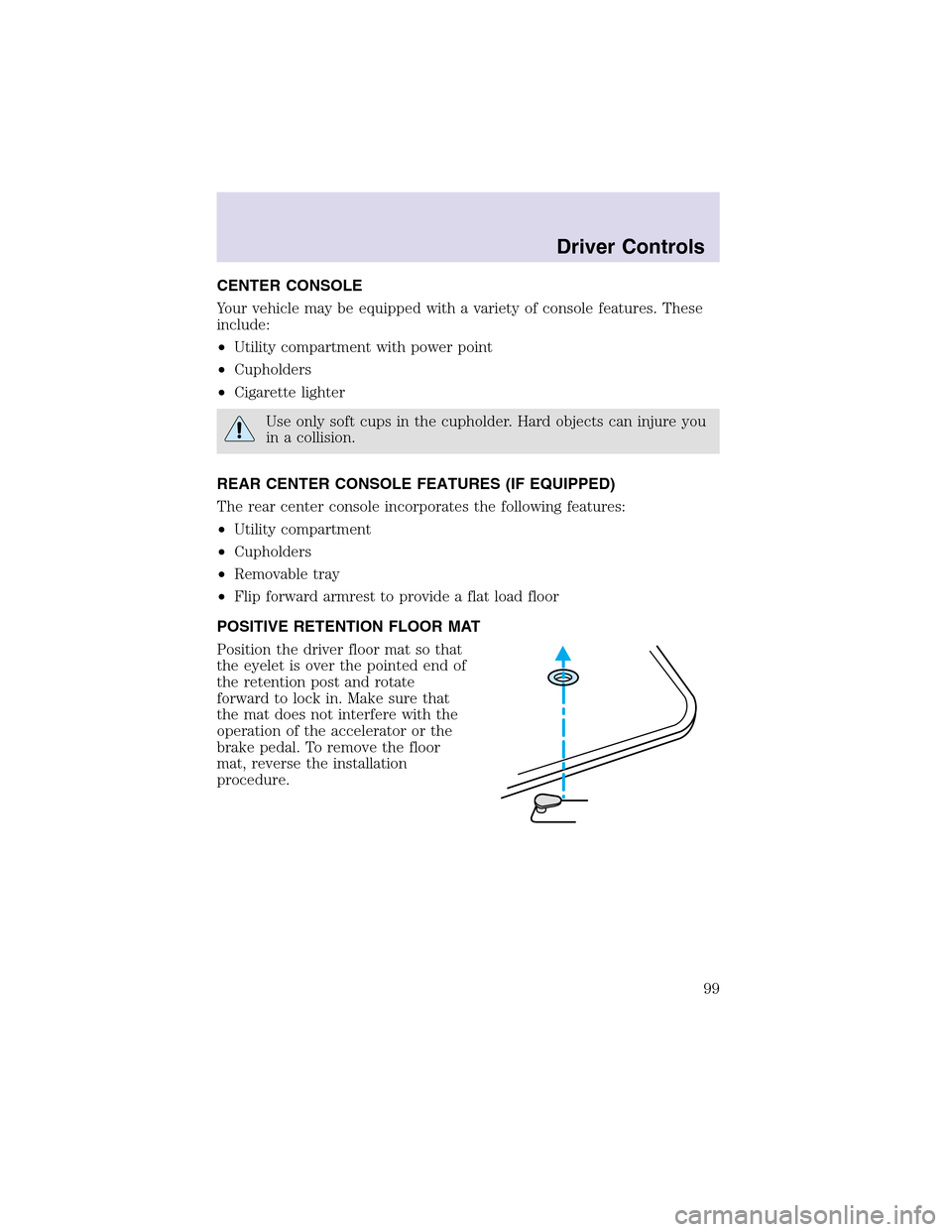
POSITIVE RETENTION FLOOR MAT
Position the driver floor mat so that
the eyelet is over the pointed end of
the retention post and rotate
forward to lock in. Make sure that
the mat does not interfere with the
operation of the accelerator or the
brake pedal. To remove the floor
mat, reverse the installation
procedure.
Driver Controls
99