Page 124 of 288
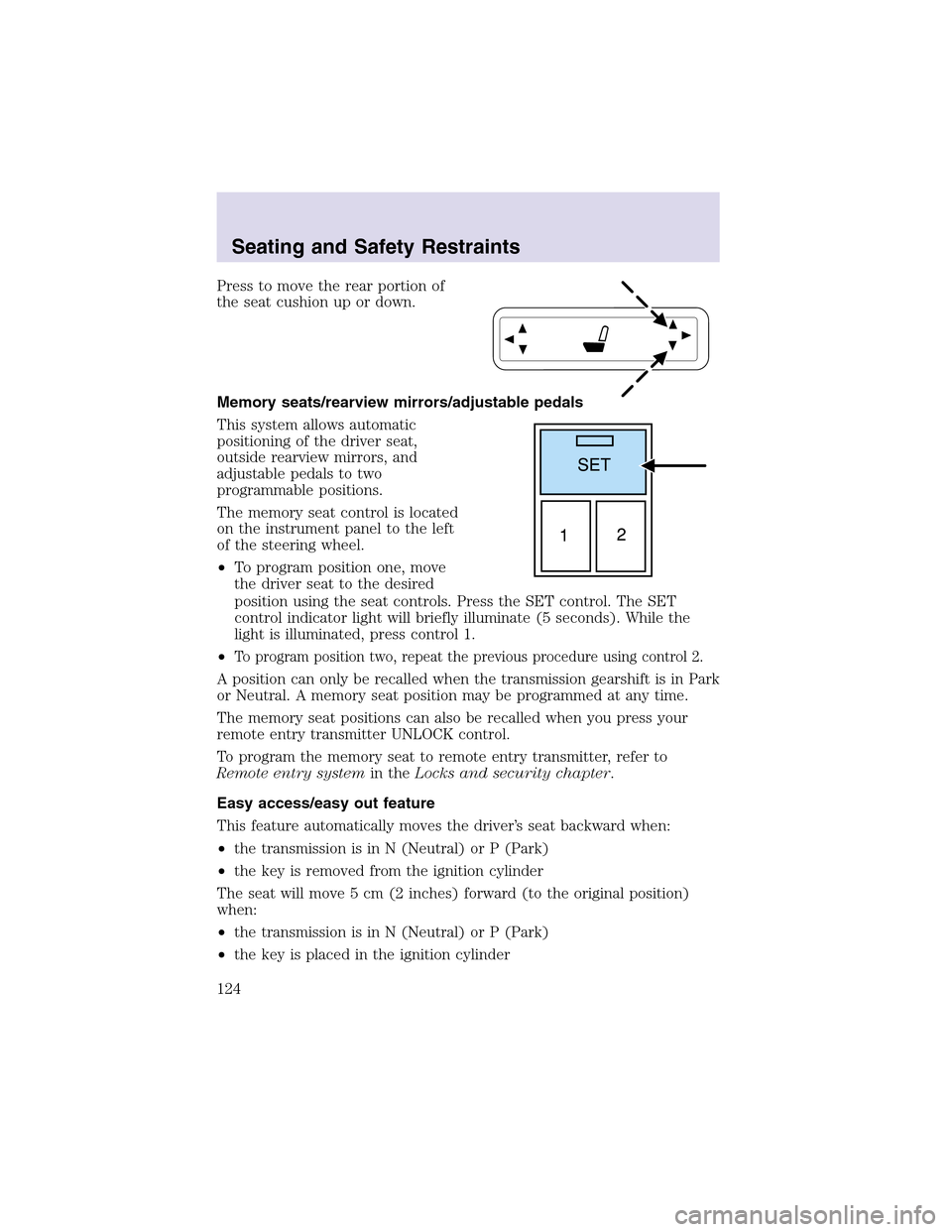
Press to move the rear portion of
the seat cushion upor down.
Memory seats/rearview mirrors/adjustable pedals
This system allows automatic
positioning of the driver seat,
outside rearview mirrors, and
adjustable pedals to two
programmable positions.
The memory seat control is located
on the instrument panel to the left
of the steering wheel.
•To program position one, move
the driver seat to the desired
position using the seat controls. Press the SET control. The SET
control indicator light will briefly illuminate (5 seconds). While the
light is illuminated, press control 1.
•
To program position two, repeat the previous procedure using control 2.
A position can only be recalled when the transmission gearshift is in Park
or Neutral. A memory seat position may be programmed at any time.
The memory seat positions can also be recalled when you press your
remote entry transmitter UNLOCK control.
To program the memory seat to remote entry transmitter, refer to
Remote entry systemin theLocks and security chapter.
Easy access/easy out feature
This feature automatically moves the driver’s seat backward when:
•the transmission is in N (Neutral) or P (Park)
•the key is removed from the ignition cylinder
The seat will move 5 cm (2 inches) forward (to the original position)
when:
•the transmission is in N (Neutral) or P (Park)
•the key is placed in the ignition cylinder
Seating and Safety Restraints
124
Page 141 of 288

Reasons given... Consider...
“I have an air bag” Air bags offer greater protection when
used with safety belts. Frontal airbags
are not designed to inflate in rear and
side crashes or rollovers.
“I’d rather be thrown clear” Not a good idea.Peoplewho are
ejected are 40 times more likely
to DIE.Safety belts helpprevent
ejection, WE CAN’T “PICK OUR
CRASH”.
Do not sit on topof a buckled safety belt to avoid the Belt
Minder chime. Sitting on the safety belt will increase the risk of
injury in an accident. To disable (one-time) or deactivate the Belt
Minder feature please follow the directions stated below.
One time disable
Any time the safety belt is buckled and then unbuckled during an
ignition ON cycle, BeltMinder will be disabled for that ignition cycle only.
Deactivating/activating the BeltMinder feature
Read steps1-9thoroughly before proceeding with the
deactivation/activation programming procedure.
The BeltMinder feature can be deactivated/activated by performing the
following procedure:
Before following the procedure, make sure that:
•The parking brake is set
•The gearshift is in P (Park) (automatic transmission)
•The ignition switch is in the OFF position
•All vehicle doors are closed
•The driver’s safety belt is unbuckled
•The parklamps/headlamps are in OFF position (If vehicle is equipped
with Autolamps, this will not affect the procedure.)
To reduce the risk of injury, do not deactivate/activate the Belt
Minder feature while driving the vehicle.
Seating and Safety Restraints
141
Page 174 of 288
Loaded vehicles, with a higher center of gravity, may handle
differently than unloaded vehicles. Extra precautions, such as
slower speeds and increased stopping distance, should be taken when
driving a heavily loaded vehicle.
Your vehicle has the capability to haul more cargo and people than most
passenger cars. Depending upon the type and placement of the load,
hauling people and cargo may raise the center of gravity of the vehicle.
Use extra caution while becoming familiar with your vehicle. Know the
capabilities and limitations of both you as a driver and your vehicle.
AUTOMATIC TRANSMISSION OPERATION
Brake-shift interlock
This vehicle is equipped with a brake-shift interlock feature that prevents
the gearshift lever from being moved from P (Park) when the ignition is
in the ON position unless brake pedal is depressed.
If you cannot move the gearshift lever out of P (Park) with ignition in
the ON position and the brake pedal depressed:
1. Apply the parking brake, turn the ignition to LOCK, then remove the
key.
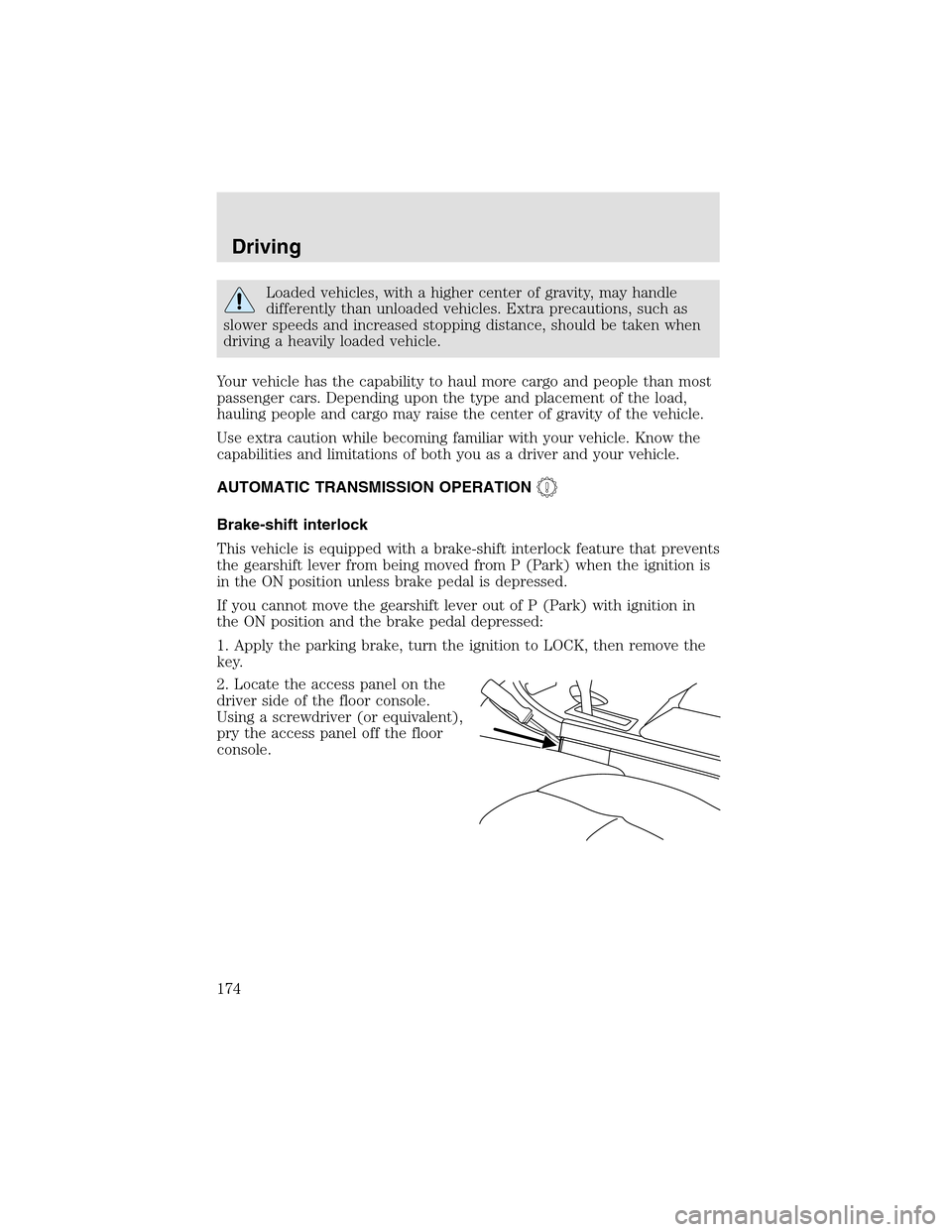
2. Locate the access panel on the
driver side of the floor console.
Using a screwdriver (or equivalent),
pry the access panel off the floor
console.
Driving
174
Page 176 of 288
Driving with a 5–speed automatic transmission
Your transmission is equipped with an adaptive learning strategy found in
the vehicle computer. This feature is designed to increase durability, and
provide consistent shift feel over the life of the vehicle. A new vehicle or
transmission may have firm and/or soft shifts. This operation is
considered normal and will not affect function or durability of the
transmission. Over time, the adaptive learning process will fully update
transmission operation. Additionally, whenever the battery is
disconnected or a new battery is installed, the strategy must relearn.
Understanding gearshift positions
Hold the brake pedal down while you move the gearshift lever
from P (Park) to another position. If you do not hold the brake
pedal down, your vehicle may move unexpectedly and injure someone.
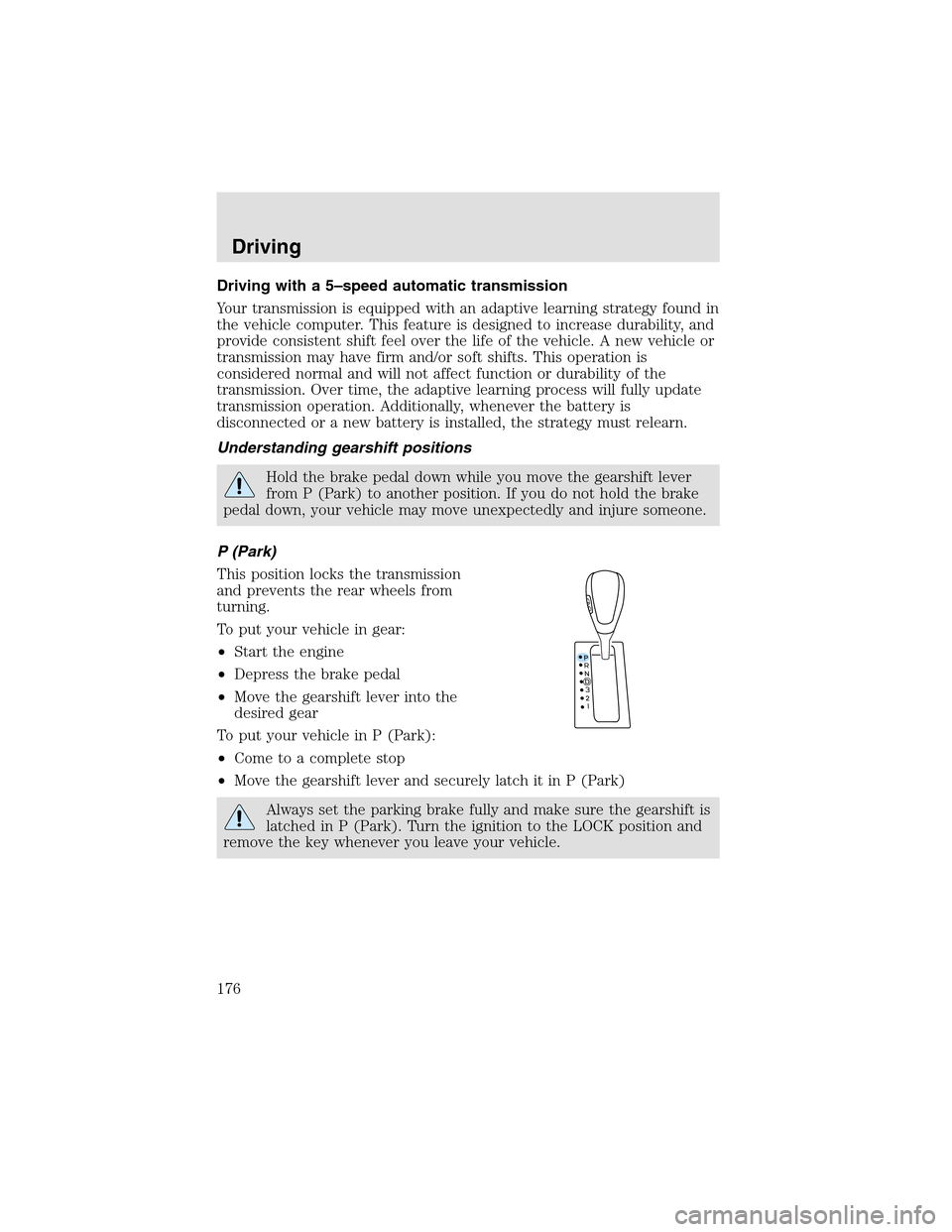
P (Park)
This position locks the transmission
and prevents the rear wheels from
turning.
To put your vehicle in gear:
•Start the engine
•Depress the brake pedal
•Move the gearshift lever into the
desired gear
To put your vehicle in P (Park):
•Come to a complete stop
•Move the gearshift lever and securely latch it in P (Park)
Always set the parking brake fully and make sure the gearshift is
latched in P (Park). Turn the ignition to the LOCK position and
remove the key whenever you leave your vehicle.
Driving
176
Page 177 of 288
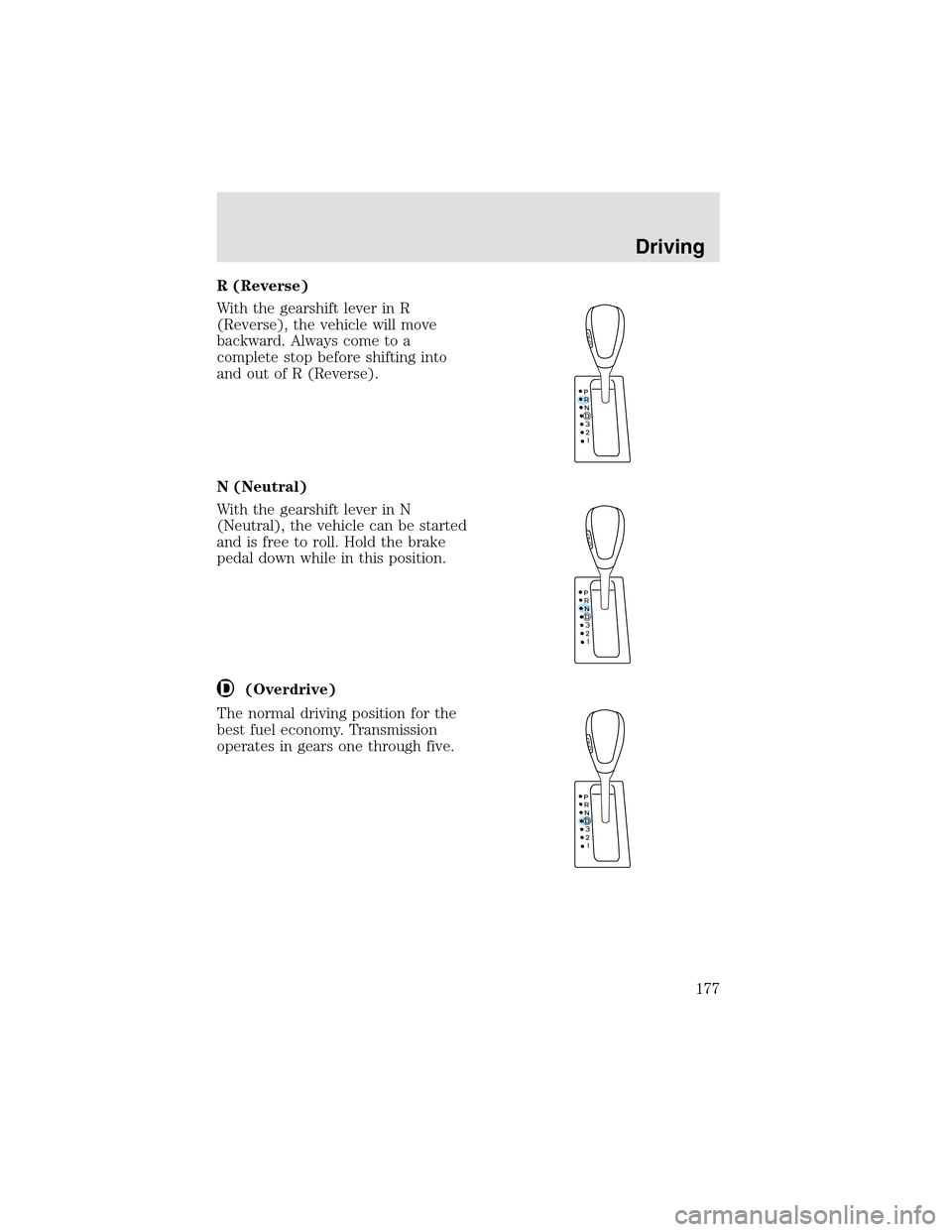
R (Reverse)
With the gearshift lever in R
(Reverse), the vehicle will move
backward. Always come to a
complete stop before shifting into
and out of R (Reverse).
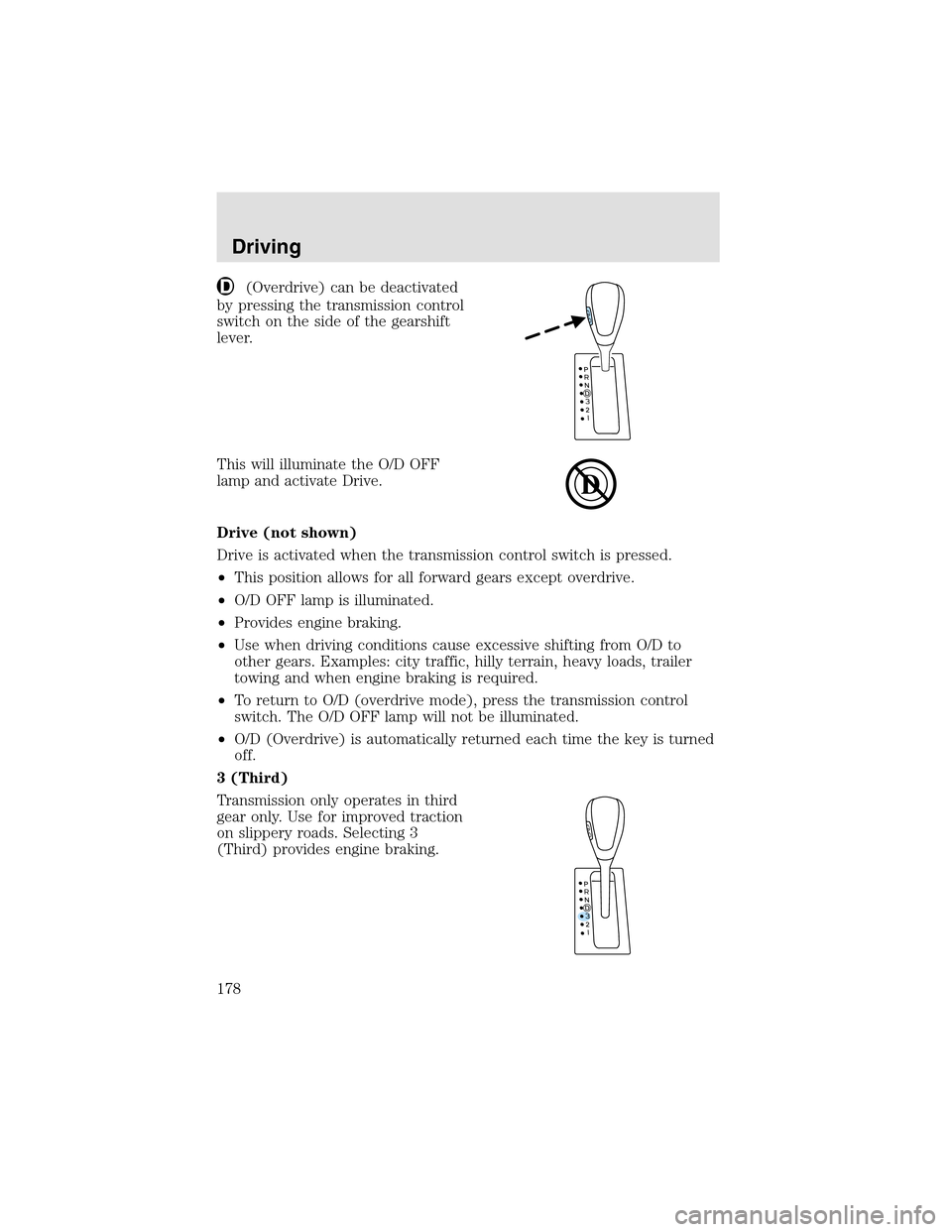
N (Neutral)
With the gearshift lever in N
(Neutral), the vehicle can be started
and is free to roll. Hold the brake
pedal down while in this position.
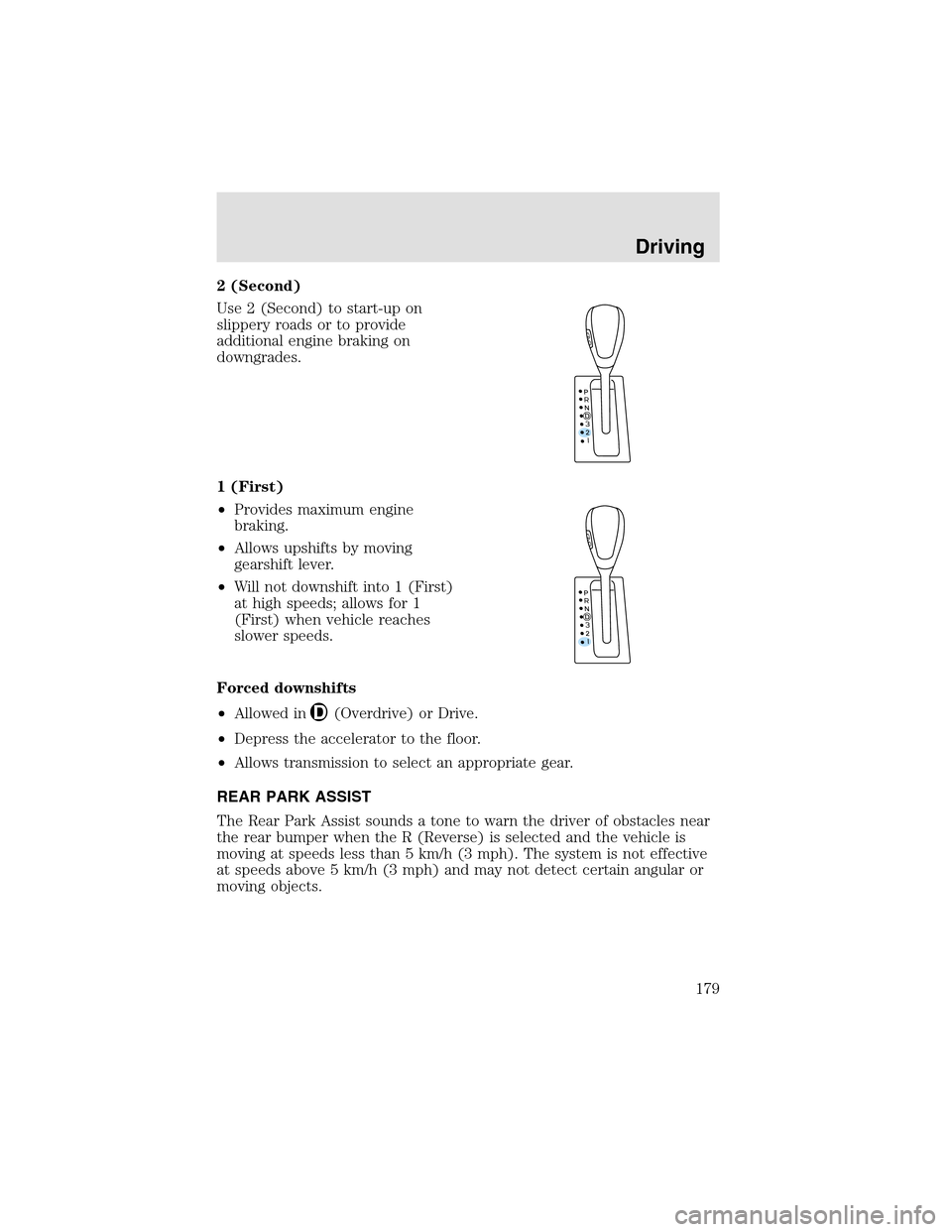
(Overdrive)
The normal driving position for the
best fuel economy. Transmission
operates in gears one through five.
Driving
177
Page 178 of 288
(Overdrive) can be deactivated
by pressing the transmission control
switch on the side of the gearshift
lever.
This will illuminate the O/D OFF
lampand activate Drive.
Drive (not shown)
Drive is activated when the transmission control switch is pressed.
•This position allows for all forward gears except overdrive.
•O/D OFF lampis illuminated.
•Provides engine braking.
•Use when driving conditions cause excessive shifting from O/D to
other gears. Examples: city traffic, hilly terrain, heavy loads, trailer
towing and when engine braking is required.
•To return to O/D (overdrive mode), press the transmission control
switch. The O/D OFF lampwill not be illuminated.
•O/D (Overdrive) is automatically returned each time the key is turned
off.
3 (Third)
Transmission only operates in third
gear only. Use for improved traction
on slippery roads. Selecting 3
(Third) provides engine braking.
Driving
178
Page 179 of 288
2 (Second)
Use 2 (Second) to start-upon
slippery roads or to provide
additional engine braking on
downgrades.
1 (First)
•Provides maximum engine
braking.
•Allows upshifts by moving
gearshift lever.
•Will not downshift into 1 (First)
at high speeds; allows for 1
(First) when vehicle reaches
slower speeds.
Forced downshifts
•Allowed in
(Overdrive) or Drive.
•Depress the accelerator to the floor.
•Allows transmission to select an appropriate gear.
REAR PARK ASSIST
The Rear Park Assist sounds a tone to warn the driver of obstacles near
the rear bumper when the R (Reverse) is selected and the vehicle is
moving at speeds less than 5 km/h (3 mph). The system is not effective
at speeds above 5 km/h (3 mph) and may not detect certain angular or
moving objects.
Driving
179
Page 183 of 288

sound. The warning displays and chime will continue until RESET is
pressed (which will clear the message from the display).
•AWD LOCKED can still be engaged by pressing SETUP (the message
center will display AWD LOCKED), then pressing
RESET. The AWD LOCKED indicator light will illuminate in the
instrument cluster and the message center will display AWD
DISABLED .
•To disable AWD, press RESET. The system will go back to AWD AUTO
mode momentarily, then the AWD LOCKED indicator light will flash in
the instrument cluster eight times every two minutes. The display will
then show AWD LOCKED for four seconds and then
turn off.
•If a serious problem occurs with the AWD system, the AWD LOCKED
indicator light in the instrument cluster will flash 10 times every two
minutes. The message center will also display CHECK AWD and a
warning chime will sound. You can press SETUP to check the status of
the AWD system (which will display AWD LOCKED),
but the AWD system will be disabled until the system is serviced.
Driving off-road with truck and utility vehicles
AWD vehicles are specially equipped for driving on sand, snow, mud and
rough terrain and have operating characteristics that are somewhat
different from conventional vehicles, both on and off the road.
When driving at slow speeds off-road under high outside temperatures,
use 1 (First) gear when possible. 1 (First) gear operation will maximize
the engine and transmission cooling capability.
Under severe operating conditions, the A/C may cycle on and off to
protect overheating of the engine.
How your vehicle differs from other vehicles
Truck and utility vehicles can differ from some other vehicles. Your
vehicle may be higher to allow it to travel over rough terrain without
getting hung upor damaging underbody components.
The differences that make your vehicle so versatile also make it handle
differently than an ordinary passenger car.
Maintain steering wheel control at all times, especially in rough terrain.
Since sudden changes in terrain can result in abrupt steering wheel
motion, make sure you gripthe steering wheel from the outside. Do not
gripthe spokes.
Drive cautiously to avoid vehicle damage from concealed objects such as
rocks and stumps.
Driving
183