Page 93 of 392
�µ
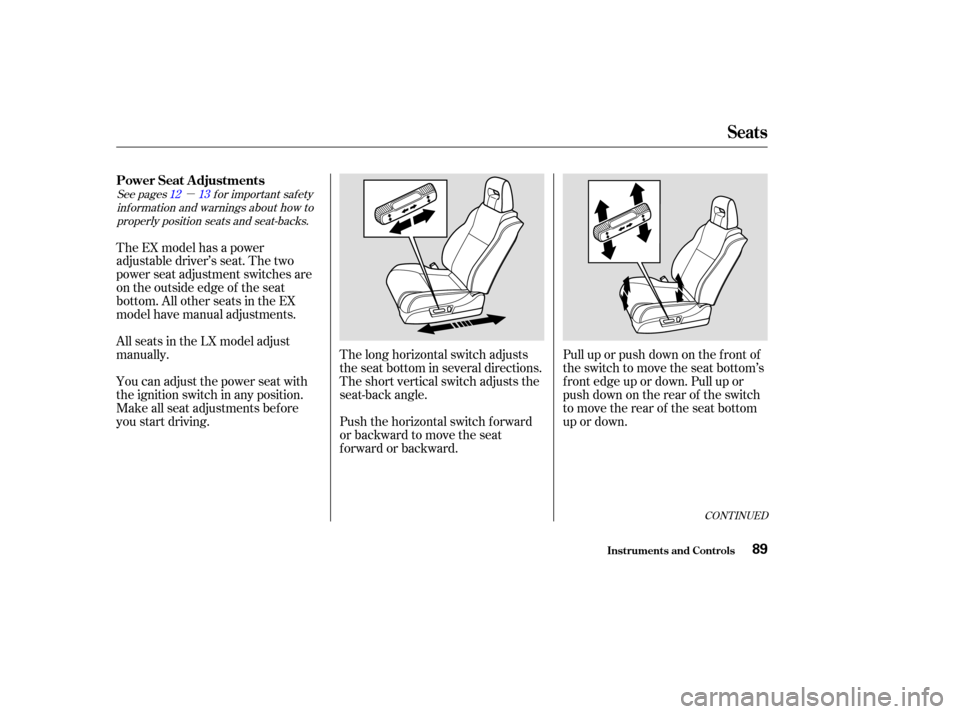
Pull up or push down on the f ront of
the switch to move the seat bottom’s
f ront edge up or down. Pull up or
push down on the rear of the switch
to move the rear of the seat bottom
up or down.
Push the horizontal switch forward
or backward to move the seat
forward or backward. The long horizontal switch adjusts
the seat bottom in several directions.
The short vertical switch adjusts the
seat-back angle.
The EX model has a power
adjustable driver’s seat. The two
power seat adjustment switches are
on the outside edge of the seat
bottom. All other seats in the EX
model have manual adjustments.
All seats in the LX model adjust
manually.
You can adjust the power seat with
the ignition switch in any position.
Make all seat adjustments bef ore
you start driving.
See pages f or important saf ety
inf ormation and warnings about how toproperly position seats and seat-backs. 12 13
CONT INUED
Power Seat A djustments
Seats
Inst rument s and Cont rols89
Page 98 of 392
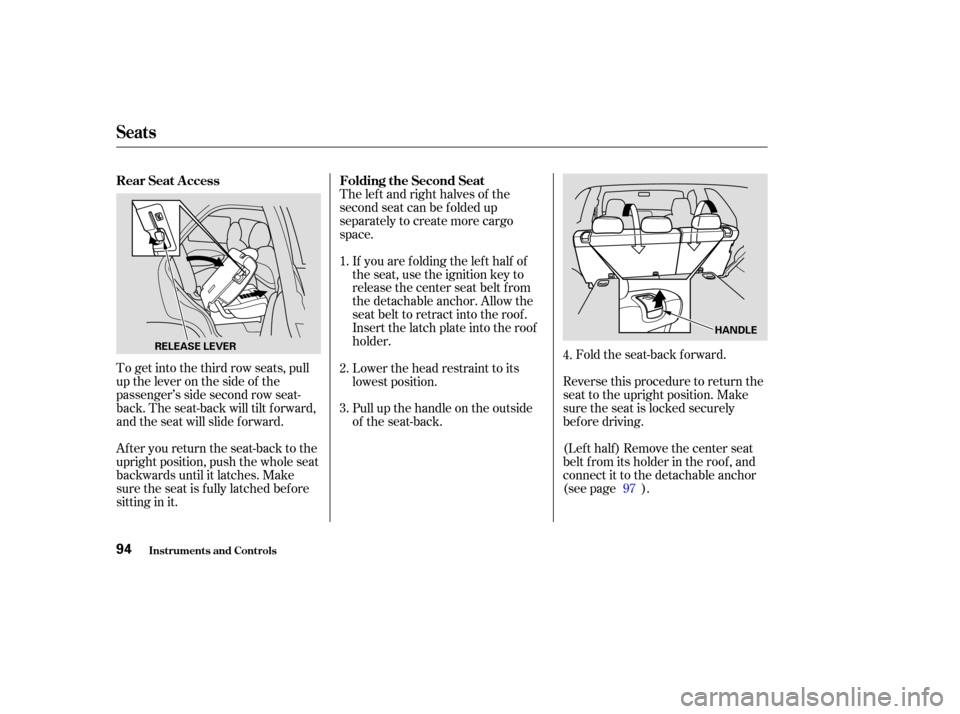
To get into the third row seats, pull
uptheleveronthesideof the
passenger’s side second row seat-
back. The seat-back will tilt f orward,
and the seat will slide f orward.
After you return the seat-back to the
upright position, push the whole seat
backwards until it latches. Make
sure the seat is f ully latched bef ore
sitting in it.The lef t and right halves of the
second seat can be f olded up
separately to create more cargo
space.
If you are f olding the lef t half of
the seat, use the ignition key to
release the center seat belt from
the detachable anchor. Allow the
seat belt to retract into the roof.
Insert the latch plate into the roof
holder. Fold the seat-back forward.
Reverse this procedure to return the
seat to the upright position. Make
sure the seat is locked securely
bef ore driving.
(Lef t half ) Remove the center seat
belt f rom its holder in the roof , and
connect it to the detachable anchor
(see page ).
Pull up the handle on the outside
of the seat-back. Lower the head restraint to its
lowest position.
2.
3. 1.
4.
97
Rear Seat A ccess
Folding the Second Seat
Seats
Inst rument s and Cont rols94
HANDLE
RELEASE LEVER
Page 99 of 392
Store the head restraints in the
storage compartment under the
cargo area f loor. Insert the shaf ts
of the head restraints into the
holes in the sides of the storage
compartment.Use the ignition key to release the
seat belt from the detachable
anchor.
To create more cargo space, you can
fold the third seat forward.
To fold the third seat:
Remove the head restraints by
pushing the release buttons and
pulling the restraints out.
1. 2.
3.
CONT INUED
Folding the T hird Seat
Seats
Inst rument s and Cont rols95
Page 102 of 392
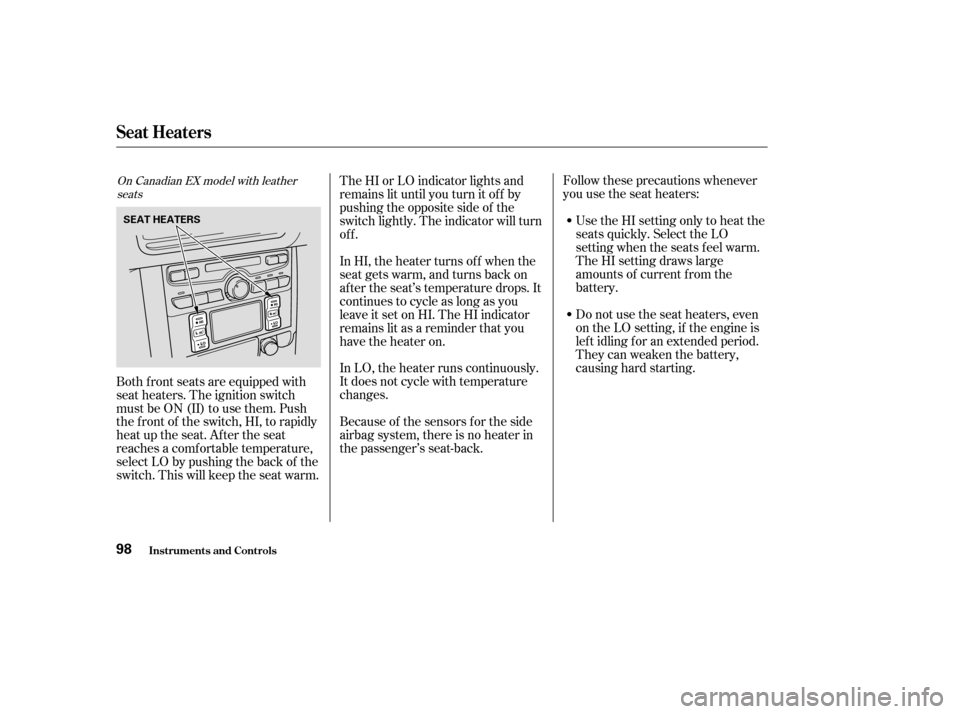
Follow these precautions whenever
you use the seat heaters:Use the HI setting only to heat the
seats quickly. Select the LO
setting when the seats f eel warm.
The HI setting draws large
amounts of current f rom the
battery.
Do not use the seat heaters, even
on the LO setting, if the engine is
lef t idling f or an extended period.
They can weaken the battery,
causing hard starting.
The HI or LO indicator lights and
remains lit until you turn it of f by
pushing the opposite side of the
switch lightly. The indicator will turn
off.
In HI, the heater turns of f when the
seat gets warm, and turns back on
after the seat’s temperature drops. It
continues to cycle as long as you
leave it set on HI. The HI indicator
remains lit as a reminder that you
have the heater on.
In LO, the heater runs continuously.
It does not cycle with temperature
changes.
Because of the sensors f or the side
airbag system, there is no heater in
the passenger’s seat-back.
Both f ront seats are equipped with
seat heaters. The ignition switch
must be ON (II) to use them. Push
the front of the switch, HI, to rapidly
heat up the seat. After the seat
reaches a comf ortable temperature,
select LO by pushing the back of the
switch. This will keep the seat warm.On Canadian EX model with leather
seats
Seat Heaters
Inst rument s and Cont rols98
SEAT HEATERS
Page 103 of 392
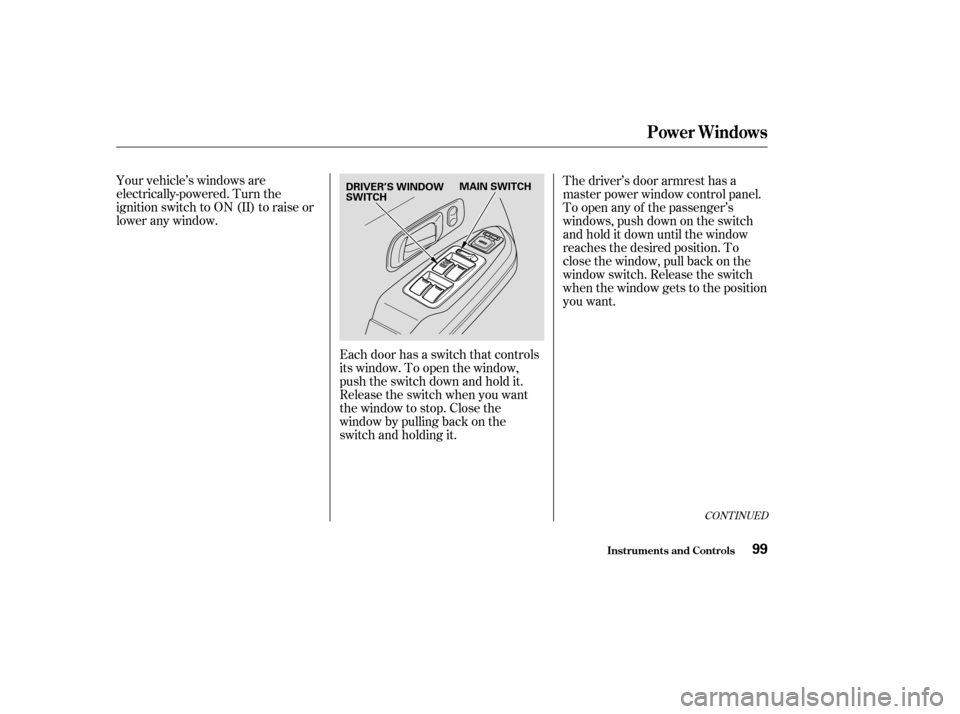
Your vehicle’s windows are
electrically-powered. Turn the
ignition switch to ON (II) to raise or
lower any window.Each door has a switch that controls
its window. To open the window,
push the switch down and hold it.
Release the switch when you want
the window to stop. Close the
window by pulling back on the
switch and holding it.The driver’s door armrest has a
master power window control panel.
To open any of the passenger’s
windows, push down on the switch
and hold it down until the window
reaches the desired position. To
close the window, pull back on the
window switch. Release the switch
when the window gets to the position
you want.
CONT INUED
Power Windows
Inst rument s and Cont rols99
DRIVER’S WINDOW
SWITCH
MAIN SWITCH
Page 105 of 392

The power window system has a key-
of f delay f unction. The windows will
stilloperateforuptotenminutes
after you turn off the ignition.
Opening either f ront door cancels
the delay function. You must turn
the ignition switch ON (II) again
bef ore you can operate the windows.
If the driver’s window runs into any
obstacle while it is closing
automatically, it will reverse
direction, and then stop. To close the
window, remove the obstacle, then
use the window switch again.
Auto reverse stops sensing when the
window is almost closed. You should
always check that all passengers and
objects are away from the window
bef ore closing it. If your vehicle’s battery is
disconnected or goes dead, or the
driver’s window f use is removed, the
AUTO f unction will be disabled. The
power window system needs to be
reset af ter reconnecting the battery
or installing the f use. You should do
the f ollowing.
Start the engine. Push down on
the driver’s window switch until
the window is f ully open.
Pull back on the driver’s window
switch to close the window
completely, then hold the switch
f or a second or two more.
If the power windows do not operate
properly af ter resetting, have your
vehicle checked by a Honda dealer. 1.
2.
Power Windows
Inst rument s and Cont rols
Auto Reverse
101
Page 107 of 392
Turn the ignition switch ON (II).
Move the selector switch to L
(driver’s side) or R (passenger’s
side).Push the appropriate edge of the
adjustment switch to move the
mirrorright,left,up,ordown.
When you f inish, move the
selector switch to the center (off)
position. This turns of f the
adjustment switch so you can’t
move a mirror out of position by
accidentally bumping the switch.
Adjust the outside mirrors with the
adjustment switch on the driver’s
door armrest:
The outside mirrors are heated to re-
move fog and frost. With the ignition
switchON(II),turnontheheaters
by pressing the button. The light in
the button comes on as a reminder.
Press the button again to turn the
heaters of f .
1.
2. 3.
4.
Available on Canadian models
Adjusting the Power Mirrors
Mirrors
Inst rument s and Cont rols103
HEATED MIRROR BUTTON
SELECTOR SWITCH ADJUSTMENT SWITCH
Page 114 of 392
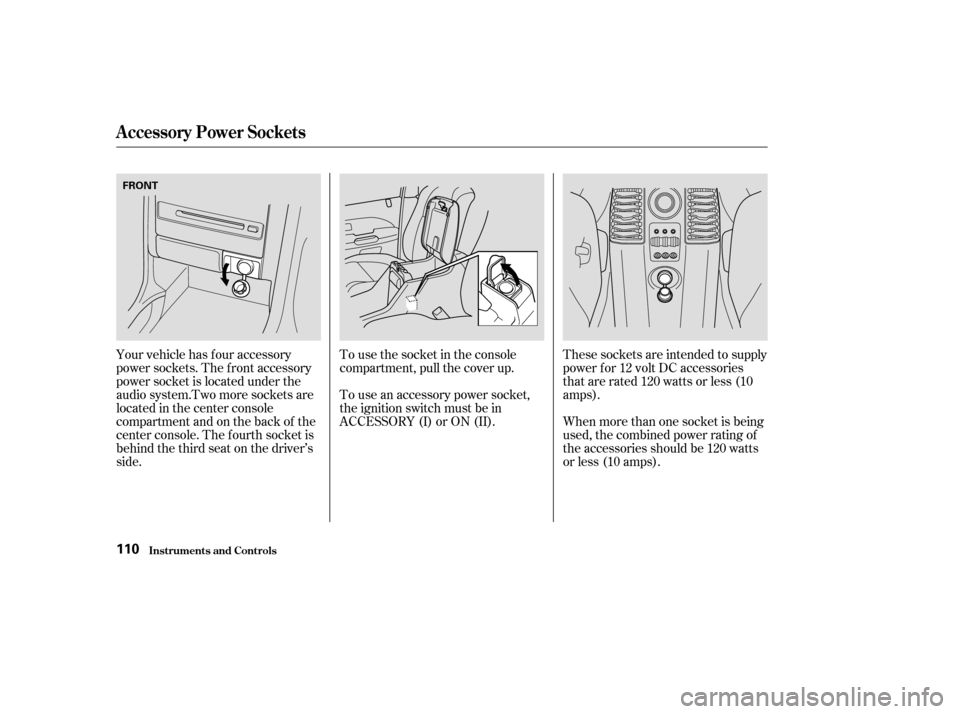
Tousethesocketintheconsole
compartment, pull the cover up.
To use an accessory power socket,
the ignition switch must be in
ACCESSORY (I) or ON (II).
Your vehicle has four accessory
power sockets. The f ront accessory
power socket is located under the
audiosystem.Twomoresocketsare
located in the center console
compartment and on the back of the
center console. The f ourth socket is
behind the third seat on the driver’s
side. These sockets are intended to supply
power f or 12 volt DC accessories
that are rated 120 watts or less (10
amps).
When more than one socket is being
used, the combined power rating of
the accessories should be 120 watts
or less (10 amps).
A ccessory Power Socket s
Inst rument s and Cont rols110
FRONT