Page 164 of 411
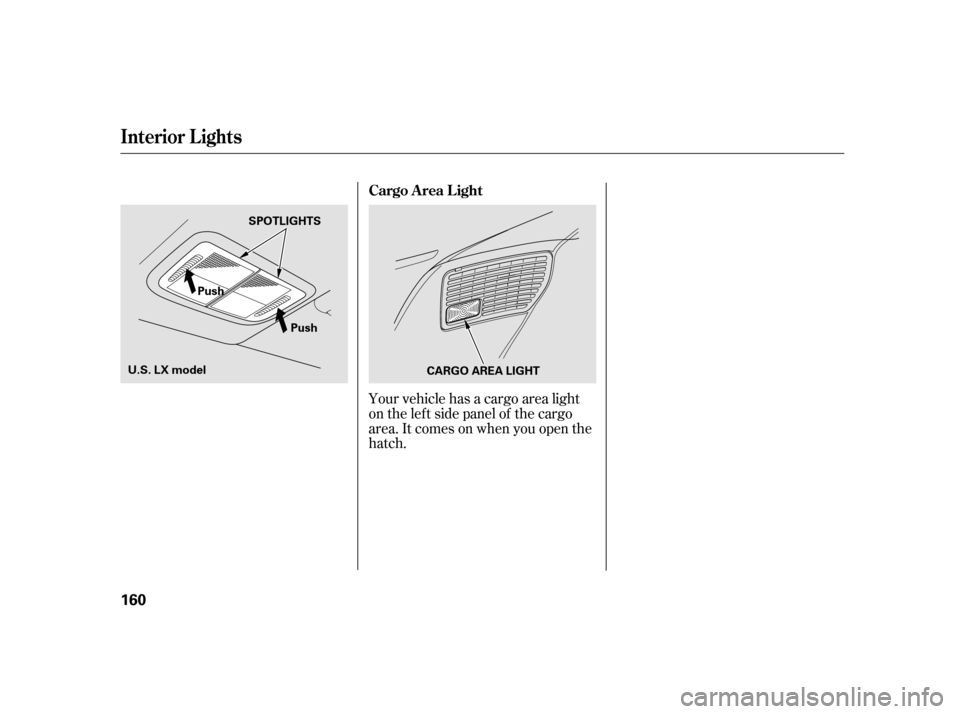
Your vehicle has a cargo area light
ontheleftsidepanelof thecargo
area. It comes on when you open the
hatch. Cargo Area Light
Interior Lights
160
PushCARGO AREA LIGHT
Push
SPOTLIGHTS
U.S. LX model
Page 171 of 411
To regulate the interior temperature
and humidity, the climate control
system has two sensors. A sunlight
sensor is located in the top of the
dashboard and a temperature/
humidity sensor is next to the
steering column. Do not cover the
sensors or spill any liquid on them.
Climat e Cont rol Syst em
Sunlight, T emperature, and
Humidity Sensors
Features
167
TEMPERATURE/HUMIDITY SENSOR
SUNLIGHT SENSOR
SUNLIGHT SENSOR
EX models
Insight model and LX model
Page 176 of 411

�µ
�µ �µ
�µ
�µ Adjusts the volume level
basedonthevehiclespeed.
Press the SOUND (TUNE) knob
repeatedly to display the BASS,
TREBLE, FADER, BALANCE, and
SVC (speed-sensitive volume
compensation) settings. Eachmodeisshowninthedisplayas
it changes. Turn the TUNE knob to
adjust the setting to your liking.
When the level reaches the center,
you will see ‘‘C’’ in the display.
Adjusts the bass.
Adjusts the treble.
Adjusts the front-to-back
strength of the sound.
Adjusts the side-to-
side strength of the sound. The SVC has f our modes: SVC OFF,
SVC LOW, SVC MID, and SVC
HIGH. Turn the TUNE knob to
adjust the setting to your liking. If
you f eel the sound is too loud,
choose low. If you f eel the sound is
too quiet, choose high. The SVC mode controls the volume
based on vehicle speed. The f aster
you go, the louder the audio volume
becomes. As you slow down, the
audio volume decreases.
You can use the instrument panel
brightness control knob to adjust the
illumination of the audio system (see
page ). The audio system
illuminates when the parking lights
are on, even if the radio is turned of f .
Wait a f ew seconds and the display
returns to normal. Except SVC adjustment
124
Adjusting the Sound
SVC
BASS
TREBLE
FADER
BAL ANCE A udio System L ighting
Playing the A M/FM Radio (Insight model)
Speed-sensit ive VolumeCompensat ion (SVC)
172
Page 191 of 411

�µ�µ
�µ
�µ �µ
Press the sound ( ) button to
select an appropriate setting: bass,
treble, fader, balance, and SVC
(speed-sensitive volume
compensation). Turn the VOL/
SELECT knob to adjust the setting.
Adjusts the bass.Adjusts the treble.
Adjusts the front-to-back
strength of the sound.
Adjusts the side-to-
side strength of the sound.
Eachmodeisshowninthedisplayas
it changes. Turn the VOL/SELECT
knob to adjust the setting to your
liking. When the level reaches the
center, you will see ‘‘C’’ in the display. Adjusts the volume level
basedonthevehiclespeed.
Wait 10 seconds and the display
returns to normal. You can use the instrument panel
brightness control knob to adjust the
illumination of the audio system (see
page ). The audio system
illuminates when the parking lights
are on, even if the system is turned
off.
The SVC mode controls the volume
based on vehicle speed. The f aster
you go, the louder the audio volume
becomes. As you slow down, the
audio volume decreases.
The SVC has f our modes: SVC OFF,
SVC LOW, SVC MID, and SVC
HIGH. Turn the VOL/SELECT knob
to adjust the setting to your liking. If
you f eel the sound is too loud,
choose low. If you f eel the sound is
too quiet, choose high. 124
Adjusting the Sound
BAS
TREBLE
FADER
BAL ANCE SVC
A udio System L ighting
Playing the FM/AM Radio (LX model and EX model without navigation system)
Speed-sensit ive Volume
Compensat ion (SVC)Features
187
Page 200 of 411

Do not connect your iPod using a
hub.
DonotkeeptheiPodinthe
vehicle. Direct sunlight and high
heat will damage it.
Do not use an extension cable
between the USB adapter cable
equipped with your vehicle and
your dock connector.
We recommend backing up your
data bef ore playing it.
Some devices cannot be powered
or charged via the USB adapter. If
this is the case, use the accessory
adapter to supply power to your
device.
iPod models conf irmed to be
compatible with your audio system
using the USB adapter cable are:
This audio system can play the audio
f iles on the iPod
with the same
controls used f or the in-dash disc
player. To play an iPod, connect it to
the USB adapter cable in the console
compartment by using your dock
connector, then press the AUX
button. The ignition switch must be
in the ACCESSORY (I) or ON (II)
position. The iPod will also be
recharged with the ignition switch in
these positions.
The system will only play songs
stored on the iPod with iTunes.
iPod and iTunes are registered
trademarks owned by Apple Inc. This system may not work with all
sof tware versions of these devices.
Model
iPod classic 80/160 G
iPod classic 120 G
iPod classic 160 G (launch in 2009)
iPod (5th generation)
iPod nano
iPod touch
Playing an iPod(U.S. L X model and EX model wit hout navigat ion syst em)
To Play an iPod
196
NOTE:
Page 208 of 411

Do not use a device such as a card
reader or hard drive as the device
or your f iles may be damaged.
Do not connect your USB f lash
memory device using a hub.
Do not use an extension cable to
the USB adapter cable equipped
with your vehicle.Do not keep a USB f lash memory
device in the vehicle. Direct
sunlight and high heat will damage
it.
Depending on the type and
number of f iles, it may take some
time before they begin to play.Depending on the sof tware the
f iles were made with, it may not be
possible to play some f iles, or
displaysometextdata.
Depending on the type of
encoding and writing sof tware
used, there may be cases where
character inf ormation does not
display properly.
We recommend backing up your
data bef ore playing a USB f lash
memory device.
Some devices cannot be powered
or charged via the USB adapter. If
this is the case, use the accessory
adapter to supply power to your
device.
Playing a USB Flash Memory Device (U.S. L X model and EX model without navigation system)
204
NOTE:
Page 218 of 411
When a disc is not being played,
store it in its case to protect it f rom
dust and other contamination. To
prevent warpage, keep discs out of
direct sunlight and extreme heat.
To clean a disc, use a clean sof t cloth.
Wipe across the disc f rom the center
to the outside edge.
A new disc may be rough on the
inner and outer edges. The small
plastic pieces causing this roughness
can f lake of f and f all on the
recording surf ace of the disc,
causing skipping or other problems.
Remove these pieces by rubbing the
inner and outer edges with the side
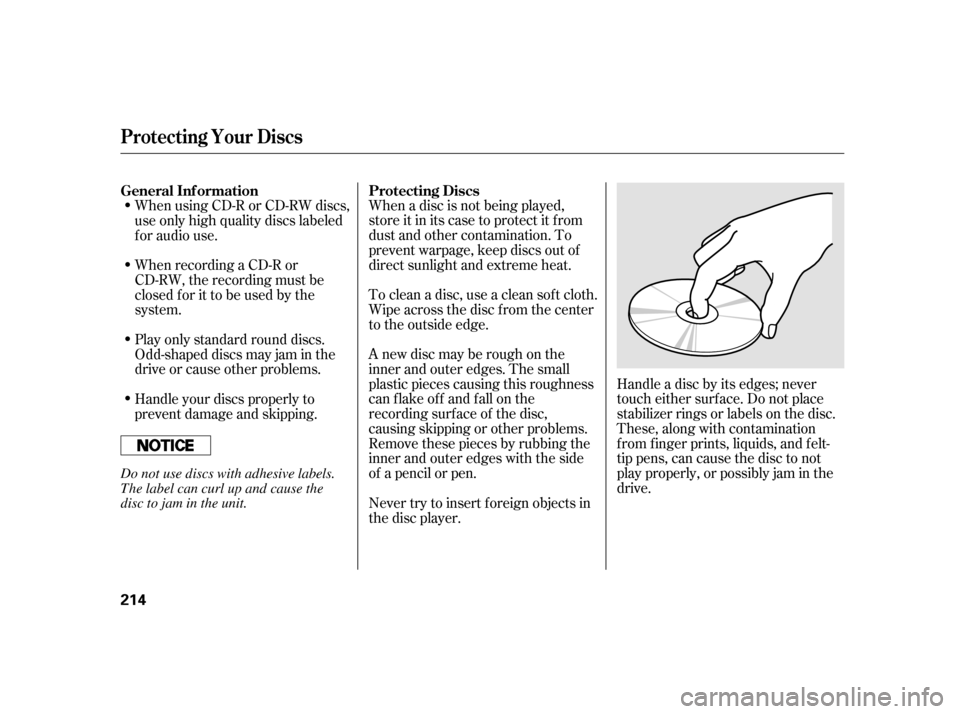
of a pencil or pen.Handle a disc by its edges; never
touch either surf ace. Do not place
stabilizer rings or labels on the disc.
These, along with contamination
f rom f inger prints, liquids, and f elt-
tip pens, can cause the disc to not
play properly, or possibly jam in the
drive.
When recording a CD-R or
CD-RW, the recording must be
closedforittobeusedbythe
system. When using CD-R or CD-RW discs,
use only high quality discs labeled
f or audio use.
Never try to insert f oreign objects in
the disc player.
Handle your discs properly to
prevent damage and skipping. Play only standard round discs.
Odd-shaped discs may jam in the
driveorcauseotherproblems.
General Inf ormation
Protecting Discs
Protecting Your Discs
214
Do not use discs with adhesive labels.
The label can curl up and cause the
disc to jam in the unit.
Page 225 of 411
The alarm also activates if a
passenger inside the locked vehicle
turns the ignition switch on.Do not attempt to alter this system
or add other devices to it.
Once the security system is sets,
opening any door, the hatch, or the
hood without using the key or the
remote transmitter, will cause the
alarm to activate. It also activates if
the audio unit is removed f rom the
dashboard or the wiring is cut.
The security system helps to protect
your vehicle and valuables f rom thef t.
The horn sounds and a combination
of headlights, parking lights, side
marker lights and taillights f lashes if
someone attempts to break into your
vehicle or remove the audio unit.
This alarm continues for two
minutes, then the system resets. To
deactivate the system before the two
minutes have elapsed, unlock the
driver’s door with the key or the
remote transmitter.
The security system sets
automatically 15 seconds after you
lock the doors, hood, and the hatch.
For the system to activate, you must
lock the doors and the hatch f rom
the outside with the key, or use
driver’s lock tab, door lock master
switch, or remote transmitter. The
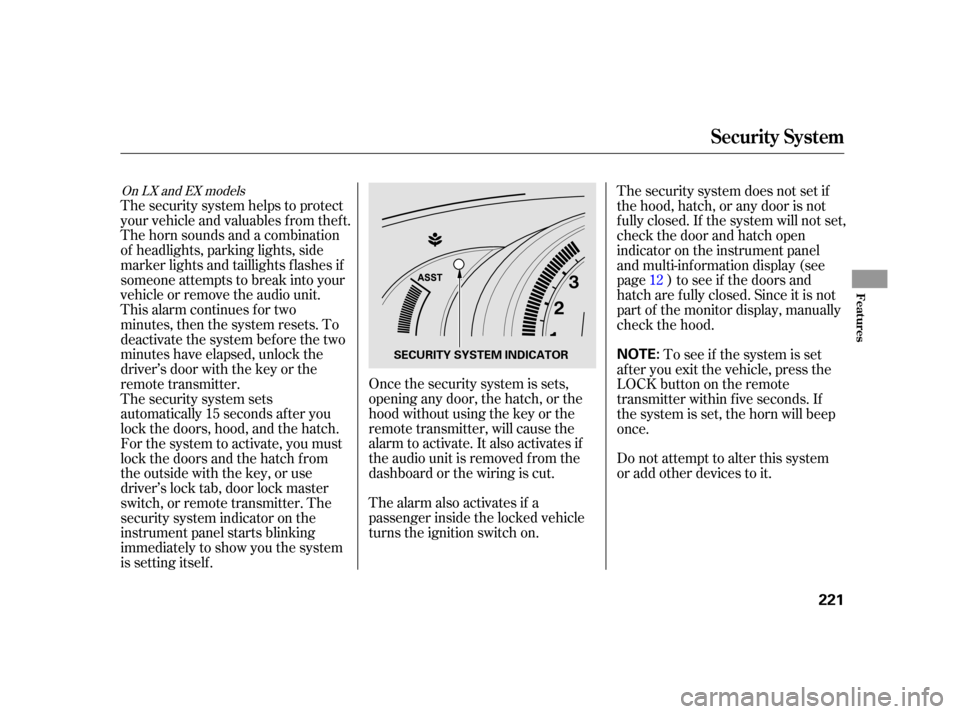
security system indicator on the
instrument panel starts blinking
immediately to show you the system
is setting itself .
To see if the system is set
af ter you exit the vehicle, press the
LOCK button on the remote
transmitter within five seconds. If
the system is set, the horn will beep
once. The security system does not set if
the hood, hatch, or any door is not
f ully closed. If the system will not set,
check the door and hatch open
indicator on the instrument panel
and multi-inf ormation display (see
page ) to see if the doors and
hatch are f ully closed. Since it is not
part of the monitor display, manually
check the hood. 12
On LX and EX models
Security System
Features
221
NOTE:SECURITY SYSTEM INDICATOR