Page 139 of 411

�µ�µ
The ceiling light and the door
activated spotlights come on when
you press the UNLOCK button if the
lights are in the door activated
position. If you do not open any door
or the hatch within 30 seconds (or
whatever setting of the interior light
dimming time is set to), the light(s)
will f ade out. If you relock the doors
and the hatch with the remote
transmitter before 30 seconds have
elapsed, the light(s) will go of f
immediately.
To change the lock/unlock setting
and the relock timer setting, refer to
the customized settings on page . The keyless lock acknowledgment
beep and f lashing of the lights can
be deactivated (see page ).
Press this button once to
lock all doors and the hatch. Some
exterior lights will f lash once. When
you press LOCK twice within 5
seconds, the horn will sounds to
verif y that the doors are locked. You
cannot lock the doors if any door or
the hatch is not f ully closed or if the
key is in the ignition switch. If you press the LOCK button twice
within 5 seconds, you will hear a
horn to verify that the security
system has set.
Press this button once
to unlock the driver’s door (or all the
doors and the hatch depending on
the door lock setting). Press it twice
to unlock the remaining doors and
the hatch. Some exterior lights will
f lash twice when you press the
button the first time.
If you do not open any door or the
hatch within 30 seconds, they will
automatically relock, and the
security system (if equipped) will
reset. 114
108
CONT INUED
On LX and EX models
LOCK UNL OCK
Remote Transmitter
Inst rument s and Cont rols
135
LED
LOCK BUTTON
UNLOCK
BUTTON PANIC
BUTTON
Page 140 of 411
�µAvoid dropping or throwing the
transmitter.
Protect the transmitter from
extreme temperatures.
Do not immerse the transmitter in
any liquid.
If you lose a transmitter, the
replacement needs to be
reprogrammed by your dealer. If it takes several pushes on the
button to lock or unlock the doors,
replace the battery as soon as
possible.
Battery type: CR1616
Press and hold this
button for about 1 second to attract
attention; the horn will sound, and
the exterior lights will f lash f or about
30 seconds. To cancel panic mode,
press any other button on the remote
transmitter, or turn the ignition
switch to the ON (II) position. Panic
mode does not work when the key is
in the ignition switch.Remote Transmitter CareReplacing the Transmitter
Battery
PA NIC
Remote Transmitter
136
Page 151 of 411
Keeptheinsideandoutsidemirrors
clean and adjusted f or best visibility.
Be sure to adjust the mirrors bef ore
you start driving.
The inside mirror has day and night
positions. The night position reduces
glare f rom headlights behind you.
Flip the tab on the bottom edge of
the mirror to select the day or night
position.Move the selector switch to L
(driver’s side) or R (passenger’s
side). Turn the ignition switch to the ON
(II) position.Push the appropriate edge of the
adjustment switch to move the
mirrorright,left,up,ordown.
When you f inish, move the
selector switch to the center (off)
position. This turns the
adjustment switch of f to keep your
settings.
1.
2. 3.
4.
Adjusting the Power Mirrors
Mirrors
Inst rument s and Cont rols
147
SELECTOR
SWITCH
ADJUSTMENT
SWITCH
TAB
UP
DOWN
Night Position
Daytime Position
Page 155 of 411
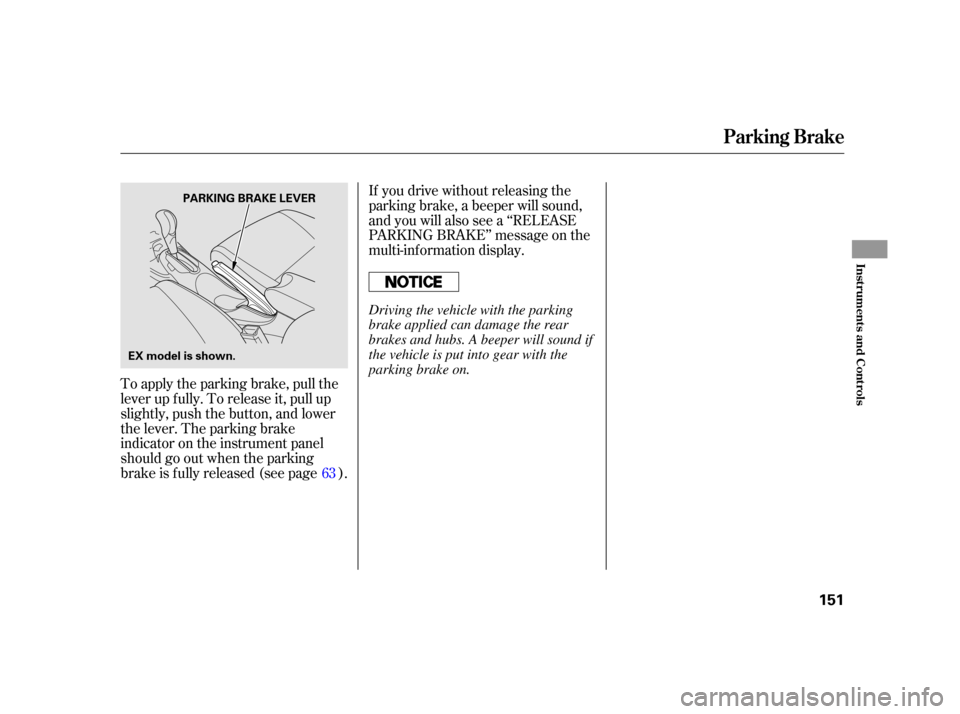
To apply the parking brake, pull the
lever up f ully. To release it, pull up
slightly, push the button, and lower
the lever. The parking brake
indicator on the instrument panel
should go out when the parking
brake is f ully released (see page ).If you drive without releasing the
parking brake, a beeper will sound,
and you will also see a ‘‘RELEASE
PARKING BRAKE’’ message on the
multi-inf ormation display.
63
Parking Brake
Inst rument s and Cont rols
151
PARKING BRAKE LEVER
EX model is shown.
Driving the vehicle with the parking
brake applied can damage the rear
brakes and hubs. A beeper will sound if
the vehicle is put into gear with the
parking brake on.
Page 159 of 411
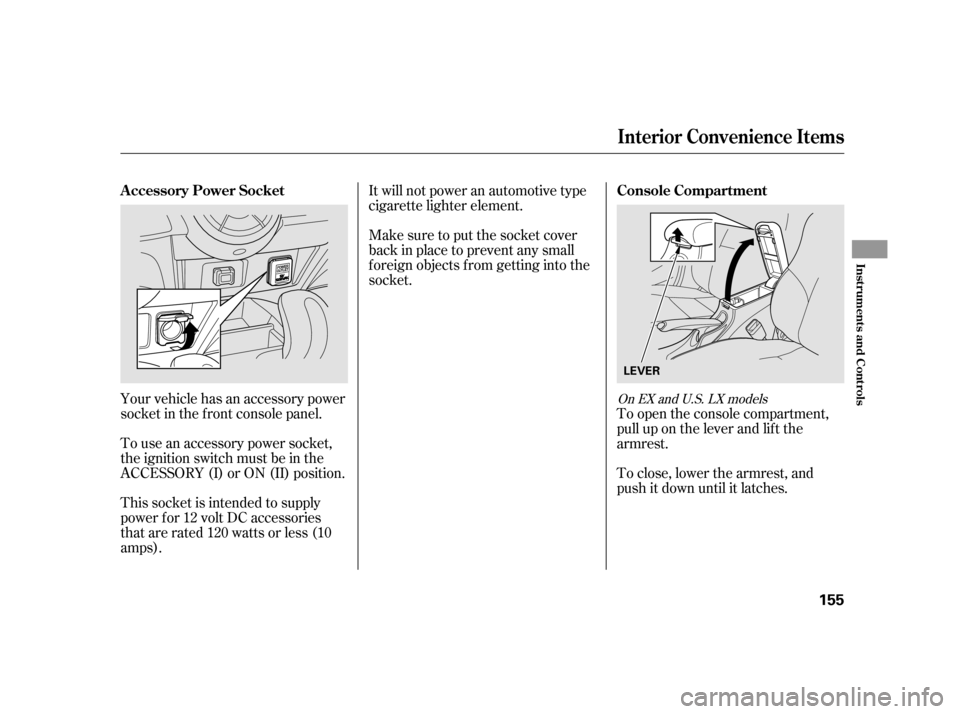
Your vehicle has an accessory power
socket in the f ront console panel.
To use an accessory power socket,
the ignition switch must be in the
ACCESSORY (I) or ON (II) position.
This socket is intended to supply
power f or 12 volt DC accessories
that are rated 120 watts or less (10
amps).It will not power an automotive type
cigarette lighter element.
Make sure to put the socket cover
back in place to prevent any small
foreign objects from getting into the
socket.
To open the console compartment,
pull up on the lever and lif t the
armrest.
To close, lower the armrest, and
push it down until it latches.On EX and U.S. LX models
Interior Convenience Items
A ccessory Power Socket Console Compartment
Inst rument s and Cont rols
155
LEVER
Page 160 of 411
There is a tray in the front of the
center console. You can also take the
partition out to extend the tray.
When you use the f ront beverage
holders, you need to put the partition
back to the original position on the
center console.
Open the glove box by pulling the
handle to the lef t. Close it with a f irm
push.
The glove box light comes on when
the parking lights are on.
On EX models only
Center T ray
Glove Box
Interior Convenience Items
156
PARTITIONAn open glove box can cause
serious injury to your passenger
inacrash,evenifthe
passenger is wearing the seat
belt.
Always keep the glove box
closed while driving.
Page 162 of 411
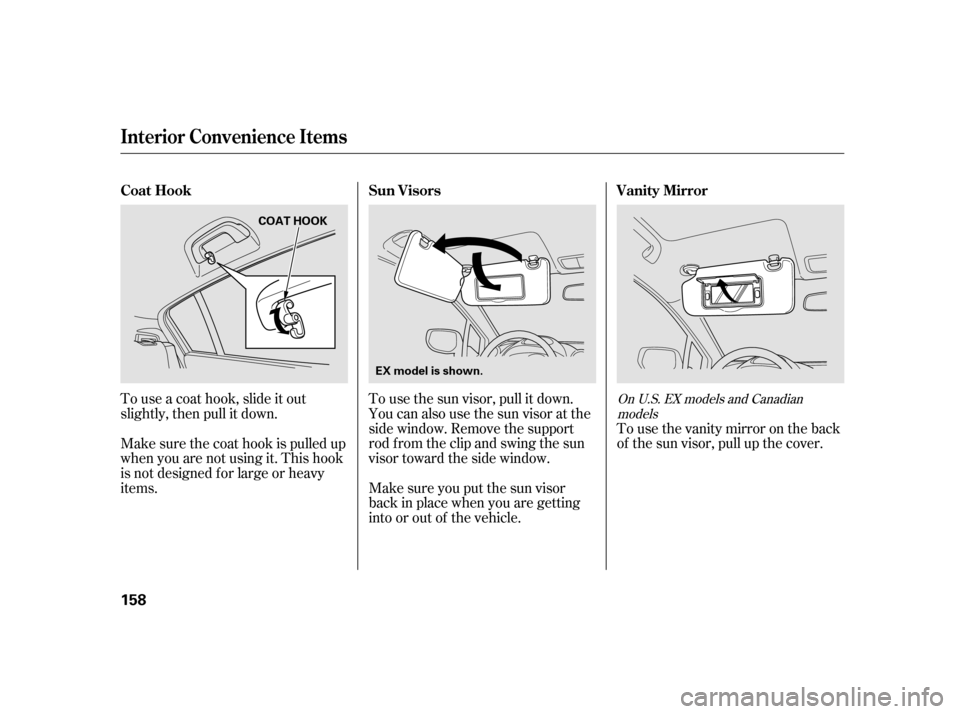
Tousethevanitymirrorontheback
of the sun visor, pull up the cover.
To use the sun visor, pull it down.
You can also use the sun visor at the
side window. Remove the support
rod f rom the clip and swing the sun
visor toward the side window.
Make sure you put the sun visor
back in place when you are getting
into or out of the vehicle.
Touseacoathook,slideitout
slightly, then pull it down.
Make sure the coat hook is pulled up
when you are not using it. This hook
is not designed f or large or heavy
items.
On U.S. EX models and Canadian
models
Vanity Mirror
Sun Visors
Coat Hook
Interior Convenience Items
158
COAT HOOK
EX model is shown.
Page 163 of 411

The ceiling light has a three-position
switch: ON, Door Activated, and
OFF. In the Door Activated (center)
position, the light comes on when
you:After all doors are closed tightly, the
light dims slightly, then f ades out in
about 30 seconds.
The ceiling light (with the switch in
the center position) comes on when
you remove the key f rom the ignition
switch. If you do not open a door, the
light stays on, then f ades out in
about 30 seconds.
Turn on a spotlight by pushing the
lens. Push the lens again to turn it
of f . You can use the spotlights at all
times.
Unlock the driver’s door with the
keyorremotetransmitter. Open any door. To change the ‘‘INTERIOR LIGHT
DIMMING TIME’’ setting, see page
.
If you leave any door open without
the key in the ignition switch, the
ceiling light will go of f af ter about 15
minutes. 105
CONT INUED
Ceiling L ight
Spotlights
Interior Lights
Inst rument s and Cont rols
159
DOOR ACTIVATED POSITION
EX model with navigation systemPush
Push
SPOTLIGHTS