Page 87 of 374
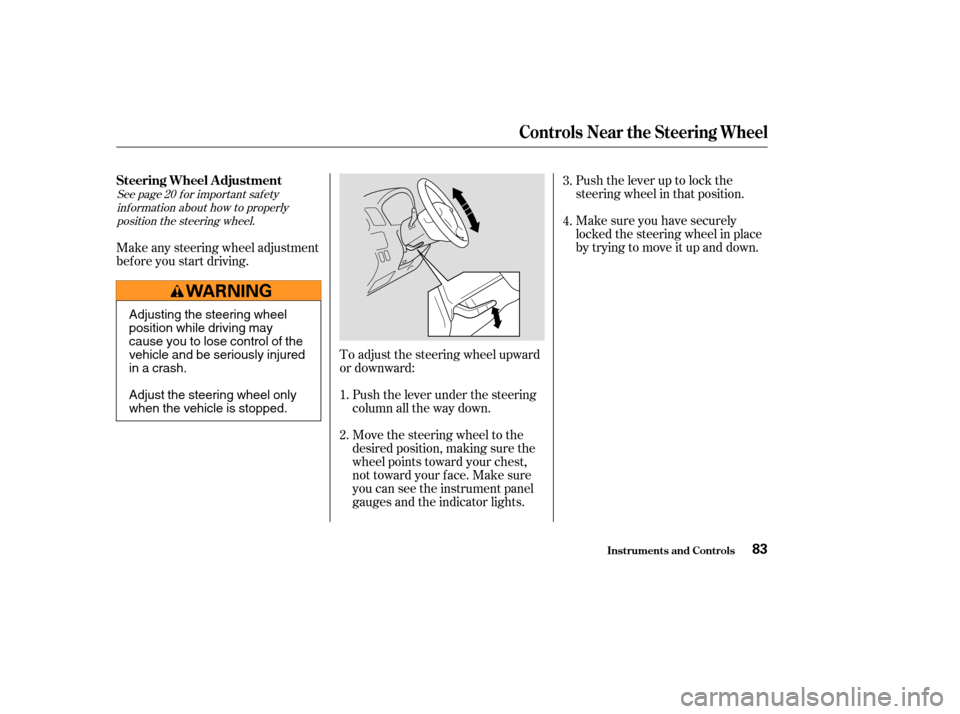
Push the lever up to lock the
steering wheel in that position.
Make sure you have securely
locked the steering wheel in place
by trying to move it up and down.
Push the lever under the steering
column all the way down.
Move the steering wheel to the
desired position, making sure the
wheel points toward your chest,
not toward your f ace. Make sure
you can see the instrument panel
gauges and the indicator lights.
To adjust the steering wheel upward
or downward:
Make any steering wheel adjustment
bef ore you start driving.
1.
2.3.
4.
See page f or important saf ety
inf ormation about how to properlyposition the steering wheel. 20
Inst rument s and Cont rols
Controls Near the Steering Wheel
Steering Wheel A djustment
83
Adjusting the steering wheel
position while driving may
cause you to lose control of the
vehicle and be seriously injured
inacrash.
Adjust the steering wheel only
when the vehicle is stopped.
Page 88 of 374

These keys contain electronic
circuits that are activated by the
Immobilizer System. They will not
work to start the engine if the
circuits are damaged.Protect the keys f rom direct
sunlight, high temperature, and
high humidity.
The keys do not contain batteries.
Do not try to take them apart. Keep the keys away f rom liquids.
If they get wet, dry them immedi-
ately with a soft cloth. Donotdropthekeysorsetheavy
objects on them.
Your vehicle comes with two master
keys and a valet key.
The master key fits all the locks on
your vehicle:
Ignition
Doors
GloveBox
Tailgate The valet key works only in the
ignition, the door locks and the
tailgate. You can keep the glove box
locked when you leave your vehicle
and the valet key at a parking f acility.
When replacing keys, use only
Honda-approved key blanks. Youshouldhavereceivedakey
number tag with your set of keys.
You will need this key number if you
ever have to get a lost key replaced.
Keep the tag stored in a saf e place.
Keys
Keys and Locks
Inst rument s and Cont rols84
VALET
KEY
(Gray)
MASTER
KEYS
(Black)
KEY NUMBER
TAG
Page 91 of 374

�µ�µ
�µ �µ
You can insert or
remove the key only in this position.
To switch f rom ACCESSORY to
LOCK, you must push the key in
slightly as you turn it. If your vehicle
has an automatic transmission, the
shif t lever must also be in Park. The
anti-thef t lock will lock the steering
column when you remove the key.
If the f ront wheels are turned, the
anti-thef t lock may sometimes make
it difficult to turn the key from
LOCK to ACCESSORY. Firmly turn
the steering wheel to the lef t or to
the right as you turn the key. Use this position
only to start the engine. The switch
returns to ON (II) when you let go of
the key.
You will hear a reminder beeper if
you leave the key in the ignition
switch in the LOCK (0) or
ACCESSORY (I) position and open
the driver’s door. Remove the key to
turn of f the beeper. The engine will not start if the
Immobilizer System does not
recognize the key’s coding (see page ).
This is the normal key
position when driving. All f eatures
and accessories on the vehicle are
usable. Several of the lights on the
instrument panel come on as a test
when you turn the ignition switch
f rom ACCESSORY to ON. In this position,
you can operate the audio system
and the accessory power sockets. 85
Keys and Locks
Inst rument s and Cont rols
L OCK (0)
ST A RT (III)
ON (II) A CCESSORY (I)
87
Removing the key from the
ignition switch while driving
locks the steering. This can
cause you to lose control.
Remove the key from the
ignition switch only when
parked.
Page 93 of 374
CONT INUED
When you push the LOCK button a
second time within 5 seconds, the
horn will sound once to verif y that
thedoorsandthetailgatearelocked.
When you push the UNLOCK button
once, only the driver’s door unlocks.
The remaining doors and the tailgate
unlock when you push the button a
second time. The f ront turn signals,
parking lights, side marker lights,
taillights, license plate light, and the
instrument panel lights f lash twice
each time you push the button.
All doors and the tailgate lock when
youpushdownthelocktabonthe
driver’s door, or lock the driver’s
door from the outside with the key.
Only the driver’s door unlocks when
you use the key or the lock tab. To
unlock the passenger’s doors, use
the master door lock switch or the
locktaboneachdoor.
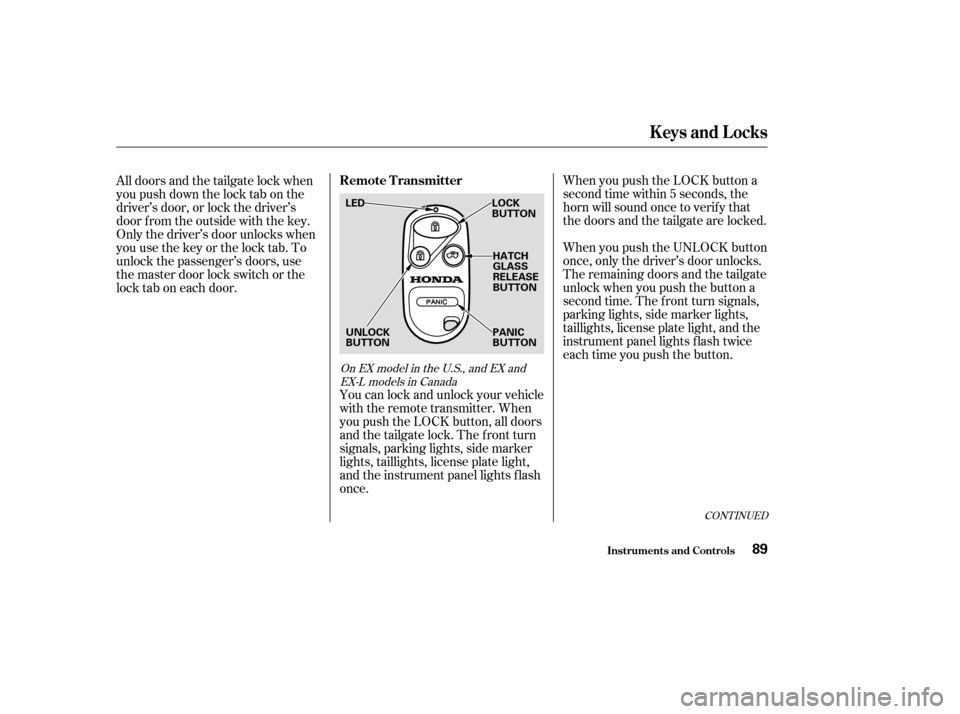
You can lock and unlock your vehicle
with the remote transmitter. When
you push the LOCK button, all doors
and the tailgate lock. The front turn
signals, parking lights, side marker
lights, taillights, license plate light,
and the instrument panel lights f lash
once.
On EX model in the U.S., and EX andEX-L models in Canada
Keys and Locks
Inst rument s and Cont rols
Remote Transmitter
89
LOCK
BUTTON
HATCH
GLASS
RELEASE
BUTTON
PANIC
BUTTON
UNLOCK
BUTTON
LED
Page 94 of 374

The ceiling light (if the light switch
is in the center position) will come
on when you press the UNLOCK
button. If you do not open any of the
doors or the tailgate, the light will
f ade out in about 30 seconds, the
doors and the tailgate automatically
relock. If you relock the doors and
the tailgate with the remote
transmitter before 30 seconds have
elapsed, the light will go of f
immediately.
You cannot lock the doors and the
tailgate with the remote transmitter
if any door or the tailgate is not f ully
closed. You cannot lock or unlock
thedoorsandthetailgatewiththe
key in the ignition switch.To open the hatch glass, push the
Hatch Glass Release button for
about two seconds. The hatch glass
willnotopenif thekeyisinthe
ignition switch.
Even if the hatch glass is opened, the
tailgate can be locked with the
remote transmitter. Make sure to
check the hatch glass manually.
Panic mode allows you to remotely
activate your vehicle’s horn and
lights to attract attention. When
activated, the horn will sound, and
the headlights, parking lights, side
marker lights, taillights and
instrument panel lights will f lash f or
about 30 seconds. To activate panic
mode,pressandholdthePANIC
button f or about one second.
To cancel Panic mode bef ore 30
seconds, press any button on the
remote transmitter. You can also
turn the ignition switch to ON (II).
Panic mode will not activate if the
ignition switch is in the ON (II)
position.
Keys and Locks
Inst rument s and Cont rols
Panic Mode
90
Page 95 of 374
�´
�Ü
�Õ
CONT INUED
Battery type: CR2025 When the remote transmitter’s
battery begins to get weak, it may
take several pushes on the button to
lock or unlock the doors and tailgate,
and the LED will not light. Replace
the battery as soon as possible.
To replace the battery, remove the
round cover on the back of the trans-
mitter by turning it counterclockwise
with a coin.Remove the old battery and note the
polarity. Make sure the polarity of
the new battery is the same ( side
f acing up), then insert it in the
transmitter.
Align the mark on the cover
with the mark on the
transmitter, then set the cover in
place and turn it clockwise.
Keys and Locks
Inst rument s and Cont rols
Replacing the Battery
91
Open
Close BATTERY
ROUND
COVER
Page 99 of 374

Youcanopenthehatchglassto
access the cargo area with the
tailgate closed. Make sure the
tailgate and the hatch glass are
closed and locked securely bef ore
driving.
The rear wiper will not operate with
the hatch glass open. If you open the
hatch glass while the rear wiper is
operating, the wiper will stop (see
page ).
See page for information on
cargo loading. Keep the tailgate and
the hatch glass closed at all times
while driving to avoid damaging the
tailgate and the hatch glass, and to
prevent exhaust gas f rom getting
into the interior. Seeon page .
Press and hold the hatch glass
release button on the remote
transmitter for about two seconds
(see page ). Use the master or valet key in the
tailgate lock. Turn the key
clockwise as f ar as it will go. The hatch glass will pop up slightly.
To open the hatch glass, lif t it up
f ully.
Make sure the rear wiper switch is
of f and the wiper is in its parked
position bef ore opening the hatch
glass.
To close the hatch glass, lower it,
then press on the handle until it
latches.
90 80
193
60
On EX model in the U.S., and EX andEX-L models in Canada
Keys and Locks
Inst rument s and Cont rols
Carbon
Monoxide Hazard
95
HATCH GLASS OPEN POSITION HATCH GLASS
Page 100 of 374
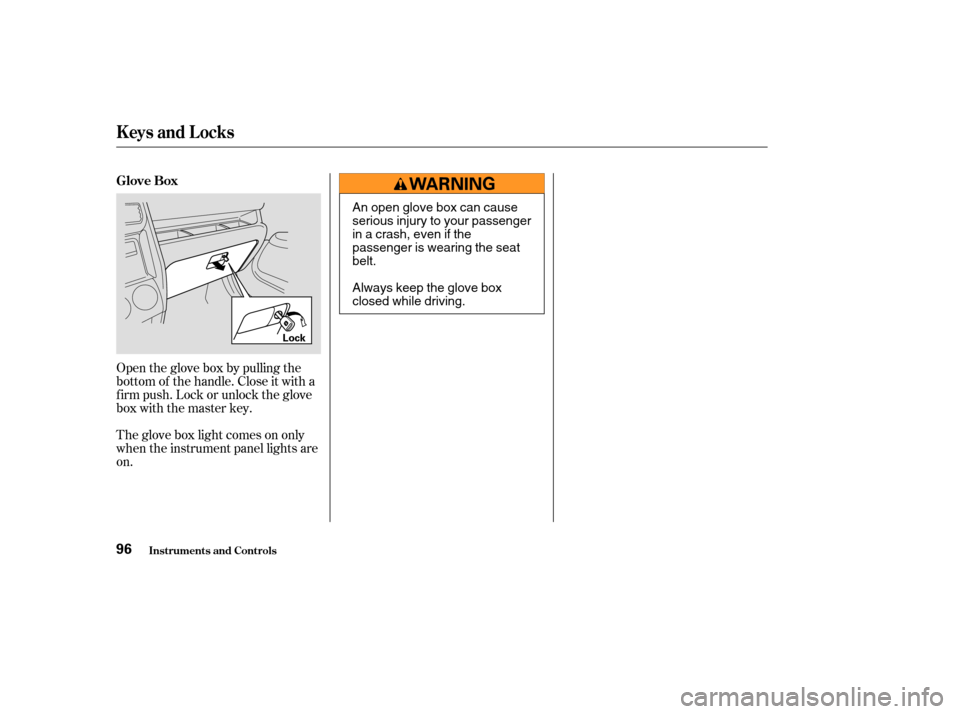
Open the glove box by pulling the
bottom of the handle. Close it with a
f irm push. Lock or unlock the glove
box with the master key.
The glove box light comes on only
when the instrument panel lights are
on. Glove Box
Keys and Locks
Inst rument s and Cont rols96
Lock
An open glove box can cause
serious injury to your passenger
inacrash,evenifthe
passenger is wearing the seat
belt.
Always keep the glove box
closed while driving.