Page 140 of 380
If you see an error indication in the
display while operating the CD
player,findthecauseinthechartto
the right. If you cannot clear the
error indication, take the car to your
Honda dealer.Indication Cause Solution
FOCUS Error
Mechanical Error
High TemperaturePress the eject button and pull out the disc.
Check if the disc is inserted correctly in the CDplayer.
Make sure the disc is not scratched or damaged.
Press the eject button and pull out the disc.
Check the disc for damage or deformation.
If the CD cannot be pulled out or the error
indication does not disappear after the disc is
ejected, see your Honda dealer.
Do not try to force the disc out of the player.
Will disappear when the temperature returns to
normal.
CD Player Error Indications
Audio System
Comf ort and Convenience Feat ures144
�����—�����—�����y������
�
������y���
�(�����������y���
�����y
Page 141 of 380
If you see an error indication in the
display while operating the CD
changer, f ind the cause in the chart
to the right. If you cannot clear the
error indication, take the car to your
Honda dealer.Indication
Solution
Cause
Press the magazine eject button and pull out
the magazine. Check for an error indication.
Insert the magazine again. If the code does not
disappear or the magazine cannot be pulled out,
consult your Honda dealer.
Insert CD.
Press the magazine eject button and pull out
the magazine. Check for an error indication.
Insert the magazine again. If the code does not
disappear or the magazine cannot be pulled out,
consult your Honda dealer.
Will disappear when the temperature returns to
normal.
Insert CD magazine.
FOCUS Error
No CD in the CD
Magazine
Mechanical Error
High Temperature
No CD magazine in the
CD Changer
CD Changer Error Indications
Audio System
Comf ort and Convenience Feat ures145
�����—�����—�����y������
��������y���
�(�����������y���
�����y
Page 160 of 380
If you see an error indication in the
display while operating the CD
changer, f ind the cause in the chart
to the right. If you cannot clear the
error indication, take the car to your
Honda dealer.Indication
Solution
Cause
Press the CD eject button and pull out the CDs.
Check for an error indication. Insert the CDs
again. If the code does not disappear or the
CDs cannot be pulled out, consult your Hondadealer.
Press the CD eject button and pull out the CDs.
Check for an error indication. Insert the CDs
again. If the code does not disappear or the
CDs cannot be pulled out, consult your Hondadealer.
Insert CDs.
FOCUS Error
Mechanical Error
No CD in the CD
Changer
CD Changer Error Indications
Audio System
Comf ort and Convenience Feat ures164
�����—�����—�����y������
������
�y���
�(�����������y���
�����y
Page 181 of 380
Indication
If you see an error indication in the
upper display while operating the CD
changer, f ind the cause in the chart
to the right. If you cannot clear the
error indication, take the car to your
Honda dealer. Solution
Cause
Press the CD eject button and pull out the CDs.
Check for an error indication. Insert the CDs
again. If the code does not disappear or the
CDs cannot be pulled out, consult your Hondadealer.
Press the CD eject button and pull out the CDs.
Check for an error indication. Insert the CDs
again. If the code does not disappear or the
CDs cannot be pulled out, consult your Hondadealer.
FOCUS Error
Mechanical Error
CD Changer Error Indications
Audio System
Comf ort and Convenience Feat ures185
�����—�����—�����y������
����
���y���
�(�����������y���
�����y
Page 190 of 380

With the system set, you can still
open the trunk with the master key
or the remote transmitter without
triggering the alarm. The alarm will
sound if the trunk lock is f orced, or
the trunk is opened with the trunk
release handle.
Do not attempt to alter this system
or add other devices to it.
The security system will not set if
the hood, trunk, or any door is not
f ully closed. If the system will not set,
check the Door Monitor on the
instrument panel (see page ), to
see if the doors and trunk are f ully
closed. Since it is not part of the
monitor display, manually check thehood.
The security system helps to protect
your car and valuables f rom thef t.
The horn sounds and a combination
of headlights, parking lights, side
marker lights and taillights f lashes if
someone attempts to break into your
carorremovetheradio.Thisalarm
continues f or two minutes, then the
system resets. To reset an alarming
system bef ore the two minutes have
elapsed, unlock either f ront door
with the key or the remote
transmitter.
The security system automatically
sets 15 seconds after you lock the
doors, hood, and trunk. For the
system to activate, you must lock the
doors f rom the outside with the key,
lock tab, door lock switch, or remote
transmitter. The security system
light on the instrument panel starts
blinking immediately to show you
the system is setting itself.
Once the security system is set,
opening any door (without using the
key or the remote transmitter), the
hood, or the trunk will cause it to
sound. It also sounds if the radio is
removed f rom the dashboard or the
wiring is cut.
60On EX, all V6, and Canadian LX-G
models
Security System
Comf ort and Convenience Feat ures194
SECURITY SYSTEM LIGHT
�����—�����—�����y������
��������y���
�(�����������y���
�����y
Page 222 of 380

�µMake sure the parking brake is f ully
released bef ore driving away.
Driving with the parking brake
partially set can overheat or damage
the rear brakes.
Always use the parking brake when
you park your car. The indicator on
the instrument panel shows that the
parking brake is not f ully released; it
does not indicate that the parking
brakeisfirmlyset.Makesurethe
parking brake is set f irmly or your
car may roll if it is parked on an
incline.
If your car has an automatic
transmission, set the parking brake
bef ore you put the transmission in
Park.Thiskeepsthecarfrom
moving and putting pressure on the
parking mechanism in the
transmission making it easier to
move the shift lever out of Park
when you want to drive away. If the car is f acing uphill, turn the
f ront wheels away f rom the curb. If
you have a manual transmission, put
it in f irst gear.
If the car is f acing downhill, turn the
f ront wheels toward the curb. If you
have a manual transmission, put it in
reverse gear.
Make sure the moonroof (if
equipped) and the windows are
closed.
Lockthedoorswiththekeyorthe
remote transmitter.
Place any packages, valuables, etc.,
in the trunk or take them with you.
Turn of f the lights.
Never park over dry leaves, tall
grass, or other f lammable
materials. The three way catalytic
converter gets very hot, and could
cause these materials to catch on
fire.
Check the indicator on the
instrument panel to verif y that the
security system is set.
On EX, LX-V6, and Canadian LX-G
models
Parking T ips
Driving
Parking
228
�����—�����—�����y�������������
�y���
�(�����������y�������
�y
Page 223 of 380

Your Honda is equipped with f ront
disc brakes. The brakes on the rear
wheels may be disc or drum,
depending on the model. A power
assist helps reduce the ef f ort needed
on the brake pedal.
Put your f oot on the brake pedal only
when you intend to brake. Resting
your f oot on the pedal keeps the
brakes applied lightly, causing them
to build up heat. Heat build-up can
reduce how well your brakes work. It
also keeps your brake lights on all
the time, conf using drivers behind
you.Constant application of the brakes
when going down a long hill builds
up heat and reduces their ef f ective-
ness. Use the engine to assist the
brakes by downshif ting to a lower
gear and taking your f oot of f the
accelerator pedal.
Check your brakes af ter driving
through deep water. Apply the
brakes moderately to see if they f eel
normal. If not, apply them gently and
f requently until they do. Since a
longer distance is needed to stop
with wet brakes, be extra cautious
and alert in your driving. Your brakes may sometimes squeal
or squeak when you apply them
lightly. Do not conf use this with the
brakewearindicators.Theymakea
very audible ‘‘screeching.’’
The f ront disc brakes on all models
have audible brake wear indicators.
They are also on the rear brakes of
cars equipped with rear disc brakes
(EX, EX-V6, and LX-V6 models) as
standard equipment.
When the brake pads need replacing,
you will hear a distinctive metallic
‘‘screeching’’ sound when you apply
the brakes. If you do not have the
brake pads replaced, they will begin
screeching all the time.
Brake Wear Indicators
The Braking System
Driving229
�����—�����—�����y���������������y���
�(�����������y���������y
Page 225 of 380
such as trying to take a
corner too f ast or making a sudden
lane change. Always drive at a safe,
prudent speed f or the road and
weather conditions.
Always steer moderately
when you are braking hard. Severe
or sharp steering wheel movement
can still cause your car to veer into
oncoming traffic or off the road. it
only helps with steering control
during braking. You should always
maintain a saf e f ollowing distance
f rom other vehicles.
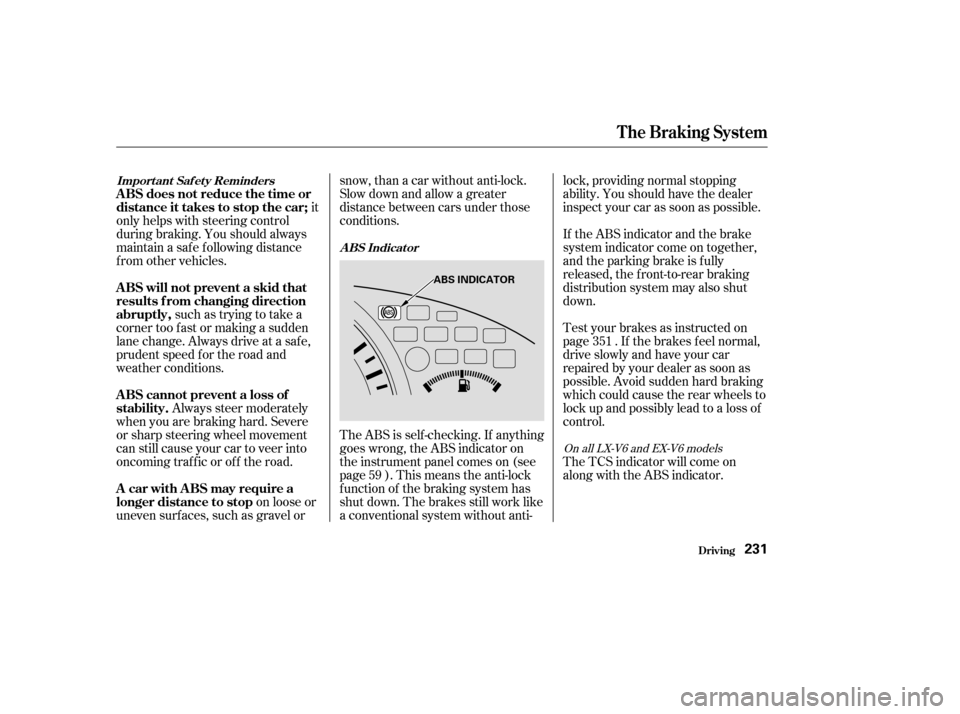
The ABS is self -checking. If anything
goes wrong, the ABS indicator on
the instrument panel comes on (see
page ). This means the anti-lock
f unction of the braking system has
shut down. The brakes still work like
a conventional system without anti-lock, providing normal stopping
ability. You should have the dealer
inspect your car as soon as possible.
on loose or
uneven surf aces, such as gravel or snow, than a car without anti-lock.
Slow down and allow a greater
distance between cars under those
conditions.
If the ABS indicator and the brake
system indicator come on together,
and the parking brake is f ully
released, the front-to-rear braking
distribution system may also shut
down.
Test your brakes as instructed on
page . If the brakes f eel normal,
drive slowly and have your car
repaired by your dealer as soon as
possible. Avoid sudden hard braking
which could cause the rear wheels to
lock up and possibly lead to a loss of
control.
The TCS indicator will come on
alongwiththeABSindicator.
59 351
On all LX-V6 and EX-V6 models
Import ant Saf et y Reminders
A BS Indicat or
A BS will not prevent a skid that
results f rom changing direction
abruptly,
A BS cannot prevent a loss of
stability.
A BS does not reduce the time or
distance it takes to stop the car;
A car with ABS may require a
longer distance to stop
The Braking System
Driving231
ABS INDICATOR
�����—�����—�����y���������������y���
�(�����������y���������y