Page 123 of 376

Instrument Panel Overview...............................3-2
Hazard Warning Flashers................................3-4
Other Warning Devices...................................3-5
Horn .............................................................3-5
Tilt Wheel.....................................................3-5
Turn Signal/Multifunction Lever.........................3-6
Exterior Lamps.............................................3-12
Interior Lamps..............................................3-15
Accessory Power Outlets...............................3-16
Ashtrays and Cigarette Lighter........................3-17
Climate Controls............................................3-18
Climate Control System.................................3-18
Rear Heating System....................................3-19
Rear Air Conditioning System.........................3-20
Rear Climate Control System.........................3-21
Warning Lights, Gages and Indicators.............3-23
Instrument Panel Cluster
................................3-24
Speedometer and Odometer
...........................3-25
Safety Belt Reminder Light
.............................3-25
Air Bag Readiness Light
................................3-26
Charging System Light
..................................3-27
Voltmeter Gage
............................................3-27
Brake System Warning Light
..........................3-28Anti-Lock Brake System
Warning Light...........................................3-29
Engine Coolant Temperature Gage..................3-29
Malfunction Indicator Lamp.............................3-30
Oil Pressure Gage........................................3-33
Security Light...............................................3-34
Service All-Wheel Drive Light.........................3-34
Tow/Haul Mode Light....................................3-35
Check Gages Warning Light...........................3-35
Fuel Gage...................................................3-36
Low Fuel Warning Light.................................3-36
Audio System(s).............................................3-37
Setting the Time for Radios with
the Set Button..........................................3-37
Setting the Time for Radios with
HR and MN Buttons..................................3-37
AM-FM Radio...............................................3-38
Radio with CD..............................................3-40
Rear Seat Audio (RSA).................................3-45
Theft-Deterrent Feature..................................3-46
Understanding Radio Reception......................3-49
Care of Your CDs.........................................3-49
Care of Your CD Player................................3-49
Fixed Mast Antenna......................................3-49
Section 3 Instrument Panel
3-1
2003 - Safari OM
Page 127 of 376
Other Warning Devices
If you carry reflective triangles, you can use them to
warn others. Set one up at the side of the road about
300 feet (100 m) behind your vehicle.
Horn
Press the horn symbol in the middle of the steering
wheel to sound the horn.
Tilt Wheel
A tilt steering wheel allows you to adjust the steering
wheel before you drive. You can also raise it to the
highest level to give your legs more room when you exit
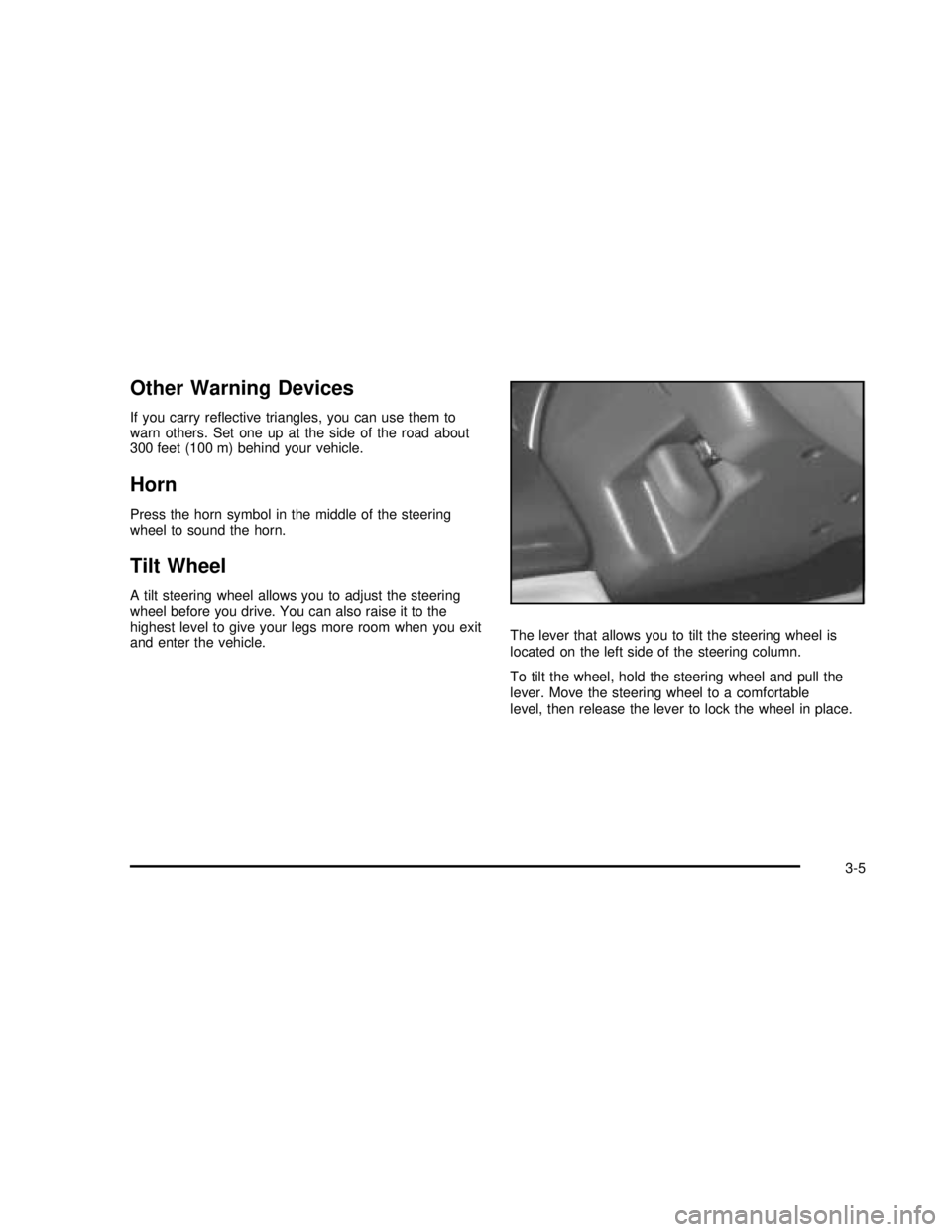
and enter the vehicle.The lever that allows you to tilt the steering wheel is
located on the left side of the steering column.
To tilt the wheel, hold the steering wheel and pull the
lever. Move the steering wheel to a comfortable
level, then release the lever to lock the wheel in place.
3-5
2003 - Safari OM
Page 130 of 376
Windshield Wipers
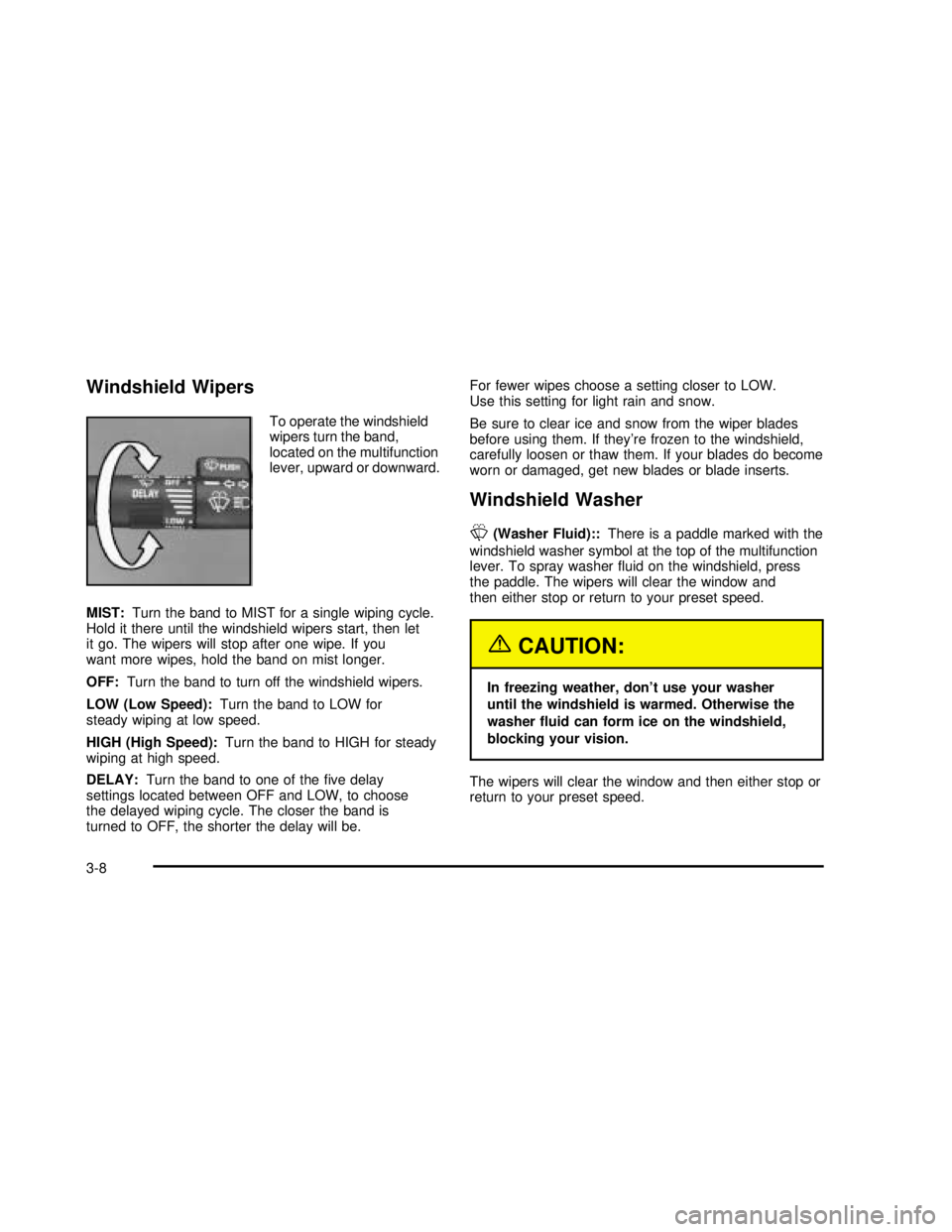
To operate the windshield
wipers turn the band,
located on the multifunction
lever, upward or downward.
MIST:Turn the band to MIST for a single wiping cycle.
Hold it there until the windshield wipers start, then let
it go. The wipers will stop after one wipe. If you
want more wipes, hold the band on mist longer.
OFF:Turn the band to turn off the windshield wipers.
LOW (Low Speed):Turn the band to LOW for
steady wiping at low speed.
HIGH (High Speed):Turn the band to HIGH for steady
wiping at high speed.
DELAY:Turn the band to one of thefive delay
settings located between OFF and LOW, to choose
the delayed wiping cycle. The closer the band is
turned to OFF, the shorter the delay will be.For fewer wipes choose a setting closer to LOW.
Use this setting for light rain and snow.
Be sure to clear ice and snow from the wiper blades
before using them. If they’re frozen to the windshield,
carefully loosen or thaw them. If your blades do become
worn or damaged, get new blades or blade inserts.
Windshield Washer
L
(Washer Fluid)::There is a paddle marked with the
windshield washer symbol at the top of the multifunction
lever. To spray washerfluid on the windshield, press
the paddle. The wipers will clear the window and
then either stop or return to your preset speed.
{CAUTION:
In freezing weather, don’t use your washer
until the windshield is warmed. Otherwise the
washer fluid can form ice on the windshield,
blocking your vision.
The wipers will clear the window and then either stop or
return to your preset speed.
3-8
2003 - Safari OM
Page 135 of 376

;(Parking Lamps):Turning the control to this
position turns on the parking lamps, together with
the following:
•Sidemarker Lamps
•Taillamps
•License Plate Lamps
•Instrument Panel Lights
•Ashtray Lamp
O(Headlamps):Turning the control to this position
turns on the headlamps, together with the previously
listed lamps and lights.
Automatic Headlamp System
When it is dark enough outside, your automatic
headlamp system will turn on your headlamps at the
normal brightness along with other lamps such as
the taillamps, sidemarker, parking lamps and the
instrument panel lights. The radio lights will also dim.
Your vehicle is equipped with a light sensor on the top of
the instrument panel in the defroster grille. Be sure it
is not covered, or the system will be on whenever
the ignition is on.
The system may also turn on your headlamps when
driving through a parking garage, heavy overcast
weather or a tunnel. This is normal.There is a delay in the transition between the daytime and
nighttime operation of the Daytime Running Lamps (DRL)
and the automatic headlamp systems so that driving
under bridges or bright overhead street lights does not
affect the system. The DRL and automatic headlamp
system will only be affected when the light sensor sees a
change in lighting lasting longer than the delay.
To idle your vehicle with the automatic headlamp
system off, set the parking brake while the ignition is
off. Then start your vehicle. The automatic headlamp
system will stay off until you release the parking brake.
You may be able to turn off your automatic headlamp
system. See“Daytime Running Lamps (DRL)”later
in this section for more information.
As with any vehicle, you should turn on the regular
headlamps when you need them.
Lamps On Reminder
A reminder tone will sound when your headlamps or
parking lamps are manually turned on and your ignition is
in OFF, LOCK or ACCESSORY. To disable the tone, turn
the instrument panel brightness thumbwheel all the way
down. In the automatic mode, the headlamps turn off
once the ignition key is in OFF.
3-13
2003 - Safari OM
Page 140 of 376

Climate Controls
Climate Control System
With this system you can control the heating, cooling
and ventilation for your vehicle.
Turn the right knob clockwise or counterclockwise to
direct the airflow inside of your vehicle.To change the current mode, select one of the following:
)(Bi-Level):This mode directs approximately half
of the air to the instrument panel outlets and directs
most of the remaining air to thefloor outlets. Some air
may be directed toward the windshield.
H(Vent):This mode directs air to the instrument
panel outlets.
6(Floor):This mode directs most of the air to the
floor outlets with some air directed to the outboard
outlets (for the side windows) and some air directed to
the windshield.
A/C (Air Conditioning):This setting brings in outside
air, cools and dehumidifies it.
MAX A/C (Maximum Air Conditioning):This setting
cools the air the fastest, by recirculating the inside air.
The right knob can also be used to select the defrost
mode. Information on defogging and defrosting can be
found later in this section.
9(Fan):Turn the left knob clockwise or
counterclockwise to increase or decrease the fan speed.
Temperature Control:Turn the center knob clockwise
or counterclockwise to increase or decrease the
temperature inside your vehicle.
3-18
2003 - Safari OM
Page 144 of 376
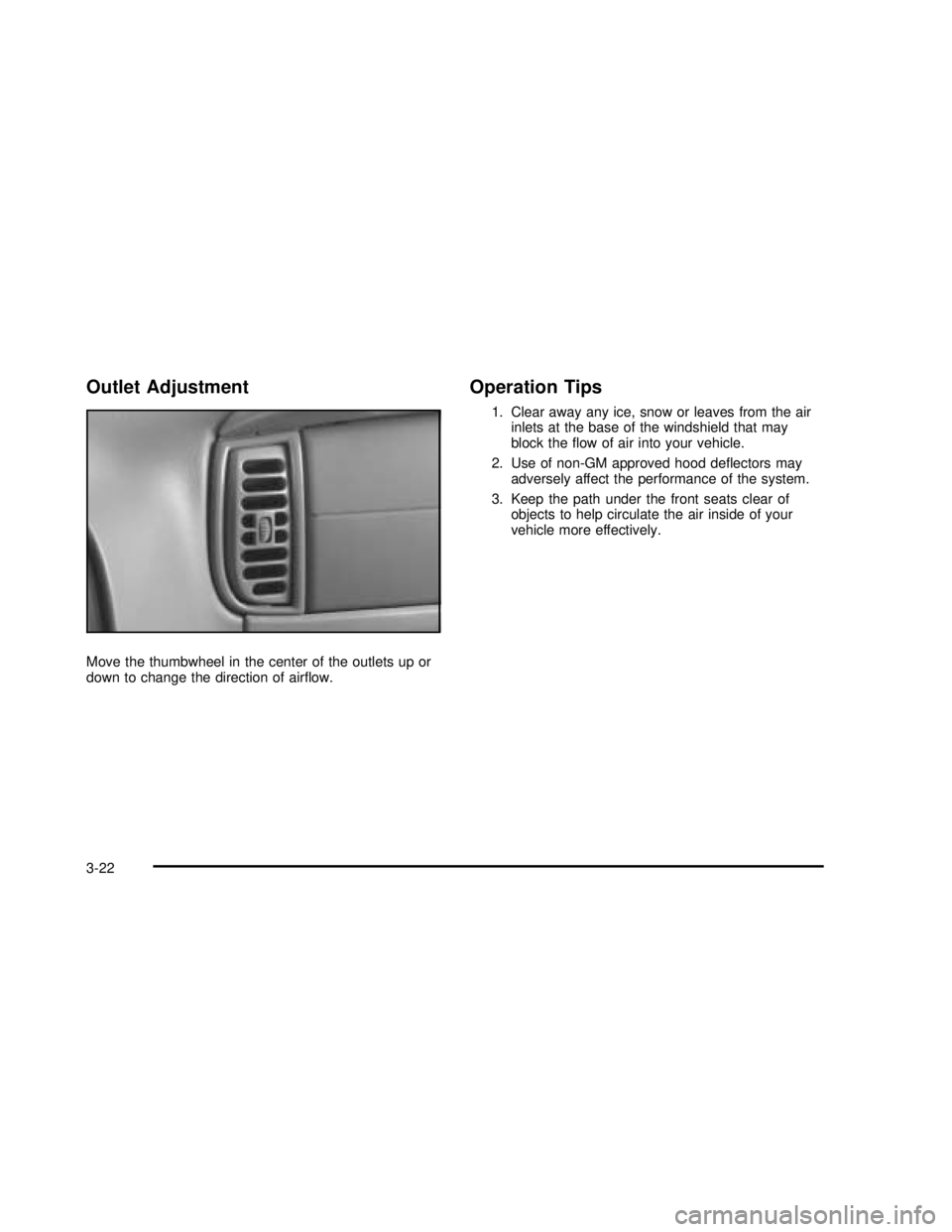
Outlet Adjustment
Move the thumbwheel in the center of the outlets up or
down to change the direction of airflow.
Operation Tips
1. Clear away any ice, snow or leaves from the air
inlets at the base of the windshield that may
block theflow of air into your vehicle.
2. Use of non-GM approved hood deflectors may
adversely affect the performance of the system.
3. Keep the path under the front seats clear of
objects to help circulate the air inside of your
vehicle more effectively.
3-22
2003 - Safari OM
Page 151 of 376

Anti-Lock Brake System
Warning Light
With the anti-lock brake
system, this light will come
on when you start your
engine and may stay on
for several seconds.
That’s normal.
If the light stays on, or comes on when you’re driving,
your vehicle needs service. If the regular brake
system warning light isn’t on, you still have brakes,
but you don’t have anti-lock brakes. If the regular brake
system warning light is also on, you don’t have
anti-lock brakes and there’s a problem with your regular
brakes. See“Brake System Warning Light”earlier in
this section.
The anti-lock brake system warning light should come
on briefly when you turn the ignition key to RUN.
If the light doesn’t come on then, have itfixed so
it will be ready to warn you if there is a problem.
Engine Coolant Temperature Gage
This gage shows the
engine coolant
temperature. If the gage
pointer moves to the
red area, your engine
is too hot!
It means that your engine coolant has overheated.
If you have been operating your vehicle under normal
driving conditions, you should pull off the road, stop your
vehicle and turn off the engine as soon as possible.
SeeEngine Overheating on page 5-28.
3-29
2003 - Safari OM
Page 156 of 376
Security Light
This light will come on
briefly when you turn the
ignition key to START.
The light will stay on until the engine starts. If the light
flashes, the Passlock
®System has entered a tamper
mode. If the vehicle fails to start, seePasslock®
on page 2-18.
If the light comes on continuously while driving and
stays on, there may be a problem with the Passlock
®
System. Your vehicle will not be protected by Passlock®,
and you should see your GM dealer.
Service All-Wheel Drive Light
This light should come on
briefly when you turn on
the ignition, as a check to
show you it is working.
The SERVICE AWD light comes on to indicate that
there may be a problem with the drive system and
service is required. Malfunctions can be indicated by the
system before any problem is apparent, which may
prevent serious damage to the vehicle. This system is
also designed to assist your service technician in
correctly diagnosing a malfunction.
3-34
2003 - Safari OM