Page 2 of 256
Seating and Safety Restraints 63
Seating 63
Safetyrestraints 68
Air bags 79
Child restraints 87
Driving 98
Starting 98
Brakes 102
Transmission operation 106
Trailer towing 127
Roadside Emergencies 152
Getting roadside assistance 152
Hazard flasher switch 153
Fuel pump shut-off switch 153
Fuses and relays 154
Changing tires 159
Jump starting 168
Wrecker towing 173
Customer Assistance 175
Reporting safetydefects (U.S. only) 183
Cleaning 184
Maintenance and Specifications 191
Engine compartment 193
Engine oil 194
Battery197
Fuel information 205
Air filter(s) 221
Part numbers 228
Refill capacities 228
Lubricant specifications 232
Table of Contents
2
Page 5 of 256
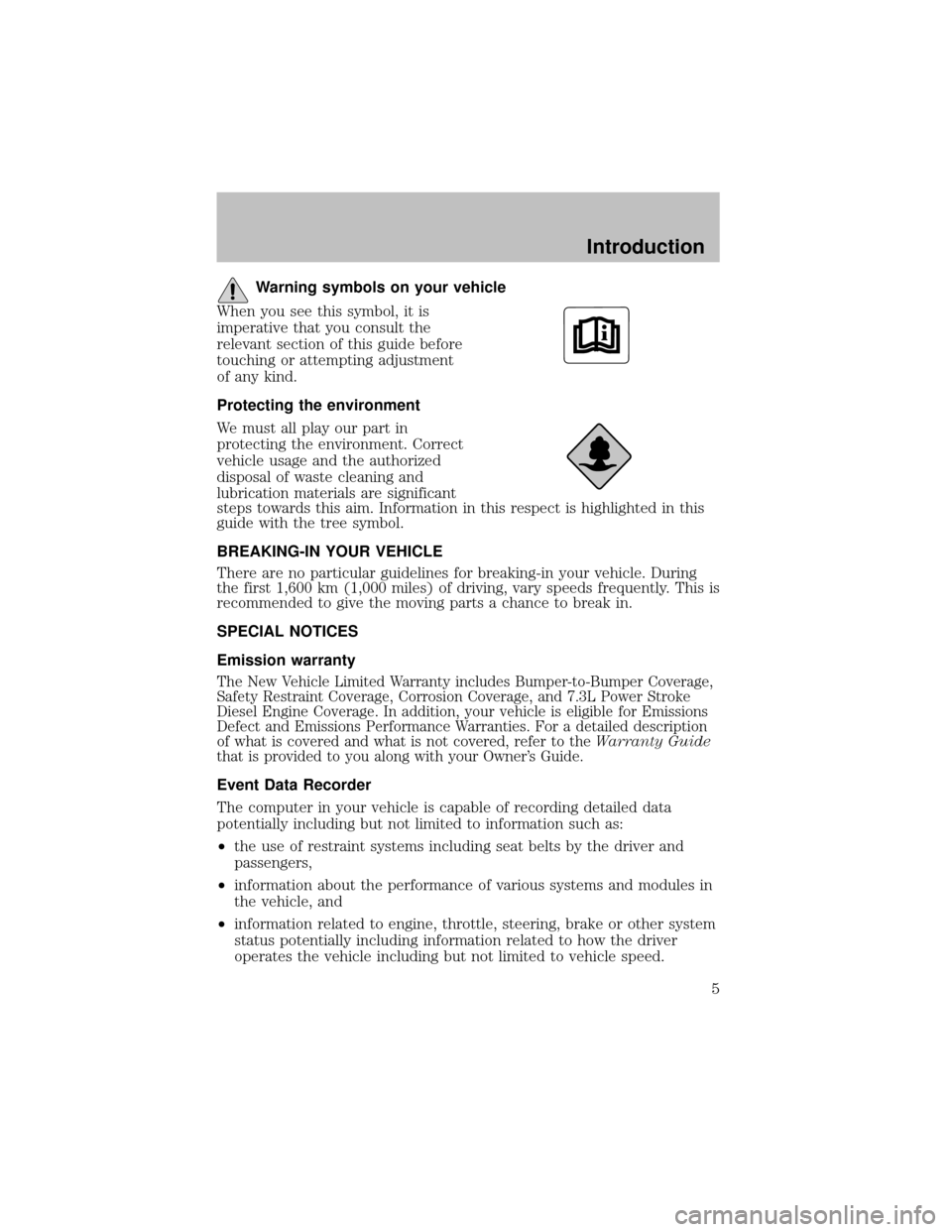
Warning symbols on your vehicle
When you see this symbol, it is
imperative that you consult the
relevant section of this guide before
touching or attempting adjustment
of anykind.
Protecting the environment
We must all playour part in
protecting the environment. Correct
vehicle usage and the authorized
disposal of waste cleaning and
lubrication materials are significant
steps towards this aim. Information in this respect is highlighted in this
guide with the tree symbol.
BREAKING-IN YOUR VEHICLE
There are no particular guidelines for breaking-in your vehicle. During
the first 1,600 km (1,000 miles) of driving, varyspeeds frequently. This is
recommended to give the moving parts a chance to break in.
SPECIAL NOTICES
Emission warranty
The New Vehicle Limited Warrantyincludes Bumper-to-Bumper Coverage,
SafetyRestraint Coverage, Corrosion Coverage, and 7.3L Power Stroke
Diesel Engine Coverage. In addition, your vehicle is eligible for Emissions
Defect and Emissions Performance Warranties. For a detailed description
of what is covered and what is not covered, refer to theWarranty Guide
that is provided to you along with your Owner’s Guide.
Event Data Recorder
The computer in your vehicle is capable of recording detailed data
potentiallyincluding but not limited to information such as:
•the use of restraint systems including seat belts by the driver and
passengers,
•information about the performance of various systems and modules in
the vehicle, and
•information related to engine, throttle, steering, brake or other system
status potentiallyincluding information related to how the driver
operates the vehicle including but not limited to vehicle speed.
Introduction
5
Page 12 of 256
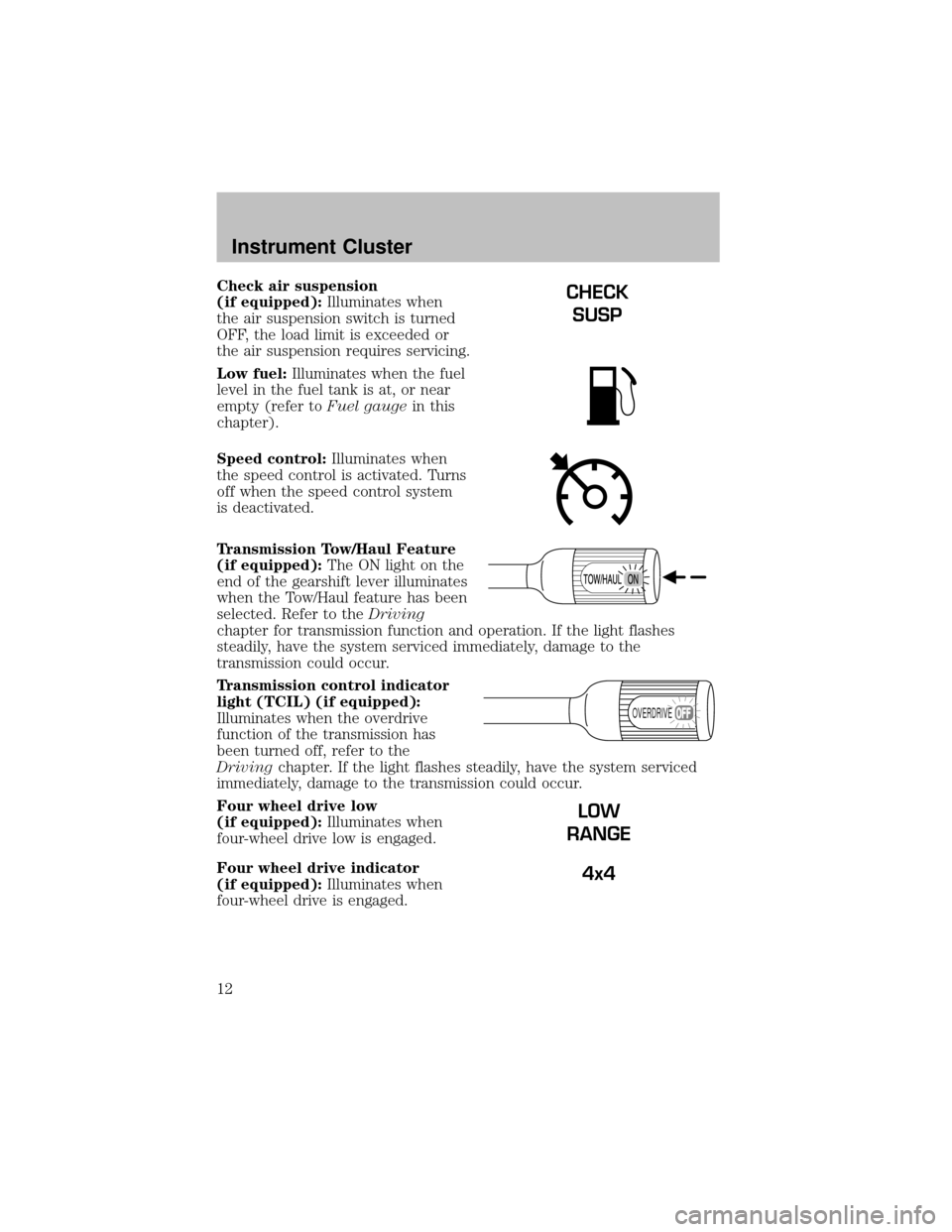
Check air suspension
(if equipped):Illuminates when
the air suspension switch is turned
OFF, the load limit is exceeded or
the air suspension requires servicing.
Low fuel:Illuminates when the fuel
level in the fuel tank is at, or near
empty(refer toFuel gaugein this
chapter).
Speed control:Illuminates when
the speed control is activated. Turns
off when the speed control system
is deactivated.
Transmission Tow/Haul Feature
(if equipped):The ON light on the
end of the gearshift lever illuminates
when the Tow/Haul feature has been
selected. Refer to theDriving
chapter for transmission function and operation. If the light flashes
steadily, have the sy stem serviced immediately, damage to the
transmission could occur.
Transmission control indicator
light (TCIL) (if equipped):
Illuminates when the overdrive
function of the transmission has
been turned off, refer to the
Drivingchapter. If the light flashes steadily, have the sy stem serviced
immediately, damage to the transmission could occur.
Four wheel drive low
(if equipped):Illuminates when
four-wheel drive low is engaged.
Four wheel drive indicator
(if equipped):Illuminates when
four-wheel drive is engaged.CHECK
SUSP
OVERDRIVE
LOW
RANGE
4x4
Instrument Cluster
12
Page 16 of 256
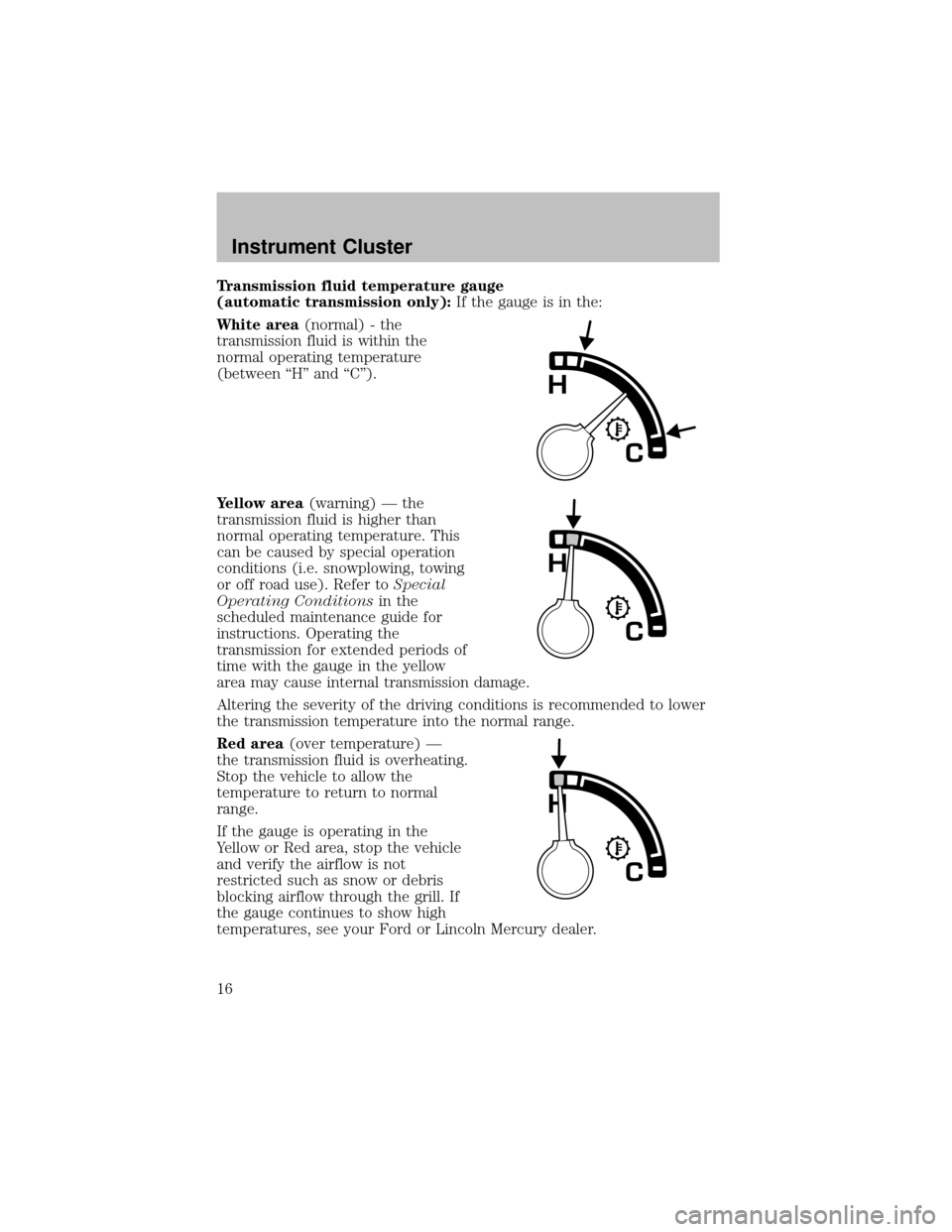
Transmission fluid temperature gauge
(automatictransmission only):If the gauge is in the:
White area(normal) - the
transmission fluid is within the
normal operating temperature
(between “H” and “C”).
Yellow area(warning) — the
transmission fluid is higher than
normal operating temperature. This
can be caused byspecial operation
conditions (i.e. snowplowing, towing
or off road use). Refer toSpecial
Operating Conditionsin the
scheduled maintenance guide for
instructions. Operating the
transmission for extended periods of
time with the gauge in the yellow
area maycause internal transmission damage.
Altering the severityof the driving conditions is recommended to lower
the transmission temperature into the normal range.
Red area(over temperature) —
the transmission fluid is overheating.
Stop the vehicle to allow the
temperature to return to normal
range.
If the gauge is operating in the
Yellow or Red area, stop the vehicle
and verifythe airflow is not
restricted such as snow or debris
blocking airflow through the grill. If
the gauge continues to show high
temperatures, see your Ford or Lincoln Mercury dealer.
Instrument Cluster
16
Page 28 of 256
17.Disc/Tune:Radio: Press
orto manuallytune down or up
the frequencyband.
CD: Press
orto select the previous or next track on the CD.
18.CD door:Insert a CD label side
up.
CD CHANGER (IF EQUIPPED)
Your CD changer is in one of the following locations:
•Behind the passenger’s seat (Regular Cab only)
•In the center console (SuperCab/SuperCrew with Captain’s chairs)
•Under the rear bench on the driver’s side (see instructions below)
(SuperCab with bench seats)
•In the stowage bin on the passenger’s side (SuperCrew with bench
seats)
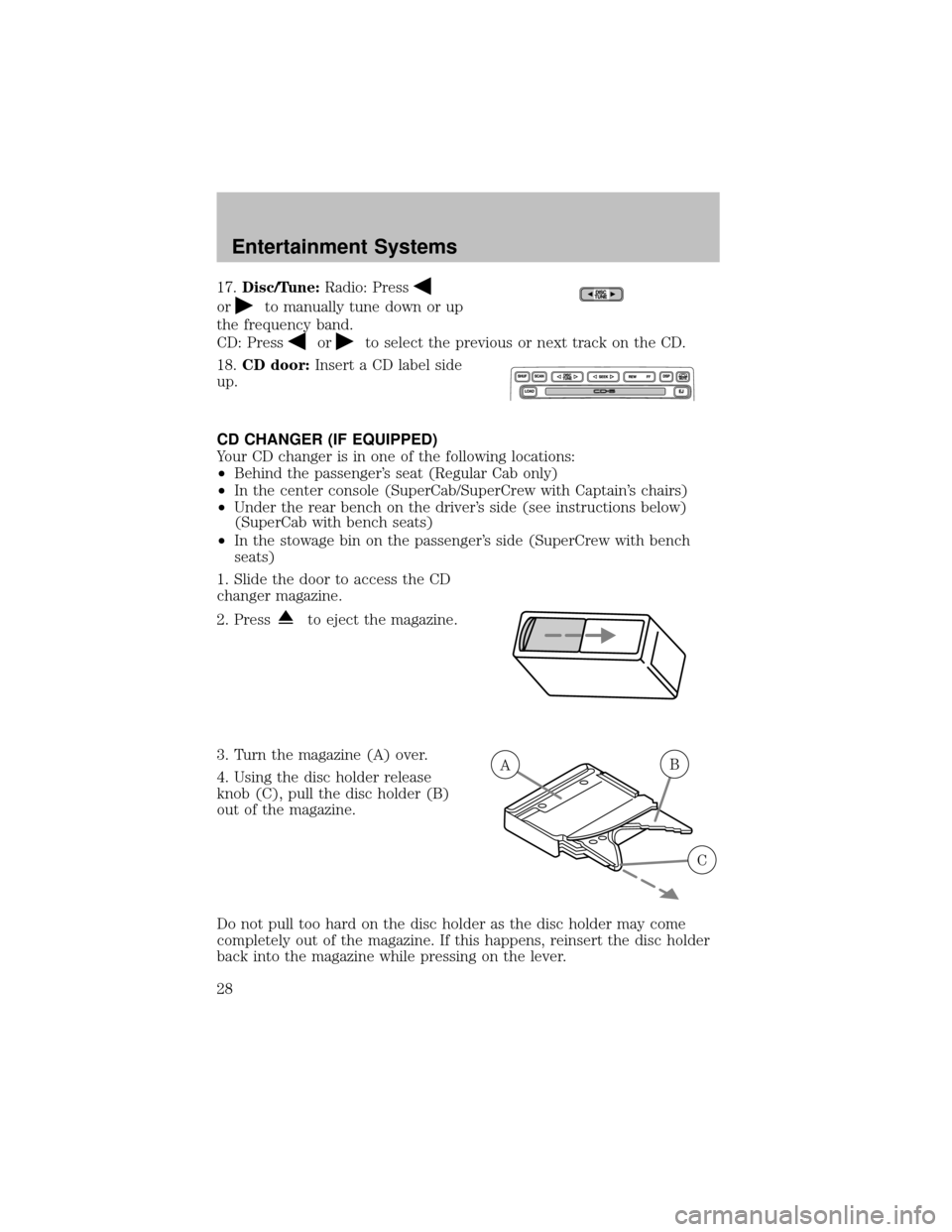
1. Slide the door to access the CD
changer magazine.
2. Press
to eject the magazine.
3. Turn the magazine (A) over.
4. Using the disc holder release
knob (C), pull the disc holder (B)
out of the magazine.
Do not pull too hard on the disc holder as the disc holder maycome
completelyout of the magazine. If this happens, reinsert the disc holder
back into the magazine while pressing on the lever.
AB
C
Entertainment Systems
28
Page 29 of 256
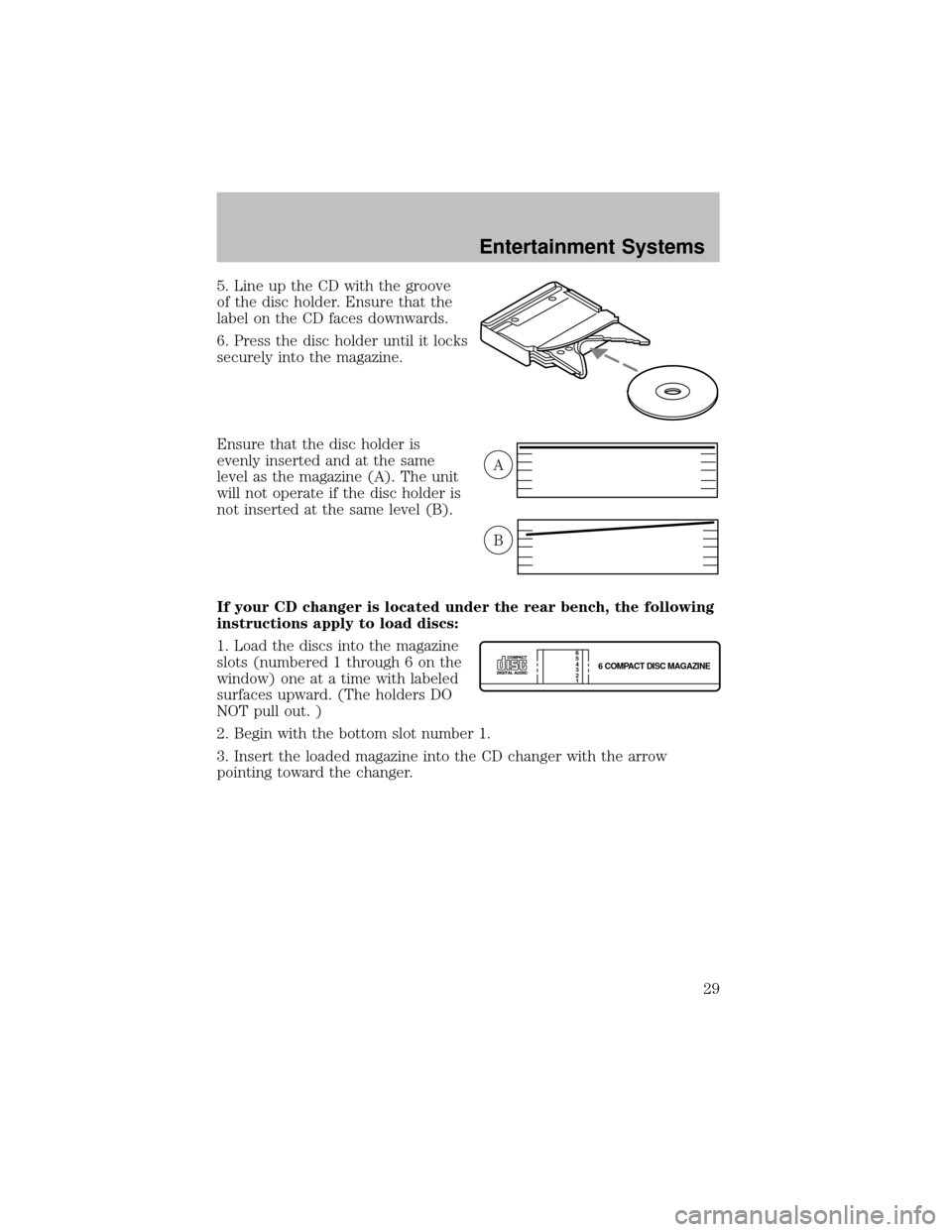
5. Line up the CD with the groove
of the disc holder. Ensure that the
label on the CD faces downwards.
6. Press the disc holder until it locks
securelyinto the magazine.
Ensure that the disc holder is
evenlyinserted and at the same
level as the magazine (A). The unit
will not operate if the disc holder is
not inserted at the same level (B).
If your CD changer is located under the rear bench, the following
instructions apply to load discs:
1. Load the discs into the magazine
slots (numbered 1 through 6 on the
window) one at a time with labeled
surfaces upward. (The holders DO
NOT pull out. )
2. Begin with the bottom slot number 1.
3. Insert the loaded magazine into the CD changer with the arrow
pointing toward the changer.
A
B
6 COMPACT DISC MAGAZINE1 2 3 4 5
6
Entertainment Systems
29
Page 30 of 256

To remove discs:
1. Slide the corresponding lever on the opposite side of the magazine
window. The disc will partiallyeject.
2. Remove the disc.
Radio power must be turned on to playthe CDs in the changer. The
magazine maybe stored in the glove box when not being used.
The CD magazine maybe inserted or ejected with the radio power off.
ONLY use the magazine supplied with the CD changer, other types will
damage the unit.
Keep the CD changer door closed. Coins and foreign objects will damage
the CD player and void your audio system warranty.
RADIO FREQUENCIES
AM and FM frequencies are established bythe Federal Communications
Commission (FCC) and the Canadian Radio and Telecommunications
Commission (CRTC). Those frequencies are:
AM - 530, 540–1700, 1710 kHz
FM- 87.7, 87.9–107.7, 107.9 MHz
RADIO RECEPTION FACTORS
There are three factors that can effect radio reception:
•Distance/strength: The further you travel from an FM station, the
weaker the signal and the weaker the reception.
•Terrain: Hills, mountains, tall buildings, power lines, electric fences,
traffic lights and thunderstorms can interfere with your reception.
•Station overload: When you pass a broadcast tower, a stronger signal
mayovertake a weaker one and playwhile the weak station frequency
is displayed.
CASSETTE/PLAYER CARE
Do:
•Use onlycassettes that are 90 minutes long or less.
•Tighten veryloose tapes byinserting a finger or pencil into the hole
and turning the hub.
•Remove loose labels before inserting tapes.
•Allow tapes which have been subjected to extreme heat, humidityor
cold to reach a moderate temperature before playing.
Entertainment Systems
30
Page 33 of 256
4. Direct the outer instrument panel vents towards the side windows
To increase airflow to the outer instrument panel vents, close the vents
located in the middle of the instrument panel.
Do not place objects on top of the instrument panel as these
objects maybecome projectiles in a collision or sudden stop.
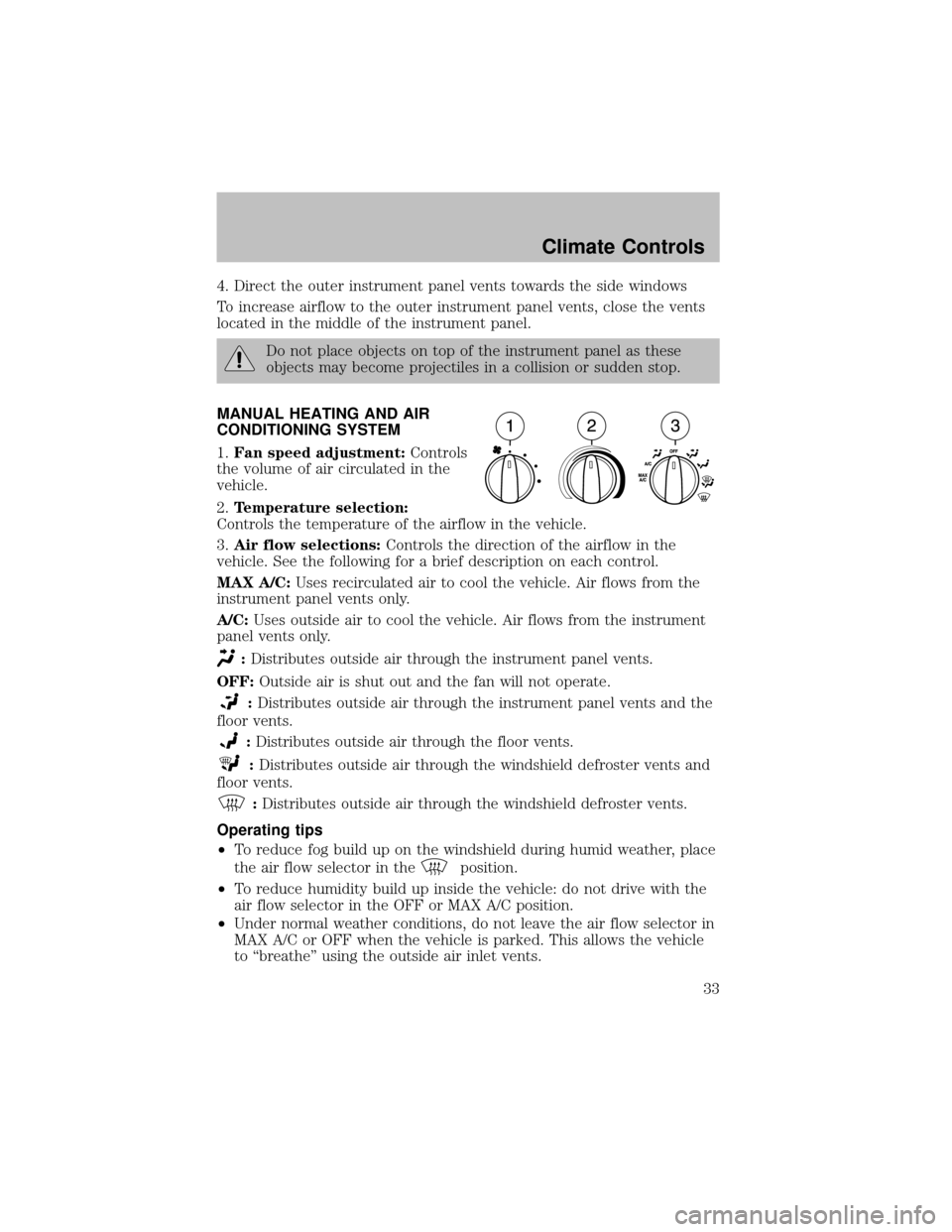
MANUAL HEATING AND AIR
CONDITIONING SYSTEM
1.Fan speed adjustment:Controls
the volume of air circulated in the
vehicle.
2.Temperature selection:
Controls the temperature of the airflow in the vehicle.
3.Air flow selections:Controls the direction of the airflow in the
vehicle. See the following for a brief description on each control.
MAX A/C:Uses recirculated air to cool the vehicle. Air flows from the
instrument panel vents only.
A/C:Uses outside air to cool the vehicle. Air flows from the instrument
panel vents only.
:Distributes outside air through the instrument panel vents.
OFF:Outside air is shut out and the fan will not operate.
:Distributes outside air through the instrument panel vents and the
floor vents.
:Distributes outside air through the floor vents.
:Distributes outside air through the windshield defroster vents and
floor vents.
:Distributes outside air through the windshield defroster vents.
Operating tips
•To reduce fog build up on the windshield during humid weather, place
the air flow selector in the
position.
•To reduce humiditybuild up inside the vehicle: do not drive with the
air flow selector in the OFF or MAX A/C position.
•Under normal weather conditions, do not leave the air flow selector in
MAX A/C or OFF when the vehicle is parked. This allows the vehicle
to “breathe” using the outside air inlet vents.
Climate Controls
33