Page 1 of 216
Table of Contents
Introduction 4
Instrument Cluster 10
Warning and control lights 10
Gauges 14
Entertainment Systems 17
AM/FM stereo cassette 17
AM/FM stereo with CD 20
Climate Controls 35
Heater only 35
Manual heating and air conditioning 36
Lights 38
Headlamps 38
Turn signal control 41
Driver Controls 50
Windshield wiper/washer control 50
Steering wheel adjustment 51
Power windows 52
Mirrors 53
Speed control 53
Locks and Security 62
Keys 62
Locks 62
Anti-theft system 65
Table of Contents
1
Page 14 of 216
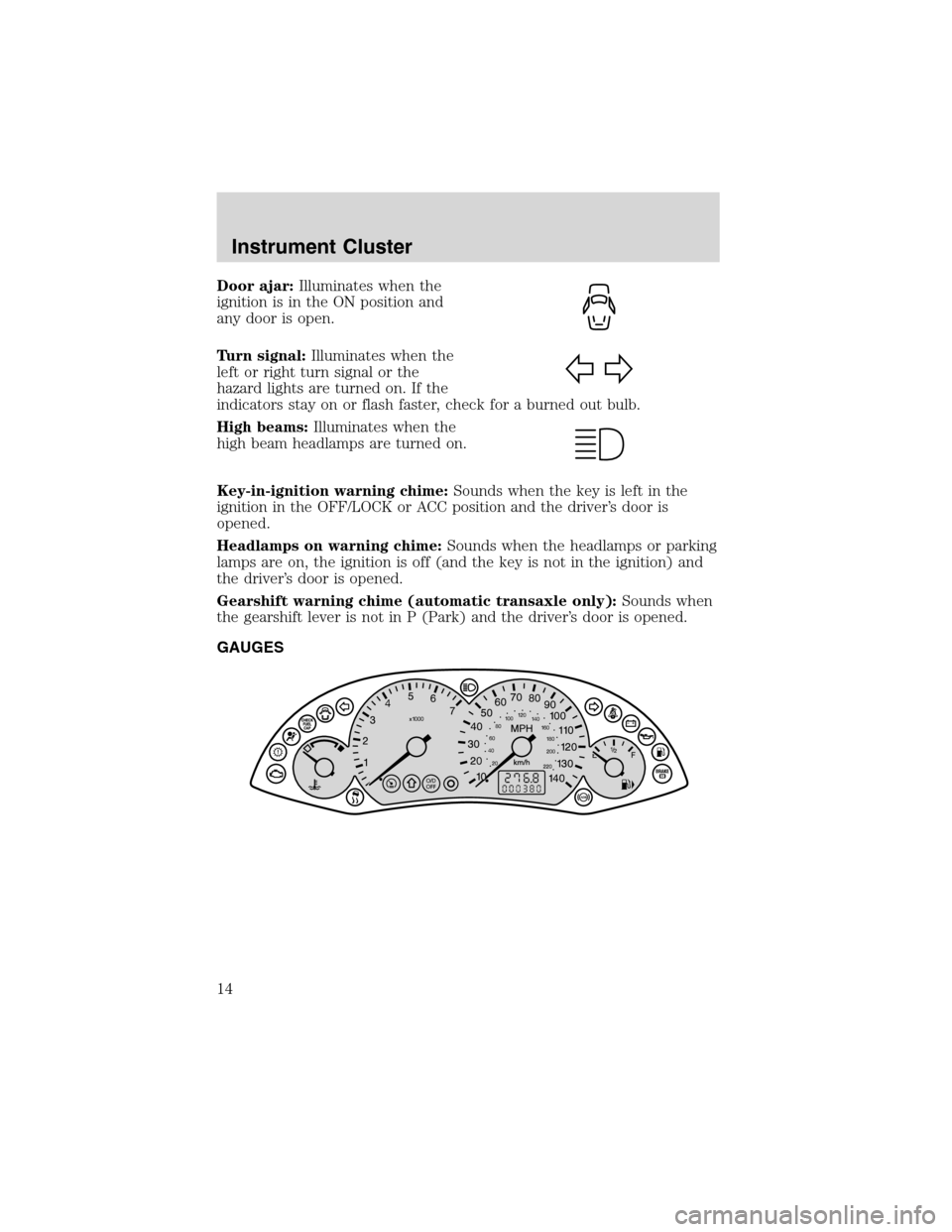
Door ajar:Illuminates when the
ignition is in the ON position and
any door is open.
Turn signal:Illuminates when the
left or right turn signal or the
hazard lights are turned on. If the
indicators stay on or flash faster, check for a burned out bulb.
High beams:Illuminates when the
high beam headlamps are turned on.
Key-in-ignition warning chime:Sounds when the key is left in the
ignition in the OFF/LOCK or ACC position and the driver’s door is
opened.
Headlamps on warning chime:Sounds when the headlamps or parking
lamps are on, the ignition is off (and the key is not in the ignition) and
the driver’s door is opened.
Gearshift warning chime (automatic transaxle only):Sounds when
the gearshift lever is not in P (Park) and the driver’s door is opened.
GAUGES
Instrument Cluster
14
Page 32 of 216
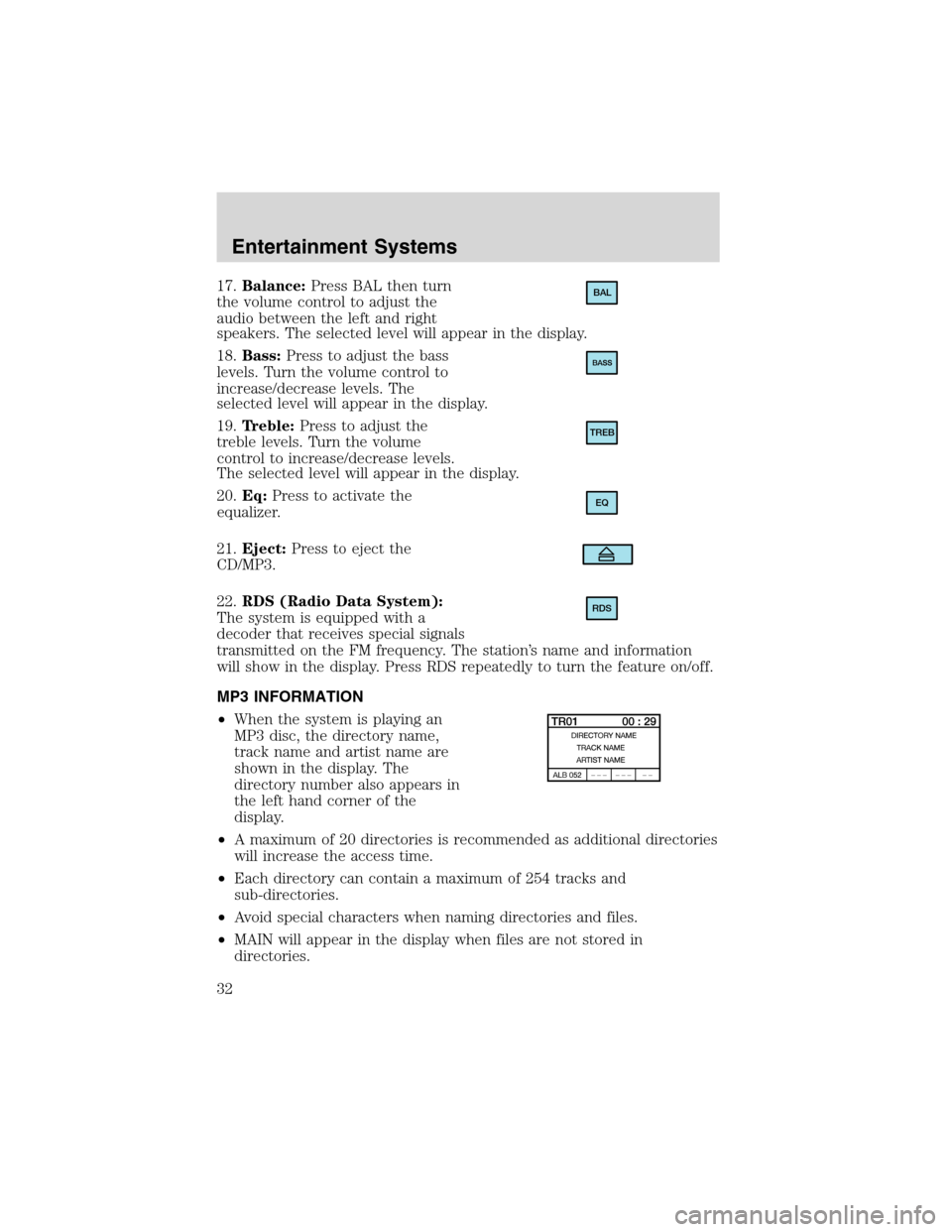
17.Balance:Press BAL then turn
the volume control to adjust the
audio between the left and right
speakers. The selected level will appear in the display.
18.Bass:Press to adjust the bass
levels. Turn the volume control to
increase/decrease levels. The
selected level will appear in the display.
19.Treble:Press to adjust the
treble levels. Turn the volume
control to increase/decrease levels.
The selected level will appear in the display.
20.Eq:Press to activate the
equalizer.
21.Eject:Press to eject the
CD/MP3.
22.RDS (Radio Data System):
The system is equipped with a
decoder that receives special signals
transmitted on the FM frequency. The station’s name and information
will show in the display. Press RDS repeatedly to turn the feature on/off.
MP3 INFORMATION
•When the system is playing an
MP3 disc, the directory name,
track name and artist name are
shown in the display. The
directory number also appears in
the left hand corner of the
display.
•A maximum of 20 directories is recommended as additional directories
will increase the access time.
•Each directory can contain a maximum of 254 tracks and
sub-directories.
•Avoid special characters when naming directories and files.
•MAIN will appear in the display when files are not stored in
directories.BAL
TREB
EQ
RDS
Entertainment Systems
32
Page 33 of 216
•CD-R media is supported, but CD-RW is not.
•If more than one session is written to the CD, only the first session
will be detected.
RADIO FREQUENCIES
AM and FM frequencies are established by the Federal Communications
Commission (FCC) and the Canadian Radio and Telecommunications
Commission (CRTC). Those frequencies are:
AM - 530, 540–1700, 1710 kHz
FM- 87.7, 87.9–107.7, 107.9 MHz
RADIO RECEPTION FACTORS
There are three factors that can affect radio reception:
•Distance/strength: The further you travel from an FM station, the
weaker the signal and the weaker the reception.
•Terrain: Hills, mountains, tall buildings, power lines, electric fences,
traffic lights and thunderstorms can interfere with your reception.
•Station overload: When you pass a broadcast tower, a stronger signal
may overtake a weaker one and play while the weak station frequency
is displayed.
CASSETTE/PLAYER CARE
Do:
•Use only cassettes that are 90 minutes long or less.
•Tighten very loose tapes by inserting a finger or pencil into the hole
and turning the hub.
•Remove loose labels before inserting tapes.
•Allow tapes which have been subjected to extreme heat, humidity or
cold to reach a moderate temperature before playing.
•Clean the cassette player head with a cassette cleaning cartridge after
10–12 hours of play to maintain good sound/operation.
Don’t:
•Expose tapes to direct sunlight, extreme humidity, heat or cold.
•Leave tapes in the cassette player for a long time when not being
played.
Entertainment Systems
33
Page 41 of 216
3. Open the hood.
4. Remove the battery cover.
5. Remove the headlamp bulb cover by releasing the four snap hooks
(two top and two bottom).
Note:On the left headlamp, pull the bulb cover approximately 1 inch
rearward and then slide it out until the vertical aiming adjuster is
accessible.
6. Turn on the low beam to illuminate the wall or screen. On the wall or
screen you will observe an area of high intensity light. If the left side of
each light pattern is not at the reference line, the beam needs to be
adjusted.
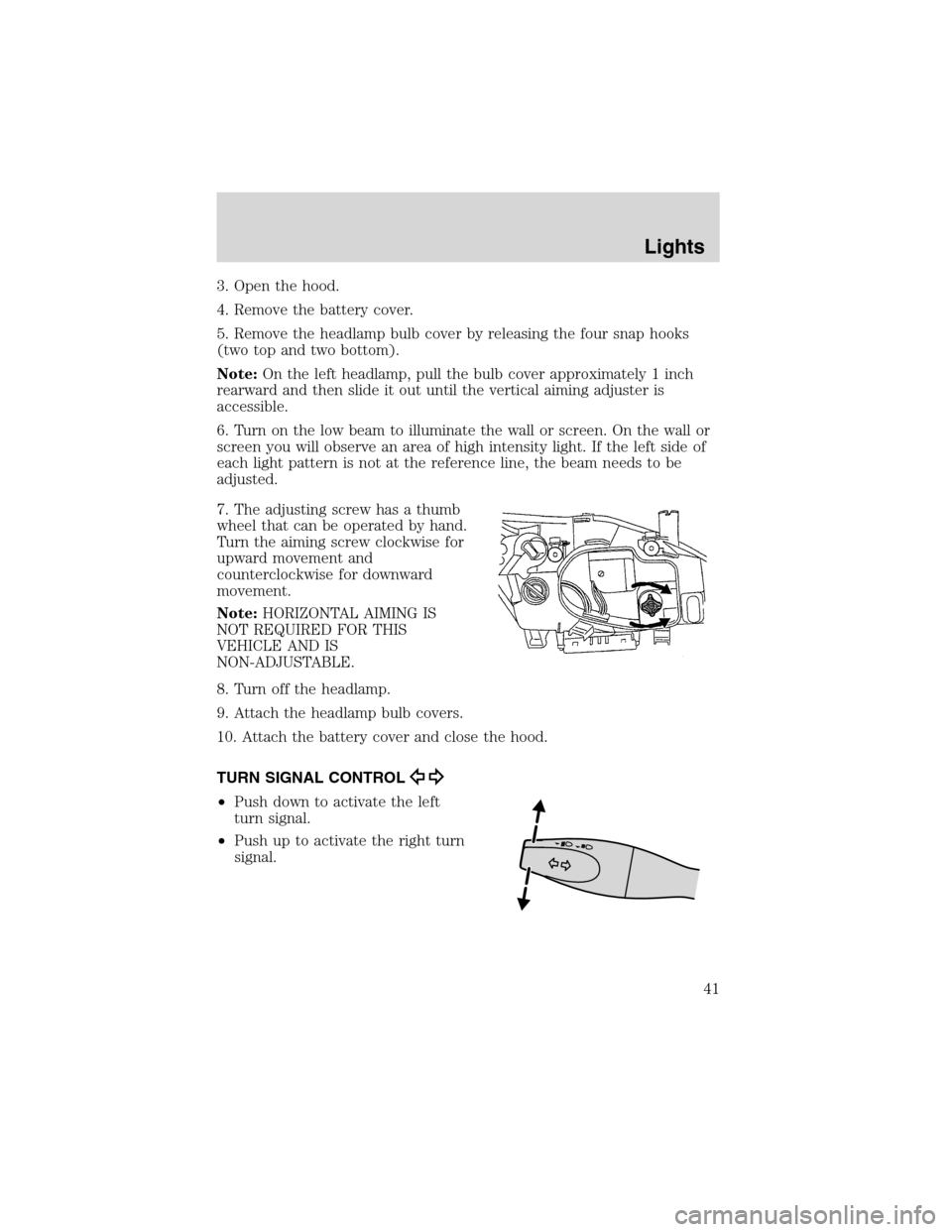
7. The adjusting screw has a thumb
wheel that can be operated by hand.
Turn the aiming screw clockwise for
upward movement and
counterclockwise for downward
movement.
Note:HORIZONTAL AIMING IS
NOT REQUIRED FOR THIS
VEHICLE AND IS
NON-ADJUSTABLE.
8. Turn off the headlamp.
9. Attach the headlamp bulb covers.
10. Attach the battery cover and close the hood.
TURN SIGNAL CONTROL
•Push down to activate the left
turn signal.
•Push up to activate the right turn
signal.
Lights
41
Page 45 of 216
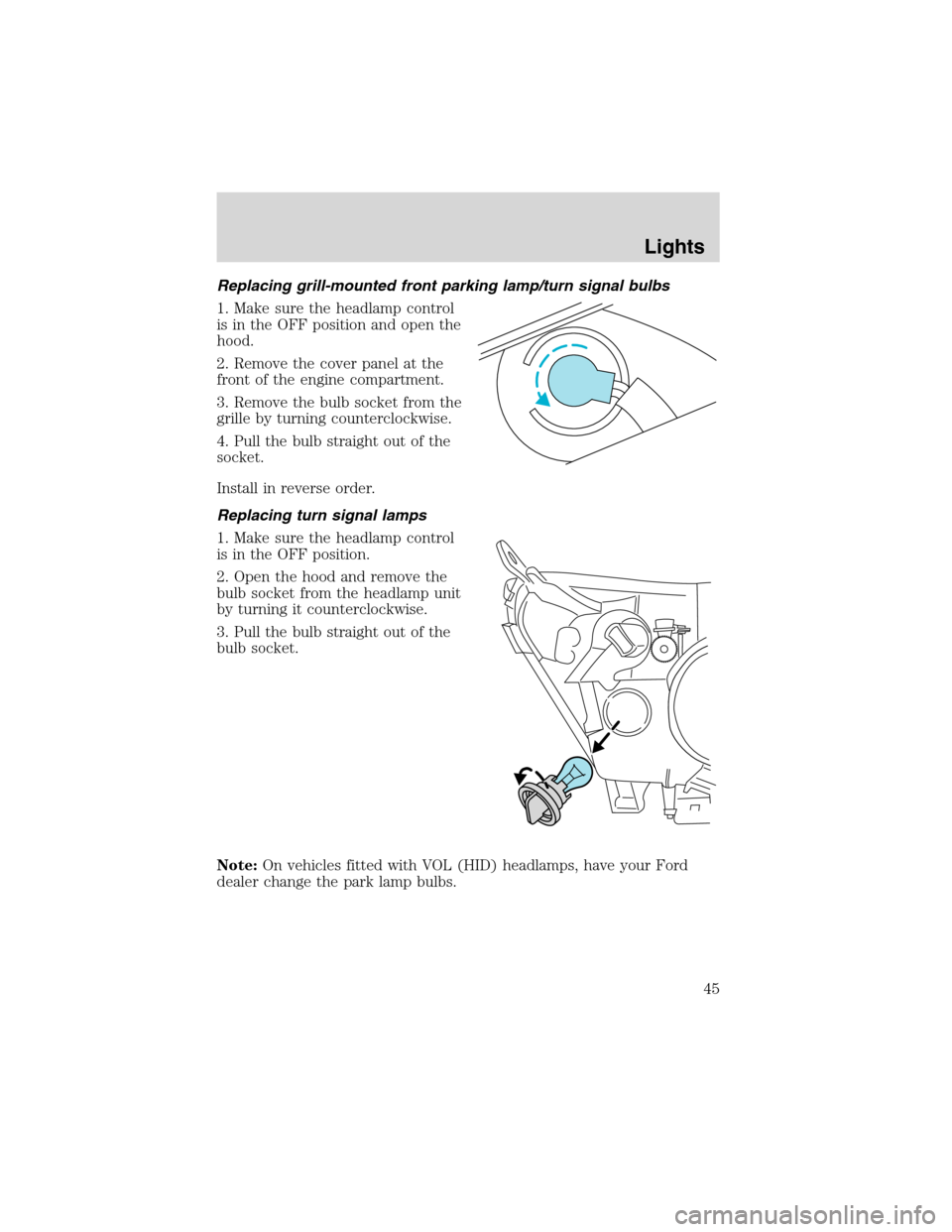
Replacing grill-mounted front parking lamp/turn signal bulbs
1. Make sure the headlamp control
is in the OFF position and open the
hood.
2. Remove the cover panel at the
front of the engine compartment.
3. Remove the bulb socket from the
grille by turning counterclockwise.
4. Pull the bulb straight out of the
socket.
Install in reverse order.
Replacing turn signal lamps
1. Make sure the headlamp control
is in the OFF position.
2. Open the hood and remove the
bulb socket from the headlamp unit
by turning it counterclockwise.
3. Pull the bulb straight out of the
bulb socket.
Note:On vehicles fitted with VOL (HID) headlamps, have your Ford
dealer change the park lamp bulbs.
Lights
45
Page 46 of 216
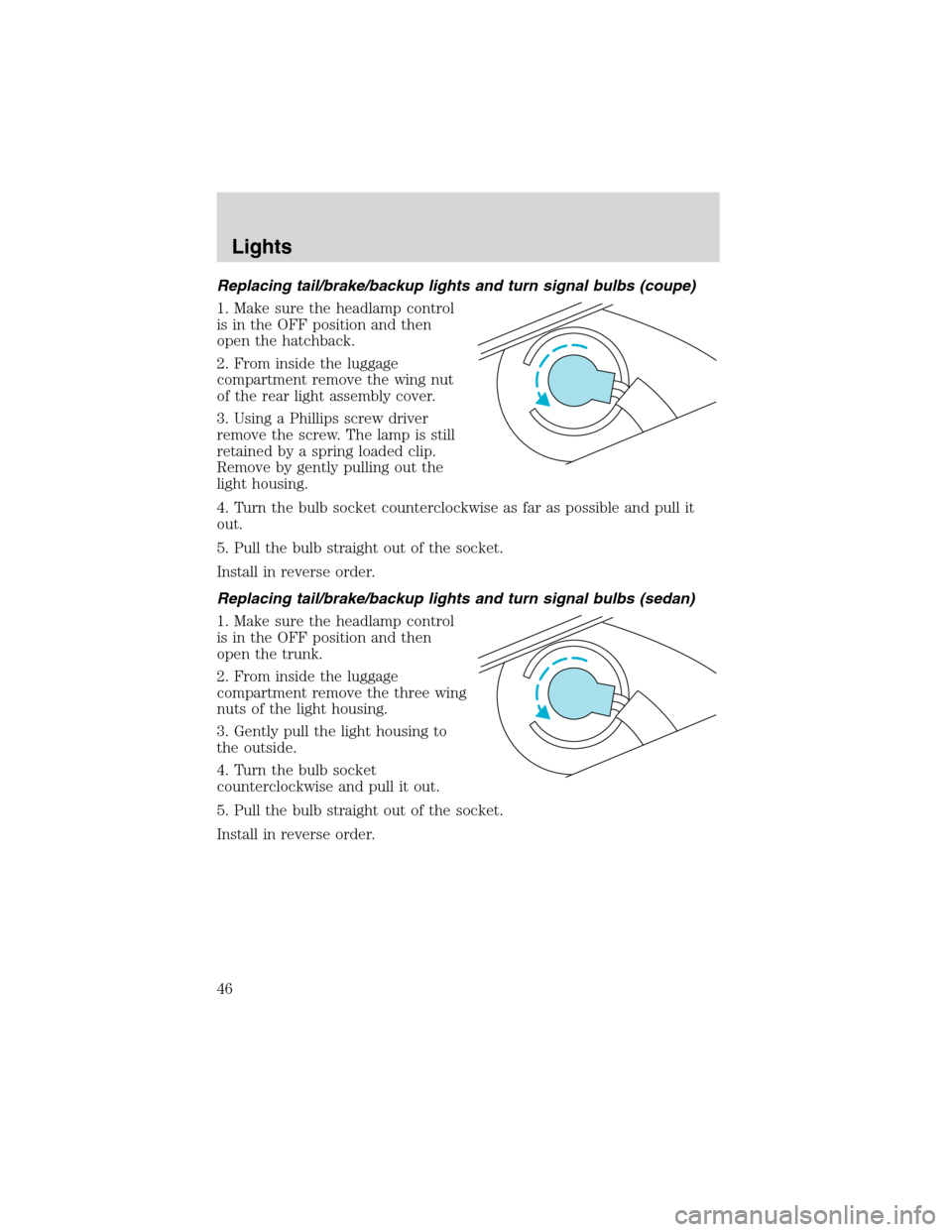
Replacing tail/brake/backup lights and turn signal bulbs (coupe)
1. Make sure the headlamp control
is in the OFF position and then
open the hatchback.
2. From inside the luggage
compartment remove the wing nut
of the rear light assembly cover.
3. Using a Phillips screw driver
remove the screw. The lamp is still
retained by a spring loaded clip.
Remove by gently pulling out the
light housing.
4. Turn the bulb socket counterclockwise as far as possible and pull it
out.
5. Pull the bulb straight out of the socket.
Install in reverse order.
Replacing tail/brake/backup lights and turn signal bulbs (sedan)
1. Make sure the headlamp control
is in the OFF position and then
open the trunk.
2. From inside the luggage
compartment remove the three wing
nuts of the light housing.
3. Gently pull the light housing to
the outside.
4. Turn the bulb socket
counterclockwise and pull it out.
5. Pull the bulb straight out of the socket.
Install in reverse order.
Lights
46
Page 47 of 216
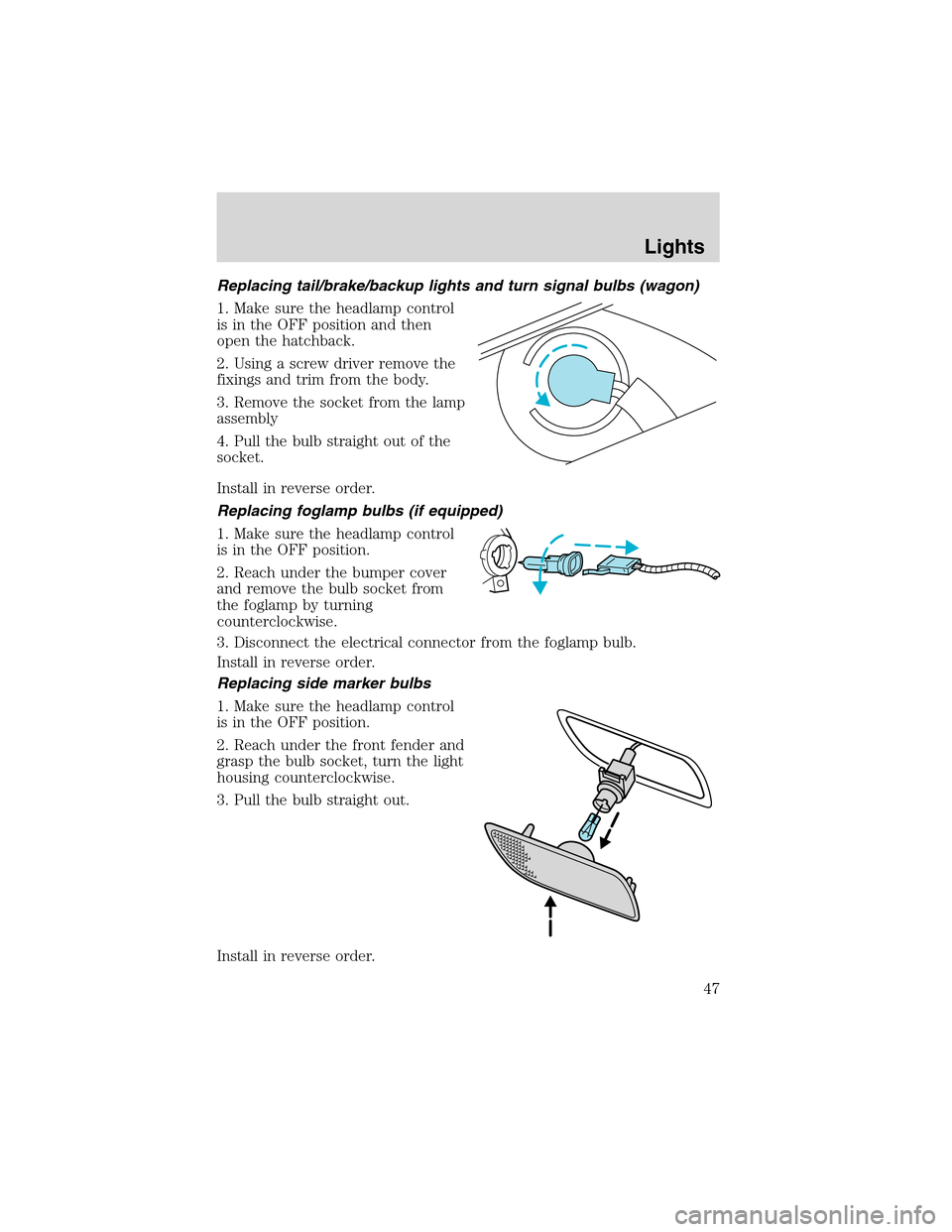
Replacing tail/brake/backup lights and turn signal bulbs (wagon)
1. Make sure the headlamp control
is in the OFF position and then
open the hatchback.
2. Using a screw driver remove the
fixings and trim from the body.
3. Remove the socket from the lamp
assembly
4. Pull the bulb straight out of the
socket.
Install in reverse order.
Replacing foglamp bulbs (if equipped)
1. Make sure the headlamp control
is in the OFF position.
2. Reach under the bumper cover
and remove the bulb socket from
the foglamp by turning
counterclockwise.
3. Disconnect the electrical connector from the foglamp bulb.
Install in reverse order.
Replacing side marker bulbs
1. Make sure the headlamp control
is in the OFF position.
2. Reach under the front fender and
grasp the bulb socket, turn the light
housing counterclockwise.
3. Pull the bulb straight out.
Install in reverse order.
Lights
47